Describe your support workflow and get a help desk with ticket intake, triage, queues, and permissions covered for real support teams.
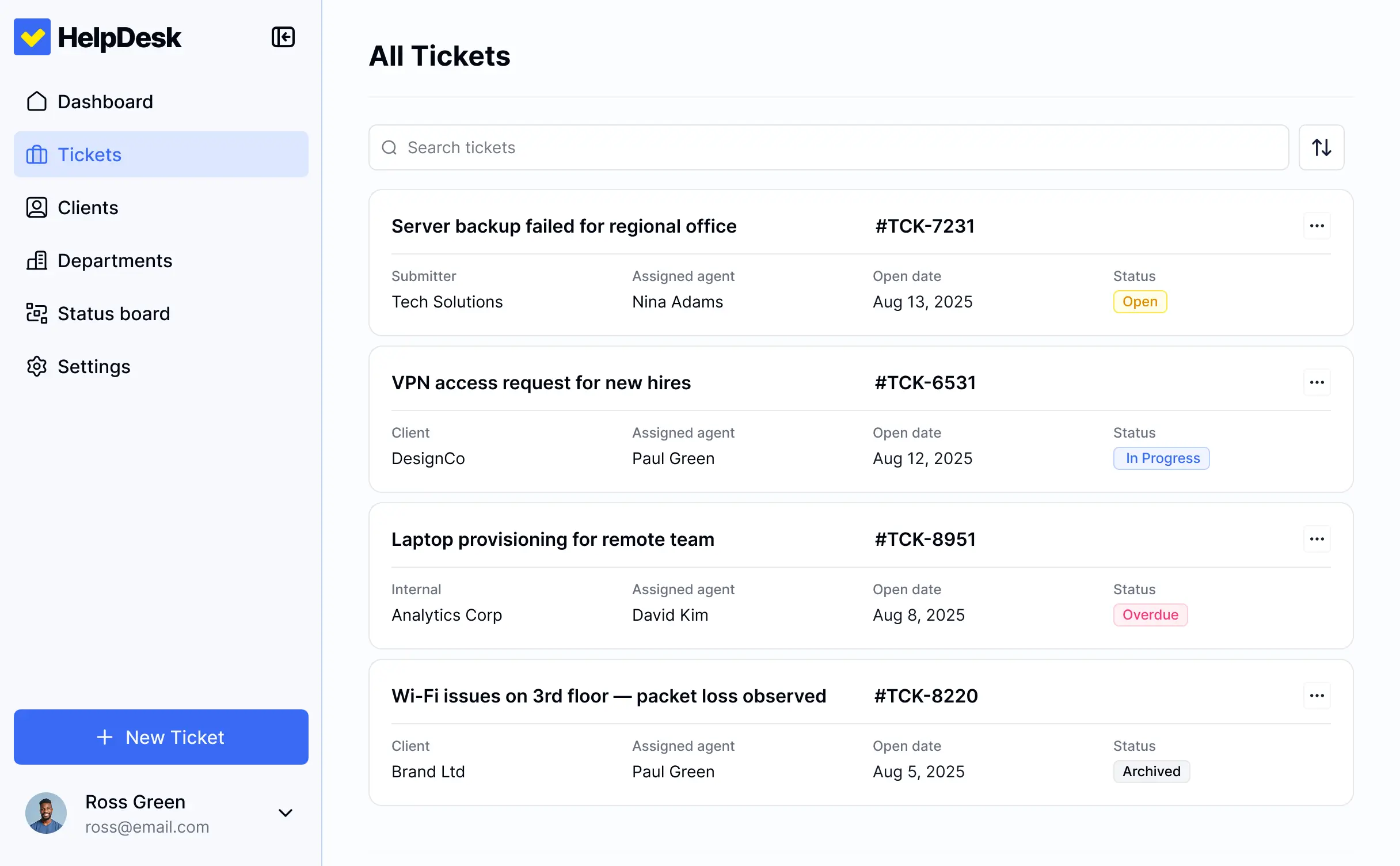
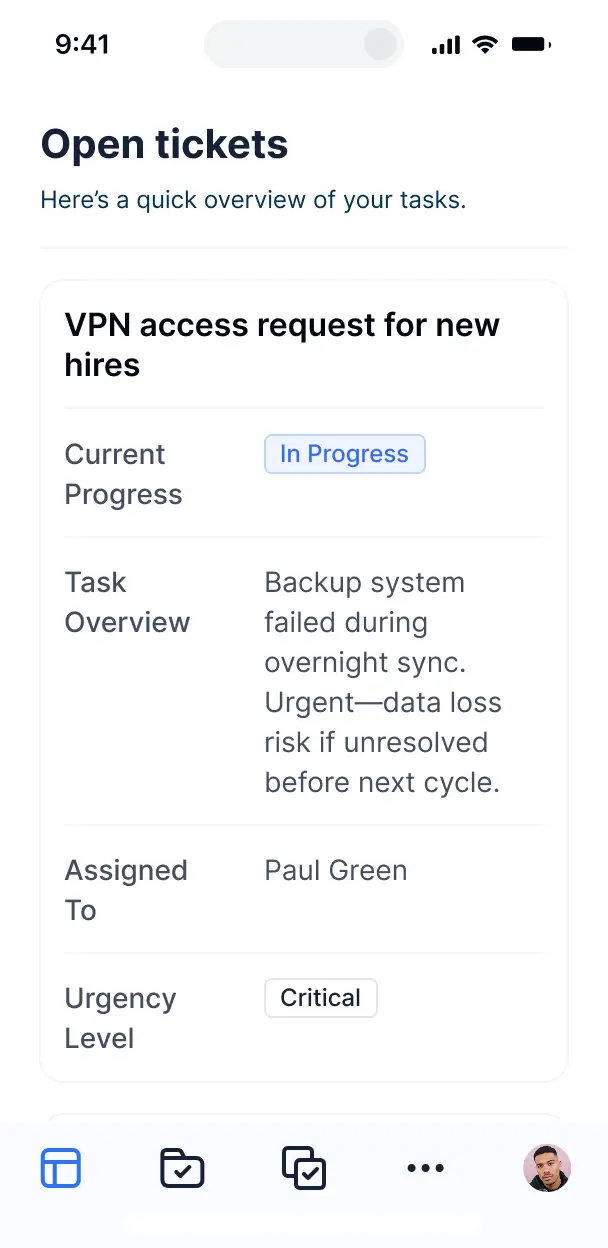



Add only the views and workflows your support queue needs today, then adapt ticket handling later as volume, roles, and processes change over time.


Manage tickets, agents, and help articles in Softr Databases, or connect Airtable, Notion, Google Sheets, and REST API with real-time sync for one support source of truth.
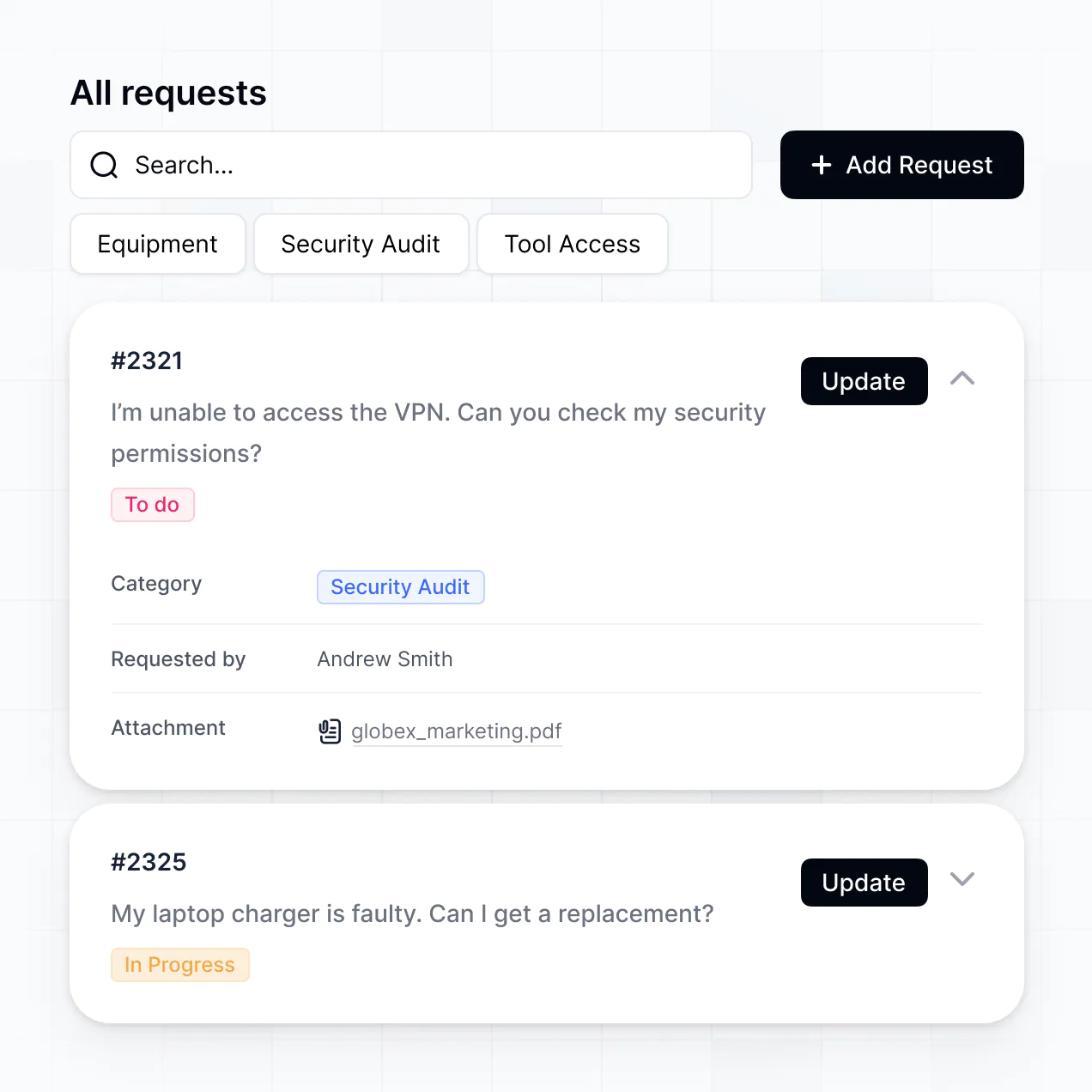
Give support agents the right queue views and access in a branded help desk. Set up secure logins, user groups, and permissions for ticket data in minutes.
Give agents, managers, and admins tailored access, so each role sees the queues and ticket details it needs.
Automate ticket routing, status updates, and notifications with Softr Workflows when records change.
Access ticket queues and update responses on the go. Help desk apps are mobile-ready by default.
Use email, Google, or SSO logins to give support agents secure access to ticket records.
Keep tickets and customer information safe with SOC 2 Type II compliance and granular access controls.
No more one-size-fits-all tools or costly custom builds. Softr is easy to use and fully customizable, so you can launch faster, adapt as you grow, and skip the complexity of traditional software.

Describe your ticket process and generate a working help desk in minutes, with no complex configuration.

Add queues, ticket views, and workflows as support volume and response processes evolve.

Bring ticket intake, agent responses, help articles, and support insights into one help desk.
Co-build with AI
Simply describe what you need. Let Softr handle everything - Interface, database, workflows.
Iterate with AI or visually
Control most critical parts of your app yourself - roles, permissions, security.
Ship the same day
Invite team members or external clients and partners right away. No developer handover.
Use drag-and-drop blocks to build a portal that looks sleek and modern out of the box. Add only the features you need, and iterate as your workflows evolve.




A help desk is a secure workspace where customers, employees, or IT agents log in to report issues and follow their resolution. It brings together tickets, requester details, priority levels, agent notes, attachments, status updates, and resolution timelines. Instead of searching through email threads and spreadsheets, support teams can manage every incident, question, and service request in one place.
For support teams, the main benefit is a clear view of every ticket, requester, SLA status, and pending reply without stitching together separate tools. Softr is an AI app builder for business software: describe your help desk requirements in plain language, and it generates the database, pages, and logic, already connected and secure, with no code at any point. You can also start from a template or build from scratch, then keep refining visually. Run ticket data in Softr Databases, or connect tools such as Airtable, Google Sheets, or HubSpot, depending on your plan. You control the layout, each agent's access, and your support branding throughout.
A help desk can include the following:
- **AI inside the app:** Ask AI can answer questions about open tickets and recurring incidents, while Database AI Agents can classify incoming tickets by topic, urgency, or department.
- **Custom interface:** A Vibe Coding block can create a support workload widget showing overdue tickets by agent, queue, and priority.
- **Automations:** Softr Workflows can assign a new ticket to the right support queue when its category changes, or trigger an action when an agent clicks a button.
- **Access control:** Give requesters access to their own tickets while supervisors can review team queues and resolution metrics.
- **Forms:** Collect issue descriptions, screenshots, and device details with file uploads and conditional logic.
- **Reporting:** Display live ticket volumes, response times, and backlog trends in dashboards and charts.
- **Ticket views:** Use filtered lists, tables, kanban boards, and detail views for triage and resolution.
All blocks are drag-and-drop and remain editable later.
Describe the help desk you need in plain language, such as a ticket intake form, an agent queue, requester history, and an escalation view, and Softr lets AI build it. The result runs on a stable, secure foundation rather than raw code that becomes difficult to maintain when ticket fields or support roles change. Authentication, database logic, and security are handled natively, so a broken dependency is less likely to interrupt customer replies or agent assignments on Day Two. When you use a Vibe Coding block for a custom queue or SLA panel, every prompt and edit is versioned, letting you roll back a change instead of trying to re-prompt your way out of it.
Yes. One help desk can separate customer support, IT, facilities, and billing teams in a single app. Each agent sees the tickets and queues assigned to their role, while team leads can review shared backlogs, escalations, and resolution history. Login-based permissions keep one department from editing another department's requests.
You do not need an existing ticket spreadsheet to get started. Softr Databases is built into the platform, so you can create fields for requesters, categories, priorities, agents, attachments, and resolution dates before importing anything. If your help desk already lives in a spreadsheet, you can connect Google Sheets or Airtable, then structure and display ticket queues in Softr. Notion, Coda, HubSpot, monday.com, Supabase, SQL sources, and other systems can also connect, depending on the plan. The REST API connector covers additional sources.
Softr Databases is the recommended starting point for a help desk. It is a native relational database built for business apps, with high performance, instant automation triggers, and fast access because the ticket data is native to Softr. You can also connect 21+ external sources, including Airtable, Google Sheets, SmartSuite, HubSpot, and BigQuery, with plan availability varying by source. One help desk can draw on several sources at once, such as ticket records in Softr Databases and customer details in Airtable. Most supported external sources provide real-time two-way sync.
Support managers can control the layout, navigation, and content each role receives. For example, a requester may create tickets and view only their own conversations and attachments, while an agent can edit ticket status, internal notes, priority, and assignment. A supervisor can see team-wide queues and escalation reports without giving every agent access to all departments. Views can also filter records by the logged-in user. Before publishing, the built-in preview lets you open the help desk as any user group, so you can verify requester, agent, and manager access without creating test accounts.
Yes. Apply your organization's logo, brand colors, fonts, and custom domain, then remove Softr branding. That gives employees, customers, and support agents a help desk that matches the rest of your service experience, especially when they submit tickets or review resolution updates.
You can adjust colors, fonts, spacing, page structure, and the content shown when each user logs in. For a help desk, the visual builder can combine blocks such as:
- **Table:** Let agents scan ticket ID, requester, priority, assignee, and SLA status.
- **List or Card:** Show a queue of recent incidents with short descriptions and response deadlines.
- **Detail View:** Give an agent the full conversation, attachments, internal notes, and resolution history.
- **Forms:** Collect issue type, device details, screenshots, and contact information.
- **Charts:** Track ticket volume, first-response time, reopened cases, and backlog by team.
- **Calendar:** Plan maintenance requests, onsite visits, or scheduled support appointments.
You choose where each block appears and can edit the layout later without rebuilding the help desk.
A help desk often contains sensitive customer messages, employee details, screenshots, and internal resolution notes, so access needs to follow the support role. Softr encrypts data in transit with TLS and at rest on secure infrastructure. Role-based permissions, visibility rules, global restrictions, and users managed in your data source help control who can view or edit tickets. With Softr Databases, records sit in Softr's secure environment, hosted in Europe in Germany, and the database is SOC 2 Type II compliant. When you connect an external source, Softr stores nothing there and displays live ticket data according to your access settings. Authentication, access control, and monitoring follow industry best practices.
A Softr help desk is production-ready when support agents and requesters need to rely on real tickets, customer messages, and escalation records every day. Instead of generating fragile custom code that can become hard to secure or maintain, Softr builds on a stable foundation with authentication, secure hosting, and granular permissions handled natively. That reduces the Day Two problem of fixing access rules or broken ticket logic after launch. You can generate the first version with AI, then refine queues, forms, and dashboards visually before real users start submitting requests.
Pure vibe coding tools generate raw code that can become fragile around authentication, ticket permissions, and maintenance. Traditional no-code tools often require teams to configure the database, pages, and logic manually. Softr takes a hybrid route: AI can generate a help desk with ticket records, agent queues, and workflows in minutes, while visual controls let you refine each detail. The business-grade foundation already includes hosting, authentication, roles, and permissions, which helps non-technical teams move from prototype to production. Softr apps are also agent-ready through MCP. A logged-in user can operate the help desk through an AI assistant, but only within the tickets and actions their existing user group permits. There is no second permission model to build or audit.
A common first automation is routing a newly submitted ticket to the correct support queue when its category or priority changes. Softr Workflows can run tasks inside the help desk when a record changes or an agent clicks a button, such as assigning an owner, updating an escalation status, or preparing a follow-up step. Softr also syncs with tools such as Stripe and Intercom, while REST API connections and webhooks cover advanced cases. These options let you send ticket data out, trigger actions from user activity, or display customer and account details from another system, without code.
Describe your support workflow and get a working help desk in minutes, no dev work needed.