


Build custom portals and tools powered by HubSpot
Turn your HubSpot CRM data into secure client portals, ticketing systems, and internal tools—no code required.
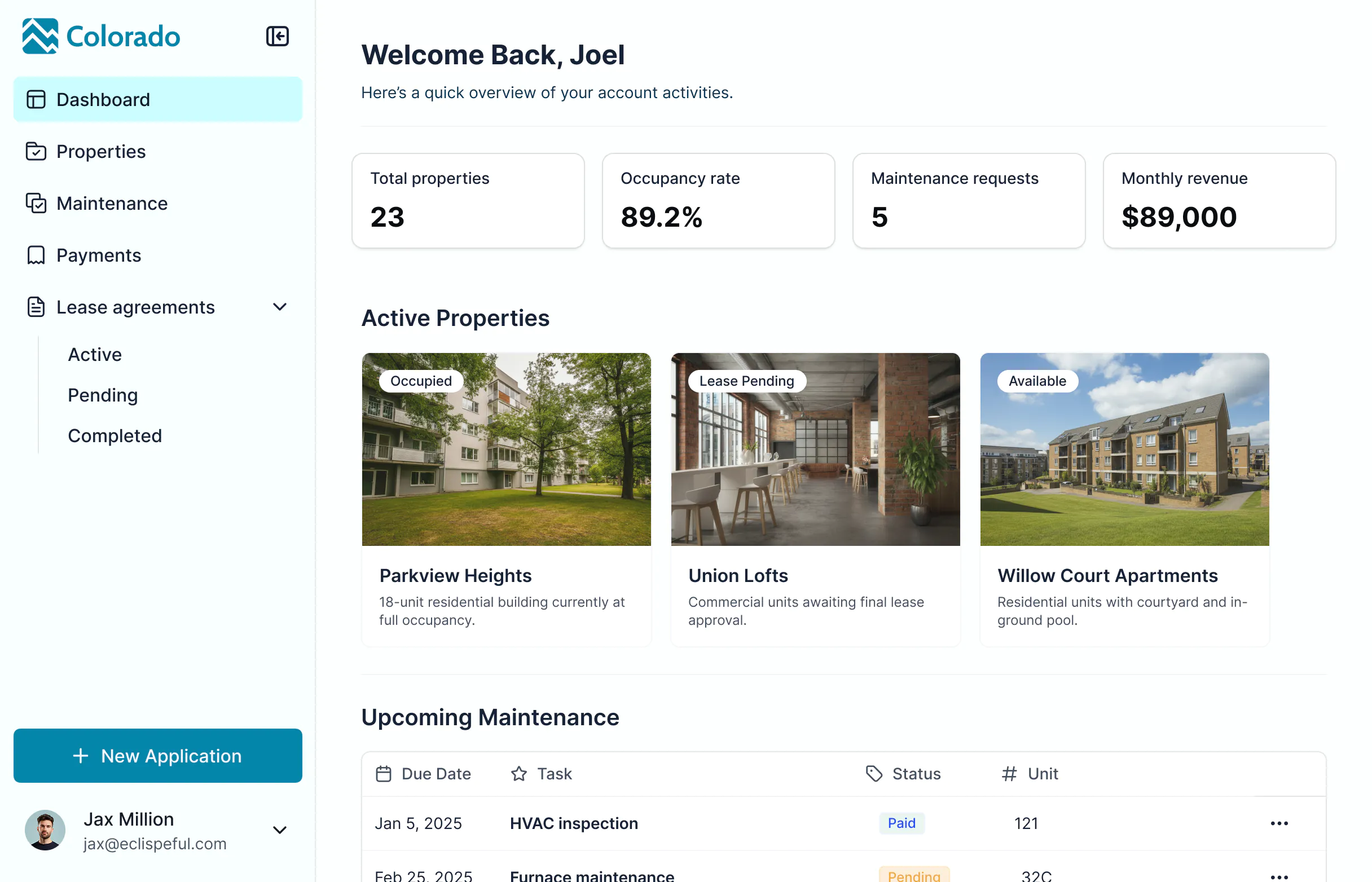


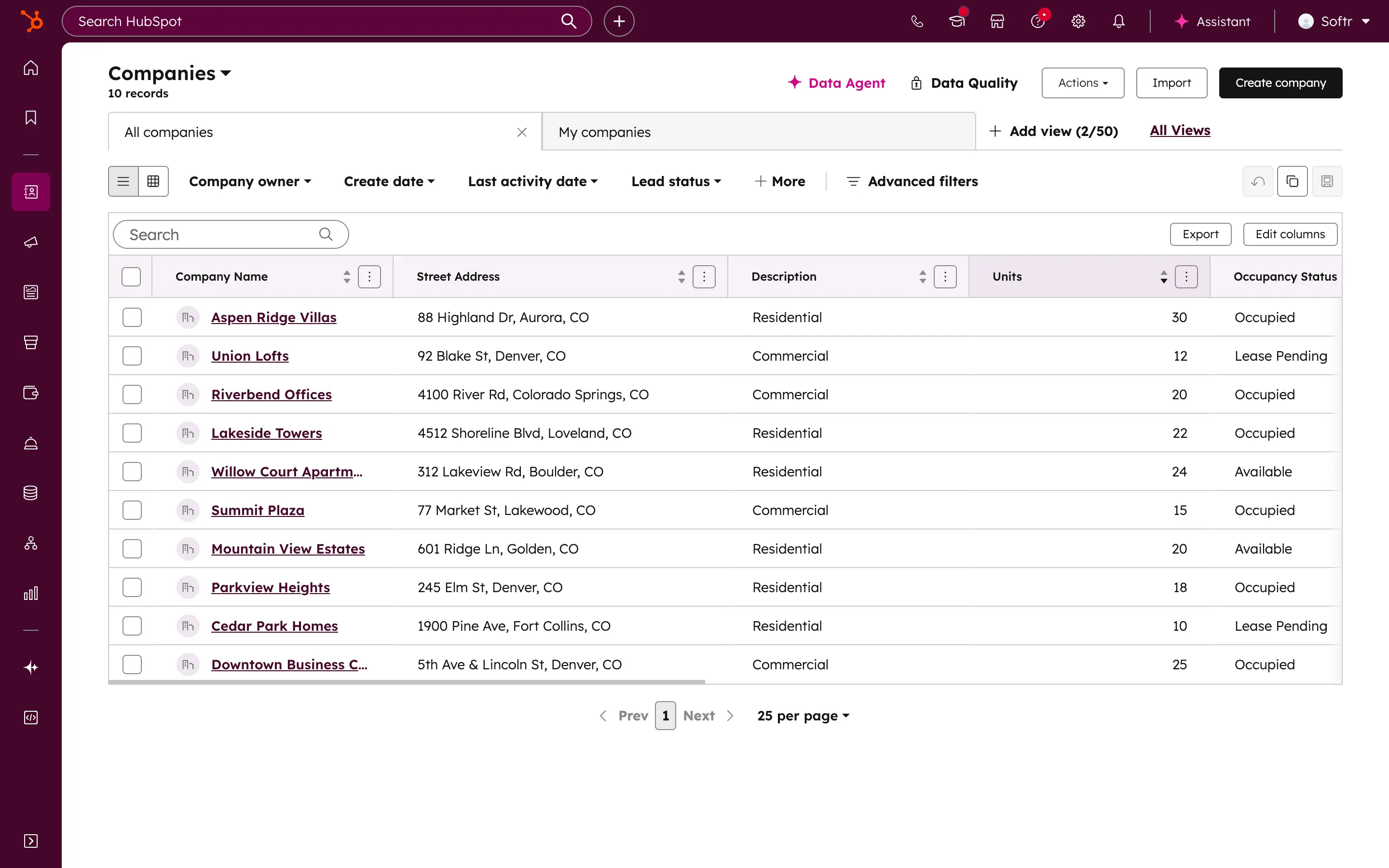










Connect HubSpot with real-time, 2-way sync.
Bring HubSpot data into Softr alongside other sources like Google Sheets or SQL. Any updates in HubSpot reflect instantly in your Softr apps, so clients and team members always see the latest information.

Control who can see and edit data.
Display HubSpot records in secure, role-based views. Give clients, partners, or teammates access to only what’s relevant —without sharing full CRM access or paying for extra HubSpot seats.

Create branded, full-stack business apps.
Design polished portals and tools that reflect your brand. Use drag-and-drop blocks to display data, add forms and action buttons, and deliver a smooth experience across desktop and mobile.

Consolidate your tools and data
Stop overspending on HubSpot seats or higher-tier plans. Build apps that fit your workflows perfectly.

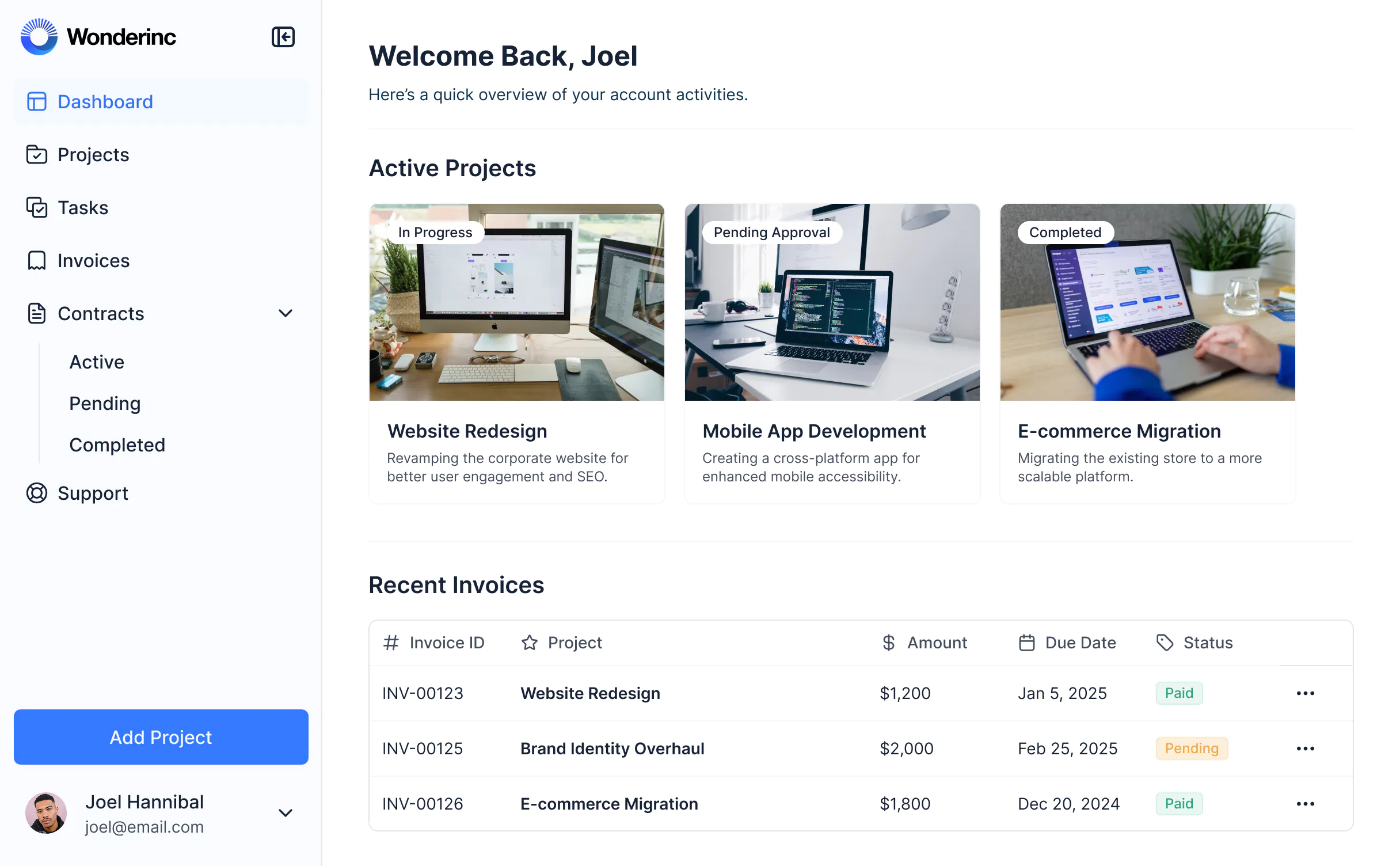


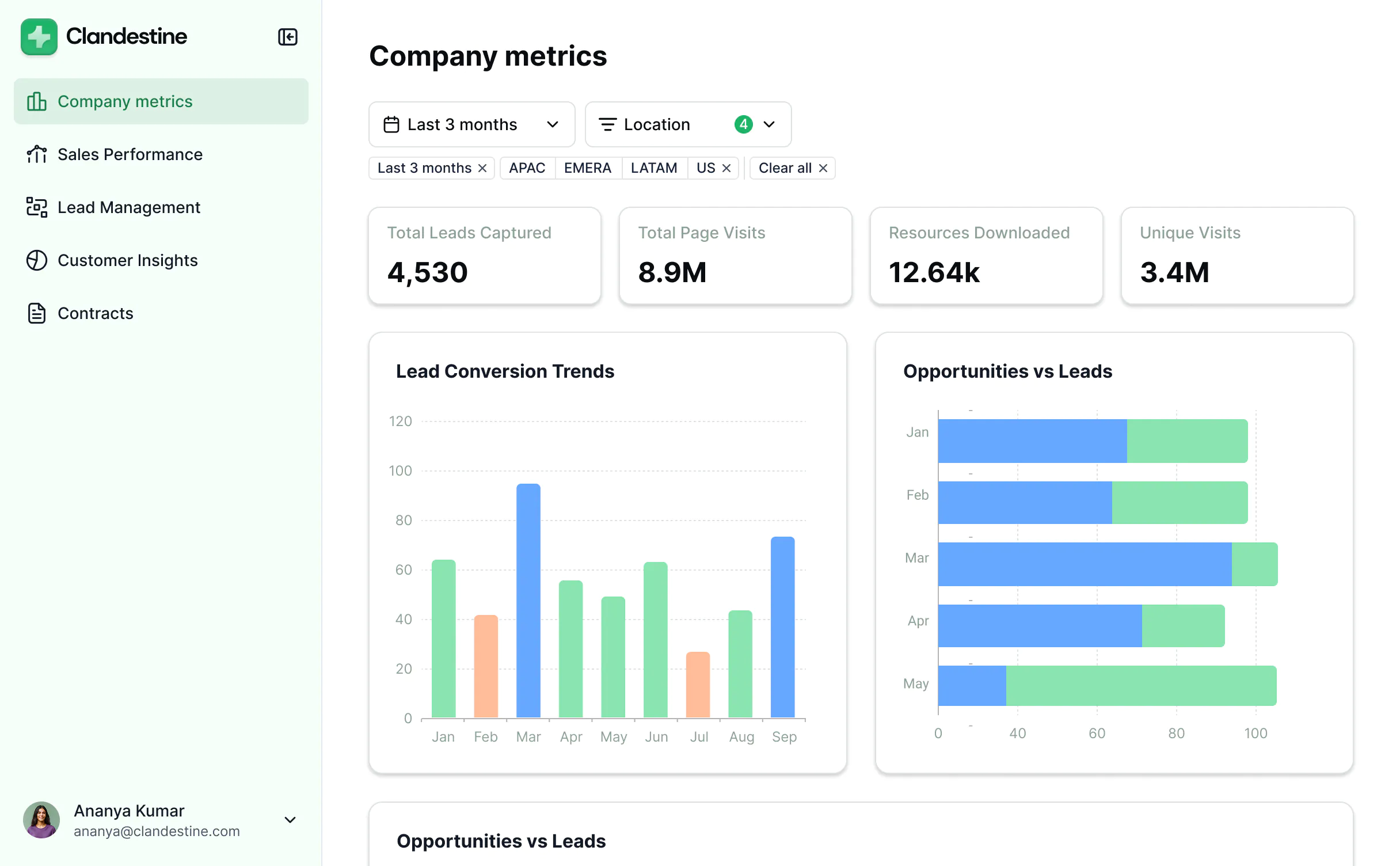


Take HubSpot further with Softr


Permissions & client access
Give clients access to HubSpot data through Service Hub portals or paid seats.
Provide a branded frontend where clients or partners can securely view and update relevant data—no HubSpot seat required.
Share CRM data internally with view-only links; paid seats required to edit data.
Build secure portals where users log in to view or edit the data they need.
Risk of exposing internal data if permissions aren’t configured carefully.
Each user sees and edits only what they’re allowed to, keeping sensitive CRM data protected.

User experience & branding
HubSpot UI is built for sales and marketing teams, not external clients or other team members.
Build fully white-labeled portals and apps with custom domains, logos, and colors.
Custom design and layout changes require developer support or enterprise plans.
Drag-and-drop blocks let you design tailored client and user experiences—no coding required.
Forms
HubSpot forms focus on lead capture and CRM syncing; conditional logic requires higher-tier plans.
Build advanced forms for any workflow—from client intake to support tickets—with conditional logic, branding, and routing.

Pricing
Requires paid seats for every user who needs access.
Use HubSpot for backend logic and Softr to handle the frontend experience. Scale client and partner access without per-seat costs.
Customization and Service Hub portal features cost extra.
Extend HubSpot CRM functionality without upgrading to Service Hub.

Dashboards & reporting
Build dashboards using live HubSpot data.
Build dashboards with live data from HubSpot and other tools in your stack (Airtable, SQL, BigQuery, and more).

All the features you need to build HubSpot portals and apps
Create a personalized, secure experience for every app user. Tailor the look and feel to align with your brand.

Branding
Deliver professional, white-label apps that impress your team and clients. Customize to reflect the look and feel of your brand.

Works on any device
Softr apps are mobile-ready by default. Turn it into a downloadable app in one click with Softr’s PWA—no extra design needed.

Automations
Connect with your existing tools (Make, Zapier) or use Softr Workflows to build automations directly inside your apps.

User groups
Create custom user groups and separate logins to provide personalized dashboard views and access levels for different users.

Advanced permissions
Customize who sees what, and which actions they can take, even at the most granular level.

Security
Protect information from security threats. Softr is fully compliant with SOC2 and GDPR regulations.

Go from zero to app, incredibly fast
Co-build with AI
Simply describe what you need. Let Softr handle everything - Interface, database, workflows.
Iterate with AI or visually
Control most critical parts of your app yourself - roles, permissions, security.
Ship the same day
Invite team members or external clients and partners right away. No developer handover.


