Describe your booking rules and get a live system with authentication, hosting, and permissions handled, ready for real users.
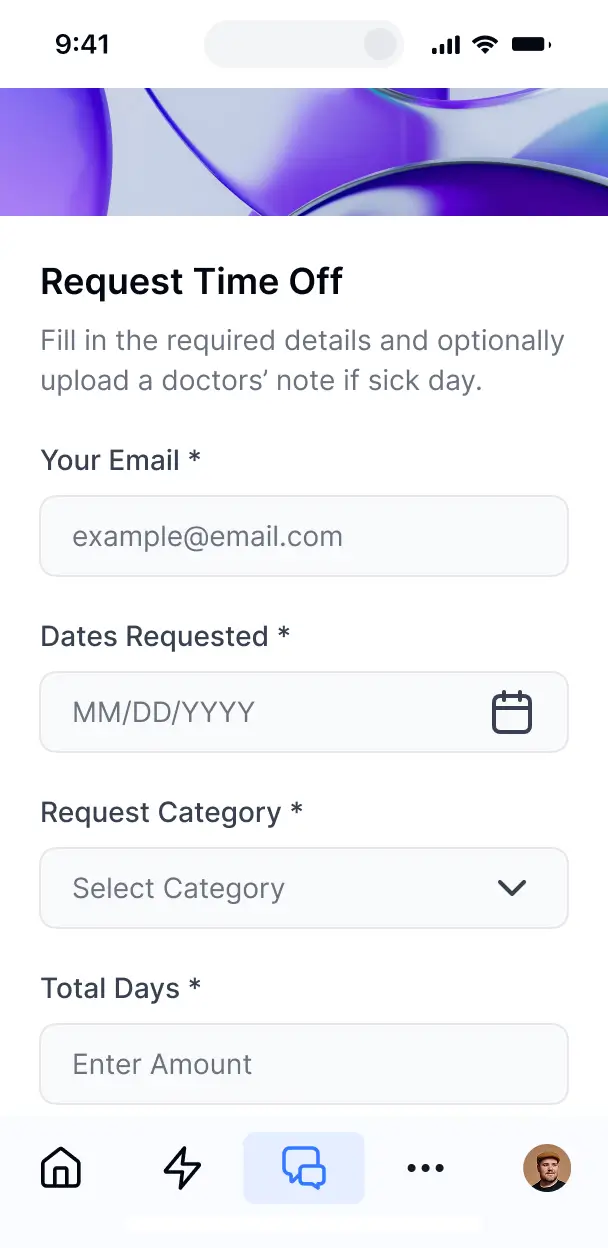



Choose only the views and workflows your booking process needs, then adapt them later as availability, requests, and policies change over time.


Manage booking records in Softr Databases, or connect Airtable, Notion, Google Sheets, or REST API with real-time sync. Keep availability and requests in one place.
Give customers and coordinators the right booking views and access in a branded portal. Set up secure logins, user groups, and permissions in minutes.
Booking pages work on any device, and users can install the app as a PWA in one click.
Trigger confirmations, reminders, status updates, and availability changes with Softr Workflows when bookings change.
Give customers and coordinators separate dashboards for requests, availability, confirmations, and cancellations.
Control who can view availability, change booking status, or cancel appointments with field- and action-level rules.
Protect booking and customer data with encryption in transit and at rest, plus SOC 2 Type II compliance.
No more one-size-fits-all tools or costly custom builds. Softr is easy to use and fully customizable, so you can launch faster, adapt as you grow, and skip the complexity of traditional software.

Describe your booking process and generate the first version in minutes, with no dev time or complex setup.

Add booking views, workflows, and integrations as availability rules and request volumes change.

Keep requests, availability, confirmations, cancellations, and booking insights together in one app.
Co-build with AI
Simply describe what you need. Let Softr handle everything - Interface, database, workflows.
Iterate with AI or visually
Control most critical parts of your app yourself - roles, permissions, security.
Ship the same day
Invite team members or external clients and partners right away. No developer handover.
Use drag-and-drop blocks to build a portal that looks sleek and modern out of the box. Add only the features you need, and iterate as your workflows evolve.




A booking system is a secure space where customers, staff, or service providers log in to manage appointments in one place. It can hold availability, booking requests, customer profiles, service details, staff schedules, cancellations, and appointment timelines. Instead of searching through email threads or updating shared spreadsheets, a scheduling team can use one system to coordinate consultations, classes, rooms, or other appointments.
For a scheduling team, the main benefit is having one dependable place for availability, appointments, and customer details. Softr is an AI app builder for business software. Describe the booking process in plain language, and it generates the database, pages, and logic, already connected and secure, with no code at any point.
You can start in three ways: generate the app with AI, adapt a template, or build it from scratch. Your records can run on Softr Databases or connected tools such as Airtable, Google Sheets, or HubSpot. You still control the layout, the permissions for customers and schedulers, and the branding used across booking pages and staff views.
You can shape the booking system around the way your schedulers, customers, and service providers work:
- **AI inside the app:** Ask AI can answer questions about upcoming appointments, while Database AI Agents can classify booking requests by service or flag incomplete customer records.
- **Custom interface:** A Vibe Coding block can create an availability grid that shows open slots by provider, location, or service.
- **Automations:** Softr Workflows can react when an appointment is created or when a staff member clicks a button, such as moving a booking into a confirmed status or creating a follow-up task.
- **Access control:** Customers can see their own appointments, while schedulers can manage calendars and providers can view assigned sessions.
- **Forms:** Collect booking requests, cancellations, customer details, and file uploads with conditional logic.
- **Views and reporting:** Use dashboards, charts, lists, filters, tables, kanban boards, and detail views for capacity, cancellations, and appointment status.
Everything uses drag-and-drop blocks and remains editable later.
Describe the scheduling process in plain language, including services, staff availability, customer details, booking statuses, and cancellation rules. Softr uses that description to generate a production-ready booking system on a stable, secure foundation. Unlike tools that return raw, fragile code, Softr handles authentication, database logic, and security natively, so a double-booking workflow or permission change does not become a Day Two maintenance problem. If you use a Vibe Coding block for a custom calendar or availability view, every prompt and edit is versioned. When a change causes trouble, you can roll it back instead of trying to reconstruct the right prompt.
Yes. One booking system can separate schedulers, front-desk staff, service providers, and managers by login and role. Each person sees only the appointments, customer records, and availability assigned to them, while managers can keep a broader view across teams, locations, or service types.
You do not need an existing database to start. If your appointments and customer details currently live in a spreadsheet, you can connect Google Sheets, or move the structure into Softr Databases, which is built into the platform and designed for relational business data. Softr also connects to Airtable, HubSpot, Notion, Coda, monday.com, Supabase, and SQL databases, while the REST API connector covers other sources. Either way, you decide how services, staff schedules, booking records, and customer profiles are structured and displayed.
Softr Databases is the recommended starting point for a booking system. It is a native relational source built for business apps, so scheduling records run with high performance and can trigger automations instantly without a third-party API in the way.
Softr also connects to 21+ external data sources, including Airtable, Google Sheets, HubSpot, SmartSuite, and BigQuery. A single booking system can draw from several sources at once, such as Google Sheets for provider availability and Airtable for customer records. Most connections support real-time two-way sync, so changes to appointments and time slots stay aligned with the source your team already uses.
You can control the layout, navigation, and content shown to every booking system user. For example, schedulers may view and edit all customer appointments, while service providers can see only their assigned sessions and relevant customer details. You can also filter views by the logged-in user, define precise view and edit rights, and hide pages or blocks by role.
The built-in preview lets you open the app as a scheduler, provider, or another user group before anything ships. That makes it possible to check whether a provider can change an appointment, whether a customer can see only their own bookings, and whether no test accounts are needed during access reviews.
Yes. A clinic, consultancy, studio, or service company can present its booking system to customers and staff with its own logo, colors, fonts, and custom domain. You can remove Softr branding so appointment pages, customer profiles, and scheduling views match the organization users already recognize.
You can adjust colors, fonts, spacing, page structure, and the content each customer, scheduler, or provider sees after login. Choose blocks based on the scheduling task they support:
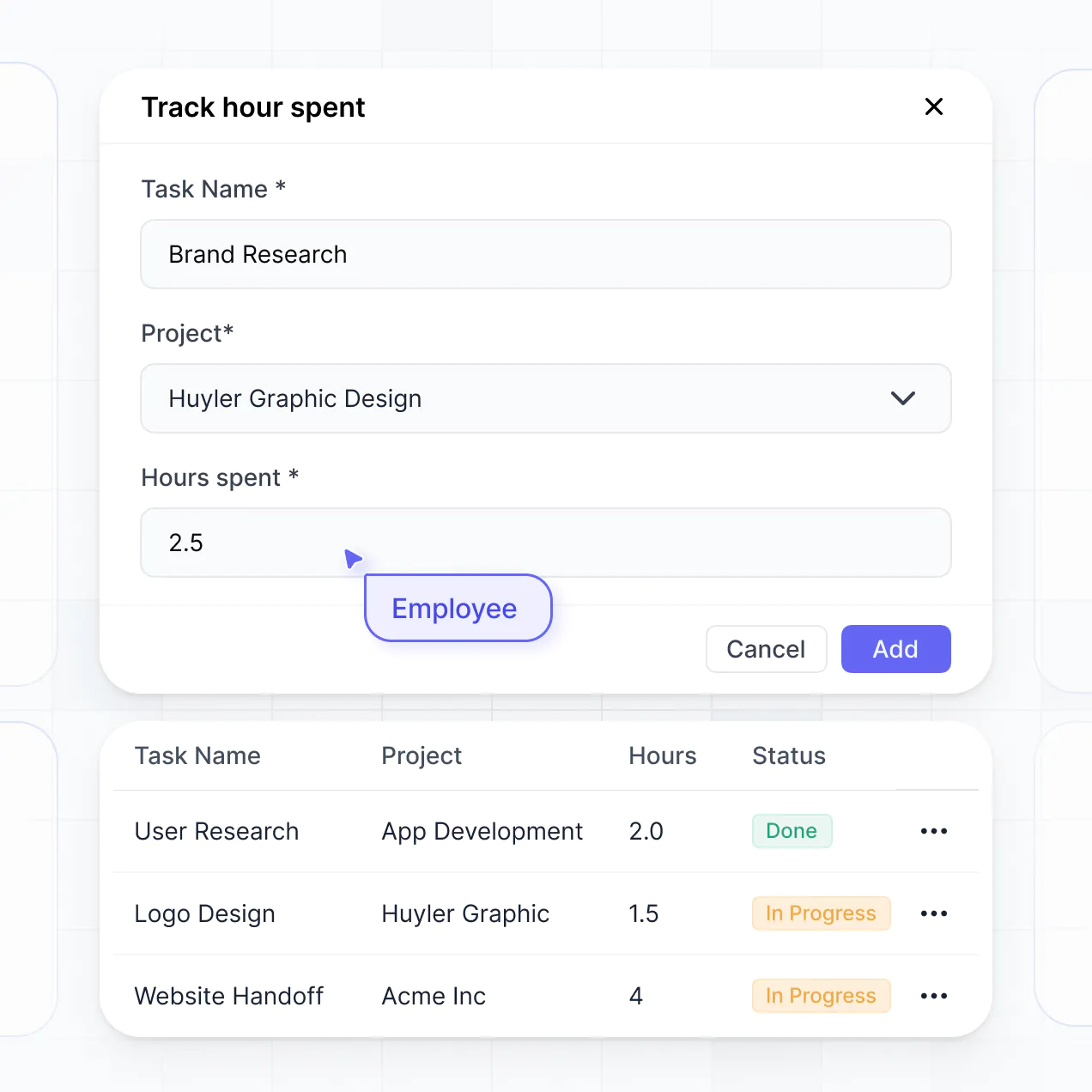
- **Table:** Review appointment status, customer names, assigned providers, and cancellation reasons.
- **List or Card:** Show available services, upcoming bookings, or open time slots in a compact format.
- **Detail View:** Give a provider the full appointment record, including location, service, and customer notes.
- **Forms:** Let customers request a time, update contact details, or submit a cancellation with conditional fields.
- **Charts:** Track booking volume, utilization, cancellations, or appointments by service.
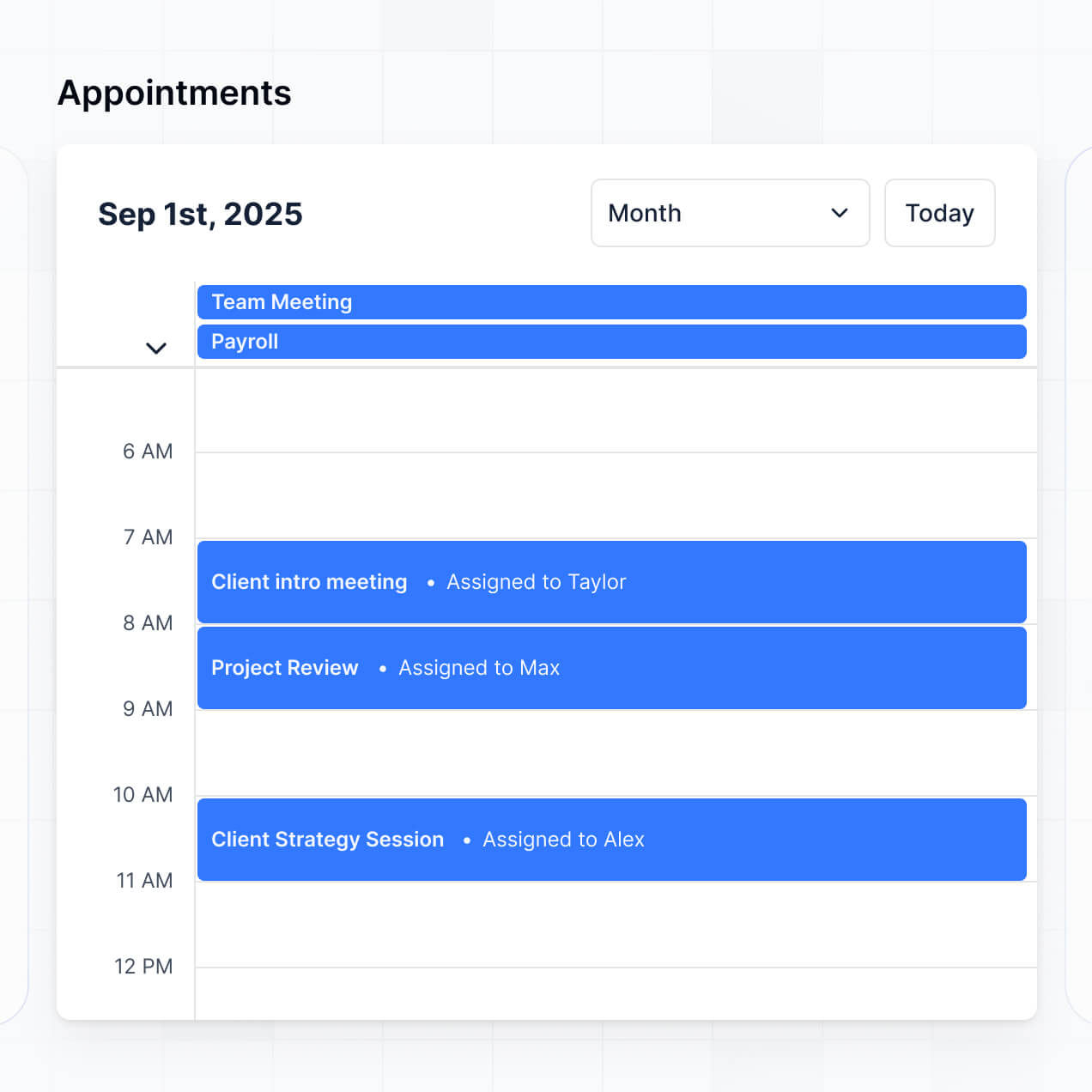
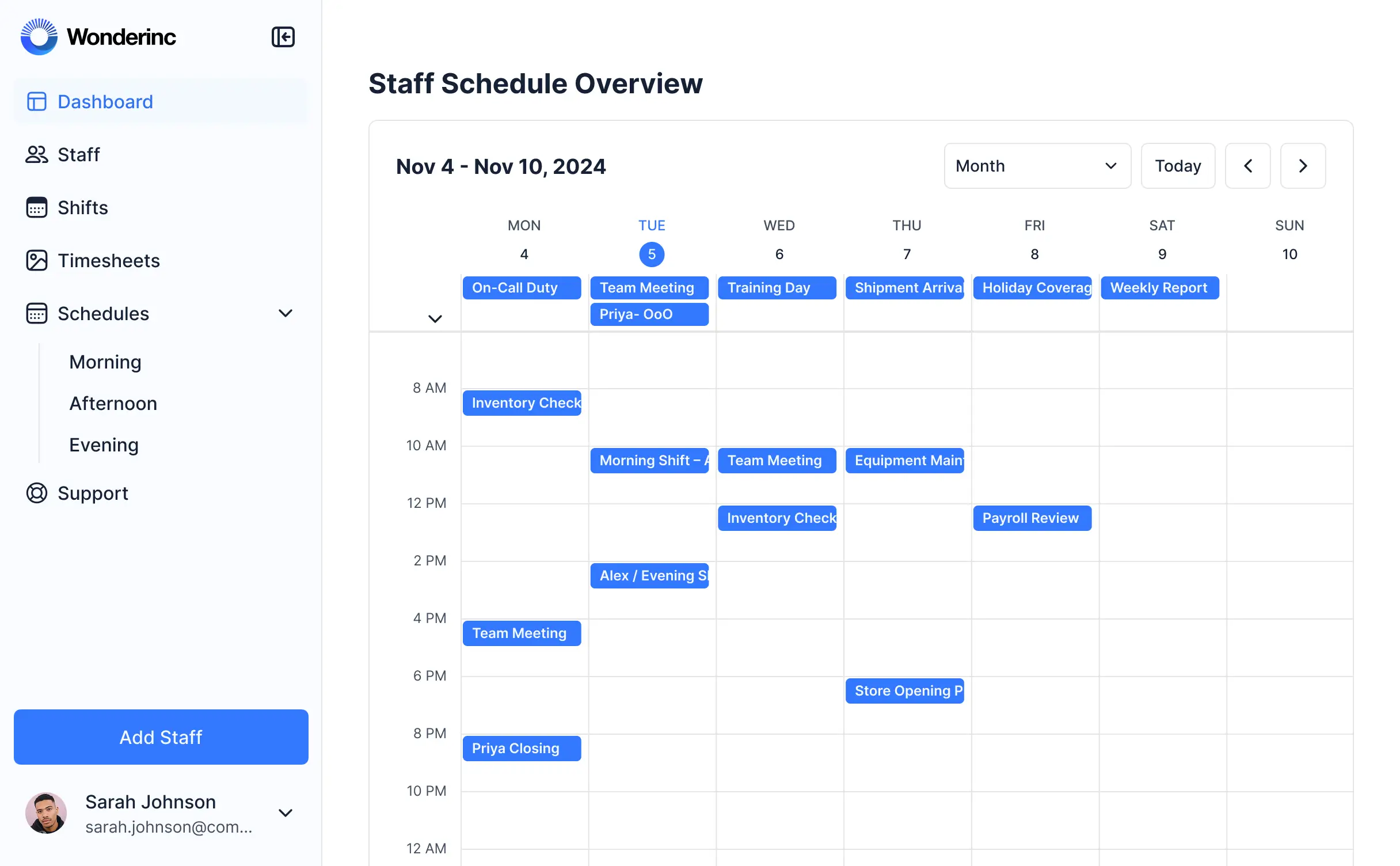
- **Calendar:** Display provider availability and confirmed sessions by day or week.
Every block remains editable later in the visual builder, so the interface can change as your scheduling process evolves.
A booking system may contain sensitive customer details, appointment notes, contact information, and staff schedules, so access needs to follow each person's role. Softr encrypts data in transit with TLS and at rest on secure infrastructure. Authentication, access control, visibility rules, global restrictions, and users managed in your data source help limit who can view or edit customer appointments.
With Softr Databases, booking records sit in Softr's secure environment, hosted in Europe, Germany, and the database is SOC 2 Type II compliant. When you connect an external source, Softr stores nothing from that source and displays live appointment and customer data according to your access settings. These controls support industry best practices for authentication, access control, and monitoring.
A Softr booking system is production-ready for real customers, schedulers, and providers managing real appointments. Production means staff can rely on the same app for availability, customer records, confirmed sessions, and cancellations without taking on a separate maintenance burden for authentication or permissions.
Many AI tools generate fragile custom code that becomes difficult to secure when schedules or roles change. Softr builds on a stable business-grade foundation, with authentication, secure hosting, and granular permissions handled natively. That addresses the Day Two problem and gives the booking workflow a foundation for real users from day one. The same foundation supports more than 7,000 organizations, including teams at Netflix, Google, Stripe, and UPS.
Pure vibe coding tools generate fragile code that can be difficult to maintain when appointment rules, provider roles, or customer permissions change. Traditional no-code tools avoid that code but often require extensive manual configuration. Softr takes a hybrid route: describe the booking workflow, and it generates the database, app, and logic in minutes, then refine the availability calendar, booking forms, and staff views visually.
Authentication, roles, permissions, and hosting are already part of the business-grade foundation, so non-technical scheduling teams can move from an initial idea to a production app without rebuilding the basics. Softr apps are also agent-ready through MCP. A logged-in user can operate the booking system through an AI assistant, but only within the same appointment records and actions allowed by the app's existing permissions. There is no second permission model to audit.
Softr Workflows can automate a scheduling task as soon as an appointment record changes or a staff member clicks a button. A useful first workflow is to move a new booking from requested to confirmed, update the assigned provider, and pass the appointment details to another system through a webhook or REST API.
Softr also syncs with tools such as Stripe and Intercom, which can connect payment status or customer conversations to booking records. The platform supports sending data out, triggering automations from user actions, and displaying data from other tools. Native workflows, REST API connections, and webhooks let schedulers coordinate customer requests, provider calendars, and appointment statuses without code.
Describe your booking process, get a working app, and customize it without code.