


Build internal tools with your AI agent. Run it all on Softr.
Softr MCP connects Claude, ChatGPT, and Cursor to your business data and workflows, so your AI agent can build, update, and manage secure portals and internal tools in Softr.










Agent-ready at every stage
The same connection builds the app, changes it as you go, and opens it to the people who use it every day.
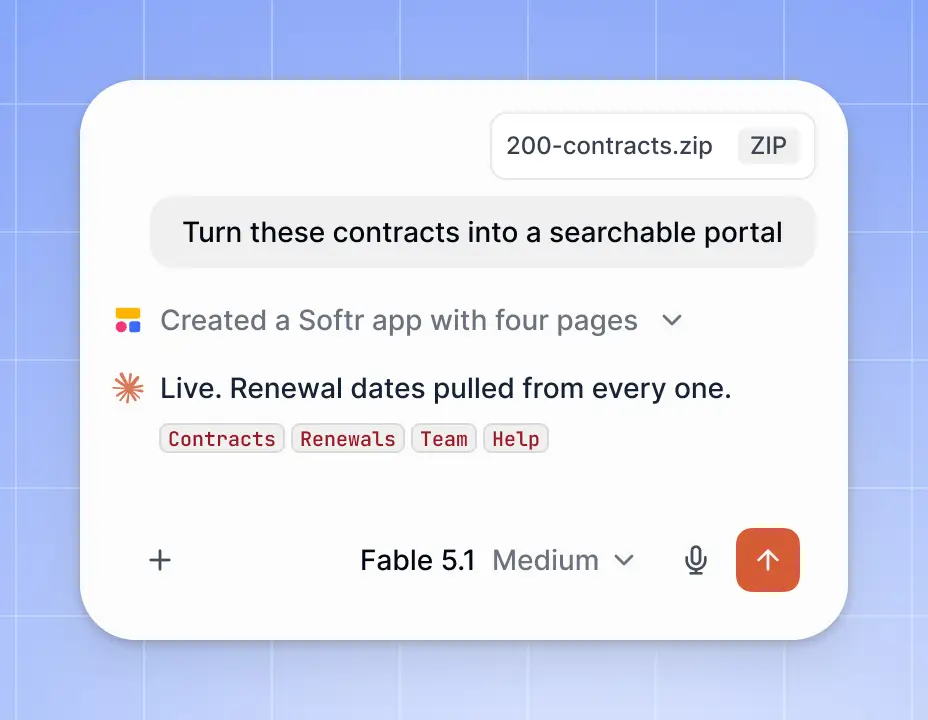
Start with AI. Keep control in Softr.
Use your own AI agent to build and make changes while your data, permissions, and workflows remain visible and manageable in Softr.
Use the AI you already pay for.
Build with Claude, ChatGPT, or Cursor through MCP, without buying additional Softr AI credits.

Turn your build into an app your team can securely use.
Connect it to business data, add workflows and permissions, and give teammates or clients a secure place to log in.


Your apps live in Softr. Your agent helps you build and run them.
Use AI agents like Claude or ChatGPT to create and manage your apps, data, workflows, and permissions all inside Softr.
Databases MCP
Ask your agent to create and manage Softr databases, including tables, fields, records, and schema changes.
Create and edit your database structure
Add and update records
Analyze data with your agent
.jpg)
Vibe Coding MCP
Generate and edit custom pages or blocks with your AI agent, then publish them directly inside a Softr app.
Build secure dashboards, portals, and internal tools
Give teams and clients secure logins
Define who can see what with permissions
.jpg)
Workflow MCP
Create and update automated workflows from your agent, then inspect and manage how they run in Softr.
Build triggers, actions, and multi-step processes
Add conditions and AI steps
Update workflows without rebuilding them
.jpg)
App Level MCP
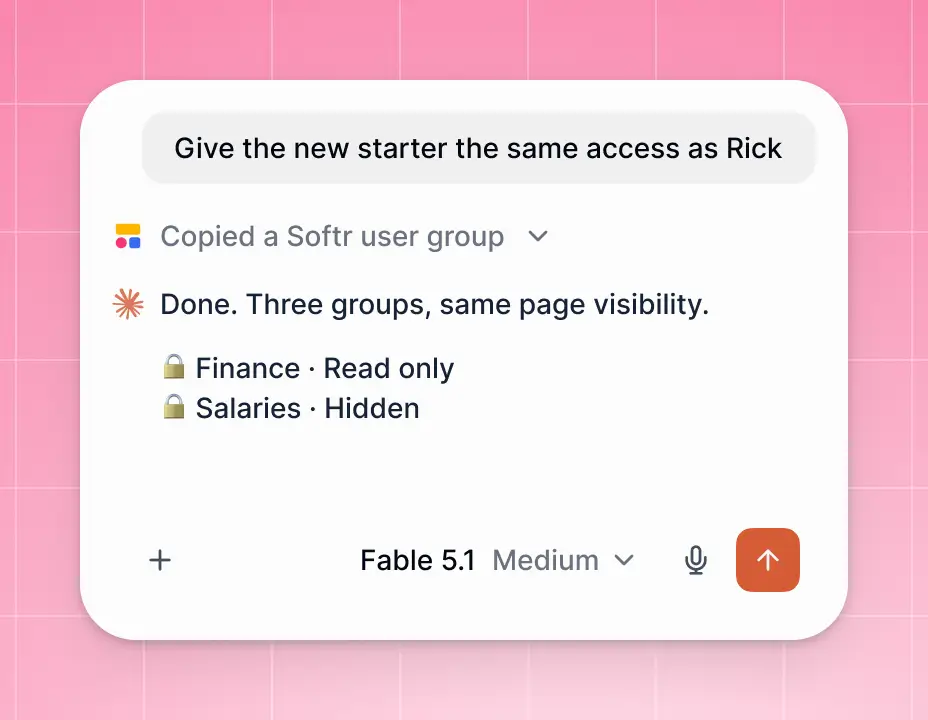
Use your agent to manage pages, user groups, and visibility rules across your Softr app.
Add and organize pages
Create groups for teams, admins, or clients
Control who can see and use each part of the app
.jpg)

Let people use your app through their own AI agent.
Give any app an MCP server so users can connect Claude, ChatGPT, or another AI agent to ask questions and take action, without opening the app. Every request follows their existing Softr permissions.
.webp)
The Softr MCP changed how I work. I'd been putting off a full app rebuild because of the effort involved. With Claude working across Airtable and Softr from my prompts, a 4-week build took under 48 hours.
Frequently asked questions
What is Softr MCP?
What is Softr MCP?
Softr MCP is a Model Context Protocol server that lets AI tools such as Claude, ChatGPT, Cursor, and Codex connect to Softr apps, data, and workflows.
What is MCP?
What is MCP?
Model Context Protocol (MCP) is an open standard that allows AI applications to connect to external tools, data, and systems.
How do I connect Claude to Softr?
How do I connect Claude to Softr?
You can connect Claude to Softr using Softr MCP, allowing Claude to work with your Softr apps, databases, and workflows.
How do I add an MCP server to Claude Code?
How do I add an MCP server to Claude Code?
Add the Softr MCP server to your Claude Code configuration, then authenticate and give Claude Code instructions for working with your Softr environment.
What can I build with Softr MCP?
What can I build with Softr MCP?
You can build business apps, internal tools, portals, databases, workflows, and other applications using AI agents connected through MCP.
Does Softr MCP work with Claude Code?
Does Softr MCP work with Claude Code?
Yes. Softr MCP is designed to connect Softr with AI tools including Claude Code.
Can I use Softr MCP with ChatGPT, Cursor, and Codex?
Can I use Softr MCP with ChatGPT, Cursor, and Codex?
Yes. Softr MCP supports connections with multiple AI tools, including Claude, ChatGPT, Cursor, and Codex.
Is Softr MCP secure?
Is Softr MCP secure?
Softr MCP uses the permissions and access controls of your Softr environment so you can control what agents and users can access.