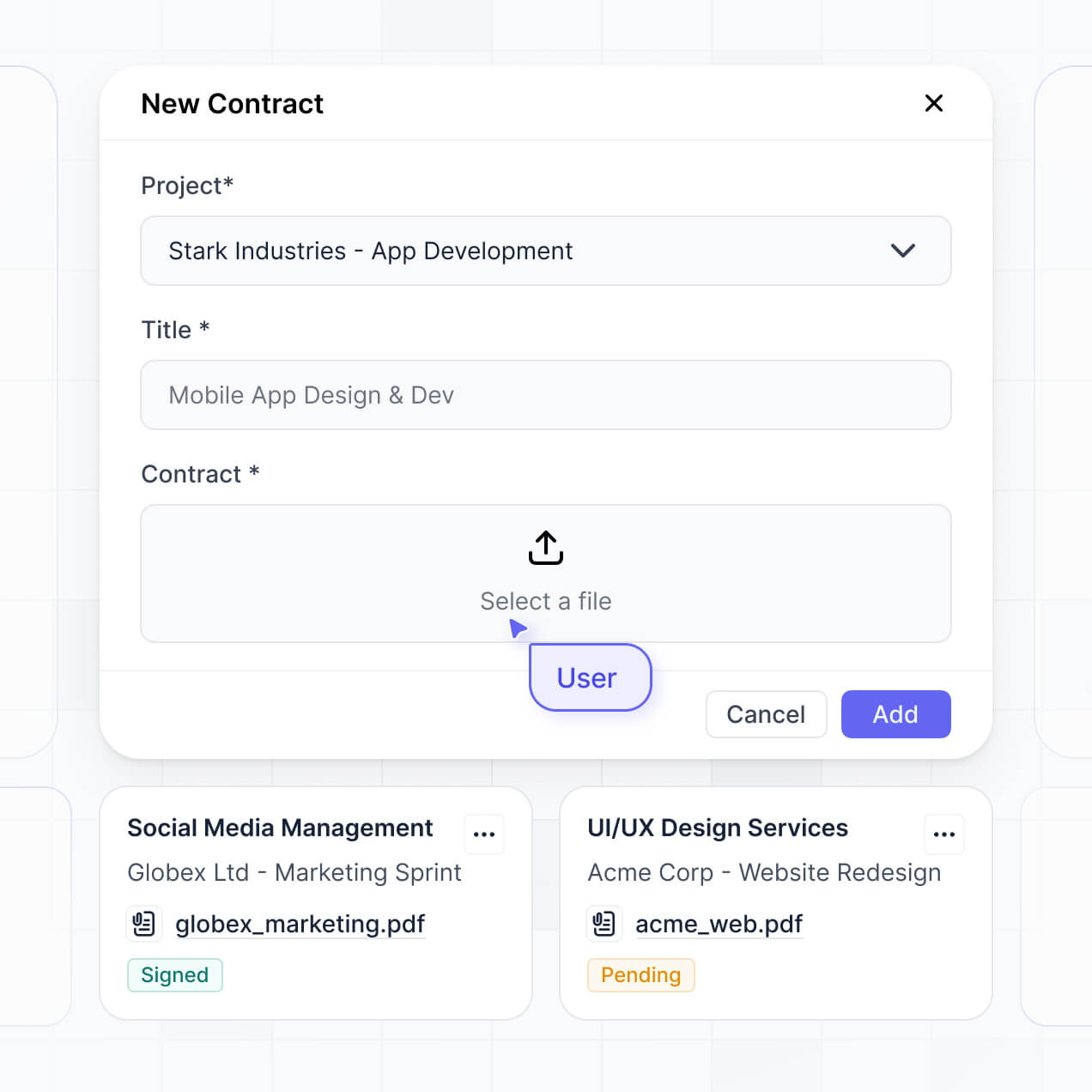
Turn matter intake, deadlines, documents, and approvals into one secure app, with permissions and audit trails for legal teams.
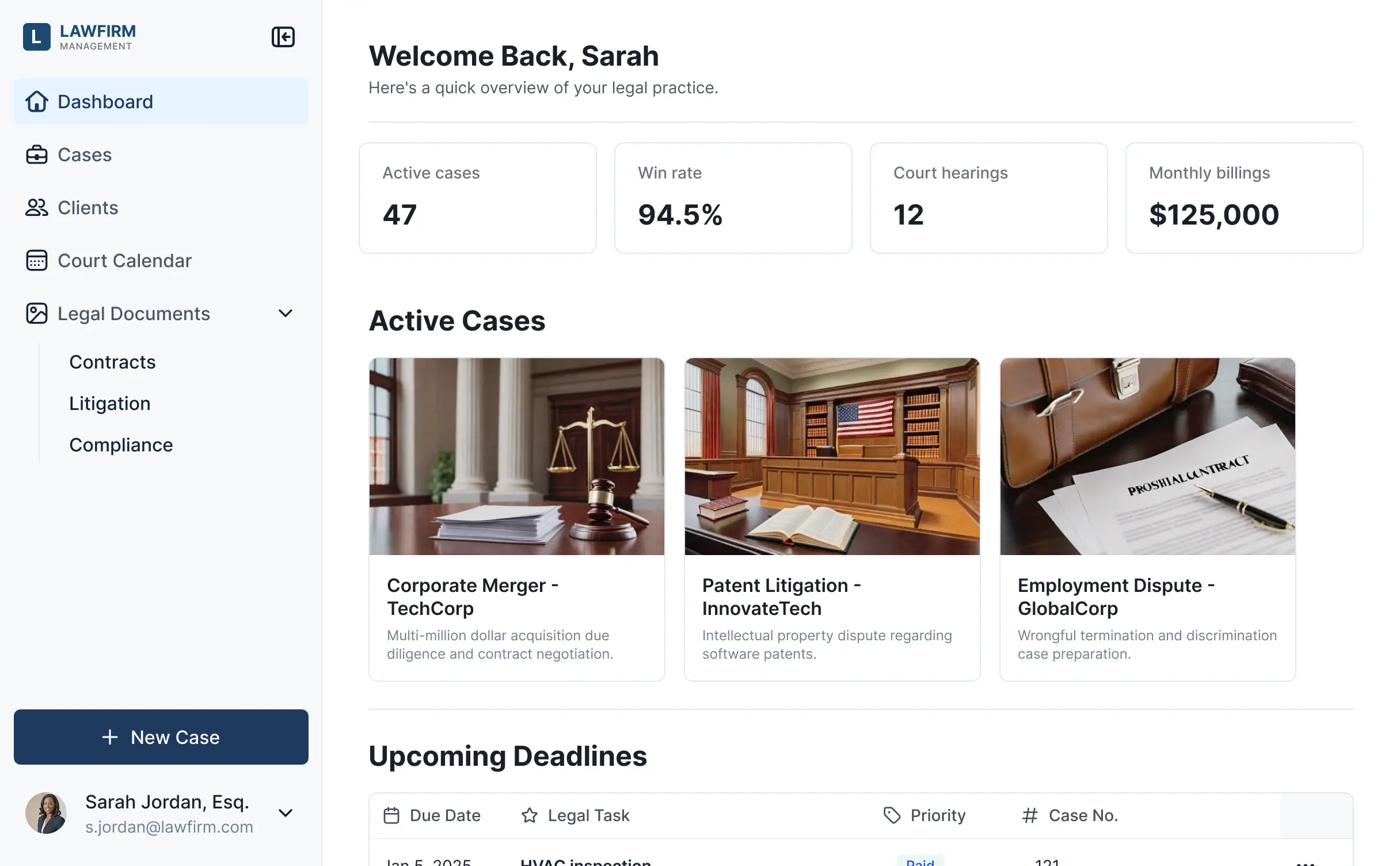



Set up only the matter views and workflows you need today, then adapt them as intake, deadlines, reviews, and approvals change over time.


Manage matters in Softr Databases, or connect Airtable, Notion, Google Sheets, or other systems with real-time sync. Keep legal work in one place.
Give legal teams the right matter views and access. Set up secure logins, user groups, and granular permissions, no dev work needed.
Give attorneys, paralegals, and legal operations staff tailored matter views, so each role sees what it needs.
Trigger matter triage, deadline updates, review requests, and summaries when records change or buttons are clicked.
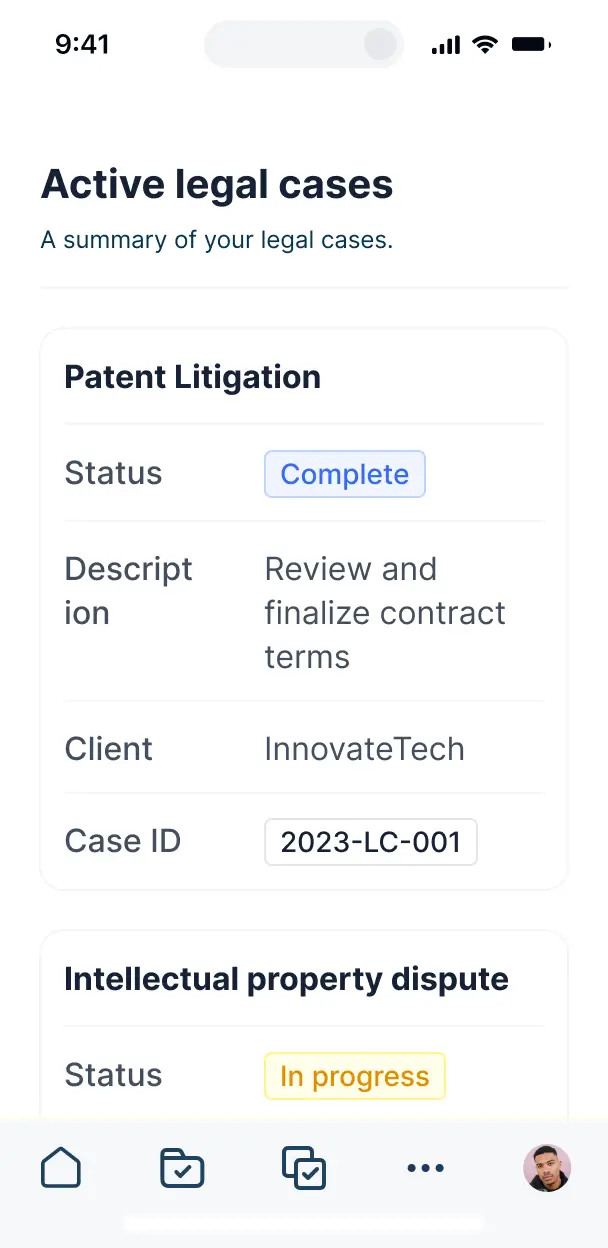
Access matter intake, deadlines, documents, and approvals from any device. Apps are mobile-ready by default.
Use email, Google, or SSO logins to give legal teams secure access to matter tools.
Keep matter and document data protected with TLS, encryption at rest, and SOC 2 Type II compliant Softr Databases.
No more one-size-fits-all tools or costly custom builds. Softr is easy to use and fully customizable, so you can launch faster, adapt as you grow, and skip the complexity of traditional software.

Describe matter intake and deadline tracking needs. Softr generates a working internal tool in minutes.

Adjust matter views, document access, triage, and approval workflows as legal operations change.

Bring intake, deadlines, documents, updates, and approvals into one legal operations app.
Co-build with AI
Simply describe what you need. Let Softr handle everything - Interface, database, workflows.
Iterate with AI or visually
Control most critical parts of your app yourself - roles, permissions, security.
Ship the same day
Invite team members or external clients and partners right away. No developer handover.
Use drag-and-drop blocks to build a portal that looks sleek and modern out of the box. Add only the features you need, and iterate as your workflows evolve.




A legal team tool is a secure workspace where attorneys, paralegals, and legal operations staff log in to manage the work they handle. It can bring together matter records, contract files, approval updates, court deadlines, and case timelines in one place. Instead of searching through email threads and separate spreadsheets, the team gets a shared view of each matter, its documents, its owners, and its next steps.
Legal teams can replace scattered matter trackers and approval emails with one workspace tailored to how they operate. Softr is an AI app builder for business software. Describe the matters, contracts, deadlines, and roles you need, and the AI generates the database, pages, and logic, already connected and secure, with no code at any point. You can also start from a template or build from scratch. Store records in Softr Databases, or connect tools such as Airtable, Google Sheets, or HubSpot. Visual editing lets you control the layout, decide whether attorneys or business stakeholders see specific records, and apply your firm's logo, colors, fonts, and domain.
A legal team tool can include features such as:
- **AI inside the app:** Ask AI can answer questions about matter status or upcoming deadlines, while Database AI Agents can classify intake requests by practice area and enrich matter records.
- **Vibe Coding blocks:** Generate a custom conflict-check summary or matter intake component when standard blocks do not fit.
- **Softr Workflows:** Trigger a review task when a contract record changes, or notify an assigned attorney when an intake form is submitted.
- **Access controls:** Let each attorney see assigned matters while legal operations keeps broader access.
- **Forms:** Collect intake details and contract files with file uploads and conditional logic.
- **Dashboards and charts:** Track open matters, cycle times, and workload from live data.
- **Lists and filters:** Use tables, kanban boards, and detail views for matters, requests, and approval stages.
Everything is drag-and-drop and remains editable after the first version.
Describe your matter intake, contract review, approval paths, and attorney roles in plain language, and Softr can generate the app. The result runs on a production-ready foundation rather than raw code that may be difficult to secure or maintain. Authentication, database logic, and security are handled natively, so a fragile intake form does not become a Day Two problem when attorneys start adding matters or business teams request access. If you use a Vibe Coding block for a conflict-check panel or deadline view, every prompt and edit is versioned. A change that breaks the component can be rolled back instead of rebuilt through another prompt.
Yes. A single app can separate litigation, commercial contracts, and compliance teams while keeping shared records in one system. Login and role-based permissions ensure attorneys see assigned matters, paralegals access the files and deadlines relevant to their work, and legal operations can maintain the wider workload view.
You do not need an existing matter spreadsheet to start. Softr Databases is built into the platform, so you can create tables for matters, attorneys, contracts, deadlines, and intake requests directly in Softr. If your team already tracks work in Airtable or Google Sheets, you can connect that source instead of rebuilding it. HubSpot, Notion, Coda, monday.com, Supabase, SQL databases, and other sources can also connect, while the REST API connector covers additional systems. Either approach lets you decide how legal records are structured and displayed.
Softr Databases is the recommended starting point for a legal team tool. It is a native relational database built for business apps, which means high performance, instant automation triggers, and fast access because the data is native to Softr. Softr also connects to 21+ external sources, including Airtable, Google Sheets, HubSpot, SmartSuite, and BigQuery. A legal operations app can combine several sources, such as matter records in Softr Databases and customer details in HubSpot. Most supported sources provide real-time two-way sync, so updates to contracts, requests, and assignments can stay aligned.
Legal operations can control the layout, navigation, and content for each role. For example, an attorney may view and edit assigned matter notes and deadlines, while a paralegal can update document status but cannot change matter ownership or restricted notes. Pages and blocks can be shown or hidden based on the logged-in user, and views can filter matters by the current attorney. Softr's preview lets you open the app as any user group before launch, so you can confirm exactly what attorneys, paralegals, and department leads can see without creating test accounts.
Yes. Apply your firm's logo, brand colors, fonts, and custom domain, then remove Softr branding. Attorneys, paralegals, and business stakeholders see a workspace that matches the firm's identity when they review matters, contracts, and approval requests.
The visual builder lets you adjust colors, fonts, spacing, page structure, and the content shown at login. Choose blocks based on the legal workflow:
- A **Table** can show matter owners, practice areas, and filing deadlines.
- A **List** or **Card** block can organize contract requests by review stage.
- A **Detail View** can display a matter's parties, notes, files, and timeline.
- **Forms** can capture new intake requests and upload engagement letters.
- **Charts** can show open matters by attorney or turnaround time by practice area.
- A **Calendar** can surface hearings, renewals, and response deadlines.
You decide where each block appears and which users can access it. The pages remain editable later, so the legal operations team can refine the workspace as review processes change.
Legal teams often hold sensitive matter notes, client contracts, attorney assignments, and personal information, so access needs to be controlled at more than the page level. Softr encrypts data in transit with TLS and at rest on secure infrastructure. Role-based permissions, users managed in your data source, visibility rules, and global restrictions help limit what each attorney, paralegal, or business stakeholder can view or edit. With Softr Databases, records sit in Softr's secure environment, hosted in Europe, Germany, and the database is SOC 2 Type II compliant. When you use an external source, Softr stores nothing and displays live data according to your access settings. Authentication, access control, and monitoring follow industry best practices.
A production legal team tool must support real attorneys, real matter records, and deadlines where a missed update can affect a client or filing. Softr is production-ready because it builds on a stable business-grade foundation rather than leaving you with fragile generated code. Authentication, secure hosting, and granular permissions are handled natively, which reduces the Day Two risk of maintaining intake forms, contract records, and workload views after launch. You can generate the first version with AI, then refine the workflows and screens visually as the legal team begins using them.
Pure vibe coding tools generate custom code that can be fragile to secure and maintain. Traditional no-code tools often require teams to configure databases, pages, and workflows manually. Softr takes a hybrid approach: it can generate a legal team tool, its database, and its logic in minutes, then lets legal operations refine matter views, contract stages, roles, and permissions visually. Authentication, hosting, and access controls are already part of the foundation, which helps a non-technical team move from an intake prototype to a production workspace. Softr apps are also agent-ready through MCP. A logged-in attorney can operate the app through an AI assistant only within the actions and records allowed by the app's existing permissions, so there is no second access model to build or audit.
Set up a workflow such as creating a legal operations task when a new matter intake is submitted, or notifying the assigned attorney when a contract moves to review. Softr Workflows automates actions inside the app when a record changes or a button is clicked. The platform can also sync with tools such as Stripe and Intercom, display data from connected systems, and send information outward. REST API connections and webhooks cover advanced integrations, including a firm's other case or document systems. These automations do not require code, so the team can connect intake requests, matter updates, contract approvals, and follow-up tasks in one workflow.
Describe your legal workflows and get a working internal tool in minutes, no code needed.