


Business applications: definition, examples & 7 free templates [2026]

.webp)
You didn’t start your business to manage software. You started it to serve your customers, deliver work, and grow. And in many ways, it’s working. You moved off spreadsheets. You’ve added a CRM to your stack. Maybe you also started using a project management tool or a support desk. Each decision made sense at the time, and each tool solved a real problem.
But as your team grows, things get more complex. Data lives in five places. Workflows depend on manual handoffs. Simple changes require workarounds. The systems that once helped you move faster start demanding more coordination than they remove.
This can happen when your operations become more advanced than the tools you’re using.
In this guide, we’ll discuss three key areas of app building. We’ll break down what business applications are, where they create value (or fall short), and show how teams are rethinking the way they build operational systems.
What are business applications?
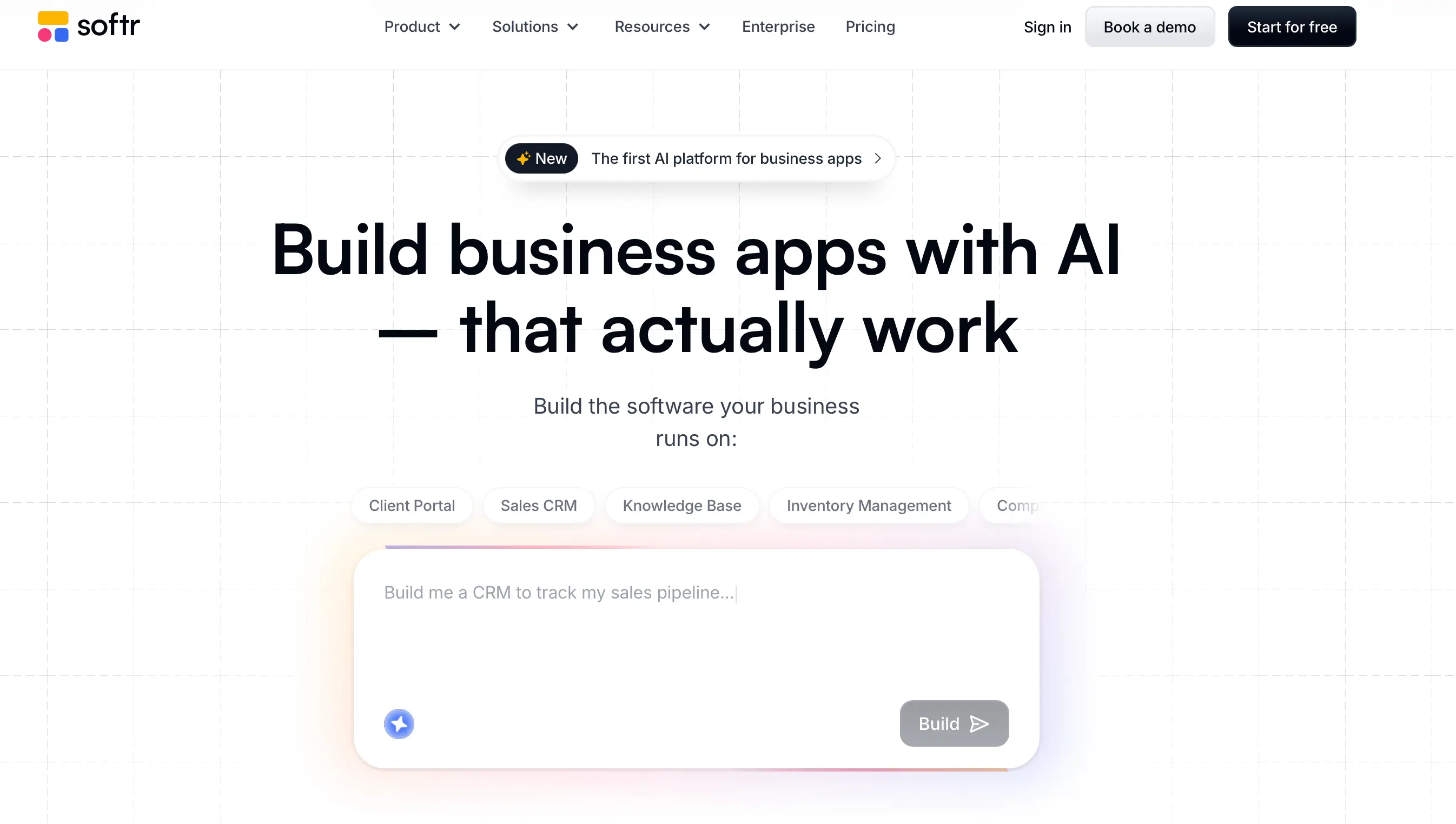
A business application is software that helps a company manage its operations, data, or workflows. This includes tools for sales (CRM), finance, HR, inventory, project tracking, reporting, and customer portals. If a system stores information, automates tasks, or coordinates workflows, it’s a business application.
8 examples of business applications
From keeping customers happy to managing projects and tracking inventory, the key to keeping a business running smoothly lies in the apps you use.
Here are some common examples of business applications, how they’re used in practice, and what challenges teams still encounter with traditional tools.
1. Customer relationship management (CRM) software
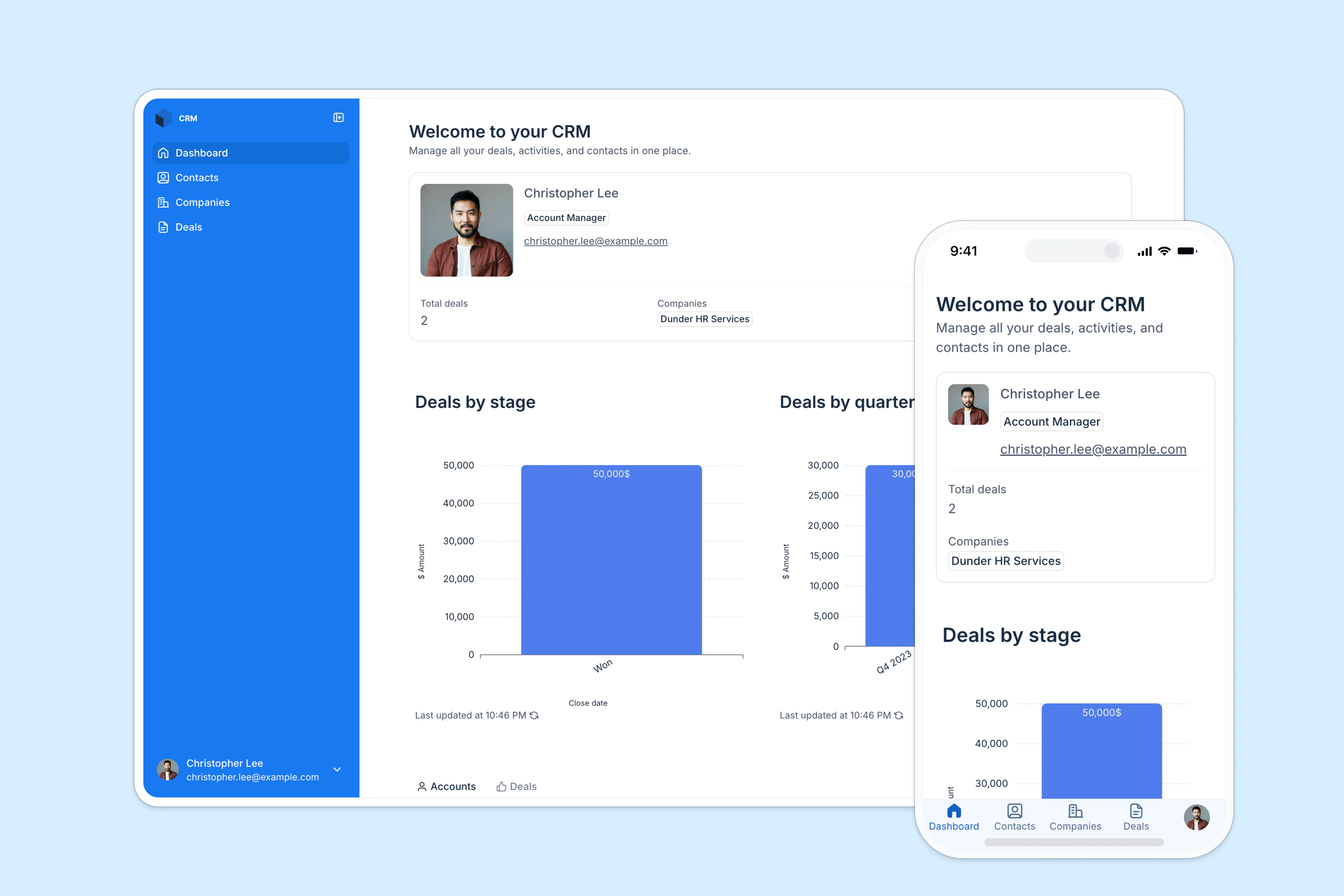
A CRM is the system teams use to manage customer and prospect interactions in one place. It’s widely used to track leads and deals, log calls/emails, manage pipeline stages, and keep sales, marketing, and support aligned on what’s happening with each account.
The biggest point of friction cause by off-the-shelf CRMs is when they create more “data entry work” and the info in your database becomes unreliable (duplicates, missing fields, inconsistent records). This can cause issues with reporting and follow-ups.
2. Enterprise resource planning (ERP) tools
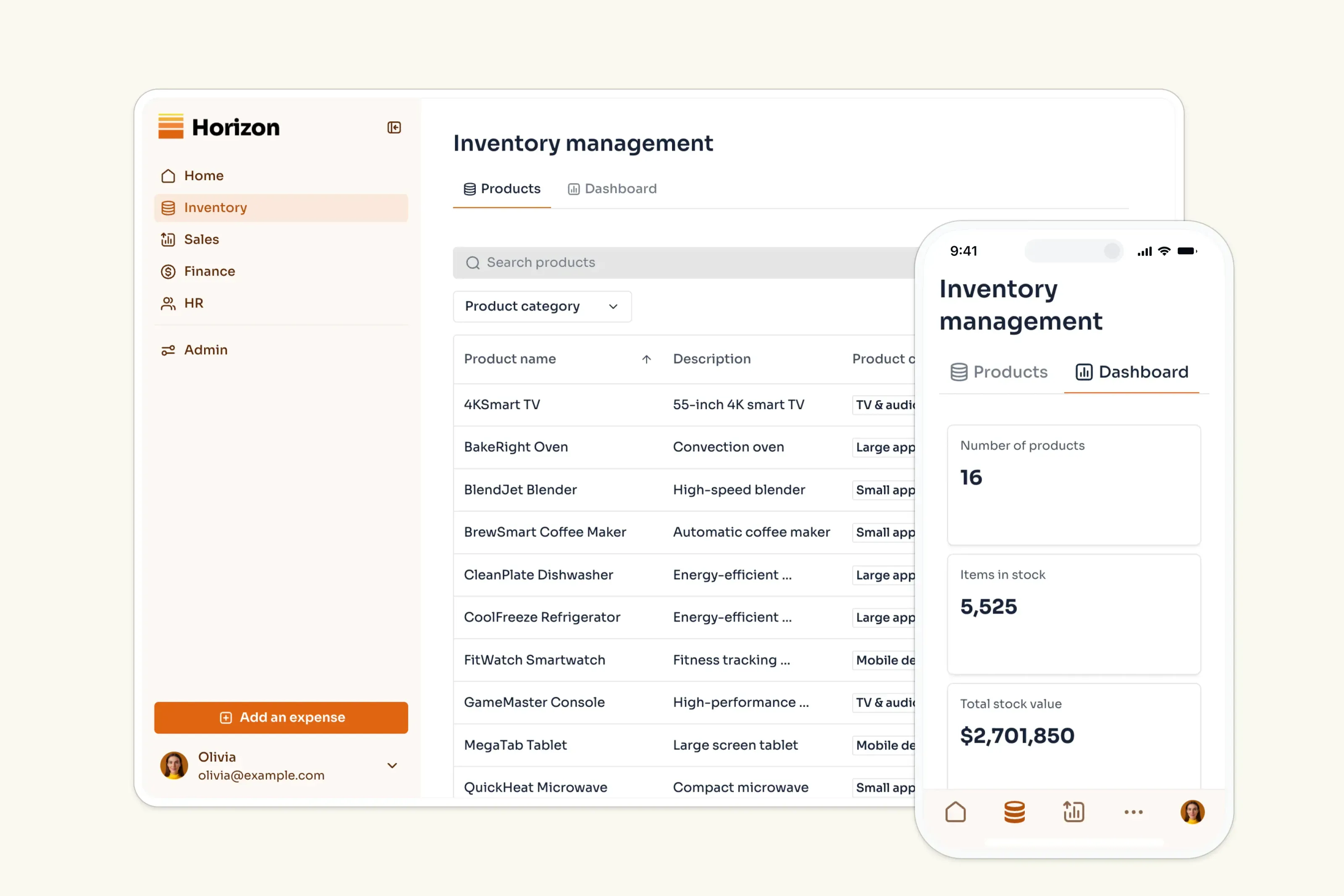
ERP is the operational backbone that brings core processes—such as finance, procurement, inventory/supply chain, and HR—into one system with a shared source of truth. Companies use ERP to standardize how work flows from purchasing to fulfillment to accounting, and to reduce siloed data across departments.
ERP rollouts can be disruptive. Implementations often run into change management issues (people and processes have to shift), plus data migration and system complexity that slows adoption and time-to-value.
3. Accounting and financial management software

Accounting/financial management tools track and report financial activity — income, expenses, invoicing, payments, and financial reporting. In practice, these tools power month-end close, budgeting and forecasting (in broader finance suites), and audit-ready reporting.
Common pain points with traditional accounting tools show up when when transactions, billing, and operational data live in different tools, making reconciliation and reporting slower and more error-prone.
4. Human resources management (HRM)/HR platforms
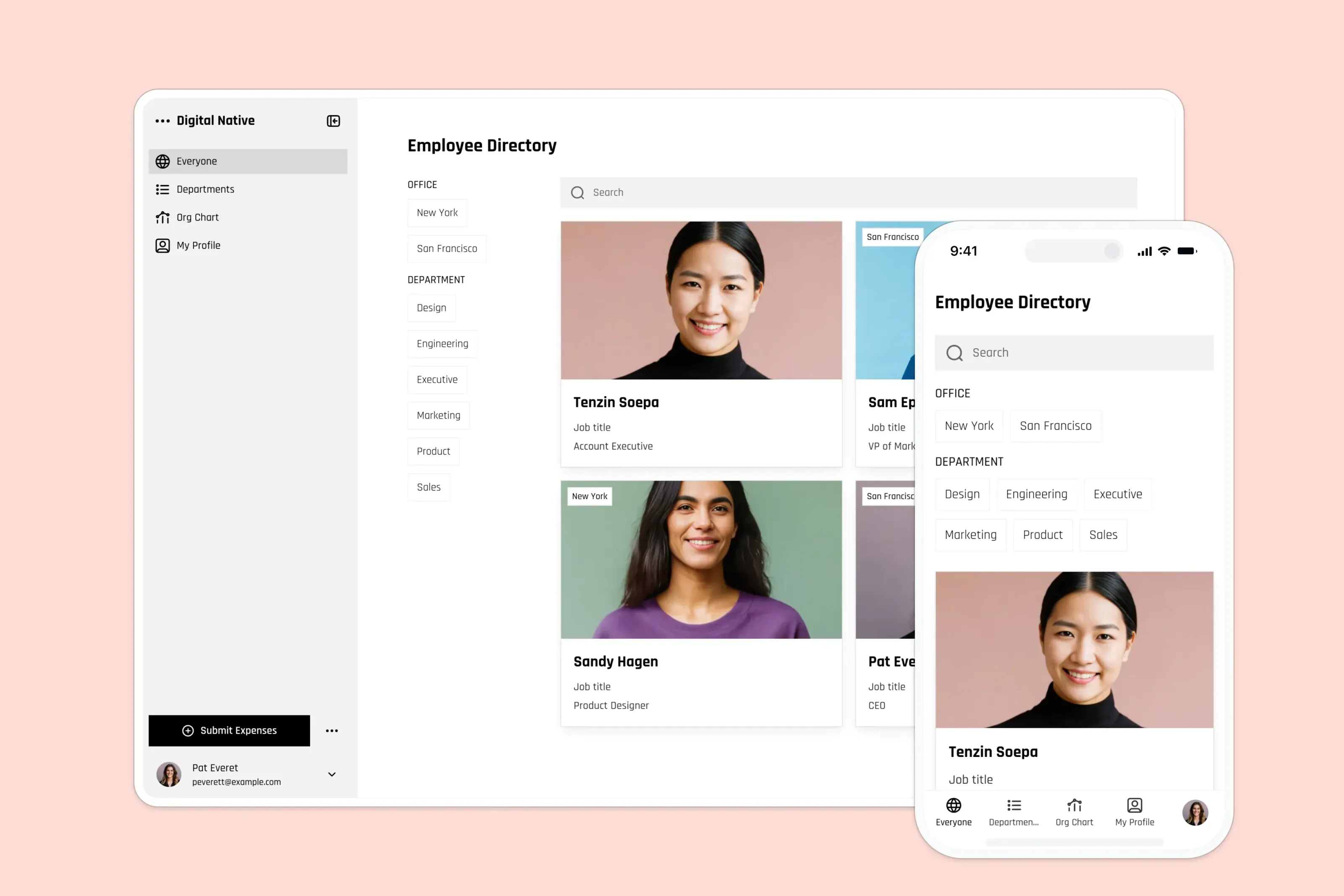
HRM/HRMS platforms centralize core HR work. That involves employee records, hiring, onboarding, payroll/time tracking, benefits, and compliance. Modern HR tools are also used by managers for approvals, performance processes, and workforce reporting.
Teams get frustrated when the system feels heavy for everyday tasks or when data accuracy breaks trust (wrong balances, outdated info, inconsistent records). Privacy and compliance expectations also raise the bar. Access controls and clean processes matter more as you centralize sensitive employee data.
5. Project and work management tools
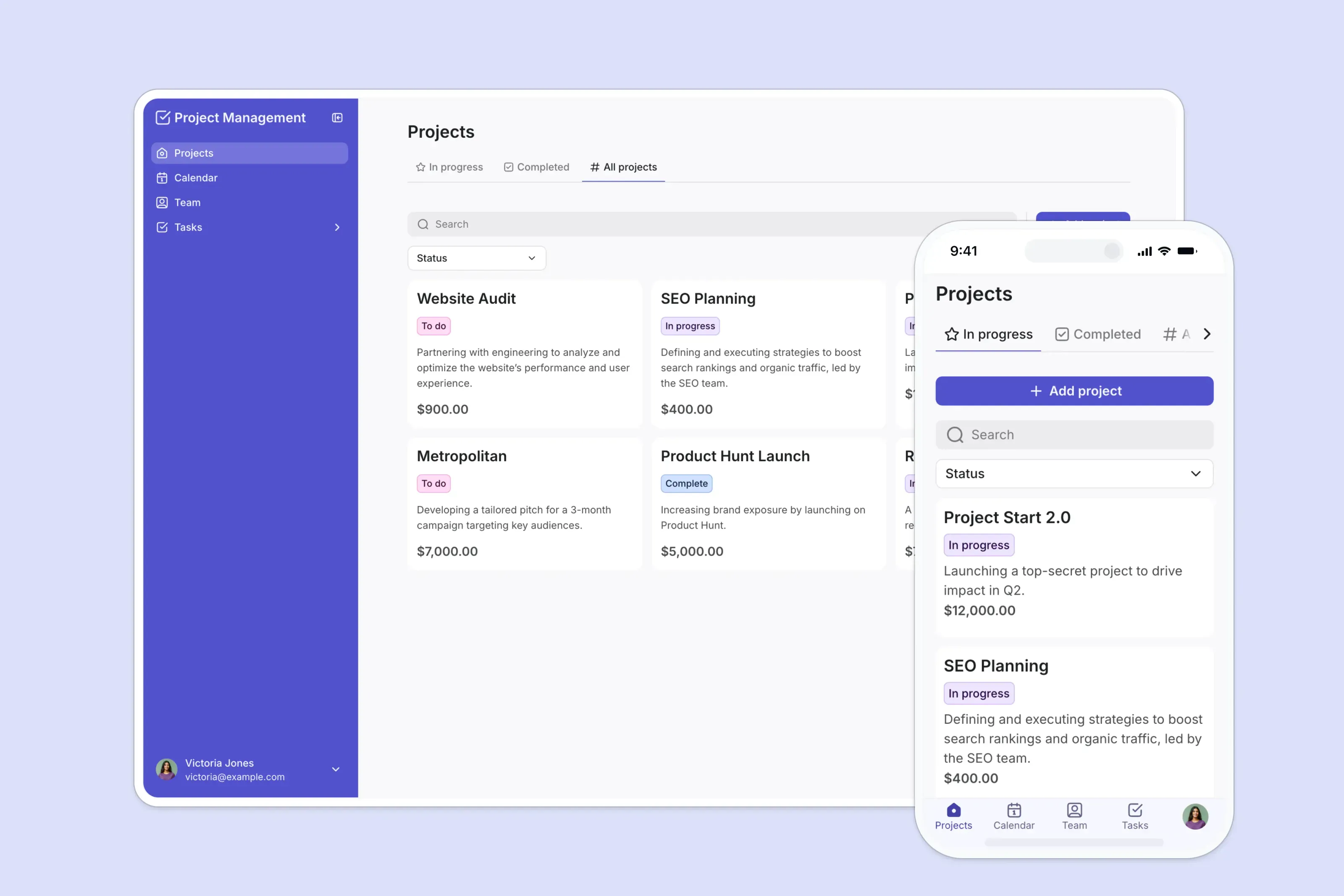
Project management tools bring tasks, timelines, owners, and updates into one shared workspace. Teams use them to plan projects, assign work, track dependencies, and keep stakeholders aligned without endless status meetings, especially across distributed teams.
Out-of-the-box tools struggle when the tool becomes “another platform to update” instead of the place where work actually happens. Poor adoption (like people not updating tasks), inconsistent workflows across teams, and notification overload can quickly turn a PM tool into a source of noise rather than clarity.
6. Marketing automation tools
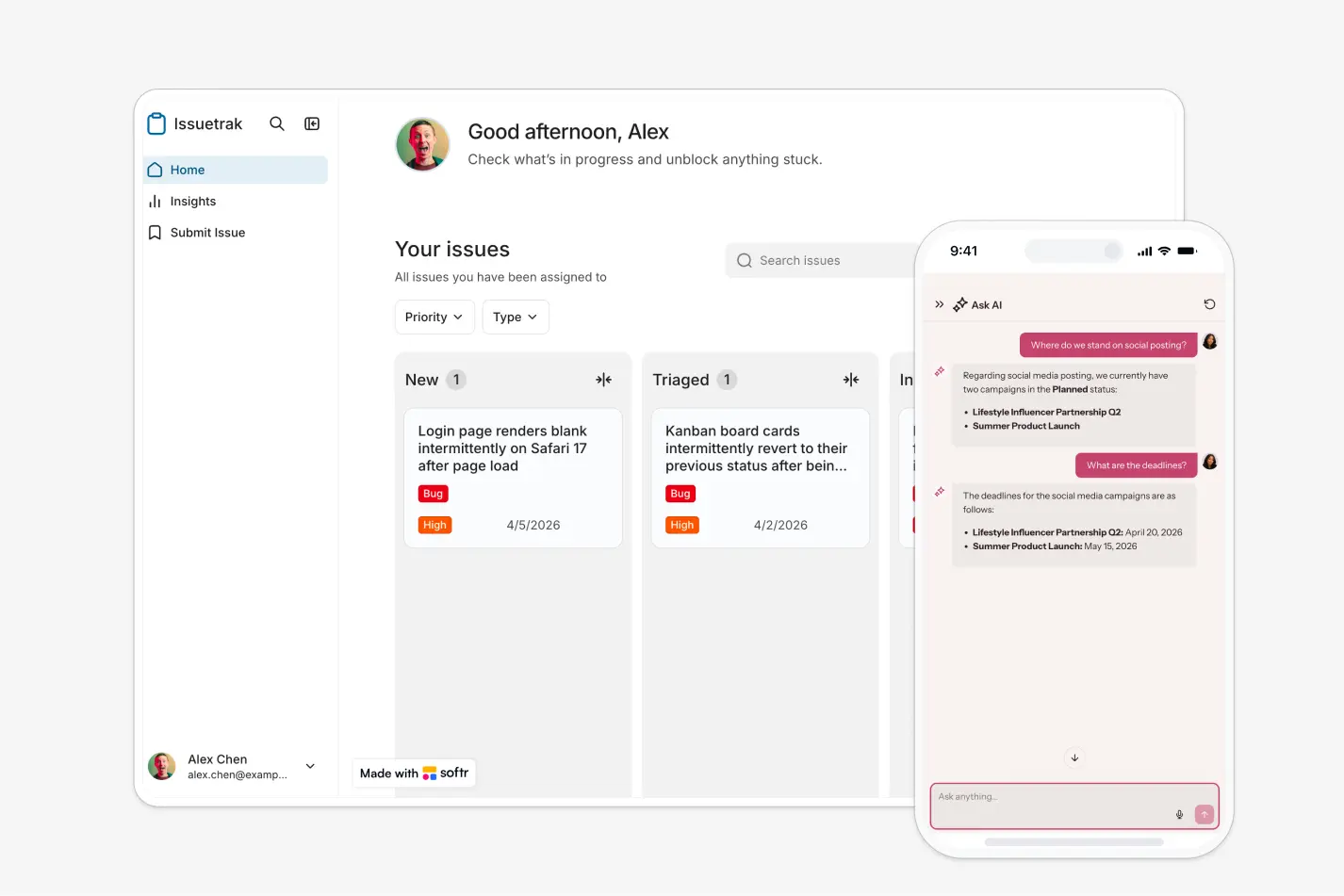
Marketing automation software lets you go hands-off with repetitive marketing tasks like email sequences, lead nurturing, segmentation, scoring, and multi-channel campaign orchestration. These marketing tools help teams deliver timely, personalized messaging and more at scale.
Two common frustrations with off-the-shelf tools: data and complexity. Marketing automations are only as good as the data feeding them (“garbage in, garbage out”), and many teams struggle with siloed systems or integrations that prevent a clean customer view. As a result, personalization and reporting fall short.
7. Inventory management systems
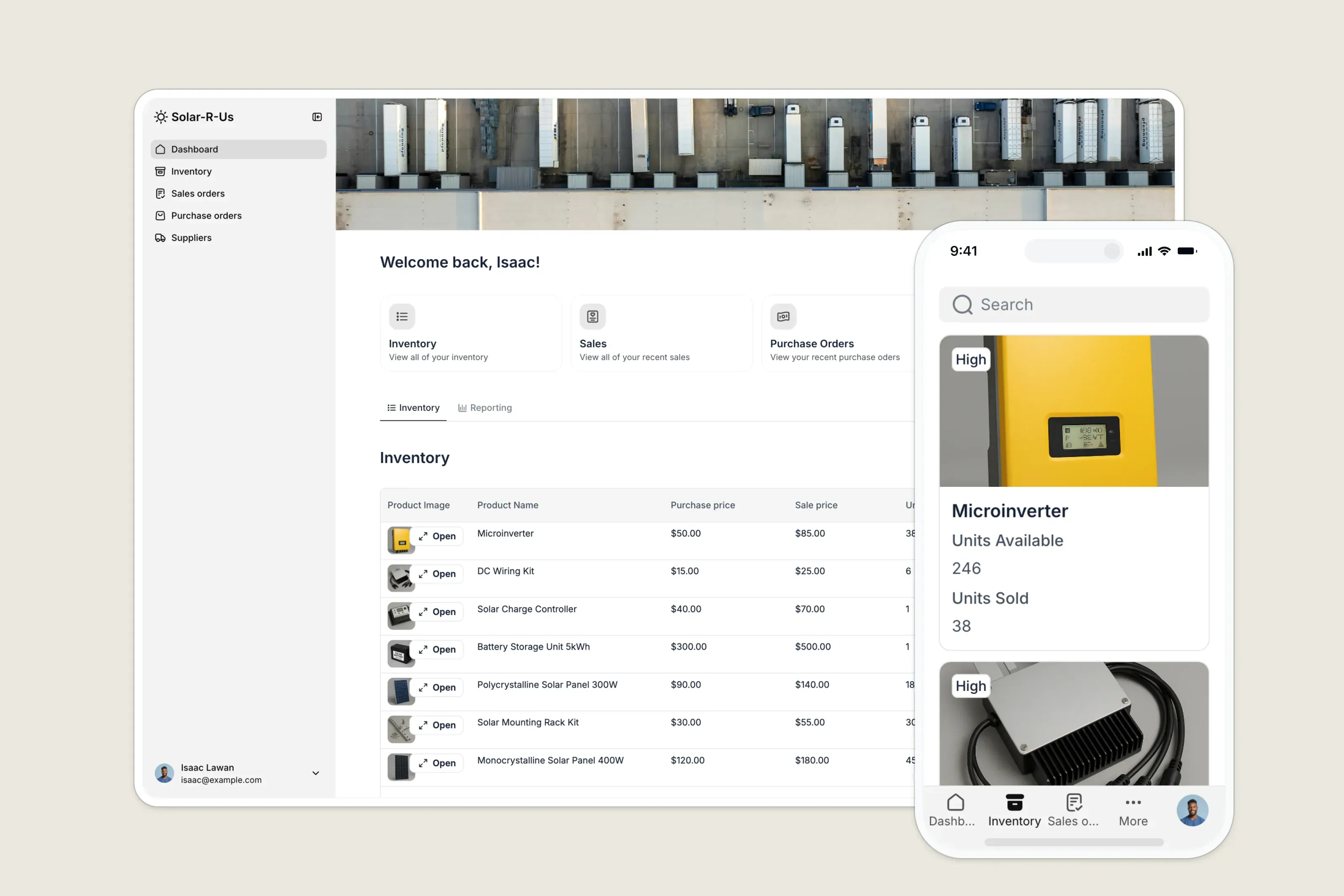
Keeping track of inventory can be a headache, especially for small businesses. An inventory management system automates this process, helping you monitor stock levels, track orders, and manage suppliers. Modern custom systems often connect with accounting, ERP, and e-commerce tools to keep inventory data aligned with orders and financial records.
Off-the-shelf inventory tools can be inflexible, making it hard to adapt workflows for approvals, vendor coordination, or multi-location tracking without expensive upgrades or custom development.
8. Client portals
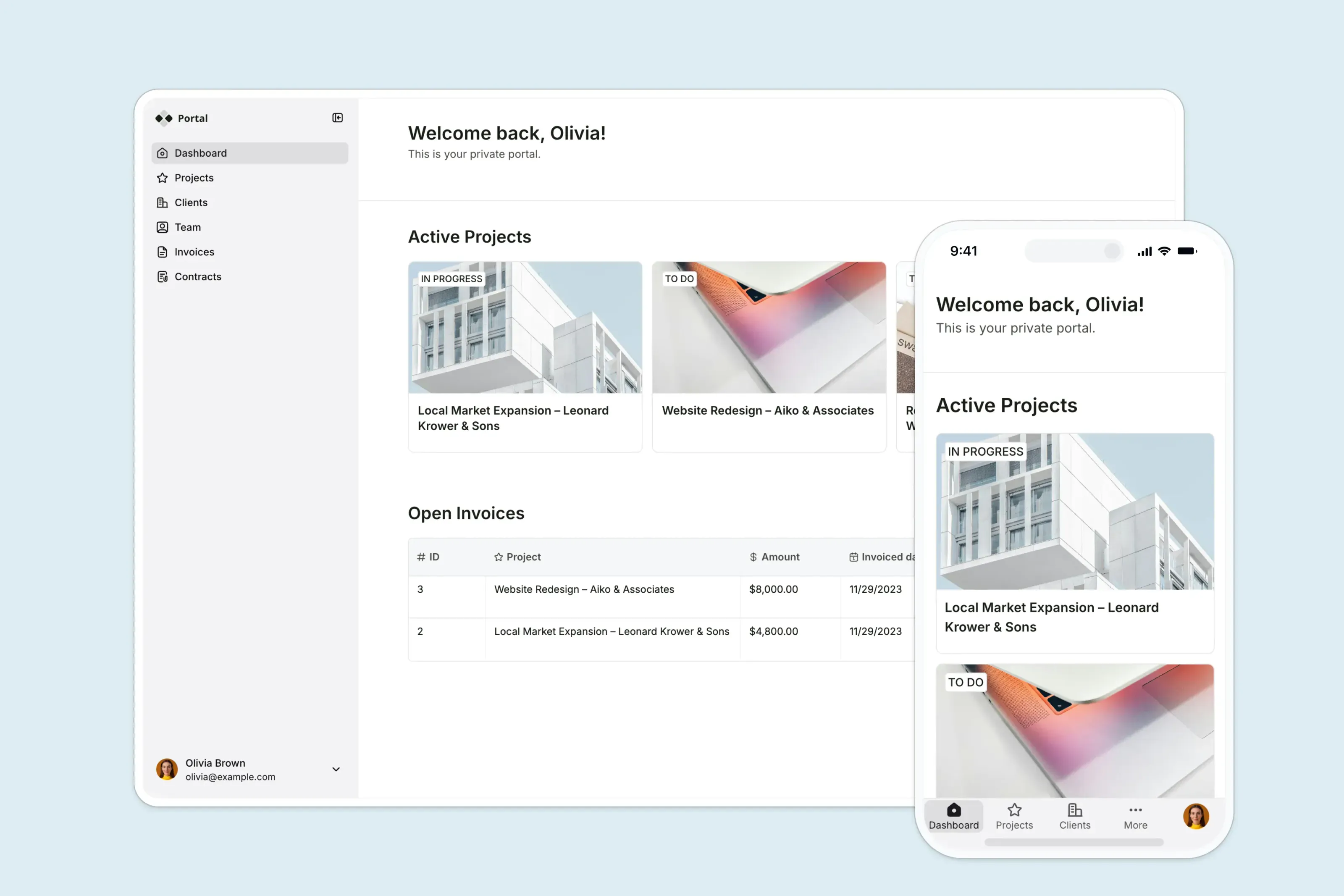
Client portals are like your business's front door for clients. It’s a secure online space where they can easily access information, collaborate, and communicate with you.
Client portals are widely used across businesses of all sizes: professional services, agencies, consultancies, legal and accounting firms, and support-centric businesses to centralize communication and reduce back-and-forth emails or file sharing.
Even with the best intentions, traditional client portals come with their own challenges. Adoption rates can fall short if the portal feels confusing or hard to navigate, leading clients to default back to email or calls instead of using the portal as intended.
Custom-built vs out-of-the-box?
When it comes to building business applications, you have two main options: building custom solutions or picking up out-of-the-box software. Each has its own set of advantages.
- Custom-built apps give you exact alignment with your business, control over features and roadmap, and can be more scalable over time.
- Off-the-shelf apps offer faster deployment, lower upfront investment, and vendor-managed support, but may lack deep flexibility and can lead to process compromises or integration limits as your business grows.
Here’s a comparison table to help you decide which might be the better choice for your business:
| Criteria | Custom-built software | Off-the-shelf software |
|---|---|---|
| Core idea | Built from scratch to match one company’s exact workflows and logic. | Pre-built product designed to serve many businesses with similar needs. |
| Process fit | Fully aligned to your internal operations. No need to change how you work. | Designed for standard workflows. Teams often adapt their processes to the tool. |
| Speed to launch | Slower. Requires discovery, development, testing, and iteration. | Fast. Can be deployed immediately or within days. |
| Upfront investment | High. Requires engineering resources or external development partners. | Lower. Subscription-based pricing reduces initial cost. |
| Ongoing costs | Maintenance, updates, infrastructure, and developer time are your responsibility. | Recurring subscription fees. Add-ons and tier upgrades increase cost over time. |
| Flexibility | Extremely flexible. You control features, database structure, UX, logic, and roadmap. | Limited to configuration, integrations, and vendor roadmap. |
| Scalability | Architected to scale as designed — depends on how well it’s built. | Scales within vendor limits (plan tiers, usage caps, API constraints). |
| Integration | Built to integrate with your exact stack from day one. | Often requires connectors, middleware, or paid integrations. Can create tool sprawl. |
| Ownership & control | You own the system and roadmap. | Vendor controls roadmap, feature releases, pricing, and data policies. |
| Security & compliance | Can be tailored to strict internal or industry requirements. | Standardized security. May not meet specialized compliance needs without upgrades. |
| Time to meaningful value | Longer. Value depends on build quality and adoption. | Faster initial value but may plateau if workflows outgrow the tool. |
| Best for | Complex, unique workflows that create competitive advantage. | Standardized processes and teams that need speed over customization. |
As you can see, custom-built software has certain clear advantages. However, time-to-build, costs and other factors make many businesses simply pick a plug-and-play option. Then, teams struggle down the line because their tools don’t reflect how their they actually work.
Softr closes the gap — build fully custom business applications without code
Unlike the options above, Softr doesn’t force you into fixed workflows, engage you in a six-month custom build process, or make you pay for features you really don’t need. It combines the power of AI with visual, no-code building blocks and helps operators create real business systems
You centralize data instead of spreading it across multiple tools, automate processes instead of patching them together with third-party apps, and launch in days, not months. And when your business evolves, you update the system yourself without relying on developers.
For the vast majority of business application use cases, the benefits below cover nearly everything teams struggle with in traditional software models:
- All-in-one app-building: Softr combines databases, interfaces, automations, infrastructure, and hosting in one secure platform. You can build portals, internal tools, CRMs, dashboards, and more — tailored to your exact business logic, no code required.
- Build on top of your data, wherever it lives: You don’t have to copy data between tools. Instead, store and manage information in Softr's native database, or connect to your data sources with real-time, two-way sync. Pull from Airtable, SQL databases, Notion, Supabase, HubSpot, and 21+ other integrations (or use the REST API connector).
- Granular role-based permissions: Control permissions and access with custom roles so app users see only what they should. Campaign owners can manage timelines and tasks, executives can access high-level dashboards, and external partners can see the projects they’re involved in.
- Native workflow automation: Automate multi-step actions like enriching campaign data, updating project statuses, notifying stakeholders, or assigning tasks. Trigger workflows from data updates, form submissions, in-app actions, and more.
- Scales with your operations: Add new processes, locations, products, or teams without re-platforming or navigating sudden per-seat pricing jumps.
- Performance visibility without manual reporting: Track goals, KPIs, and results through live dashboards instead of compiling updates from multiple tools at the end of each week.
- Live chat support + active community: Get help when you need it and learn from how other teams structure their operations, workflows, and automation setups.
- AI for business applications: Use built-in AI assistants, database AI agents, vibe-coding block, and co-builders to analyze data, summarize reports, or assist with workflow actions, reducing manual analysis work.
Below you can find examples of Softr’s business app templates so you can avoid starting from a blank page.
7 free business software applications templates
The templates below are pre-designed frameworks. They provide the app and data structure (with sample data for all) that you can easily customize to fit your specific business logic and requirements.
1. Client portal template
This template lets you build a fully functional client portal on top of your existing data, so you can avoid messy email threads and spreadsheet chaos.
With features like role-based access, project and task views, invoice tracking, resources, and commenting, it helps you manage tasks, share files, and streamline client communication in one secure, responsive workspace.
2. Inventory management template
This template helps you build a custom inventory management system to track stock, manage suppliers, and streamline purchase and sales orders in one place
You get role-based access, real-time inventory tracking, order management, supplier and customer directories, and reporting dashboards. This gives your team clear visibility across stock levels and workflows that scale with your business.
3. Marketing campaign management template
This template gives you a central workspace to plan, execute, and measure your marketing campaigns from strategy to results.
It involves role-based access, campaign planning tools, performance tracking, budget oversight, and centralized asset storage. This layout helps unify campaign workflows, keep teams aligned, and stay on track throughout execution.
4. Employee directory template
Use this template to build a searchable, mobile-friendly employee directory on top of your existing data with no complex setup.
You can store and manage employee details (roles, departments, contact info), enable self-service updates and requests, and create search and filter experiences that help teams stay organized as they grow.
5. ERP template
This template helps you build a flexible ERP system to manage your organization’s core resources in one central workspace.
With features like role-based access, inventory tracking, sales and finance dashboards, employee management, and admin controls, it simplifies multi-department operations while giving tailored access across teams.
6. AI CRM template
This template empowers you to build a fully functional, AI-powered CRM application from scratch. Designed for modern sales teams, it combines a powerful database, responsive interface, and automated workflows into one cohesive system.
With built-in AI features like automated data enrichment and conversational insights, along with pipeline management, centralized CRM database, integrated tasks, and performance dashboards, it helps teams manage leads and close deals more efficiently.
Here’s how you can use this template to its best capacity:
7. Project tracker template
The Project Tracker template gives you a ready-built project hub where you can manage tasks, deadlines, and team communication in one place — without relying on scattered spreadsheets or disparate tools.
You get calendar and Kanban views, in-line commenting, role-based visibility, and a team directory. This way, it helps you centralize collaboration, focus on what matters, and scale project workflows as needs evolve.
How to build business apps without coding
You don’t need to write code to build business applications. But you do need a clear process that solves real operational problems. Instead of diving into a tool first, start with how work actually happens in your business.
[.blog-callout]
✨Check out these practical tips on building business apps with Softr → https://www.softr.io/blog/softr-best-practices
[.blog-callout]
Here’s a practical approach used by teams building reliable internal systems:
1. Map the problem and data first
Define the operational problem you’re solving.
- Where does data live today?
- Who needs to access what?
- What steps are manual that shouldn’t be?
Break complex processes into clear steps so you know exactly what the system must support. This step reduces friction later and makes your app easier to scale.
2. Centralize your data
Create a structured database inside your app (Softr enables that with it’s native relational database), or connect the data sources you already use (CRM, spreadsheets, databases, HubSpot, Airtable, and other integrations). The goal is one reliable source of truth instead of siloed systems.
3. Build around roles and permissions
Business applications aren’t just dashboards. They’re systems with rules.
Set role-based access so clients, managers, and team members see only what’s relevant to them. This reduces confusion and protects sensitive data.
Here’s how to set up a custom database, users and permissions with Softr in detail:
4. Turn manual steps into workflows
Focus on the actual steps people take, such as approvals, handoffs, notifications, status changes, and represent them in the system. Set up automations that run inside the app.
5. Launch fast & improve continuously
Deploy quickly, get real usage, and iterate. Unlike traditional software projects, you don’t have to wait months to see value. As your operations evolve, your system can evolve with them.
Build real business applications with Softr
As companies grow, they rarely rely on just one application. They layer tools over time to solve new needs.
For most teams, the real cost isn’t the subscription price of software. It’s the hidden operational lag — copying data between tools, managing permissions across systems, updating the same record twice, and waiting on developers for small changes.
Softr gives operators one place to build and run custom business software without writing code. Instead of stitching together spreadsheets and SaaS tools, teams centralize their data, automate processes, and adapt systems as their operations evolve. This means fewer dependencies, fewer handoffs, and systems that actually reflect how the business works.
Try Softr today and scale your business applications as your business grows!
For practical insights into how to build, check our detailed Softr tutorials →
Frequently asked questions
What is an example of a business application?
What are the five basic business applications?


