The best CRM accounting software connects client information, communication, and accounting workflows, from onboarding and document collection to time tracking and billing visibility, into one system. Instead of customer details living in a CRM and invoices in accounting software, teams work from the same record.
"Managing external partners through emails and spreadsheets is a nightmare. A portal allows you to only surface the information that is relevant to them and make approvals on the fly." - Shiran Brodie, Head of Marketing at Softr
Best CRM accounting software at a glance
| Tool | Best for | Key features | Pricing (free plan + starting price) |
|---|---|---|---|
| Softr | Accounting teams that want an AI-powered custom CRM with client portal | - Role-based access and permissions - Account and contact management - Sales pipeline and opportunity tracking - Notes and interaction history - Search and filtering (plus Ask AI chat assistant) - Reporting and dashboards - Workflow automation and integrations - Easy client management (build one portal and set permissions for each client) | Free plan: Yes Starting price: $19/month (Basic, billed annually) |
| Karbon | Accounting firms that need deep practice management | - Client and contact management with email history and task links - Shared inbox and activity timelines (email-to-task) - Workflow automation and templates for recurring work - Capacity and work dashboards for workload and deadlines | Free plan: No Starting price: ~$59/user/month (Team, billed annually) |
| Zoho Books | Small to mid-size businesses needing full accounting, automation, and reporting | - Invoicing and payments- Bank reconciliation and bank feeds - Expense tracking and billing- Reporting and dashboards (cash flow, P&L, balance sheet) - Multi-currency support- Mobile access - Custom roles and audit trail | Free plan: Yes Starting price: $15/month (Standard, billed annually) |
| Insightly | Small to mid-sized teams that need CRM with project tracking and QuickBooks visibility | - CRM and contact management - Sales pipeline and opportunity tracking - QuickBooks Online visibility (view invoices, payments, estimates in CRM) - Dashboards and reporting | Free plan: No Starting price: ~$29/user/month (Plus) |
| Keap | Small businesses that want CRM with built-in automation and sales workflows | - All-in-one CRM and sales pipeline - Drag-and-drop automation builder - Email and SMS marketing tools - Appointment scheduling - Automation templates | Free plan: No Starting price: ~$249/month (starting plan) |
| Canopy | Accounting firms that want all-in-one practice management | - Client Engagement & CRM (accounting-focused CRM + communication history) - Document management (storage, annotations, retention tools) - Workflow automation (custom and recurring templates) - Time & billing (time tracking, invoices, payment collection) | Free plan: No Starting price: ~$60/user/month (Starter) |
| Assembly | Professional services that want a branded client portal and AI-powered CRM in one | - Branded client portal (tasks, messages, files, bills) - AI-powered CRM (client records + context across activity) - Messaging and workflows (tasks + coordination) - Invoicing and billing portal (send invoices, track payments) | Free plan: No Starting price: ~$39/month (Starter) |
| Capsule | Small teams that want a simple, user-friendly CRM | - Contact and lead management (notes, emails, tasks, activity) - Sales pipeline tracking (drag-and-drop pipelines) - Task lists and reminders - Custom fields and milestones | Free plan: Yes Starting price: £0 (Free), then £14/user/month (Starter, billed annually) |
What is a CRM accounting software?
CRM accounting software is a category of tools combining customer relationship management with accounting-adjacent workflows, such as client onboarding, document collection, billing visibility, and project tracking.
Instead of managing clients in one system and financial workflows in another, teams get a shared view of customer relationships and operational context.
For accounting firms and small to mid-sized teams, this often means layering flexible portals and workflows on top of existing accounting systems like QuickBooks or Xero, rather than replacing them.
What to look for in the best CRM accounting software
Here’s what to evaluate when choosing the right CRM accounting software for your team.
- Ease of setup and everyday use: If the tool is hard to set up or confusing to use, your team won’t adopt it. Look for something intuitive that works without heavy onboarding or IT support.
- Flexible workflows: Accounting firms don’t all work the same way. The tool should adapt to your onboarding steps, project stages, and client processes, not force you into a fixed workflow.
- Client portals for self-serve access: Email shouldn’t be your main client interface. A good tool lets clients upload documents, track status, and see what’s next without chasing your team.
- Strong permissions and access controls: You need to control what clients, staff, and managers can see or edit. Granular permissions are essential for client confidentiality and internal clarity.
- Clean data structure and reliability: Messy or duplicate records kill trust in the system. Look for tools that keep client data structured, consistent, and easy to maintain over time.
- Integrations with existing accounting systems: Most teams won’t replace QuickBooks, Xero, Calendly, or similar tools. The right software connects cleanly to what you already use instead of creating more manual work.
- Visibility into work and client status: You should be able to see where each client stands at a glance: onboarding progress, open tasks, missing documents, or upcoming deadlines.
- Customization without development: Whether it’s dashboards, forms, or workflows, you should be able to tailor the system without hiring developers or paying for custom builds.
- Scalability without feature overload: The tool should grow with your firm (adding clients, services, or team members) without becoming expensive, bloated, or hard to manage.
1. Softr: best for accounting teams that want a custom CRM and client portal in one system
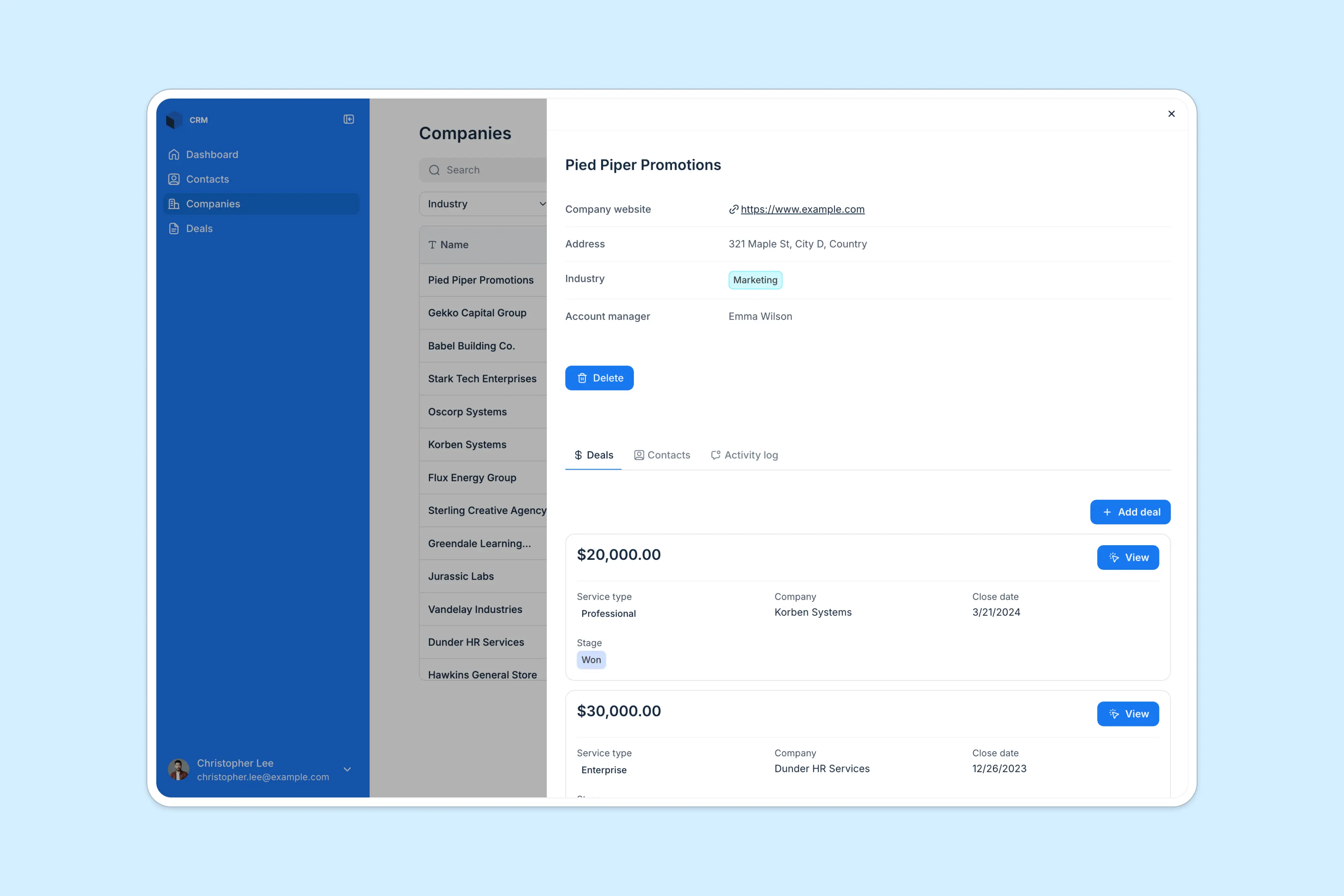
Softr is an AI app builder that lets accounting teams build custom CRMs, client portals, and internal tools on top of their existing data, without writing code. Describe what you need and the AI Co-Builder generates the database, pages, and permissions for you, or start from a template and adjust it manually. Instead of managing separate tools for internal accounting workflows and client communication, you manage everything in one system.
Softr combines an interface builder, Softr Databases, and Softr Workflows in one platform. Use Softr's own native database as the foundation, or connect to Airtable, Google Sheets, Notion, ClickUp, and 21+ other data sources, including a REST API connector. This way, you can manage clients, documents, and work status in one place, with permissions and AI-powered automations running underneath.
Softr pros and cons
Pros:
- Easy to start with and highly customizable client portals, CRMs, dashboards, and workflows without code
- Secure, role-based access for admins, account managers, staff, and clients
- Appointment scheduling and integrated Calendly simplify client outreach
- Visual sales pipelines and work tracking using Kanban-style views
- Built-in workflows and AI agents for automating admin-heavy tasks
- Works alongside existing accounting tools like QuickBooks or Xero
Cons:
- Not a full accounting system (no native invoicing, payroll, or ledger) though you can connect directly to Stripe and Paypal, any tool via Rest API.
Softr best features
- Role-based access and permissions: Create separate logins and permission levels for admins, account managers, team members, and clients to keep data secure and organized.
- Account and contact management: Centralize lead, client, and company information in one place so records stay accurate, searchable, and up to date.
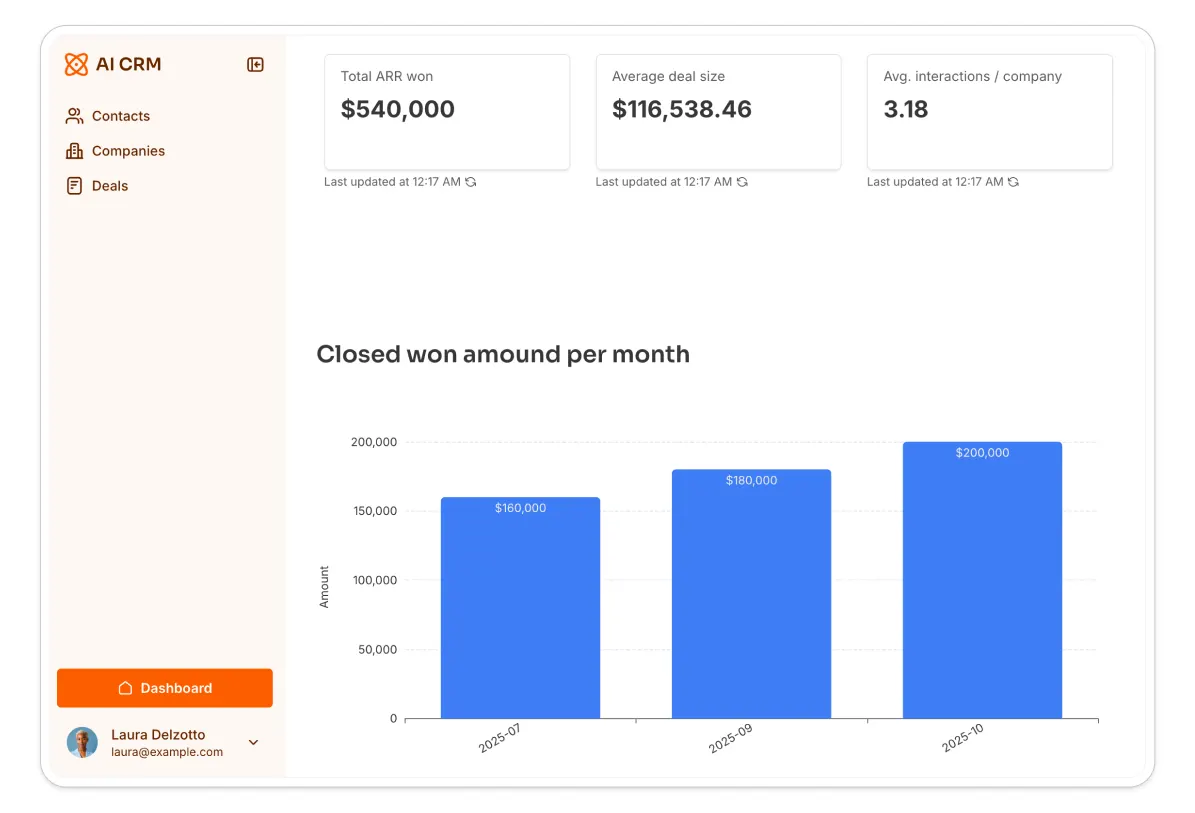
- Sales pipeline and opportunity tracking: Track deals, engagements, or service opportunities in a Kanban-style pipeline and monitor progress through custom stages.
- Notes and interaction history: Log calls, meetings, emails, and follow-ups directly on client or deal records to keep everyone aligned.

- Search and filtering: Quickly find clients, deals, or records using advanced search and filters, especially useful as your client base grows. Moreover, use Ask AI to ask your database questions and receive instant, accurate answers. Questions, such as “Which clients haven’t uploaded their files yet?” or “Which clients haven’t been contacted in the last 30 days?”.
- Reporting and dashboards: Build real-time dashboards to monitor pipeline health, workload, or client activity. You can also embed reports from other tools for a single view.
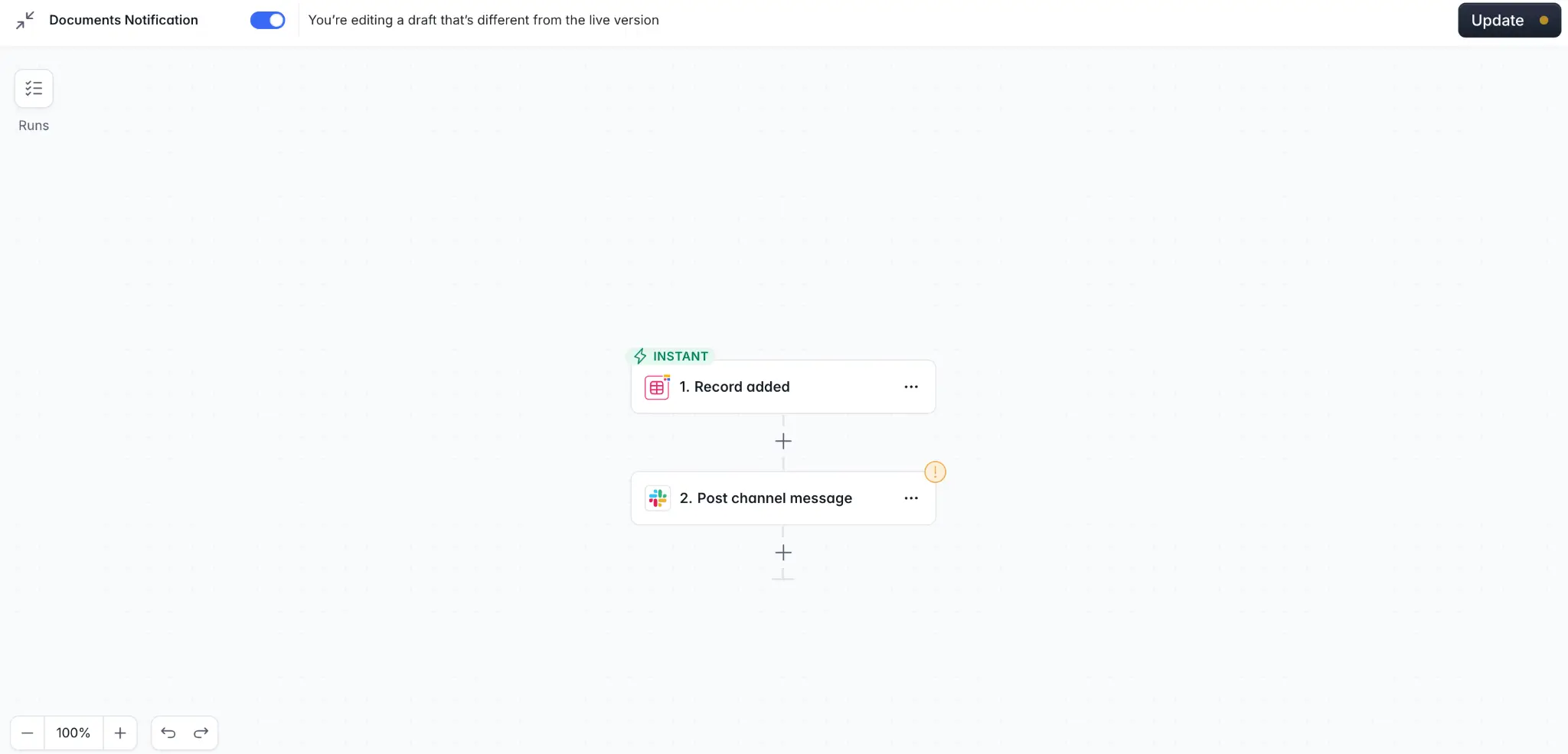
- Workflow automation and integrations: Automate handoffs, notifications, and updates using Softr’s built-in workflows, or describe the automation you need to the Workflow AI Co-Builder and it builds the logic for you. Enrich your data through Softr’s AI Agents instead of manually completing the information you need.
- Vibe Coding block for custom needs: Pre-built blocks cover most CRM and portal requirements, but for something specific, like a branded client dashboard or a custom proposal builder, the Vibe Coding block generates it from a plain-language prompt and connects it directly to your data, with permissions applied automatically.
- Works on any device: Access your CRM from any browser, or turn it into a downloadable mobile app using Softr’s PWA feature.
Softr pricing
Pricing is flat by plan, not per seat, making Softr predictable and cost-effective for growing teams.
- Free plan: Unlimited apps, with access to Softr Workflows and Softr Databases, 5 app users, 5,000 database records, 5 AI credits.
- Basic ($19/month): Unlimited apps with 42+ integrations, Team: 5 + Client: 5 app users, 50,000 database records, 10 AI credits.
- Pro ($99/month): Unlimited apps with 45+ integrations and custom code, Team: 10 + Client: 50 app users, 500,000 database records, 50 AI credits.
- Business ($329/month): Unlimited apps with 52+ integrations, Team: 30 + Client: 100 app users, 1,000,000 database records, 100 AI credits, custom user groups (up to 10).
- Enterprise: Custom pricing including everything in Business plus custom workflow execution limits & run history, unlimited workflows & steps, SSO (SAML/OpenID), custom billing, dedicated success manager, and team training.
[.blog-callout]
Real-world example: How TASC scaled document collection→
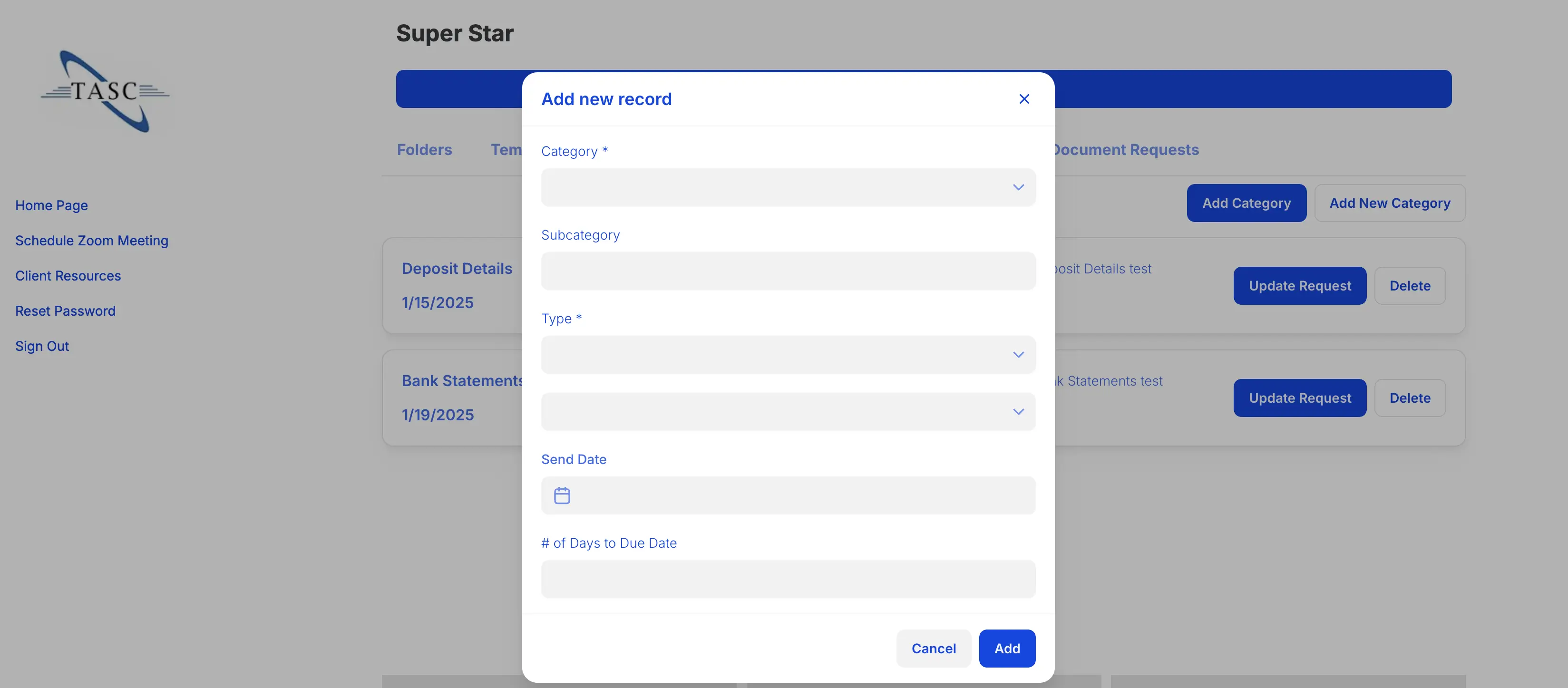
TASC, a tax and accounting services firm, used Softr to streamline document collection for 80+ active clients. Before switching, the team relied on email, Google Sheets, and shared Drive folders, making it hard to track requests, follow up with clients, and keep data organized.
With a custom client portal built on Softr, TASC automated 3–10 recurring document requests per client, allowed clients to upload files securely, and tracked submission status in real time. The result: fewer back-and-forth emails, faster onboarding, and clearer visibility for admins.
[.blog-callout]
2. Karbon: best for accounting firms that need deep practice management
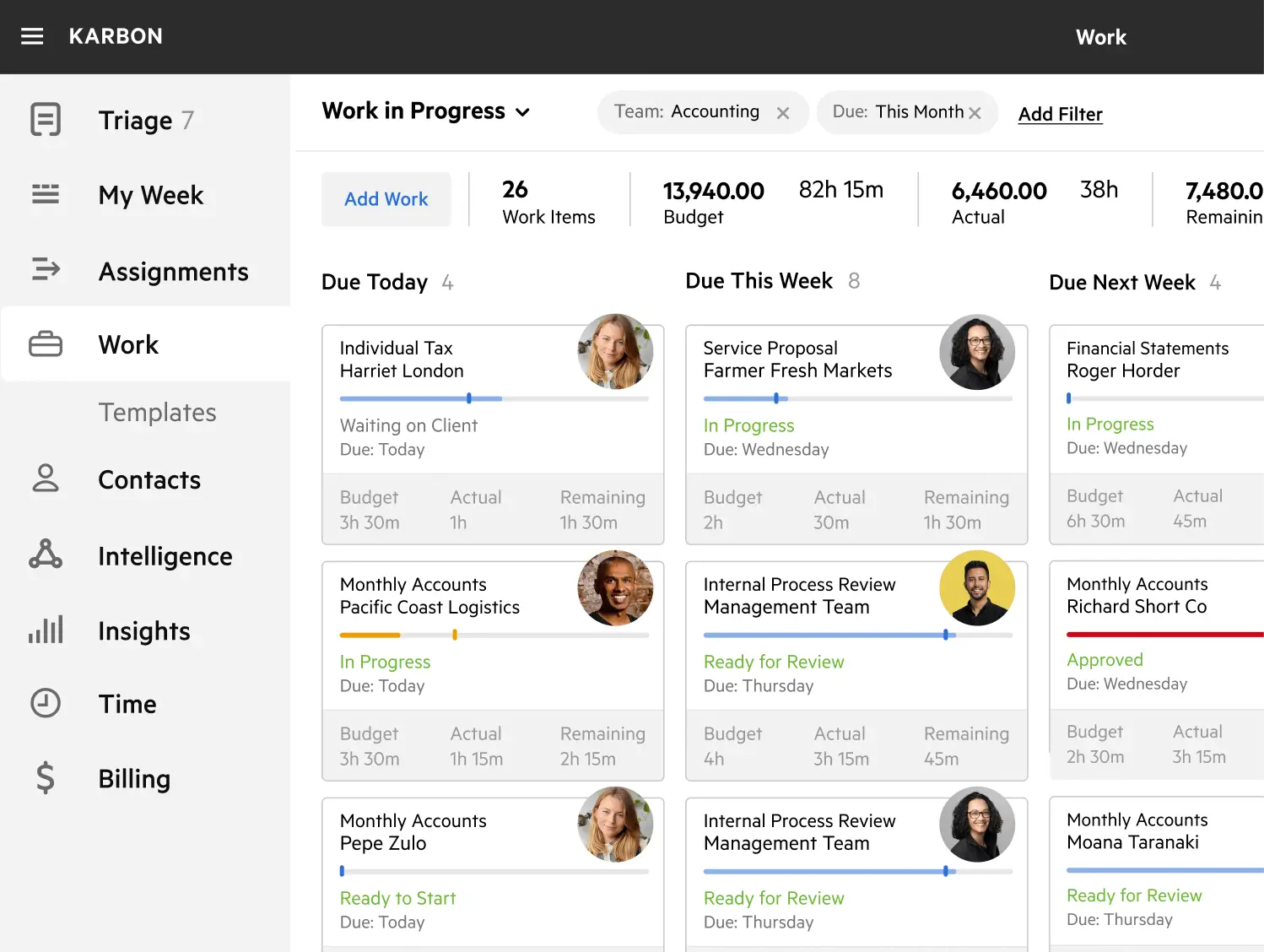
Karbon is a cloud-based practice management platform built for accounting firms and professional services businesses. It unifies client data, email, task lists, workflows, and billing into a single workspace so teams can manage communication, work progress, and recurring service delivery efficiently.
Unlike generic CRMs, Karbon is tailored to the rhythms and demands of accounting practices, helping firms standardize processes, automate deadlines, and improve visibility across teams.
Karbon pros and cons
Pros:
- Built for accounting firms with workflows that reflect service delivery, recurring tasks, and compliance needs
- Unified email integration links messages directly to client records and tasks
- Advanced workflow automation with templates and task dependencies
- Centralized client management and activity timelines across teams
Cons:
- Per-user pricing can be expensive for growing teams, especially with add-ons
- Setup and customization require time and planning
- Not as lightweight as basic CRM tools; learning curve for new users
Karbon best features
- Client and contact management: Centralized client records with email history, notes, and task links so nothing gets lost.
- Shared inbox and activity timelines: Turn emails into tasks, attach them to workflows, and track communication trends.
- Workflow automation and templates: Standardize recurring processes like tax prep, bookkeeping, and client requests with customizable templates.
- Capacity and work dashboards: Visualize team workload, overdue items, and upcoming deadlines to allocate resources efficiently.
- Integrated billing and payments: Manage billing directly within client records with tracking and payment context.
Karbon pricing
Karbon uses a per-user pricing model with plans suited to different firm sizes:
- Team: ~$59 per user/month (billed annually; basic practice management features)
- Business: ~$89 per user/month (adds automation, client reminders, and more)
- Enterprise: Custom pricing (unlimited templates, advanced reporting, dedicated support)
No permanent free plan is available, but Karbon typically offers guided demos rather than self-serve trials
3. Zoho Books: best for small to mid-size businesses needing full accounting, automation and reporting

Zoho Books is cloud-based accounting software helping businesses manage finances end-to-end (from invoicing and bank reconciliation to expense tracking and reporting). It provides a complete bookkeeping system with automation tools, multi-currency support, collaboration features, and mobile access.
Zoho Books works for operators who want a transparent view of cash flow and financial health while reducing administrative burden.
Zoho Books pros and cons
Pros:
- Covers core accounting tasks like invoicing, bank feeds, reconciliation, and expense tracking Zoho
- Automation for recurring transactions, alerts, and workflows
- Built-in reporting and customizable financial analytics
- Multi-currency and global tax support for growing businesses
- Accessible via web and mobile apps
Cons:
- Not a CRM on its own; needs integration for customer relationship workflows
- Some users report a learning curve for advanced accounting tasks
- Certain features like advanced budgeting may require higher-tier plans
Zoho Books best features
- Invoicing and payments: Create, send, and track invoices with integrated payment gateways like Stripe or PayPal
- Bank reconciliation: Sync bank feeds and auto-categorize transactions to speed up month-end close
- Expense tracking and billing: Log bills, vendor invoices, and manage customer charges in one platform
- Reporting and dashboards: Access live financial reports and dashboards for cash flow, profit and loss, and balance sheet
- Multi-currency and global support: Handle transactions in multiple currencies with automatic exchange rate updates
- Mobile access: Manage your accounts on the go with iOS and Android apps
- Custom roles and audit trail: Define user permissions and view transaction history for accountability
Zoho Books pricing
Zoho Books uses per-organization pricing, with lower rates on annual billing:
- Free: $0, basic accounting for solopreneurs (1 user + 1 accountant)
- Standard: $15/month (billed annually), core accounting, tax tracking, recurring transactions (up to 3 users)
- Professional: $40/month (billed annually), inventory, project profitability, approvals, and workflows (up to 5 users)
- Premium: $60/month (billed annually), advanced customization, budgeting, cash-flow forecasting, vendor portals (up to 10 users)
Paid plans include a free trial, so you can test features before committing.
4. Insightly: best for small to mid-sized teams that need CRM with project tracking and QuickBooks visibility
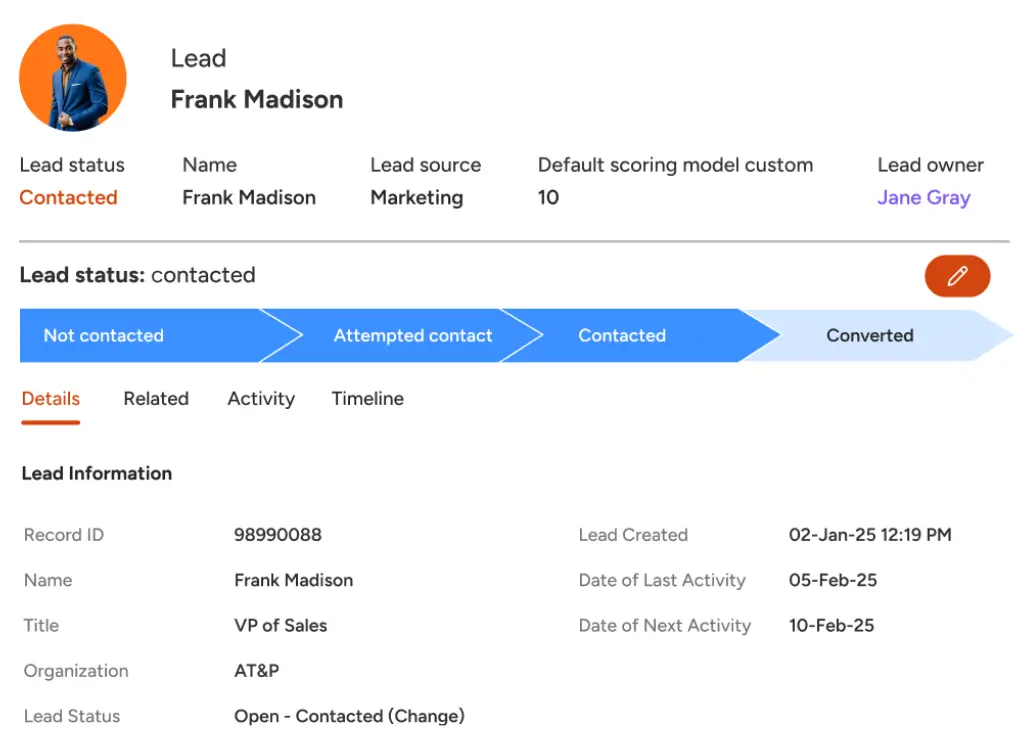
Insightly is a cloud-based CRM built to help teams manage customer data, sales pipelines, marketing automation, and project workflows in one place. It’s known for combining traditional CRM functions with light project management, customizable dashboards, and automation tools that support growing teams. Insightly also offers integration with QuickBooks Online so you can link financial data like invoices, payments, and customer records directly within your CRM experience.
For small and mid-sized businesses, Insightly works well when you want a single hub for lead management, customer engagement, and light post-sale delivery without adding complex systems.
Insightly pros and cons
Pros:
- Centralized CRM with contact, lead, opportunity, and pipeline management in one platform.
- Easy QuickBooks Online integration that lets you view customer invoice and payment details from within Insightly.
- Workflow automation and project tracking help teams coordinate sales and delivery.
- AppConnect provides access to hundreds of integrations across tools like Slack, Gmail, and marketing apps.
Cons:
- Per-user pricing can be higher than some SMB CRMs for the same feature set.
- Reporting depth and some advanced features are limited unless you choose higher tiers.
- Native QuickBooks integration shows financial data in Insightly but doesn’t sync all records bi-directionally.
Insightly best features
- CRM and contact management: Store and organize customer and prospect records, with communication history and deal context.
- Sales pipeline and opportunity tracking: Visual pipelines and stages help teams prioritize deals and streamline follow-ups.
- QuickBooks Online integration: Link contacts to QuickBooks records to view invoices, payments, and estimates inside the CRM.
- Dashboards and reporting: Custom dashboards help teams visualize pipeline health, activity trends, and engagement metrics.
Insightly pricing
Insightly typically structures pricing by user, with options to support different team sizes and feature needs:
- Plus: ~$29 per user/month – basic CRM features such as contact and lead management, dashboards, and sales tracking.
- Professional: ~$49 per user/month – adds workflow automation, role-based permissions, and more advanced CRM capabilities.
- Enterprise: ~$99 per user/month – full feature set with advanced permissions, custom objects, and integrations.
Insightly also offers a free trial so teams can test the platform before committing.
5. Keap: best for small businesses that want CRM with built-in automation and sales workflows
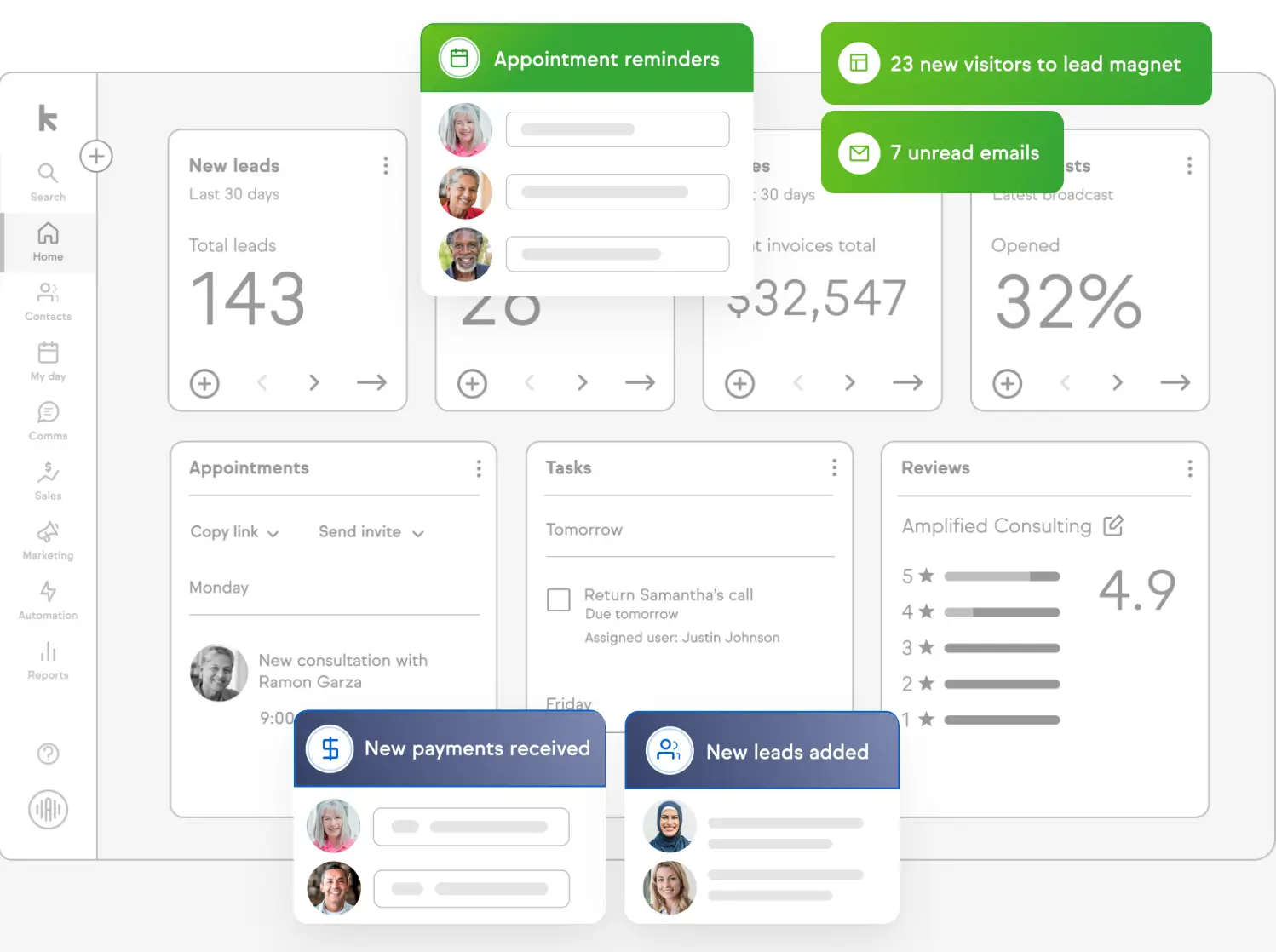
Keap (formerly Infusionsoft) is a CRM and sales automation platform built for small to mid-sized businesses. It combines contact and company records, sales pipelines, email and text marketing, appointment scheduling, payment tools, and automated workflows into a single interface so teams can organize leads, automate follow-ups, and manage customer interactions without stitching multiple tools together.
Keap works well when you want an “all-in-one” solution that goes beyond basic CRM, adding automation, pipeline management, and contact nurturing in one place.
Keap pros and cons
Pros:
- Strong CR core with contact and pipeline management built in
- Advanced automation builder with templates and customizable workflows
- Email and text marketing support alongside sales automation
- Built-in payment processing and checkout tools for service businesses SalesHive
Cons:
- Pricing starts relatively high compared to some SMB CRM tools (~$249/month)
- Steeper learning curve due to broad feature set
- Fewer third-party integrations than larger CRM ecosystems
- Some users report less flexibility in invoicing and email tools compared to specialized platforms
Keap best features
- All-in-one CRM and sales pipeline: Keep contacts, leads, and deals organized in one central place with intuitive pipeline views.
- Drag-and-drop automation builder: Set up sequences that nurture leads, trigger follow-ups, and automate tasks without code.
- Email and SMS marketing tools: Create and send targeted messages from the same platform that tracks sales activity.
- Appointment scheduling: Built-in scheduling tools help coordinate client calls and demos.
- Automation templates: Ready-made workflow templates help you launch common processes fast.
Keap pricing
Keap’s pricing for 2026 centers on an all-inclusive model where your cost scales by contacts and users rather than tiered feature sets:
- Starting plan: Around $249/month for ~1,500 contacts and 2 users (billed annually)
- Pricing increases based on larger contact counts and additional users
- Keap does not offer a free plan; you get a free demo instead.
6. Canopy: best for accounting firms that want all-in-one practice management
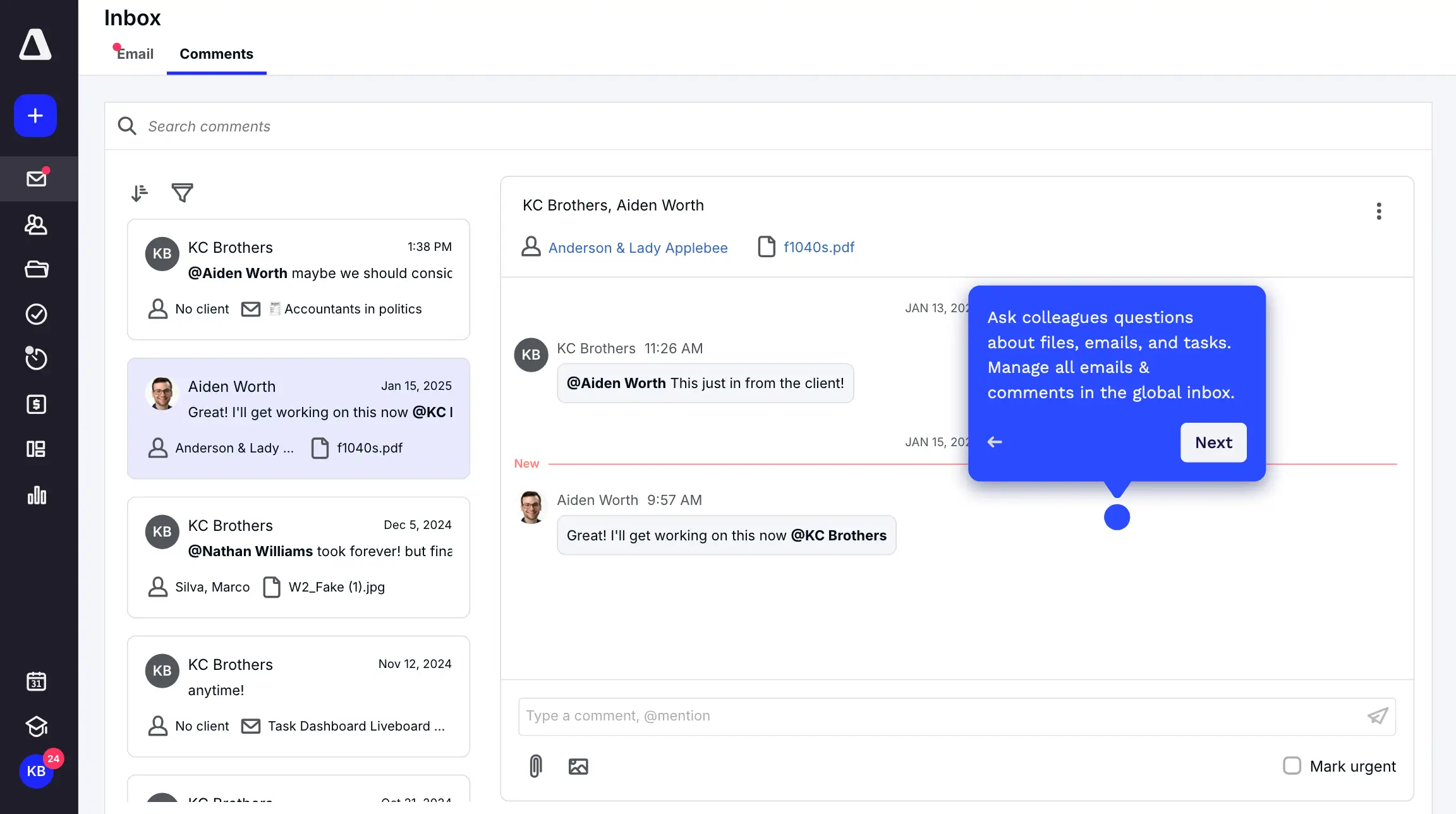
Canopy is a cloud-based practice management platform built specifically for accounting, bookkeeping, and tax firms. It combines CRM, client portals, workflow automation, document management, time & billing, payment tools, and reporting into one suite so your team can manage client relationships and operational work without juggling disconnected apps.
It’s especially useful for small to mid-sized firms that want a centralized hub for client communication, secure file exchange, standard workflows, and visibility into work in progress, all without stitching multiple point solutions together.
Canopy pros and cons
Pros:
- Designed specifically for accounting and tax practices, not generic CRM software.
- Built-in client portal with secure document exchange and branded access.
- CRM and communication tracking linked to client records.
- Modular suite lets you add workflow, billing, time tracking, and reporting based on needs.
Cons:
- Modular pricing can become expensive when you add multiple components.
- Can take time to set up and configure all modules for firm workflows.
- Some integrations (e.g., QuickBooks Desktop) are more limited than cloud-first competitors.
Canopy best features
- Client Engagement & CRM: A CRM built for accountants with flexible contact and client grouping, dashboards, and communication history tied to records.
- Document Management: Centralized storage with annotations, smart folders, and retention tools.
- Workflow Automation: Custom and recurring task templates, reminders, and status tracking.
- Time & Billing: Time tracking, configurable invoices, payment collection, and reports on profitability.
- Insights & Reporting: Dashboards and visual analytics for firm performance and work metrics.
- AI Smart Intake: AI-driven client intake questionnaires and prefilled data capture to reduce manual entry.
Canopy pricing
Canopy’s pricing is modular and varies with the components your firm needs. Common structures in 2026 include:
- Starter: ~$60 per user/month (or ~$540 per user/year), basic client engagement and document sharing.
- Essentials: ~$88 per user/month (or ~$792 per user/year), adds workflow and time tracking for small firms.
- Standard & Pro: From ~$180–$210/month base (modules added) for larger firms needing full practice management.
Many firms bundle Workflow, Document Management, and Time & Billing modules to create a full practice management stack, so total costs depend on which capabilities you include
7. Assembly: best for professional services that want a branded client portal and AI-powered CRM in one
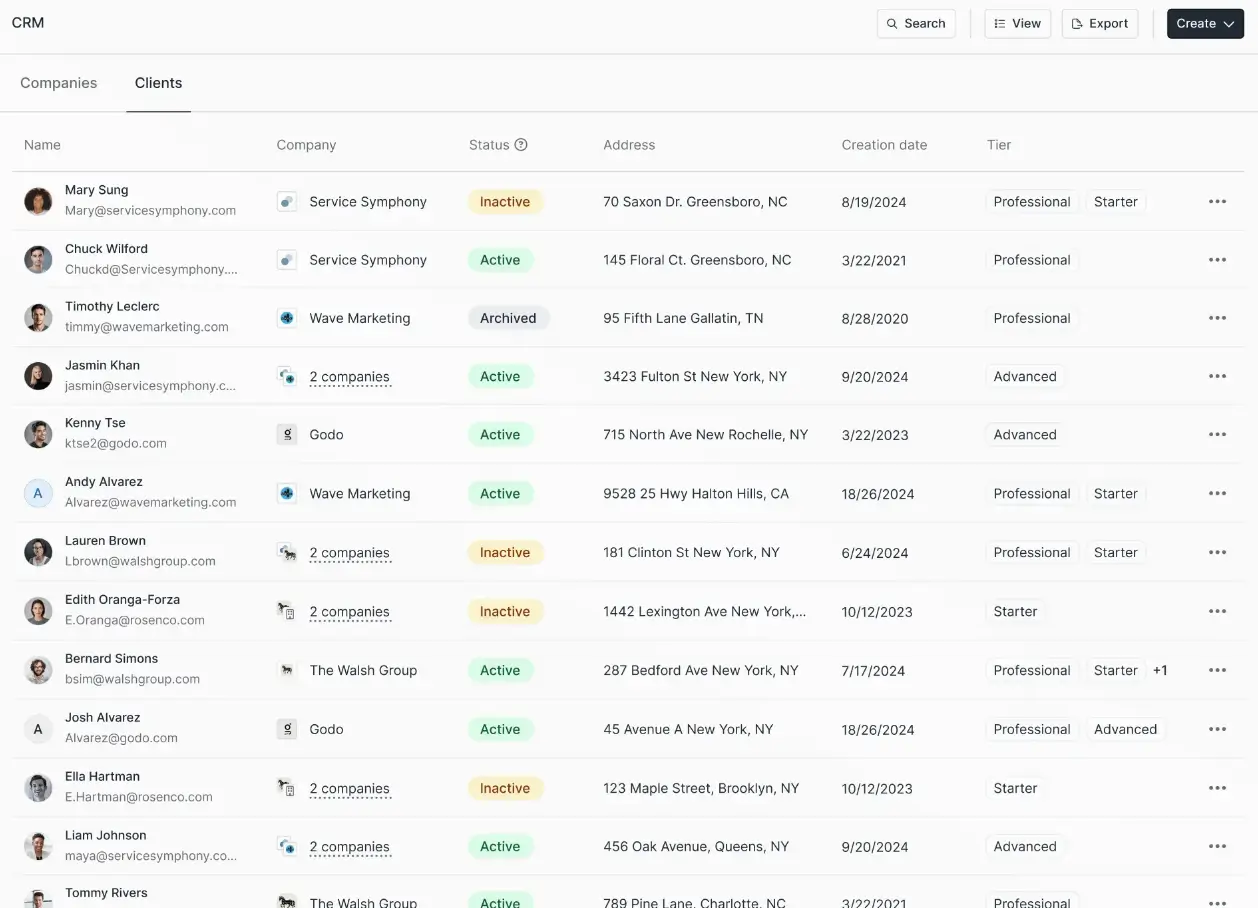
Assembly is an all-in-one platform that combines CRM, client portals, billing, messaging, contracts, tasks, and file sharing into a single workspace tailored for professional service teams, like accounting, consulting, and marketing firms. Assembly also includes an AI assistant that helps summarize conversations and surface context across client records, making back-office work smarter and easier.
Assembly works well for small to mid-sized teams that want a branded, secure client experience without building portals from scratch or stitching CRM, payments, and communication tools together manually.
Assembly pros and cons
Pros:
- Combines CRM, client portal, billing, messaging, contracts, and tasks in one platform
- Branded client portal improves client communications and professionalism.
- AI assistant provides context-aware summaries and automation to help teams work faster.
- Integrates with existing tools via embeds, Zapier/Make, and API for flexible workflows.
Cons:
- Still relatively new and evolving, so some features may require setup planning.
- Advanced plans are priced significantly higher for larger teams.
- Not a dedicated accounting engine, since financial workflows focus on invoicing and billing rather than full accounting.
Assembly best features
- Branded client portal: Create secure, custom-branded portals where clients can view tasks, messages, files, and bills.
- AI-powered CRM: Centralized client records with context from communication, tasks, and billing history.
- Messaging and workflows: Built-in messaging, task management, and workflow tools help teams coordinate without extra apps.
- Invoicing & billing portal: Create and send invoices, track payments, and manage billing without separate tools.
Assembly pricing
- Starter: ~$39/month, basic CRM, client portal, messaging, billing, and tasks.
- Professional: ~$149/month, adds more users, clients, automation limits, and API access.
- Advanced: ~$399/month, larger team and client capacity with advanced controls.
- Enterprise: Starting ~ $2,000/month, enterprise-grade deployment, security, and support.
Assembly offers a 14-day free trial so teams can test features before subscribing.
8. Capsule: best for small teams that want a simple, user-friendly CRM
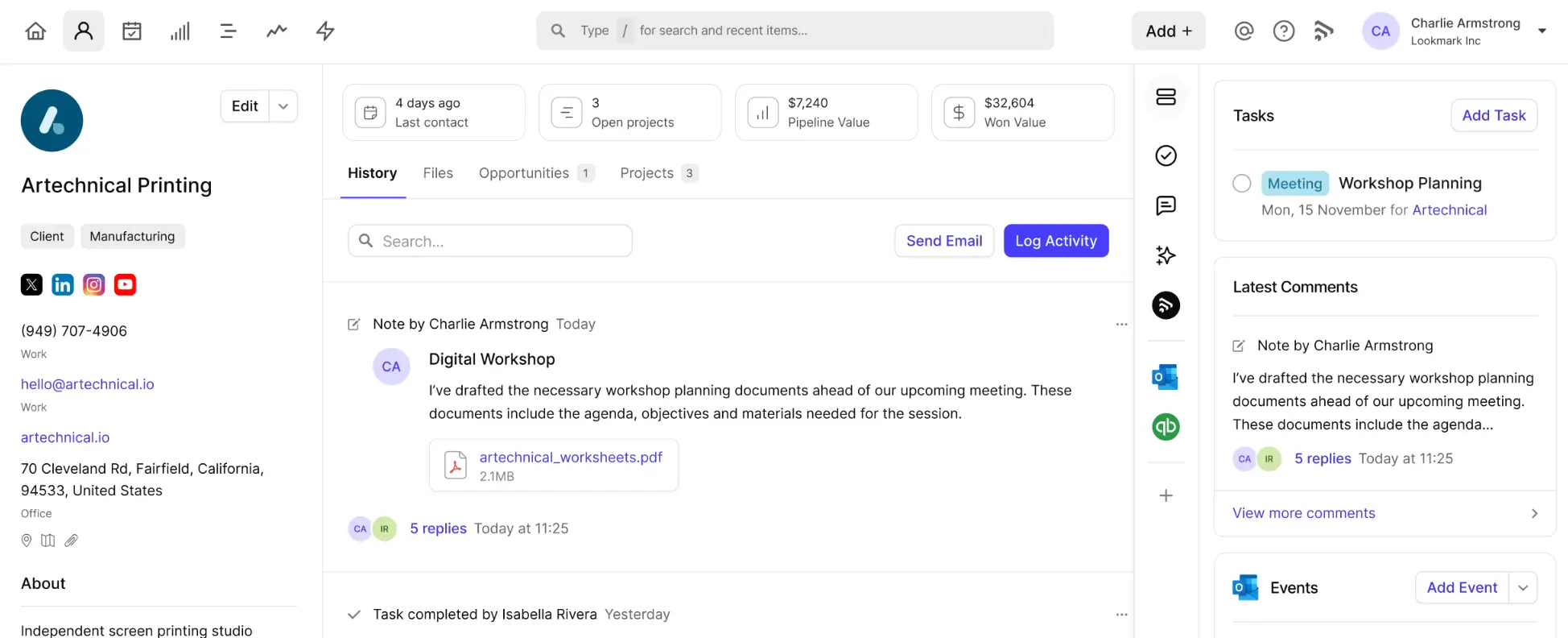
Capsule is a straightforward CRM designed for small to mid-sized teams that need a clean way to organize customer contacts, manage sales pipelines, and keep track of tasks without heavy setup or complex features. Its focus on ease of use, quick onboarding, and affordability makes it a strong choice for teams that want a lightweight CRM that gets work done without rock-solid technical support or enterprise-level bells and whistles
Capsule helps you centralize contact histories, track opportunities through custom pipelines, and manage client-related tasks from one place. It’s especially useful for teams that want reliable CRM basics with room to grow before adopting more advanced systems
Capsule pros and cons
Pros:
- Very easy to set up and use, so teams adopt it quickly
- Clear contact and pipeline management with customizable fields and milestones
- Integrates with popular tools like Gmail/Outlook, Xero, QuickBooks, and others
- Mobile access and offline syncing included on paid plans
Cons:
- Not built for complex CRM/enterprise workflows; simplicity can feel limiting as needs grow
- Advanced automation and reporting are less robust than competitors
- Limited native accounting or financial features; primarily CRM
Capsule best features
- Contact and lead management: Centralize customer profiles with notes, emails, tasks, and activity history.
- Sales pipeline tracking: Drag-and-drop pipelines you can tailor to your sales stages.
- Task lists and reminders: Manage follow-ups and to-dos linked to contacts and deals.
- Custom fields and milestones: Tailor data capture to match your workflows.
Capsule pricing
Capsule uses per-user pricing, with a free plan and discounts for annual billing:
- Free: £0, up to 2 users, basic CRM features (free forever)
- Starter: £14 per user/month (billed annually) or £17 billed monthly
- Core CRM features for small teams
- Growth: £27 per user/month (billed annually) or £32 billed monthly
- Adds workflow automation, advanced reporting, multiple pipelines, and project boards
- Advanced: £42 per user/month (billed annually) or £52 billed monthly
- Higher contact limits, enrichment, and expanded project management
Capsule also offers a 14-day free trial on paid plans, with no credit card required.
Find the best CRM accounting software that fits your needs
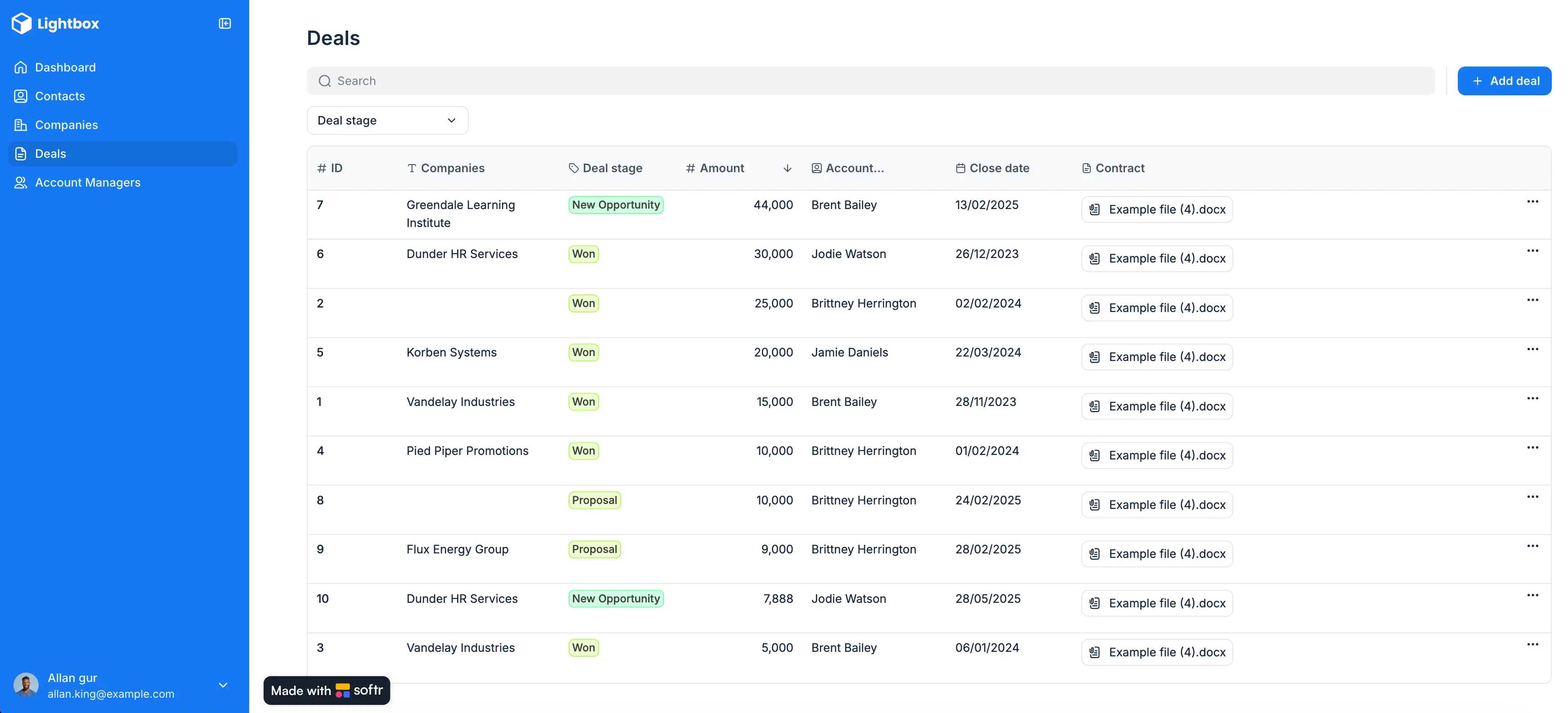
CRM accounting software works best when it reduces friction instead of adding another system to manage. The right tool should help your team keep client data, documents, and work status aligned without forcing you to replace your accounting stack or rely on fragile integrations.
For most accounting teams, that means choosing software that fits how you already work today and can adapt as your client base grows.
"It's fantastic to be able to create portals without writing a line of code quickly but with great results. I found it useful to switch from Airtable's backend to Softr's internal database to avoid API limits." - Marco D., .NET Analyst Developer, G2 review
Whether you need a lightweight CRM, a full practice management platform, or a flexible layer on top of existing tools, the goal is the same: clearer visibility, fewer manual handoffs, and less time spent chasing information.
Instead of forcing your team into another rigid system, build CRM workflows that match how your accounting team already works with Softr’s free CRM template, or describe the CRM you need to the AI Co-Builder and adjust the result from there.
Frequently asked questions
Is QuickBooks a CRM system?
What are the 4 types of CRM?
Is Excel a CRM software?
Does CRM accounting software integrate with QuickBooks or Xero?
Can I build a CRM accounting portal without hiring a developer?