.jpeg)
A good portal allows your clients, partners, or staff to access what they need, whenever they need it. This can be a huge time saver, replacing hundreds (if not thousands) of messy email threads.
But many businesses get caught between the high pricing of enterprise portal software and the messy workflows of DIY solutions. Fortunately, there are some powerful yet affordable solutions out there. In this post, we’re test-driving the best portal software apps in 2026.
Best portal software at a glance
| Tool | Best for | Key features | Pricing |
|---|---|---|---|
| Softr | Flexible, data-connected portals | AI Co-builder, built-in database, granular permissions, workflow automation | Free plan available; paid plans from $19/month |
| WeWeb | Design-forward teams | Code export and customization, teams, visual CSS editor | Free plan available; paid plans from $20/month + hosting |
| Clinked | Regulated industries | Security certifications, audit trails, white-label mobile apps | From $95/month |
| Zendesk | Support-focused teams | Ticket management, knowledge base, AI answer bot | From $55/agent/month |
| Zoho Creator | Zoho ecosystem users | 45+ Zoho app integrations, PWA & native mobile publishing | From $8/user/month |
| SuiteDash | Budget-conscious teams | Flat-rate unlimited users, 16 bundled apps | From $19/month |
What is portal software?
Portal software lets you build and host secure online workspaces where people connected to your business can access tools, resources, and data on demand.
That could mean sharing work with clients, delivering assignments to contractors, providing tools for your partners, uploading documents for shared access, and so on.
Most portal apps include the following features:
- Bidirectional data: Users can both view and interact with information.
- Live data from external apps: Sync records from a CRM, project management app, invoicing workflow, and other tools.
- Role-based access control: Share business data securely with only those who have the necessary clearance.
What are the main use cases for portal software?
In theory, you can build a portal for any business workflow. But here are some of the most common use cases:
- Client portals: Agencies can share project updates, deliverables, and invoices with clients.
- Vendor portals: Suppliers can check their purchase orders, submit invoices, and view key documents.
- Partner portals: Partners can see their earnings and access resources (often used for affiliate programs).
- Internal/employee portals: HR portals allow staff to check their PTO allowance and submit leave requests; IT portals provide easy access to technical support and asset management.
- Support portals: Customers can submit help requests, support tickets, and find answers via your knowledge base.
What to look for in portal software
Because portals can serve many purposes, this software class varies a lot. Some platforms specialize in specific use cases or industries, while others are designed to be versatile.
To find the right option for your business, focus on:
- User roles and permissions: Simple portals work fine with just two or three user types. But for more complex hierarchies, you’ll need granular control.
- Data source connectivity: Does your data live in Airtable, Google Sheets, HubSpot, or SQL databases? Look for a tool that connects to existing data sources or that has a native database.
- Speed to launch: With no-code, AI-powered builders, you can launch production-ready portals quickly. Visual and low-code builders give you greater control but have a steeper learning curve and may require developer resources.
- Workflow complexity: Look for portal software with built-in workflow automation with features like multi-step approvals and advanced logic.
- Pricing model: Flat-rate pricing makes things predictable. Per-seat pricing rises as your team grows. Per-user can be expensive if your portal has a large base.
- Security requirements: Most businesses need SSL and SOC 2 compliance. Regulated industries require more certifications, such as HIPAA and FISMA.
1. Softr — best for building flexible, data-connected portals with AI and no code
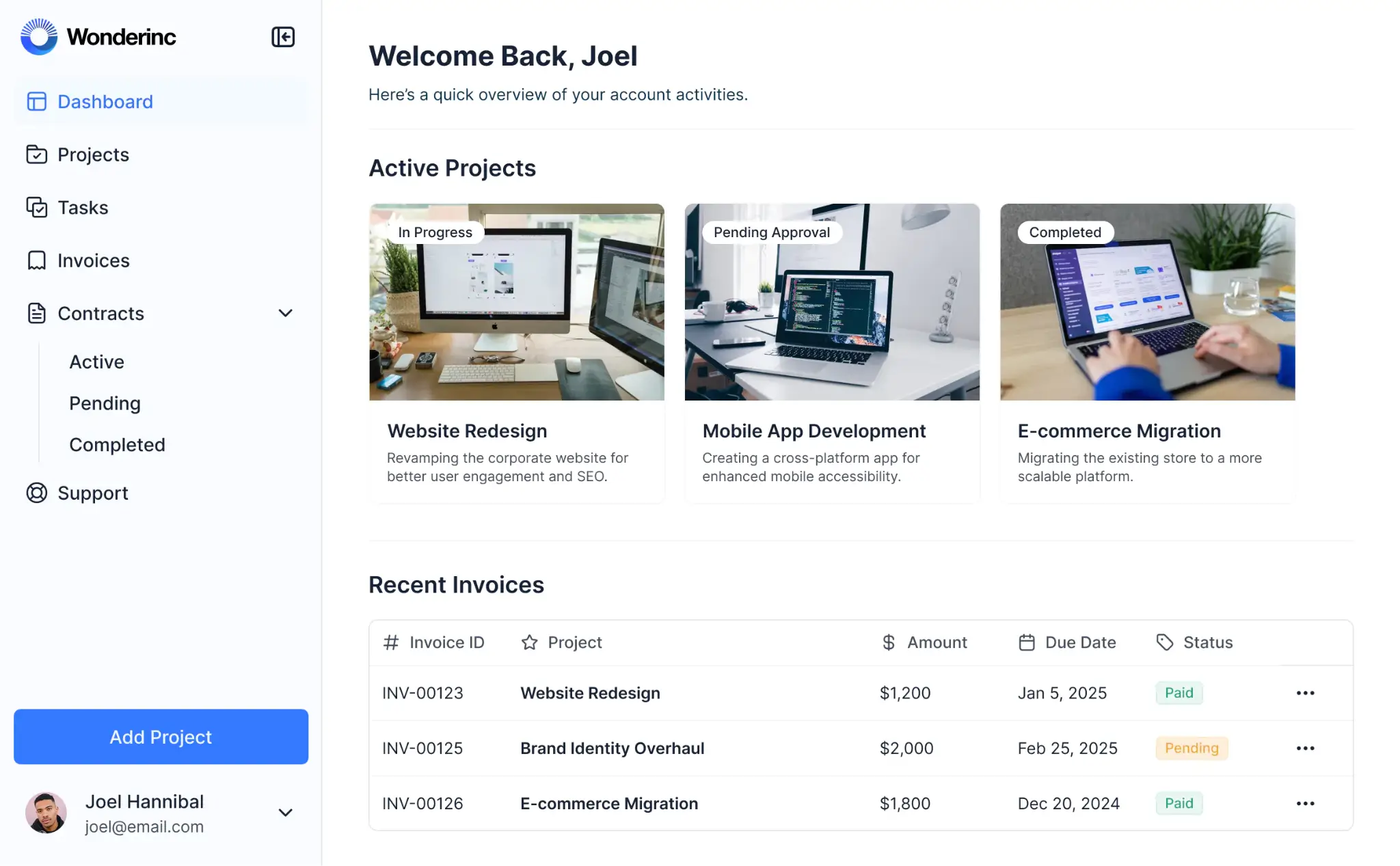
Softr is an AI-powered app builder that lets businesses create production-ready client, customer, and employee portals—along with dashboards, internal tools, and other apps—without writing a single line of code.
Compared with out-of-the-box solutions, Softr gives you full control over the kind of portal you want to make. Customize everything from user roles and design to branding and included features. Build onboarding workflows, support hubs, communication, invoicing, and client dashboards directly into your portal.
On the backend, you can build your portal on Softr’s secure relational database — and sync with external sources like Airtable, Google Sheets, and Notion.
While Softr’s visual editor is highly flexible, you don’t have to build from scratch. Softr has a library of pre-made portal templates, and you can use the AI Co-builder to generate entire portals (front-end and back-end) from natural language prompts.
Pros and cons of Softr
Pros:
- Customize your portal to match your actual business processes — not the other way around
- AI Co-builder can generate a portal (and its data structure) from a text prompt
- Pre-built blocks and templates allow you to create portals in minutes
- Control user access at the page, block, and even button levels
- Full branding control with custom domains and no Softr logos visible to end users
- Store up to one million database records on Business plans without slowing down
- Integrates with Google Sheets, Notion, HubSpot, monday.com, ClickUp, PostgreSQL, and other external apps
Cons:
- Doesn’t provide pixel-level control over the design of your portal
Softr’s best features
- Drag-and-drop visual editor: Create portals with pre-built blocks, custom layouts, and conditional logic — no code required.
- Deep flexibility: Skip the rigid structure of most portal software and build a solution that aligns with your real business processes and needs.
- Built-in AI: Database AI Agents and Ask AI are integrated directly into Softr, so you can get answers about your portal’s back-end data and configure agents to handle enrichment, updates, and other tasks.
- Softr Databases: Build portals on top of native relational databases with linked records, formulas, lookups, file storage, and enterprise-grade security.
- 21+ data source integrations: Live two-way sync with external tools means no manual data entry.
- Custom user groups and permissions: Define who sees what with role-based access, field-level visibility, and granular permissions.
- Workflow automation: Automate user onboarding, task assignment, notifications, and data updates without relying on external tools.
- Multi-step conditional forms: Build complex forms synced to your portal with branching logic and dynamic fields.
Softr pricing
- Free: Unlimited apps, with access to Softr Workflows and Softr Databases, 5 app users, 5,000 database records, and 5 AI credits
- Basic: $19/month (billed annually), unlimited apps with 42+ integrations, Team: 5 + Client: 5 app users, 50,000 database records, 10 AI credits
- Pro: $99/month (billed annually), unlimited apps with 45+ integrations and custom code, Team: 10 + Client: 50 app users, 500,000 database records, and 50 AI credits
- Business: $329/month (billed annually), unlimited apps with 52+ integrations, Team: 30 + Client: 100 app users, 1,000,000 database records, and 100 AI credits
- Enterprise: Custom pricing for larger teams
[.blog-callout]
✨Try Softr free to build your first portal, or browse our pre-made templates to launch in minutes.
[.blog-callout]
2. WeWeb — best for maximum design control through CSS
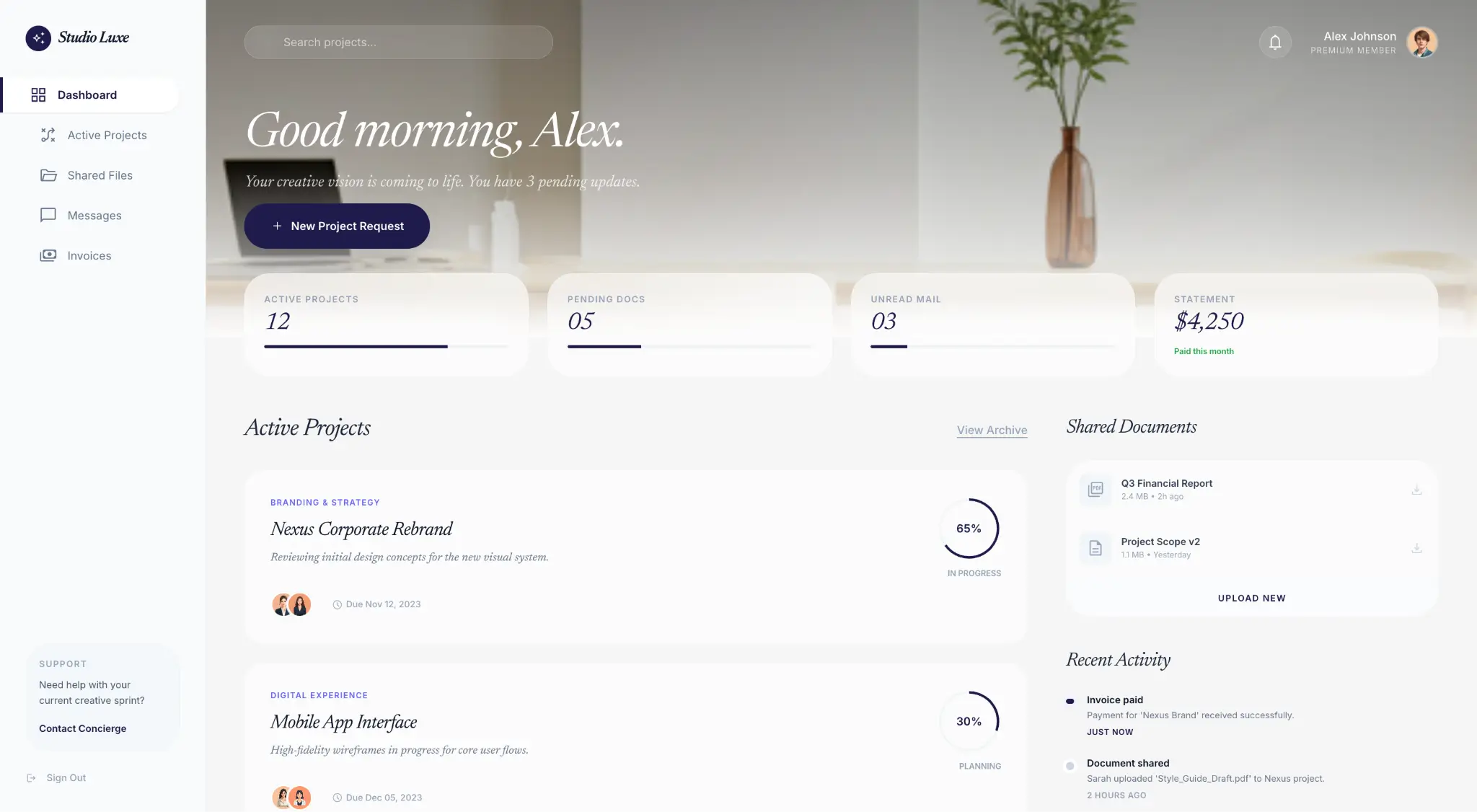
WeWeb is a frontend development platform that allows you to build a variety of web apps, including portals. While WeWeb does have templates, the primary portal creation workflow relies heavily on AI, which builds an initial version based on your description. Then, you can customize the design using a visual editor. This system offers extensive control but requires more upfront time investment.
Pros and cons of WeWeb
Pros:
- Visual editor lets you place every element and brand your portal
- You can export your code and self-host if needed
- AI workflow makes it easier to generate prototype portals
- Connects to REST or GraphQL API, so you can pull in data from virtually any backend
Cons:
- Steep learning curve
- No native backend for data
- Lengthy support response times
WeWeb best features
- Visual editor: Figma-style workspace gives you both drag-and-drop tools and complete CSS control for granular edits.
- AI workflow: Leverage AI to generate portal prototypes from simple text prompts.
- Code export: Download your Vue.js codebase and self-host anywhere (if you have the resources and know-how).
- Custom logic: Build complex workflows with AI and JavaScript.
WeWeb pricing
- Free: Comes with limited hosting for up to 500 sessions
- Paid plans: From $20 to $475/month/seat (billed annually), based on AI usage
- Hosting: Free to start, with paid plans from $13 to $100 per month (billed annually)
3. Clinked — best for regulated industries
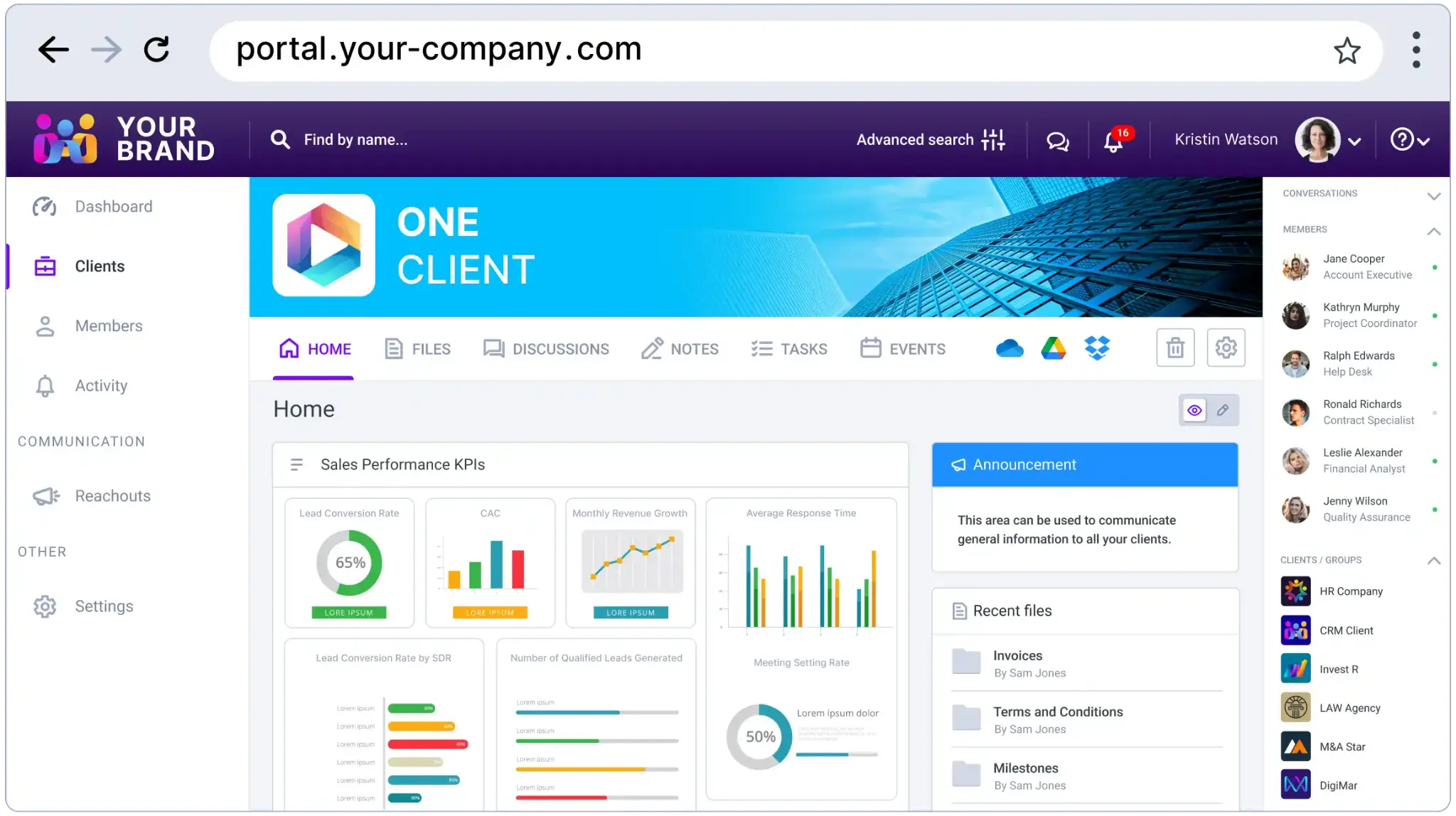
Clinked is a specialized white-label client portal platform with a focus on security and compliance. It’s aimed at businesses working in regulated industries like law, health, and finance. Platform features center on secure document sharing, invoice handling, and communication. Clinked is mainly designed for client portals, and you can only make minor design adjustments.
Pros and cons of Clinked
Pros:
- ISO 27001 and SOC 2 certified with 256 bit SSL in transit and AES encryption at rest
- Full white labeling means clients see custom domains and branded assets
- Detailed audit trails and activity logs make compliance reporting straightforward
- Native iOS and Android app allows clients to use your portal on the go
Cons:
- Can be pricey for small businesses and agencies
- Interface feels quite dated
- Portal templates have limited customization options
Clinked best features
- Secure file sharing: Clinked keeps portals secure with strong encryption, version control, and audit trails.
- White-label mobile apps: Publish native iOS and Android apps with your own branding.
- Collaboration tools: Work together with document sharing, chat, and discussion boards — with tasks and calendars available on higher tiers.
- Client groups: Put your clients into groups and sub-groups with different levels of access.
Clinked pricing
- Paid plans: From $95 to $479/month (paid annually, starting with a limit of 100 users)
- Enterprise and custom plans available on request
4. Zendesk — best for customer support portals
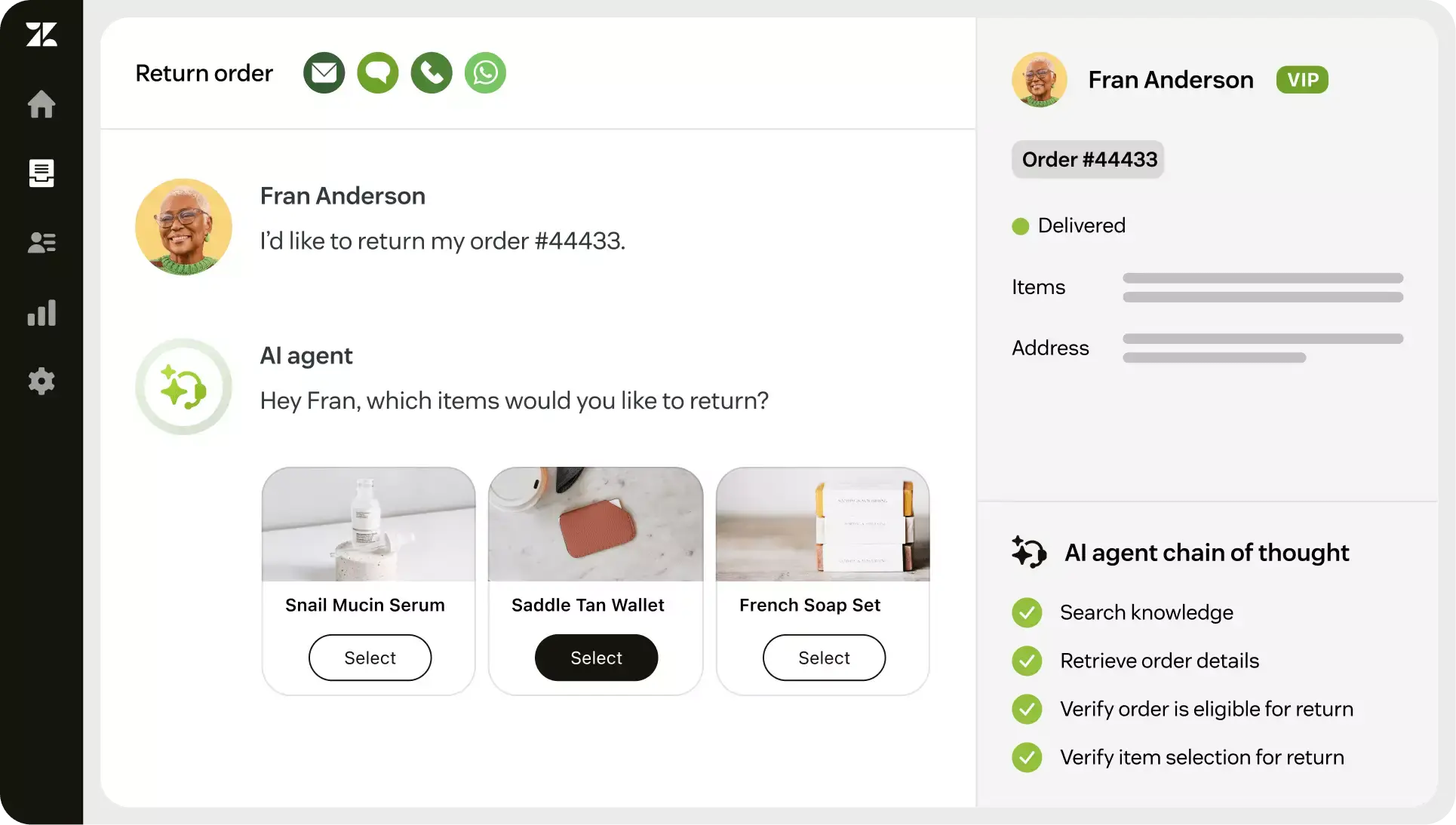
Zendesk provides a whole ecosystem for delivering support — from AI agents to ticket management workflows. The includes self-service portal software so users can access information and knowledge bases, chat with AI agents, and submit and track support tickets. Portals you build with Zendesk integrate seamlessly with the rest of the platform.
Pros and cons of Zendesk
Pros:
- Portals are one part of a larger platform for customer, client, and employee support
- Connects to a wide range of apps, with over 1,800 integrations
- Strong AI features and agents, including an answer bot and support content suggestions
- Robust reporting and analytics for visibility into support performance and ticket trends
Cons:
- Per-agent pricing quickly adds up
- Portal features aren’t available on the lowest tier
- The platform is mainly for client and employee support, so you don’t get dashboards, invoicing, or task management
Zendesk best features
- Customer-facing ticket portal: Clients can log in to submit, track, and manage their own support tickets.
- Knowledge base: Build a searchable self-service hub where customers can find answers on their own — with AI surfacing the most relevant articles based on their query.
- Community forums: Let customers help each other with peer-to-peer discussion boards
- Answer Bot: AI agents can handle common questions instantly and bring in a human agent when needed.
- Omnichannel support: Zendesk provides a unified inbox for email, chat, phone, and social.
Zendesk pricing
- Paid plans: From $19 to $169/agent/month (billed annually)
- Help Center add-on required to create a portal on the lowest tier
- Other add-ons available:
- CoPilot AI for $50/agent/month
- Enhanced data protection for $50/agent/month
- Contact center tools for $50/agent/month
5. Zoho Creator — best for building portals in the Zoho ecosystem
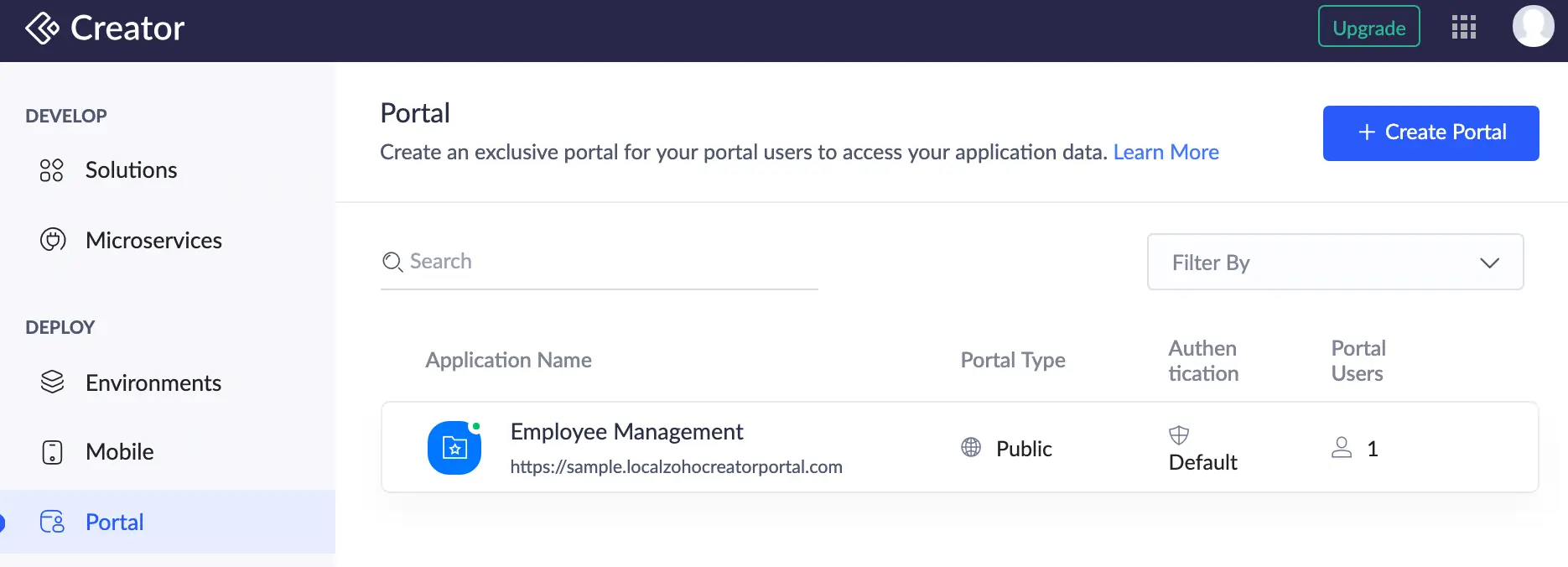
Part of the 45+ app Zoho productivity suite, Zoho Creator is a low-code development platform for building and launching business apps. You can create pretty much any portal type in Zoho Creator, from support hubs to recruitment tools, and publish them as native mobile apps on iOS and Android. The platform also includes an AI assistant that can generate app logic, suggest workflows, and help less technical users get more out of the builder without writing scripts from scratch.
Pros and cons of Zoho Creator
Pros:
- Works seamlessly with over 45 apps in the Zoho suite
- For small businesses, the per-user pricing is fairly affordable
- Publish portals as progressive web apps or native mobile apps on iOS and Android
- Wide range of pre-built templates makes it easy to get started across different portal types
Cons:
- Design customization is limited and the editor can feel restrictive
- Per-user pricing means costs rise quickly for client portals
- Advanced features generally require troubleshooting with the AI or writing scripts yourself
Zoho Creator best features
- Flexible customer portal builder: Zoho offers a wide selection of templates, with customizable sign-in and permission sets.
- Drag-and-drop, AI, and scripting: Work with drag-and-drop editing for speed, AI assistance, or write your own scripts for full control.
- Zoho ecosystem sync: Integrate directly with Zoho’s CRM, accounting, invoicing, and task management tools, among others.
- PWA and mobile native publishing: Portals work smoothly on any device, with dedicated apps for iOS and Android users.
Zoho Creator pricing
- Paid plans: From $8/user/month to $25/user/month (billed annually)
- Customer Portal add-on: For external users, with tiered pricing from $100/month for 250 users to $10,000/month for 100,000 users
- Flexible plans based on your requirements available on request
6. SuiteDash — best for budget-conscious teams bundling portals with other apps
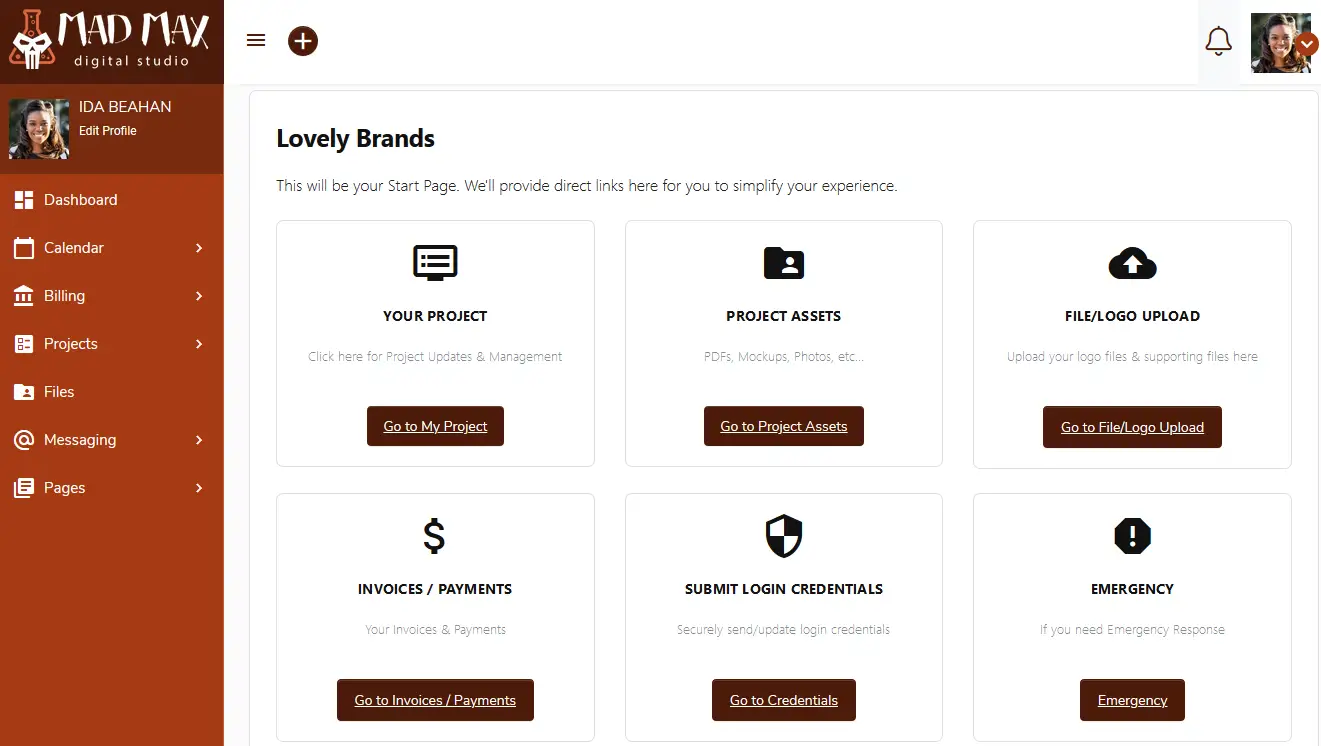
SuiteDash is a versatile business software platform that offers 16 distinct apps (including portals) for a flat monthly price. It’s targeted at cost-conscious businesses that don’t want to pay for multiple specialized tools. The platform offers a block-based portal builder with pre-built templates and drag-and-drop editing. Just be aware that its interface can feel slow and complex.
Pros and cons of SuiteDash
Pros:
- One flat monthly price for unlimited staff, contacts, and portals
- Includes CRM, projects, invoicing, portals, email, and an LMS
- Strong white labeling features, including branded login and mobile apps
- Native email marketing features mean you can communicate with clients who use your portal directly from the platform
Cons:
- Interface can be clunky and difficult to navigate
- Learning how to use the portal builder (and the overall platform) takes time
- Users report that pages sometimes load slowly
SuiteDash best features
- Expansive platform: SuiteDash bundles 16 apps into a single subscription — covering portals, CRM, project management, invoicing, email marketing, and an LMS
- Flat-rate pricing: Unlimited users means costs remain stable as you scale.
- White-label options: You can add your own branding to every portal touchpoint.
- Automation workflows: FLOWs feature automates tasks (only available on the Pinnacle plan).
SuiteDash pricing
- Paid plans: from $19 to $80/month (billed annually) with unlimited internal and external users
- “Century” licenses: One-off fees covering 100 years, starting at $2,240
Choose the right portal software for your business
The best portal software depends on your existing workflows, the complexity of your use case, and how much time you want to invest in setup. A support-focused team has very different needs from an agency managing dozens of clients, so it's a must to be clear on your priorities before committing.
For most teams, Softr provides the best mix of functionality and flexibility across different portal types (internal and external). It lets you build custom branded portals (plus any other apps you need) on top of your business data with zero coding required.
👉 Try Softr free and build a portal that works with your business.
Frequently asked questions
Can I build a client portal without coding?
Can portal software integrate with my existing tools?
What's the best portal software for agencies?