





10 best AI tools for marketing use cases in 2026

Marie Davtyan
/
Dec 18, 2025
/
19
min read

[.blog-callout]

TL;DR:

  • AI adds speed, but it can also add tool sprawl. If your data is split across CRMs, sheets, analytics, and ad accounts, “one more AI tool” often creates more handoffs, not fewer.
  • The best AI marketing tools work across your stack. Look for tools that connect systems, automate multi-step workflows, and keep work grounded in real data.
  • Pick tools by job, not hype: automation + no-code workflows (Softr, Zapier, n8n), content + creative (Notion AI, DALL·E 3, Descript), data + insights (Clay, NotebookLM), AI search visibility (Profound), or all-in-one platforms (HubSpot).
  • Softr is best when you want tools + data + AI in one place. Build dashboards, campaign trackers, portals, and internal systems on top of your existing data, then automate and query that data with built-in AI—without rebuilding your stack.

[.blog-callout]

Modern marketing teams run on dozens of tools, which means data lives across spreadsheets, CRMs, analytics platforms, and ad accounts. Add AI into the mix, and suddenly you’re managing even more solutions, each promising to save time, but often adding complexity instead.

That’s why the best AI tools for marketing don’t just generate content or automate one-off tasks. They help your existing tools and data work better together without forcing your team to replace everything. This matters most for marketing operators, who need to move quickly, keep systems clean, and support the rest of the business as it scales.

In this guide, we break down the best AI tools for real marketing use cases in 2026: what they’re best at, where they fit, and how to think about consolidation instead of adding another standalone tool.

What is AI marketing software?

AI marketing software helps teams automate repetitive work, understand their audience, and make better decisions using machine learning.

The best AI marketing tools aren’t just about individual features or one-off automations. It works across your existing stack connecting data, automating workflows, and reducing manual handoffs. This way,  teams move faster without adding more tools to manage.

The result is more time for higher-value work like planning smarter campaigns, running experiments, and focusing on the channels that drive real impact.

Types of the best AI tools for marketing

Type Tools What they help with
1. AI automation & no-code workflow tools Softr, Zapier, n8n Connecting tools and data, automating workflows, and building custom tools that support marketing ops at scale.
2. AI content & creative tools Notion AI, DALL·E 3, Descript Generating and repurposing content, summarizing research, and speeding up copy, design, and video production.
3. AI data & insights tools Clay, NotebookLM Enriching leads, analyzing documents, and turning structured sources into usable insights for research or outreach.
4. AI search visibility & optimization tools Profound Monitoring brand visibility across AI search engines (ChatGPT, SGE, Perplexity) and identifying content or distribution gaps.
5. All-in-one marketing & CRM platforms with AI HubSpot Running campaigns, capturing leads, automating marketing tasks, and managing CRM data in a single system.

What to look for in AI marketing tools

When you’re choosing AI tools for marketing, the goal is to pick tools that connect systems, reduce manual work, and support how your team actually operates across projects.

Here’s what matters most for small and mid-sized teams:

  1. Range of use cases: Look for tools that support several parts of your workflow: content, SEO, audience targeting, insights, and automation. Fewer, more flexible tools are easier to manage than a collection of disconnected apps.
  2. Connection to your existing data: Prioritize tools that work on top of your current systems and integrate cleanly with the rest of your stack (e.g. CRM, CMS, email platform), so insights and automation stay grounded in live data.
  3. Automation depth:  It’s not just about triggering one action. Strong AI tools support multi-step workflows, handling enrichment, routing, personalization, and follow-through without constant manual intervention.
  4. Quality and consistency of AI outputs: The best tools help you produce accurate, on-brand content or insights you can trust, not just high-volume drafts you need to rewrite.
  5. Personalization capabilities: Look for tools that adapt messaging or automations based on customer behavior, segments, or past interactions. This helps you target the right people with the right content at the right time.
  6. Team collaboration: Choose tools that make it easy to review, edit, share, and manage AI-generated work with clear roles and approval processes.
  7. Scalable pricing and flexibility: Favor tools with clear pricing. Unpredictable cost models tied to volume or usage can become difficult to manage as your marketing efforts grow.

Best AI tools for marketing at a glance

Tool Best for Standout features Pricing
Softr Building custom AI-powered marketing tools on top of your data - AI reporting,
- Workflow automations,
- Centralized campaign management,
- Vibe-coding,
- Granular permissions
Free; Starter $49/mo
HubSpot Teams needing an all-in-one AI-powered marketing + CRM hub - Lead capture,
- Campaign automation,
- AI content tools,
- Analytics
Free; Starter $9/mo/seat
n8n Technical teams needing flexible, self-hosted automation - Open-source workflows,
- Complex logic,
- API-level integrations
Free (self-hosted); Cloud from paid tiers
Zapier Fast, no-code marketing automation - 6,000+ integrations,
- AI-enabled workflows,
- Multi-step logic
Free; Professional $29.99/mo
Notion AI Content-heavy teams needing AI writing and knowledge management - AI writing,
- Summarization,
- Workspace-wide Q&A,
- Knowledge organization
Limited Free; Full AI at ~$20/user/mo
Profound Tracking visibility across AI search + Answer Engines - AI search tracking,
-Prompt rankings,
- AEO insights,
- Multi-brand dashboards
Starter $99/mo; Growth $399/mo
Clay B2B teams needing lead enrichment and outreach prep - Data enrichment,
- AI outreach,
- No-code workflows,
- CRM sync
Free tier; Paid plans from ~$149/mo
NotebookLM Research-heavy teams needing source-grounded summaries - Multi-format uploads,
- Structured analysis,
- Citations,
- Audio/video notes
Free tier; Paid NotebookLM Plus
DALL·E 3 Teams needing fast, custom marketing visuals - Text-to-image,
- Style control,
- API access,
- Marketing-ready visuals
Included in ChatGPT Plus; API pay-per-image
Descript Teams needing AI-powered video/audio editing - Text-based editing,
- AI cleanup,
- Overdub,
- Social clip creation
Free; Paid from ~$16/mo

11 best AI tools for digital marketing

1. Softr — best AI-powered no-code platform for teams needing custom-built marketing tools

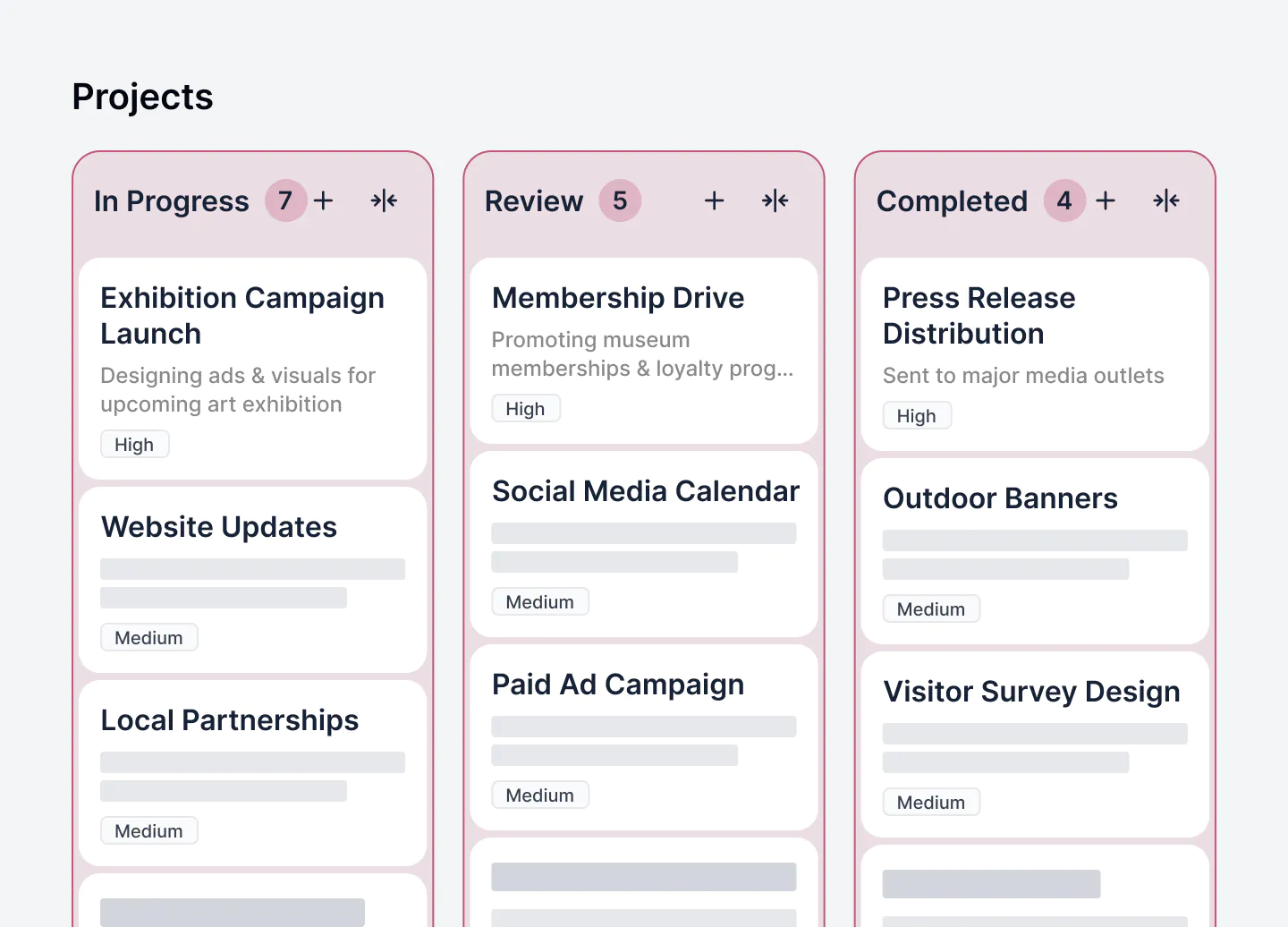
Softr's marketing tool template
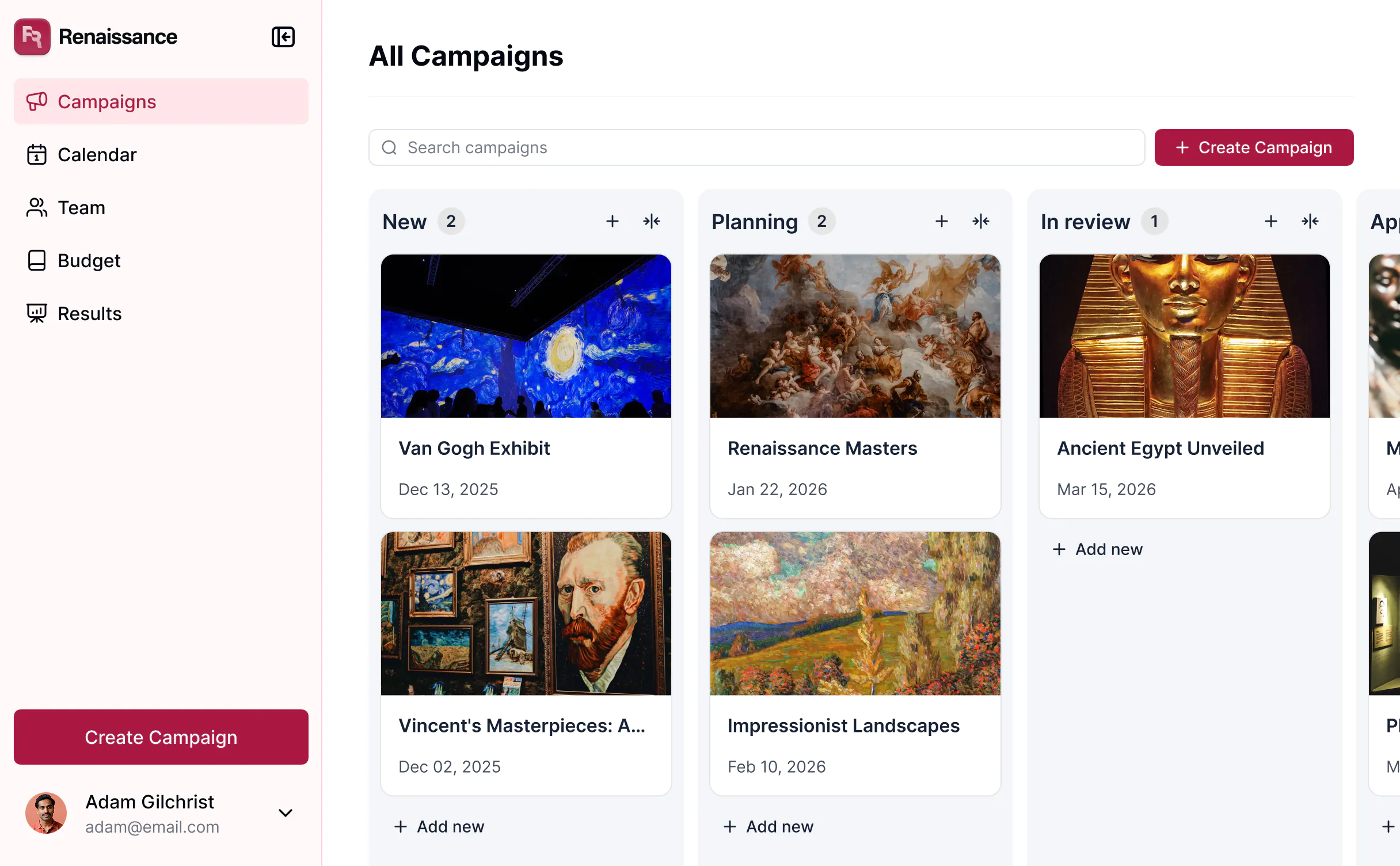
Softr’s free marketing campaign management template to plan, execute, and measure your marketing campaigns in one workspace.

Softr is an AI-powered no-code platform that lets marketing teams build custom tools on top of the data they already use—without relying on developers. Teams use Softr to create campaign trackers, content hubs, dashboards, request forms, partner portals and directories, and other operational tools connected to Airtable, Google Sheets, Notion, HubSpot, SQL databases, and more.

What sets Softr apart is how AI is embedded directly into the building experience. With the vibe coding block, you can create tools, docs, dashboards, and more with a single prompt—instantly generated on top of your data.

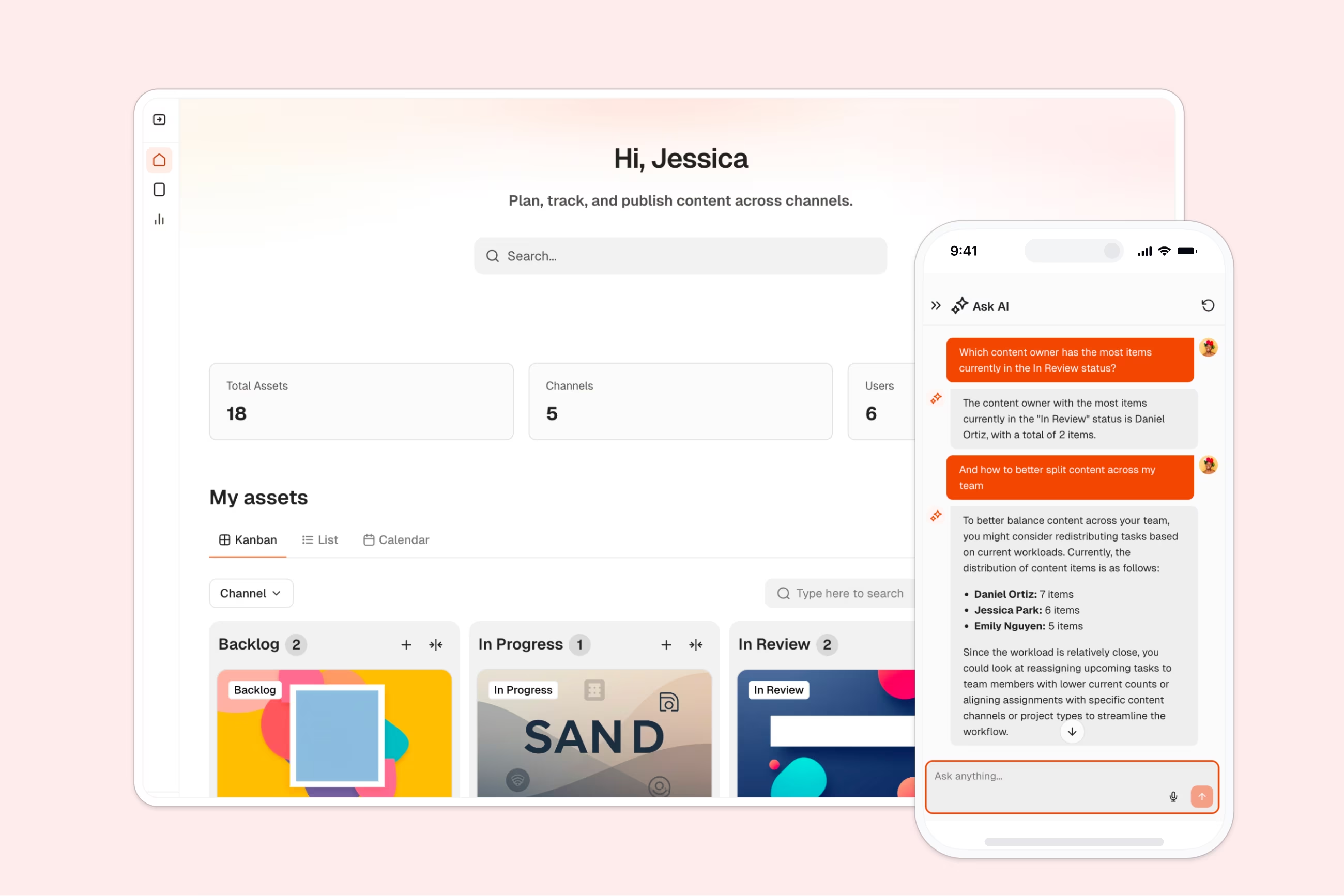
Once those tools are live, Ask AI gives your team a built-in assistant inside the app. It understands your marketing data, respects user permissions, and helps answer questions about campaign performance, assets, and other operational details—without jumping between tools.

Together, these features give marketing teams a flexible foundation to connect their data and build both internal and external tools that adapt as their workflows change.

Pros & cons

Pros

  • Easy for non-technical teams to build and launch tools in minutes with drag-and-drop builder and vibe coding
  • Works on top of existing data sources, minimizing migration overhead
  • AI features (with the latest models) speed up reporting, analysis, content ops, and lead enrichment
  • Scales from simple trackers to full marketing operations systems
  • Strong, role-based permissions for internal and external collaborators

Cons

  • Not built for enterprise-grade marketing automation (email sends, paid ads)

Best features

  • Native data flexibility: Connect Airtable, Google Sheets, Notion, HubSpot, SQL databases, monday.com, ClickUp, PostgreSQL, Supabase, REST APIs, or use Softr Databases to keep everything centralized and in sync.
  • Role-based access & logins: Control who can view, edit, or manage specific pages in your marketing tools. Ideal for teams working with agencies, freelancers, or regional partners who need limited, secure access.
  • Built-in workflow automation: Automate multi-step actions like enriching campaign data, updating project statuses, notifying stakeholders, or assigning tasks. Trigger workflows from data updates, form submissions, in-app actions, and more.
  • Vibe coding: Build tools, dashboards, docs, and workflows instantly using AI with the vibe coding block. Build on top of your data sources, customize views, and set real permissions.
  • Ask AI: A built-in chat assistant that reads live app data, answers questions, and helps your app users take action (while respecting roles and permissions).
  • Database AI Agents: Build agents directly inside your database to categorize, summarize, analyze, or enrich records automatically. You can also create agents for common use cases, including lead enrichment with web search.
  • Performance tracking & analytics: Monitor KPIs, campaign goals, and ROI with built-in charts and dashboards. Pull live data from Google Sheets, Airtable, Notion, monday.com, or your Softr Databases into a single, shared view.
  • Campaign planning tools: Track timelines, tasks, channels, budgets, assets, and stages in one place. Use calendars and custom dashboards to keep everyone aligned on priorities and deadlines.
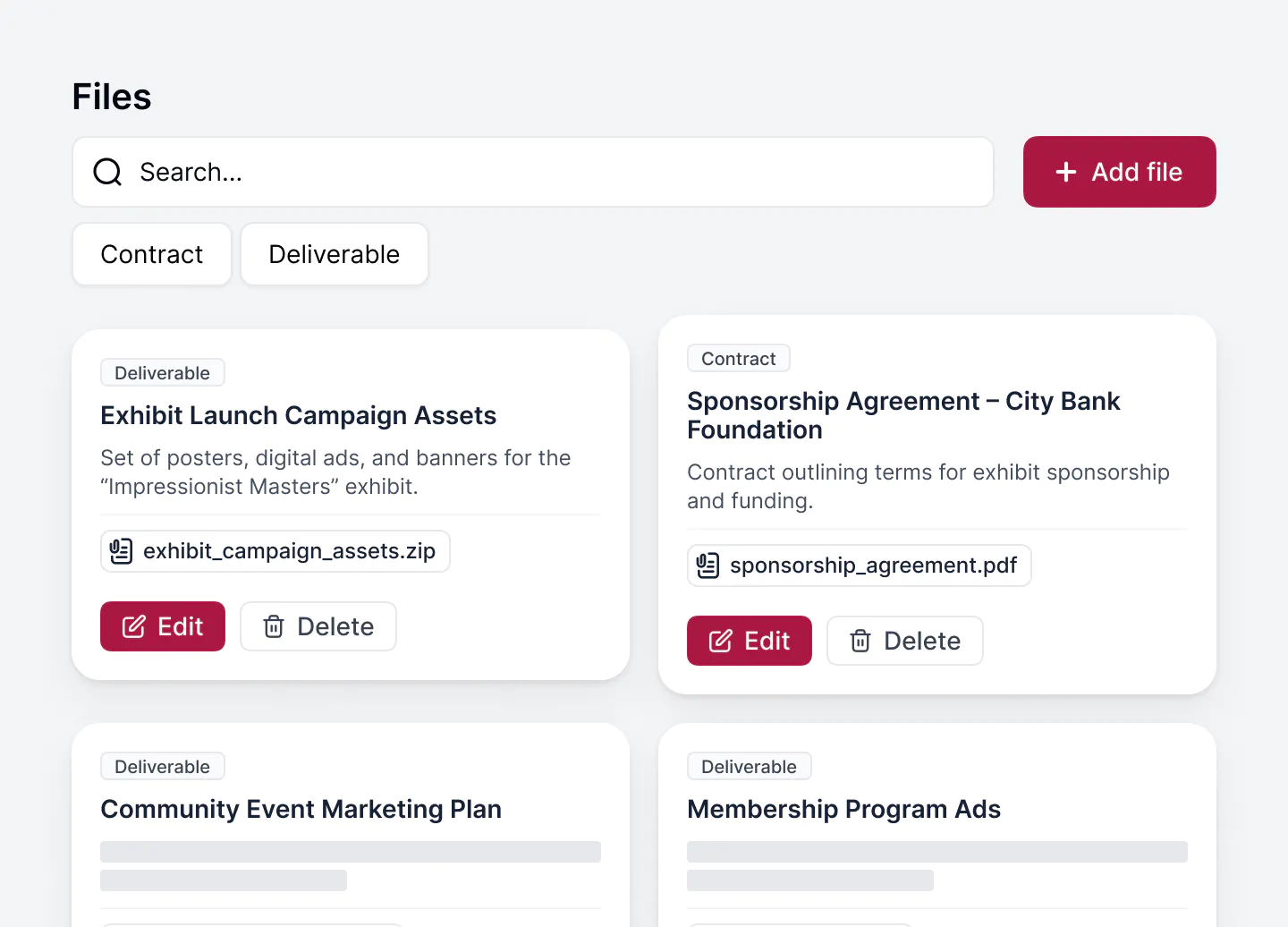
  • Asset hubs: Store brand assets, creative files, guidelines, and approved content in one searchable hub, organized by campaign, team, or product.
  • 24/7 support + active community: Access live chat support and an active builder community for fast help, best practices, and inspiration.

[.blog-callout]

💡 AI-powered marketing templates from Softr you can try for free.

They all include sample data so you know exactly how to structure your data for app success:

  1. Freelancer Management Template
  2. Content Calendar Template
  3. Project Tracker Template
  4. AI CRM Template
  5. Client Portal Template

[.blog-callout]

Softr pricing

Softr offers flexible pricing plans that scale with you.

Pricing:

  • Free—$0/month: 1 app, up to 10 users, 5,000 records, 500 workflow action executions/month.
  • Basic—$49/month: 3 apps, 20 users, 50,000 records, 2,500 workflow action executions/month.
  • Professional—$139/month: Unlimited apps, 100 users, 500,000 records, 10,000 workflow action executions/month.
  • Business—$269/month: Unlimited apps, 500 users, 1M records, unlimited user groups, 25,000 workflow action executions/month, Webhook & API workflows.
  • Enterprise—Custom: Everything in Business plus custom workflow execution limits & run history, unlimited workflows & steps, SSO (SAML/OpenID), custom billing, a dedicated success manager, and team training.

2. HubSpot – best for teams wanting an all-in-one, AI-powered marketing + CRM hub

Hubspot
Hubspot Marketing Hub

HubSpot Marketing Hub bundles marketing automation, CRM, content tools, lead generation, and analytics — all under one platform.

It’s designed to turn website visitors into leads, nurture contacts through the funnel, automate campaigns, and track performance from first touch to revenue, making it a solid foundation for inbound marketing.

HubSpot pros and cons

Pros:

  • Unified platform: CRM, email marketing, lead capture, automation, and analytics in one place, which reduces tool switching and data fragmentation.
  • Built-in AI and automation: AI-powered email and campaign planning to smart lead and audience segmentation, which helps scale personalization and efficiency without heavy manual work.
  • Lead generation and conversion tools: Forms, dynamic CTAs, live chat, and tools to convert anonymous visitors into qualified leads.
  • Free starting tier gives small teams access to basic CRM, lead capture, email marketing, and live chat with no upfront cost.

Cons:

  • It can get costly as you scale: as contacts, automation, and advanced features grow, pricing increases to match.
  • Complexity may exceed needs: for teams that only need lightweight content workflows or simple outreach, HubSpot’s full stack might feel heavy.

HubSpot best features

  • AI-powered campaign workspace: Plan, build, and launch multi-channel campaigns: email, forms, lead capture, workflows under one roof.
  • Lead capture and conversion tools: Use adaptive forms, dynamic CTAs, live chat, and behavior-based segmentation to turn visitors into leads.
  • Automated email and personalization at scale: Send personalized email sequences, nurture leads, and trigger workflows based on contact behavior or lifecycle stage.
  • Campaign analytics and reporting dashboards: Monitor performance, measure ROI, track conversion funnels, and connect marketing efforts to revenue outcomes.

HubSpot pricing

  • Free: includes basic CRM, lead capture forms, email marketing, live chat, and core marketing tools.
  • Starter  $9/mo/seat: Entry-level, adds more features like additional contacts, basic automation, and additional marketing tools.
  • Professional $800/mo: Unlocks full automation, advanced workflows, content tools, analytics, and personalization for growing marketing teams.
  • Enterprise $3,600/mo: This is for large teams or businesses needing advanced marketing features, high contact volumes, multi-touch revenue attribution, and full automation capabilities.

[.blog-callout]

💡 Bring your HubSpot data into Softr with real-time sync.

Build secure portals and tools on top of HubSpot without sharing full CRM access or paying for extra seats.

[.blog-callout]

3. n8n – best for teams needing flexible automation and data control

n8n
n8n platform interface

n8n is an open-source, low-code workflow automation platform that lets you connect apps, services, databases, and APIs, as well as automate different workflows. For marketing teams, it's ideal when you need custom automations, data syncing across tools, privacy/compliance, or integrations beyond common SaaS stacks.

n8n pros and cons

Pros:

  • Open-source and self-hostable: You control your data and infrastructure, which gives flexibility and avoids vendor lock-in.
  • Deep customization and integration: Supports many apps, databases, APIs, and custom logic, so you’re not limited to out-of-the-box integrations.
  • Suitable for complex workflows: Can handle multi-step automations, data transformations, conditional logic, and chain different systems together reliably.

Cons:

  • Requires technical setup or maintenance: Self-hosting, managing deployment, and custom logic mean you need some engineering comfort.
  • Steeper learning curve for non-technical users: Visual interface helps, but advanced workflows often involve data structure handling or logic that may feel technical.
  • Less out-of-the-box polish: Compared with SaaS automation tools, n8n may require more configuration to get a smooth, production-grade workflow running.

n8n best features

  • Visual, low-code workflow builder: Build automations by dragging-and-dropping nodes; add logic, filters, branches, and data transformations as needed.
  • Broad integration support: Connect apps, databases, APIs, internal services, webhooks, or custom endpoints — highly flexible for diverse tech stacks.
  • Self-hosting and data ownership: Ideal for teams prioritizing data privacy, compliance, or having internal data stores rather than relying on cloud only.
  • Support for complex, multi-step workflows: Automate lead flows, data syncing, segmented emailing, content publishing pipelines, or cross-app workflows.
  • Community and open-source ecosystem: New integrations and plugins emerge via community, and customization isn’t locked behind proprietary limits.

n8n pricing

  • Self-hosted (open-source): free, with unlimited workflows; costs only your hosting resources.
  • Cloud-hosted plans: Available for teams who prefer managed hosting; pricing depends on workflow execution volume and usage needs.

4. Zapier – best for teams needing fast, no-code automation across many tools

Zapier
Zapier user interface

Zapier is a cloud automation platform that connects thousands of popular apps from CRMs to email tools, databases to analytics. It enables you to build automated workflows that trigger actions across systems. It’s great when you need to automate routine marketing tasks, move data between tools, or orchestrate marketing processes without writing any code.

Zapier pros and cons

Pros:

  • Huge integration ecosystem: Connects with thousands of apps, so you rarely need custom code for standard marketing workflows.
  • Easy to use and quick to set up: No-code interface and pre-built templates make automation accessible even for non-technical marketers.
  • Good for simple to moderately complex workflows: Chain triggers and actions across systems without engineering effort.

Cons:

  • Task-based pricing can get expensive at scale: Heavy automation or frequent triggers add up quickly.
  • Limited control for deeply customized logic or self-hosting: Best for standard workflows, not ideal for complex or highly secure environments.

Zapier best features

  • Massive app ecosystem: Supports CRMs, email tools, sheets, databases, ad platforms, analytics tools, forms, and more.
  • Multi-step, conditional workflows: Triggers can cascade into conditional logic, filtering, branching flows, and sequential task automation.
  • No-code automation: Build and manage workflows using a visual interface plus ready-made templates.
  • AI-enabled orchestration: Supports AI tools and can orchestrate enrichment, content generation, classification, or scoring inside workflows.

Zapier pricing

  • Free: $0/month. Includes 100 tasks/month, unlimited Zaps/Tables/Interfaces, two-step Zaps, and Zapier Copilot.
  • Professional: $29.99/month (or $19.99/month billed annually). Adds multi-step Zaps, Premium apps, webhooks, AI fields, conditional logic, and support.
  • Team: $103.50/month (or $69/month billed annually). Adds up to 25 users, shared Zaps/folders, shared app connections, SAML SSO, and Premier Support.
  • Enterprise: Custom pricing. Adds unlimited users, advanced admin controls, deployment options, annual task limits, observability, and a Technical Account Manager.

5. Notion AI — best for content-heavy teams needing AI-powered writing support & knowledge management

Notion AI
Notion AI

Notion AI brings artificial-intelligence tools into the workspace where your team already writes, plans, documents, and collaborates. It’s especially useful for marketing and content teams that handle briefs, research, internal knowledge, and large volumes of written material, and want AI to speed up drafting, summarizing, and information retrieval without switching tools.

Notion AI pros and cons

Pros:

  • AI writing and editing inside the workspace where content lives, so teams don’t have to switch tools.
  • Smart summarization and document analysis that condense long notes, research, or pages into key points.
  • Context-aware search and Q&A across your workspace, returning answers instead of links.
  • Strong fit for content workflows, knowledge bases, wikis, and research-heavy documentation.

Cons:

  • Full AI features require a paid tier (Business or above).
  • Works best within Notion’s ecosystem; cross-tool automation or integrations are limited without additional tools.
  • Per-user pricing can increase costs for larger teams.

Notion AI best features

  • AI-assisted writing: Draft blog posts, summarize paragraphs, rewrite for tone, translate text, or expand content directly inside the editor.
  • Summarization & content condensing: Turn long notes, research docs, or meeting minutes into clear summaries and action items.
  • Workspace-wide search & Q&A: Ask natural-language questions across all Notion pages, docs, databases, and uploaded files to surface information instantly.
  • Knowledge management support: Build internal wikis, documentation hubs, and content libraries, and use AI to organize and surface relevant information.

Notion AI pricing

  • Business plan (~$20/user/month, billed annually): Full access to Notion AI features.
  • Plus and Free plans: Limited or trial access to AI; full capabilities require Business or Enterprise.

[.blog-callout]

💡 Bring structure and control to your Notion data

Softr turns your Notion databases into secure, shareable tools with real permissions, filtered views, and branded layouts. With a two-way sync, you keep Notion as your backend while Softr handles how clients, partners, and teams interact with the data.

[.blog-callout]

6. Profound — Best for agencies and teams optimizing visibility across AI search and Answer Engines

Profound interface
Profound

Profound helps marketing teams and agencies understand how their brand, content, and messaging surface across AI-driven platforms like ChatGPT, Google Search Generative Experience, Perplexity, and other Answer Engines. It centralizes your visibility data, tracks prompts and rankings, and identifies where your content is missing or underperforming. This makes it especially valuable for teams investing in AEO (Answer Engine Optimization).

Profound pros and cons

Pros:

  • Strong visibility tracking across leading AI search engines
  • Clear reporting on prompt performance and content gaps
  • Purpose-built for agencies managing multiple brands
  • Supports AEO workflows, including optimized content suggestions

Cons:

  • Pricing becomes steep as tracking needs grow
  • No traditional marketing automation features (email, campaigns, ads)

Profound best features

  • Answer Engine visibility tracking: Monitors how your brand appears across AI surfaces, including SGE-style summaries and chat responses.
  • Prompt performance insights: Tracks which prompts you rank for, how consistently you surface, and where your competitors show up.
  • AEO content recommendations: Highlights missing topics, weak coverage areas, and opportunities to improve structured responses.
  • Multi-brand and multi-workspace management: Designed for agencies handling multiple clients with shared or separate visibility dashboards.
  • Optimized content workflows: On higher tiers, generates recommendations and optimized article drafts aligned to AEO needs.

Profound pricing

Profound offers separate plans for marketing teams and agencies.

For marketing teams:

  • Starter — $99/month: ChatGPT tracking, 50 prompts tracked, email support.
  • Growth — $399/month: Tracks 3 Answer Engines, 100 prompts, and includes 6 optimized articles per month.
  • Enterprise — Custom: Tracks 10 Answer Engines, supports multi-company management, tailored prompt tracking, dedicated Slack support, and SSO/SAML + SOC2 compliance.

For agencies:

  • Agency Growth — $99/month + add-ons: Up to 10 pitch workspaces, agency workspace management, full client workspaces as a $399/month add-on, consolidated billing.
  • Agency Enterprise — Custom: Tailored client and trial workspaces, dedicated agency partner, premium Slack support, and go-to-market coordination.

7. Clay – best for B2B marketers and growth teams needing clean data, lead enrichment, and outreach prep

Clay
Clay.com

Clay is a no-code data enrichment and automation platform that helps teams build, clean, enrich, and act on lead and company data. It connects dozens of data sources, applies AI-powered enrichment, and helps you build high-quality lead lists — ideal when you want to save time on prospect research and outreach prep without complex setup.

Clay pros and cons

Pros:

  • Consolidated prospect data & enrichment: Pulls firmographic, contact, and technographic info from many sources to build a fuller lead profile quickly.
  • No-code automation: You don’t need developers: workflows, data enrichment, and output export can be built using a spreadsheet-like interface.
  • Smart outreach prep: Clay can enrich leads and even generate outreach-ready messages using AI, making initial outreach faster and more personalized.
  • Flexible data + integration stack: Integrates with CRMs, email tools, and external enrichment data sources, so it fits diverse sales/marketing stacks.

Cons:

  • Not a full CRM: Clay handles lead enrichment and prep, but you’ll still need a CRM or sales tool to manage pipelines and closes.
  • Usage-based costs: Heavy data enrichment or AI usage can increase costs, especially at scale.
  • Learning curve for advanced workflows: Complex enrichment + automation setups may take some time to configure properly.

Clay best features

  • Data enrichment on steroids: Pull in firmographic, contact, technographic, and behavioral data from dozens of sources to build detailed lead profiles and company intelligence.
  • AI-powered outreach prep: Use data + AI to generate personalized cold emails, outreach messages, or LinkedIn intros — speeding up outreach and improving personalization.
  • No-code automation & workflows: Build logic-driven workflows (filters, scoring, enrichment, exports) using a spreadsheet-style interface — no coding required.
  • Flexible integrations: Works with major CRMs and external tools (CSV export, CRM sync, email tools), making it easy to plug into existing stacks.
  • Lead list building & enrichment at scale: Ideal for outbound, account-based marketing (ABM), and growth teams needing large, clean, actionable lead sets without manual research.

Clay pricing

  • Free/freemium plan: includes basic features, limited credits/data enrichment.
  • Paid plans (credit-based tiering): start around $149/month for modest usage, with higher tiers (e.g. $349/month) scaling data volume and enrichment limits.
  • Enterprise/custom pricing: for heavy usage, large data volumes, or team-level workflows — suitable for growth teams or agencies.

8. NotebookLM — best for research-heavy teams needing source-grounded summarization, insight & doc-analysis

NotebookLM
NotebookLM

NotebookLM is an AI-powered research assistant by Google. It lets you upload docs — PDFs, Word files, Google Docs/Slides, Sheets, web links, even media (with transcripts), then use AI to summarize, extract insights, build mind-maps or audio/video overviews, and query the content in natural language. It’s designed for teams who need deep research, content briefs, knowledge bases, or internal documentation — but want to skip manual note-taking and fragmentation.

NotebookLM pros and cons

Pros:

  • Lets you upload diverse source types (PDFs, docs, slides, Sheets, web links, and more) so all your research reports, studies, articles — live in one place.
  • Summarizes, synthesizes, and organizes complex or large documents into digestible summaries, Q&A, mind-maps, briefs, or structured notes — saving you manual reading and note-taking.
  • Offers source-grounded responses: When you ask questions, NotebookLM draws from your uploaded content and provides citations — so you can trust and verify its output.
  • Supports advanced formats: you can generate audio overviews, video summaries, timelines or flashcards — useful if you or your team prefers audio/video or needs quick internal briefings.

Cons:

  • It only works with content you upload (or source via built-in “Deep Research” when available) — it doesn’t automatically crawl the web or fetch external documents beyond what you supply.
  • For heavy use (large number of docs, frequent queries, media-heavy content), you may need a paid plan — free usage is limited.
  • It’s built for analysis, summarization, and insight — not for full marketing automation (campaigns, CRM, workflows) — so you’ll likely need to combine it with other tools for execution.

NotebookLM best features

  • Multi-format uploads: PDFs, Word, Google Docs/Slides, Sheets, web links, and more — lets you centralize all research or content sources in one notebook.
  • AI summarization & structured analysis: Turn complex documents into summaries, overviews, Q&A, mind-maps, or briefing docs — ideal for content planning, research briefs, or internal knowledge hubs.
  • Source-grounded Q&A: Ask questions, get answers with citations — reduces hallucination risk and lets you verify where each piece of insight comes from.
  • Multimedia output formats: Generate audio overviews, video summaries, timelines, flashcards or summaries — useful for internal presentations, team knowledge transfer, or learning.

NotebookLM pricing

NotebookLM offers a free plan with limited daily or monthly usage, which works well for light research, small projects, or infrequent use. For heavier workloads — more uploads, frequent queries, large docs, or multimedia summaries — the paid tier (NotebookLM Plus) unlocks higher limits and advanced features.

9. DALL·E 3 — best for marketing & content teams needing fast, custom visuals without a designer

DALLE3
DALL·E 3

DALL·E 3 is an advanced text-to-image generator by OpenAI. It transforms written prompts into high-quality images, letting marketing teams, content creators, and small businesses generate custom visuals for social posts, blog illustrations, ads, or concept art in minutes.

DALL·E 3 pros and cons

Pros:

  • Generates detailed, creative, and versatile images from simple text prompts — no design skills needed.
  • Works well for marketing visuals, social media content, concept drafts, ads, and other creative use cases — ideal when you need visuals fast or don’t have a design team.
  • Integrated with the ChatGPT/OpenAI product stack — usable directly if you have access, or via the OpenAI API for automated workflows and custom integration.

Cons:

  • Access typically requires a subscription (or API fees); it’s not fully free for heavy or professional use.
  • Generated images may need iteration — prompt precision matters, and sometimes results need refinement, especially for complex or nuanced visuals.
  • For large volumes of images or bulk generation (e.g., ad campaigns), costs can scale depending on usage via API or subscription limits.

DALL·E 3 best features

  • Text-to-image generation: Simply describe what you need from “modern flat lay social post for a SaaS launch” to “stylized watercolor hero illustration for blog header”  and DALL·E 3 builds a matching image.
  • Strong prompt understanding: It handles nuanced and complex prompts with improved comprehension compared to older models: detailed scenes, specific styles, composition requests, and more.
  • Versatility for marketing use: Great for generating visuals for blog posts, social media, ads, branding assets, concept sketches, and marketing collateral without needing a designer or external asset library.
  • API and subscription access: Whether through a subscription or API, you can integrate DALL·E 3 into your workflow or product which is useful for automation, scalable content creation, or custom pipelines.

DALL·E 3 pricing

  • Access via a subscription (for example, through ChatGPT Plus) — this gives you image generation capabilities as part of the package.
  • For developers and teams needing bulk or automated image generation, OpenAI offers API access — pricing is pay-per-image, which scales with usage.

10. Descript — best for teams needing fast, AI-powered video & audio editing without a production team

D
Descript

Descript is an AI-powered editing platform that lets you cut, polish, and produce video or podcast content by editing text instead of timelines. It handles transcription, editing, layouts, voice cloning, screen-recording, and AI-assisted cleanup — making it ideal for marketing, content, or internal comms teams that want polished multimedia output without needing a full video crew.

Descript pros and cons

Pros:

  • Video and audio editing through transcript — you edit like a document, and Descript updates the media accordingly.
  • Built-in AI tools: filler-word removal, background-noise cleanup (Studio Sound), automatic captions and subtitles, and generative video/voice options for quick content creation.
  • Works for many content types — tutorials, social videos, webinars, podcasts, internal training, sales decks, repurposed content — making it versatile for marketing teams.
  • Collaboration-friendly — supports team editing, comments, shared projects, and easy export/share options.

Cons:

  • For complex visual effects, advanced motion graphics, or very custom editing, it’s less powerful than traditional video editors.
  • Heavy projects (long videos, large edits) may still require manual review — automated transcription or edits can introduce errors.
  • Some advanced AI features (voice cloning, generative video, large media hours) require paid plans — the free tier may feel limiting for ongoing content-heavy workloads.

Descript best features

  • Text-based video & audio editing: Change transcript text to cut, reorder, or delete content — Descript applies those edits directly to the media.
  • AI-powered cleanup and enhancement: Tools like filler-word removal, Studio Sound for audio cleanup, auto captions and subtitles, and smart layout templates speed up post-production.
  • Voice cloning & generative video/AI-assisted editing: Overdub lets you fix or rewrite spoken parts; AI co-editor helps with layout, visual polish, and even video generation when needed.
  • Flexible export and sharing: Export video or audio to multiple formats, produce watermark-free videos, quickly generate social clips, and handle captions and translations.
  • Team collaboration & workflow integration: Real-time editing, shared projects, screen recording, interview/podcast editing — useful for distributed marketing, content, or learning teams.

Descript pricing

  • Free — $0/month: Includes 1 media hour per month, 100 AI credits, basic transcript-based editing, 720p export (watermark-free or limited), ideal for testing or light use.
  • Hobbyist — ~$16/month: Increases media handling to ~10 hours/month, 400 AI credits, 1080p export, gives access to core AI tools (cleanup, filler-removal, clips generation, basic editing).
  • Creator — ~$24/month: Offers ~30 media hours/month, higher AI-credit volume, full access to advanced AI editing features, 4K export, suitable for frequent video/audio content creators.
  • Business / Team tiers — custom pricing: For teams needing higher media limits, collaboration tools, multilingual dubbing, priority support, and enterprise-grade features.

Find the best AI marketing tool that fits your needs

Create a new campaign with Softr's marketing template

AI can take a meaningful amount of operational burden off your marketing team. The right tools help you move faster without adding complexity — from automation and content creation to research, enrichment, and search visibility.

If you want to bring your marketing workflows, data, and AI capabilities into one place, explore how Softr lets you build the tools your team needs without coding.

Pick a free template and start building your next marketing powerhouse today.

Marie Davtyan

With over five years of experience in content marketing and SEO, Marie helps create and manage content that drives traffic and supports business growth.

Categories
Best apps
All Blogs

Frequently asked questions

  • Which AI tools work best for content marketing?
  • Is ChatGPT good at marketing?
  • Can I use AI to do my marketing?
  • Which AI is better than ChatGPT?
  • What AI is best for market analysis?

Build an app today. It’s free!

Build and launch your first portal or internal tool in under 30 minutes