It’s often said that databases are what you graduate to after you’ve hit your limit with spreadsheets. And if you’ve spent much time in the spreadsheet mines—writing formulas, cross-referencing tabs, copy-pasting records between sheets—you’ll know why people start looking for alternatives. But what actually makes a database more powerful than a spreadsheet?
The answer to that question depends on the kind of database you’re looking at. There are several, but the most widely used—and the one most people mean when they say "database”—is the relational database. Whether you’re new to the subject or just want a quick refresher, this guide will cover the ins and outs of relational databases: how they work, what they’re used for, and how they compare to (and surpass) basic spreadsheets.
What is a relational database?
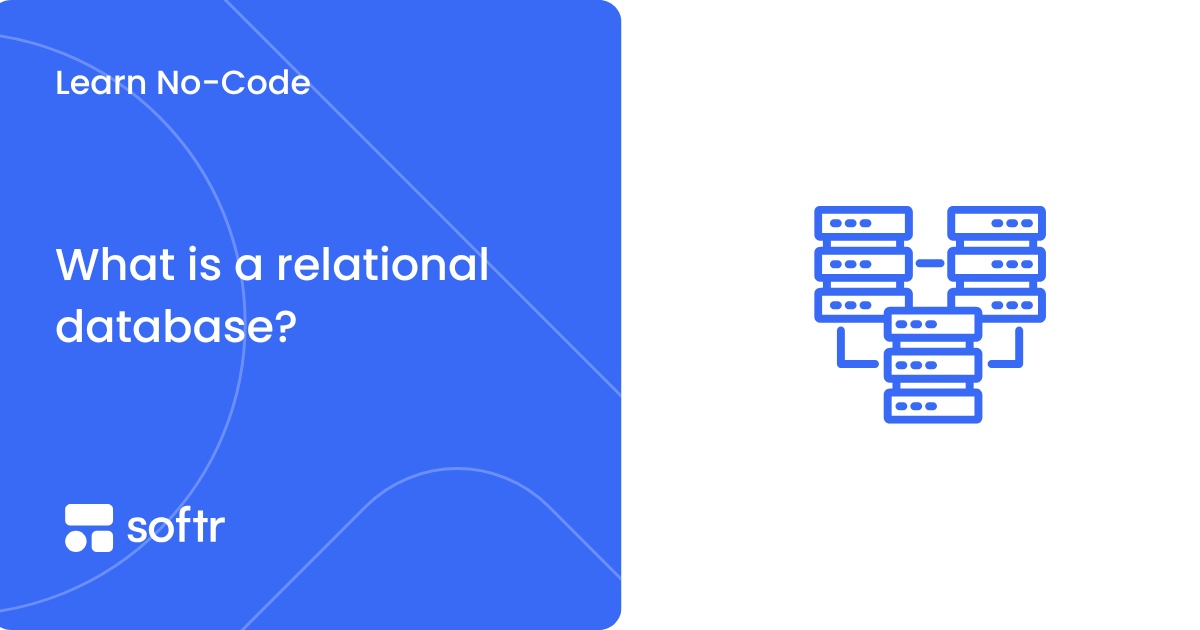
A relational database is a system for storing and organizing data in structured tables that are linked to each other through defined relationships.
The operative word here is relationships. While a table on its own is just rows and columns, a relational database lets you define how different tables relate or connect to each other. In a relational table, every row becomes a unique record with its own ID, and every column represents some attribute.
For example, a customers table might have columns for ID, name, email, and location—where each row is a distinct customer. An orders table might have columns for order number, date, quantity, total, and customer ID—where each row is a distinct order. That customer ID column is what links the two tables together, connecting each order to the customer who placed it without actually copying their details.
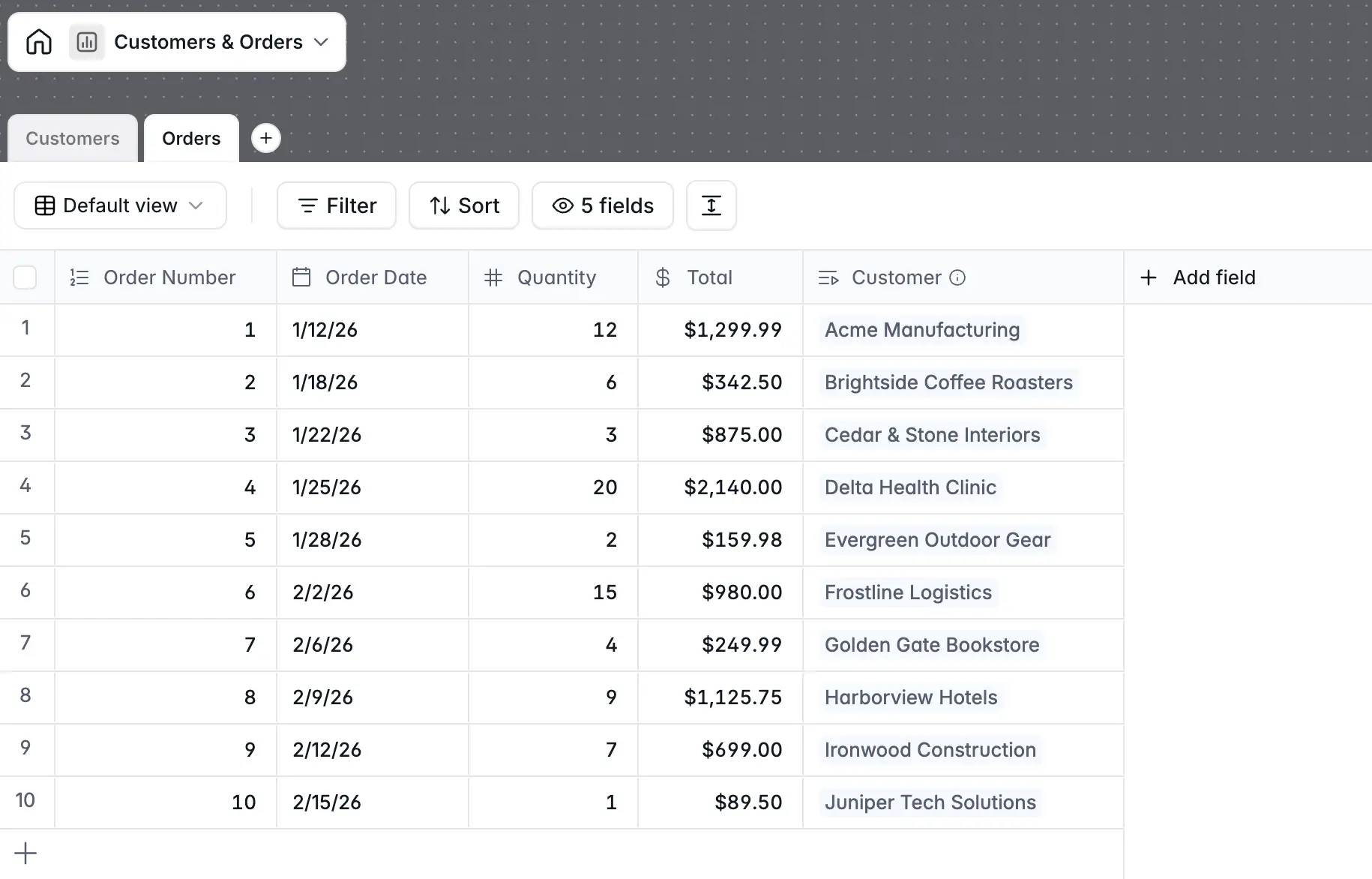
If this sounds complicated, just remember the core idea: relational databases let you store each type of data in its own table, then link records across tables with unique IDs.
Relational databases vs spreadsheets
While both spreadsheets and relational databases consist of rows and columns, spreadsheets treat tables as isolated units. You can’t link records across tables in a spreadsheet without copying data from sheet to sheet. In a relational database, that linking is built into the system and its structure.
This is a key distinction, but the differences between databases and spreadsheets go beyond how data is linked. Here’s how they compare in other areas.
| Relational database | Spreadsheet | |
|---|---|---|
| Structure | Enforced schema with defined data types | Flexible, freeform |
| Data storage | Stored once, referenced by ID | Duplicated across sheets |
| Relationships | Built-in, defined at the table level | Manual (copy/paste, VLOOKUP) |
| Collaboration | Built for multiple simultaneous users | Simultaneous editing can lead to version conflicts |
| Scale | Handles millions of rows without lag | Slows down at large row counts |
| Querying | Use SQL or AI (natural language prompts) to ask questions about your data | Use formulas to perform calculations and filter data within a sheet |
How does a relational database work?
Now that you know what relational databases are, it’s worth looking more closely at the core concepts they’re built on. While you don’t need to know all of the jargon to use them, these elements are what power relational databases under the hood.
- Tables store your data in rows and columns. Each table represents one type of thing—customers, orders, products, etc.—and each row is one record.
- Primary keys are unique IDs assigned to every row, so no two records can be confused for each other.
- Foreign keys are how tables link together. An orders table might store a customer ID that points back to the right row in the customers table.
- Joins are what happen when you query the database to combine data from multiple tables. Want to see every order alongside the customer who placed it? That's a join.
- Transactions ensure that operations either complete fully or not at all. If something goes wrong halfway through, the database rolls back to where it started — nothing gets left in a broken state.
- Indexes help the database find rows quickly without scanning the entire table, the same way an index in a book helps you find the right page.
- Schema is the structure of your database. Setting up the schema means defining which tables exist, what columns each table has, and what type of data each column accepts.
What is an example of a relational database?
While most people think of Microsoft Excel and Google Sheets when they think of spreadsheets, the relational database world is a bit more fragmented.
For example, teams that manage their own database infrastructure are probably most familiar with tools like PostgreSQL, MySQL, SQLite, Microsoft SQL Server, and Oracle. Less technical teams, on the other hand, would be more likely to use Softr, Airtable, or Notion: tools that provide a relational database structure with linked records through visual, no-code interfaces.
Since this isn’t the place to cover every option on the market, let’s look at an example relational database built in Softr for enterprise resource planning (ERP).
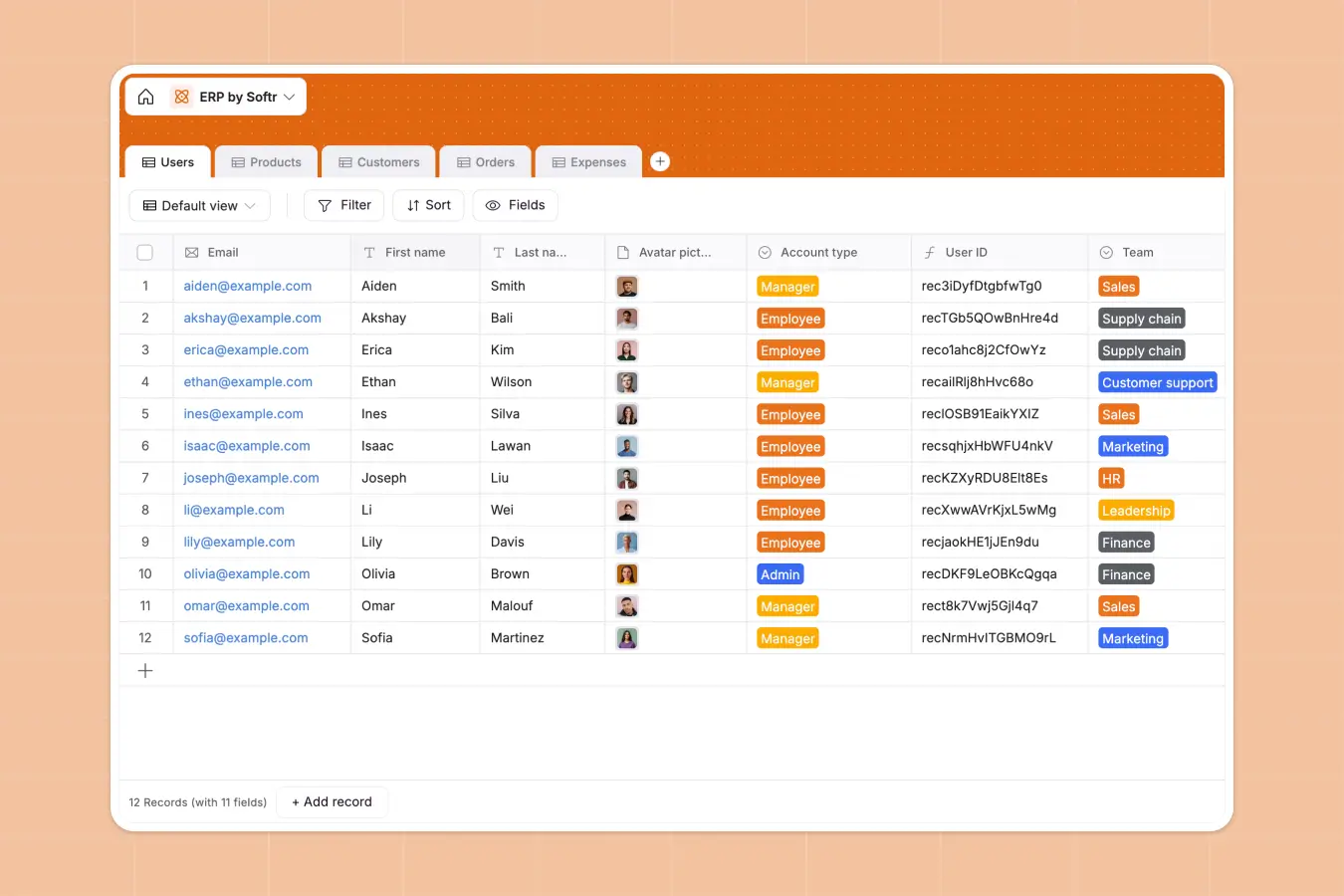
This template shows how relational databases remain functional no matter how many tables, records, and columns you add. Every user has a unique ID stored in a distinct “Users” table, and the same goes for products, customers, orders, and expenses (plus anything else you choose to add).
In the template’s Expenses table, you’ll see a related record column that’s linked to the Users table. When you click a record to assign an expense to a specific person, it automatically pulls a list of email addresses from the Users table.
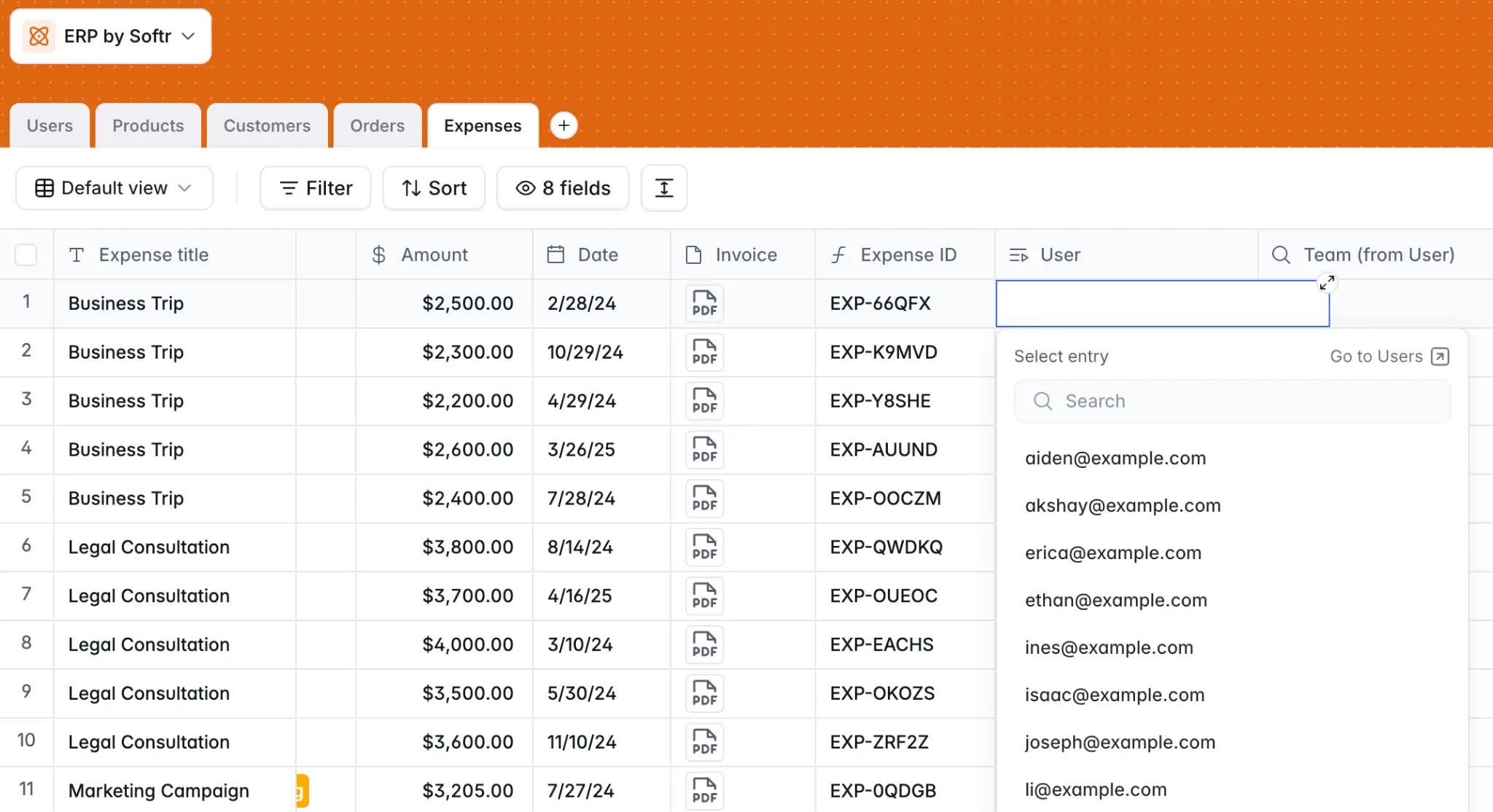
Then, you can select one without jumping between tabs or copying and pasting. This is how linked records work in practice. Add a new user, and they're immediately available to link to from any table in the database. Change an email address, and it updates everywhere that user appears.
Benefits of relational databases
If it isn’t already clear, relational databases offer some serious advantages over less structured approaches to data management. Here are a few of the most notable benefits:
- Better data integrity: Because structure is enforced at the database level, data stays clean and consistent. Each column only accepts the type of data it's supposed to hold, and linked records can't be orphaned by accident.
- Minimal redundancy: Each piece of data is stored once and referenced everywhere it's needed. When you update something in one place, that change is reflected throughout the entire database.
- Advanced querying capabilities: Whether through SQL or AI assistants, relational databases make it easier to ask questions about your data — and get better, more accurate answers to those questions.
- Multi-user collaboration: Multiple people can work in the same database without overwriting each other's changes or corrupting linked data. Plus, you won’t run into version control issues.
- Long-term scalability: Relational databases are designed to grow with your business over time. Even as your records scale to the millions, the relational structure holds up.
- Security compliance: The best relational databases are compliant with SOC2 and GDPR regulations, so sensitive records and documents can remain secure.
- Flexible data views: You can create "views" to present tables with certain fields hidden or visible for specific teams, all without changing the underlying structure of the database.
Build a powerful relational database in Softr
If you’re tired of dealing with scattered spreadsheets, moving to a relational database is the right move. But not every team has the resources or technical background to hit the ground running with SQL-based tools.
Instead, skip the bootcamp and use Softr to create a data management solution tailored to your business. Softr gives you a relational database with linked records and flexible field types, built directly into the same platform you use for apps and automation. You can add tables, define relationships, filter and sort views, and connect your data to a front-end interface — all without setting up infrastructure or writing a line of SQL.
And if you need to connect external data sources—like Airtable, Google Sheets, or a SQL database—Softr integrates with those too. Start with a template or use built-in AI to set up your data structure and get started in a matter of minutes. Or, connect your favorite AI assistant through the Softr MCP to create tables, add fields, and update records from chat.
👉 Try Softr free and start managing your data (instead of letting it manage you).
Frequently asked questions
What's the difference between a relational database and a regular database?
Do I need to know SQL to use a relational database?
When should I use a relational database instead of a spreadsheet?