.jpeg)
The best AI tools for HR don't just add automation on top of broken processes. They help teams centralize employee data, connect existing systems, and cut manual work out of onboarding, performance reviews, approvals, and internal requests. Many are priced and built for enterprises with dedicated IT — here are the ones lean teams can actually run.
Best AI tools for HR at a glance
| Tool | Best for | Key features | Pricing (first plans only) |
|---|---|---|---|
| Softr | Building custom HR portals and tools with AI chat and no-code | • AI Co-Builder for instant app generation • User roles and granular permissions • Conditional forms for onboarding, time off, feedback, and request workflows • Built-in workflow automation and AI co-builders • Ask AI for employee data access via chat (permission-aware) | Free (5 users total) Basic: $19/month |
| Workday HCM | Large, complex HR operations | • Core HR, payroll, benefits • Talent and workforce planning • Advanced reporting and analytics • Global compliance support | No free plan Custom pricing |
| Deel | Global hiring, payroll, and compliance | • Global payroll and payments • Employer of Record (EOR) • Contractor management • Compliance automation | HRIS: from $5/user/month Contractors: from $49/contractor |
| Lattice | Performance management and feedback | • Performance reviews and 360° feedback • OKRs and goal tracking • 1:1s and continuous feedback • Engagement surveys | No free plan Foundations: $11/user/month |
| Zoho People | Affordable core HR for SMBs | • Employee database and documents • Attendance and leave management • Onboarding and basic automation • Employee self-service | Free (up to 5 users) Essential HR: from $1.25/user/month |
| Peoplebox.ai | OKRs, performance, and development | • OKRs and goal alignment • Performance reviews and 360° feedback • Engagement surveys • Slack and Teams integrations | No free plan Talent Management: ~$7/user/month |
| Gusto | Payroll-first HR for small teams | • Payroll and tax filing • Benefits administration • Time tracking and PTO • Employee self-service | No free plan Simple: $49/month + $6/user |
| Workleap | Engagement and modern performance workflows | • Pulse surveys and feedback (Officevibe) • Performance reviews and 360° feedback • AI-powered insights • Onboarding and compensation tools | No free plan Officevibe: from $5/user/month |
| HiBob | Modern HRIS for growing teams | • Core HRIS and workflows • Performance and engagement tools • People analytics and reporting • Compensation planning | No free plan Custom pricing |
| Leena AI | AI HR self-service and helpdesk automation | • Conversational HR assistant • Automated ticket routing • Knowledge access via chat • Pulse surveys and sentiment analysis | No free plan Custom pricing |
What is AI HR software?

AI HR software is a category of tools that use automation and artificial intelligence to support everyday HR workflows, like managing employee data, onboarding, time off, performance reviews, and internal requests.
Instead of handling everything manually or in separate systems, teams can automate repetitive tasks, surface insights from HR data, and give employees more self-serve options.
For small and mid-sized businesses, the most effective AI HR tools work with existing systems, adapt to business-specific processes, and don’t require a ton of technical setup or ongoing admin to maintain.
What to look for in the best AI tools for HR?
Here’s what to evaluate when choosing an AI tool for your HR operations.
- Easy to set up and easy to use: If the tool feels heavy or complex from day one, people won’t adopt. Look for something your team can start using without training sessions or ongoing admin help.
- Plays well with your existing tools: Most HR data already lives in spreadsheet, payroll tools, or other systems. A good HR tool should connect to what you already use, not force you to manually move everything into yet another platform.
- Clear roles and permissions: HR data is sensitive. Make sure you can control who sees what: employees, managers, and admins all need different levels of access.
- Automation that actually saves time: AI should reduce manual work, not add another layer to manage. Prioritize tools that automate approvals, updates, reminders, data enrichment or cleanup.
- Strong AI features: Beyond basic automation, look for AI that support real HR work— summarizing employee feedback, answering employee questions via chat, automatically categorizing requests, or flagging trends across surveys and reviews.
- Employee self-service: Employees should be able to easily update their details, request time off, and find answers on their own, without HR becoming a bottleneck.
- Built-in forms for data collection: Requests, feedback, reviews, and onboarding all require structured data collection — make sure the tool you use has conditional forms so you don’t have to use a separate tool for this.
- Pricing that makes sense: Transparent pricing and predictable scaling are key. Be cautious of tools that lock essential features behind expensive enterprise plans.
Types of AI tools for HR
| Software type | What it’s for | Tools in this category |
|---|---|---|
| Core HR systems (HRIS & people ops) | System of record for employee data. AI is used for workflow automation, reporting, and basic people insights. | Zoho People, HiBob, Gusto, Workday (enterprise benchmark) |
| Performance, engagement & people intelligence | Help teams manage reviews, goals, feedback, and engagement. AI summarizes inputs and highlights trends for managers. | Lattice, Peoplebox.ai, Workleap |
| Global hiring, payroll & compliance | Handle international employment, contracts, and compliance. AI reduces legal risk and manual setup. | Deel, Oyster HR |
| HR automation & employee self-service (AI assistants) | Reduce HR workload by answering employee questions and routing requests automatically. | Leena AI |
| Custom HR systems with automation, portals & AI assistants | Build employee-facing HR tools on top of existing data. AI agents automate processes, enrich records, and keep information up to date. | Softr |
1. Softr — best AI platform for building custom HR portals and tools without code

Softr is an AI-powered, no-code platform that lets HR, People Ops, and other non-technical teams build custom HR tools — without relying on developers or replacing their existing HR systems. It combines an AI app builder, databases, and workflow automation in one platform.
With the AI Co-Builder, you can generate a complete HR app tailored to your business process from a prompt. The interface, database, and business logic are all included from the get-go. And once your app is built, you can customize it further with the visual editor, or re-prompt to add features or iterate. You can also manage apps, databases, and workflows from your own AI assistant through the Softr MCP.
Teams use Softr to create onboarding portals, employee self-service hubs, internal help desks, employee directories, time-off systems, intranets, and internal knowledge bases. Rather than forcing everything into a single HRIS, Softr works with your data—whether it lives in our native database or in tools like Airtable, Google Sheets, Notion, MySQL, and Coda—turning scattered information into secure, employee-facing systems that match how your team actually works.
While other platforms offer fixed HR workflows, Softr gives teams the flexibility to design their own. And every app you build is secure enough to share with real users from day one.
Softr pros and cons
Pros:
- Fast to set up and easy to manage: Pre-built templates and a visual, drag-and-drop builder let teams launch employee portals quickly, without technical help.
- Works with your existing HR data: Connect to 21+ data sources (or any tool with a REST API) with two-way, real-time sync. Or use Softr Databases for a native data solution.
- Granular permissions and user roles: Control exactly what information employees, managers, and admins can see or edit.
- Conditional forms: Build custom forms for time-off requests, feedback, equipment upgrades, and more, all connected to your database.
- Built-in AI and workflow automation: Use AI agents to clean HR data, enrich records, validate inputs, and automate repetitive HR tasks.
- Strong user community and live chat support: Users consistently highlight Softr’s documentation, community resources, and live chat support.
Cons:
- Not a full HRIS out of the box: Softr doesn’t handle payroll, benefits, or compliance directly, but it’s designed to connect to those systems rather than replace them.
Softr best features
- AI Co-Builder: Generate apps, forms, workflows, and databases using plain-English prompts—ideal for teams without technical expertise.
- Drag-and-drop builder: Build HR portals and internal tools using blocks like Lists, Tables, Forms, Charts, and more—no code required. (tip: start with a free employee directory template).
- Flexible data model: Build on top of existing tools or use Softr Databases to structure HR data exactly the way your team needs.
- Database AI agents: Use AI agents in Softr Databases to automatically categorize feedback, enrich records, validate inputs, and keep data clean and consistent.
- Ask AI: A permission-aware, AI chat assistant that queries your live HR data, so you can ask questions like “Who’s on PTO this week?” or “Show all employees in the London office.”
- Workflow automation: Set up automations that connect your Softr apps, Softr Databases, and other tools in your stack, including Airtable, Google Sheets, Slack, Gmail, and more.
- Responsive, employee-friendly UI: HR tools work on any device and can be turned into a mobile-friendly PWA for easy employee access.
- Enterprise-grade security and access control: Protect sensitive data with role-based access, granular permissions, authentication, optional SSO, audit logs, and secure data handling.
Softr pricing
Softr’s pricing is flat and predictable. Every plan includes a monthly AI credit allowance, so you can try the AI Co-builder and Vibe Coding block at no cost.
- Free: Unlimited apps, with access to Softr Workflows and Softr Databases, 5 app users, 5,000 database records, and 5 AI credits
- Basic: $19/month for unlimited apps with 42+ integrations, Team: 5 + Client: 5 app users, 50K records, and 10 AI credits
- Pro: $99/month for unlimited apps with 45+ integrations and custom code, Team: 10 + Client: 50 app users, 500K records, and 50 AI credits
- Business: $329/month for unlimited apps with 52+ integrations, Team: 30 + Client: 100 app users, 1M records, and 100 AI credits
- Enterprise: Custom pricing
[.blog-callout]
✨ 5 free HR templates to try from Softr
Each template includes sample records in Softr Databases, so you know exactly how to structure your data for success.
- Employee portal →
- Custom, self-serve intranet →
- Employee onboarding portal →
- Employee time-tracker →
- Employee perks and benefits portal →
[.blog-callout]
2. Workday Human Capital Management — best for large, complex HR operations needing a unified enterprise platform
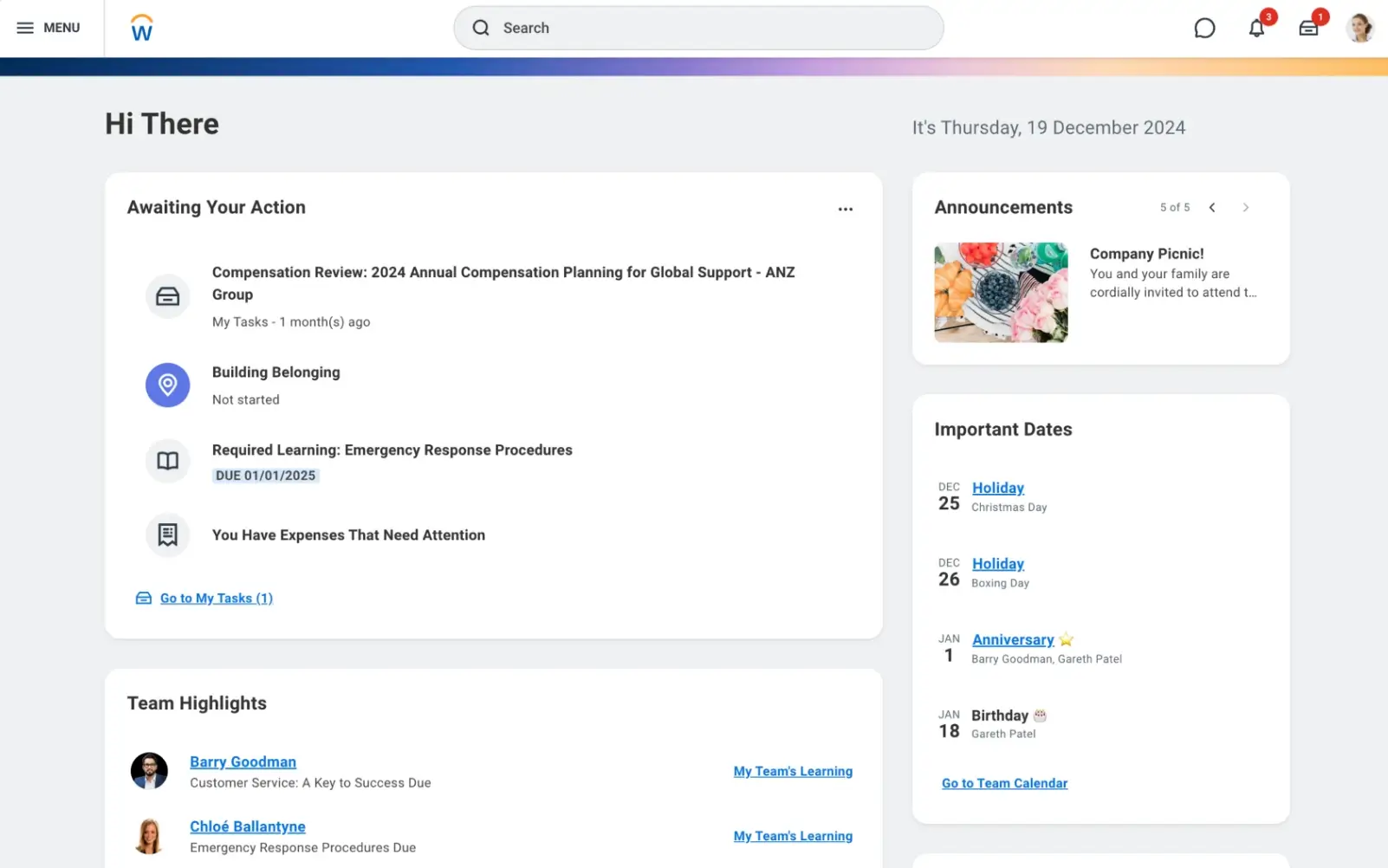
Workday Human Capital Management (HCM) is a comprehensive HR suite that brings core HR functions, from employee records, payroll, and benefits to talent management and workforce planning, into a single platform. It’s built to support complex organizational structures, multi-location compliance, and deep analytics with AI-powered insights.
Workday is widely adopted by large enterprises and mid-market teams that want a centrally managed HR ecosystem rather than a point solution.
Workday HCM pros and cons
Pros:
- Unified HR experience: Combines payroll, benefits, onboarding, talent, and performance in one system, reducing tool sprawl.
- Comprehensive feature set: Covers the entire employee lifecycle with advanced reporting and compliance tools.
- Deep analytics & integrations: Built-in analytics and integration capabilities support data-driven decisions across HR functions.
Cons:
- Steep learning curve: Users — especially without HRIS support — report that complex workflows and navigation take time to master.
- Implementation effort: Setup and configuration can be lengthy and resource-intensive.siit.io
- Performance & UI friction: Some users mention slow load times and clunky multi-click navigation for routine tasks.
Workday HCM best features
- All-in-one HR platform: Centralizes HR, payroll, talent management, benefits, and workforce planning.
- Real-time analytics: Dashboards and reports help HR leaders make decisions with up-to-date workforce data.
- Global compliance support: Tools for managing regulations and payroll across different locations.
- AI-powered insights: Some AI enhancements aim to streamline recruiting and talent mobility.
Workday HCM pricing
Workday doesn’t have standard pricing plans or a free trial, as costs vary based on organization size, modules selected, and implementation needs.
3. Deel – best for global hiring, payroll, and compliance for distributed teams
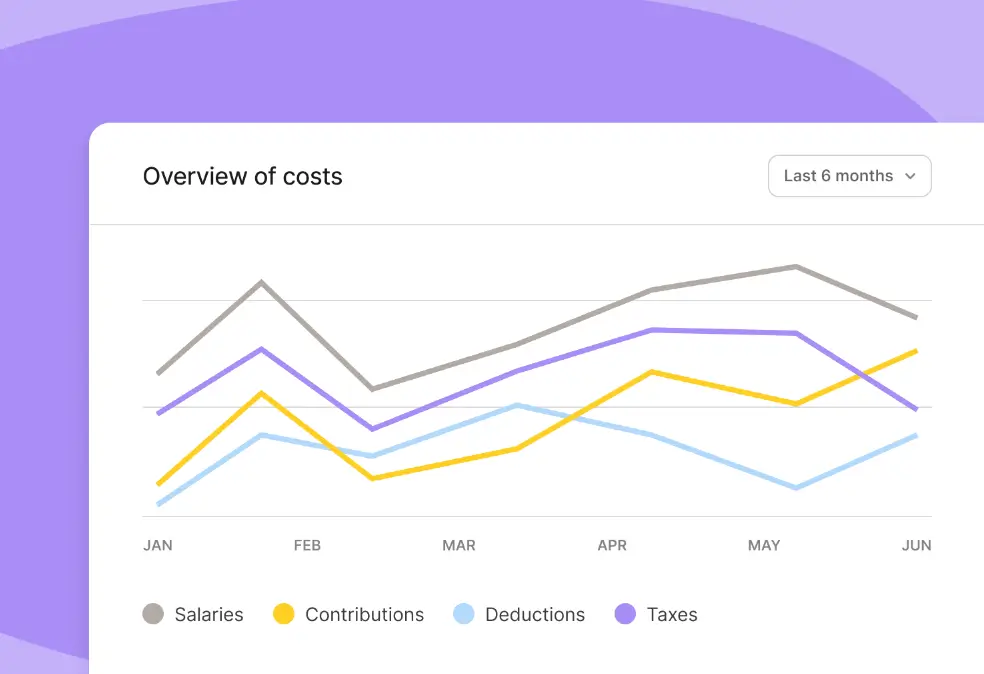
Deel is a global HR platform built to help teams hire, pay, and manage employees and contractors in 150+ countries without needing local legal entities. It combines payroll, contracts, compliance, benefits, and onboarding in one system so HR and ops teams can streamline global hiring and workforce management.
Deel pros and cons
Pros:
- Simplifies global hiring: Handles payroll, contracts, and legal compliance for teams across many countries in one place.
- Intuitive user interface: Many users report that onboarding and payroll features feel clean and organized, making distributed workforce tasks easier.
- Self-serve workflows: Managers and HR can handle hiring and payroll tasks directly without constant support requests.
- Strong compliance support: Automated updates for tax filings and local law compliance reduce legal risks when hiring internationally.
Cons:
- Complex detail can be overwhelming: Some users find the range of options and compliance settings a lot to learn, especially without prior experience.
- Heavy focus on global workforce: Teams that don’t need international hiring may find many features unnecessary.
Deel best features
- Global payroll & payment management: Process payroll and payments for employees and contractors worldwide.
- Employer of record (EOR) support: Hire people compliantly in countries where you don’t have a legal entity.
- Unified HR workflows: Contracts, onboarding, payments, and reporting in one place for a clear workforce view.
- Compliance automation: Built-in tools to help stay ahead of local labor laws and payroll requirements.
Deel pricing
Deel’s pricing varies by region, workforce type (e.g., full-time vs. contractors), and the specific combination of HR, payroll, and EOR services you need. It generally follows a modular model where core global payroll and compliance tools are priced per employee, with additional services (like EOR) quoting custom rates.
Deel uses modular, per-employee or per-contractor pricing:
- HRIS: From $5 per employee/month
- Engagement & performance: $20 per employee/month
- Compensation: Up to $15 per employee/month
- Workforce planning: Up to $18 per employee/month
Global hiring & payroll:
- Contractor management: From $49 per contractor/month
- Employer of Record (EOR): From $599 per employee/month
- Global payroll: From $29 per employee/month
- US PEO: From $95 per employee/month
4. Lattice – best for performance management, goal alignment, and continuous feedback
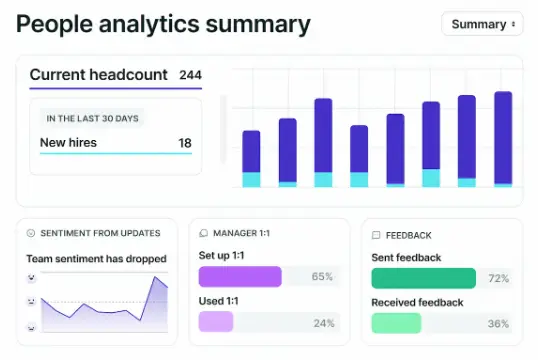
Lattice is a people management platform designed to help teams connect performance, goals, and engagement in one place. It combines performance reviews, goal setting (including OKRs), continuous feedback, 1:1 meeting templates, and engagement surveys into a unified workflow that keeps managers and employees aligned and growing together.
Lattice is widely used by HR and People Ops teams that want to formalize performance cycles and foster a culture of feedback.
Lattice pros and cons
Pros:
- Strong performance and goal workflows: Users consistently highlight how Lattice makes performance reviews, goal tracking, and 1:1 check-ins more structured and effective.
- User-friendly interface: The interface clean and easy to navigate, helping adoption across teams.
- Integrated continuous feedback and surveys: Pulse surveys and real-time feedback help teams stay engaged and informed about sentiment.
Cons:
- Learning curve for advanced features: While basic tasks are intuitive, mastering customizable reviews or analytics takes time.
- Reporting limitations: Some teams report that deeper custom reporting or dashboards can feel constrained and require exports.
- Costs can add up: Additional modules (engagement surveys, growth tools, etc.) increase total per-user costs.
Lattice best features
- Comprehensive performance reviews: Supports structured review cycles (including 360-degree feedback) and centralized documentation.
- OKRs and goal alignment: Goal setting and tracking let teams link individual work to broader company priorities.
- Continuous feedback & 1:1 tools: Encourages regular check-ins and open dialogue between managers and reports.
- Engagement surveys & analytics: Pulse surveys and sentiment tracking help HR spot trends and act sooner.
Lattice pricing
Lattice uses per-seat, modular pricing, letting teams start with core talent management and add products as needed:
- Foundations (Talent Management): $11 per user/month
- Includes performance reviews, goals & OKRs, manager tools (1:1s, feedback), succession planning, and basic AI features.
Optional add-ons:
- Engagement: +$4 per user/month (pulse surveys, eNPS, onboarding & exit feedback)
- Grow: +$4 per user/month (career tracks, competencies, development plans)
- Compensation: +$6 per user/month (comp reviews, benchmarking, pay bands, analytics)
Pricing scales by the number of active users. There’s no free plan. Teams start with a paid plan or request a demo.
5. Zoho People – best for affordable, all-around HR basics with strong attendance and leave management
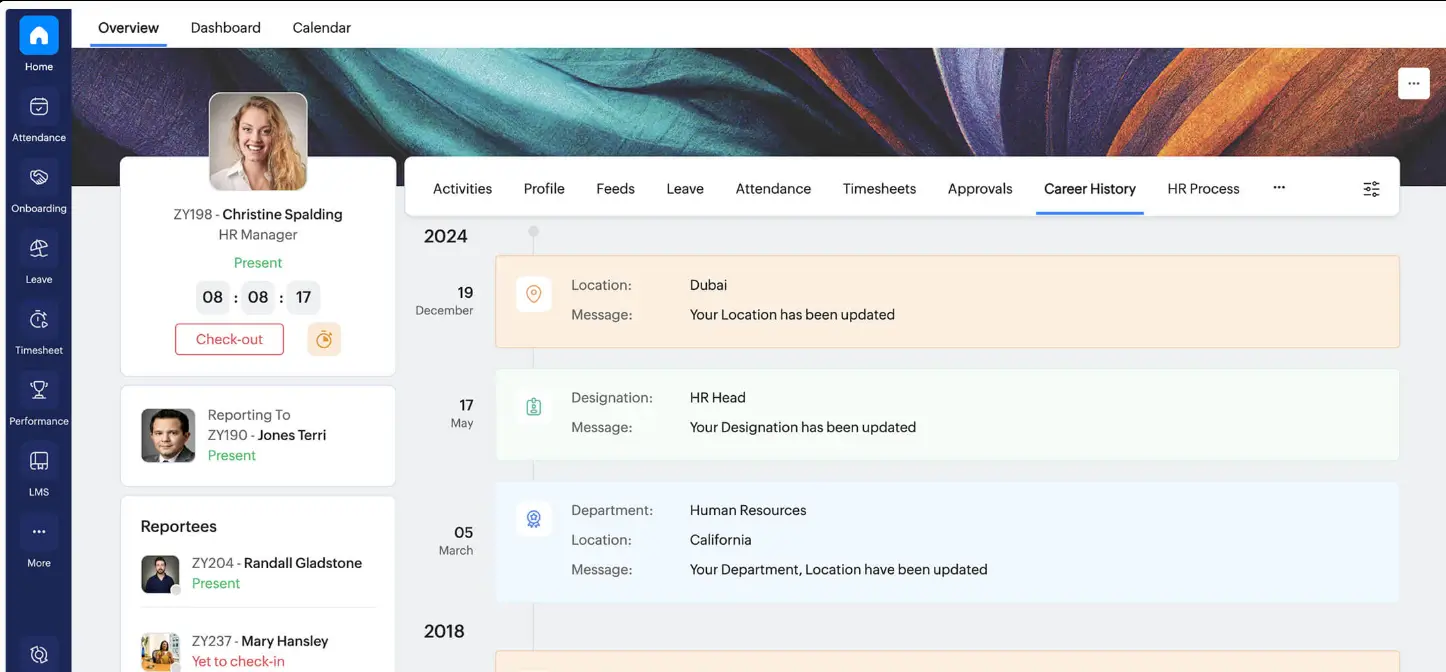
Zoho People is a cloud-based HR management system that helps teams centralize core HR tasks like attendance, leave tracking, performance, onboarding, and employee data in one place. Built as part of the broader Zoho ecosystem, it’s designed for small to mid-sized businesses that want a flexible HR platform without enterprise complexity. Users like that it covers most day-to-day HR needs and integrates smoothly with other business apps.
Zoho People pros and cons
Pros:
- Easy core HR tasks: Many reviewers highlight that leave, attendance, and time tracking are intuitive and save manual work.
- Affordable and scalable pricing: Free tier for up to 5 users, and tiered plans that start very low per user make it accessible to budget-conscious teams.
- Good self-service and automation: Employees can apply for leave, update details, and managers can approve workflows directly, cutting down admin.
- Integrations: Works well within the Zoho ecosystem and with third-party tools, reducing data silos.
Cons:
- Learning curve & UI complexity: Some users report the interface feels cluttered or unintuitive at first, especially for admins.
- Mobile and performance quirks: Mobile apps and certain functions like check-ins can feel slow or inconsistent.
- Customization can be tricky: Setting up workflows or detailed logic sometimes requires time and experimentation.
- Reporting limitations: While Zoho People covers basic reporting, deeper analytics tools may be less advanced than specialized platforms.
Zoho People best features
- Attendance & leave management: Easy tracking of working hours, shifts, and absence approvals that help reduce manual HR work.
- Employee self-service: Employees can update profiles, request time off, and view schedules without HR intervention.
- Integrated HR modules: From onboarding to performance reviews, Zoho People brings core HR functions together.
- Custom workflows & automation: Support for configurable approvals and automated reminders.
Zoho People pricing
Zoho People offers tiered, per-user pricing, with a free plan and low entry costs for small teams:
- Free: Free for up to 5 users with basic employee database and time-off management.
- Essential HR: From $1.25 per user/month (billed annually) or $1.50 per user/month (billed monthly).
- Professional: From $2 per user/month (annual) or $2.50 per user/month (monthly).
- Premium: From $3 per user/month (annual) or $3.50 per user/month (monthly).
- Enterprise: From $4.50 per user/month (annual) or $5 per user/month (monthly).
All plans scale by user count.
6. Peoplebox.ai – best for performance management, goal alignment, and continuous employee development
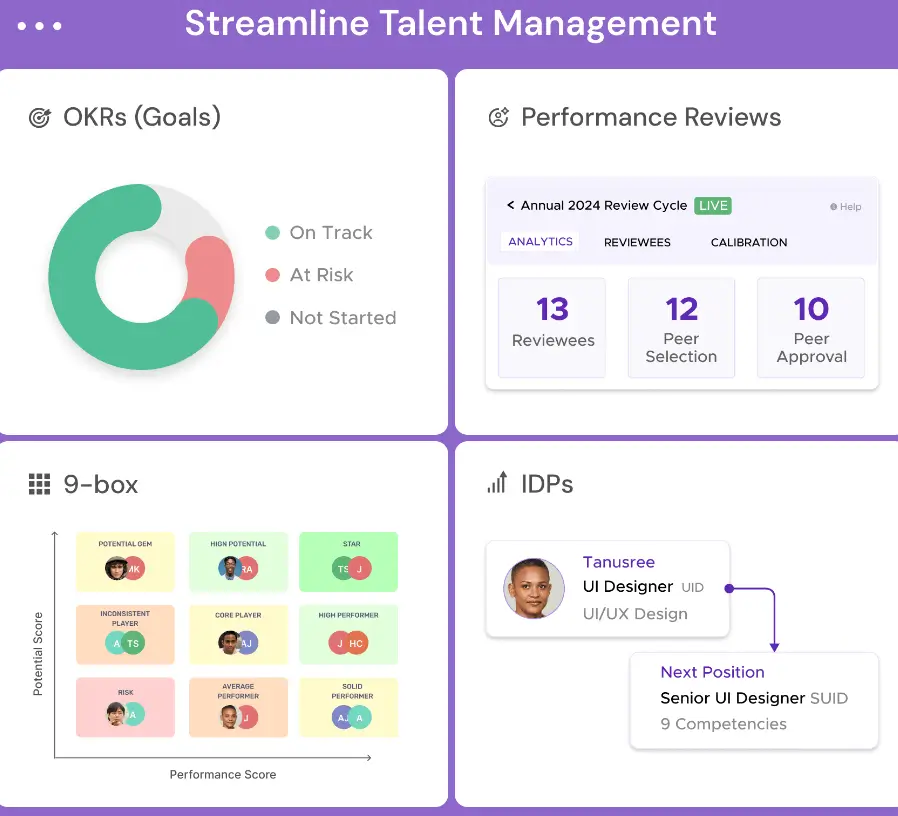
Peoplebox.ai is an AI-powered performance and talent management platform that helps teams align individual goals with company strategy and make performance reviews more structured and actionable. It combines OKRs, goal tracking, 1:1s, engagement surveys, 360° feedback, and performance review cycles in a single system, often integrated directly into tools teams already use like Slack or Microsoft Teams.
Peoplebox.ai pros and cons
Pros:
- Unified people performance platform: Combines OKRs, performance reviews, 360° feedback, engagement surveys, and 1:1s in one place.
- Deep integrations: Works with Slack, Microsoft Teams, and other work tools to keep feedback and goals in the flow of daily work.
- AI-assisted workflows: Automation of scheduling, reminders, and real-time goal/KPI visibility reduces manual admin for HR teams.
- Affordable per-user pricing: Plans start around $7/month per user with tiers that add OKRs, surveys, and premium support.
- Positive user feedback: Verified reviewers praise its role in goal visibility, performance tracking, and structured feedback.
Cons:
- Learning curve: Some users note that setting up OKRs and understanding best practices takes time.
- Customization friction: A few reviewers mention limited customization or navigation quirks compared with more mature platforms.
Peoplebox.ai best features
- Goal and OKR alignment: Align individual, team, and company goals with real-time tracking and dashboards.
- Performance review and 360° feedback: Run structured reviews and multi-source feedback cycles, including anonymous inputs.
- Continuous feedback & 1:1s: Auto-schedule check-ins, nudge participation, and track development conversations over time.
- Engagement surveying: Run pulse and lifecycle surveys to gauge sentiment and identify trends.
- Integrations with daily tools: Native Slack and Teams extensions help collect review data without context switching.
Peoplebox.ai pricing
Peoplebox.ai offers multiple pricing tiers based on features:
- Talent Management Plan: ~$7/user/month — includes performance reviews, goal tracking, 1:1s, engagement surveys, and calibration tools.
- OKR Platform Plan: ~$8/user/month — focused on OKRs and strategy alignment.
- Full Suite Professional: ~$12/user/month — combines all core modules
- Full Suite Premium: ~$15/user/month — adds onboarding, customer success support, and manager training.
Custom enterprise plans with SSO and integrations are available too
7. Gusto – best for simple, all-in-one payroll and HR for small to mid-sized teams
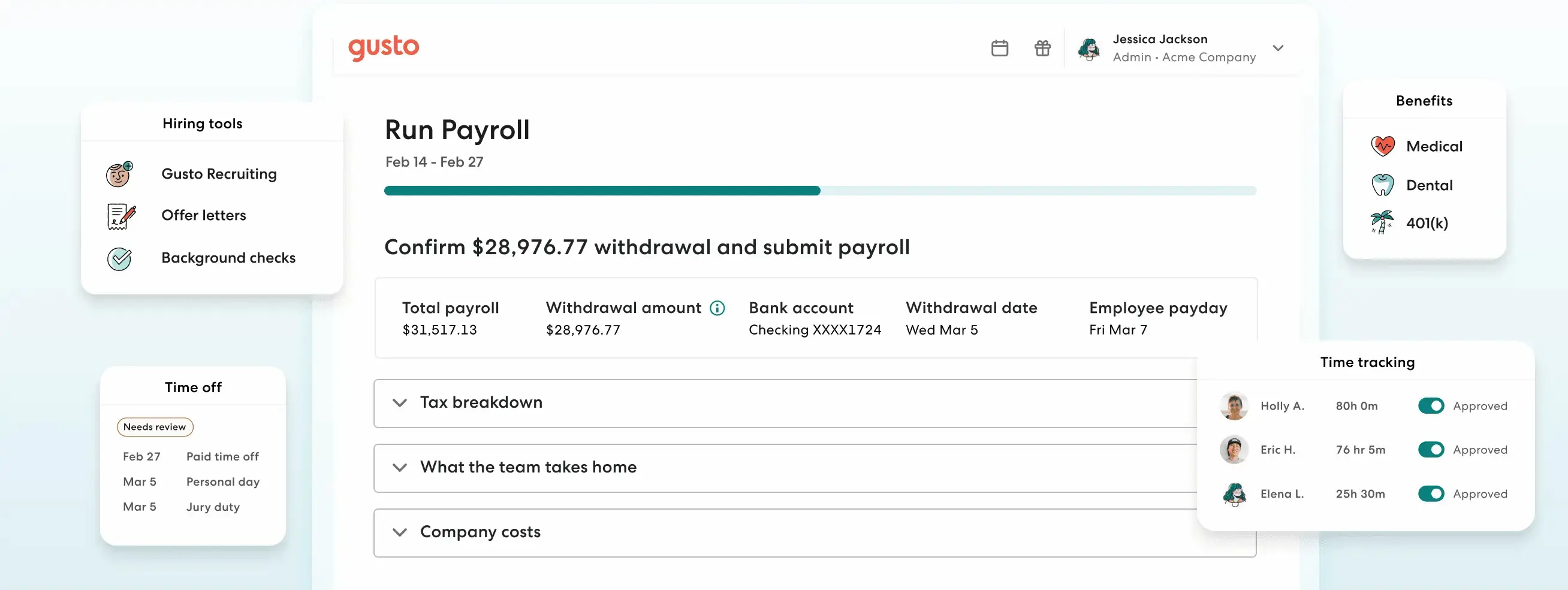
Gusto is a cloud-based payroll and HR platform built for small and medium-sized businesses that want easy payroll, benefits, time tracking, and basic HR in one place. It automates tax filings, offers benefits administration, tracks hours and PTO, and provides employee self-service tools — all from a clean, intuitive interface that small teams can set up quickly without dedicated HR tech support.
Gusto pros and cons
Pros:
- Very user-friendly interface: Reviewers repeatedly highlight how easy it is to navigate payroll and HR tasks, even for non-specialists.
- Strong core payroll features: Automates calculations, tax filings, and direct deposits with minimal setup.
- Integrated benefits and hiring tools: Includes onboarding checklists, benefits administration, and basic applicant tracking in higher plans.
- Good value for small teams: Transparent pricing and tiered plans help small businesses start without long contracts.
Cons:
- Feature limits for complex needs: Basic HR automation and advanced reporting can feel thin compared with dedicated HR suites.
- Costs add up with extras: Adding benefits, advanced payroll features, or multiple states increases monthly spend.
- Mobile admin features are limited: Admin tasks on mobile aren’t as strong as the desktop experience.
Gusto best features
- Automated payroll & tax filing: Run payroll in minutes and let Gusto file federal, state, and local taxes electronically.
- Benefits administration: Health insurance and retirement plan management are built into higher plans.
- Time tracking & PTO: Sync employee hours directly with payroll, reducing manual reconciliation.
- Basic hiring tools: Applicant tracking and onboarding checklists are available, helping small teams hire without extra systems.
Gusto pricing
Gusto offers tiered plans tailored to business size and needs:
- Simple: ~$49/month + $6 per person — core payroll and tax filing.
- Plus: ~$80/month + $12 per person — adds benefits, HR tools, and time tracking.
- Premium: ~$180/month + $22 per person — full-service payroll, HR support, and compliance.
- Pricing varies by features chosen and number of employees, so it’s worth comparing plans before you commit.
8. Workleap – best for employee engagement and modern performance workflows
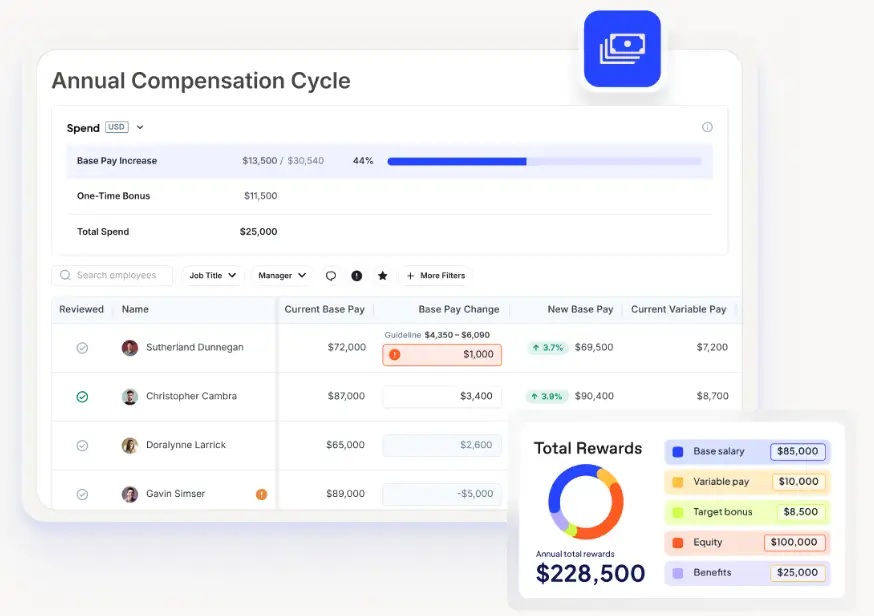
Workleap is an AI-powered employee experience and talent management platform that helps HR and people teams boost engagement, run performance reviews, and connect pay and performance in one place. It’s designed to simplify how teams collect continuous feedback, track goals, and build people-centric workflows that keep teams connected and motivated — without adding complex tech overhead.
Workleap pros and cons
Pros:
- Unified employee experience tools: Workleap bundles engagement (pulse surveys, feedback), performance reviews, goal tracking, recognition, onboarding, and skills management into a connected workflow rather than isolated modules.
- AI-enhanced insights and automation: AI summarizes engagement and performance data, helps highlight trends, and turns raw feedback into actionable insights.
- Seamless integrations: Ties into your existing HRIS and collaboration tools so teams don’t have to switch between disconnected systems.
Cons:
- Feature breadth can feel overwhelming: Some users find the number of modules and options a bit much at first, with customization and hiding unused elements limited.
- Support and performance topics vary: A few reports from expert reviews mention variability in support responsiveness and a steeper setup for advanced workflows.
Workleap best features
- Employee engagement (Officevibe): Continuous pulse surveys, anonymous feedback, recognition, and real-time insights help HR stay on top of morale and sentiment.
- Performance reviews and 360° feedback: Flexible review cycles and customizable templates let teams run structured performance processes throughout the year.
- AI-powered insights: Summaries of surveys, performance data, trends, and patterns help leaders act faster and with more context.
- Onboarding and employee journey tools: Workleap streamlines onboarding tasks and progress tracking to help new hires ramp up faster.
- Compensation management: After acquiring compensation tools, Workleap helps tie performance and pay decisions together with more clarity and fairness.
Workleap pricing
Workleap uses modular, per-user pricing, with a minimum of 10 users for most plans. Teams can start with one product and add others as needed.
- Officevibe (engagement & feedback): From $5–$6.25 per user/month, depending on billing cycle.
- Performance (reviews & tracking): From $5–$6.25 per user/month.
- Compensation: From $5 per user/month, with a 100-user minimum (annual billing only).
Bundle option:
- Officevibe + Performance: $8 per user/month (10-user minimum, limited-time offer).
Annual billing offers savings (up to ~20%). Some products and add-ons require contacting sales, and monthly billing isn’t available for all plans.
9. HiBob – best for modern HRIS with engagement, people analytics, and scalable workflows
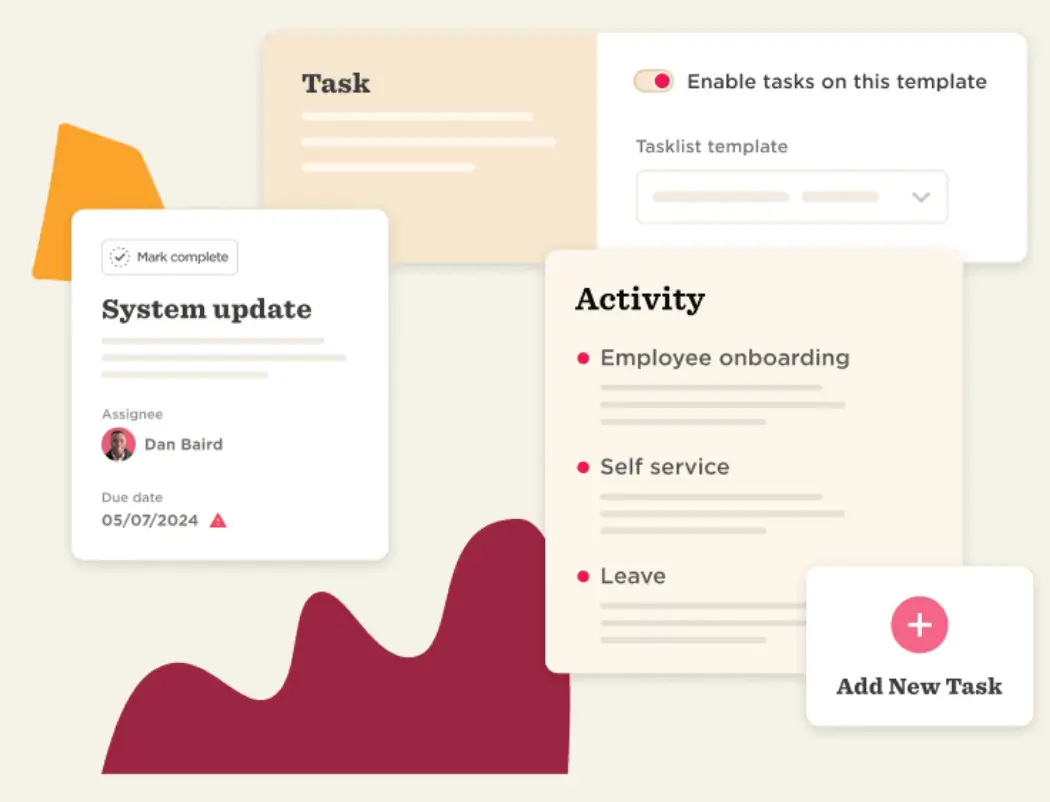
HiBob (sometimes called Bob) is a cloud-based HR information system designed to centralize core people management from employee records and time off to performance, engagement, and compensation in a single platform. It’s built for mid-sized, growing teams that want a modern, people-centric HR experience with customizable workflows and a clean interface. Real users consistently highlight its balance of core HR coverage plus employee engagement features that help support culture and everyday work.
HiBob pros and cons
Pros:
- Intuitive, user-friendly interface: Many reviewers report that HR teams and employees pick it up quickly without heavy training.
- All-in-one HRIS: Core HR functions (onboarding, time-off, performance, analytics) are integrated, reducing the need for multiple tools.
- Employee engagement tools: Built-in pulse surveys, recognition features, and analytics help HR track sentiment and connection.
- Scales with growth: Works well for organizations with distributed teams and multiple locations.
Cons:
- Can feel complex for very small teams: Some users note it may offer more features than smaller companies need at first.
- Limited mobile features: The mobile app doesn’t always support the full desktop experience.
- Onboarding and navigation quirks: A few reviewers mention that onboarding features or deeper function placement can feel less fluid than expected.
- Pricing transparency: Like many full HRIS platforms, HiBob’s pricing is custom and can feel high compared with simpler tools.
HiBob best features
- Unified HRIS platform: Manage employee data, approvals, time off, and documents in one secure system.
- Performance & engagement tools: Run reviews, pulse surveys, and recognition programs directly alongside HR records.
- People analytics: Custom reports and dashboards give HR visibility into trends like turnover, engagement, and workforce demographics.
- Configurable workflows: Build automated approvals and HR processes without coding.
- Compensation tools: Plan and track pay bands, salary benchmarking, and compensation cycles.
HiBob pricing
HiBob doesn’t list standard pricing publicly. Costs are tailored based on company size and features needed.
10. Leena AI – best for AI-led HR self-service and helpdesk automation
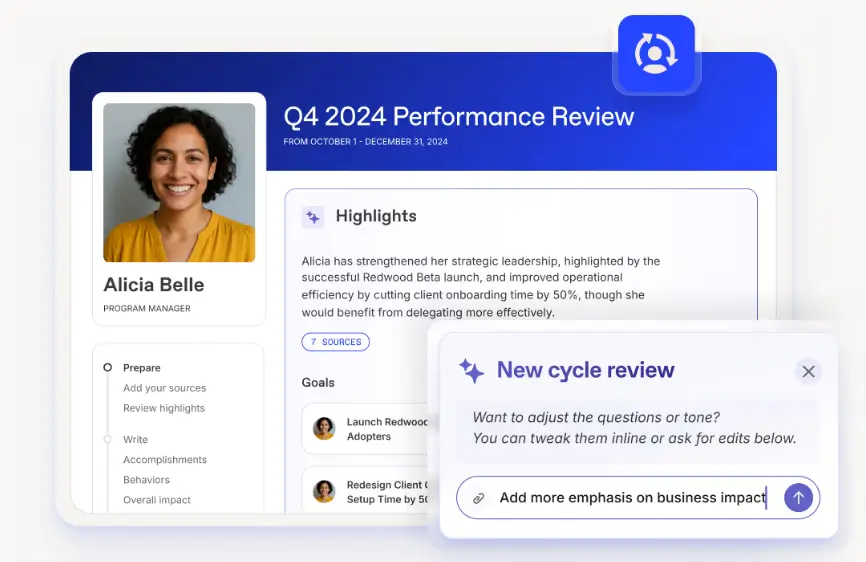
Leena AI is an AI-powered conversational assistant and automation platform focused on improving employee experience by making HR self-service fast, simple, and proactive. Instead of sending questions through email or tickets, employees can ask an AI assistant directly, and Leena AI uses natural language understanding to respond, automate actions, and reduce manual support work for HR teams.
It’s often used to automate employee inquiries, streamline onboarding and knowledge access, and power internal chatbots that work across HR systems and communication tools.
Leena AI pros and cons
Pros:
- Strong self-service and automation: Teams report cutting manual HR support volume significantly by letting employees interact with Leena’s virtual assistant for questions and routine tasks.
- Engagement and feedback tools: Built-in conversational surveys and sentiment analytics help capture employee pulse and trends over time.
- Broad integrations: Works with collaboration tools (Slack, Teams), HR systems (Workday, SAP, Oracle), and internal knowledge sources to provide seamless answers.
Cons:
- Customization can take time: Implementation often requires setup to connect systems and define workflows before it performs at full value.
- Enterprise focus: Its full capabilities shine in larger organizations with existing HR systems to integrate, so smaller teams may find some features more than they need.
- Limited standalone pricing info: Pricing is typically by custom quote, which makes early cost comparison harder for SMBs.
Leena AI best features
- Conversational HR assistant: Employees can ask questions about policies, benefits, or payroll in natural language and get immediate responses.
- Automated ticket resolution: Routine requests and tickets are automatically triaged or resolved, reducing HR workload.
- Pulse surveys and engagement: AI-driven interactions capture sentiment and ongoing employee feedback without manual survey setup.
- Knowledge access and search: Built-in conversational knowledge retrieval helps teams reduce time spent digging through documents.
- Multi-channel support: Works across chat, intranet, and collaboration platforms so employees can access help where they already work.
Leena AI pricing
Leena AI doesn’t publish standard pricing; plans are typically custom quotes based on features and scale.
Find the best AI tools for HR that fit your team’s needs
AI can absolutely make HR work easier but only when it fits how your team actually operates. The best AI HR tools don’t just add smart features on top of broken processes. They centralize employee data, reduce manual follow-ups, and give employees more ways to self-serve.
For lean teams, the right choice comes down to flexibility and focus. In many cases, the most practical setup isn’t replacing everything—it’s connecting the tools you already use and letting AI work across your data instead of inside isolated systems.
That’s where platforms like Softr fit in. Most tools on this list solve a single HR problem. Softr is designed to bring systems together and layer automation and AI on top, without heavy setup or technical overhead.
If you want a better way to manage employee data, automate requests, and experiment with AI-powered workflows, try Softr for free and start building.