[.blog-callout]
✨ TL;DR:
- A customer portal stops the constant “any updates?” loop by giving clients one login for files, progress, and requests.
- Pick based on what you actually need to run — onboarding & deal rooms (Dock), all-in-one client ops (SuiteDash/Assembly), secure file collaboration (Ideagen Huddle/Clinked), or simple agency delivery (SuperOkay).
- If you need a portal that matches your workflow (not the other way around), build it in Softr on top of your live data with granular permissions, dashboards, and automations.
[.blog-callout]
Growth changes the way you work with customers. What used to be handled through a few emails and shared folders slowly turns into scattered updates, lost files, repeated questions, and constant “just checking” messages. Your team is doing more. Your customers expect faster answers. Plus, keeping everyone aligned starts to take real effort.
A customer portal creates one place where clients can log in, see what’s happening, access what they need, and move things forward without chasing your team.
But not all portals solve the same problems. Some add another layer of complexity instead of reducing it.
In this guide, we’ll walk through 8 customer portal tools that help teams centralize communication, streamline workflows, and give customers a clearer, more reliable experience.
What is customer portal software?
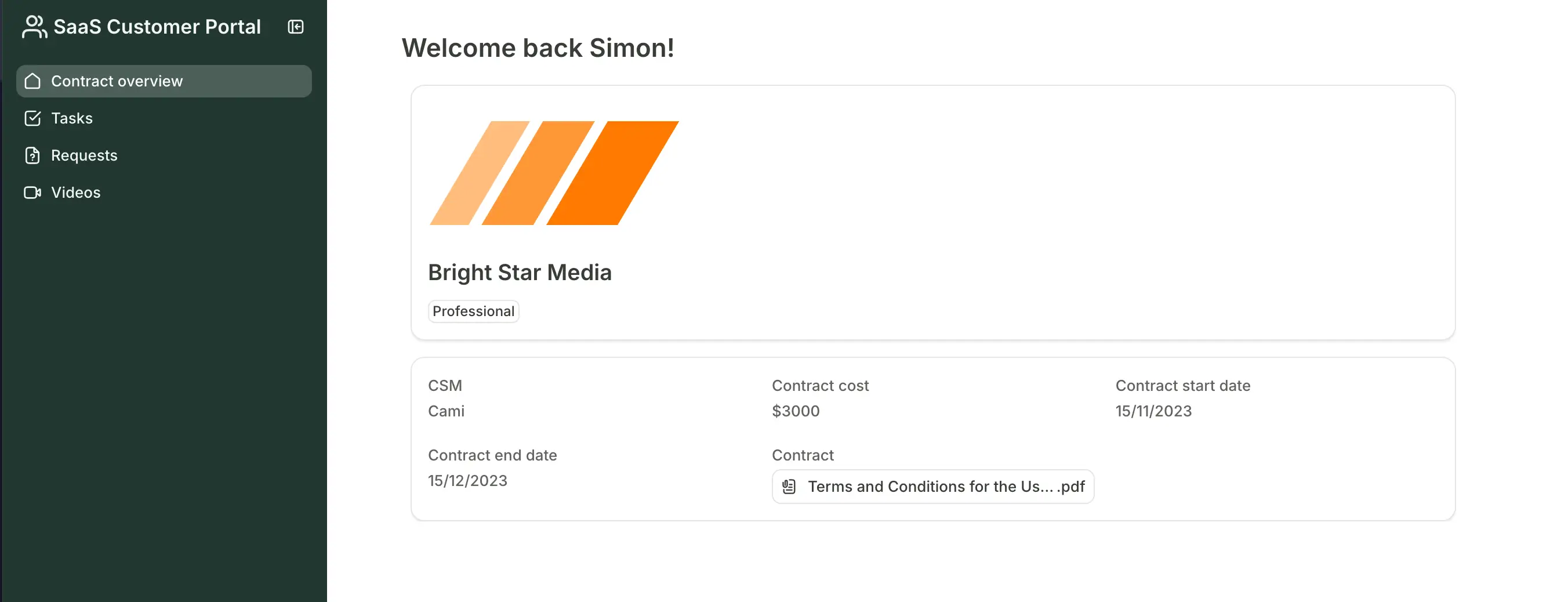
A customer portal is a self-serve platform where customers can access information, manage their accounts, and get direct support—without needing to contact a company directly. Every business will have different kinds of customer portals depending on the industry (from eCommerce to agencies and SaaS), but in general, customer portals allow clients to:
- Access centralized knowledge hubs (think help docs and FAQs)
- View and update account details (resetting passwords or managing billing)
- Chat with AI support or submit a ticket (asking for help when you have issues)
- Place, track, and manage orders (like logging into your account to renew ongoing purchases)
Customers log in securely to access their information, communicate with support teams, track progress, and complete tasks on their own. In practice, a customer portal becomes a centralized hub for the ongoing relationship between a business and its customers—bringing data, conversations, files, and workflows into one place.
Ultimately, customer portals improve the customer experience by making it faster and easier to find answers, resolve issues, and stay in control.
What to look for in the best customer portal software tools
- Ease of use: Customers should be able to navigate the portal without heavy training or instructions. If it feels complicated, they won’t use it.
- Personalized experience: The portal should adapt to each customer’s account, usage, history, and role so they see relevant data, actions, and updates instead of a generic interface, which increases engagement and long-term adoption.
- AI assistants or chatbots: Built-in AI support can answer common questions, guide users through tasks, surface relevant resources, and help troubleshoot issues instantly, reducing the need for human intervention while still allowing escalation when needed.
- Granular permissions: Different users need different access levels so each customer sees only their data, projects, and documents.
- Workflow support: The customer portal should handle real processes like onboarding, approvals, project tracking, or requests—not just file sharing.
- Communication tools: Built-in messaging, comments, or discussions reduce email chains and keep conversations tied to context.
- Reliability and real-time data: Customers should see correct statuses, live updates, and complete visibility into their projects, requests, or accounts. This way, they can trust the portal without double-checking with your team.
- Document management: Secure upload, storage, sharing, and e-signatures help centralize contracts, deliverables, and resources.
- Integrations and flexibility: The tool should connect to your existing systems or adapt to your workflows so you don’t have to rebuild everything.
Best customer portal software at a glance
| Tool | Best for | Standout features | Pricing |
|---|---|---|---|
| Softr | Building fully custom portals on top of your live business data | • Full-stack platform (apps, data, workflows, users) that operate as a customer portal in one system • Role-based permissions and secure external access • Real-time data sync and workflow automation • AI Co-Builder • Task management and dynamic dashboards for reporting | Free plan available; paid plans from $19/month |
| SuiteDash | Service businesses wanting an all-in-one client portal | • Combined CRM, projects, invoicing, and portal • White-label client experience • Automation for onboarding and recurring processes | No free plan; paid plans from $19/month |
| Dock | Sales-led onboarding and deal collaboration portals | • Shared onboarding workspaces with timelines and tasks • Content sharing with engagement tracking • Templates for repeatable customer journeys | Free plan available; paid plans from $350/month |
| Zoho Creator | Teams building fully custom apps and portals from scratch | • Low-code app builder with custom databases • Workflow automation and scripting • Deep integration with Zoho ecosystem | Free edition available; paid plans from $8/user/month |
| Clinked | Secure, white-label client collaboration portals | • Branded portals with custom domains • Secure document sharing and watermarking • Task management and activity tracking | Paid plans from $95/month; enterprise pricing available |
| SuperOkay | Agencies delivering polished client portals | • Clean, client-friendly portal pages • Embeds for external tools and resources • Templates for repeatable setups | Free plan available; paid plans from $9/month |
| Ideagen Huddle | Enterprises needing highly secure external collaboration | • Secure workspaces for sensitive documents • Audit trails and version control • Approval workflows and compliance features | Custom enterprise pricing (minimum user requirements) |
| Assembly | Service businesses wanting an all-in-one client workspace | • Portal combining CRM, billing, tasks, and messaging • Built-in proposals, contracts, and payments • Automation for onboarding and reminders | Paid plans from $39/month (annual billing) |
1. Softr — best for building fully custom, AI-powered customer portals on top of your business data

Softr is a full-stack, AI-native platform that lets you build secure, production-ready customer portals that run on your actual business data. Create branded portals that centralize customer interactions, giving your clients a seamless, self-service experience while keeping all data connected.
Compared with out-of-the-box solutions, Softr gives you full control over the kind of portal you want to make. Customize everything from user roles and design to branding and AI-powered features. Add onboarding workflows, support hubs, chat features, invoicing, and client dashboards directly into your portal.
Softr’s drag-and-drop editor is flexible, but you don’t have to start from scratch. Use the AI Co-Builder to generate entire portals—including the database and interface—directly from natural language prompts. From there, drag-and-drop builders let you edit and add new features, or you can also get started quickly with pre-made templates.
Because the portal sits on your Softr database in the same platform (or connects in real time to external apps you already use), updates happen instantly, and every interaction stays tied to the same source of truth.
With Softr customer portals, permissions, authentication, and interfaces are built in. Your team can launch a production-ready portal without code or heavy development work in days.
Softr pros and cons
Pros:
- All-in-one platform: Combines databases and front-facing interfaces like portals, CRM systems, project tracking, billing, and dashboards so teams can manage the entire client relationship in one system.
- Fast to build and easy to maintain: Start quickly with the AI co-builder or from a pre-made template without months of technical setup.
- Granular permissions: Role-based access ensures each customer sees only their own projects, documents, and information.
- Real-time data sync: Changes in your database update instantly in the portal, so customers always see accurate, reliable information.
- Workflow automation: Workflows can trigger notifications, updates, or tasks automatically when customers submit forms or statuses change.
- Scales with your customer relationships: Add new customers, services, workflows, or account types as your business grows without rebuilding the portal or creating separate systems for different clients.
- Mobile accessibility: Portals can work on any device, allowing customers and teams to interact without being tied to a desktop.
[.blog-callout]
The hub looks and acts like a custom-built app: mobile-friendly, clean, and easy to use. Team members even demo it on their phones during field visits.”
See the full Glitter customer story →
[.blog-callout]
Cons:
- Advanced customization may still depend on integrations with external tools.
- Not intended for teams that need full control over backend code.
Softr best features
- AI Co-Builder: Describe your ideal customer portal and Softr AI will build it in minutes, including a relational database, app pages, user logic, and security guardrails.
- Data integrations with real-time sync: Use Softr Databases to replace spreadsheets and manage data and apps in one platform or build apps on top of existing 21+ data sources (like Airtable, Notion, or HubSpot).
- Customer dashboards and knowledge sources: Provide clients with real-time visibility into progress, requests, and key metrics without asking your team.
- Search, filtering, and AI-powered insights: Customers can quickly find projects, documents, invoices, requests, or past conversations using advanced filters or Ask AI for natural-language search. Add it to your interface and let customers ask questions like “What’s the status of my project?” or “Where is my latest invoice?” and get instant answers without contacting your team.
- Customer onboarding: Create structured onboarding flows with signup/login pages and conditional forms so new customers can get set up without back-and-forth emails.
- Account management: Let customers update their profile details, preferences, and account information themselves instead of contacting your team for simple changes.
- Document management: Give customers a secure place to upload, access, share, and sign files like contracts, deliverables, or requirements.
- Custom user groups and permissions: Define who sees what with role-based access, field-level visibility, and granular permissions.
- Project management: Provide a shared view of timelines, tasks, and progress so customers can see what’s happening and your team can update work in real time.
Softr pricing
Softr has predictable pricing tiers and a generous free plan so you can try before signing up.
- Free: Unlimited apps, with access to Softr Workflows and Softr Databases, 5 app users, 5,000 database records, and 5 AI credits
- Basic: $19/month for unlimited apps with 42+ integrations, Team: 5 + Client: 5 app users, 50K records, and 10 AI credits
- Pro: $99/month for unlimited apps with 45+ integrations and custom code, Team: 10 + Client: 50 app users, 500K records, and 50 AI credits
- Business: $329/month for unlimited apps with 52+ integrations, Team: 30 + Client: 100 app users, 1M records, and 100 AI credits
- Enterprise (custom pricing, contact sales)
[.blog-callout]
✨ See how you can build a portal on top of your Airtable data →
[.blog-callout]
2. SuiteDash — best for service businesses that want an all-in-one client portal
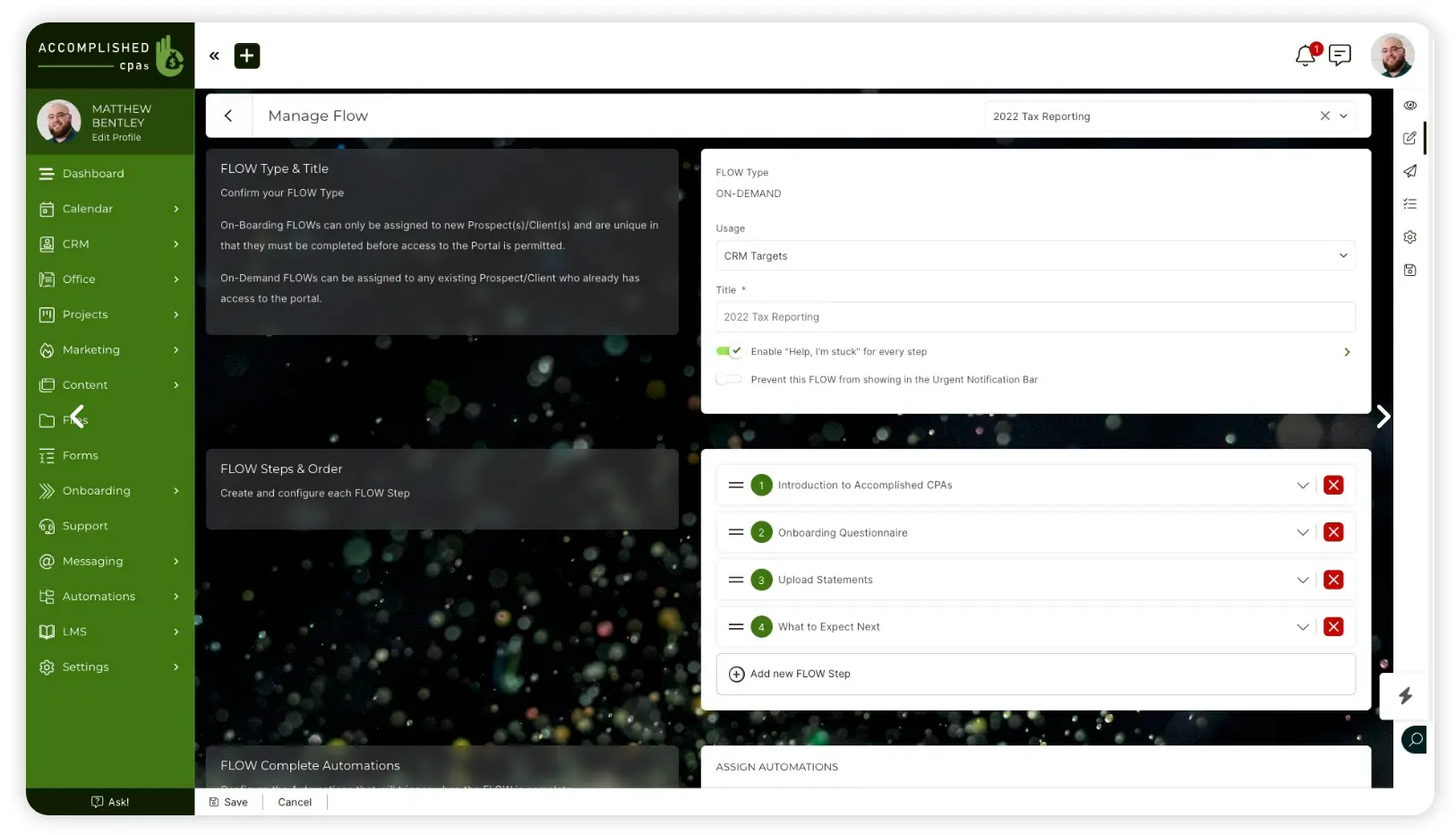
SuiteDash is a cloud platform that combines a client portal with CRM, project management, invoicing, file sharing, onboarding, and automation in one place.
It’s built for agencies, consultants, and service teams that want clients to log in, track work, exchange files, sign documents, and pay invoices without using multiple tools. Businesses can manage the full client lifecycle, from onboarding to delivery, inside a single branded portal.
SuiteDash pros and cons
Pros:
- Unlimited users model: Pricing is not per user, which makes it cost-effective for growing teams with many clients.
- White-label portal: Businesses can fully brand the client experience with custom domains, logos, and colors.
- Automation tools: Built-in workflows help automate onboarding, emails, tasks, and recurring processes.
- Client self-service: Customers can access files, updates, invoices, and messages without contacting the team.
Cons:
- Steep learning curve: The large feature set can make setup and navigation overwhelming at first.
- Dated interface: Some users report the UI feels cluttered compared to newer portal tools.
SuiteDash best features
- Centralized client portal: Give customers one login to access projects, files, invoices, and communication history.
- Integrated CRM + project tracking: Manage contacts, deals, tasks, and deliverables alongside the portal.
- Secure file sharing and approvals: Upload documents, collect signatures, and keep deliverables organized.
- Invoicing and payments: Send invoices and track payments without leaving the platform.
- Automation workflows: Trigger actions like onboarding sequences or reminders based on client activity.
- White-label experience: Present a fully branded portal that feels like your own software.
SuiteDash pricing
All plans use flat pricing (not per user) and allow unlimited clients and staff.
- No free plan; 14-day free trial available
- Start: $19/month
- Thrive: $49/month
- Pinnacle: $99/month
3. Dock — best for sales-led onboarding portals and deal collaboration
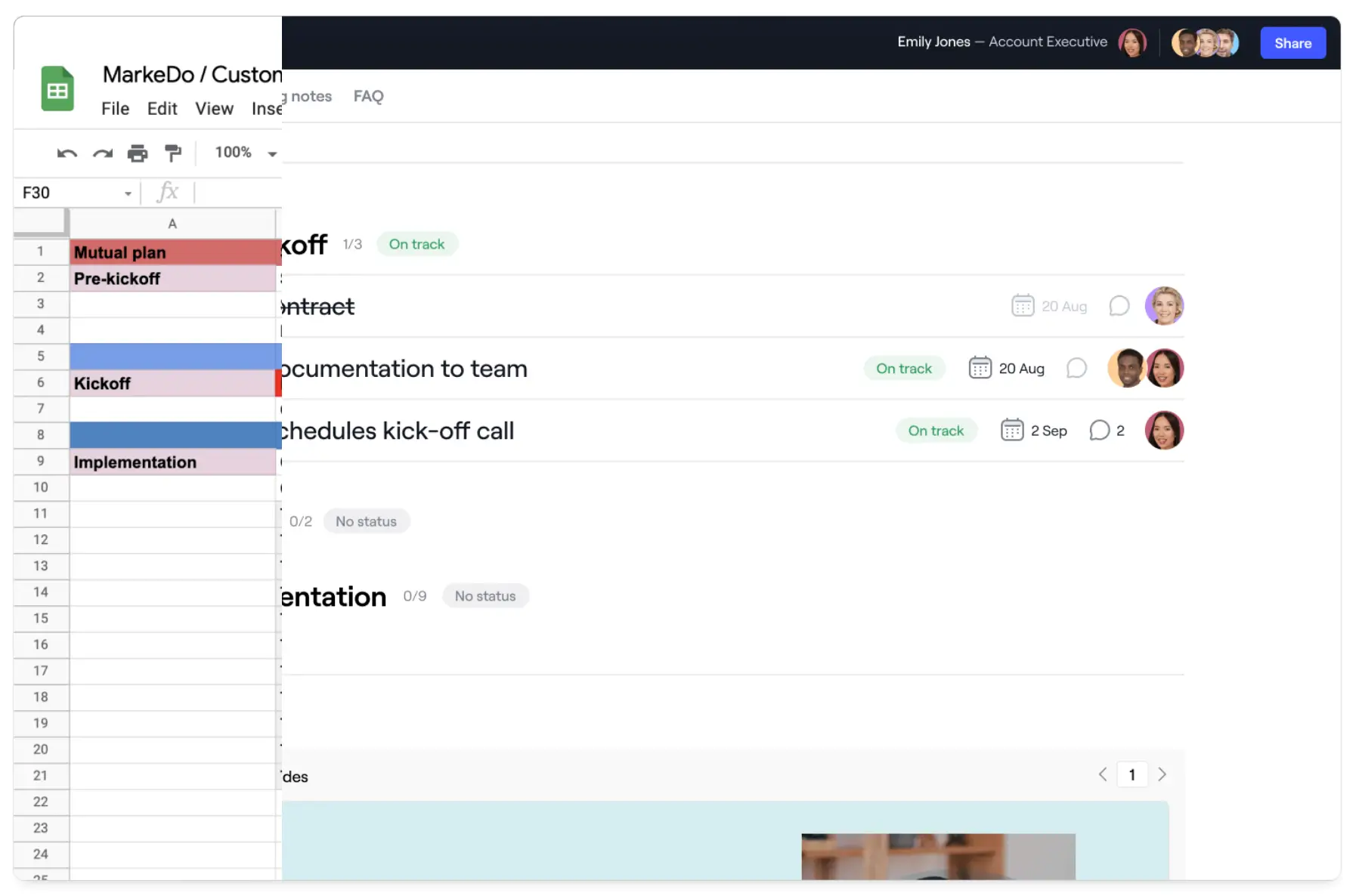
Dock is a customer collaboration platform that creates shared workspaces where businesses and customers can manage onboarding, implementation, or deal progress together. Instead of long email threads and scattered attachments, teams share documents, timelines, tasks, and updates in one structured portal that both sides can access.
It’s mainly used by revenue, onboarding, and customer success teams to guide clients through complex journeys with clear next steps and visibility.
Dock pros and cons
Pros:
- Guided onboarding workspaces: Structured spaces help teams organize onboarding tasks, deliverables, and resources so customers always know what to do next.
- Centralized collaboration: Documents, timelines, and communication live in one shared hub instead of scattered emails and links.
- Engagement tracking: Teams can see which materials customers view and interact with to guide follow-ups and prioritize actions.
- Professional client experience: Branded portals create a clean, organized experience during sales or onboarding processes.
- Fast to deploy: Templates and reusable workspaces make it easy to launch new customer spaces quickly.
Cons:
- Limited customization for complex portals: Teams needing highly tailored workflows or layouts may find the structure restrictive.
- Not built for ongoing operations: Works best for onboarding and deals, but less suited for long-term client management portals.
Dock best features
- Digital client workspaces: Create personalized portals where customers access project plans, documents, and resources in one place.
- Deal rooms and onboarding hubs: Guide prospects or new clients through milestones, tasks, and approvals step by step.
- Content sharing and tracking: Share files, videos, and proposals while monitoring engagement to understand buyer interest.
- Templates and playbooks: Reuse proven workflows to standardize sales and onboarding processes across teams.
- Order forms and approvals: Generate quotes, collect signatures, and move deals forward inside the workspace.
- Security and permissions: Control access to sensitive information while collaborating with external stakeholders.
Dock pricing
- Free plan available
- Standard: $350/month (billed monthly)
- Premium: $750/month (billed annually)
- Enterprise: Custom pricing for larger organizations
4. Zoho Creator — best for building flexible apps and portals from scratch
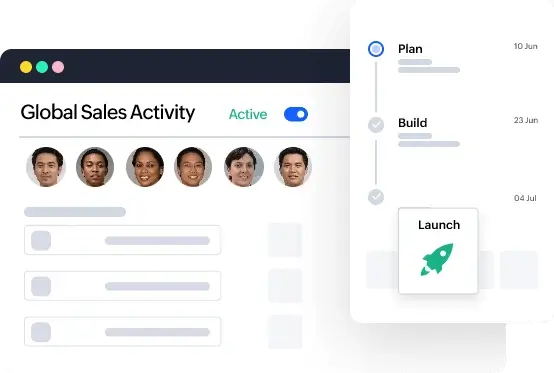
Zoho Creator is a low-code platform that lets businesses build custom web and mobile apps tailored to their processes, including internal tools and customer portals. Instead of using a ready-made portal, you design your own system. You can create forms, workflows, databases, and interfaces using visual builders and scripting when needed.
It’s mainly used by teams that have specific workflows off-the-shelf tools can’t handle and want full control over how their system works.
Zoho Creator pros and cons
Pros:
- Highly customizable platform: You can design apps and portals that match your exact workflows instead of adapting to a prebuilt structure.
- Low-code development approach: Visual builders allow non-developers to create functional apps faster than traditional development.
- Strong automation capabilities: Workflows can trigger actions, notifications, and updates across processes automatically.
- Deep Zoho ecosystem integration: Connects easily with Zoho CRM, Books, Desk, and other Zoho tools for unified data.
- Multi-device deployment: Apps run on web and mobile without building separate versions.
Cons:
- Steep learning curve for complex apps: Building advanced systems still requires technical thinking and time investment.
- Design limitations for polished experiences: Creating highly refined user interfaces can be challenging without front-end skills.
- Maintenance responsibility: Your team is responsible for managing and evolving the system after launch.
Zoho Creator best features
- Visual app builder: Create forms, dashboards, and workflows using drag-and-drop components.
- Workflow automation engine: Automate approvals, updates, and task routing based on triggers.
- Custom data management: Build structured databases tailored to your operations.
- Role-based access controls: Manage permissions for staff, partners, or customers securely.
- Multi-experience deployment: Launch apps across web, tablet, and mobile interfaces.
- Integration capabilities: Connect with external services and APIs for extended functionality.
Zoho Creator pricing
Listed pricing refers to annual billing.
- Free edition: Available for individuals or small teams (limited to one custom app)
- Standard: $8/user/month
- Professional: $20/user/month
- Enterprise: $25/user/month
- Flex: Custom pricing for organizations with specific requirements
5. Clinked — best for secure, white-label client collaboration portals
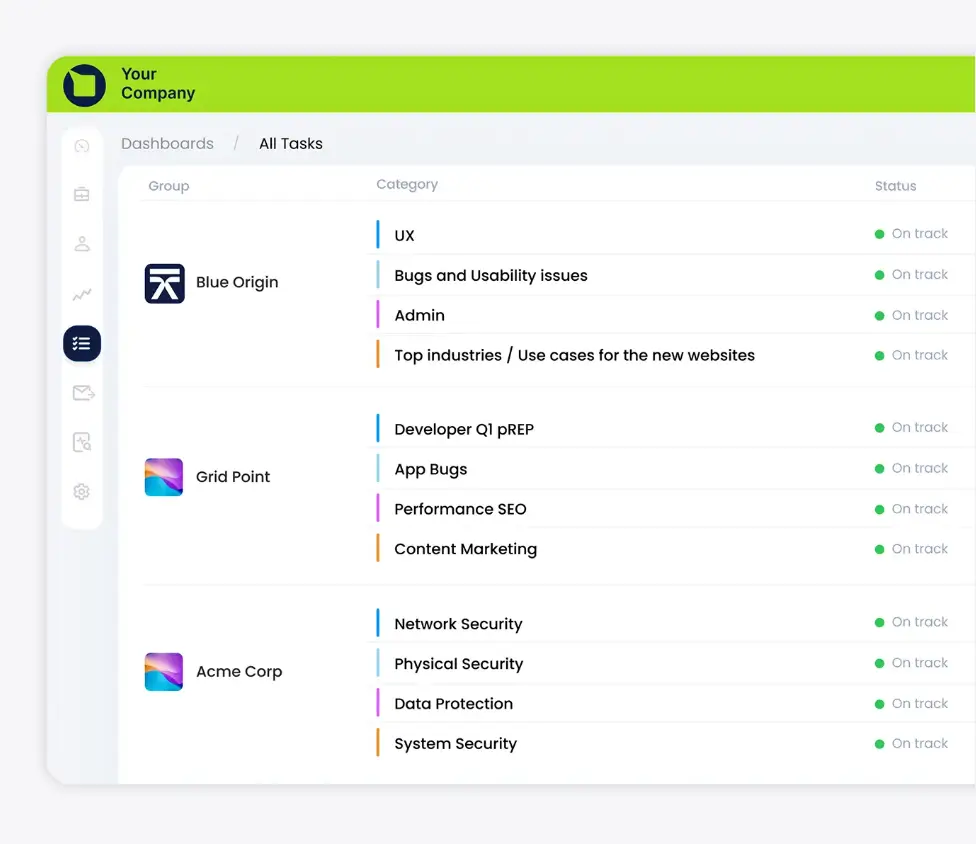
Clinked is a client portal and collaboration platform designed to help businesses share files, manage projects, communicate with clients, and keep everything organized in one secure, branded space. It’s commonly used by professional services firms and teams that need a structured, private environment for ongoing client work .
You can create fully white-labeled portals with your own branding, control access with permissions, and give clients a single place to track progress, exchange documents, and stay aligned.
Clinked pros and cons
Pros:
- White-label branding: You can present the portal as your own product with custom domain, logo, and interface, which helps create a professional client experience.
- Secure document sharing: Files, contracts, and sensitive materials can be exchanged safely with granular permissions and activity tracking.
- Centralized client communication: Messages, discussions, and updates live alongside files and tasks, reducing email back-and-forth.
- Guest access controls: You can invite clients without giving them access to internal company data.
Cons:
- Limited workflow automation: Many processes require manual setup rather than automated workflows, which can slow scaling operations.
- Integration depth constraints: Compared to broader platforms, integrations and ecosystem flexibility are more limited.
Clinked best features
- White-label client portals: Create branded portals with your own domain so clients interact with a professional, company-owned environment.
- Document management and watermarking: Store, organize, search, and protect files with version control and optional watermarking.
- Task and project management: Assign tasks, track progress, and manage deliverables with shared visibility between teams and clients.
- Secure messaging and discussions: Keep conversations tied to projects and documents instead of scattered across inboxes.
- Audit trails and activity tracking: Monitor who accessed files, made changes, or completed tasks for accountability and compliance.
- Mobile access and notifications: Clients and team members can stay updated from anywhere without logging into multiple systems.
Clinked pricing
Listed pricing refers to yearly billing.
- Lite: $95/month
- Standard: $239/month
- Premium: $479/month
- Enterprise: Custom pricing
6. SuperOkay — best for agencies and service teams delivering polished client portals
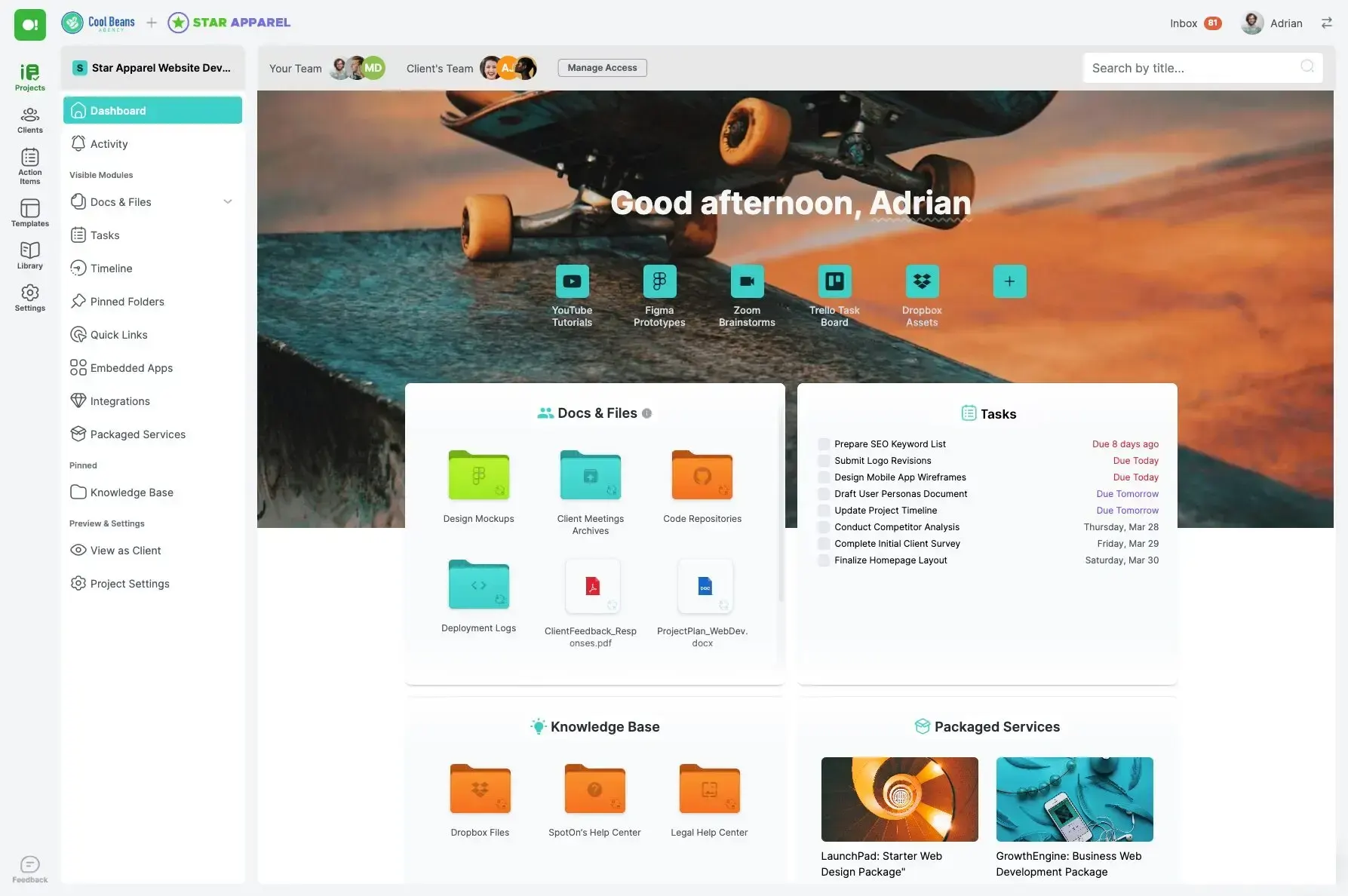
SuperOkay is a client portal tool that helps you give clients one clean place to see what’s going on. Instead of sending links, files, and updates across email, chat, and project tools, you put everything into a simple shared space they can open anytime. Clients can check progress, review work, leave feedback, and find past deliverables without asking your team to resend things.
It’s especially useful for agencies and service businesses that want to look organized and professional without building a custom portal or managing a complicated system behind the scenes.
SuperOkay pros and cons
Pros:
- Client-friendly interface: The portal layout is simple and easy for non-technical clients to navigate without training.
- Strong branding options: Teams can customize colors, logos, and layouts to match their brand for a professional delivery experience.
- Reusable templates: Prebuilt blocks and templates make it faster to set up portals for new clients.
- Centralized project hub: Files, links, updates, and approvals live in one place instead of scattered across tools.
- Embeds external tools: You can surface content from tools like Figma, Airtable, or project boards inside the portal.
Cons:
- Limited operational depth: It lacks advanced workflow automation, structured data management, or complex permissions needed for larger operations.
- Fewer integrations than broader platforms: Teams with complex tech stacks may find integration options restrictive.
- Not ideal for large-scale portals: It’s better suited to small and mid-sized client bases than enterprise environments.
SuperOkay best features
- Structured client pages: Organize projects into sections for updates, deliverables, resources, and next steps.
- Content blocks and embeds: Combine files, videos, documents, and external tools into one cohesive workspace.
- Approvals and feedback: Clients can review work and respond directly inside the portal.
- Template library: Duplicate proven portal setups for consistent onboarding across clients.
- Access control: Control what each client can see within their portal space.
SuperOkay pricing
Prices displayed are billed annually (discounted).
- Free plan available
- Solo: $9/month
- Solo+: $29/month
- Business: $112/month
7. Ideagen Huddle — best for enterprises needing highly secure client collaboration
Ideagen Huddle is a secure collaboration and client portal platform designed for organizations that share sensitive documents with external partners. Instead of relying on email attachments or open file links, teams use Huddle to create controlled workspaces where clients can access files, review materials, and collaborate under strict permissions.
It’s mainly used by government agencies, financial services, legal teams, and large enterprises where compliance, audit trails, and data protection are critical.
Ideagen Huddle pros and cons
Pros:
- Enterprise-level security: The platform provides granular permissions, audit logs, and compliance controls for sensitive data sharing.
- Document version control: Teams can track changes, maintain histories, and prevent conflicting edits on important files.
- Secure external access: Clients and partners can collaborate without exposing internal systems or tools.
- Workflow capabilities: Built-in processes support approvals, reviews, and document governance.
- Microsoft ecosystem compatibility: It integrates well with Microsoft 365 environments commonly used by large organizations.
Cons:
- Steep learning curve: External users may find the interface complex compared to simpler portal tools.
- Limited personalization: It focuses on document collaboration rather than tailored client experiences or dashboards.
- Enterprise-focused pricing: Minimum user requirements make it less suitable for small and mid-sized teams.
Ideagen Huddle best features
- Secure client workspaces: Create controlled areas where clients and partners can access only the files and updates relevant to them.
- Audit trails and activity tracking: See who viewed, edited, or downloaded documents for compliance and accountability.
- Version control: Maintain a clear history of document changes and prevent conflicting edits.
- Approval workflows: Route documents through review and sign-off processes before they’re finalized.
- Enterprise integrations: Connect with Microsoft 365 and other enterprise systems to fit into existing environments.
Ideagen Huddle pricing
Ideagen Huddle’s pricing is not publicly listed with numbers. It’s custom-quoted.
- Huddle Plus: Minimum 25 users
- Huddle Premier: Minimum 100 users
8. Assembly — best for service businesses that want an all-in-one client portal and back-office system
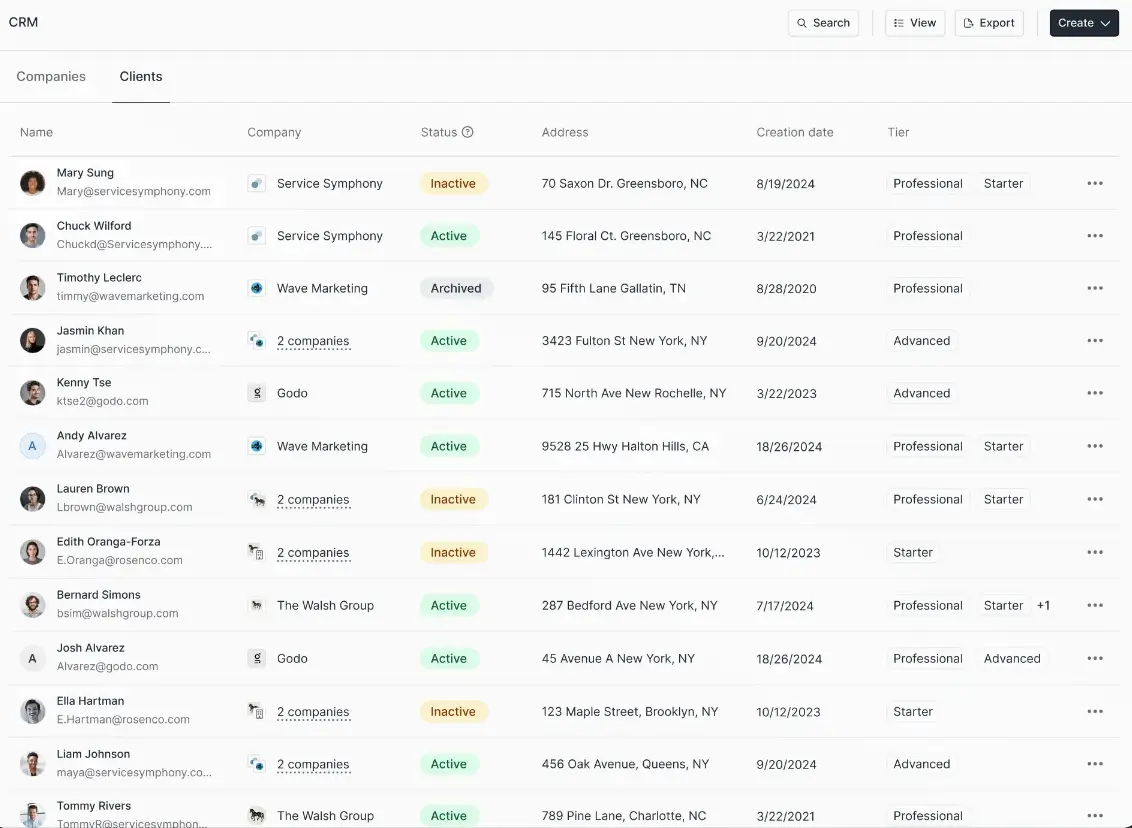
Assembly is software that gives service businesses a private space where they and their clients can work together. Instead of handling communication in email, files in cloud drives, payments in accounting tools, and tasks in project software, it pulls those pieces into one portal that clients log into. From there, a client can send messages, upload documents, review proposals, pay invoices, or check the status of work without asking for updates.
It’s most useful for agencies, consultants, legal and financial services, and other relationship-driven businesses that handle many clients at once and need a more organized, client-friendly workflow than email threads and shared folders.
Assembly pros and cons
Pros:
- All-in-one workspace: It replaces multiple tools by combining CRM, billing, communication, and project tracking in one system.
- Client portal included: Clients get a dedicated space to message, upload files, approve work, and view updates.
- Built-in billing tools: Invoices, subscriptions, and payment links are handled without external software.
- Automation capabilities: Routine steps like onboarding tasks and reminders can run automatically.
- Customization options: You can brand the portal with your domain, email, and apps.
- Scales with teams: Higher tiers support more internal users, clients, and advanced permissions.
Cons:
- Setup can take time: Configuring workflows, automation, and permissions requires initial effort.
- Not ideal for complex operations: Large enterprises may outgrow its depth compared to specialized systems.
Assembly best features
- Client portal: It provides a single login where clients can communicate, access documents, and track work.
- CRM and client management: Contacts, companies, and interactions are organized in one database.
- Billing and subscriptions: Invoices, recurring payments, and payment links are built in.
- Proposals and contracts: Teams can send agreements and collect approvals without external tools.
- Task and project tracking: Work can be organized with tasks, deadlines, and shared progress views.
Assembly pricing
Listed pricing is billed annually.
- Starter: From $39/month
- Professional: From $149/month
- Advanced: From $399/month
- Enterprise: From $2,000/month
Find a customer portal software that fits your needs
As your customer relationships grow, the way you work has to evolve with them. What once felt manageable through inboxes and shared folders eventually turns into delays, repeated questions, and constant status checks from both sides. The best customer portal software doesn’t just organize information. It changes the experience of working together by giving customers clarity without adding work for your team.
Some of the tools in this list focus on secure document sharing, others on onboarding, billing, or full client lifecycle management. If you want a portal that adapts to your workflows instead of forcing you into an out-of-the-box structure, building one around your own data with tools like Softr can be the turning point.
Softr's Co-Builder gives you the flexibility to create a portal that matches how your team already works. It offers a native database for centralized data, apps, automations, authentication, infrastructure, AI assistants, and more. All in one platform.
Give Softr a try and and build a customer portal for your team and clients.
Frequently asked questions
What's the best customer portal software?
What's the difference between a CRM and a portal?