


AI agent use cases: What they can do (and 5 you can build yourself)

[.blog-callout]
✨ TL;DR:
- AI agents help teams cut hours of manual work by handling tasks like categorizing requests, updating records, summarizing notes, and enriching data automatically.
- All agents follow the same pattern: they take an input → reason using your instructions → act inside your tools → stay within guardrails → improve over time.
- You’ll learn the core types of AI agents used across SMB operations, plus practical examples of how they show up in real workflows.
- Softr’s Database AI Agents let you build these automations without engineering: enable AI on a field, define the rules, set conditions, and let agents update records safely.
- Start with a small test database or import your data, experiment with different agents, and offload the repetitive work that slows your team down.
[.blog-callout]
Most small and mid-sized teams feel the pressure of too many manual tasks, too many tools, and not enough hours in the day to get everything done. AI agents promise to handle some of the workload, but it’s hard to know where to start or how to build something that works with your data and actually does what you need it to do.
That pressure is exactly why adoption is moving so fast. Deloitte projects that the share of companies using agentic AI at least moderately will jump from 23% to 74% within two years, and Google found that 88% of early adopters are already seeing positive ROI from at least one AI agent use case.
The good news? You don’t need engineering skills to create agents that can handle real workflows like categorizing requests, updating records, pulling insights from files, doing research on the web, or summarizing notes or reports.
This guide breaks down the best AI agent use cases for data-related tasks and the types of agents you’ll find across operations and industries.
You’ll also learn how to build these types of agents yourself using Softr Databases, so you can execute them confidently and free up your time for more high-value tasks.
How AI agents work: The essentials (explained in plain language)
AI agents all follow the same pattern: they take in information, interpret what needs to happen, and complete the work automatically. Understanding these basics helps you design agents that behave consistently, whether they’re classifying a support ticket or summarizing a project update.
1. Inputs: the information an agent starts from
Every AI agent starts with an input: a message, a file, an event, or a piece of data that changes. That input gives the agent its context.
With Softr’s Database AI Agents, the input is a record in your database. A new lead arrives, an invoice changes, a note is added, or a field updates. The agent then uses that record to decide what to do next.
This is where the two common modes of AI show up:
- Deterministic tasks (predictable every time) Examples: tagging a lead, validating an invoice total, extracting dates, and checking for missing fields.
- Non-deterministic tasks (interpretive or generative) Examples: summarizing notes, writing a follow-up email, recommending next steps, and enriching data from the web.
2. Reasoning: how the agent interprets your instructions and the data
Once the agent has its input, it doesn’t guess what to do. It reasons based on:
- Your instructions: the rules, formats, or steps you set
- The record’s data: the fields, notes, or files it can see
This reasoning can be strict and rule-based (deterministic) or more interpretive and generative (non-deterministic), depending on the task.
In simple terms, the agent “thinks” by applying your instructions to the data in front of it.
3. Actions: the work the agent actually completes
After reasoning, the agent takes action. This is where agents differ from simply chatting with an LLM or asking ChatGPT for an answer.
Instead of giving you advice to copy-paste, it completes the task inside your tools, automatically.
For example, a database agent can:
- clean and standardize data
- categorize or tag items
- summarize long notes
- generate draft messages
- find info on the internet and populate it in your database
4. Guardrails: the rules that keep everything safe and predictable
With guardrails, an agent becomes more reliable and doesn’t run when you don’t need it to. Guardrails ensure they stay within boundaries with things like:
- permissions and visibility
- conditions (e.g., “only run when status = New”)
- filters for which records they touch
- approval steps for sensitive actions
5. Feedback loops: how agents get sharper over time
Great agents improve as you refine them. This could mean:
- tightening instructions and testing outputs
- improving data quality
- adding filters or conditions
A few small tweaks can turn a decent agent into one that saves hours every week with high accuracy.
[.blog-callout]
💡 Once you understand how agents take inputs, reason, act, and stay within guardrails, the rest becomes much easier to picture. Next, we’ll look at how different teams use these agents in real workflows, and how you can build many of them directly inside Softr’s Database AI Agents.
[.blog-callout]
Types of AI agents (at a glance)
Most AI agents fall into a few practical categories based on the kind of work they automate:
- Data & validation → cleaning data, extracting details, checking for errors
- Summaries & insights → turning notes, emails, and PDFs into clear takeaways
- Communication → drafting follow-ups, updating clients, logging notes
- Monitoring & alerts → watching deadlines, statuses, or records and flagging issues
- Actions & workflows → updating fields, assigning work, and keeping processes moving
These aren’t rigid categories, just the most common patterns you’ll see across SMB workflows.
Here’s what real users from Reddit share that shows the demand for these types of AI agent use cases:

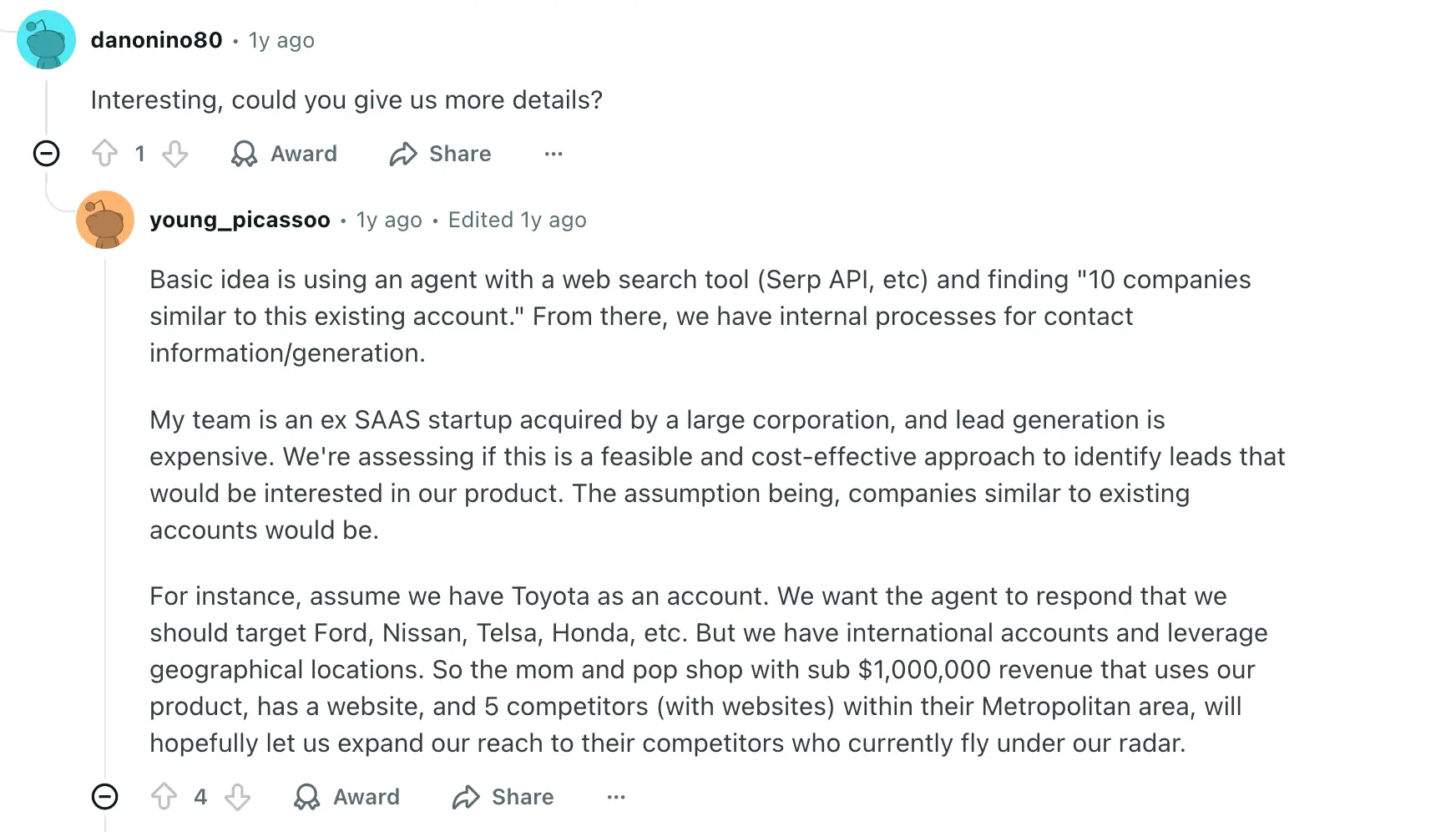
Now let’s look at real examples of how teams use AI agents, and how you can build these directly inside Softr Databases.
5 AI agents you can build in Softr Databases
Softr’s Database AI Agents take care of the repetitive work: cleaning up data, extracting details from documents, updating records, and keeping your database accurate.
Below are five practical AI agent use cases for growing teams, each with a short video showing how to set them up.
1. Meeting summarizer agent
Even if you’re using an AI scribe or meeting notetaker, if you don’t centralize and summarize those notes for yourself or your team, it’s hard to extract any value from them.
With Softr, you can copy your meeting note transcripts into a central database and have them auto-summarize.
- Set up a database for your meetings and notes
- Paste in notes after a call (or run a workflow to make this happen automatically)
- Have an AI agent summarize the notes automatically for easy reference
Here’s how Patrick uploaded his customer call transcripts and set up an agent that would summarize the transcripts into concise, actionable call summaries. 👇🏻
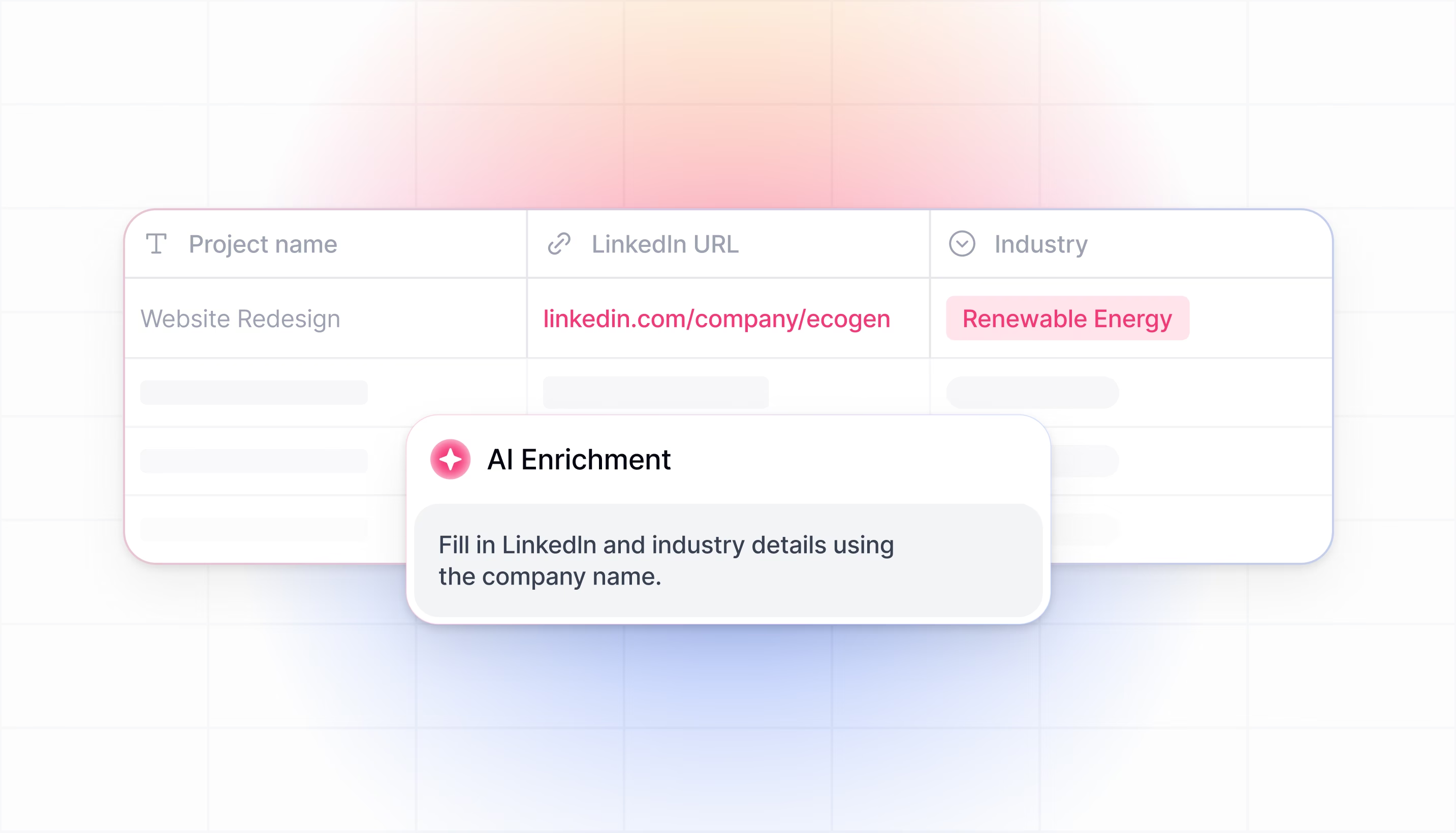
2. Company data enrichment agent
Even if you already track leads or company details, that data gets outdated fast. And if you’re jumping between tabs to look up websites, contacts, or market info, you lose time and context.
With Softr, you can let an agent fetch the latest public details for you. Just point it to what you want to enrich, such as company profiles, URLs, roles, and headcount, and Softr keeps your database up to date automatically.
- Toggle Allow web search in the field’s AI settings.
- Add specific websites to reference, or let agents search publicly available data.
- Run agents manually or automatically to keep information up to date.
Here’s how Andranik uses Softr to enrich company information for his prospects with web search instead of doing it manually. 👇🏻
"AI workflows let you enrich company profiles with industry and size automatically when a lead enters, saving sales reps from tedious manual research." - Guillaume Duvernay, Builder at Softr, 4-year Softr customer who has built 50+ business apps
3. Feedback categorization agent
Feedback piles up quickly, and if every entry looks different (mixed casing, long descriptions, unclear sentiment), it’s hard to spot patterns or take action.
You can build an agent in Softr that cleans, categorizes, and standardizes each piece of feedback as soon as it’s added. You control when the agent runs and what it should fix, so you only apply AI to the records that matter.
- Add filters and rules so the agent triggers only on the right entries.
- Use prompts to format text, correct fields, clean inputs, or rewrite descriptions.
- Fine-tune when agents run to manage AI credit usage and avoid unnecessary updates.
Here’s how Kai sets up an agent with Softr to analyze the customer feedback sentiment he has in his database. In this one, there’s no need to toggle on web search since the agent will pull the data directly from the database with all the conditions and rules applied.

4. Invoice validation agent
If you’re reviewing invoices by hand, it’s easy to miss errors or delay approvals. And when payments depend on accurate validation, small mistakes can slow everything down.
Softr lets you build agents that check invoice details, flag issues, and update related fields using simple instructions. You can start from scratch or customize one of Softr’s ready-made invoice agents.
- Test outputs with Preview on a sample record.
- Adjust your instructions until the response looks right.
- Turn on auto-run only when you’re confident in the results.
Here’s how Kat used Softr’s Database AI Agents to set up 2 agents. The first agent helps her validate invoices from creators, and whenever that’s updated (let’s say, the invoice is good to go), the other agent indicates that a payment is due (and the opposite, if the invoice has errors). See the result in the video! ✨
Beyond flagging errors, agents can also read an uploaded PDF directly and pull out the values you need, like the invoice number and amount, without any manual retyping. This works well for any document-heavy use case: contracts, W-9s, or certificates of insurance can all be auto-classified and read the same way.
5. Social copy generator agent
Creating quick social posts is tough when your data is messy: missing names, inconsistent inputs, or details all over the place across fields.
Softr makes it simple to add an agent that turns clean database entries into ready-to-use social copy. It pulls context from other fields, follows your rules, and runs only when you need it to.
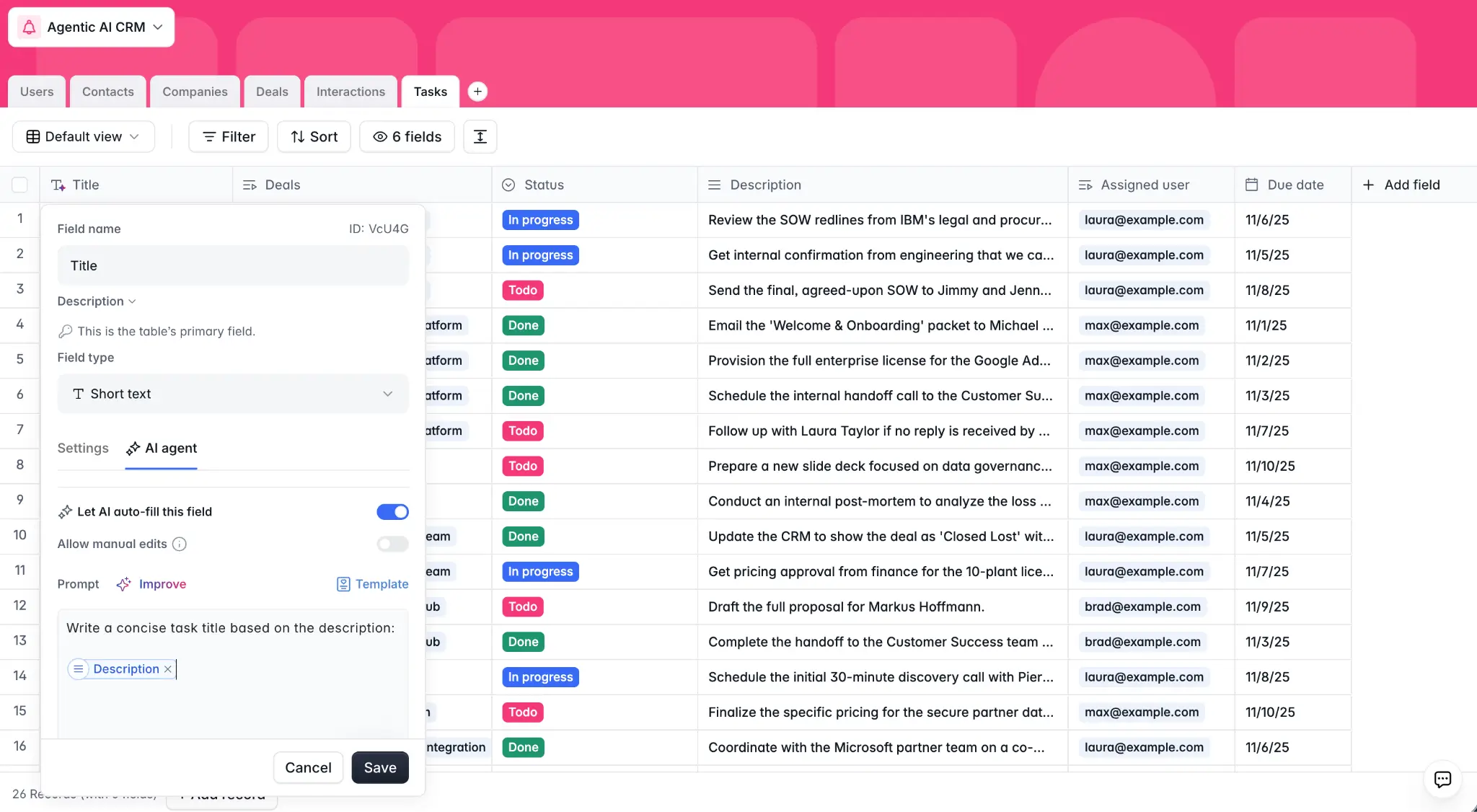
- Add an AI agent to any supported text-like field.
- Set it to run when a record is added, updated, or on a schedule.
- Use conditions (“only run when…”) to target specific entries and avoid overwriting clean data.
See how Erin from Softr uses Softr Database AI Agents to set up an AI agent in her database to help her write social copy. 👇🏻
- She picks the agent model,
- Sets up the prompt referencing other fields, the conditions under which the Agent must act,
- Previews, and tweaks the prompt to adjust the way she wants the Agent to work.
Check the result in the video! ✨
Start offloading manual work to AI Agents
Getting started with AI agents doesn’t have to be complicated. If you already manage data in spreadsheets or other tools, Softr Databases give you a simple place to experiment: a structured environment where agents can run safely and update information reliably. If you work in Claude or ChatGPT, you can also set up the test database from there through the Softr MCP.
You can bring data into Softr in just a few minutes:
- Create a small test database from scratch, or describe your data structure to the Database AI Co-Builder and let it generate the tables and fields for you
- Import an Airtable base
- Upload a CSV from Sheets, Excel, or another system
From there, adding an AI agent is straightforward: enable AI on a field, describe what the agent should do, set conditions for when it should run, and let it update your records automatically.
As Sacha Uzan, from the founding team at Linkup, puts it: if you want to automate the right things, start by asking what manual work you're actually replacing, not just what AI can technically do. That framing keeps your first agents focused on real time savings instead of novelty.
Marketing agency Strupek used this same approach when building their client dashboard in Softr: they mapped out 8 client workflows worth automating first, then built around them. The result was a 58% reduction in operational costs and 10 hours saved per week that now go into strategic client work instead of managing systems by hand.
Softr’s free plan includes AI credits, so you can try different AI agent use cases and determine what adds the most value.
Frequently asked questions
What is an AI agent, in simple terms?
What is the difference between an AI agent and a regular automation or workflow?
Do I need coding or AI experience to build an AI agent in Softr?
Can an AI agent pull information from the internet, not just my existing data?
How much does it cost to run AI agents in Softr, and will they use up all my credits?


