



When a business grows, finance has one set of numbers, operations has another, and project updates live somewhere else entirely. ERP (enterprise resource planning) software brings those core operations into a single shared system instead of duct-taping one-off apps together. Here are the best ERP platforms for 2026, and when each approach makes sense.
Best ERP systems for small businesses at a glance
| Tool | Best for | Key features | Starting price |
|---|---|---|---|
| Softr | Businesses that want to build and own a custom ERP | - AI-powered no-code platform with pre-built ERP templates - ERP systems customized to your processes. - Add only the features and views you need now, and adjust or grow as your business changes. - Advanced permissions that give each department or team member tailored dashboards and access, so everyone sees just what’s relevant to their ERP role. - Ask AI that lets teams receive instant answers about finances, ops, or inventory. | Free (5 total users) Paid plans from $19/month (billed annually) |
| NetSuite | Growing businesses planning for scale | - All-in-one ERP + CRM + financials - Strong accounting, multi-entity, and compliance features - Industry-specific editions and workflows - Advanced reporting and analytics | $999/mo (10-user minimum) |
| Odoo | Open-source flexibility | - Modular apps covering accounting, inventory, HR, CRM - Shared database keeps data in sync across modules - Open-source with deep customization options - Large marketplace for extensions | Free / $24.90/user/mo |
| Scoro | Professional services and agencies | - Project, time, and financial management in one system - Real-time project profitability tracking - Built-in time tracking and invoicing - Resource and capacity planning | $26/user/mo (3-user minimum) |
| Productive.io | Agencies and consultancies | - Project budgeting and cost tracking - Client and project profitability insights - Resource planning and forecasting - Client portals for collaboration | Custom pricing |
| ERPNext | Tech-savvy teams wanting low cost | - Full ERP coverage (finance, inventory, HR, CRM) - Open-source with unlimited users - Automatic data sync across modules - Self-hosted or low-cost cloud option | Free / $50/mo cloud |
What is an ERP for small businesses?
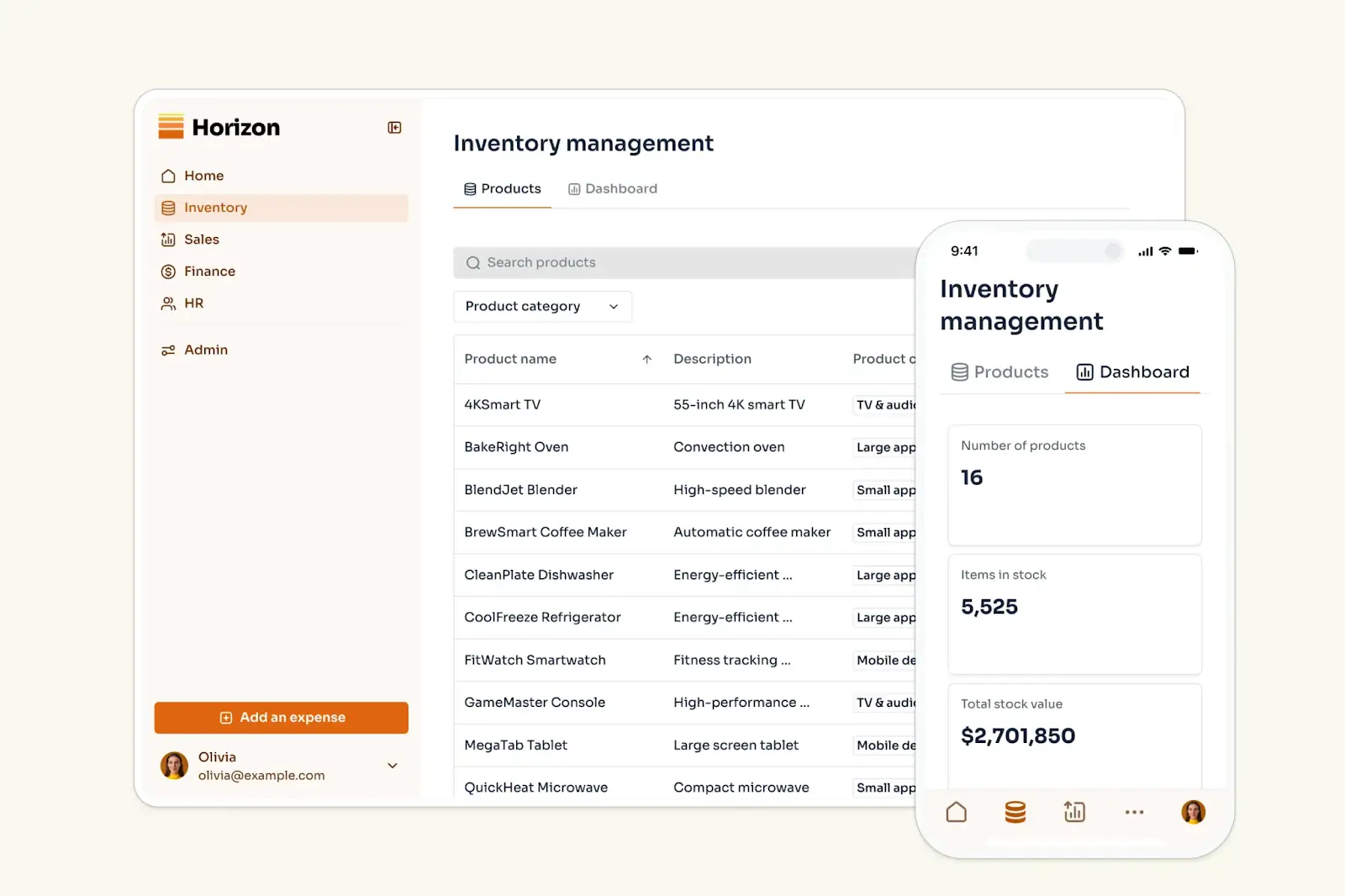
ERP software is what connects the day-to-day work across your business, linking your core processes and interfaces in one system.
When something changes in one place, it updates everywhere it matters: projects affect budgets, budgets affect invoicing, inventory affects purchasing, and so on.
For example, when a customer places an order, an ERP can automatically update inventory, generate an invoice, notify the right team, and record revenue. You’re not copying data between tools or reconciling numbers later, because the system handles the flow.
Most ERP systems also let you tailor access and views by role. Finance, operations, and leadership can all use the same system, but each sees only what’s relevant to their work.
That’s the core value of an ERP: fewer manual updates, fewer mistakes, and clearer answers when you need them.
Most ERPs cover things like:
- Finance: Track income, expenses, and reports in one system
- Inventory & operations: Know what’s in stock and what needs restocking
- Customers: Keep all customer info, orders, and communication together
- Projects & people: Track work, deadlines, and team responsibilities
- Reporting: See what’s actually happening in real time
What small business owners actually say about ERPs
Most small businesses don’t want a massive ERP. They just want things to stop breaking as they grow. That’s a common theme across Reddit, finding something affordable that actually fits how your business works, without getting locked into expensive contracts or vague pricing.
Real users have strong opinions on finding the right ERP that doesn’t cost an arm and a leg. As one Reddit user put it: “I have been looking for a customizable order fulfillment, project management, invoicing, quotes, CRM. I really don’t see an all-in-one”.
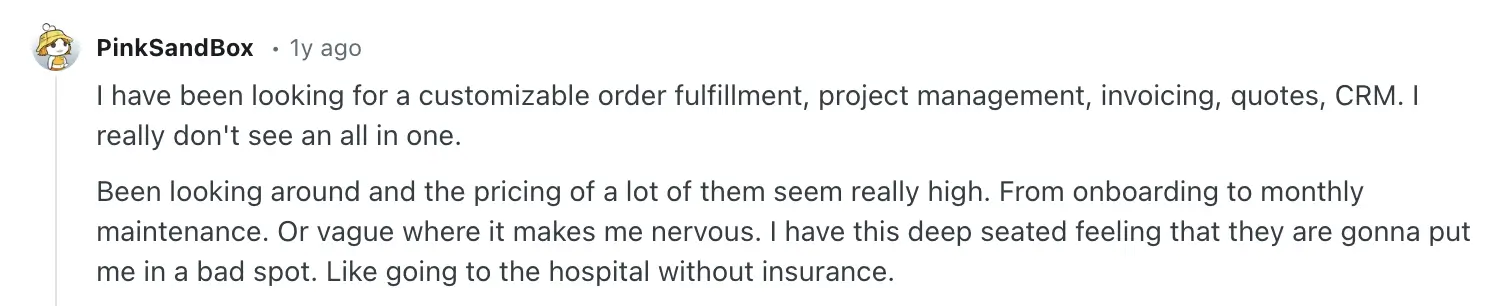
This user captures a familiar scenario: nothing is technically “broken,” but too much critical data lives in too many places to manage comfortably.
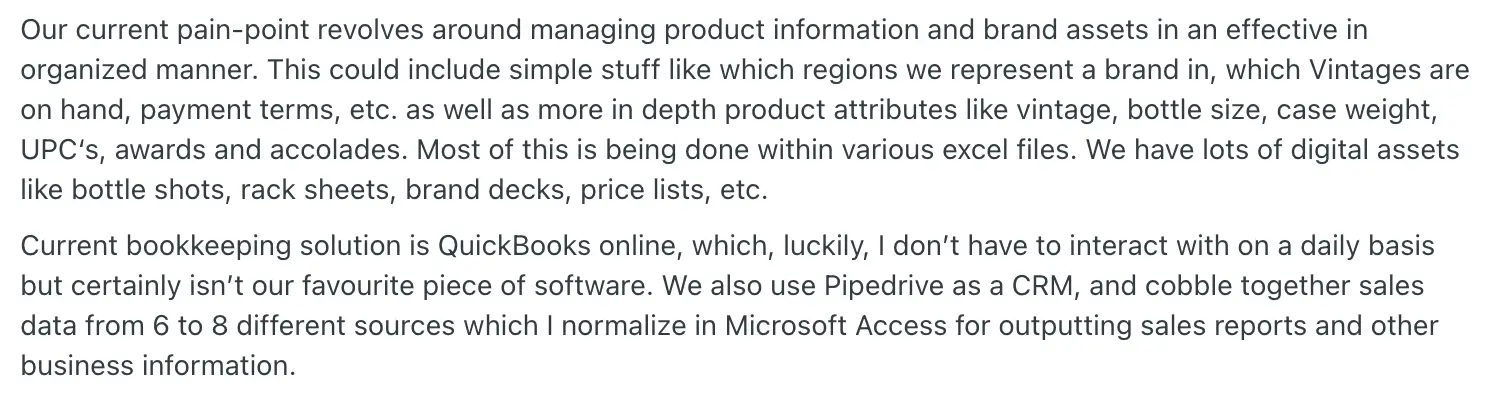
If your small business needs an ERP, you should first have a clear sense of what that system should be doing for you. Not just in terms of features, but also how work should actually flow day to day.
At a minimum, an ERP should:
- Give you one source of truth: Customer data, inventory, orders, and financials should live in one place. When someone asks a question, you shouldn’t need five tabs open to answer it.
- Work with the tools you already use: An ERP should connect to your accounting software, payment systems, e-commerce platforms, or internal databases. Replacing everything at once is rarely realistic.
- Remove manual handoffs and busywork: Orders shouldn’t require manual updates across systems. The best ERPs automatically update inventory, trigger invoices, and notify the right teams.
- Provides you with real-time visibility: You should be able to see current inventory, today’s sales, and this month’s cash flow—without waiting on reports.
- Ability to grow with you: You shouldn’t outgrow your ERP in a year. Look for systems that let you add features, users, and workflows without starting over.
- User permissions that work: Different teams need different views. A well-designed ERP lets each role see and act on only what they’re responsible for, nothing more, nothing less.
Three ways companies build ERPs
If you’ve reached the point where spreadsheets and disconnected tools aren’t cutting it anymore, there are three realistic paths you should consider when building an ERP.
1. Build your own with a no-code platform
No-code platforms let you create a custom ERP suited to your business needs. You should be able to build on top of your existing data sources and design different interfaces with drag and drop builders, then set up workflows that match your processes. This approach gives you maximum flexibility and control.
This approach works best when:
- You want control over designing sleek, user friendly apps with built-in databases
- You prefer to start small and evolve over time
- Flexibility and ownership matter more than ticking every ERP feature box on day one
At its core, a no-code ERP lets you design processes, dashboards, permissions, and automation around your operations, not the other way around.
2. Buy an off-the-shelf solution
Traditional ERP software like NetSuite or Odoo comes pre-built.
You configure modules, fields, and permissions to fit your business, but the underlying structure is fixed. These systems are designed to cover a wide range of use cases out of the box.
This route makes sense when:
- You need a broad set of standard ERP features immediately
- Your processes closely match common industry workflows
- You value vendor support and established ecosystems
The trade-off is flexibility. You adapt your business to the software more than the software adapts to you.
3. Hire an agency or dev team to build a custom ERP
Some businesses go fully custom and commission an agency or internal development team to build an ERP from scratch.
This is the most enterprise-style option and also the most demanding.
Best when:
- You have highly specific or complex requirements
- Budget is not the primary constraint
Trade-offs:
- Long development timelines
- High upfront and ongoing costs
- Risk of vendor lock-in if ownership or documentation isn’t handled well
This approach can deliver exactly what you want, but it requires long-term technical commitment.
Top ERP systems for small businesses
Softr — best for small businesses that want to build and own their ERP
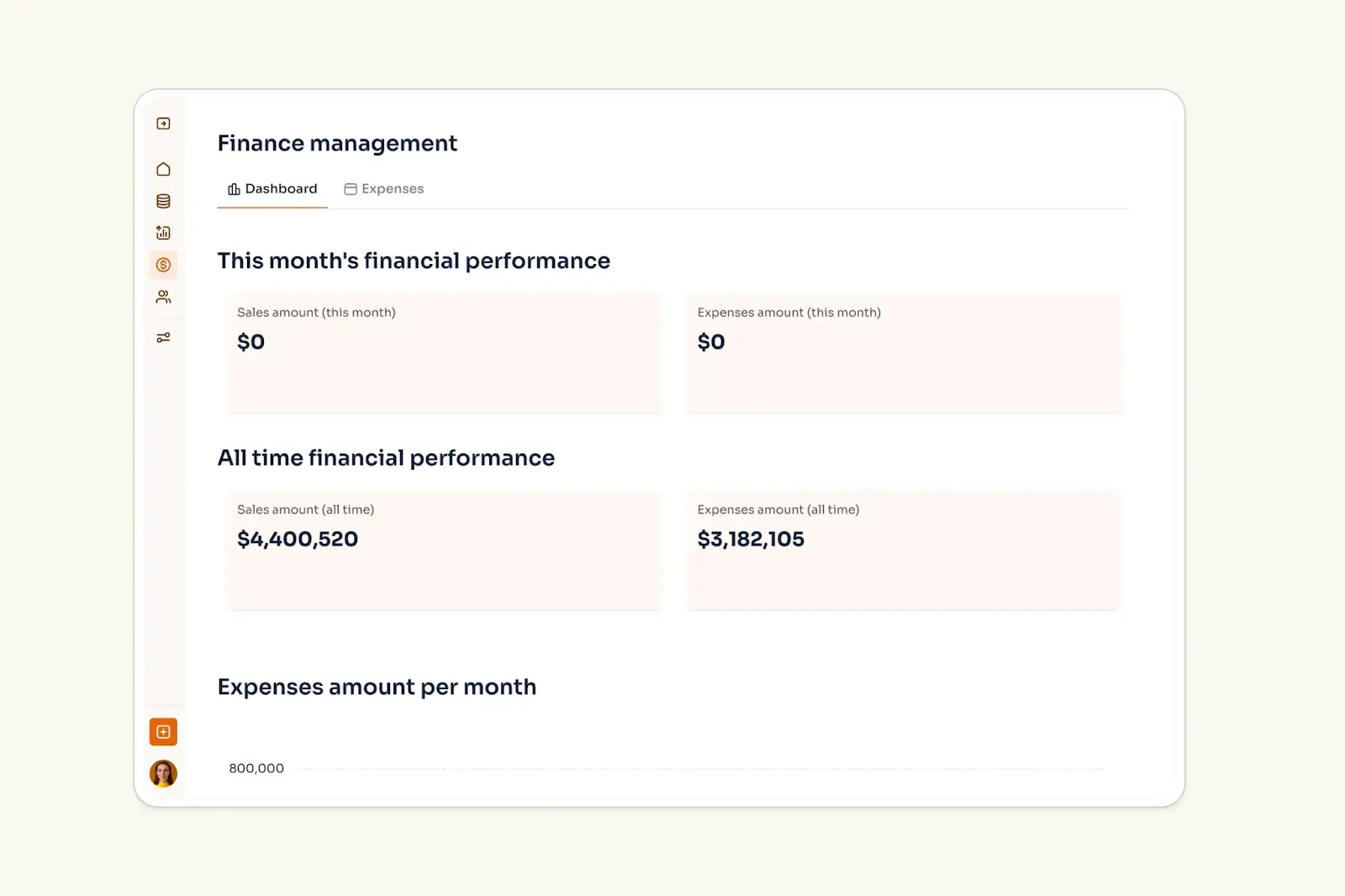
We talked about using no-code first platforms to build a custom ERP. Softr falls into that category.
It’s best for small to mid-sized businesses that want to customize their own platforms themselves, own outright, and evolve over time, without hiring developers.
You can connect Softr to existing data sources (like spreadsheets) or manage everything directly inside Softr’s built-in databases. From there, you design clean interfaces around that data, like inventory pages, order tracking, project dashboards, or customer portals.
Unlike traditional ERPs, you’re not locked into a vendor’s roadmap or dependent on consultants to make changes. Teams can build intuitive apps with role-based permissions and views themselves, so the system keeps pace with the business.
Softr pros
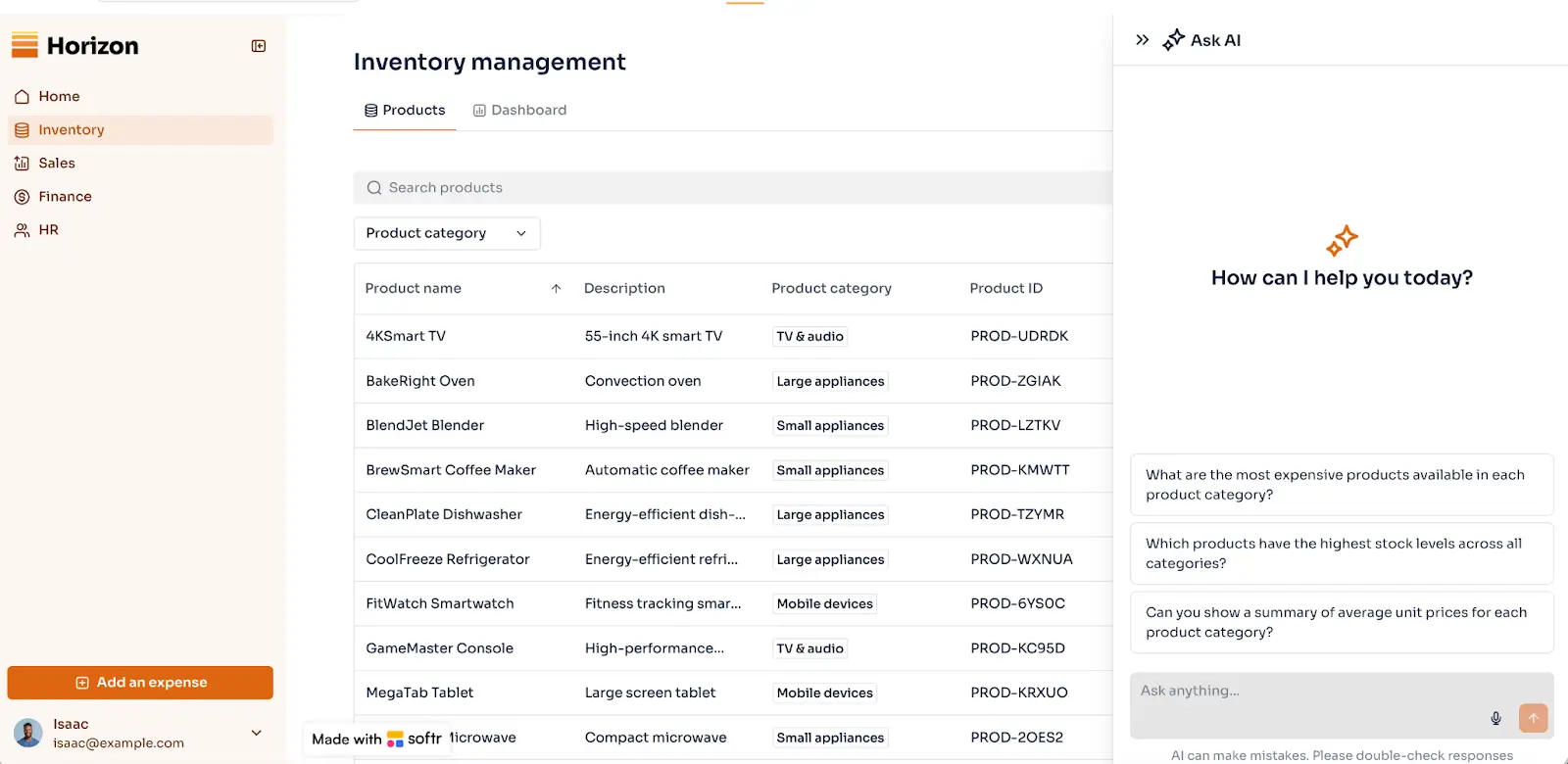
- Fast and easy to set up: Pre-built ERP templates and a drag-and-drop builder let you launch a working system in hours, not months.
- A built-in assistant inside your apps. Easily add “Ask AI”, which understands your ERP data, surfaces insights, and helps answer users' questions about performance, assets, and other operational details.
- Flexible, role-based permissions: Define exactly what each user group can see and do, so admins manage everything, teams focus on their work, and external users only access their own records.
- Consolidate tools and costs: Build ERPs, client portals, dashboards, and internal tools on one platform instead of paying for multiple disconnected systems.
- Scales as your business evolves: Start simple and add workflows, users, and features over time without replatforming.
- Clean and intuitive interface: Softr lets you build sleek, user-friendly dashboards and portals that your teams will actually enjoy using.
Softr cons
- Not a full accounting ledger: Softr integrates with accounting tools but isn’t a replacement for dedicated bookkeeping software.
Softr pricing
Softr offers flexible pricing plans, so you can build a knowledge base at any tier:
- Free for 5 total users
- Paid plans start at $19/month for Team: 5 + Client: 5 app users (when billed annually)
- Pro: Starts at $99/month for Team: 10 + Client: 50 app users (when billed annually)
- Business: Starting at $329/month for Team: 30 + Client: 100 app users (when billed annually)
- Enterprise (custom pricing, contact sales)
NetSuite — best for growth-focused businesses
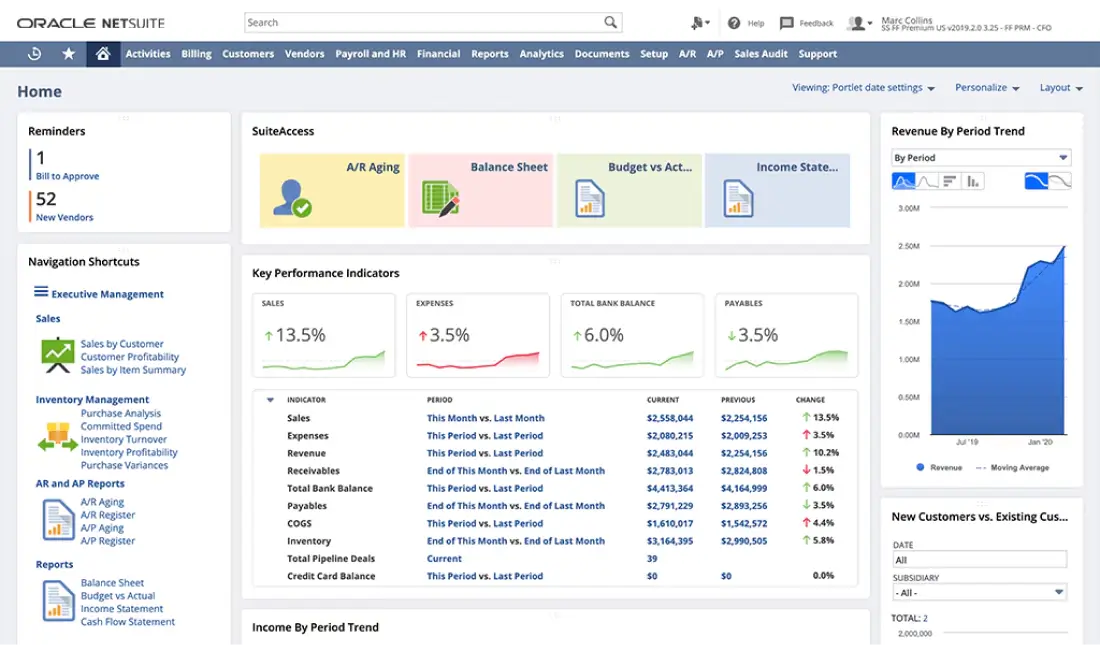
NetSuite is a comprehensive cloud ERP that combines accounting, inventory, order management, and CRM. It’s often used by businesses that have outgrown QuickBooks and want a system they won’t need to replace later.
There is a tradeoff though: cost and complexity. Implementation starts at $10,000 and requires real planning rather than a quick setup. The learning curve is steeper than simpler ERPs, but for businesses that know they'll outpace basic tools, NetSuite provides the room to scale without hitting a ceiling down the road.
NetSuite pros
- All-in-one ERP + CRM: Finance, inventory, sales, and operations in one system.
- Strong financial management: Multi-entity, multi-currency, and compliance support.
- Scales with growth: Handles complex operations as companies expand.
- Industry editions: Pre-configured workflows for different business types.
- Robust reporting and analytics
NetSuite cons
- High cost for small teams
- 10-user minimum
- Implementation is complex and time-consuming
- Requires external consultants
NetSuite pricing
- Free: No
- Paid from: ~$999/month (10-user minimum)
- Implementation: Typically $10,000+
Odoo — best for businesses that want a modular, open-source ERP
.webp)
Odoo is a modular ERP made up of dozens of integrated apps that all share the same database. Businesses can start with core functions like invoicing or inventory, then layer on additional modules (like purchasing or HR) as their needs grow. Because every app is natively connected, data flows automatically between teams, allowing businesses to build a full ERP gradually without replacing their system later.
Odoo pros
- Modular ERP system: Use only the apps you need.
- Broad functionality: Accounting, inventory, CRM, HR, projects, and more.
- Open-source flexibility: Deep customization possible.
- Large app marketplace
Odoo cons
- Customization often requires developers
- Free version has limited features
- Ongoing maintenance and support costs
- Can be overwhelming for very small teams
Odoo pricing
- Free: Community Edition
- Paid from: ~$24.90/user/month (Enterprise)
Scoro — best for professional services and agencies
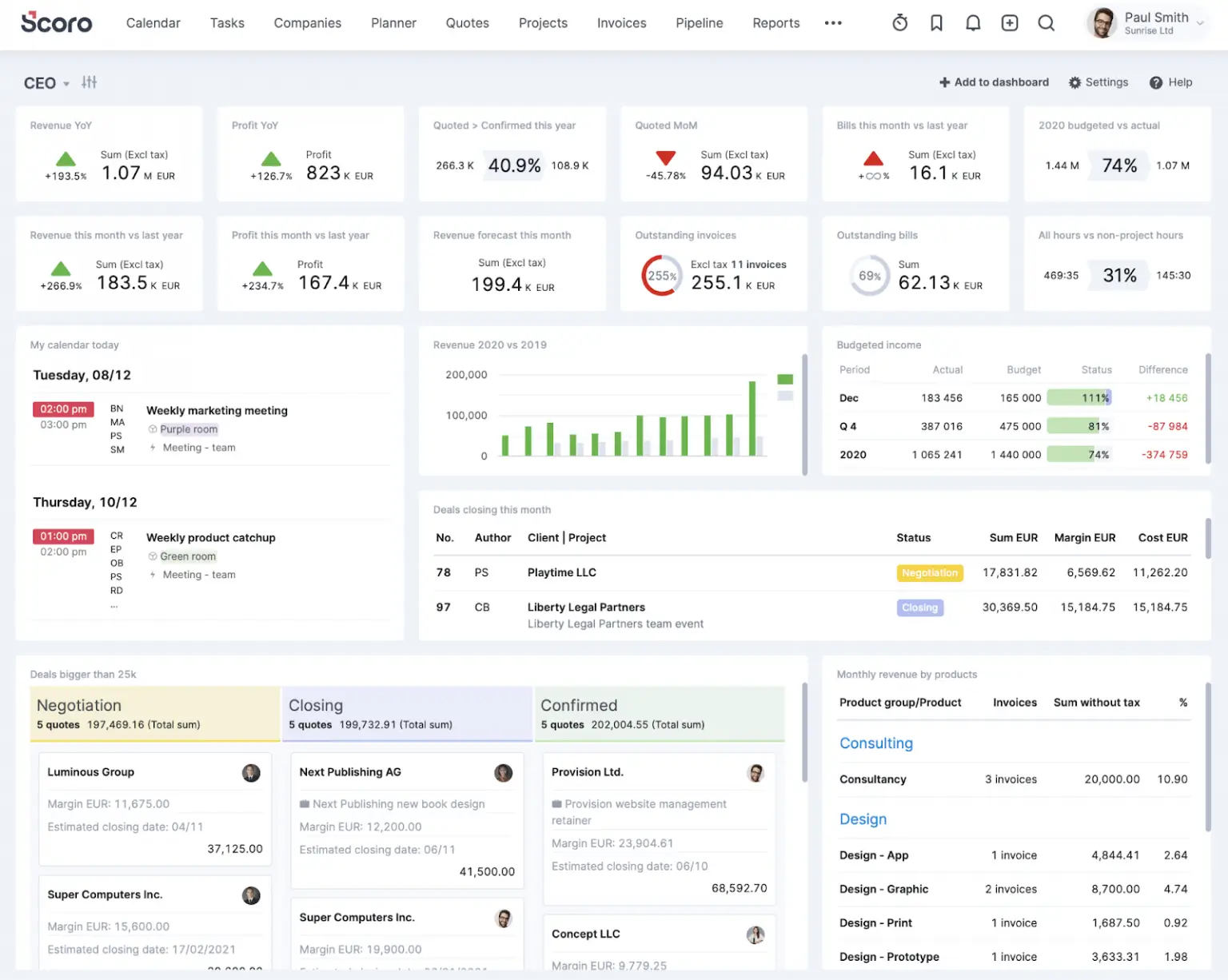
Scoro is an ERP-style platform built specifically for professional services. Instead of inventory and manufacturing, it focuses on projects, people, time, and profitability.
Scoro pros
- Project-financial integration: Budgets, time tracking, and billing work together seamlessly.
- Clear profitability tracking: See which projects and clients are actually profitable.
- Built-in time tracking: Flows automatically to invoicing and reports.
- Resource planning: Visualize team capacity and allocation.
Scoro cons
- Not for product businesses: No inventory or supply chain features.
- Service-focused only: Manufacturing or retail need different tools.
- Per-user pricing: Costs increase with team size.
Scoro pricing
- Paid from: $26/user/month (3 user minimum, billed annually)
Productive.io — best for agencies and consultancies
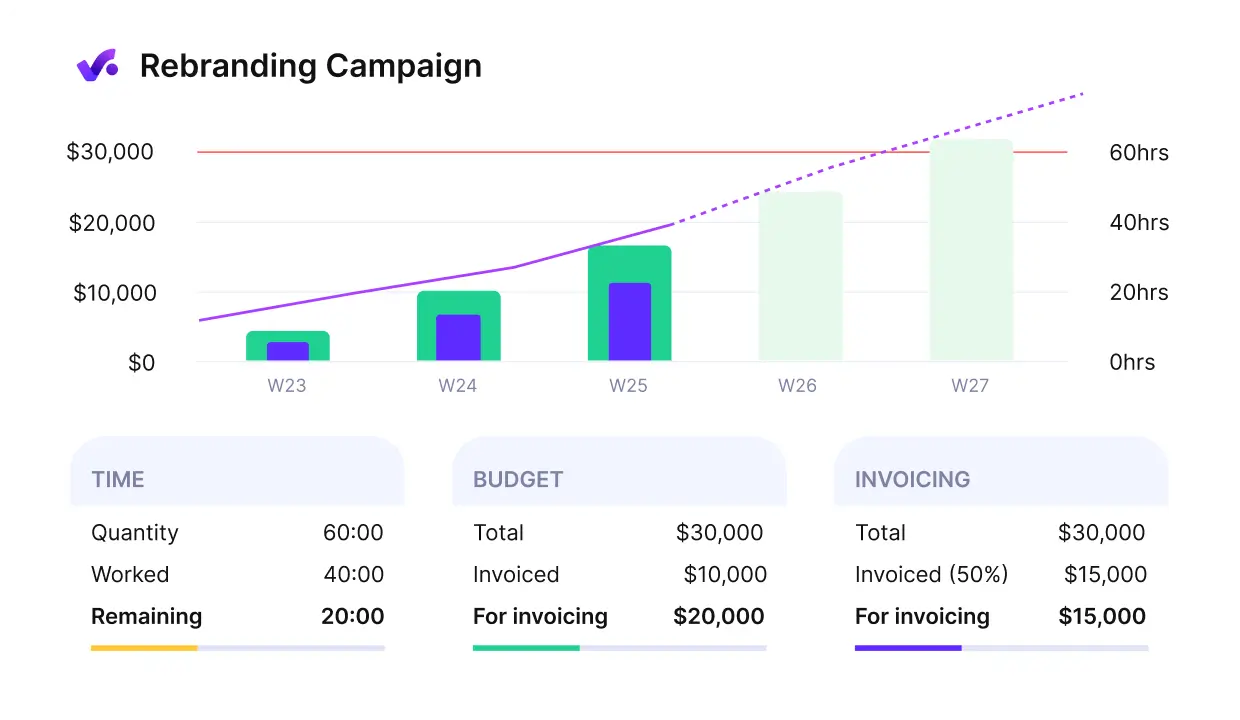
Productive.io is purpose-built for agency workflows. It connects project management with financial tracking so you can see budgets versus actuals, understand client profitability, forecast revenue, and manage capacity across projects. Everything from quote to invoice happens in one system.
Productive.io pros
- Purpose-built for agencies: Understands creative and consulting workflows.
- Strong profitability tracking: See which clients and projects make money.
- Resource planning: Manage team capacity and allocation across projects.
- Client portal: Share project status and deliverables with clients.
Productive.io cons
- Custom pricing: Need to contact sales for quotes.
- Agency-focused: Not suitable for product-based businesses.
- No inventory features: Service businesses only.
Productive.io pricing
- Custom pricing: Quote-based
ERPNext — best for tech-savvy teams wanting low cost
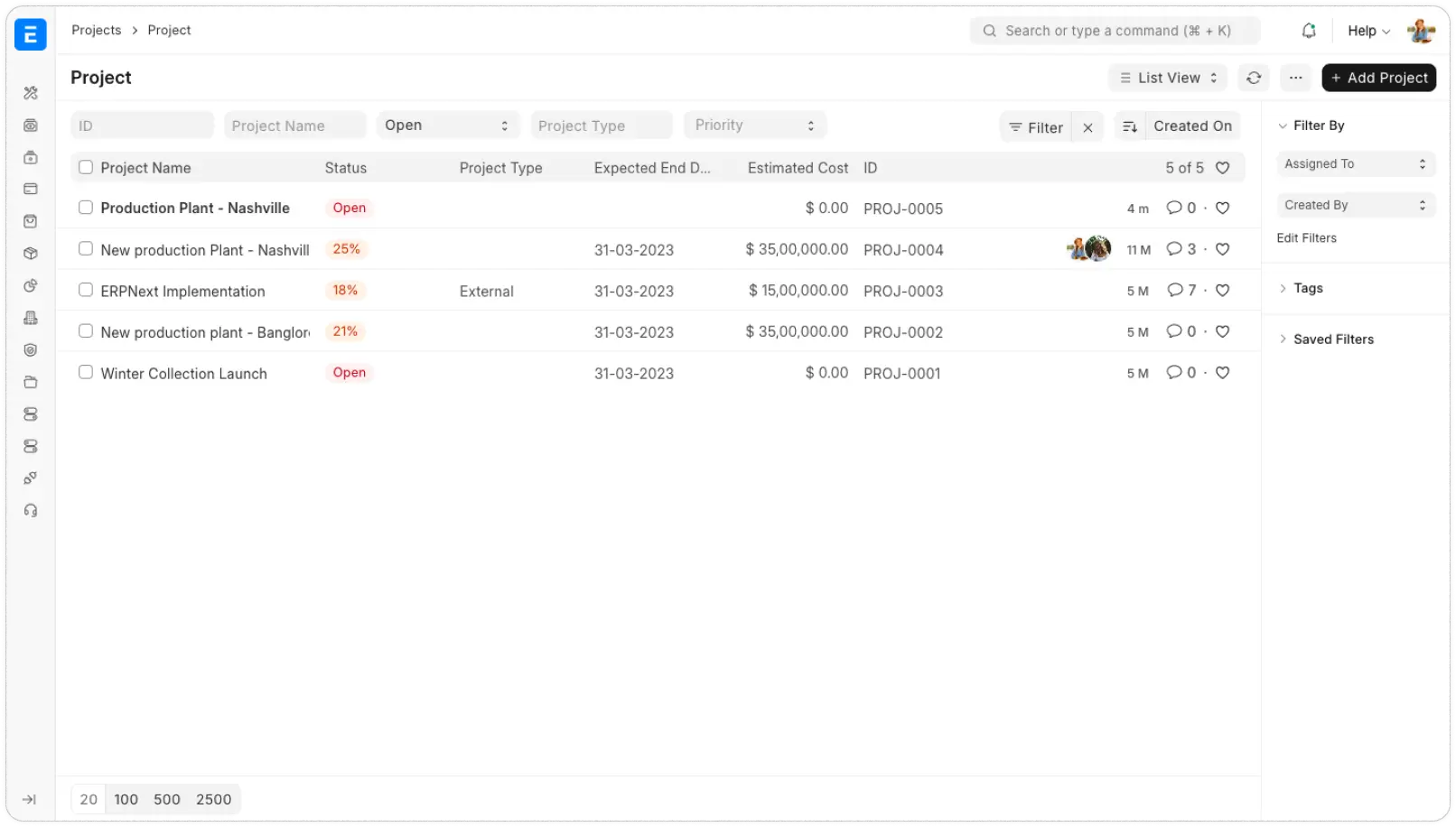
ERPNext is a fully open-source ERP covering accounting, inventory, HR, CRM, purchasing, and manufacturing. It’s popular with SMBs that want control over their system and minimal licensing costs.
Plus, data syncs automatically across modules and the interface is surprisingly polished for open-source.
ERPNext pros
- Free self-hosting: No licensing costs for unlimited users.
- Affordable cloud: $50/mo flat rate regardless of team size.
- Comprehensive coverage: All core ERP functions included.
- Auto-sync: Changes update everywhere automatically.
- Active community: Good support from users and developers.
ERPNext cons
- Technical setup: Implementation needs real expertise.
- Less polished: Interface not as refined as commercial options.
- Self-hosting burden: You handle maintenance and updates.
- Limited enterprise features: Missing some advanced capabilities.
ERPNext pricing
- Free: Self-hosted, unlimited users
- Cloud from: $50/month (unlimited users)
Find the right ERP for your small business
The right ERP should simplify how your business runs, not introduce another complex system to manage.
Instead of choosing the “most powerful” platform, focus on the operational gaps you’re feeling today, like outgrowing QuickBooks or struggling to track orders. The best ERP is one that solves those problems now while giving you room to grow later.
If you want a flexible approach, you can start with Softr’s ERP template and build an end-to-end system around your existing tools and workflows. No forced migrations, no long implementation cycles: just an ERP you can own, customize, and evolve as your business does.
Frequently asked questions
What features are essential in an ERP for small businesses?
Can small businesses build a custom ERP without coding?
How do I choose between a custom ERP and an off-the-shelf solution?


