Every team has a spreadsheet that shouldn't exist anymore. A CRM that outgrew its tabs, a partner list renamed "Partners List 2026," an inventory tracker with a monthly tab for March, April, and a half-finished May. Everyone knows it's messy, yet nobody kills it.
The reason is simple: when a knowledge worker needs something custom, the only tool most companies have ever handed them is a spreadsheet. So the spreadsheet absorbs everything it shouldn't: workflows, permissions, approvals, portals, reporting. This article covers the moment that stops working, what your team should use instead, and how to get there without code.
Why spreadsheets became the default
Spreadsheets are the only custom “mini-app builder” most knowledge workers have ever had. They're universal, cheap, and you’ve probably already got one open in another tab. Every company has access to Excel or Google Sheets, and almost none of them have "build a custom app" in their toolkit. So, teams stretch spreadsheets into CRMs, trackers, directories, inventories, vendor lists, approval queues, and anything else that doesn't have a dedicated tool yet.
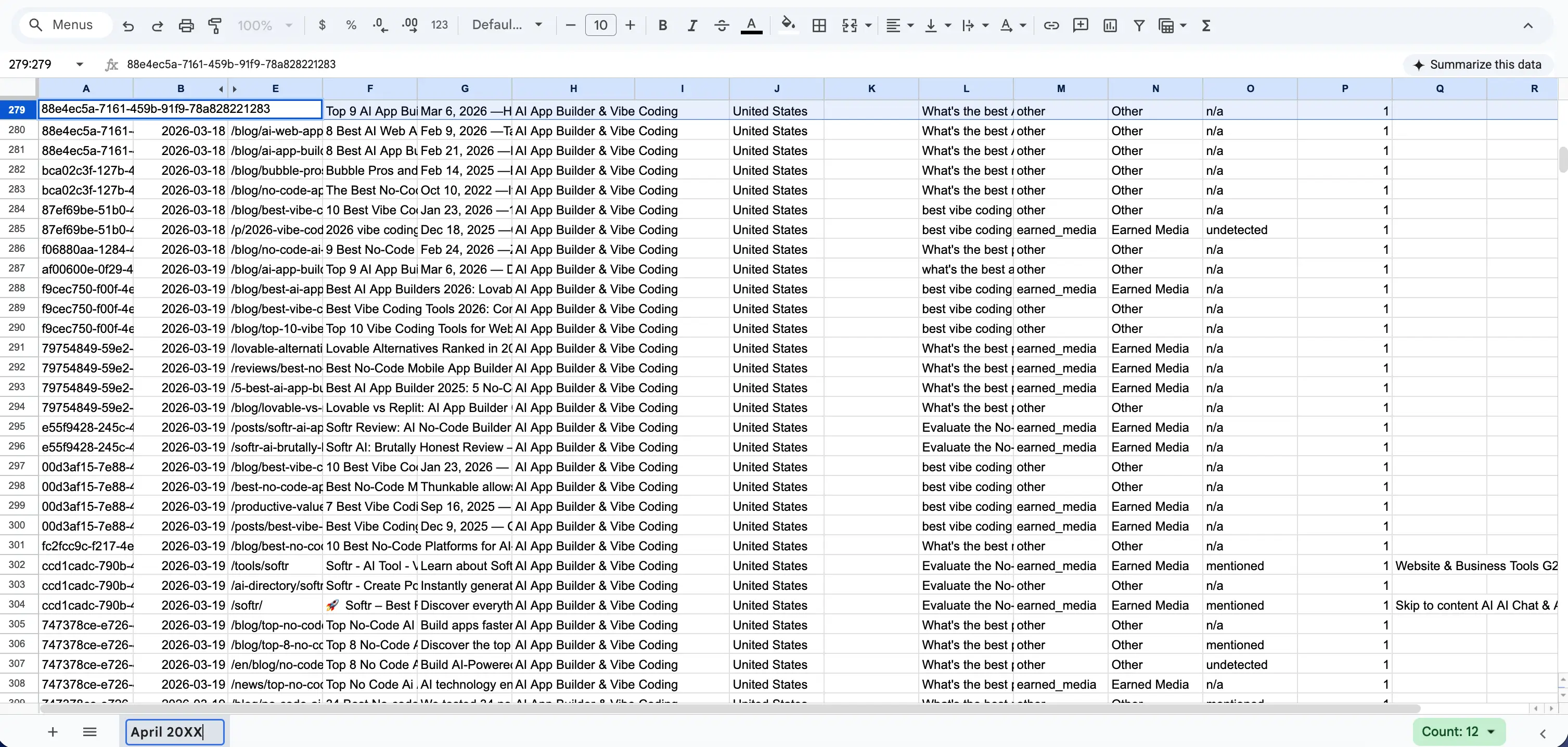
You can spot the pattern in the filenames: Partners List 2026, Leads v4 final, New Master Sheet (use this one). The name is a confession that the file is disposable, that there will be a "2027" version, that someone will eventually rebuild it from scratch. The same thing happens inside the file: a tab for March, a tab for April, a tab for "archive old," a tab called "DON'T TOUCH." You get the idea, everyone feels the cracks, but nobody has a better option.
"One thing we often see is spreadsheets with a six-month lifespan, then a new '2026' spreadsheet gets created." — Guillaume Duvernay, Softr
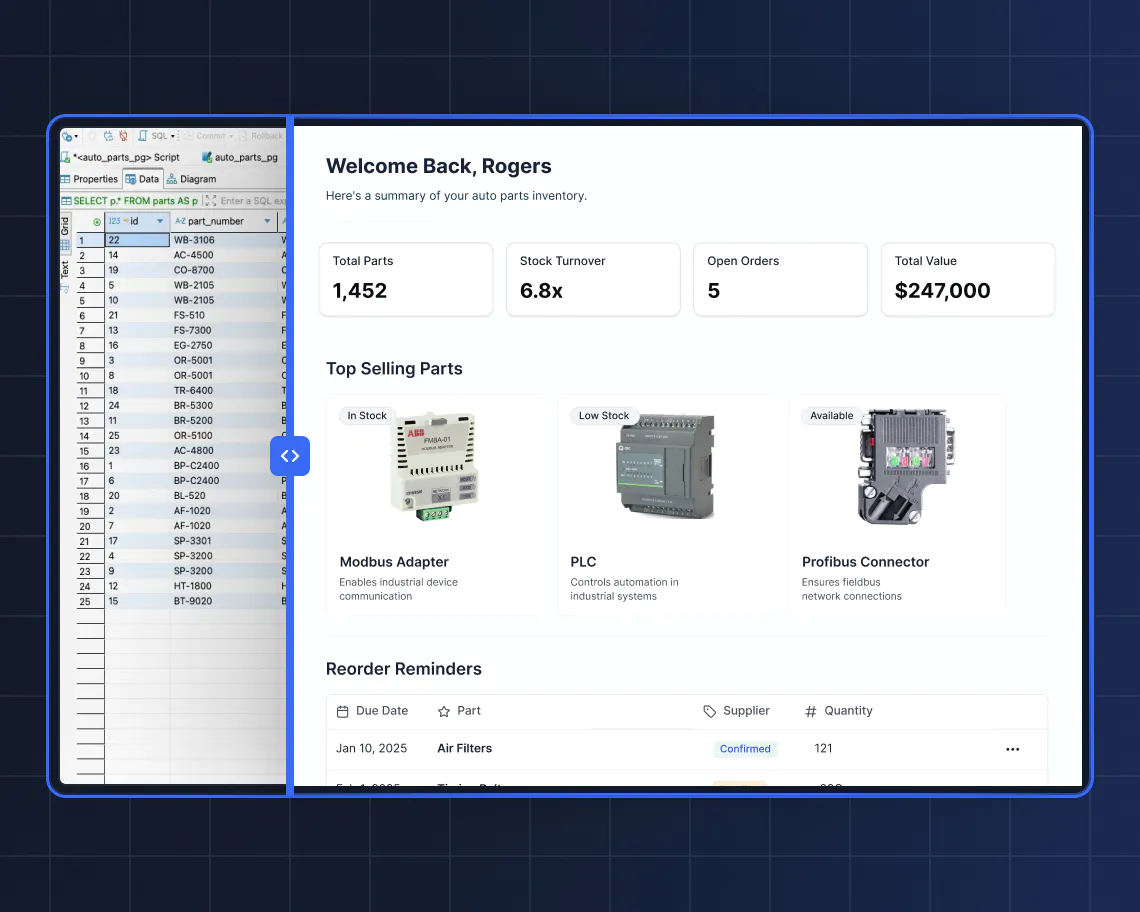
What fails when a spreadsheet fails
A spreadsheet works perfectly well as a spreadsheet. Problems arise when it's asked to behave like business software. The failures below aren't edge cases; they're the reason every company eventually lives with a "v2" rebuild or a monthly tab sprawl.
- Access is all-or-nothing: You either share the whole sheet or you don't. There's no clean way to say "each vendor sees only their own rows," "managers see salaries but employees don't," or "clients see their project but not their neighbor's." The moment you need role-based visibility, a spreadsheet stops being a tool and starts being a liability.
- Data types aren't enforced: A column meant for dates ends up holding not just dates, but comments and free text (sometimes in the same row). A missing apostrophe breaks a formula you forgot was there. There's no guardrail stopping someone from typing "ASAP" into a field that needs a number, which means every downstream calculation is one bad cell away from going wrong.
- Relationships are fragile: Real business data is relational: contacts belong to companies, tasks belong to projects, invoices belong to vendors. Spreadsheets fake this with VLOOKUPs and XLOOKUPs that hold together right up until someone renames a tab, inserts a row, or drags a formula down one cell too far.
- There's no real workflow: Changing a cell from "Pending" to "Approved" doesn't notify anyone, or trigger an email, or move the record anywhere. The status column is decorative. Approvals, reminders, and handoffs all have to live in someone's head, in a Slack thread, or in a recurring calendar nag.
- The grid isn't an interface: You can add a chart, but you’re still just looking at a table on a canvas. Nothing is clickable in a useful way, and new team members have to be taught which column matters and which is "just a note from 2023."
- Mobile is a non-starter: Pinching-and-zooming through a 40-column sheet on a phone isn’t an option. If you have field workers, delivery teams, technicians, or anyone who doesn't sit at a desk, a spreadsheet effectively locks them out of the tool that runs their work. They end up texting or emailing data to someone in the office who retypes it into the sheet, which is a bottleneck disguised as a process.
- Views reset on everyone: Filters, sorts, and hidden columns are global. Two people on the same sheet erase each other's view every time they open it. The person who finally gets the filters right on Monday finds someone else's mess on Tuesday. Real tools give each user their own view, while spreadsheets give everybody the same one.
Once three or four of these issues arise at the same time, it’s time to start seriously (and I mean seriously) considering a spreadsheet replacement.
Before you replace anything, audit what you have
The spreadsheet sprawl in a typical company is bigger than any one person thinks. Before picking (or building) an alternative tool, take an hour to map out what you’re replacing.
Ask each team a short set of questions: which spreadsheets do they use, what job does each one do, is the same data being typed into another tool, and which one causes the most weekly friction?
You'll usually find three things. First, a handful of sheets doing real operational work (the "master trackers"). Second, a lot of data duplicated across sheets and other tools. Third, one or two files that everyone dreads touching.
Start with the sheet that causes the most friction, but would also have the greatest impact if it worked properly. This is almost always a sheet where multiple people, roles, or external stakeholders touch the same data.
When is a spreadsheet still the right answer?
Not every spreadsheet needs to die. Sheets are excellent at a few specific jobs, and the goal is to stop using them where they fail, not to ban them outright.
- Keep the spreadsheet for complex financial modeling, forecasting, and "what if" scenario analysis. It's unmatched there.
- Keep it for one-off scratchpad work: dedupe a CSV before a mailing, sort 500 contacts for a single campaign, pull a quick list for a meeting.
- Keep it for solo or two-person work that nobody else will touch, where the risk of someone overwriting a cell is effectively zero.
- Keep it for data cleaning, since preparing a file before importing it somewhere else is exactly what spreadsheets are built for.
The tipping point is recognizable. Once you're juggling colored tabs and a growing list of broken lookups, the sheet has crossed the line from tool to problem.
What your team actually needs (the real requirements)
Strip away the spreadsheet habits for a minute and think about what a business workflow actually needs. The list below is what shows up in almost every operational app, whether it's a CRM, a client portal, a vendor tracker, or an internal tool.
- Reliable storage with enforced structure: A date field always contains a date. A status field can only hold one of the allowed values. Bad data gets rejected at entry, not discovered three weeks later.
- Connected data, not copied data: Contacts linked to companies, tasks linked to projects, invoices linked to vendors. Renaming a company updates everywhere. Pulling a company's total invoice amount takes one click, not a VLOOKUP.
- Role-based access: Admins see everything. Employees see their own records. Clients see their project and only their project. All from the same data, with no parallel copies.
- Private by default: Accessible to the people you've invited, through a real login, not a shared link that could leak.
- An actual interface: Pages, forms, buttons, kanbans, calendars, dashboards. Something that looks and behaves like the software people already use, on desktop and on mobile.
- Collaboration that doesn't step on itself: Each user has their own filters, their own view, their own homepage. Two people in the app at the same time don't erase each other's setup.
- Actions, not just cells: Approvals, reminders, status changes, notifications. "When this happens, do that," handled by the tool, not by a person remembering to send an email.
These aren't nice-to-haves. They're the baseline for any tool that more than a few people rely on. And, critically, they describe a custom business app, not a spreadsheet. The good news is that building one no longer requires an engineering team or a six-month lead time.
The best alternative: a custom business app, without the code
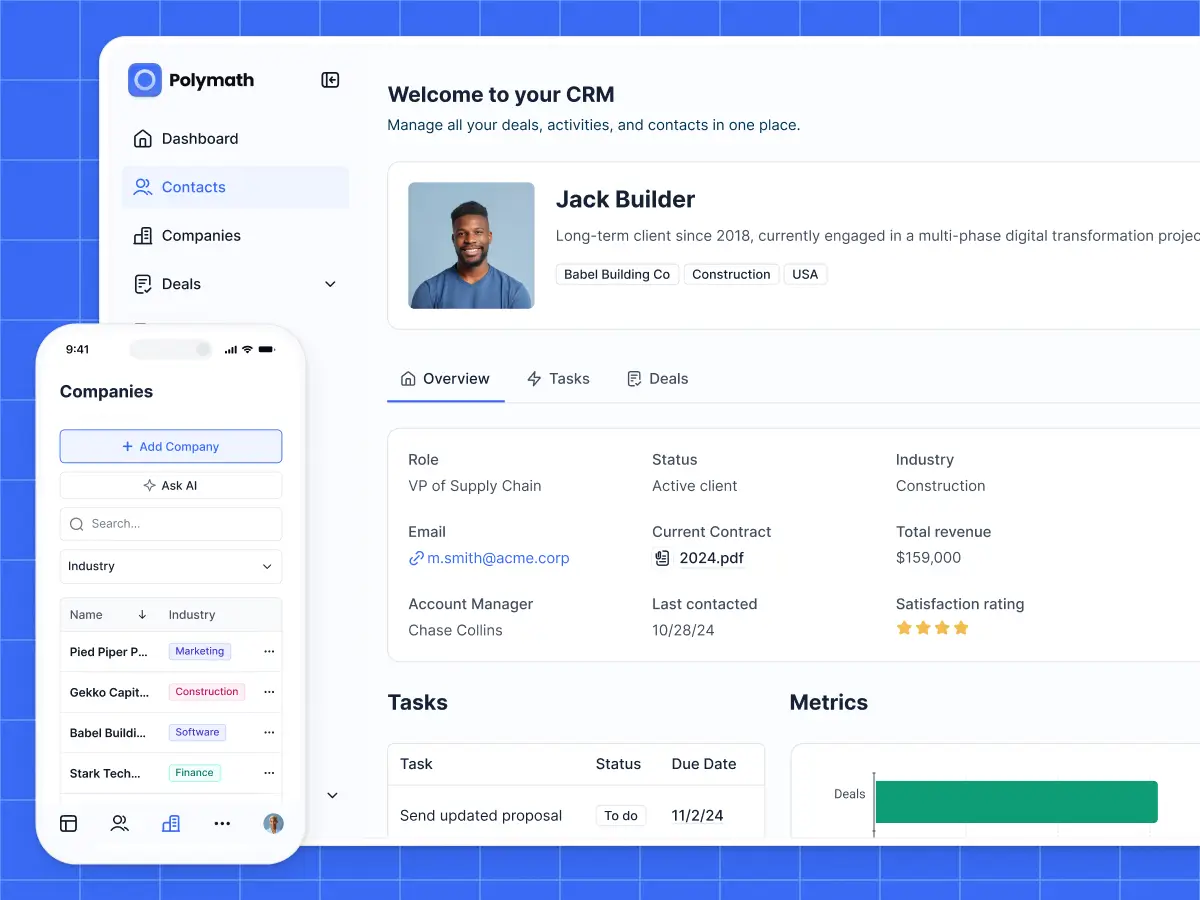
Softr is built specifically for the gap between "I wish we had a tool for this" and "we can't afford to wait for IT." Here’s how it works: you describe what you need, and the AI Co-Builder generates a working app with a proper database, real permissions, and a real interface underneath. This means no hosting to manage and no codebase to maintain.
This is roughly the same story customers tell once they've made the switch. One G2 reviewer described it as solving three concrete problems for their clients at once: data scattered across too many tools, the cost of custom development being out of reach, and having to depend on a developer for every small change. Those are exactly the failure modes a spreadsheet hits once it's asked to behave like software. If you're at that stage, our guide on how to convert spreadsheet to app walks through the transition in more detail.
Here's how the pieces map to the needs above.
Start with structured data, not a grid
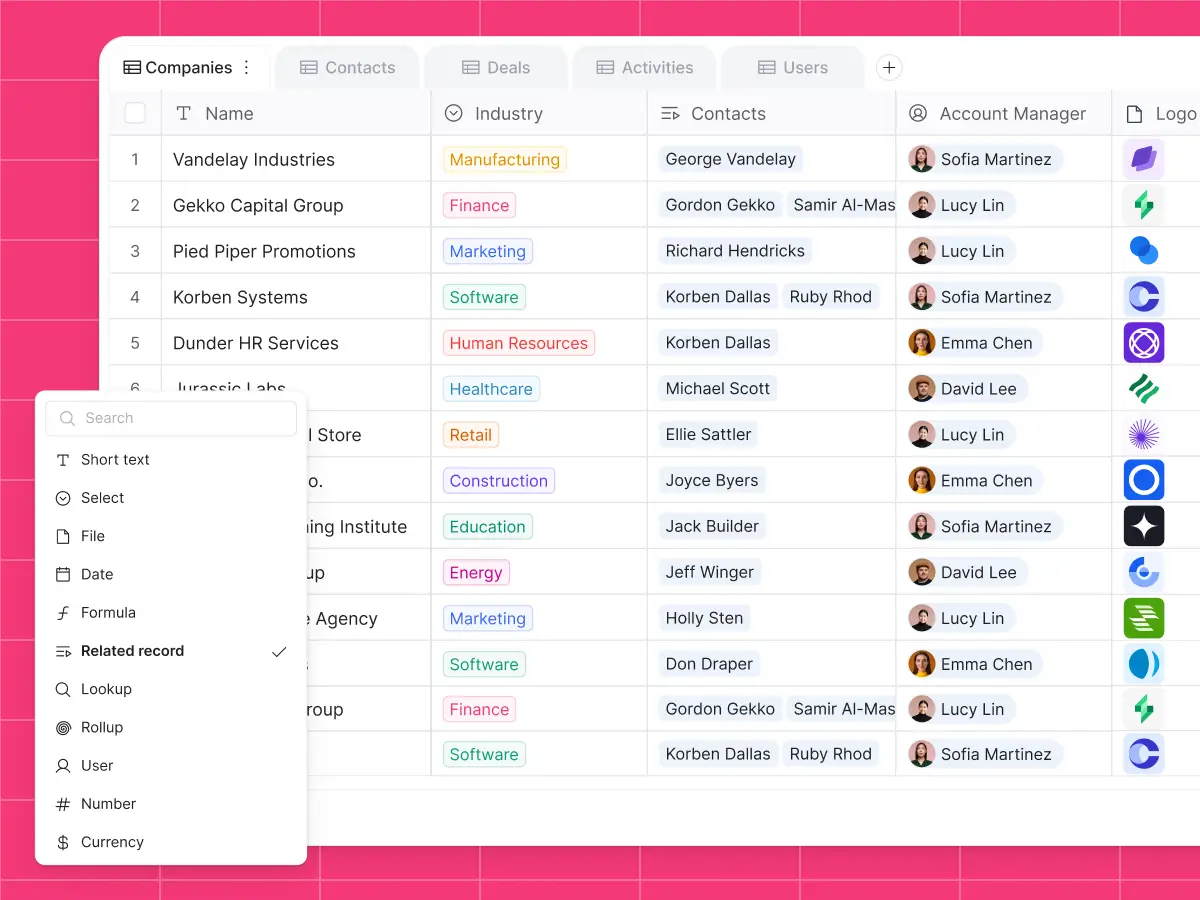
Softr Databases look familiar if you've used a spreadsheet before, but they behave like a real relational database. You define what each column can hold and how records are linked across tables. These are a few of the field types available:
- Text, long text, and rich text
- Numbers, currency, duration, and ratings
- Dates, and auto-generated created/last-edited timestamps
- Single-select and multi-select (with a fixed list of options)
- Attachments for files and images
- Linked records to connect one table to another
- Lookups and rollups that pull data through those links
- Formulas that compute values from other fields
The key differentiator is the linked records. Instead of typing "Acme Corp" into fifty rows and hoping the spelling stays consistent, you link fifty contacts to one Acme Corp record. Rename the company once, and every reference updates. Total the company's invoices with a rollup, automatically. The data becomes a structured object, not a pile of text.
You don't need many tables to cover a real workflow. About 80% of databases have between three and five tables, so start simple and add tables only as the process calls for it. A vendor tracker might be vendors, tasks, and invoices; a support tool might be customers, support staff, and tickets. Each field enforces its own type, so a date field only ever holds a date and a status field only holds one of its allowed values.
Softr also natively supports CSV imports, so the spreadsheet you're replacing becomes the seed of the new database. And if you prefer to keep existing data where it is, Softr connects to 21+ data sources including Airtable, Google Sheets, monday.com, and a REST API connector. One thing to keep in mind: external sources are read through their own APIs, which can be slow or rate-limited, so building natively in Softr Databases keeps your app fast, with API responses in milliseconds even as the data grows.
The data isn't the app
This is the biggest mental shift coming from spreadsheets. In a sheet, the grid is the interface, and everyone stares at the same cells. In a business app, the data sits underneath and the interface sits on top. The same database can feed an admin dashboard, a client-facing portal, and a mobile-friendly page for field workers, each showing different records and different actions based on who's logged in.
Softr's visual editor is where that app gets built. You work with native blocks that already behave the way people expect: tables, lists, kanbans, calendars, forms, charts, detail pages. Each block connects to your data in a few clicks and inherits your app's theme (fonts, colors, rounding) so everything looks consistent out of the box. This covers roughly 80% of what a typical business app needs.
For the remaining 20% (the edge cases that don't fit a standard block), Softr has a Vibe Coding block. You describe the custom component you need (a meeting-room scheduler, a drag-and-drop CSV importer, a pricing calculator), and the AI builds that single block inside your app. It inherits your theme, respects your permissions, and exposes editable settings so you can tweak titles, labels, and colors visually without re-prompting. The rest of your app stays untouched.
Work across devices
Every Softr app is also mobile responsive by default. The same pages that work on a laptop work on a phone, with layouts, tables, and forms that adapt automatically to the screen. On top of that, apps can be installed as a Progressive Web App (PWA), which means a technician, a delivery driver, or a field worker can add it to their home screen and open it like a native app on iOS and Android.
For field operations, this is the difference between a tool people actually use on site and a spreadsheet that lives on a laptop back at the office.
Permissions as a priority
In Softr, you define user groups and permissions at the app level. Most apps have two to four groups (admins, employees, managers, and clients are the most common examples). From there, you control what each group can do:
- Global data restrictions: Rules like "employees see only their own records," "clients see only their company's data," or "vendors see only their own tasks." These are applied at the database level, so even if a page is misconfigured, the data stays protected.
- Page visibility: Admins land on a full dashboard. Clients land on their project page. Employees see the team intranet. It’s the same app with different front doors.
- Block visibility: On a shared page, some blocks appear only for admins, others only for managers.
- Action buttons: A "Create new feedback" button can be visible only to admins. "Delete" can be restricted to managers. "Mark as paid" can be restricted to finance.
Setup is handled visually, not with code. You pick the group, determine what they can see, and Softr enforces it everywhere. That's what makes a Softr app safe to share with clients or external vendors.
Workflows and AI on top of your data
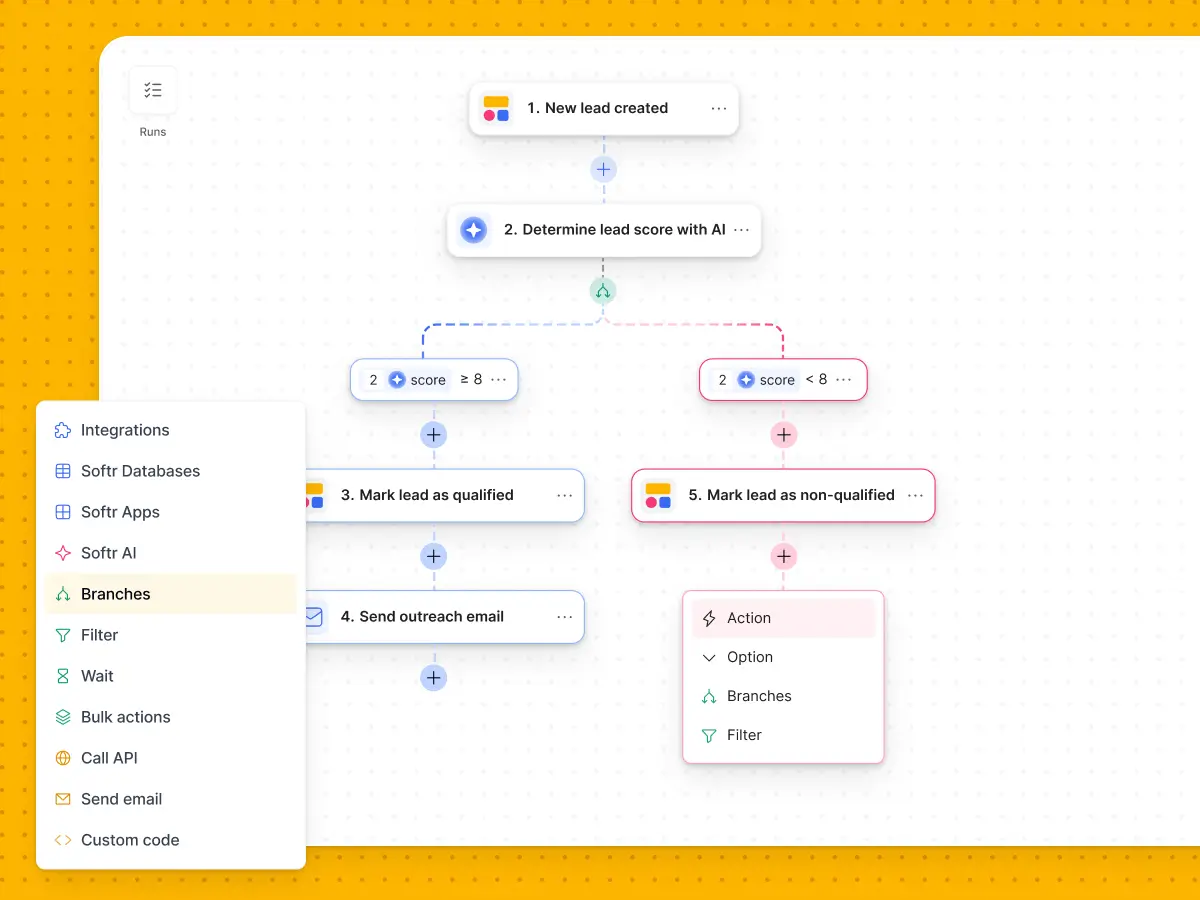
Once the database, interface, and permissions are in place, the app can start doing things a spreadsheet never could.
Softr Workflows handle the "when X happens, do Y" logic. When a new lead comes in, notify the owner on Slack. When a project is marked done, set all its related tasks to done and email the client. When a vendor submits an invoice, send it to the finance team for approval. All of this is visual, and all of it triggers instantly when your data changes. You can build each automation step by step, or describe it to the Workflow AI Co-Builder and let it assemble the logic for you.
Database AI agents work in the background directly on your tables. They can auto-fill missing fields, tag new records, extract data from a URL, summarize long text, or enrich a company record by searching the web. They only run on the events you select (on creation, on specific field updates, manually), so you control both the behavior and the cost.
And Ask AI turns any list, table, or kanban into a conversational interface. Toggle it on, and users can ask questions like "summarize this week's feedback" or "which vendors haven't submitted their invoice yet," answered strictly from the data they're allowed to see.
How to replace a spreadsheet with Softr
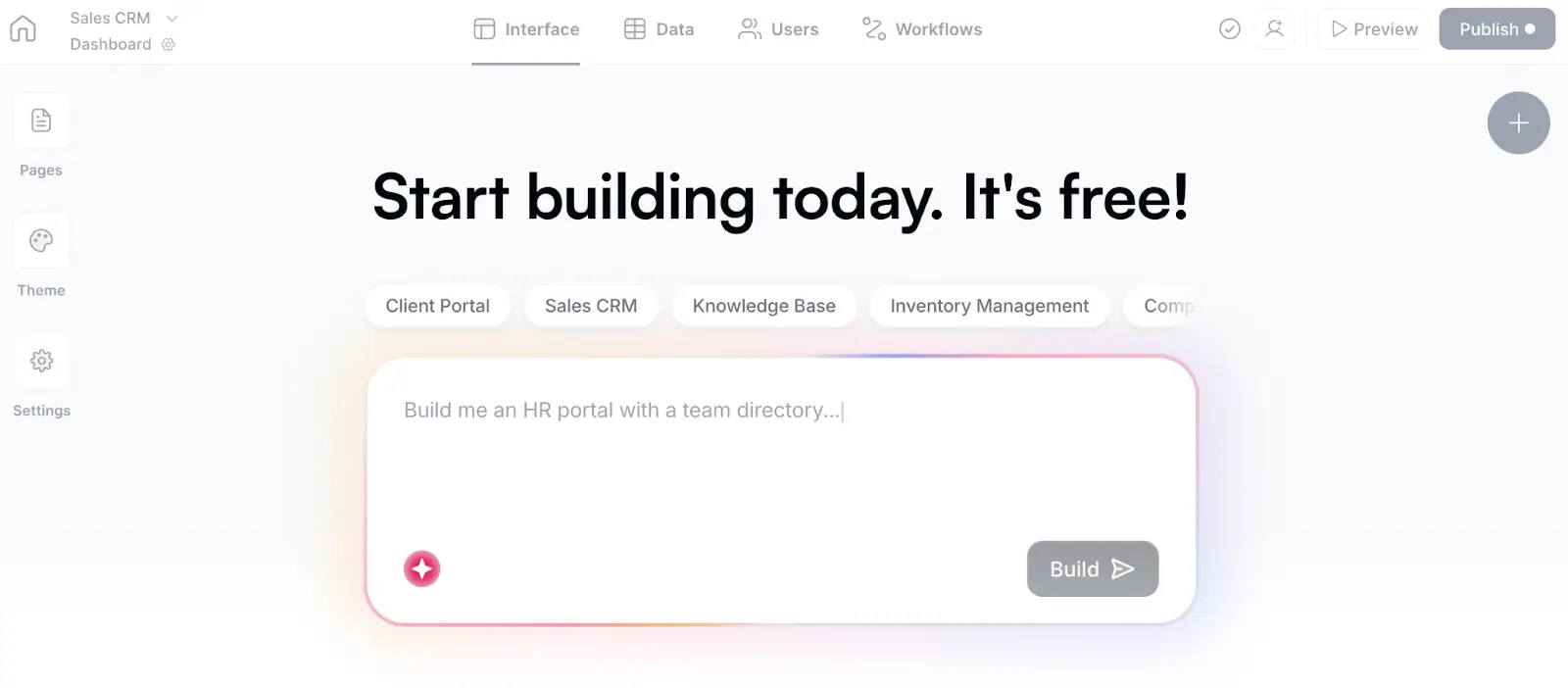
Here's the concrete path from broken spreadsheet to working app. You have three ways to start:
- Describe it to the AI Co-Builder. Write a short description of the spreadsheet you’re replacing (or your ideal app) and Softr generates a complete version: tables with relationships, pages, blocks, user groups, and sample data. It even infers sensible fields you forgot to mention (a status field, a created date) and adds example records so the app looks ready to browse. In most cases, the result is already five times more structured and more usable than the sheet it's replacing. From there, you edit visually or keep prompting, whichever you prefer.
"When you're sitting there not knowing where to start, building all the tables and fields is a lot of work. The AI bootstraps that so you can focus on the trickier things afterward." — Kai Schönberger, engineer behind Softr Databases
- Start from a template. Softr has 100+ templates covering the most common shapes: CRM, ERP, vendor portal, client portal, inventory manager, project tracker, applicant tracking system, and more. If your use case matches one of these, you're skipping most of the build.
- Build from scratch. You add tables, add pages, drop in blocks, and connect them to your data. A solid first version of most apps can be built in a few hours.
Whichever starting point you choose, the sequence you follow stays the same:
- Database first: Set up your tables, fields, and relationships before anything else. Success in Softr is 80% data structure. If the database is right, the rest is easy; if it's wrong, you'll have to rebuild later. Import your existing spreadsheet as a CSV, clean up the columns, and add the linked records that turn flat data into a relational structure. You can define this schema by hand, or describe it to the Database AI Co-Builder and adjust what it generates.
- Users and permissions second: Sync your users, define two to four user groups, and set up your global data restrictions. Do this before building the interface, so every page you build is already secure. (For a deeper example of how this plays out in practice, see our vendor portal build guide.)
- Interface third: Build the pages your users need, tailored to their group. Admins get dashboards and oversight views. End users get focused pages with the two or three features they use every day. Use kanbans for workflows with status stages, tables for lists, detail pages for deep dives.
- Workflows last: Once the core app works, add automations: notifications, reminders, approvals, data enrichment. This is where the app stops being a souped-up database viewer and starts saving you real time.
💡Pro tip: A key Softr benefit: you don’t have to choose between AI and manual editing. Anything the AI builds, you can adjust visually. Anything you build visually, you can ask the AI to modify or extend. You move fluidly between the two modes, and you're never locked into prompting.
The bottom line
Spreadsheets will always have a place for modeling, scratchpads, and solo work. But for anything collaborative, permissioned, or customer-facing, they’re not the right tool.
Now there's another option. Pick the spreadsheet that costs your team the most every week, describe it to Softr, and get a secure, fully-functional replacement in minutes. The first version you generate will already do things that make your sheet seem like a relic from a bygone era.
"You've seen how ridiculously easy it is to get started with a database today. AI changed the whole building process." — Kai Schönberger, engineer behind Softr Databases
👉 Try Softr free and start building a better future for your business.
Frequently asked questions
How do I know it's time to replace a spreadsheet with an app?
Do I have to move all my data out of Google Sheets or Excel?
How do I keep different users from seeing each other's data?
What if my use case isn't covered by a template?
Can I still use spreadsheets alongside Softr?