
The purpose of form builders can be summed up in a single line: getting information from the people connected to your business. This can mean customers, vendors, job applicants, new hires, and even internal team members — in short, anyone whose input, details, or requests your business needs to function.
Form builders exist because you can’t collect information from people over email without running into serious blockers. You need a purpose-built solution that helps you not only take in info, but also manage, organize, and act on it. There are a surprising number of tools like this out there, so this guide breaks down what form builders actually are, why teams use them, and how to find one that suits your business.
What is a form builder?
A form builder is software that lets users design and publish online forms to collect structured information from people.
In this context, structured means there are rules for what kind of inputs a form will accept, and you determine these rules up front to ensure you get the right kind of responses. This means specifying that a phone number has to look like a phone number, that certain fields can't be left blank, and that respondents select answers from a set list of options.
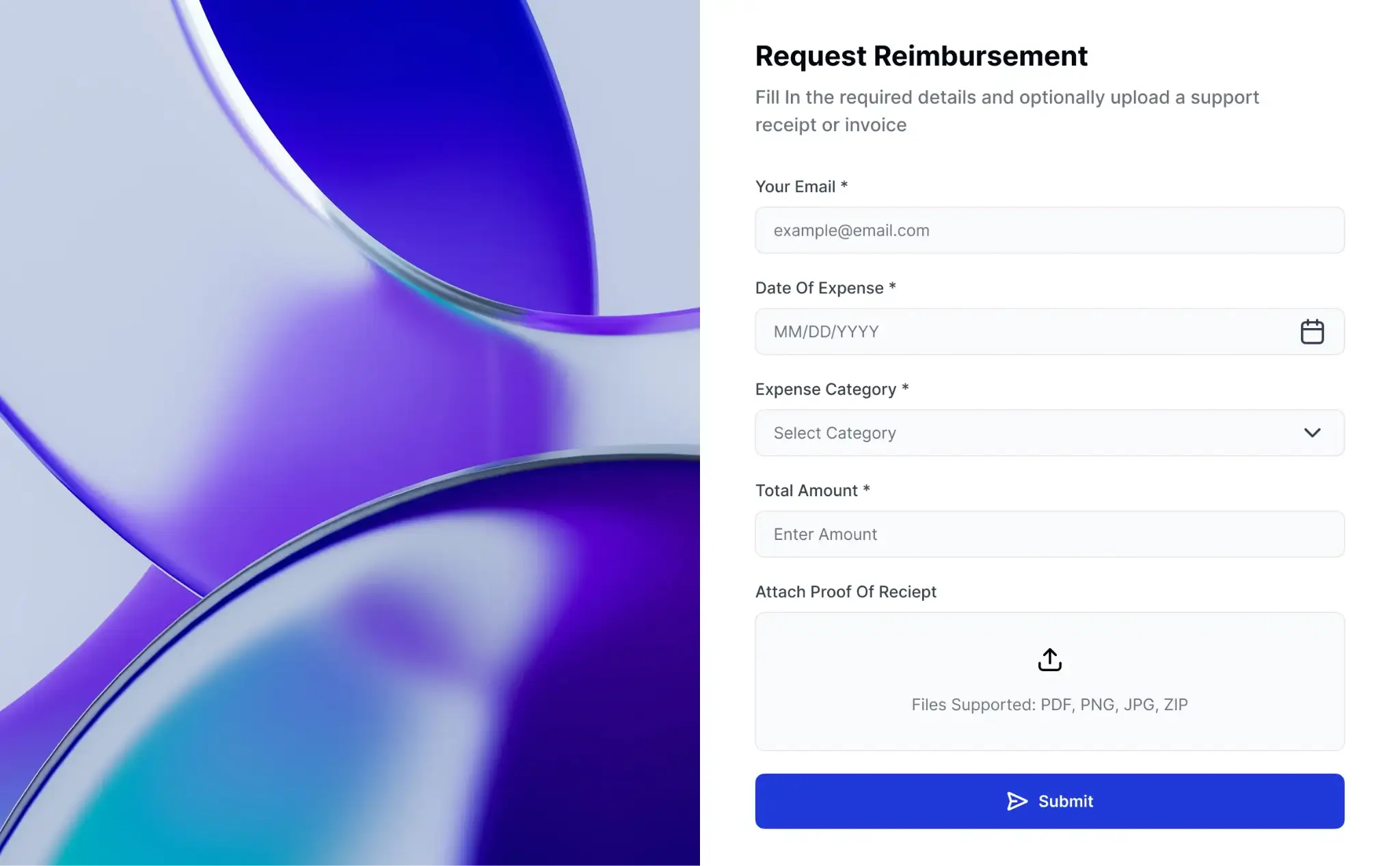
Many form builders also let you create multi-page surveys, add branching logic that adapts question pathing based on earlier responses, accept file uploads and e-signatures, or take payments. And the most feature-rich tools include native databases for storing submission data and workflow automation for routing and acting on responses without manual intervention.
Why use a form builder?
Businesses use form builders because manually collecting data over email (or another communication channel) is pretty much impossible to do at scale.
If you just need contact information from a handful of clients, email will work fine. But trying to get those same details from 5,000 clients? No chance. On top of this, there’s no way to set rules for response formats and required fields over email or within a shared document.
Form builders, on the other hand, let you do things like standardize inputs, route submissions to a centralized database, embed forms directly within web pages, and send automatic confirmation emails to respondents as soon as they submit.
| Form builder | Manual collection (Email/Docs) | |
|---|---|---|
| Scalability | Built to handle thousands of submissions automatically | Impossible to manage as response volume grows |
| Structure | Enforced rules with defined input types | Users input whatever text/format they want |
| Routing | Automated routing to databases, spreadsheets, or other tools | Requires manual data entry into other tools |
| Logic | Conditional logic adapts fields to the user | Users navigate irrelevant or static questions themselves |
| Follow-ups | Automated confirmations go out the moment someone submits | Requires manual replies to acknowledge receipt |
How does a form builder work?
At a foundational level, form builders are simple. You add your desired fields, configure them to accept the right kind of input, and publish the form to a URL or embed it somewhere people can find it.
- Fields are the individual questions or inputs on your form. Most builders offer a range of field types: short text, long text, dropdowns, checkboxes, file uploads, dates, signature fields, and more. You build your form by choosing the fields you need and arranging them in whatever order makes sense.
- Validation is how you enforce rules on what people can submit. You can require certain fields, restrict a field to a specific format (like a valid email address or a number within a certain range), or limit how many characters someone can enter.
- Conditional logic lets your form adapt based on how users respond. For example, if someone selects "other" from a dropdown, you can automatically reveal a follow-up text field. If they indicate they're an existing customer, you can skip over any new customer onboarding questions.
- Notifications keep your team in the loop without them having to check on every response. You can use them to set up alerts when new submissions come in or send automated confirmation messages back to respondents.
- Integrations connect your forms to the rest of your workflow. Many form builders can push submissions to tools like a CRM, a project management app, spreadsheets, or a Slack channel.
- Response management is basically the back-end of a form builder: a place to view, search, filter, and export responses that come in. This could be a relational database, dashboard, or a basic spreadsheet.
Most form builders let you add fields, configure logic, and customize styling using visual editors, although some have text-based interfaces.
Form builder examples
There are nearly as many form building apps as there are reasons for making a form. Some of the most popular examples are Google Forms, Jotform, and Typeform. Google Forms covers the basics for free, and works well for simple data collection. Jotform and Typeform have richer feature sets, but both have restrictive free tiers and can be costly to use at scale.
Softr Forms gets you the best of both worlds and more: unlimited forms and submissions on the free plan, deep customization and logic, and a native relational database for storing and acting on responses.
Here’s a simple newsletter subscription form built in Softr.
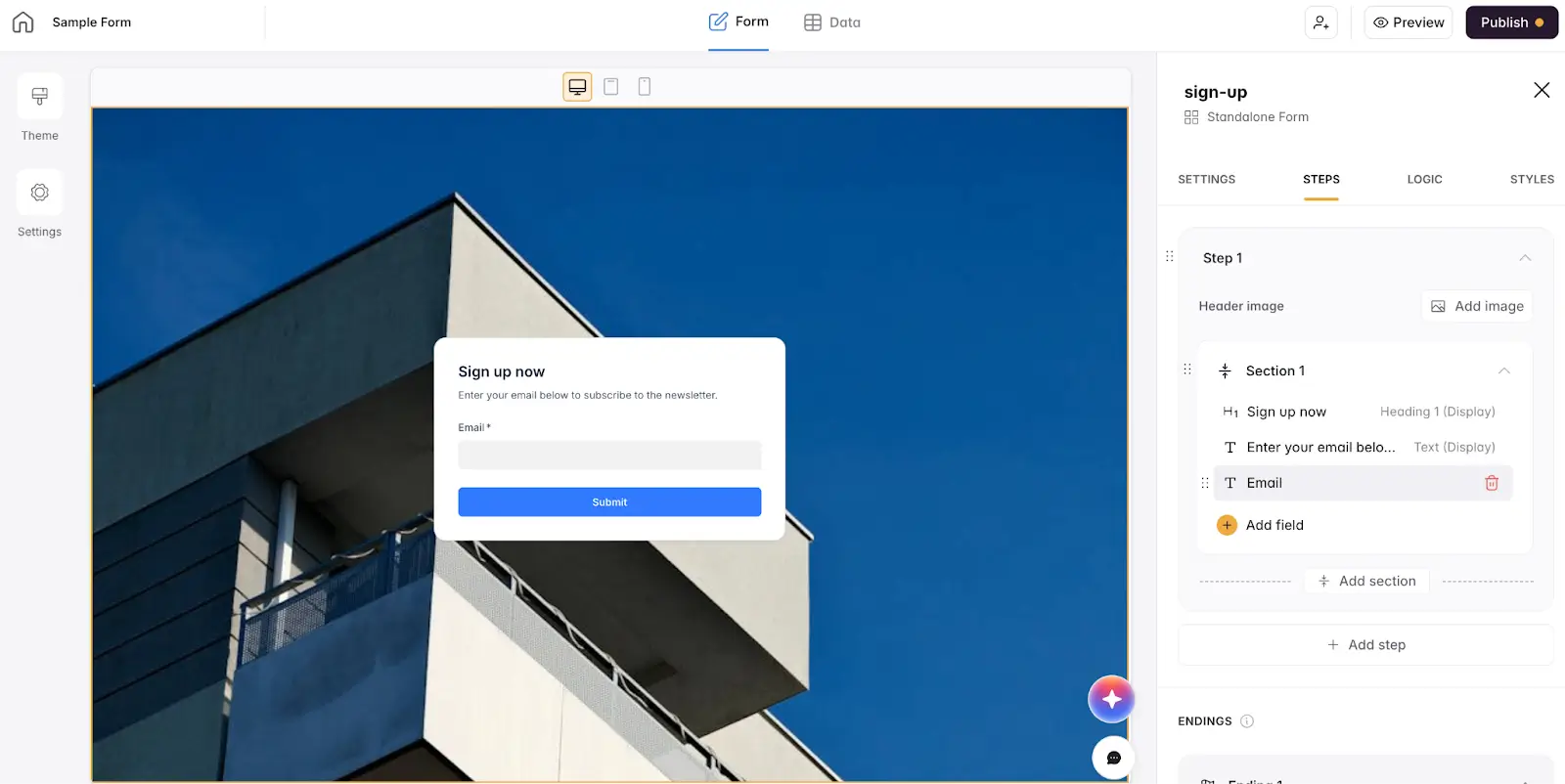
You’ll see on the right that you can easily add individual fields to each step of your form. Softr supports fields for emails and phone numbers, text blocks, checkboxes, dropdowns, quick-selects, dates, file uploads, signatures, star ratings, and more.
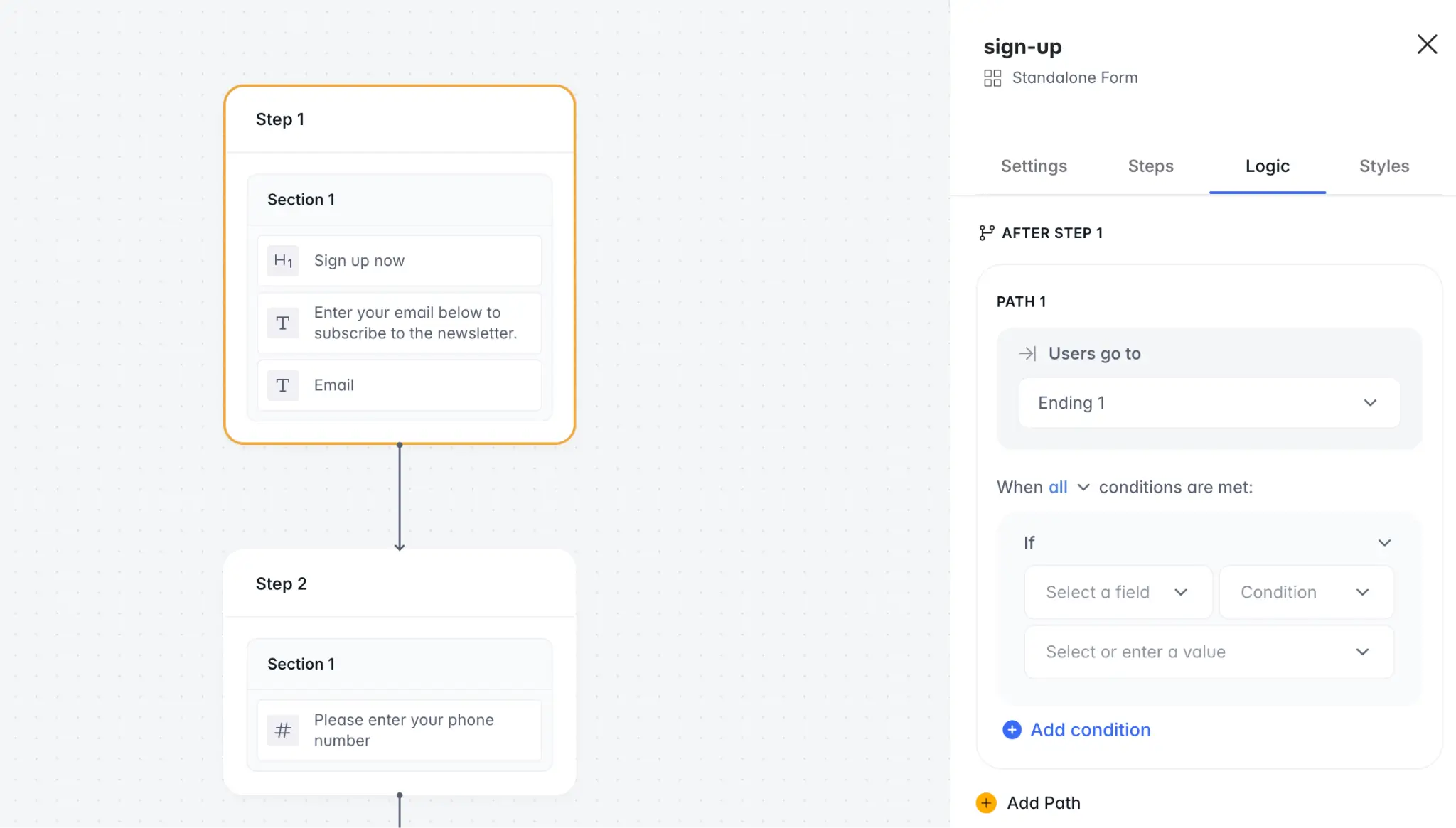
In the logic tab, you can set conditions that change how your form behaves based on what a respondent does (or doesn’t) input. Add an extra step that only appears if users prefer to be contacted by phone, or configure different endings depending on how they answered a question.
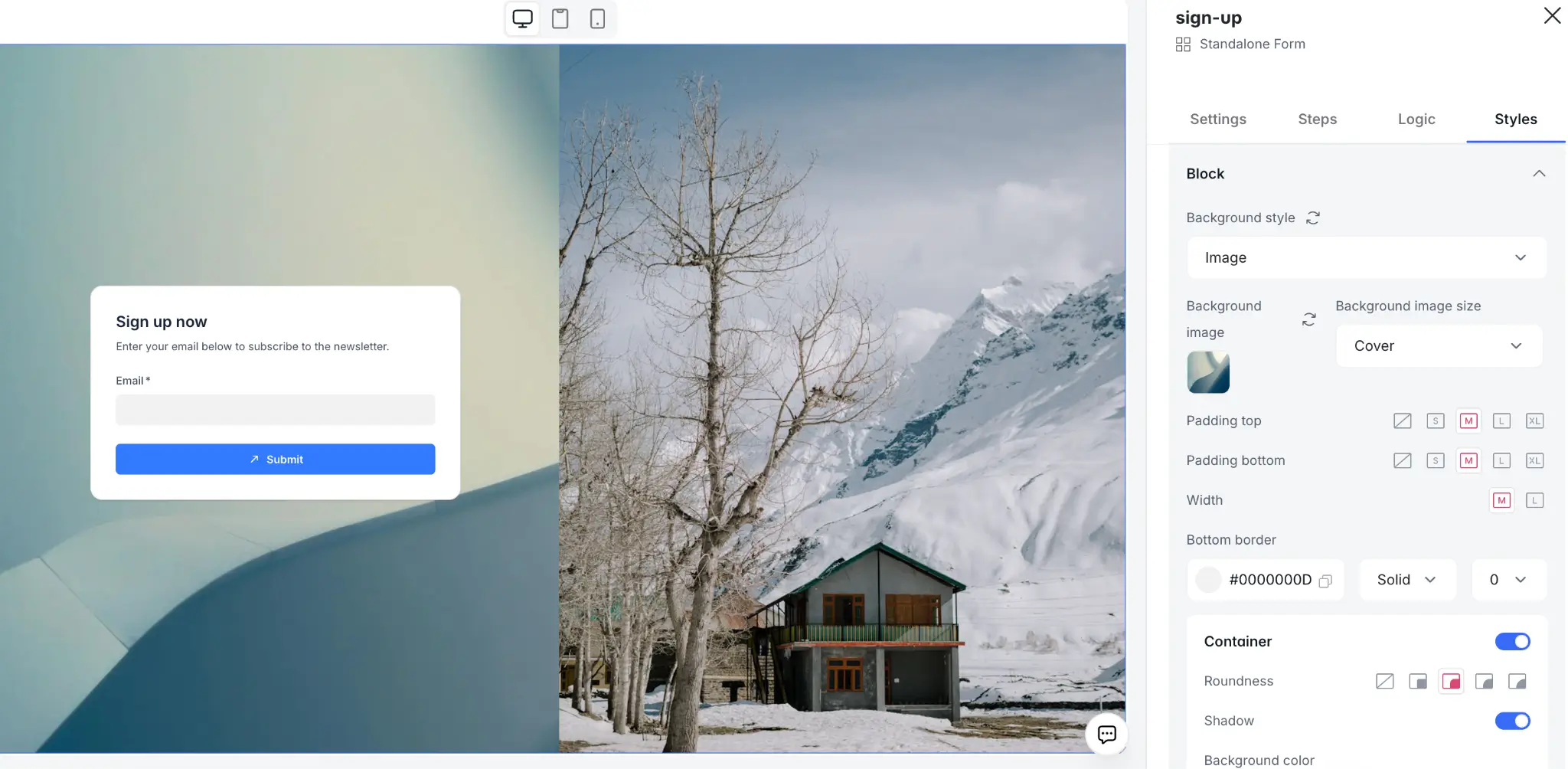
The Styles tab contains everything you need to tweak your form’s design, from layouts and fonts to background images and custom branding.
[.blog-callout]
✨See more examples in our list of the 6 best form builders.
[.blog-callout]
Form builder use cases
Form builders are useful across pretty much every function of a business, and this applies no matter what industry you’re in. Here are a few of the most common applications:
- Lead generation: Capture contact details and qualifying information from leads, automatically routing new prospects into your sales and marketing pipelines the moment they submit a form.
- Client onboarding and intake: Collect all the info you need from a new client in one place—contact info, project details, document uploads—so you can jumpstart the kickoff process.
- Job applications: Give candidates a consistent way to apply, and give your hiring team a consistent set of responses to evaluate.
- Event registration: Handle signups, session preferences, dietary restrictions, and payment in a single form, with automatic registration confirmation.
- Support and service requests: Replace vague customer service emails with structured requests that can easily be converted into support tickets and assigned to staff.
- Internal approvals: Whether it's expense reports, IT requests, or time-off submissions, forms bring consistency to internal processes that tend to get chaotic when handled ad hoc.
- Feedback and research: Collect product feedback, NPS scores, post-purchase reviews, or user research responses at scale.
Choose a form builder that aligns with your business
There's no shortage of form builders to choose from, so it's critical to find one that brings real value to your business. Google Forms may be good for simple surveys and questionnaires; but if you're collecting information at any kind of scale—and want to do something meaningful with that info once it comes in—you're bound to hit the limits of basic tools.
The problem is that more advanced form builders often gate critical features (like custom branding or no submission caps) behind higher-tier plans. Softr is an exception to that rule, with unlimited forms and submissions, deep conditional logic, and custom styling all available on the free plan.
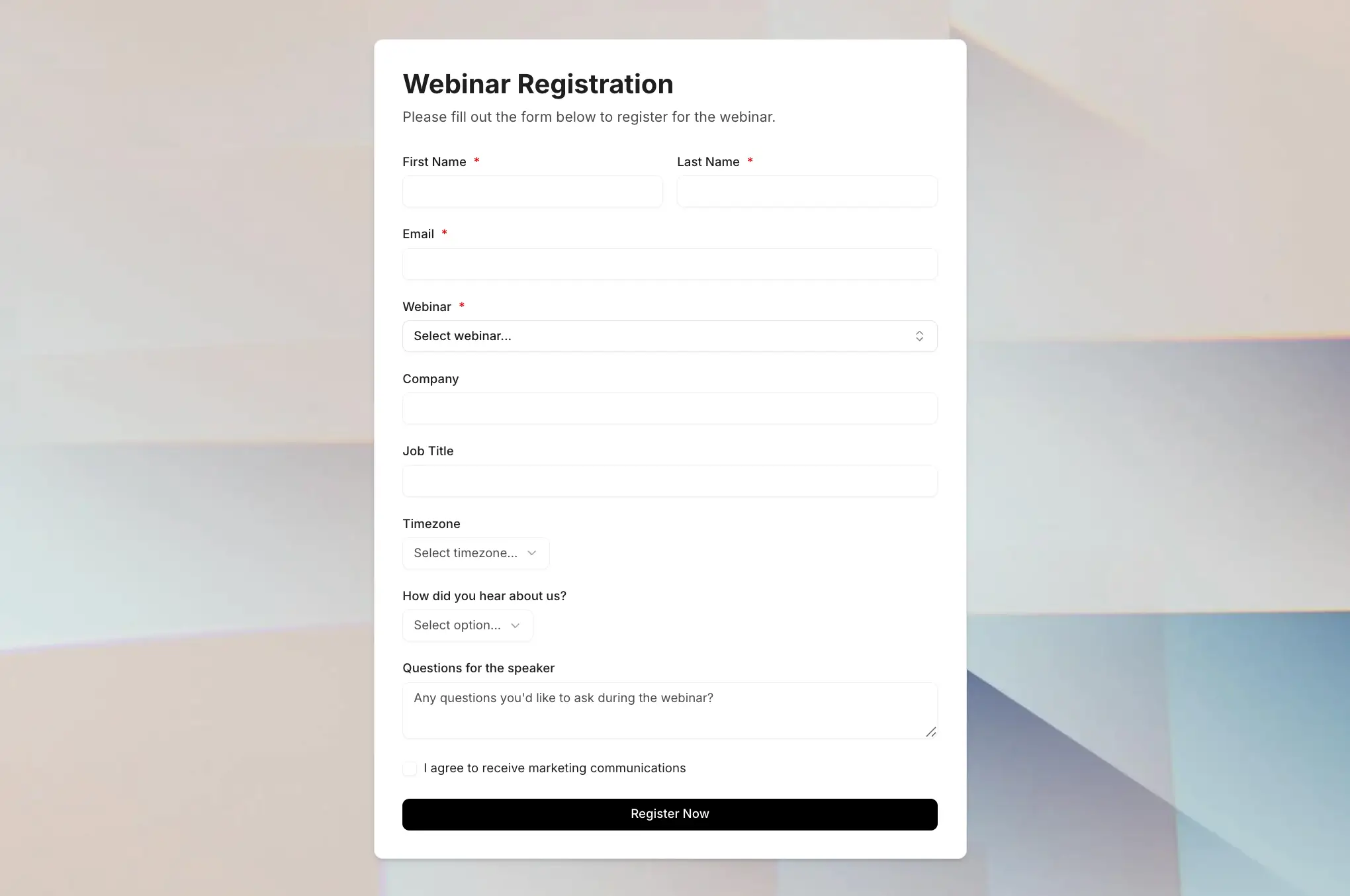
You also get a native database for storing and organizing submissions, plus support for 21+ external data sources. And because forms on Softr are one part of a larger platform, you can trigger automated workflows, build portals and dashboards, and act on responses without coding or stitching together third-party tools.
👉 Try Softr free and start collecting data that actually works for your business.
Frequently asked questions
Do I need technical skills to use a form builder?
What's the difference between a form builder and a survey tool?
Are form builders secure?