If you run marketing at a growing company, a big part of the job probably isn’t marketing anymore — it’s coordination. Chasing “where are we on this?”, digging for the latest version of an asset, updating the same status in three apps. Marketing automation is meant to take that off your plate. Here are the seven best for 2026, and what each one actually automates.
What is marketing automation software?
Marketing automation software helps teams automate repetitive marketing tasks like sending emails, nurturing leads, and triggering campaigns based on customer behavior. Instead of manually coordinating every touchpoint, these platforms handle communication at scale across channels (email, SMS, etc.).
But in practice, automation often solves only part of the problem. While messages run automatically, the internal work behind campaigns—like planning, approvals, assets, reporting, and cross-team coordination—still happens manually. That’s why many teams pair automation tools with systems that manage the operational side of marketing.
7 best marketing automation software tools at a glance
| Tool | Best for | Standout features | Pricing |
|---|---|---|---|
| Softr | Building automated marketing operations systems on top of your data & tools | • Custom workflows for campaign requests, approvals, assets, and reporting • Internal workflow automation • Role-based portals for teams and external partners • Real-time dashboards and AI assistants • No per-seat pricing for external users | Free plan available; paid plans from $19/month |
| Zapier | Connecting marketing tools and automating cross-app workflows | • Trigger-based automation between thousands of apps • Multi-step workflows with conditional logic • AI assistance for building automations | Free plan available; paid plans from ~$20/month |
| ActiveCampaign | Advanced marketing automation and customer lifecycle campaigns | • Visual automation builder for complex journeys • Built-in CRM and lead scoring • Multi-channel messaging (email, SMS, site messages) | Plans from $15/month (annual billing) |
| HubSpot Marketing Hub | Growing teams running inbound marketing and lead generation | • All-in-one platform with CRM integration • Automation workflows and nurturing • Campaign analytics and attribution reporting | Professional from $800/month; Enterprise from $3,600/month |
| Mailchimp | Email marketing for small businesses | • Beginner-friendly email builder with templates • Basic automation flows • Audience segmentation and tagging | Free plan available; paid plans from $6.50/month |
| Omnisend | Ecommerce marketing automation | • Prebuilt workflows for abandoned cart and post-purchase campaigns • Omnichannel messaging • Ecommerce integrations | Plans from ~$11.20/month |
| Clay | Data-driven outbound and lead enrichment at scale | • Multi-source lead enrichment • Automated prospect research workflows • AI-assisted personalization | Free plan available; paid plans from $134/month |
What to look for in marketing automation software
You’ll want an marketing automation tool that does more than send abandoned cart emails. Here are some key features to look for when homing in on a choice:
- Flexible workflow automation: Real automation should handle approvals, routing, and internal processes instead of just outbound messaging.
- Centralized campaign tracking: You’ll want a single workspace where you can see timelines, statuses, owners, and dependencies across campaigns without chasing updates.
- Role-based permissions: Control who can view, edit, or approve information, assets, copy, and more.
- Asset and file organization: Built-in storage or integrations to keep creative assets, briefs, and documents attached to the right campaign.
- Cross-team coordination features: Marketing automation often fails when stakeholders outside of marketing aren’t aligned.
- Customization to fit your processes: Out-of-the-box tools force teams to adapt their workflows instead of supporting how they already operate.
- Scalability without tool sprawl: The platform should reduce the need for extra tools, not expand the stack.
- Reporting that connects activity to outcomes: Look for tools that tie campaign activity to key metrics like pipeline generated, revenue influenced, or leads converted.
1. Softr — best for building automated marketing operations systems on top of your data & tools

Softr allows marketing teams to build a central workspace for everything that happens in and around their campaigns. Instead of adding another app (and subscription) to your stack, it lets you create custom apps on top of a native relational database (or on top of external data) to manage requests, approvals, assets, timelines, and reporting in one place. Because marketing workflows run inside the same system where your campaign data lives, your team doesn’t need separate automation tools to keep work moving. You can build an end-to-end marketing system where requests are structured, responsibilities are clear, and progress updates happen automatically at scale. This makes it a strong complement to traditional marketing automation tools: while those platforms automate communication with customers, Softr automates the internal processes that keep campaigns moving from idea to execution.
Softr pros and cons
Pros
- Easy to set up and maintain: Non-technical teams can build and launch automated marketing tools and workflows in minutes with an AI Co-builder and a visual, drag-and-drop editor.
- Granular role-based permissions: Control who can view, edit, or approve campaigns, assets, and performance data based on role or team. Campaign owners can manage timelines and tasks, executives can access high-level dashboards, and external partners can only see the projects they’re involved in.
- Search, filtering, and AI-powered insights: Quickly find campaigns, assets, requests, or performance data using filters instead of digging through folders or threads. With Ask AI, teams can ask questions like “Which campaigns are waiting on approval?” or “What launched this week?” and get instant answers.
- Scales with your marketing operations: Add new campaign types, regions, teams, or workflows as your marketing efforts expand without rebuilding your system or paying for new tools.
- Live chat support + active community: Get help when you need it and learn from how other teams structure their marketing operations, workflows, and automation setups.
Cons
- Not an out-of-the-box marketing automation tool for things like email sends and paid ads
Softr best features
- Native workflow automation: Automate multi-step actions like enriching campaign data, updating project statuses, notifying stakeholders, or assigning tasks. Trigger workflows from data updates, form submissions, in-app actions, and more.
- Data integrations with real-time sync: Use Softr Databases to replace spreadsheets and manage data and apps in one platform; or build apps on top of existing data sources (like Airtable, Notion, or HubSpot, anything with Rest API).
- Database AI Agents: Configure AI agents directly inside your database to categorize, summarize, analyze, or enrich records automatically.
- Built-in campaign planning workspace: Map out campaigns across timelines, channels, and audiences in one place so your team can see what’s coming up, what’s in motion, and what needs attention.
- Performance visibility without manual reporting: Track goals, KPIs, and results through live dashboards instead of compiling updates from multiple tools at the end of each week.
- Budget and spend tracking alongside execution: Keep campaign costs, vendor invoices, and spending tied directly to each initiative so financial oversight isn’t separated from the work itself.
- Organized asset hub for every campaign: Store creative files, copy, and supporting materials where the team actually works, making it easy to find the latest version without digging through folders.
[.blog-callout]
👉 See how Guillaume and Shiran build a content management portal and automate writer management with Softr.
[.blog-callout]
Softr pricing
Softr has predictable pricing tiers and a generous free plan.
- Free: Unlimited apps, with access to Softr Workflows, Softr Databases, Softr MCP, 5 app users, 5,000 database records
- Basic ($19/month): Unlimited apps with 42+ integrations, Team: 5 + Client: 5 app users, custom domain, conditional section visibility, and 2 form-logic branches
- Pro ($99/month): Unlimited apps with 45+ integrations and custom code, Team: 10 + Client: 50 app users, removing Softr branding, calling external APIs, OTP/Google sign-in, advanced permissions & input validation, comments & mentions, e-signature, inline editing, exporting CSV & PDF, embedding a block on other sites, onboarding flows, unlimited form-logic branching, custom email sender, and custom user groups (up to 3)
- Business ($329/month): Unlimited apps with 52+ integrations, Team: 30 + Client: 100 app users, 1,000,000 database records, two-factor authentication, domain-restricted signup, push notifications, an installable mobile app (PWA), advanced security settings, global search, conditional filters for user sync, and custom user groups (up to 10)
- Enterprise (custom pricing, contact sales): SSO (SAML/OpenID), SCIM, IP whitelisting, custom limits, bring-your-own API key for AI actions, and advanced security & governance
[.blog-callout]
✨ AI-powered marketing templates from Softr you can try for free.
- Freelancer Management Template
- Content Calendar Template
- Project Tracker Template
- AI CRM Template
- Client Portal Template
[.blog-callout]
2. Zapier — best for connecting marketing tools and automating cross-app workflows
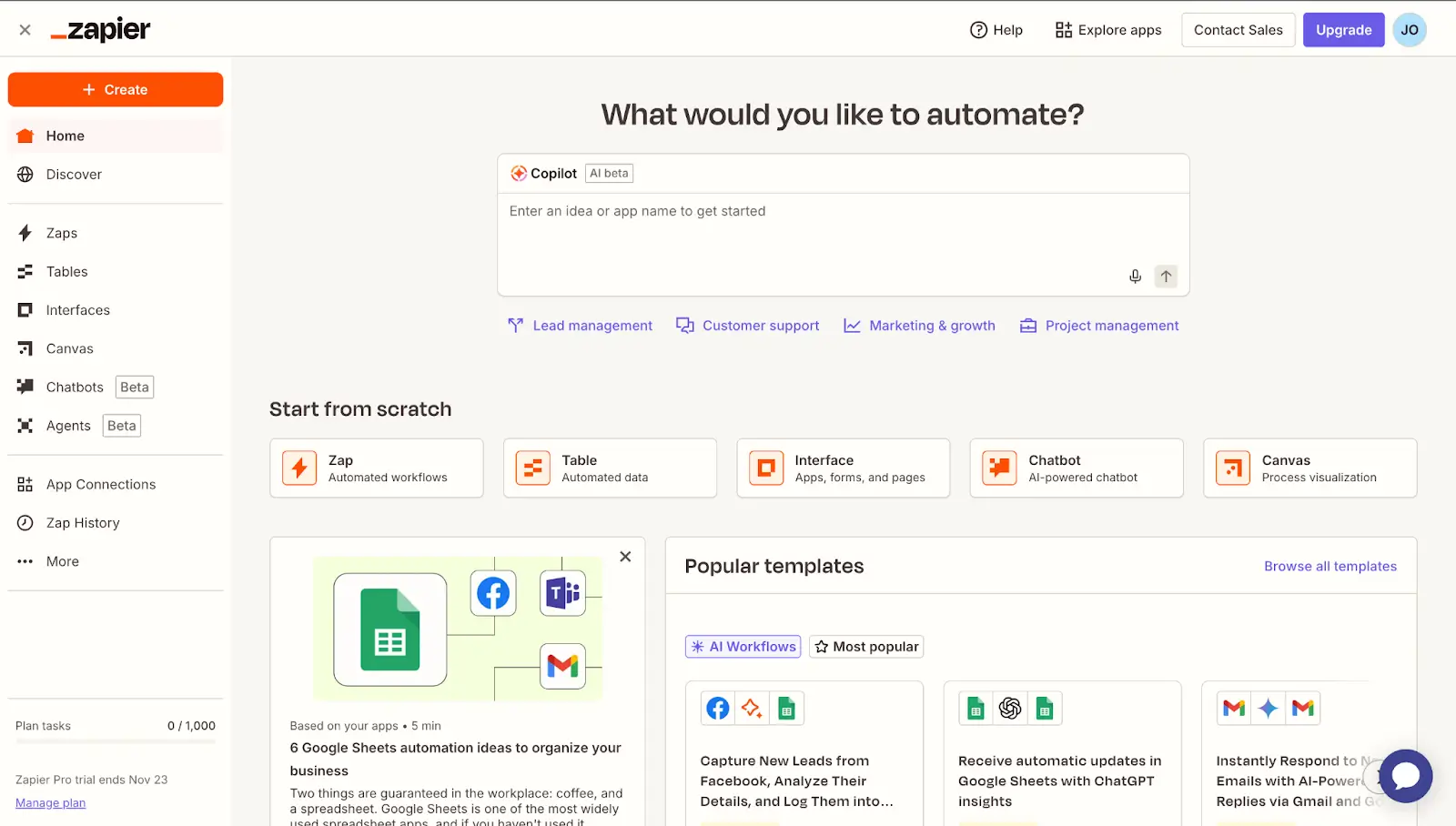
Zapier is a no-code automation platform that connects your marketing tools and moves data between them automatically. Instead of manually copying leads, updating CRMs, or triggering campaigns across separate apps, you can create workflows (“Zaps”) that handle those steps for you. Marketing teams use it to route leads, sync contacts, trigger emails, and keep systems aligned without engineering support. It’s especially useful when your stack includes tools that don’t integrate natively.
Zapier pros and cons
Pros:
- Huge integration library: It connects thousands of marketing apps, making it easy to link tools that otherwise couldn’t talk to each other.
- No-code automation: Non-technical teams can build workflows without any developer support.
- Quick setup: Simple automations can be launched fast using templates.
- Flexible workflows: Multi-step automations support branching logic and data formatting.
Cons:
- Costs rise as task volume increases because billing is usage-based
- Automations sometimes need maintenance when connected tools update
- Advanced workflows can become hard to manage at scale
Zapier best features
- Trigger-based automation: Workflows start automatically when something happens in another app, like a new lead submission or purchase.
- Multi-step workflows: One trigger can launch a sequence of actions across several tools, such as adding a contact to a CRM, sending an email, and notifying the team.
- Conditional paths: Automations can branch based on rules or data, allowing different actions for different lead types or campaign stages.
- Built-in data tools: Filters, formatting, and scheduling help clean and shape information as it moves between apps.
- Wide app ecosystem: Connects CRMs, email platforms, ads tools, forms, spreadsheets, and databases in one workflow.
- AI workflow assistance: An AI helper can suggest automations or help build Zaps faster.
Zapier pricing
All prices shown billed annually. Costs scale based on tasks per month.
- Free: $0/month (limited tasks and single-step workflows)
- Professional: From ~$20/month
- Team: From ~$70/month
- Enterprise: Custom pricing for large organizations
3. ActiveCampaign — best for advanced marketing automation and customer lifecycle campaigns
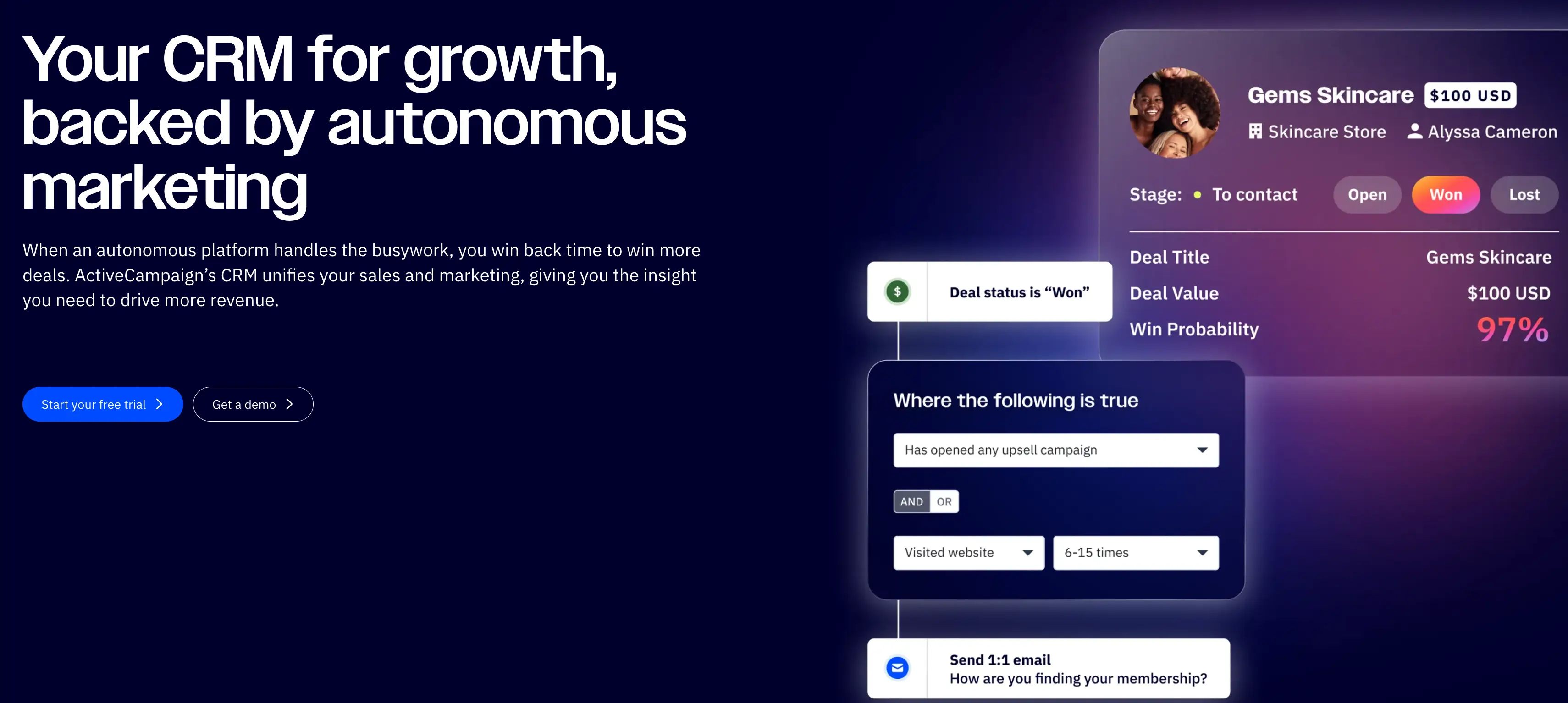
ActiveCampaign is a marketing automation and email marketing platform. It helps businesses manage customer communication, nurture leads, and automate follow-ups across email, SMS, and other channels. It combines campaign tools, automation workflows, and a built-in CRM so marketing and sales teams can track contacts and move prospects through pipelines automatically. It’s mainly used by growing businesses that run ongoing campaigns, onboarding sequences, or retention programs. These teams need more control than basic email tools provide, and ActiveCampaign is great for this use case.
ActiveCampaign pros and cons
Pros:
- Advanced automation: The visual workflow builder lets teams create complex customer journeys based on behavior, timing, and data triggers.
- Deep segmentation: Contacts can be grouped using tags, activity, purchases, or custom fields for highly targeted campaigns.
- All-in-one marketing + CRM: Email marketing, automation, and sales pipeline tracking live in the same system.
- Personalization tools: Messages can adapt dynamically based on user actions or profile data.
- Strong deliverability: Emails generally reach inboxes reliably, which matters for time-sensitive campaigns.
Cons:
- New users often need time to understand how automation logic, segmentation, and workflows fit together
- Costs can increase quickly as your contact list expands or you need higher-tier features
- The platform can feel heavy if you only want basic newsletters or straightforward outreach
ActiveCampaign best features
- Automation workflows: Create step-by-step sequences for onboarding, lead nurturing, and follow-ups that run automatically once set up.
- Behavior tracking: Monitor how contacts interact with emails and your website, then trigger the next message or action based on those signals.
- Built-in CRM: Manage deals and sales conversations while seeing each contact’s full marketing history in one place.
- Multi-channel messaging: Reach customers through email, SMS, and on-site messages without switching platforms.
- Lead scoring: Automatically rank contacts based on engagement so sales teams know who is most likely to convert.
- Campaign analytics: See which messages, automations, and channels are driving results so you can refine future campaigns.
ActiveCampaign pricing
All prices shown billed annually.
- Starter: $15/month
- Plus: $49/month
- Pro: $79/month
- Enterprise: $145/month
4. HubSpot Marketing Hub — best for growing teams running inbound marketing and lead generation
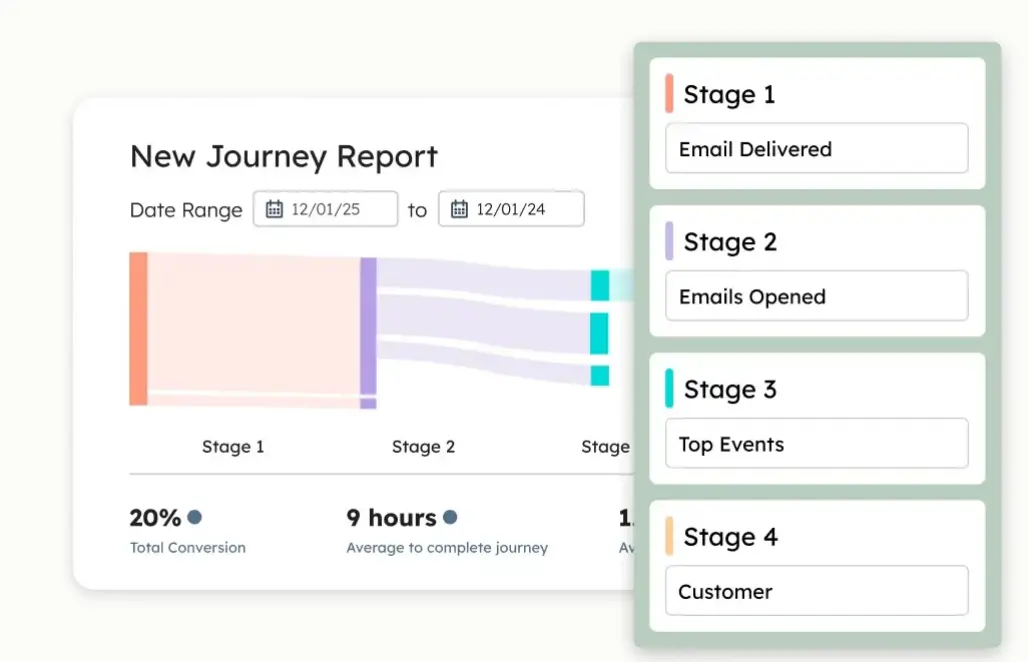
HubSpot Marketing Hub is an all-in-one marketing automation platform. It’s built for businesses that want to attract visitors, capture leads, run campaigns, and track results in one platform. It connects directly to HubSpot’s CRM, so marketing and sales teams share the same contact data and funnel visibility. Teams typically use it for email marketing, landing pages, automation workflows, lead nurturing, performance reporting, and demand generation.
HubSpot Marketing Hub pros and cons
Pros:
- All-in-one platform: Combine email marketing, automation, lead capture, analytics, and CRM data in a single system instead of separate tools.
- Strong automation: Workflow automation and lead nurturing help teams move prospects through the funnel without manual follow-up.
- CRM integration: Native connection to HubSpot CRM gives full visibility into customer journeys and revenue impact.
- Campaign tracking: Built-in reporting shows which channels and campaigns generate leads.
Cons:
- Costs increase significantly as contact lists grow and more advanced features are needed
- Many important capabilities are only available in higher-tier plans
- Reporting and configuration options can feel restrictive for complex marketing operations
HubSpot Marketing Hub best features
- Marketing automation: Create workflows that send targeted emails, assign leads to sales, and trigger actions automatically based on how contacts interact with your content.
- Lead capture tools: Build landing pages, forms, and pop-ups to turn website visitors into contacts and route them into the right campaigns.
- Email marketing: Design personalized email campaigns and automate follow-ups without relying on separate email tools.
- Analytics and attribution: See which campaigns, channels, and touchpoints are actually generating leads and revenue.
- Ad and social management: Run and track paid ads and social posts from one place alongside your other marketing efforts.
- Lead scoring: Automatically rank contacts based on engagement and behavior so sales teams focus on the most likely buyers.
HubSpot Marketing Hub pricing
Prices shown billed annually. Additional seats & marketing contacts increase the total cost.
- Professional: Starts at $800/month
- Enterprise: Starts at $3,600/month
Note: HubSpot’s Free and Starter tiers do not include automation capabilities.
5. Mailchimp — best for small businesses starting email marketing
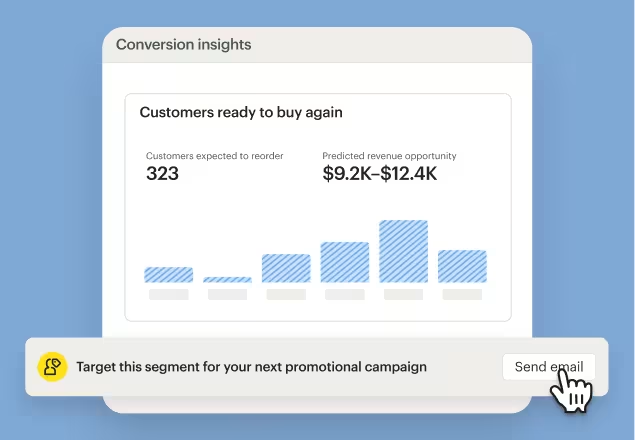
Mailchimp is an email marketing and marketing automation platform. It allows businesses to collect contacts, send newsletters, run automated campaigns, and track performance from one place. Teams use it to stay in touch with customers, promote products, and nurture leads without needing technical skills. It’s particularly valuable for small businesses that want ready-made templates, simple automation, and basic audience management before investing in more expansive marketing tools.
Mailchimp pros and cons
Pros:
- Beginner-friendly interface: The platform is easy to navigate, making it simple for non-technical teams to create and send campaigns.
- Strong email builder: Drag-and-drop templates help teams produce professional emails without design or coding skills.
- All-in-one marketing tools: It combines email, basic automation, landing pages, forms, and analytics in one system.
- Built-in audience management: Contact segmentation and tagging allow targeted messaging.
Cons:
- Costs rise quickly as your contact list expands
- Advanced workflows and customization are less flexible than in specialized marketing automation platforms
- Access to faster or human support is restricted to higher-tier plans
Mailchimp best features
- Email campaign builder: Create branded newsletters and promotions using a visual editor that lets you add text, images, products, and buttons without coding.
- Marketing automation flows: Set up sequences that send emails automatically after actions like sign-ups, purchases, or inactivity to maintain consistent communication.
- Audience segmentation: Organize contacts by behavior, preferences, or history so each group receives messages that feel relevant rather than generic.
- Landing pages and signup forms: Capture new leads through hosted pages and embedded forms without needing a separate website builder.
- Analytics and reporting: Monitor open rates, clicks, and conversions to understand what’s working and adjust future campaigns.
Mailchimp pricing
Prices shown reflect discounted annual billing and may increase after the promotional period.
- Free plan for 250 contacts (basic features)
- Essentials: from $6.50/month
- Standard: from $10/month
- Premium: from $175/month
- Websites plan: Free or Core from $10/month
6. Omnisend — best for ecommerce marketing automation
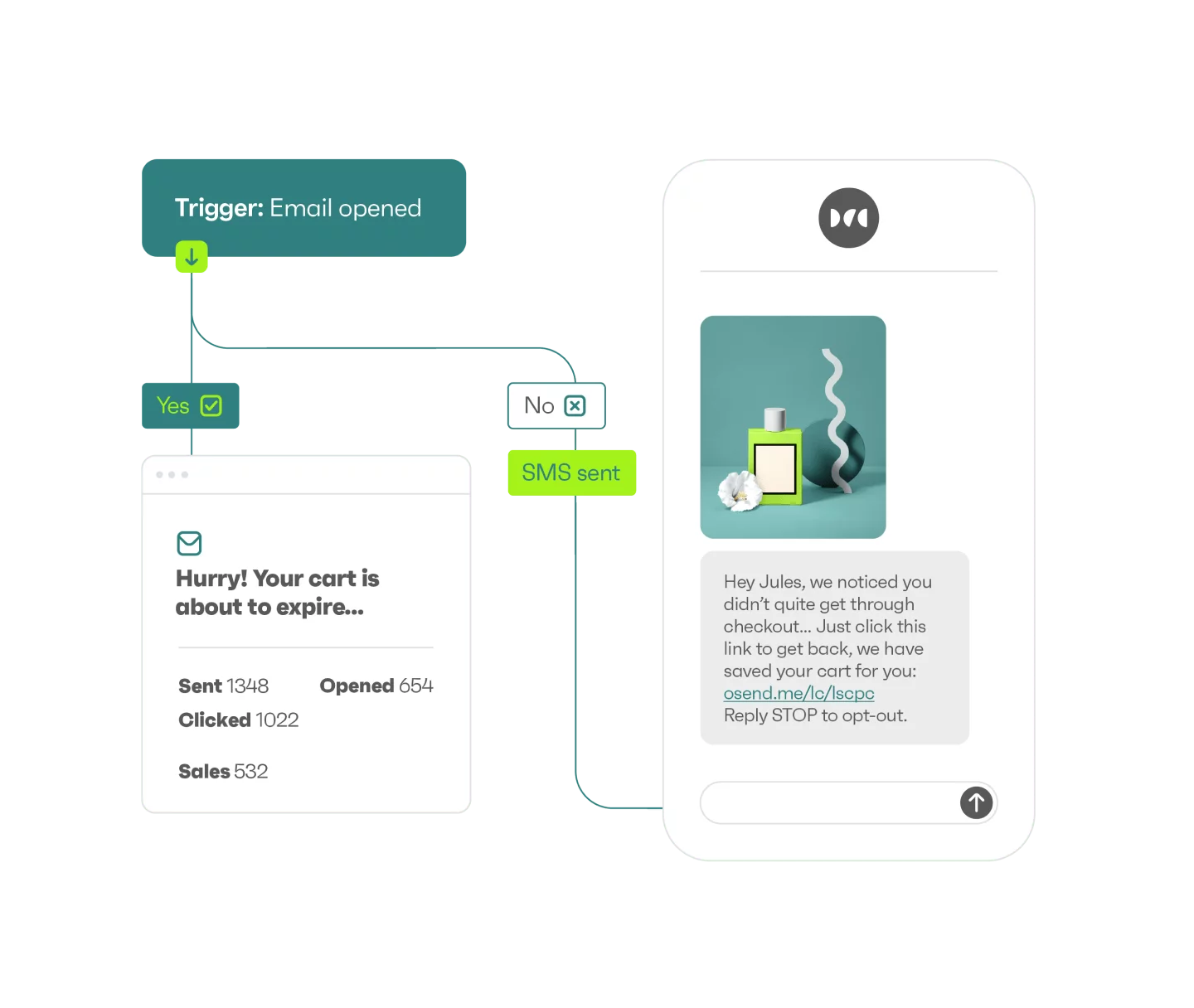
Omnisend is an omnichannel marketing automation platform built mainly for online stores that want to run email, SMS, and push notification campaigns from one place. It’s designed for ecommerce teams that need to automate customer communication across the full buying journey—-from welcome messages and abandoned cart reminders to post-purchase follow-ups and re-engagement. The platform focuses on quick setup, prebuilt workflows, and direct integrations with platforms like Shopify and WooCommerce, so teams can launch revenue-driving campaigns with little configuration.
Omnisend pros and cons
Pros:
- Ecommerce-ready automation: Prebuilt workflows for abandoned cart, welcome, and order follow-ups make it easy to start generating revenue quickly.
- Omnichannel messaging: Email, SMS, and web push campaigns can be managed together instead of using separate tools.
- Easy setup: The platform is designed for non-technical teams and can be configured without developer help.
- Strong ecommerce integrations: Direct integrations sync store data for segmentation and personalized campaigns.
Cons:
- Limited design flexibility across email templates and layouts
- Not built for enterprise use
Omnisend best features
- Automation workflows: You can set up behavior-based sequences that send messages automatically when customers browse, abandon a cart, or make a purchase.
- Omnichannel campaigns: Email, SMS, and web push messages can run together in the same workflow instead of being managed separately.
- Audience segmentation: Customer data like purchases and browsing behavior is used to group audiences for more relevant targeting.
- Signup forms and popups: Built-in forms and exit popups help capture new subscribers directly from your storefront.
- Prebuilt ecommerce templates: Ready-made emails and workflows make it faster to launch campaigns without starting from scratch.
- Performance reporting: Campaign and automation reports show which messages drive sales so you can adjust what you send next.
Omnisend pricing
Pricing shown reflects monthly billing with discounts for paying for three months upfront.
- Standard: $11.20/month for small lists (email-focused marketing)
- Pro: $41.30/month with SMS features and higher sending limits
- Custom pricing: For large contact volumes and advanced needs
7. Clay — best for data-driven outbound and lead enrichment at scale
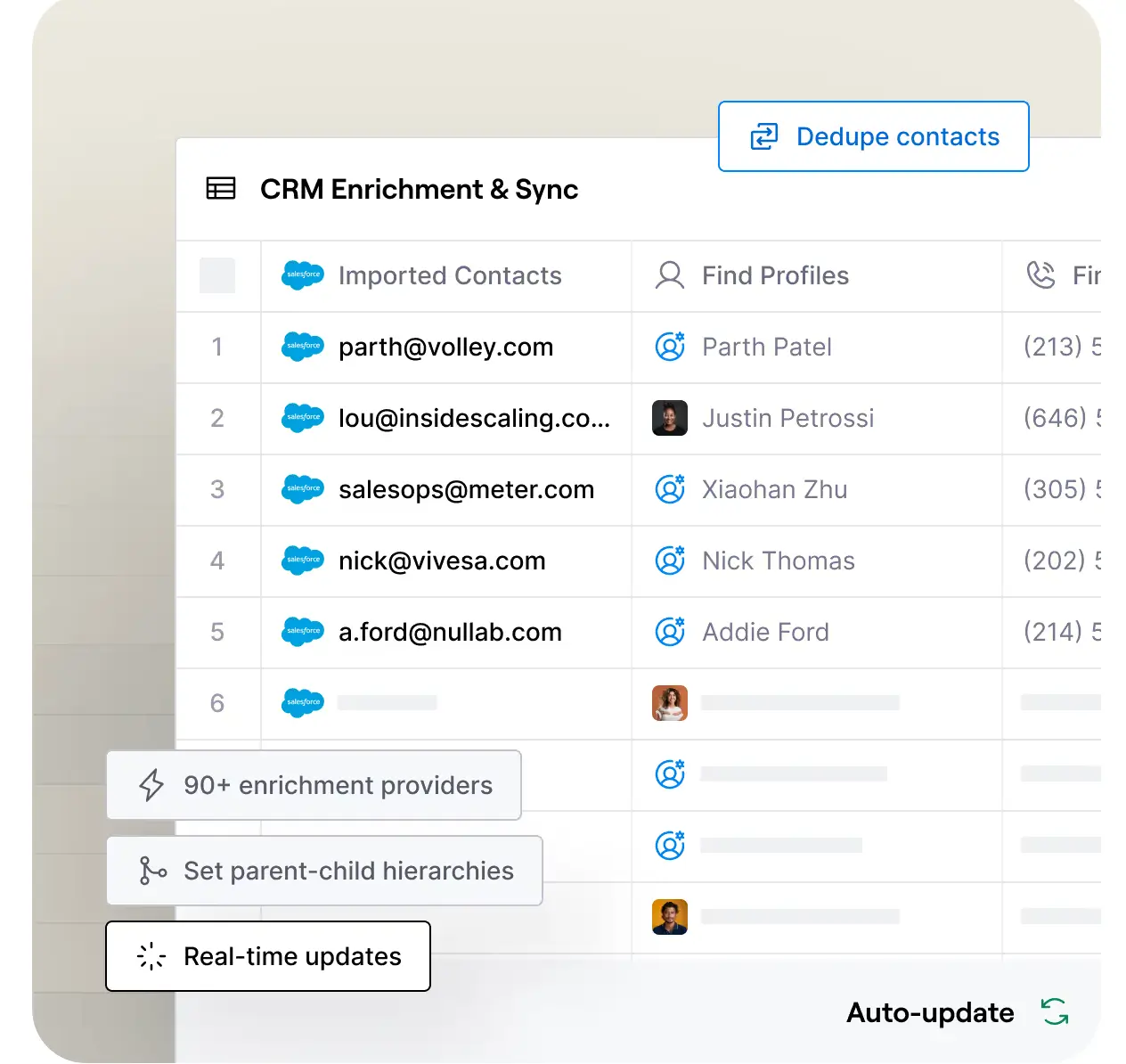
Clay is an AI-powered go-to-market platform that helps sales, growth, and RevOps teams find prospects, enrich lead data, and automate personalized outreach workflows in one place. Instead of piecing together multiple data tools, teams use Clay to pull contact and company information from many sources, clean and structure it, and trigger targeted campaigns. It’s most useful when outbound relies on high-quality data and precise targeting, but it requires time to learn and works best for teams comfortable building custom workflows.
Clay pros and cons
Pros:
- Powerful data enrichment: Clay combines many data providers to fill in missing contact and company details automatically.
- Highly customizable workflows: Teams can design complex prospecting and outreach processes tailored to their targeting strategy.
- AI-assisted research: The platform can analyze websites and sources to generate insights for personalized messaging.
- Scales outbound operations: It supports large prospect lists and automation once workflows are set up.
- Extensive integrations: Clay connects with CRMs, email tools, and external APIs to fit existing stacks.
Cons:
- Steep learning curve to understand workflows, data sources, and how to avoid wasting credits
- Credit-based pricing makes costs unpredictable when running experiments or large enrichment jobs
- Outreach execution usually requires external tools since Clay focuses on data and workflows
Clay best features
- Multi-source enrichment: Pull contact and company data from many providers into one place so teams don’t have to switch between tools.
- Workflow automation: Clay lets you build step-by-step processes that automatically research, qualify, and organize prospects.
- AI personalization: AI agents use context about each company or person to help craft more relevant outreach inputs.
- Signals tracking: Surface useful events and indicators that suggest when a prospect may be ready to engage.
- API and webhook support: Connect Clay to internal systems and other tools to keep data moving automatically.
Clay pricing
Listed pricing reflects annual billing with credits granted upfront.
- Free plan available for 1,200 credits/year
- Starter: $134/month
- Explorer: $314/month
- Pro: $720/month
- Enterprise: Custom pricing
Find a marketing automation software that fits your needs
The best marketing automation software depends on what processes you’re trying to automate and where your team feels the most friction. If you need to automate emails and lifecycle messaging, traditional platforms can help. If you need tools to talk to each other, integrations fill that gap. But if what’s slowing your team down is the coordination behind every campaign, you’ll get the biggest impact from a system tailored to your workflows.
Softr helps you build that system on top of your data. Create a custom central workspace where campaign requests flow through structured forms, tasks move automatically with workflow triggers, stakeholders get notified, and progress updates in real time on dashboards. With a native database that syncs in real-time with your apps, your team works from a single source of truth instead of copying updates across apps.
👉 Try Softr for free to get started.