Airtable vs Excel: Which should you choose in 2026?


.webp)
[.blog-callout]
✨ TL;DR:
- Excel is the better choice for running calculations, building a financial model, or analyzing a dataset. But as a traditional spreadsheet, keeping track of the latest version becomes harder once people start copying files, working offline, or updating the same information across different sheets.
- Airtable is better when your team needs to work from the same information. As a relational database, it uses linked records to create a single source of truth, so updates automatically stay in sync across tables. The tradeoff is cost: you pay for each person who needs editing access, so pricing can rise as your team grows.
- Softr is the best alternative when you need to build a real business app on top of your data—whether you use its built-in relational database or connect to Airtable or other data sources you use. You also control what each user sees and does across your database and app. And Softr doesn't charge a separate seat fee for every app user.
[.blog-callout]
Airtable vs Excel: Which is right for managing your data in 2026?
If you're comparing Airtable vs Excel, you're likely trying to figure out one thing: whether a traditional spreadsheet is still enough for the way you organize projects, inventory, and other important data, or if your team needs a more relational, collaborative way to manage shared data and workflows.
Both tools are popular for organizing information, but they're built for different kinds of work, especially as more people need to access, update, and act on the same data, and more decisions depend on it.
To help you decide which spreadsheet tool is better, we're comparing what each one does well, where each falls short, and when an AI-native platform like Softr is the better fit for your needs.
Airtable vs Excel at a glance
| Airtable | Excel | |
|---|---|---|
| Best for | Teams that need one shared place to track projects, operations, assets, requests, or customer information | Teams that need to run calculations, build models, analyze data, or create reports |
| Core strength | Connects related information, so a change in one place stays consistent everywhere it appears | Gives you useful formulas, calculations, pivot tables, charts, and analysis tools |
| How data connects | Natively links records across tables, so the same information can appear in different places without being copied manually | Connects data through formulas, lookups, Power Query, and references between cells, sheets, or workbooks, which you have to set up and maintain |
| Collaboration | Multiple people can work from the same base, with comments, edit history, custom views, and field/table editing permissions | Multiple people can co-edit online, but version control gets harder when files are copied, downloaded, or shared offline |
| Automations | Built-in automations for record changes, form submissions, and workflow steps, plus AI agents that work inside records | Automation is possible through formulas, macros, Office Scripts, Power Automate, Python, and Copilot, but it usually takes more setup |
| Pricing model | Free plan available; paid plans charge per editor | Free on the web; paid plans come bundled with Microsoft 365; Copilot paid for separately |
| Main tradeoff | Costs can climb as more teammates need edit access | Harder to use as a workflow system or lightweight database |
{{cta-1}}
What is Airtable?
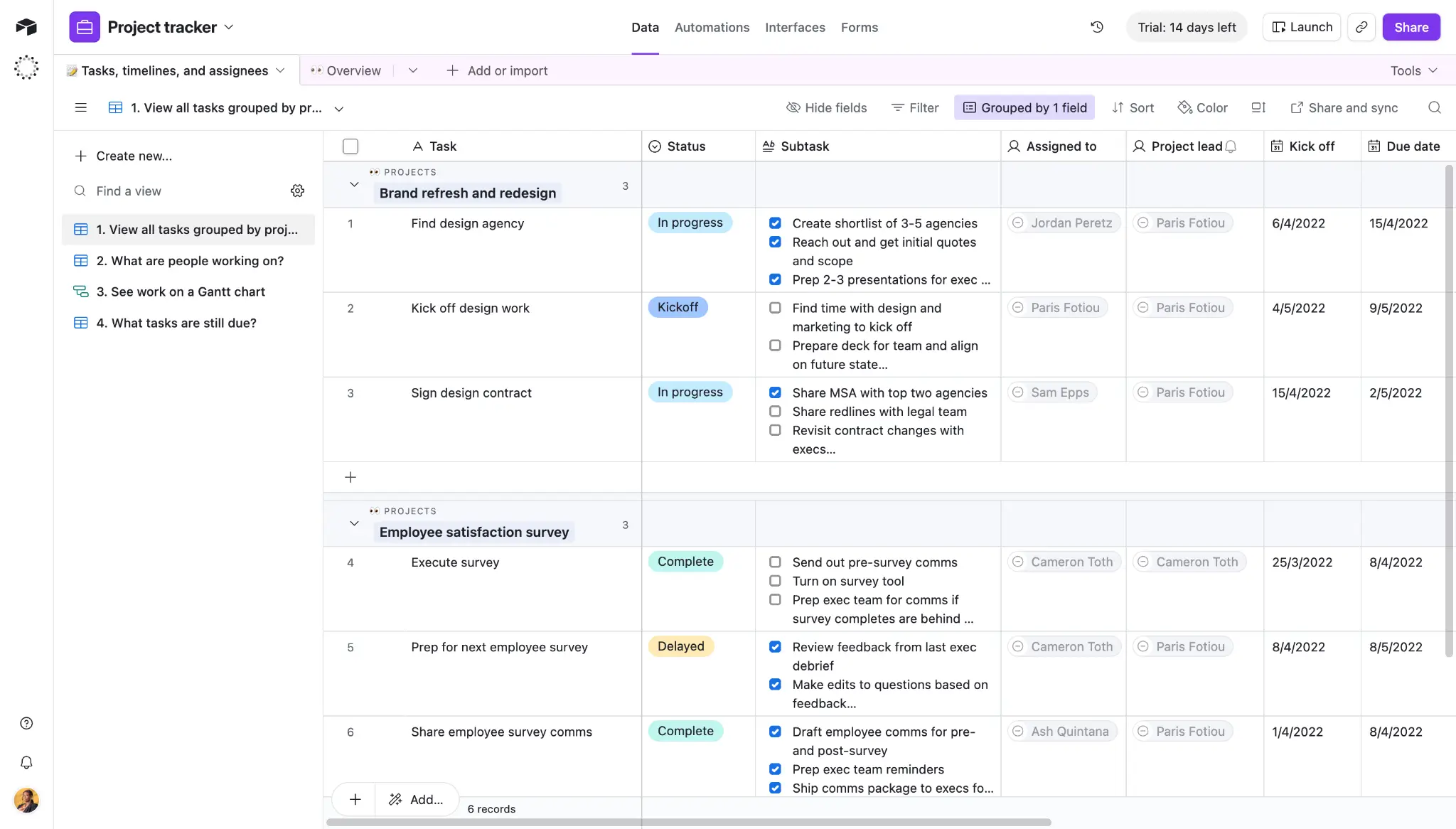
Airtable is a cloud-based platform that lets you create relational databases and build lightweight internal tools and workflows on top of your data.
Its spreadsheet-style interface feels familiar, but Airtable works differently from Excel. You can create one record, link it to related tables, and update it once instead of copying the same details across rows or sheets.
This way, when you update a client’s details once, that change shows up everywhere the client is referenced. It’s why teams use Airtable to manage projects, client data, marketing campaigns, CRMs, and day-to-day operations.
Airtable also includes built-in automations for repetitive admin work. For example, you can set it to move a record to the next stage when its status changes, notify the right person when something needs attention, or create a new record from a form submission, so your team spends less time on manual follow-up.
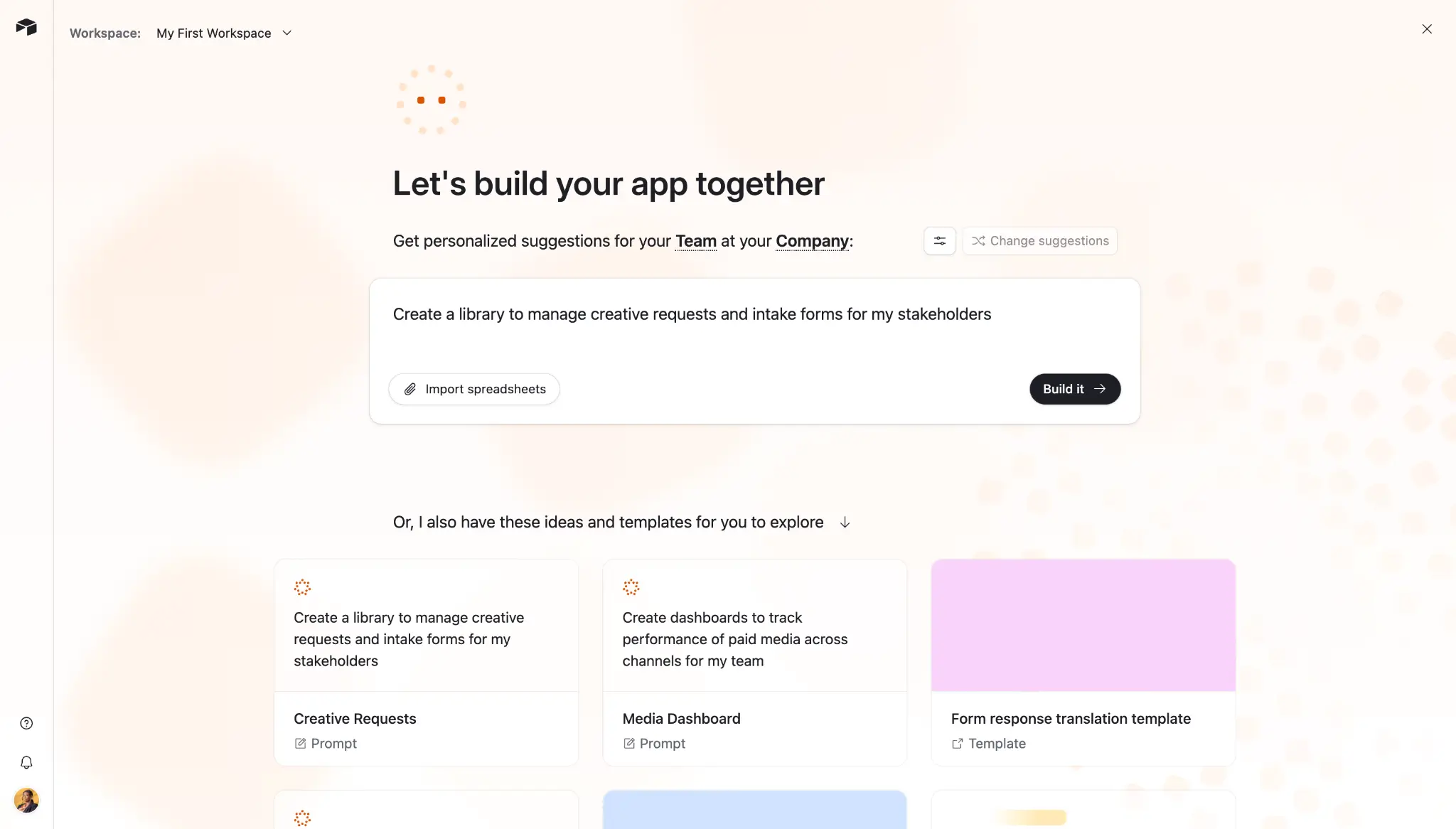
Plus, Omni—Airtable’s AI assistant—lets you use plain-language prompts to create reports, tables, fields, automations, interface elements, and dashboards. You can also ask questions about your base, run filtered or grouped analysis, and generate simple charts to visualize your data.
Airtable key features
- Relational database structure: Connect related tables, so the same information stays consistent everywhere instead of being copied by hand.
- Multiple views: See the same data set as a grid, list, calendar, Kanban board, timeline, Gantt chart, or gallery.
- Forms: Collect information through shareable forms and send responses directly into your tables.
- Built-in automations: Trigger actions from record changes, schedules, or form submissions to cut down on repetitive admin work.
- Interface Designer: Build dashboards and pages on top of your data, so people can view and update records without digging through the full base.
- Omni AI: Describe the report, internal tool, or workflow you want to create in plain language, and Airtable’s AI builder helps generate the tables, fields, charts, interface elements, and automations you can refine.
- AI field agents: Use AI inside individual records to summarize text, classify entries, extract details from files, or pull in data from the web.
- Templates: Start with ready-made templates for project tracking, content calendars, CRMs, inventory, approvals, and operations.
- Integrations: Connect to external platforms like Slack, Google Drive, Salesforce, and Jira natively, sync data automatically across platforms using Airtable sync, or expand workflows via Zapier and Make.
- Permissions and admin controls: Securely manage workspace, base, and field-level permissions.
- Security and compliance: SOC 2 and ISO 27001 certified, two-factor authentication, SSO, audit logs, and HIPAA support.
Airtable cons
- Costs can climb as you scale. Airtable charges per editor, so adding more teammates or external collaborators as editors quickly inflates your bill. Plus, you’ll need to upgrade if you hit usage limits on your current plan.
- Complex bases can become harder to maintain, as you add more tables, linked records, views, permissions, and automations. Performance can also slow down with very large bases or heavy workflows.
- Granular permissions sit on higher-tier plans. Controlling who can view or edit specific tables and fields needs a paid plan, and the most advanced controls, admin features, and audit logs come on Business or Enterprise.
- Client-facing access is limited. The paid Portals add-on helps external users log in, but it comes with separate pricing and offers less flexibility than purpose-built client portal platforms.
- Airtable isn’t built for heavy spreadsheet analysis, like complex calculations, financial modeling, and statistical work, unlike Excel.
Airtable pricing
- Free: $0. Includes up to 5 editors, 1,000 records per base, 1 GB of attachments per base, 100 automation runs, and 500 AI credits per editor each month. Best for individuals or very small teams testing Airtable.
- Team: $20 per user/month, billed annually. Includes 50,000 records per base, 25,000 automation runs, 20 GB of attachments, standard sync integrations, Gantt and timeline views, and 15,000 AI credits/paid user.
- Business: $45 per user/month, billed annually. Includes 125,000 records per base, 100,000 automation runs, 100 GB of attachments, premium sync, two-way sync, admin panel, SSO, and 20,000 AI credits/paid user.
- Enterprise Scale: Custom pricing. Includes higher record limits, advanced governance, audit logs, HyperDB, and enterprise security controls.
Airtable charges by seat, but who counts as a paid seat depends on the plan and permission level. In general, users with editing access are billable, while view-only users, form submitters, and people using public share links are free. As your team grows, costs can increase quickly if more people need to edit or manage data.
Also, AI features use credits, so heavy use of Omni, AI field agents, document analysis, or web research may require buying more credits. Portals for external users are also a paid add-on, starting at $120/month for 15 guests on the Team plan. And as of October 2025, Airtable no longer gives prorated refunds when you remove a seat mid-cycle, so it's worth sizing your team before committing.
💡 Looking for more inspiration specific to Airtable? Check out our guides on Airtable vs Google Sheets, an honest review, best Airtable alternatives, pricing and plans, and the ultimate beginner’s guide. Otherwise, keep reading for the biggest differences between Airtable vs Excel.
What is Excel?
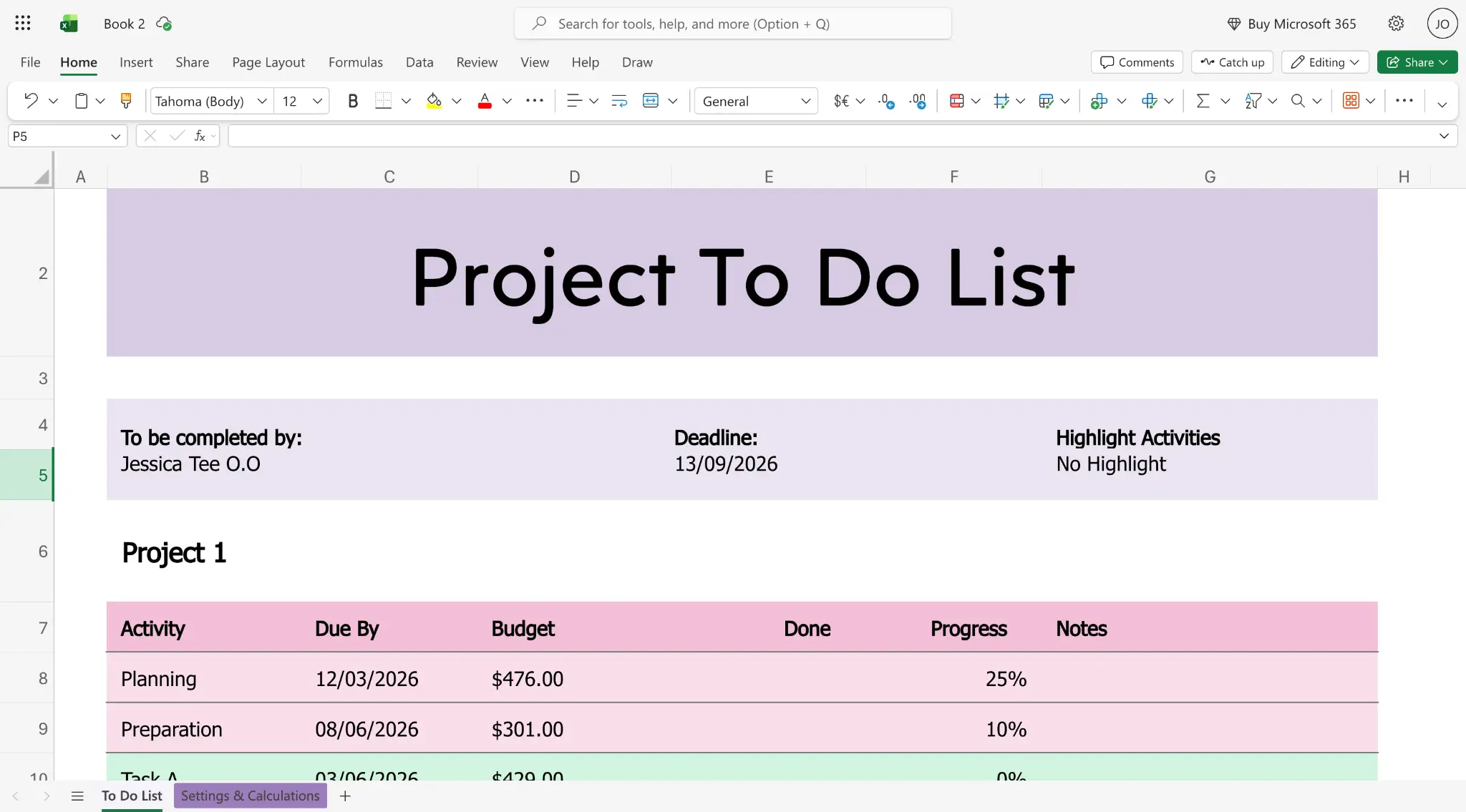
Excel is Microsoft’s spreadsheet software for organizing, calculating, analyzing, and reporting on data. It’s a staple across almost every department, including finance, HR, marketing, operations, and analytics, because it can handle everything from simple lists, project calendars, and budgets to complex financial models, forecasts, reports, and dashboards.
You can use formulas to calculate values, PivotTables to summarize large datasets, charts to show trends, and Power Query to clean and combine data from different sources. Excel also supports online collaboration through Microsoft 365 and OneDrive, so multiple people can work on the same workbook at the same time and use version history to track changes.
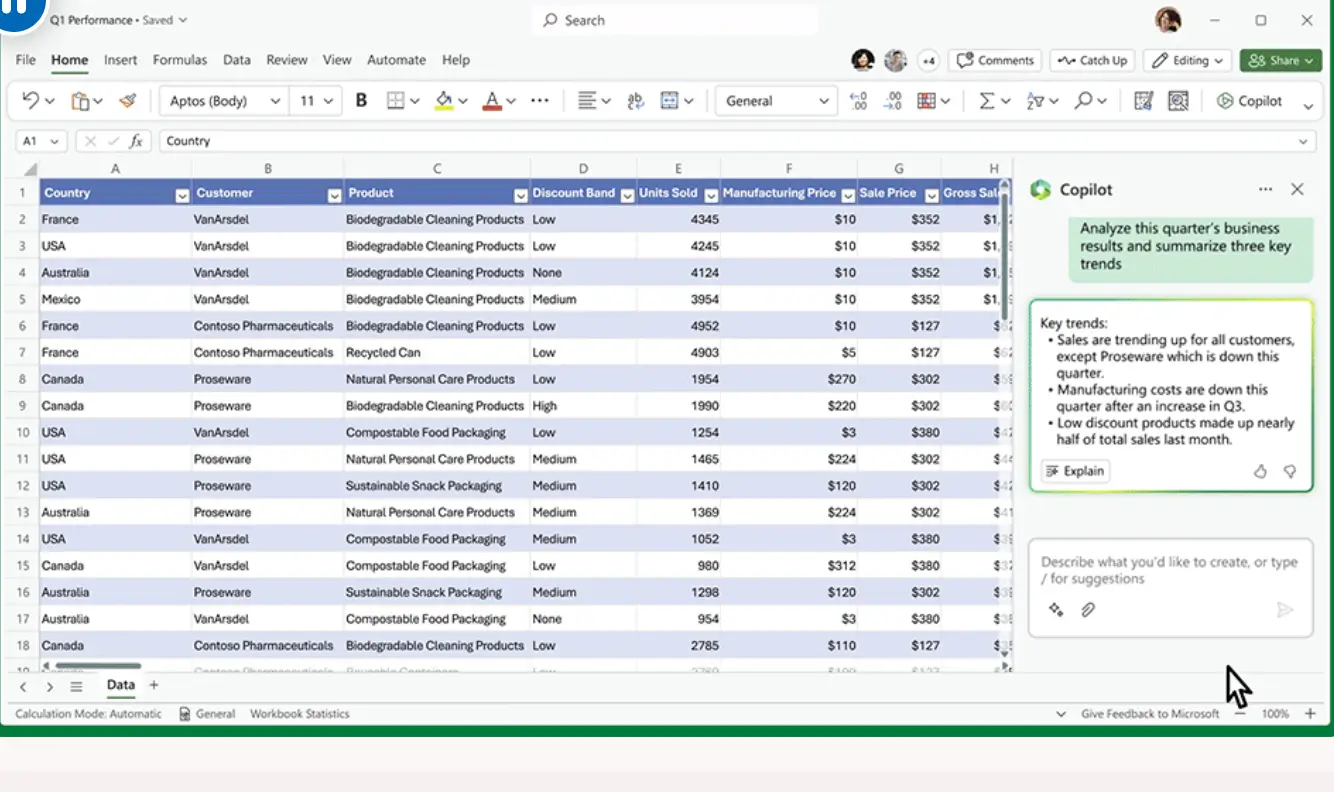
And with Microsoft Copilot, you can ask questions about spreadsheet data in plain language, generate formulas, summarize trends, create charts, and build PivotTables. Copilot in Excel works with supported files saved to OneDrive or SharePoint with AutoSave turned on.
Excel key features
- Formulas and functions: Calculate values, clean data, compare numbers, and build custom logic using built-in Excel formulas.
- PivotTables: Summarize, group, and analyze large datasets without changing the original spreadsheet.
- Conditional formatting: Turn numbers into visuals and highlight what matters, like flagging overdue tasks or cells that go over budget.
- Charts and dashboards: Turn spreadsheet data into charts, graphs, and simple dashboards to show trends, patterns, and performance.
- Power Query: Import, clean, transform, and combine data from different sources before analyzing it in Excel.
- Templates: Start quickly with ready-made templates for budgets, calendars, project plans, invoices, reports, and trackers.
- Macros and Office Scripts: Automate repeated spreadsheet tasks, such as formatting reports, cleaning data, or updating workbooks.
- Microsoft Copilot: Get AI help with formulas, summaries, and charts using plain-language prompts.
- Data validation: Restrict what can go in a cell, like valid dates or set options, to cut down on entry errors.
- Online collaboration: Co-edit workbooks through Microsoft 365, OneDrive, or SharePoint, with version history to track changes.
- Advanced analysis tools: Use features like What-If Analysis, Solver, Data Tables, and Python in Excel for deeper calculations, forecasting, and statistical analysis.
- Security and access controls: Share files, manage view or edit access, and use Microsoft 365 security features to protect workbooks.
Excel cons
- Collaboration gets messy offline. Excel supports online co-editing, but once people download, copy, email, or edit files offline, version control breaks down and it gets harder to know which file is current.
- It’s not a true database. Excel doesn’t natively connect records the way Airtable does. You can use formulas, lookups, and Power Query to connect data across sheets, but those links need ongoing maintenance and can break when the workbook structure changes.
- Workflow automation takes more setup. Excel can support automation through formulas, macros, Office Scripts, Power Automate, and Python, but these usually require technical knowledge.
- Data quality is harder to control. Because Excel is so flexible at the cell level, people can enter inconsistent formats, overwrite formulas, rename columns, or change structures in ways that break reports and workflows.
- Permissions are file-based. You can control who can view or edit a workbook, but you can’t give different people granular access to only the exact rows, fields, views, or workflow steps they need.
- Copilot is a paid add-on. Using Copilot directly inside Excel requires a separate Microsoft 365 Copilot license, on top of your existing plan.
- Not designed for building business apps. Excel can serve as a data source for Power Apps, but creating user-facing apps usually requires additional Microsoft tools and licenses. For teams outside the Microsoft ecosystem, the setup can be more complex and expensive than using a dedicated no-code app builder.
Excel pricing
Excel pricing depends on whether you want a one-time desktop license or a Microsoft 365 subscription.
- Excel desktop app (one‑time purchase): Around $179.99 for a perpetual license (Office suite) that includes Excel for one device.
- Microsoft 365 Personal: About $99.99/year (or $9.99/month), which includes Excel, Word, PowerPoint, Outlook, OneDrive with 1 TB storage, and Copilot features. Microsoft 365 Family: About $129.99/year and supports up to 6 people with the same apps and storage (6 × 1 TB).
- Microsoft 365 Business Basic: ~$6.00/user/month for web and mobile versions of Excel, Word, Outlook, Teams, and 1 TB cloud storage. Microsoft 365 Business Standard: ~$12.50/user/month and includes web, mobile, and desktop Office apps (Excel, etc.) plus Teams and business services.
- Microsoft 365 Business Premium: ~$22.00/user/month and includes everything in Standard plus advanced security and device management.
- Microsoft 365 Apps for Business: About $8.25/user/month with desktop Office apps (Excel, Word, PowerPoint, Outlook) and 1 TB OneDrive storage, but no Teams or business email.
Note: Also, to use Copilot directly inside Excel on business plans, you need a paid Microsoft 365 Copilot license. Copilot Business starts at $18/user/month, paid yearly. Copilot in Excel also requires supported files saved to OneDrive or SharePoint with AutoSave turned on.
💡 Need more Microsoft Excel inspiration? Check out our guides on Google Sheets vs Excel, best Excel alternatives, and building a CRM on top of Excel.
Airtable vs Excel: Pricing
Airtable uses seat-based pricing, where costs rise as more people need more than basic viewing access. That works well when a small team owns the base directly. But once more teammates or external collaborators need to update records, comment, or use AI features heavily, the cost adds up fast.
Excel, on the other hand, is usually bundled into Microsoft 365, so pricing is often more predictable for teams already using Microsoft tools. The free web version covers basic spreadsheet work, while paid Microsoft 365 plans add desktop apps, cloud storage, collaboration, version history, and business admin controls. Copilot inside Excel is available through eligible Microsoft plans or add-ons, so AI features can add another cost layer.
The verdict: Excel is the more cost-effective choice for general spreadsheet work, especially if your team is already invested in the full Microsoft 365 suite. Airtable costs more as you grow, but the investment is easier to justify if you need a collaborative workspace with structured data, connected records, and workflow automation.
Airtable vs Excel on Reddit
On Reddit, users see Excel and Airtable as tools for different jobs.
Airtable comes up as the more structured step beyond a traditional spreadsheet software. Redditors like that they can link records, build different views from the same data, and reduce manual updates across projects, clients, and internal processes.
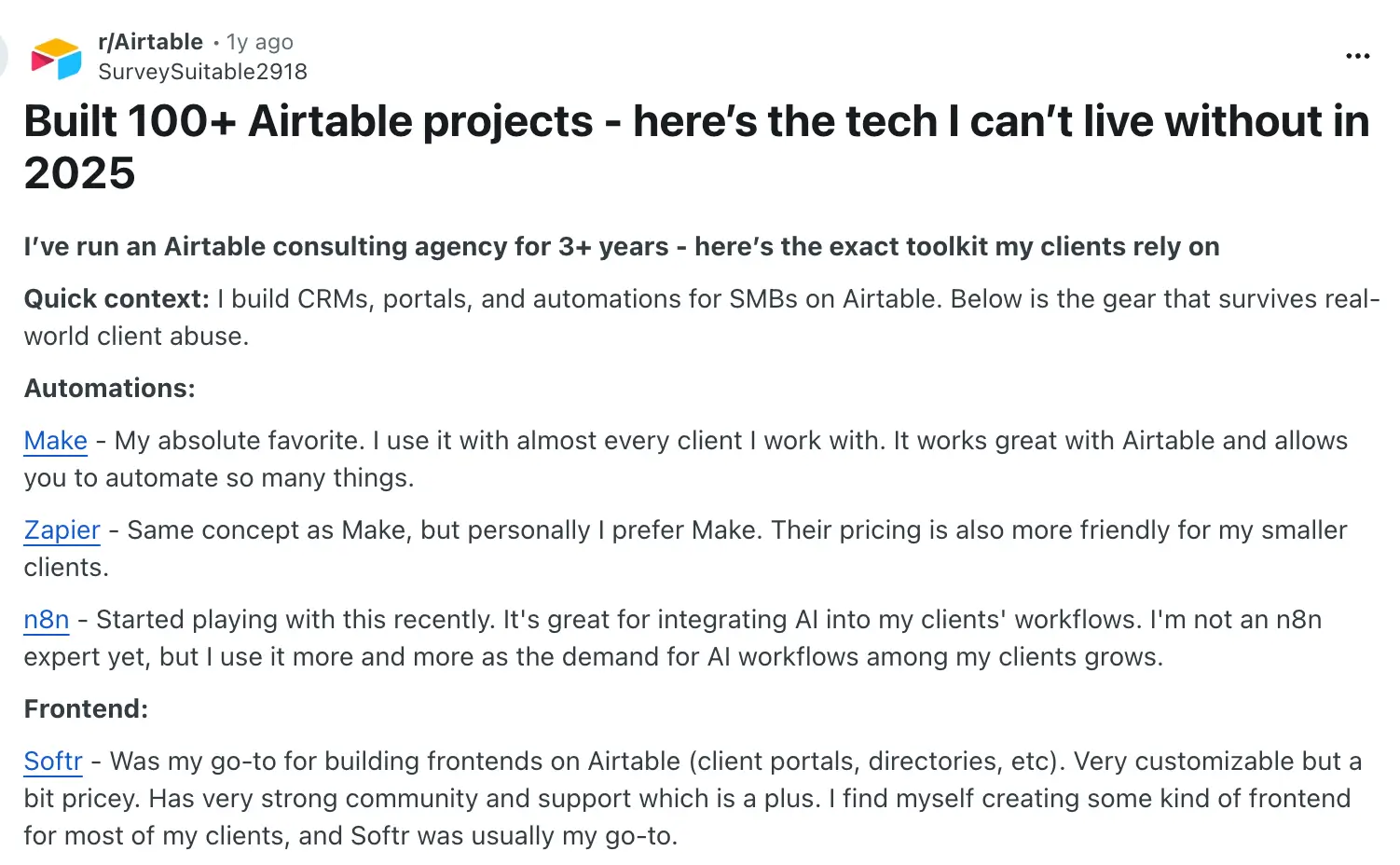
A consultant who said they'd built 100+ Airtable projects described using it for CRMs and automations for small businesses, often pairing it with tools like Make, Zapier, n8n, and Softr.
The most common Airtable complaint is cost as teams grow. In one nonprofit thread, the poster explained that being charged for each interface editor made it hard to let external stakeholders update even a few fields on a tight budget, and other commenters agreed Airtable gets expensive fast once a team expands.
.webp)
.webp)
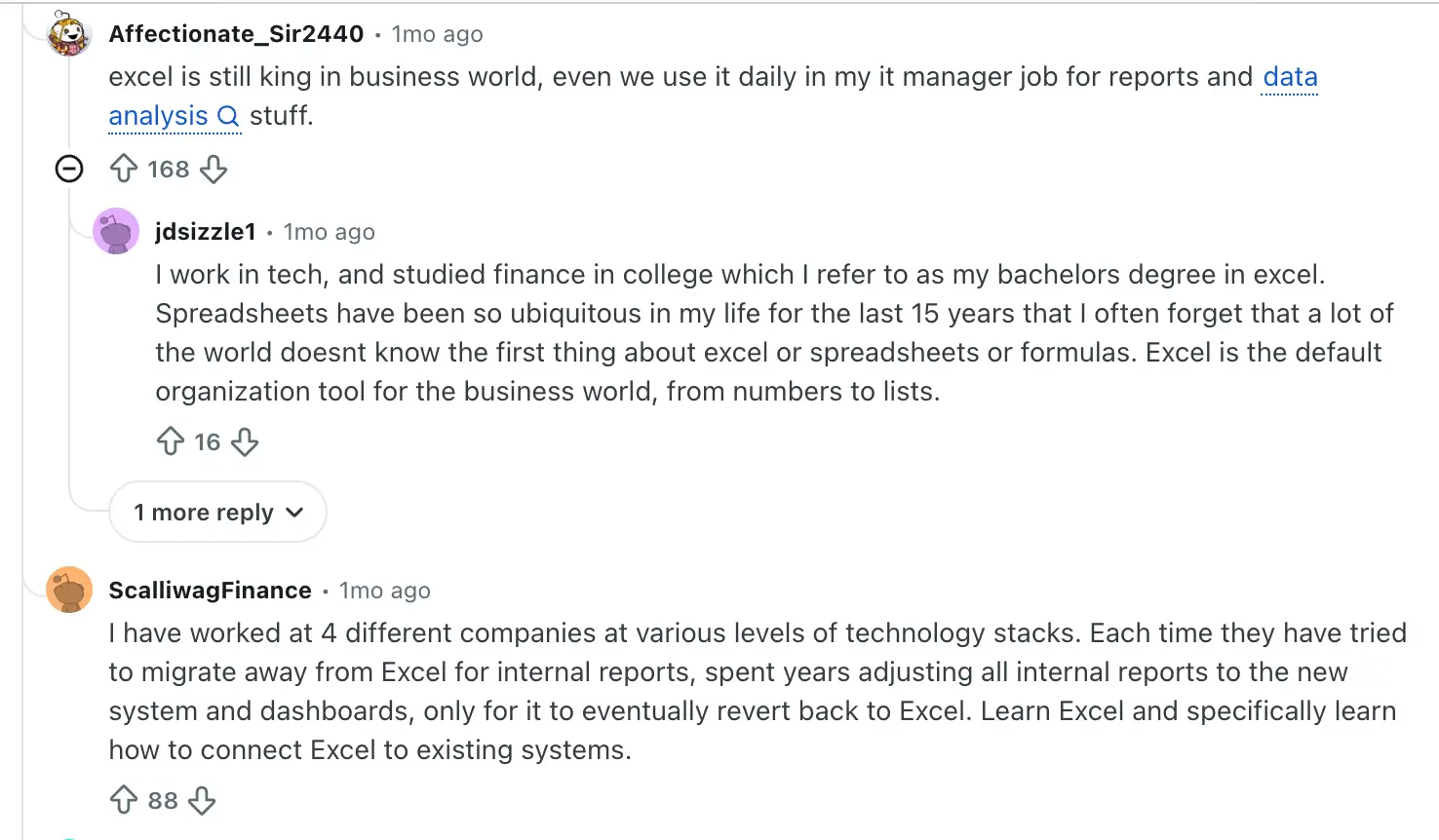
Excel usually comes across as the tool people rely on for reporting, accounting, finance, operations, and general business analysis. Some users, like in this thread, make the case that learning Excel makes sense because it remains the default tool in most workplaces for reports and analysis. One user notes that every time their company tried to move internal reporting off Excel, the team eventually drifted back to it.
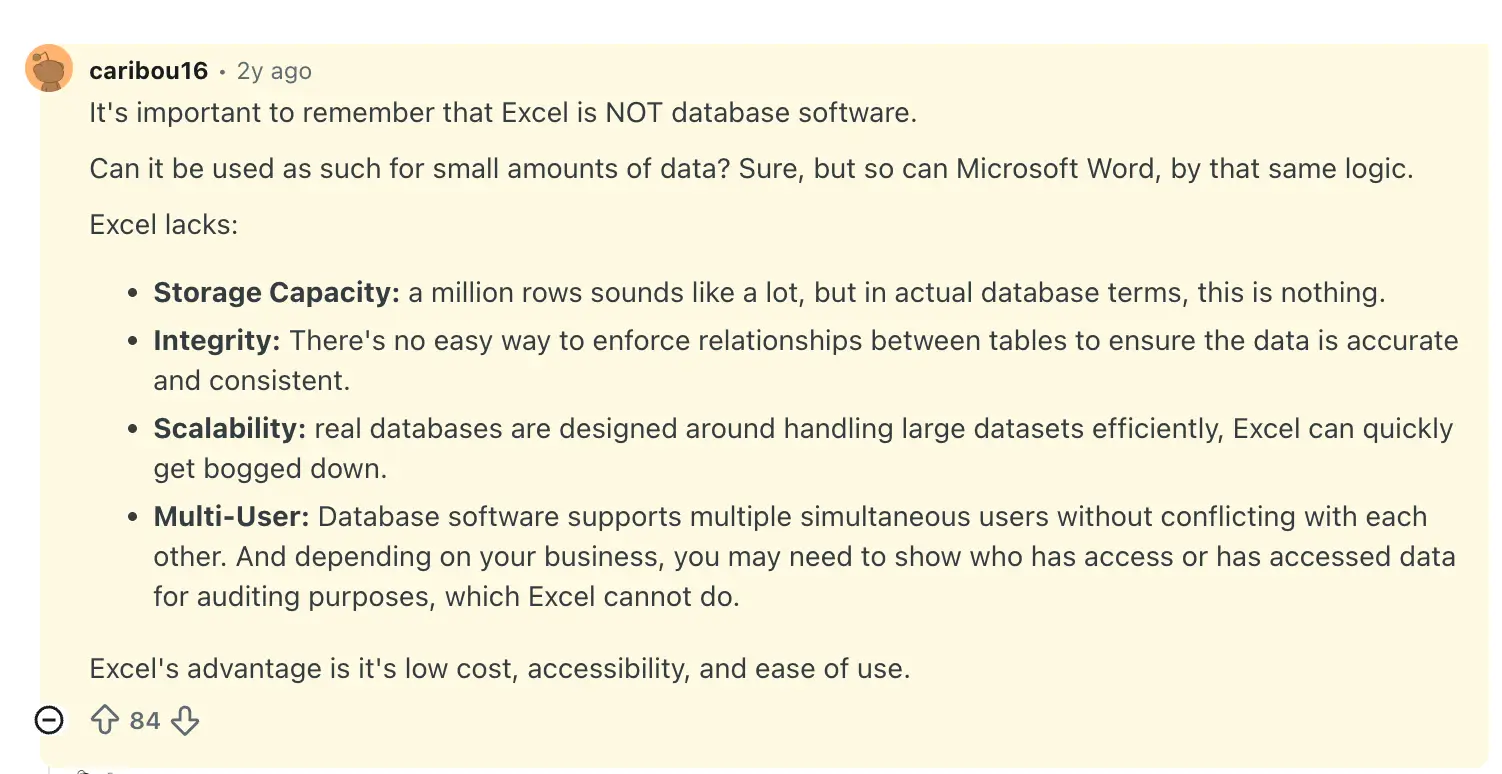
But the complaints usually start when teams push Excel into being a shared database or workflow system. In one widely upvoted reply, a commenter lays out why Excel isn't built for that use case. Plus, it can't track who accessed or changed data the way real database software can.
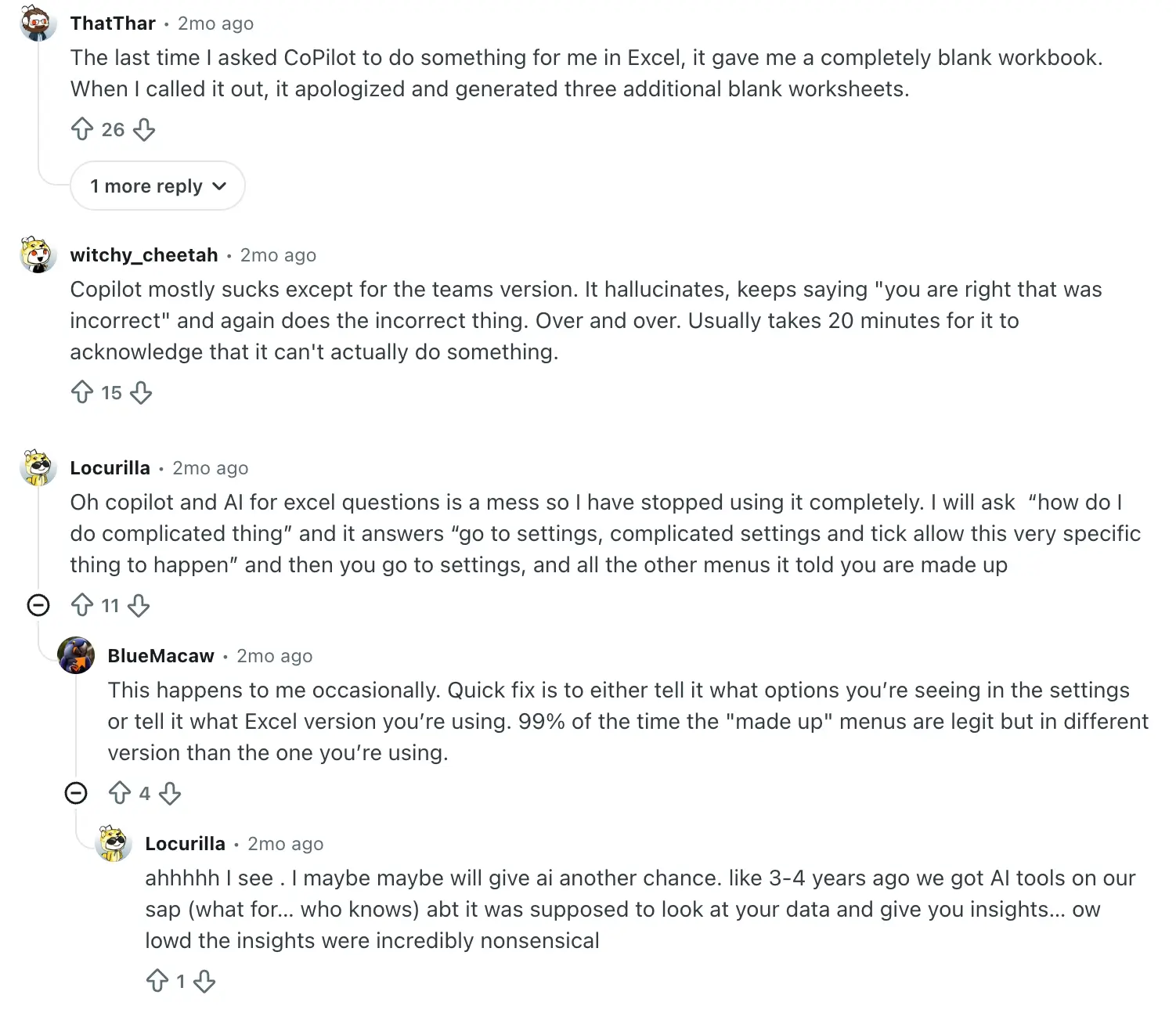
Also, not everyone is sold on Excel's AI features. In one thread, users describe Copilot producing blank workbooks and inventing menu options that don't exist. You’d need enough Excel knowledge to catch when it's wrong.
Airtable vs Excel: Summary
Excel works well when teams of all sizes need a flexible spreadsheet for calculations, analysis, reporting, and financial modeling, especially if your team already pays for Microsoft 365. Airtable works better when multiple people need to collaborate around shared records, automate follow-ups, and manage workflows for CRM, project management, content calendars, approvals, inventory tracking, and day-to-day operations. But it gets pricier as your team and needs grow.
If your goal is to build secure, fully functional apps or portals on top of your relational data without paying per-seat fees as you add external users, Excel and Airtable may not be enough on their own. That's where Softr comes in.
Softr — the best alternative to Airtable and Excel
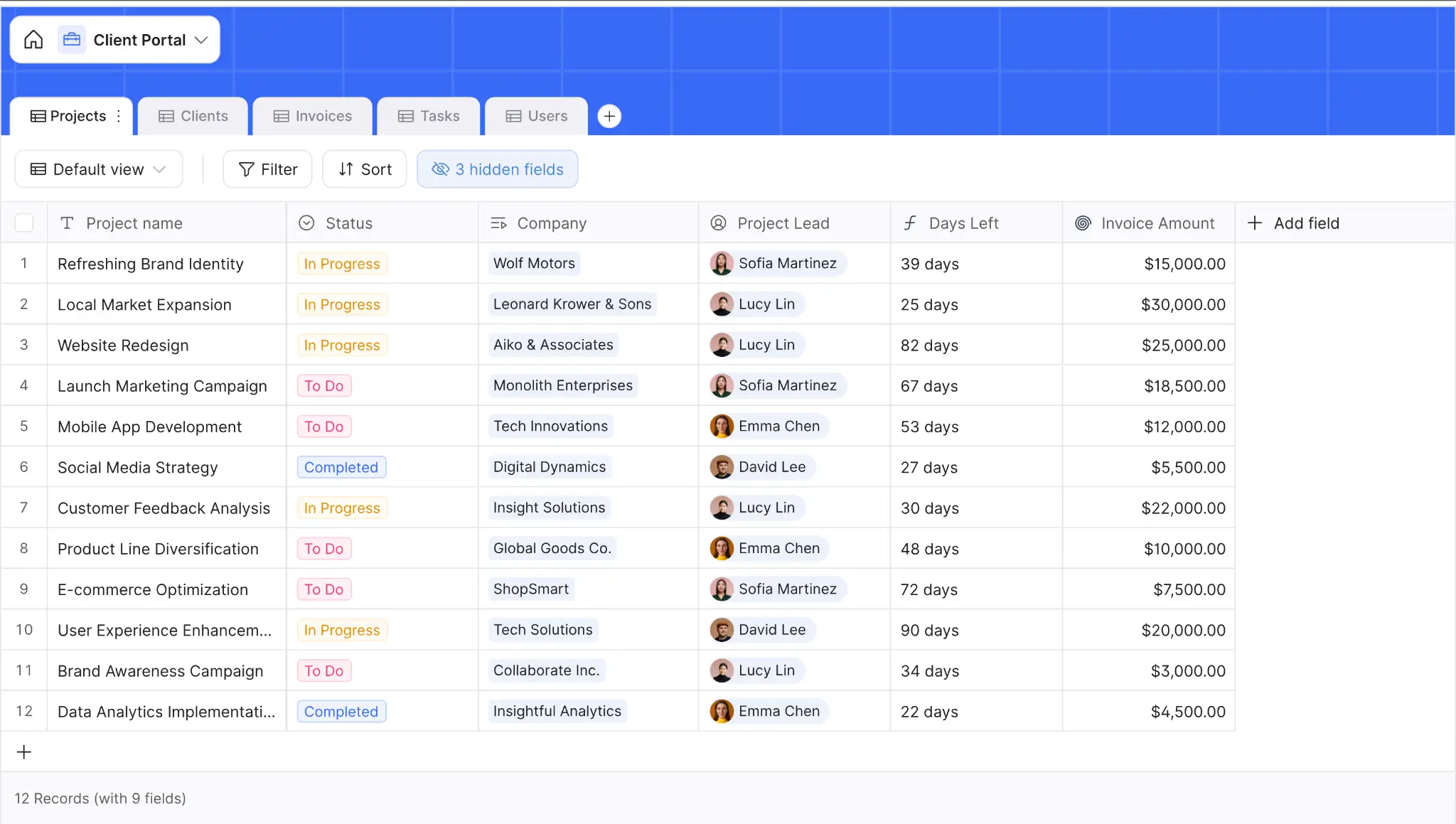
Softr is an AI-native platform that brings three things teams usually manage in separate tools into one place:
→ a built-in relational database
→ An AI app builder
→ native workflow automation
Start by describing the database you need in Softr's AI Co-Builder, and it generates the structure for you, including linked records, flexible field types, granular access control, and custom views.
From there, use the generated database on its own to manage data and add automations when needed. Or build secure client portals, CRMs, dashboards, internal tools, inventory systems, and other business apps on top of that data.
That same Co-Builder will also generate a working app in minutes—just describe the tool you need, and it sets up the pages, user permissions, and business logic, already connected. The backend, including hosting, authentication, infrastructure security, and SOC 2 and GDPR compliance, is handled for you too.
And because your database and app live on the same platform, updates show up right away, without sync delays or third-party API limits.
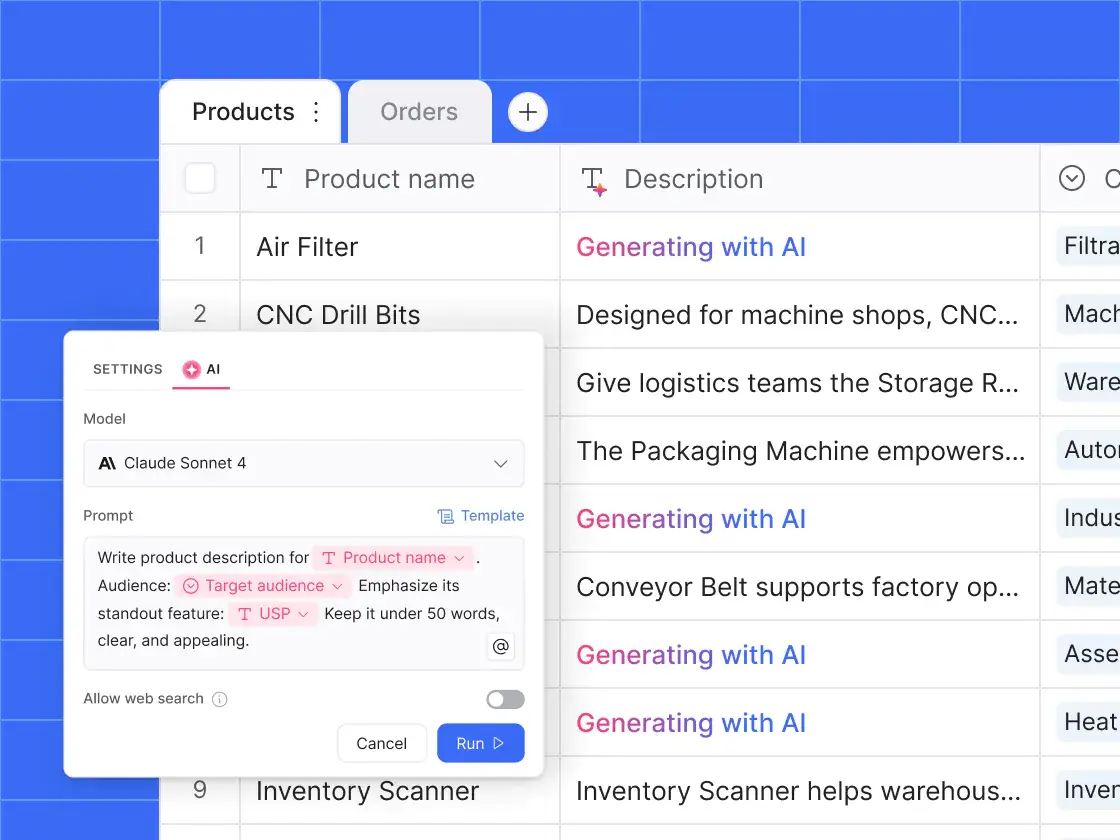
You can also add AI Agents to any field in your database to handle repetitive tasks, like summarizing records, classifying entries, extracting details from files, cleaning messy data, or enriching information automatically. Plus, you control when these agents run and which records they work on.
Softr also lets you control what each user sees and does, from the pages they can access to the database records they can view or edit. For example, a client sees only the project records assigned to them and can edit just the fields you allow, like status or notes, while a manager sees every project record and can reassign or approve any of them.
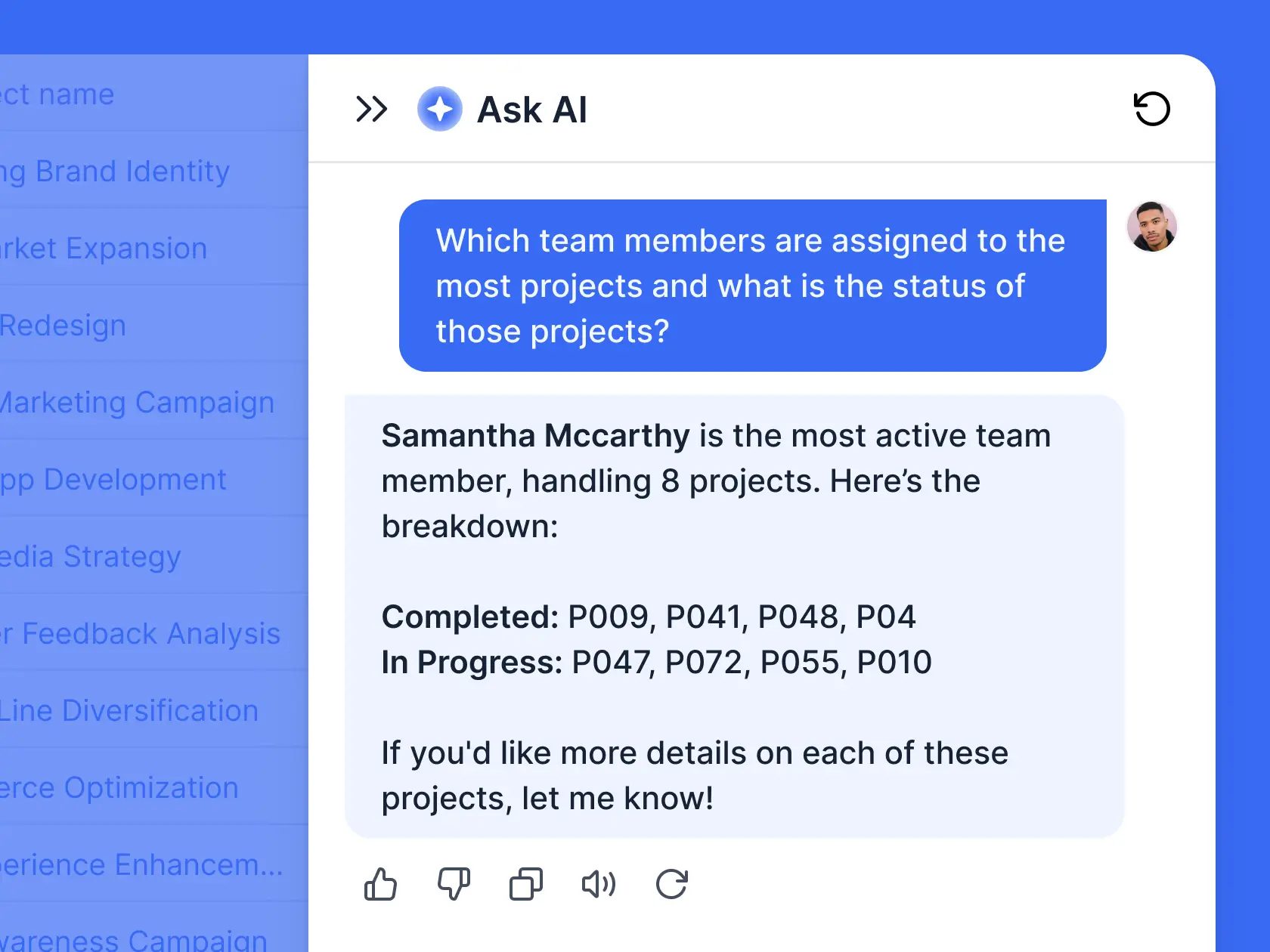
And with Ask AI, Softr's AI assistant built into your app, your team and clients can ask questions about live data and get answers drawn from your data (and only from what each person is allowed to see).
Why teams choose Softr over Airtable or Excel
- A secure, custom app around your data: Excel is spreadsheet-first, and Airtable is database-first. Softr is the better choice when employees, clients, vendors, or partners need a user-friendly app to access information, submit updates, and take action without touching the backend.
- A relational database plus app building and automation in one place: Airtable helps teams connect records and Excel helps teams analyze data, but anything app-like usually means adding other tools for portals, permissions, or automation. Softr gives you a built-in relational database, native workflows, and app builder on one platform, so you can build secure client portals, CRMs, dashboards, and internal tools on top of your data.
- Role-based access for different users: Softr includes login, user groups, and granular permissions in the core app setup, so each person sees only the records and pages that apply to them. Airtable offers external access through its paid Portals add-on, and Excel only controls access at the whole-file level.
- A faster path from idea to working system: Excel usually starts with a workbook, and Airtable usually starts with a base. Softr's AI Co-Builder can generate a database or working app from a prompt, with the data structure, pages, user permissions, and business logic already connected.
- Easier to scale across teams and outside users: Airtable’s per-seat pricing gets expensive as more people need edit access. Excel can become hard to manage when work spreads across copied files and offline workbooks. Softr includes app users in its plans and lets you add more in bundles, so you can give more people access without paying for every user as a full editor seat.
- More flexibility around your existing stack: If your data already lives in Airtable, Google Sheets, HubSpot, Notion, monday.com, SQL databases, or other tools, Softr lets you build around it. You do not have to move everything at once or force your team into one data source.
🚀 Caddy Moving used Softr to turn its Airtable backend into a custom mover portal for 3,000+ approved movers. Instead of giving movers direct database access, the team built a portal where movers can create profiles, view and bid on jobs, claim shifts in advance, and track their schedules. The system now helps Caddy book 800+ jobs per month and gives movers real-time visibility into upcoming work.
"Before Softr, 90-95% of our moving jobs were filled on the same day. Now close to 95% of our jobs are filled at least one day before, if not 48 hours before, which is a huge benefit." — Zach Richards, Founder & CEO, Caddy Moving
Airtable vs Excel vs Softr: Which one should you choose?
Excel is a better fit when the work is mostly calculations, analysis, reporting, and financial modeling, especially if you already have an active Microsoft 365 subscription. Airtable is best when several people need to connect records, collaborate across teams, and manage structured workflows from one place.
But if your goal is to turn that data into a secure app your team, clients, and partners can actually log into and use, complete with a branded interface, role-based permissions, and built-in workflows, Softr is the clear winner.
👉 Try Softr for free and start building your database and custom app today
📖 Related reading
Frequently asked questions
Why use Airtable instead of Excel?
What are the disadvantages of Airtable?
What's better than Airtable?