Managing a fleet from a spreadsheet works right up until it doesn't. A driver swap gets logged in one tab but not another, a repair invoice lives in someone's inbox, and last quarter's fuel spend is spread across three files that have become impossible to reconcile. When a vehicle goes down, you're hunting for its service history instead of fixing it.
The fix starts with the data layer. In this tutorial you'll use AI to build a fleet management database that ties every vehicle to its drivers, repairs, and expenses, then see how to turn it into a real operations app with no code. If you'd rather not build from a blank slate, you can also copy the free template and follow along.
What is a fleet management database?

A fleet management database is a central record system for everything that keeps your vehicles on the road. It tracks the assets themselves (make, model, VIN, odometer, status), the people who drive and repair them, the maintenance history behind each vehicle, and the fuel each one burns through.
The value is in the connections. A spreadsheet can list your vehicles, but it can't reliably tie one truck to its fifteen past repairs, its assigned driver, and its running fuel cost without fragile lookups. A relational database links those records natively, so one vehicle carries its full history with it. Fleet managers use it to spot the vehicles eating the maintenance budget, logistics teams use it to watch fuel consumption across the fleet, and field service businesses use it to keep service vehicles from going dark. Structure this well and you get an accurate, real-time picture of fleet health and cost.
What is Softr?
Softr is a full-stack AI platform for building business apps without code. It gives you native Softr Databases for your data layer, an interface builder for the app on top, plus built-in permissions, agents, and workflows.
To build fleet management software in Softr, you can generate a database and app with AI, start from a pre-made template, or build from scratch (or do a mix of all three).
What you'll build
Our fleet management database uses four connected tables:
- Users for drivers, mechanics, and admins.
- Vehicles as the central inventory of every asset.
- Maintenance as the service log for repairs and inspections.
- Fuel Logs for tracking consumption and expense per vehicle.
The Maintenance table is where AI does the heavy lifting, reading each reported issue to assess urgency and suggest a fix. The Vehicles table adds a second AI field that researches engine specs from the web.
{{cta-1}}
How to build a fleet management database in 4 steps
Step 1: Create the database and the Users table
Start with the people. In Softr, create a new database and build a Users table first, because it's what every permission rule later depends on.
- Email (Email type) as the primary field
- Full Name (single line text)
- Role (single select: Admin, Driver, Mechanic)
- License Number (single line text)
- Avatar (attachment)
The Role field is the one to get right. Set it as a single select with Admin, Driver, and Mechanic, since these values become the user groups that decide who sees what once you build an app on top.
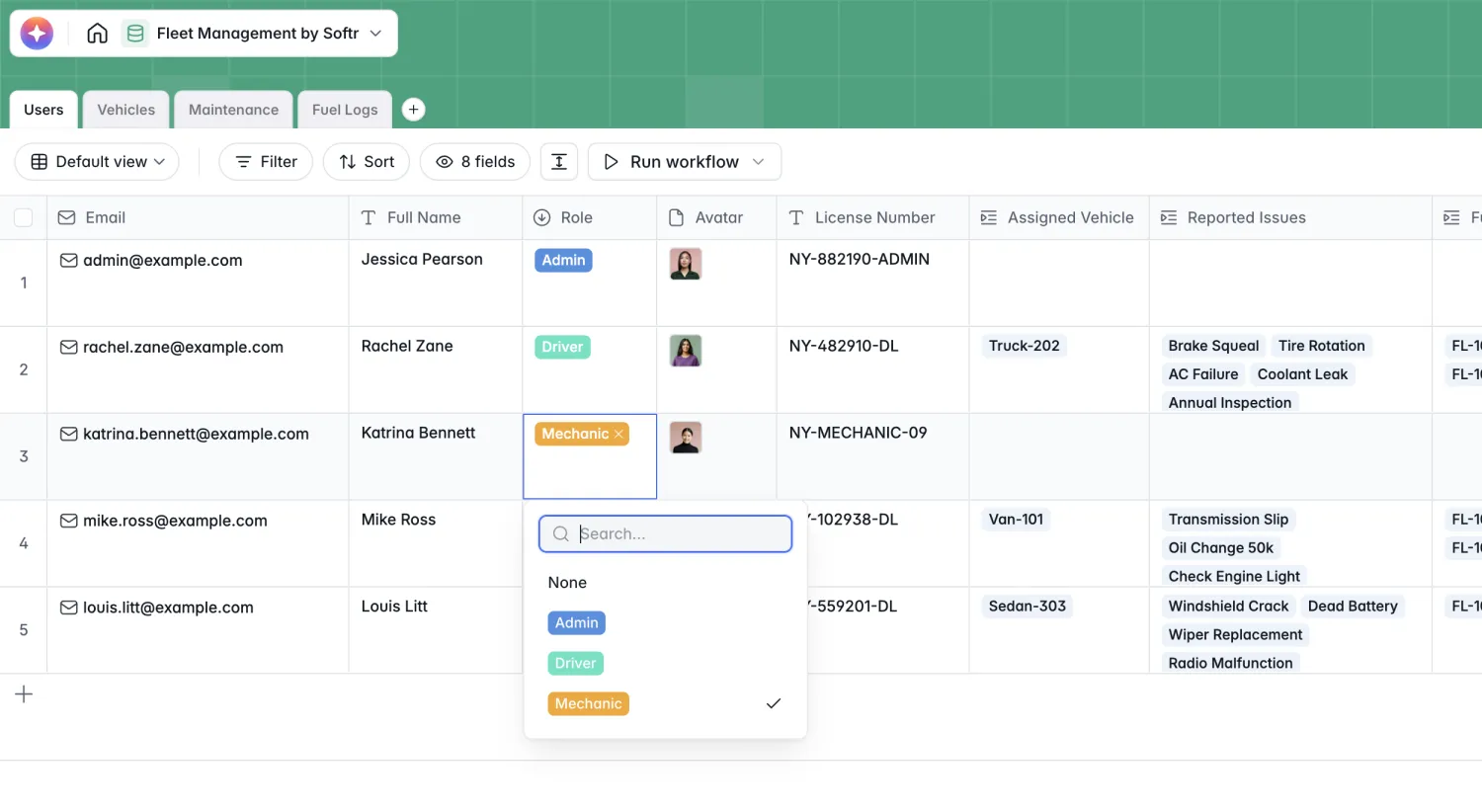
The Email field is what ties a person to Softr's user system, so when you later build an app, changing someone's Role instantly updates what they can see. That's why a users table set up early saves you rework down the line.
Step 2: Build the Vehicles table
This is the heart of the database, the inventory every other table points back to.
- Vehicle Name (single line text)
- VIN and Make and Model (single line text)
- Status (single select: Active, In Shop, Decommissioned)
- Current Odometer (number)
- Photo (attachment)
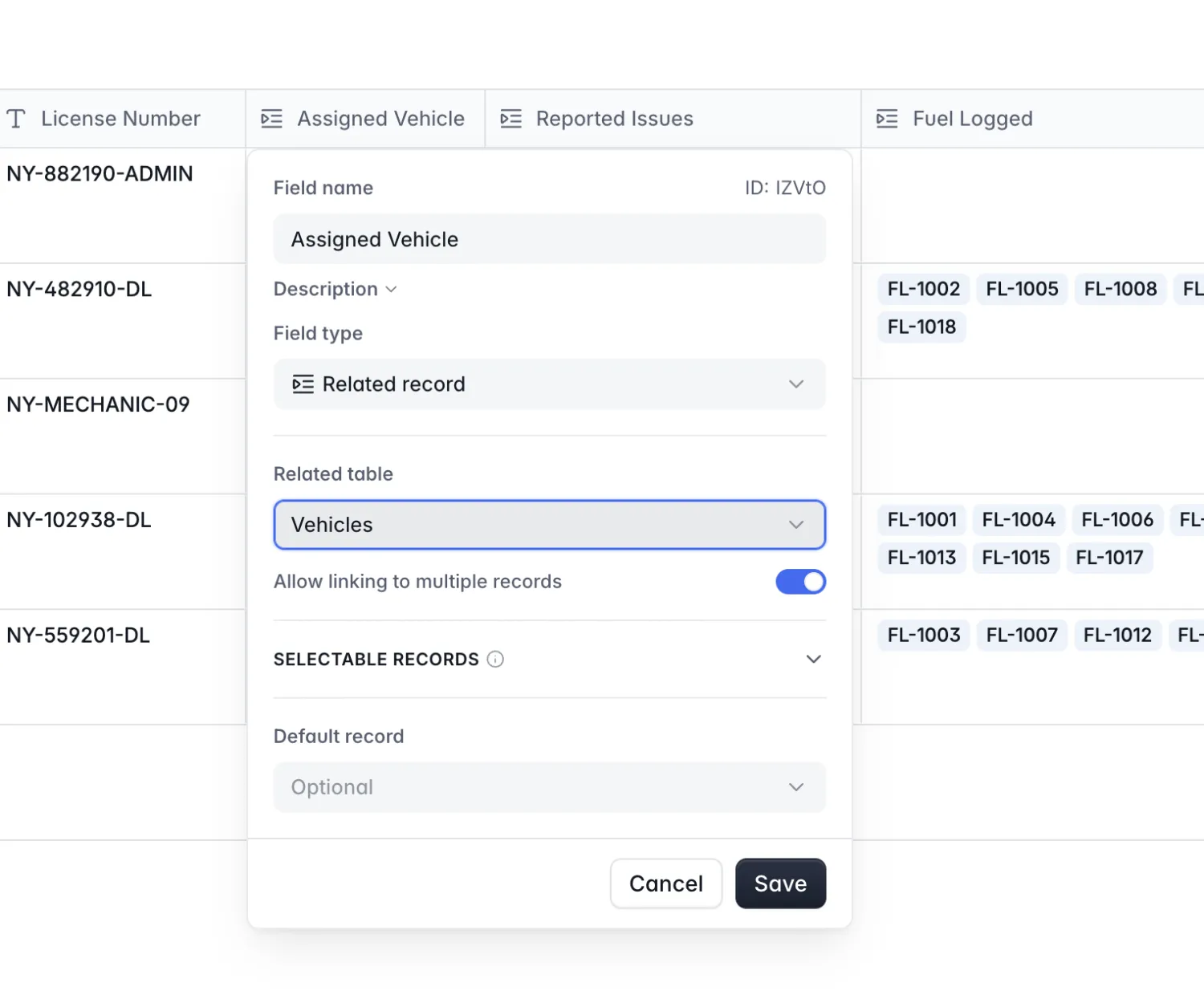
- Current Driver (linked record to Users)
- Maintenance Records and Fuel Entries (linked records)
- Total Maintenance Cost (rollup that sums cost from linked Maintenance records)
The linked record fields are what make this relational. To connect two tables, you add a related record field and point it at the table you want to link, choosing whether a record can link to one or many others.
The rollup is the payoff of going relational. Instead of manually tallying repair invoices, Total Maintenance Cost adds up every linked maintenance record automatically, so the true cost of each vehicle is always in front of you.
Open any vehicle and you get its full record in one view: the VIN, make and model, current status, odometer, and photo, next to every linked maintenance and fuel entry.
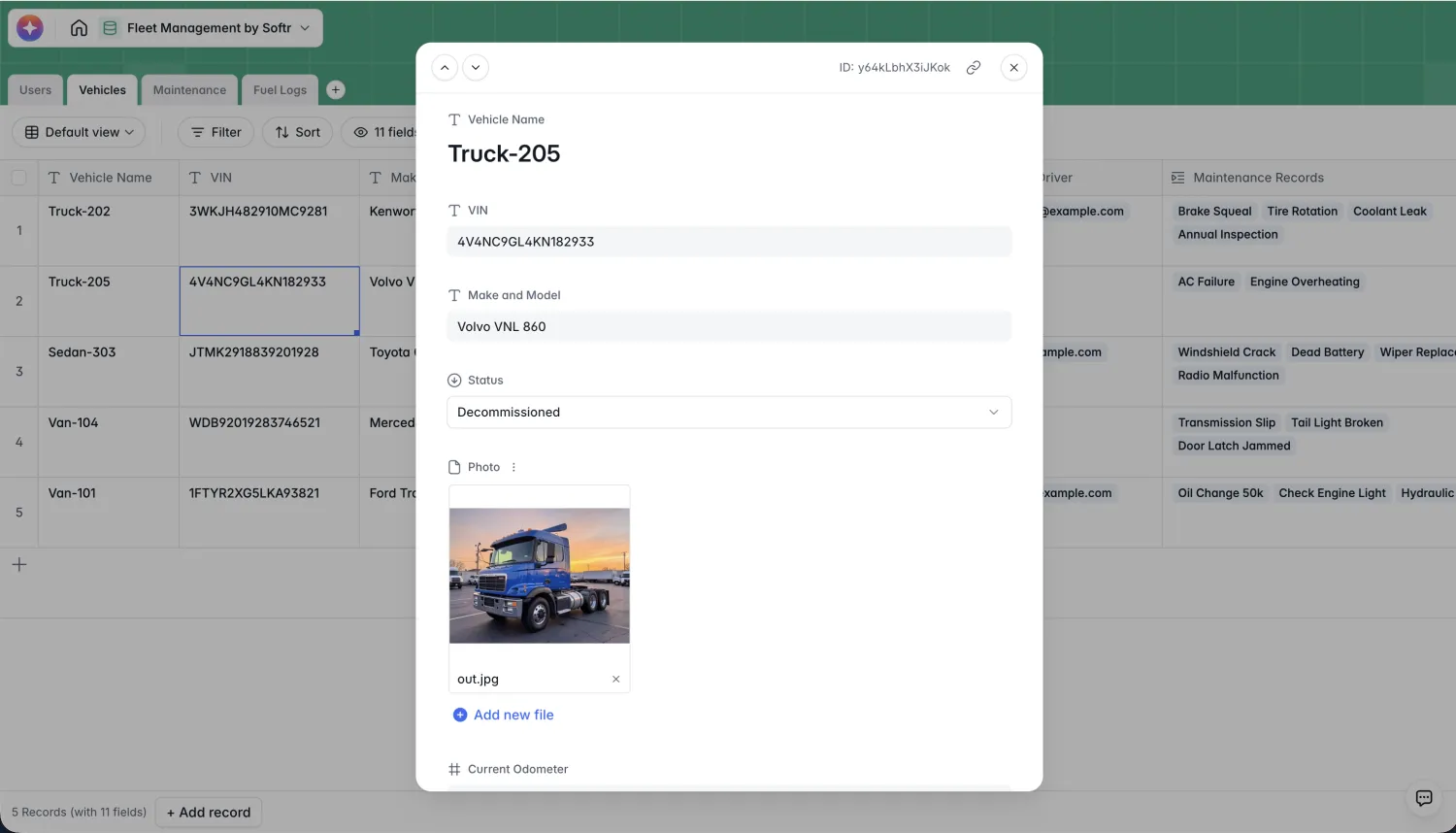
With the inventory in place, the next two tables hang off it: maintenance and fuel logs both link back to a vehicle.
Step 3: Build the Maintenance table (with AI)
The Maintenance table logs every repair and inspection, and it's where database AI agents turn raw notes into decisions.
- Issue Title and Description (text)
- Service Date (date)
- Cost (currency) and Invoice (attachment)
- Status (single select: Scheduled, In Progress, Completed)
- Reported By and Vehicle (linked records)
- AI Urgency Assessment (AI-powered single select)
- AI Suggested Action (AI-powered long text)
Set the two AI fields to run when a record is created. For triage, the urgency field uses a classification prompt: Classify the @Description into one of these urgency levels: Low, Medium, or Critical.
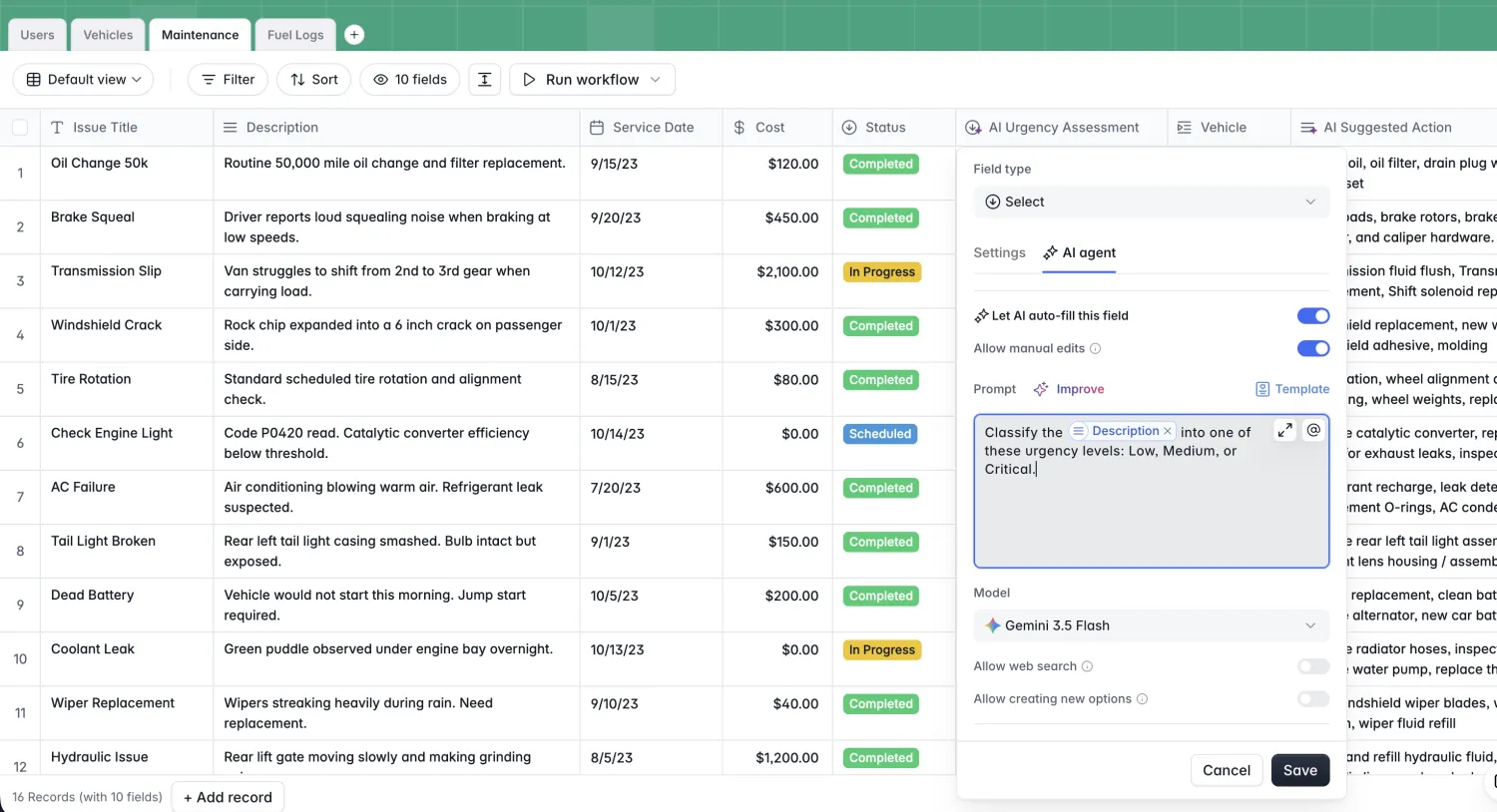
The suggestion field then drafts next steps: Suggest potential fixes or required parts based on @Description and @Issue Title. A driver types a plain-language complaint, and the record comes back already flagged and with a recommended action, so nothing critical sits in a queue unread.
Step 4: Build the Fuel Logs table
The last table tracks spend per fill-up so fuel never becomes a mystery line item.
- Log ID (single line text)
- Date (date)
- Gallons Purchased (number)
- Price per Gallon (currency)
- Receipt Photo (attachment)
- Driver and Vehicle (linked records)
- Total Cost (formula:
Gallons Purchased * Price per Gallon)
The Total Cost field is a formula that multiplies gallons purchased by price per gallon, so every fill-up totals itself the moment you enter it.
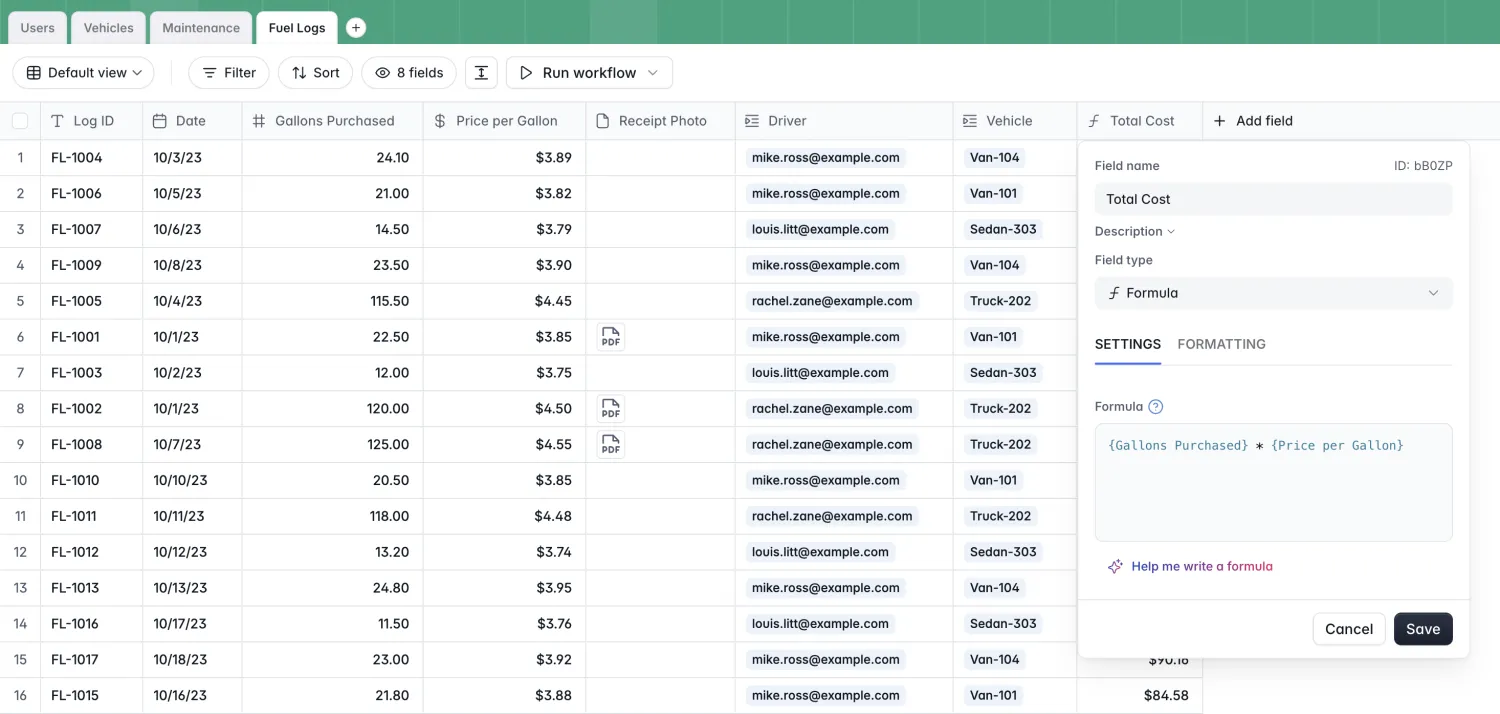
Because each log links back to a vehicle, you can see fuel cost per asset alongside its maintenance cost, which is exactly the comparison a spreadsheet makes painful.
One more AI touch lives on the Vehicles table: a Specs Lookup field with web search turned on. Its prompt, Find and summarize the engine specifications and fuel tank capacity for the vehicle: @Make and Model, fills in reference specs for a new vehicle automatically, no manual data entry required.
Database vs. spreadsheet for fleet management
Spreadsheets are fragile: one deleted row or broken formula quietly corrupts your fuel totals. They're insecure: sharing a file is all-or-nothing, so a driver who needs to log a receipt can see the entire fleet's cost data. And they're fragmented: maintenance history ends up split across tabs, email threads, and file versions nobody agrees on.
A relational database answers each of those. You link records instead of copy-pasting them, so a vehicle's repair history stays attached to it. Rollups and formulas calculate cost KPIs on their own. Field types like Currency, Email, and Date validate input so bad data never lands. And when you build an app on top, row-level security decides exactly who sees what. One object, one table, one source of truth.
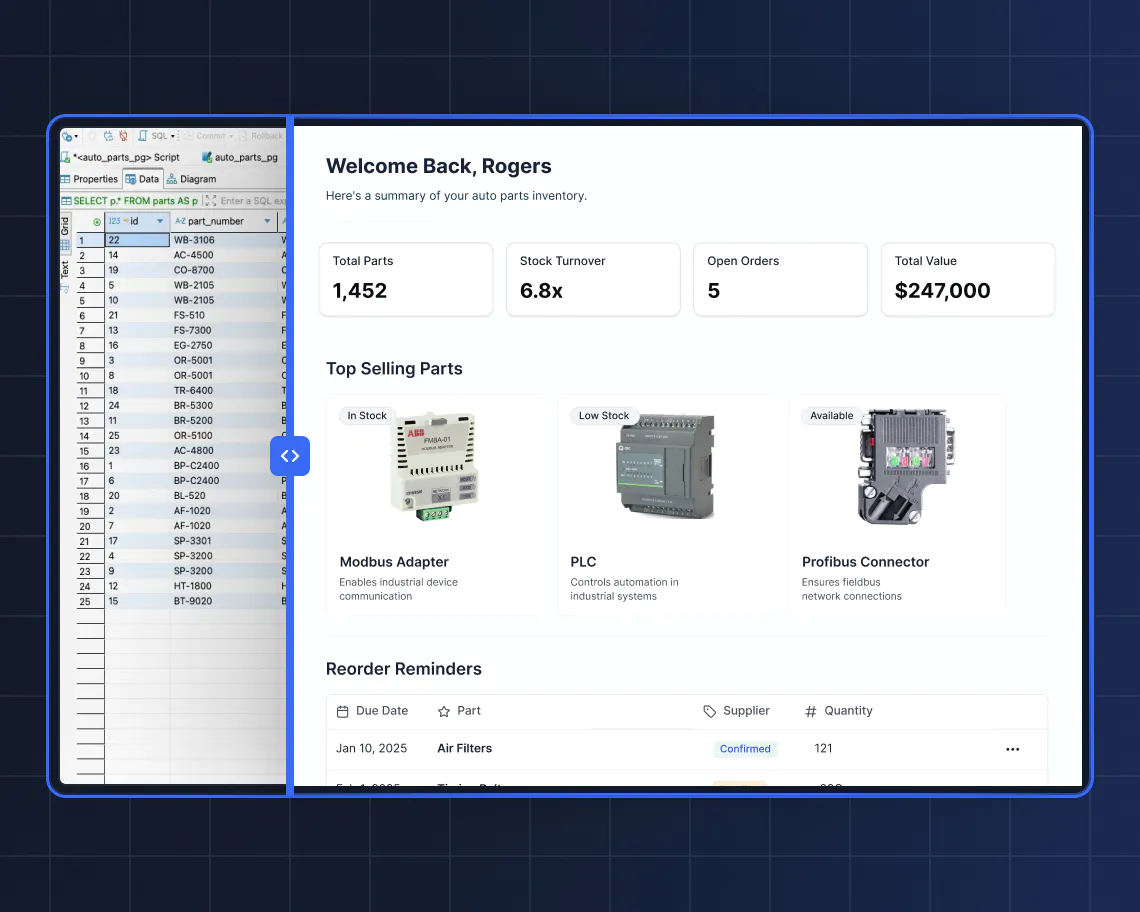
From database to app: Next steps
A solid database is the foundation of any equally solid app. Here's how Softr turns it into a working fleet operations tool:
Turn your data into an app with the AI Co-Builder. In Softr Studio, create a new app from a prompt and select the fleet database you just built. Ask the AI Co-Builder to turn it into an operations portal, and add guidelines like the user groups and roles you want. It scaffolds pages, blocks matched to each table (tables, kanbans, forms, charts), navigation, and dummy data, then asks a couple of clarifying questions. It assembles pre-built, battle-tested components rather than raw code, so you avoid the broken-layout loop of pure vibe-coding tools. Everything stays fully editable by hand.
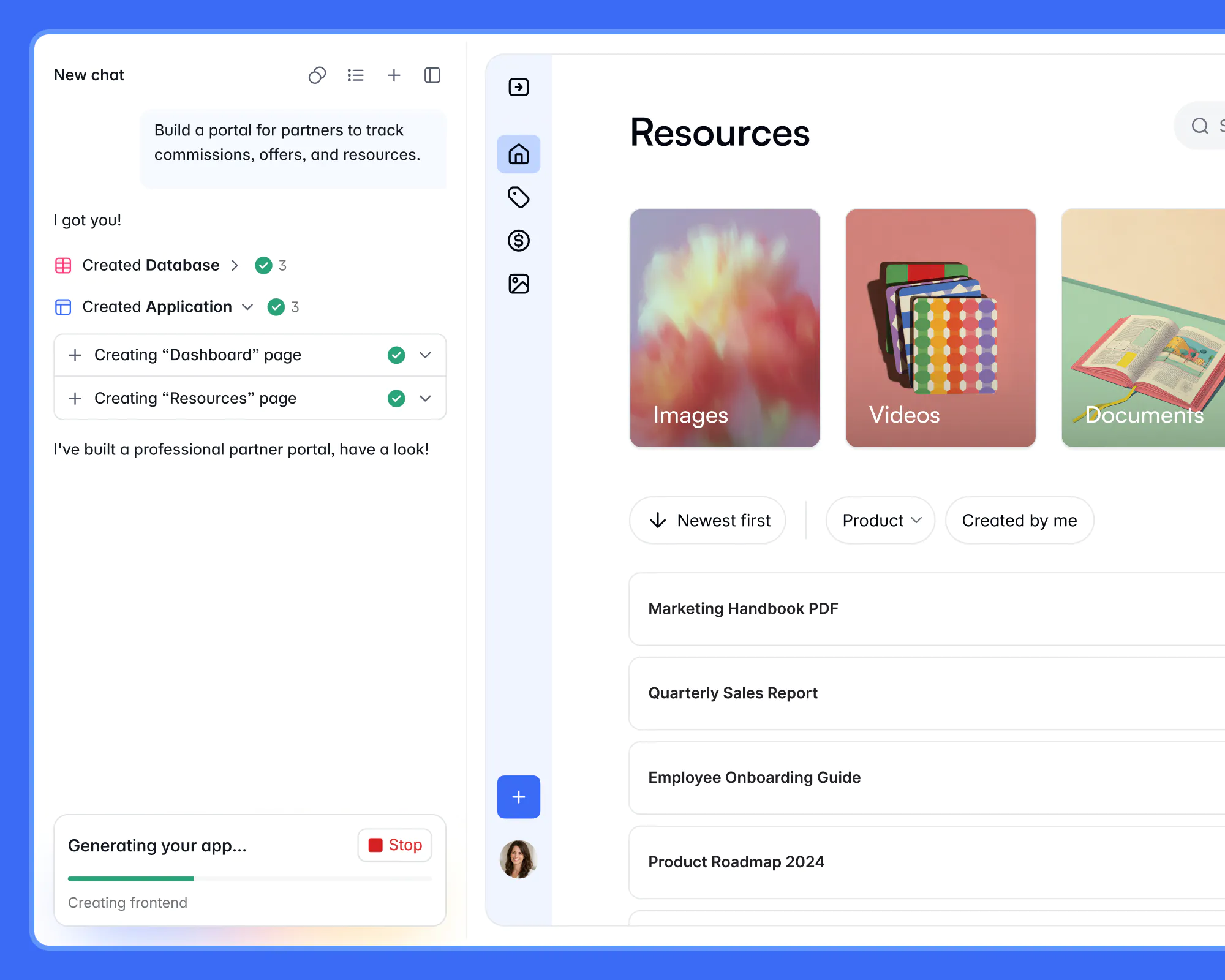
User groups and permissions. Every business app needs auth, user management, and permissions, and that quiet layer is most of what real software is. With users and permissions, you build dynamic user groups (for example, Role is Driver) and set Global Data Restrictions so drivers only ever see their own assigned vehicle, fuel logs, and reported issues. Admins keep the full view. That row-level security is the firewall block-level filters alone can't guarantee.
AI-enabled fields. The database AI agents you set up keep working inside the app: classifying urgency, suggesting repairs, and researching specs. You choose the model (OpenAI, Anthropic, Gemini, Mistral) per field and turn web search on where it helps.
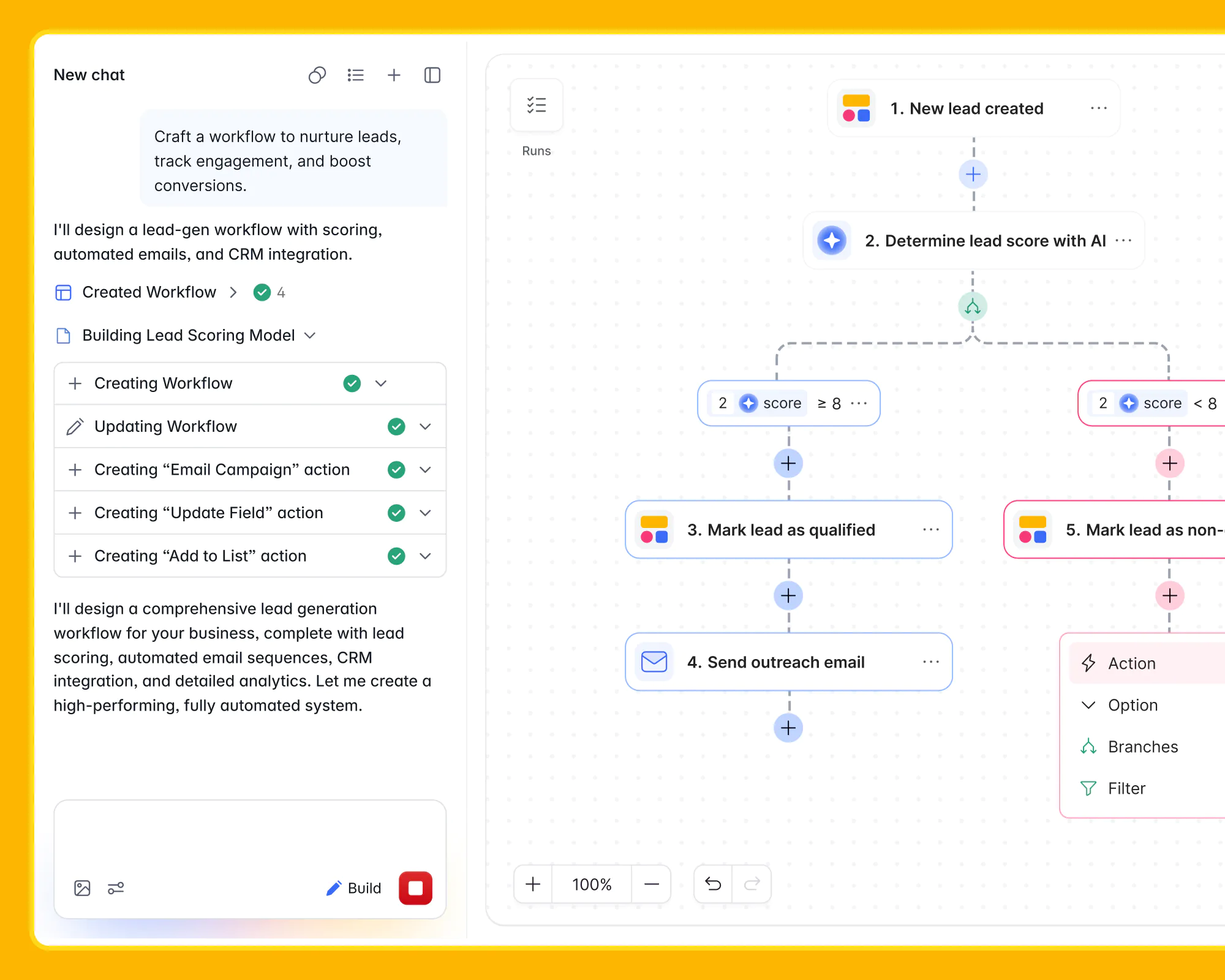
Workflows and automation. With Softr Workflows, you automate the follow-through. When a driver reports a Critical issue, notify the mechanic by email and set the vehicle status to In Shop automatically. Or trigger a workflow that runs web research on a part and writes an AI summary back into the maintenance record. With native Softr Databases, these triggers fire instantly.
{{cta-2}}
Get your fleet on the road with Softr
Great fleet software starts with a great database. Get the four tables and their links right, and everything after it (the driver portal, the permissions, the AI triage, the automated alerts) falls into place on a foundation you can trust. Start by copying the free fleet management template to skip the setup, or build it with AI in Softr and turn your scattered spreadsheets into one operations app your whole team can rely on.
Frequently asked questions
What is a fleet management database?
Why build a fleet database with no-code instead of a spreadsheet?
How does AI help with a fleet management database?
Can I build a driver-facing app on top of a fleet database?
Is the fleet management template free?