9 best Airtable alternatives in 2026 (for teams and enterprise)

[.blog-callout]
October 2026 update
Bending Spoons now owns Airtable, and this month it laid off a large part of Airtable's team. Airtable says customers' plans and prices won't change, but many teams are reviewing their options.
[.blog-callout]
After using Airtable to track client deadlines and manage deliverables, I’ve found it works well as a flexible no-code database and for building lightweight internal apps. However, Airtable can become expensive as teams grow and may not offer the UI customization, granular user permissions, or progressive web app (PWA) support needed for more advanced client-facing applications.
The best Airtable alternative depends on the precise reasons you're leaving. For cost and governance at scale, consider a platform priced by plan rather than per editor. For self-hosting, look at Baserow or NocoDB. If Airtable works and you only need a better front end for clients or staff, keep it and add an app layer.
The 9 best Airtable alternatives at a glance
| Alternative | Best for | Why choose it over Airtable? | Free plan | Starting price |
|---|---|---|---|---|
| Softr | Replacing Airtable's database and Interfaces in one tool | Built-in database, custom interfaces, authentication, and granular permissions | Yes | $19/month |
| Stackby | Airtable-like alternative | Similar spreadsheet experience with CRM features (email sync, activity tracking) built in | Yes | $4.20/user/month ($149/year for 3 users) |
| SmartSuite | Operational workflows | 200+ industry templates and built-in project views out of the box | 14-day trial | $15/user/month (3-user minimum) |
| Baserow | Open-source alternative | Self-hosting and full control over your data | Yes | $10/user/month |
| NocoDB | SQL-backed databases | Turns an existing Postgres or MySQL database into a no-code frontend with instant APIs | Yes | $12/user/month |
| Google Sheets | Free and simple alternative | No cost, near-universal familiarity, and works offline | Yes | Free (Google Workspace from $7/user/month) |
| monday.com | Project management | Purpose-built boards, timelines, and automations for managing work, not just data | Yes (2 seats) | $9/seat/month (3-seat minimum) |
| Notion | Docs and lightweight databases | Combines notes, wikis, and databases in one workspace | Yes | $10/member/month |
| Coda | Interactive docs and workflows | Turns docs into interactive tools with buttons, automations, and formulas | Yes | $12/Doc Maker/month |
Starting prices are for annual billing (Google Workspace: monthly), checked October 2026.
How I evaluated Airtable alternatives
I tested each alternative using five core criteria: how flexible and scalable the platform's database is, how granular the permission controls are (particularly for external users), whether you can build custom interfaces or full apps on top of the data, how pricing scales as you add users and records, and how well it integrates with the tools currently in your tech stack.
What enterprise teams should check before switching
Use this 10-item checklist to compare any tool in this article against your own IT requirements:
- Single sign-on (SSO): One company login for every tool, managed by your identity provider.
- SCIM provisioning: Automatic user updates when your HR or identity system adds or removes someone.
- Audit logs: A record of who changed what, and when.
- Data residency: The country or region where your data is stored.
- Record limits: The maximum number of records per base or database on the plan you'd buy.
- Record-level permissions: Control over which users can see or edit individual records, not just whole tables.
- Billing model: Whether the vendor bills per editor, per user, or per plan.
- Cost at 50 and 500 users: The real yearly bill at your team size, not the starting price.
- Export and API access: A full export path and an API, so you're never locked in.
- Compliance: A SOC 2 Type II report, and a signed HIPAA BAA if you handle US health data.
1. Softr — best for replacing Airtable's database and Interfaces in one tool
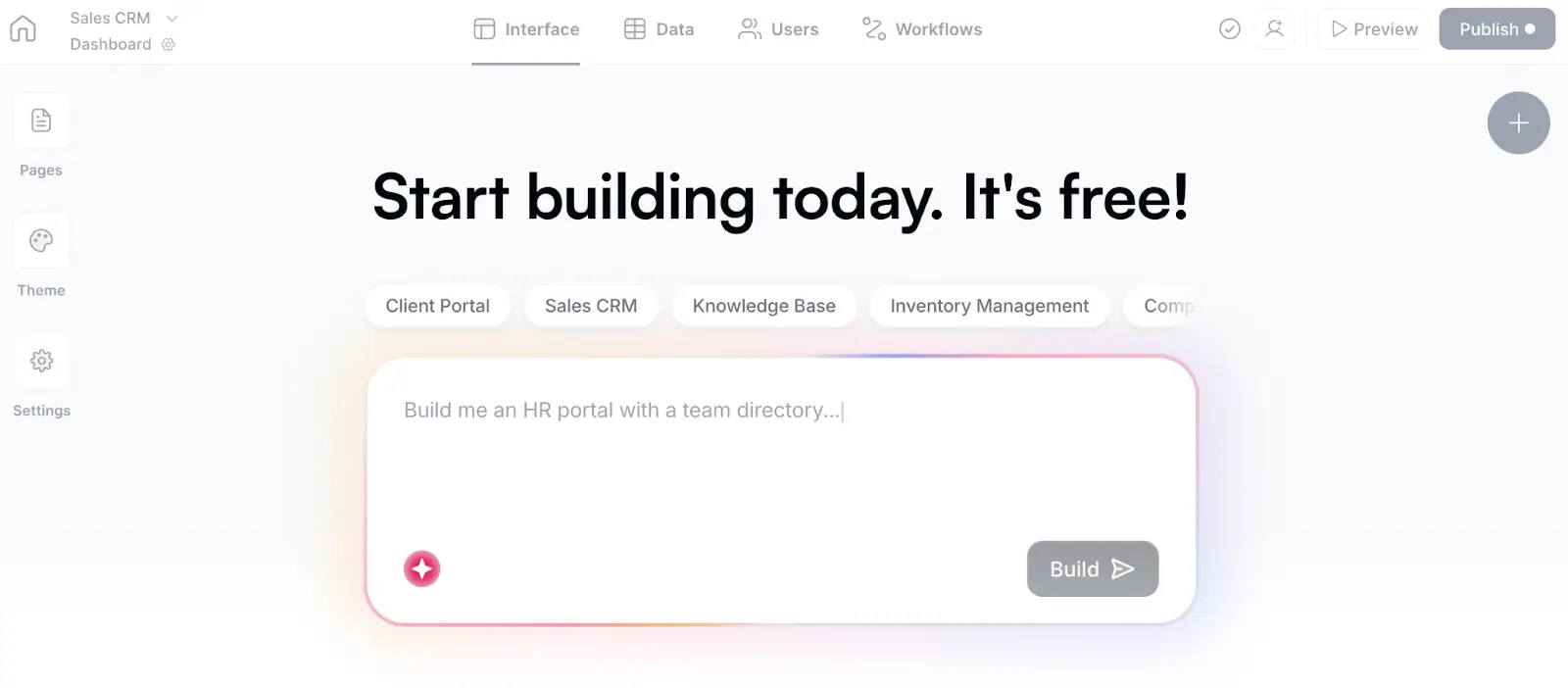
Softr replaces both halves of Airtable: the database (Softr Databases can import your existing base) and the Interfaces your team and clients use. You can replace Airtable entirely or continue using it as a connected data source. Softr's AI Co-Builder can also generate secure apps in minutes—complete with a database, interface, and business logic—and you can continue iterating with prompts or with the no-code visual editor.
| Capability | Airtable | Softr |
|---|---|---|
| Relational database | Yes | Yes |
| AI-generated database and application | Yes | Yes |
| External user authentication | Limited | Yes |
| Custom user groups and permissions | Limited | Yes |
| Client-facing applications | Limited | Yes |
| Multiple connected data sources | Limited | Yes |
| Direct Airtable import | N/A | Yes |
Bottom line: Softr is best for teams that need advanced business app-building capabilities (such as client portals, CRMs, and employee tools) and want to replace a fragmented stack of tools like Airtable, Zapier, Make, and Tally with an all-in-one solution that includes built-in databases, workflows, app building, and forms.
Where Softr beats Airtable:
- UI flexibility and customization: Airtable's Interface is a good solution when you need a simple interface or basic layout to access the data. To extend its capabilities further, you need to add many 3rd party extensions, forms, JavaScript code and more. Softr’s AI app builder can create unique interfaces, advanced layouts using the Vibe Coding block, conditional forms, all custom to your unique needs.
- Internal and external facing standalone apps: Airtable is not suitable for advanced internal tools or client-facing, external apps due to its limited customization, seat limits/pricing, login options (client access needs paid Airtable seats or the Portals add-on). With Softr, teams can build standalone internal tools and client portals with native user authentication and secure login. Softr is priced by plan with user and record limits, not per editor. Every plan includes secure hosting on AWS in Germany, backed by a SOC 2 Type II report and GDPR compliance.
- Roles and granular permissions: Softr offers user groups and permissions down to individual records, not just base-level access.
- Built-in relational database & workflows: Softr has its own native relational database, and you can import data into it from Airtable or a CSV file. Airtable’s automations are embedded in the database, so every automation is tied to a single base. Softr’s workflows platform (an alternative to Zapier or Make) lets you create custom workflows, connect them with your app actions, run data transformation, jobs (one time or recurring) and much more.
- Connect to 21+ external data sources: Pull data from Airtable or other native data sources (HubSpot, Salesforce, etc.), or connect to 70+ apps such as Slack, QuickBooks, Docusign, and more via workflows.
Where Airtable is better:
- More database views available directly inside the data layer
- More familiar spreadsheet-style base editing
- Larger ecosystem of extensions
Best for: Operations teams building portals, CRMs, internal tools, dashboards, or inventory applications.
Who Softr is not for: Teams that only need a basic spreadsheet-style database with native grid, kanban, and calendar views baked directly into the data layer.
Migrating from Airtable:
- Migration method: Native Airtable importer for Softr Databases.
- What transfers: Tables, fields, records, linked records, attachments, and most formulas.
- What may require rebuilding: Embedded automations, heavy formulas, scripts inside Airtable bases (can be replaced with more powerful Workflows with custom code capabilities).
Pricing: Free plan; paid plans start at $19/month.
For larger teams: SSO (SAML, OpenID), SCIM, and audit logs are on the Enterprise plan. The Business plan includes 2FA, domain-restricted sign-up, and global data restrictions. Billing is per plan, with a set number of builders, app users, and records.
Verdict: Choose Softr when Airtable's database or Interface Designer can no longer support the application, permissions, or external-user experience you need.
2. Stackby — Airtable-like alternative
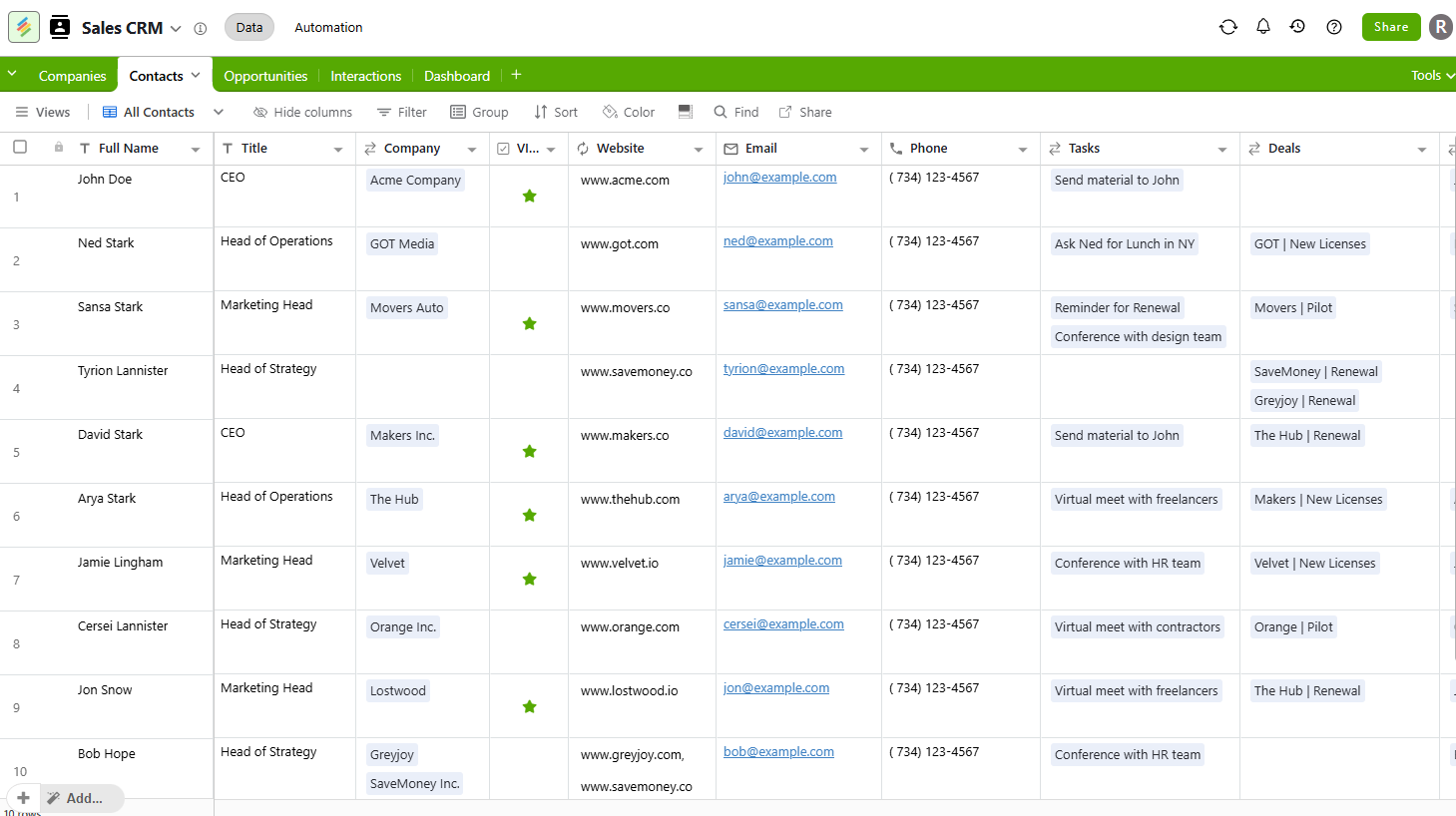
Bottom line: Stackby is the closest Airtable look-alike on this list, adding CRM-style features like two-way email sync and activity tracking directly into a spreadsheet-database hybrid.
Where Stackby beats Airtable:
- Two-way Gmail/Outlook sync and per-record activity tracking built into the database (Business plan and up)
- 25+ specialized column types, plus "Powerups" for CRM, marketing, and ops use cases on Business and up
- Lower cost per seat than Airtable at every paid tier
Where Airtable is better:
- Larger integration marketplace and automation ecosystem
- More mature interface and app-builder tooling for non-technical teams
- Larger community of templates and extensions
Who Stackby is not for: Teams that need a full application layer with user authentication and permissions.
Migrating from Airtable:
- Migration method: Native Airtable importer (connect your Airtable account and pick a base), or CSV import
- What transfers: Tables, fields, records, attachments, and linked, lookup, and aggregation fields
- What may require rebuilding: Views, formulas, and automations
Pricing: Free plan; paid plans start at $4.20/user/month ($149/year, billed annually for 3 users).
For larger teams: SAML SSO is on the Enterprise plan, and audit logs start on Pro. Stackby doesn't list self-hosting. Billing is per editor, and read-only collaborators are free.
Verdict: Choose Stackby if you want an Airtable-like spreadsheet experience with CRM features layered in, at a lower price per seat.
3. SmartSuite — for operational workflows
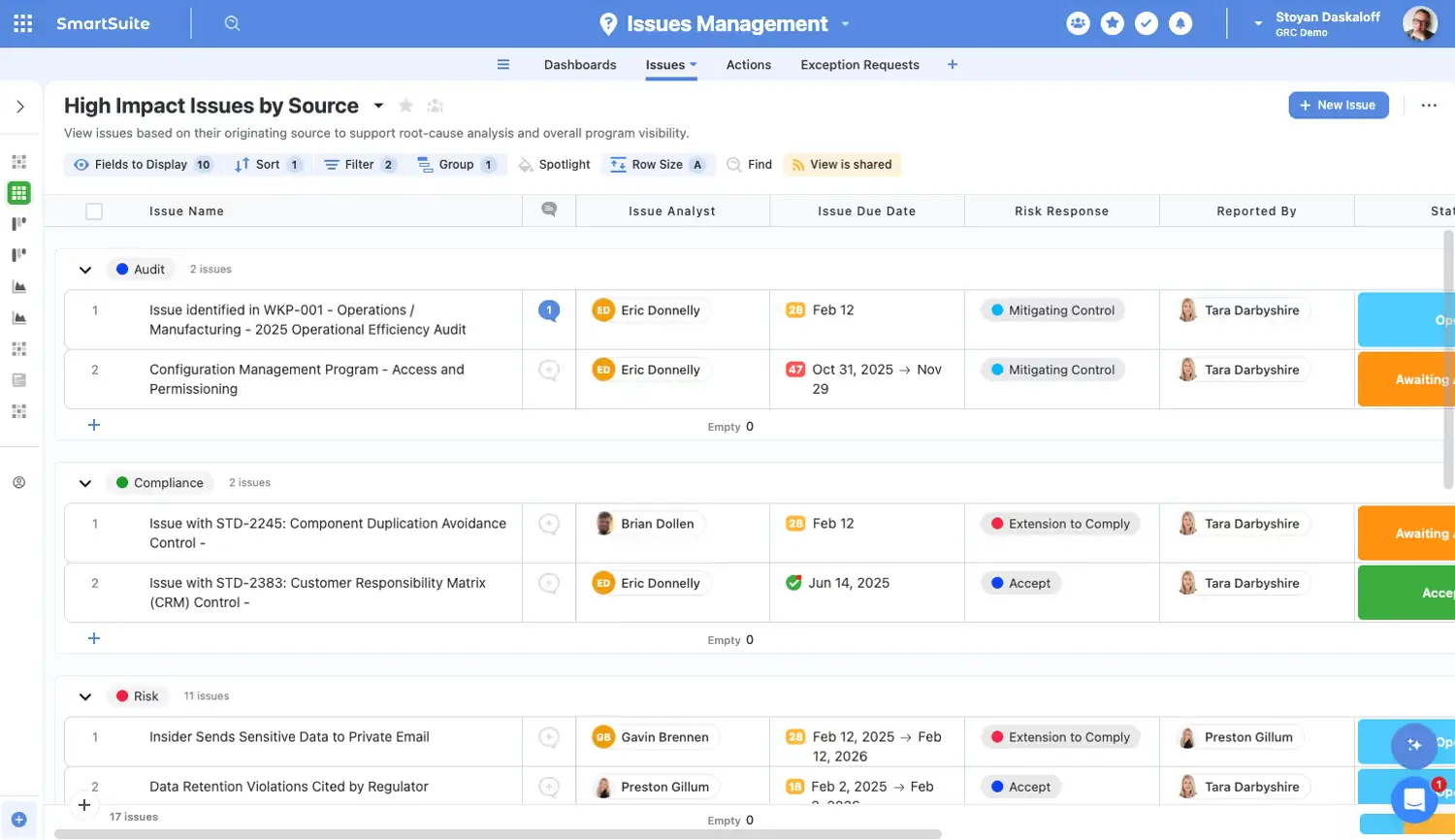
Bottom line: SmartSuite mirrors Airtable's spreadsheet interface closely, then adds 200+ industry templates and project-management views on top.
Where SmartSuite beats Airtable:
- 200+ ready-made templates across marketing, HR, real estate, and other verticals
- Built-in project-management views (Gantt, kanban) without needing an add-on
- Simpler entry-level pricing for small teams
Where Airtable is better:
- Larger integration and automation ecosystem
- More mature API and developer tooling
- Cleaner, less busy interface for basic use cases
Who SmartSuite is not for: Teams that rely heavily on Airtable's automation or third-party integrations.
Migrating from Airtable:
- Migration method: Native "Import from Airtable" option when you create a new Solution, or CSV import
- What transfers: Tables, fields, and records
- What may require rebuilding: Automations, views, and some field mappings
Pricing: 14-day free trial; paid plans start at $15/user/month (3-user minimum).
For larger teams: SAML SSO, SCIM, and audit logs are on the Enterprise plan. New workspaces can choose US or EU hosting at sign-up. Billing is per user with edit rights, while read-only users, commenters, and form submitters are free.
Verdict: Choose SmartSuite if you want Airtable's core experience with built-in project-management templates (and don't need Airtable's broader integration library).
4. Baserow — open-source alternative
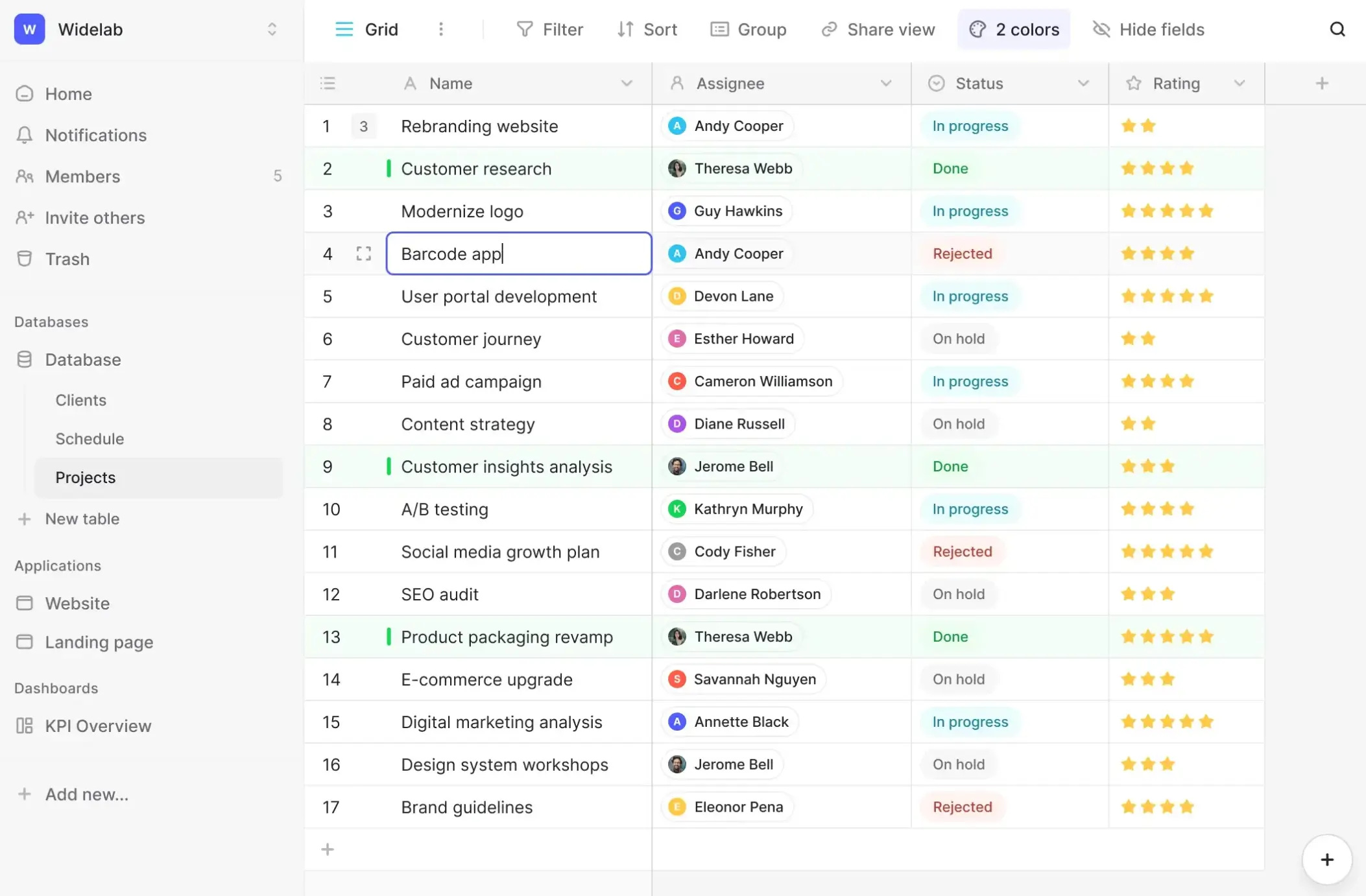
Bottom line: Baserow matches Airtable's core table-and-field experience while giving you the option to self-host or deploy on Baserow's cloud.
Where Baserow beats Airtable:
- Open source (almost all of the code is MIT licensed), with self-hosting for complete data ownership
- No per-seat pricing on the free, self-hosted tier
- REST API and plugin system for custom extensions
Where Airtable is better:
- Larger template and integration library
- More polished interfaces and app-building tools
- Easier setup for non-technical teams, since it requires no hosting decisions
Who Baserow is not for: Teams without the technical resources to manage self-hosting, or that want Airtable-level polish right out of the box.
Migrating from Airtable:
- Migration method: Built-in Airtable import from a base's public share link
- What transfers: Tables, fields, records, linked records, attachments, and grid views
- What may require rebuilding: Automations, interfaces, and formula, lookup, and rollup fields
Pricing: Free plan (unlimited databases, 2GB storage); paid plans start at $10/user/month.
For larger teams: You can self-host Baserow, but the free open-source edition has no SSO and no role-based permissions. SSO and role-based permissions start on the paid Advanced plan. SSO is for self-hosted installs only, and Baserow doesn't support SCIM. Baserow's cloud servers are in Germany.
Verdict: Choose Baserow if data ownership and self-hosting are top priorities, as opposed to Airtable's ease of use and integration library.
5. NocoDB — for SQL-backed databases
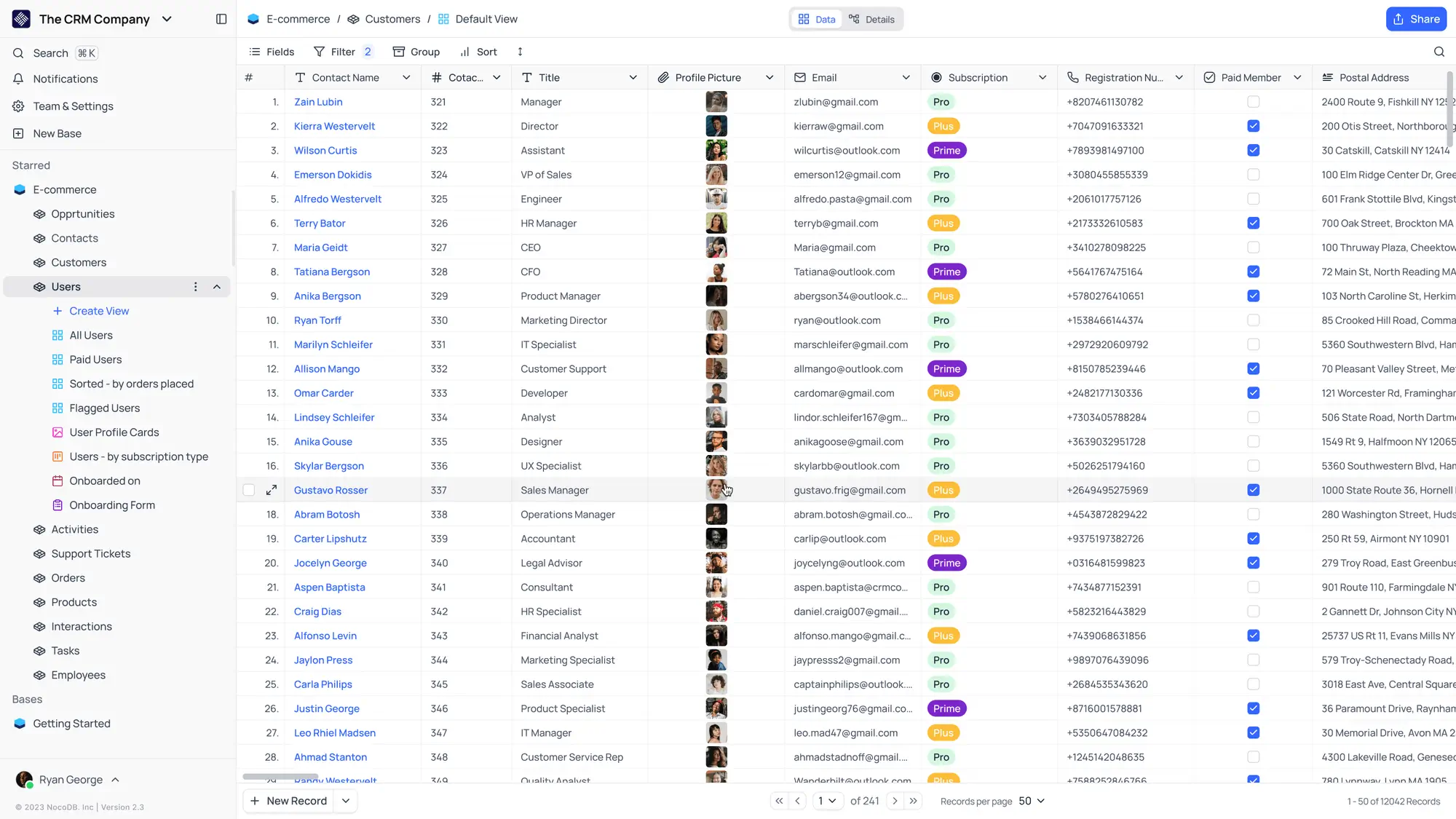
Bottom line: NocoDB turns an existing Postgres or MySQL database into an Airtable-style interface, with instant REST APIs generated for every table.
Where NocoDB beats Airtable:
- Works directly on top of your existing SQL database instead of a proprietary format
- Auto-generates REST APIs for every table with no extra setup
- Source-available (fair-code license), with a free self-hosted tier
Where Airtable is better:
- Far easier for non-technical users to set up and use
- Larger library of templates and prebuilt use cases
- More mature automation and integration tooling
Who NocoDB is not for: Non-technical teams that want a polished, ready-to-use database rather than a layer over SQL.
Migrating from Airtable:
- Migration method: Built-in Airtable import using an Airtable access token and a shared base link
- What transfers: Tables, records, views, linked records, and attachments
- What may require rebuilding: Formula fields and automations
Pricing: Free cloud and self-hosted plans; paid plans start at $12/user/month.
For larger teams: The free self-hosted Community edition has basic roles but no SSO. SSO starts on Business, audit logs on Scale, and SCIM on Enterprise. Billing is per editor, with a flat unlimited-seat option on Plus and Business.
Verdict: Choose NocoDB if you already run a SQL database and want a no-code layer with instant APIs on top of it.
6. Google Sheets — free and simple alternative
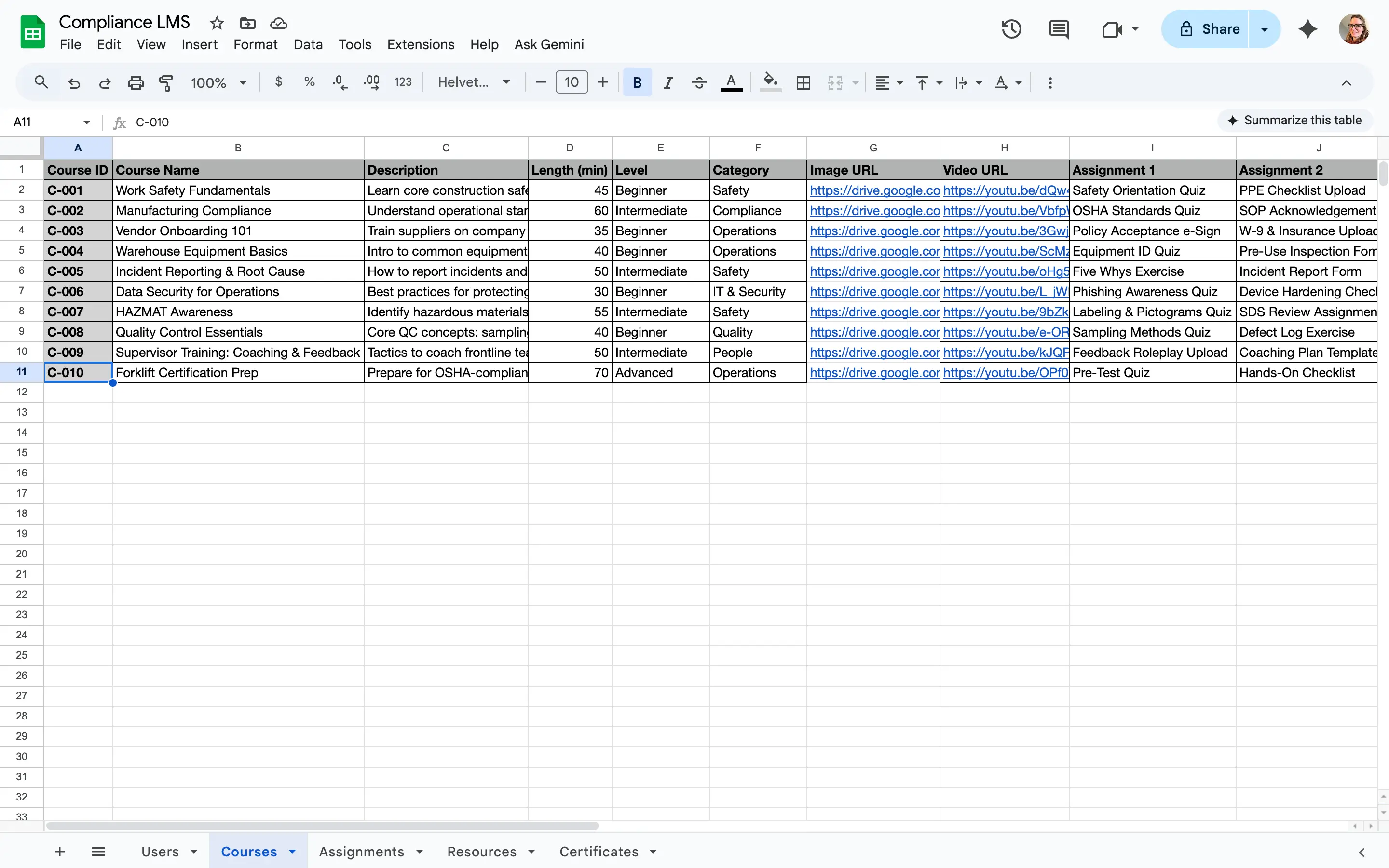
Bottom line: Google Sheets is the simplest and cheapest Airtable alternative, trading relational database structure for near-universal familiarity and zero cost for individual use. Just know that you're getting a spreadsheet, not a true database.
Where Google Sheets beats Airtable:
- Free for individual use, with no record or base limits tied to a paid plan (beyond the 20 million cell limit)
- Familiar spreadsheet interface that almost every team member will be familiar with
- Real-time multi-user editing and commenting built in for collaboration
Where Airtable is better:
- True relational database structure with linked records and lookups
- Field types built for structured data, like attachments and formulas across linked tables
- Views (kanban, calendar, gallery) designed for non-spreadsheet workflows
Who Google Sheets is not for: Teams managing linked records across multiple tables, or that need row-level permissions and structured views.
Migrating from Airtable:
- Migration method: Export each Airtable table as CSV, then import into a new sheet
- What transfers: Field values as plain text or numbers
- What may require rebuilding: Linked-record relationships, attachments, formulas, and views; Sheets has no native equivalent for Airtable's linked records
Pricing: Free for individual use; Google Workspace (for business email and admin controls) starts at $7/user/month, billed monthly.
For larger teams: Every Google Workspace edition includes an audit and investigation tool, and Google can act as the SSO provider for other apps. Data region controls start on Business Standard. The Business Starter, Business Standard, and Business Plus editions are capped at 300 users.
Verdict: Choose Google Sheets if you need a free, simple way to track data and don't require relational structure or permissions.
7. monday.com — for project management
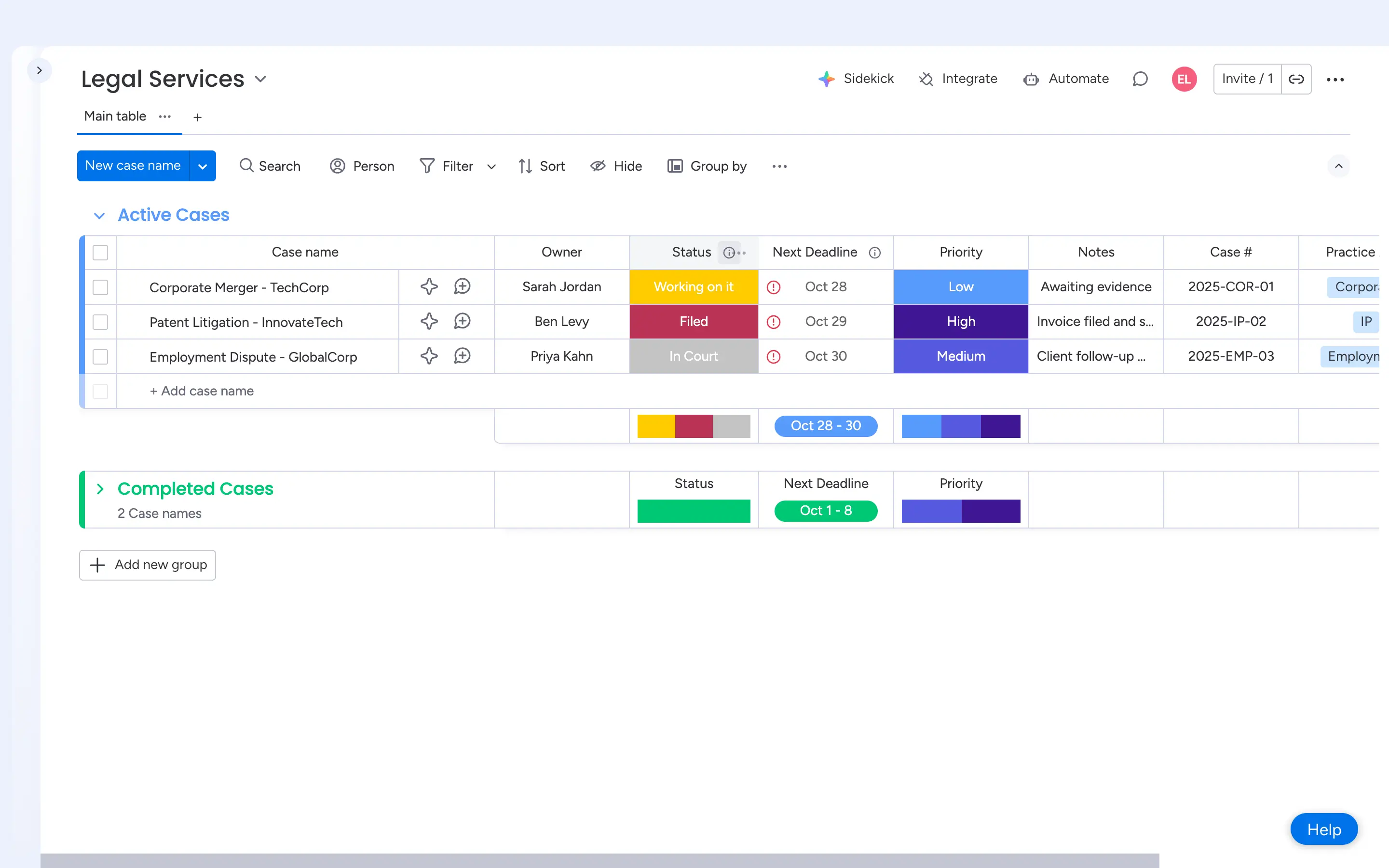
Bottom line: Monday.com is a work-management platform built around boards and timelines, not a database. Choose it when you're managing work and projects rather than storing relational data.
Where monday.com beats Airtable:
- Purpose-built project views: Timeline and Gantt from the Standard plan, and workload on Pro
- Deeper automation and integration library for workflow-heavy teams
- Dedicated CRM and dev-team products built on the same platform
Where Airtable is better:
- True relational database with linked records across tables
- More flexible field types for structured data, like attachments, formulas, and lookups
- A free plan with up to 5 editors for teams that just need a database
Who monday.com is not for: Teams that need a relational database with linked records across multiple tables.
Migrating from Airtable:
- Migration method: CSV import; no native one-click Airtable connector
- What transfers: Tables (as boards) and field values
- What may require rebuilding: Linked-record relationships, formulas, and views
Pricing: Free plan (2 seats); paid plans start at $9/seat/month (3-seat minimum, billed annually).
For larger teams: SAML SSO, SCIM, and audit logs are on the Enterprise plan. Monday.com is cloud-only, with data hosted in the US, EU, or APAC. Viewers are free on Basic and up.
Verdict: Choose monday.com if your team needs project management more than a database, and consider pairing it with a tool like Softr if you also need a relational data layer.
8. Notion — for docs and lightweight databases
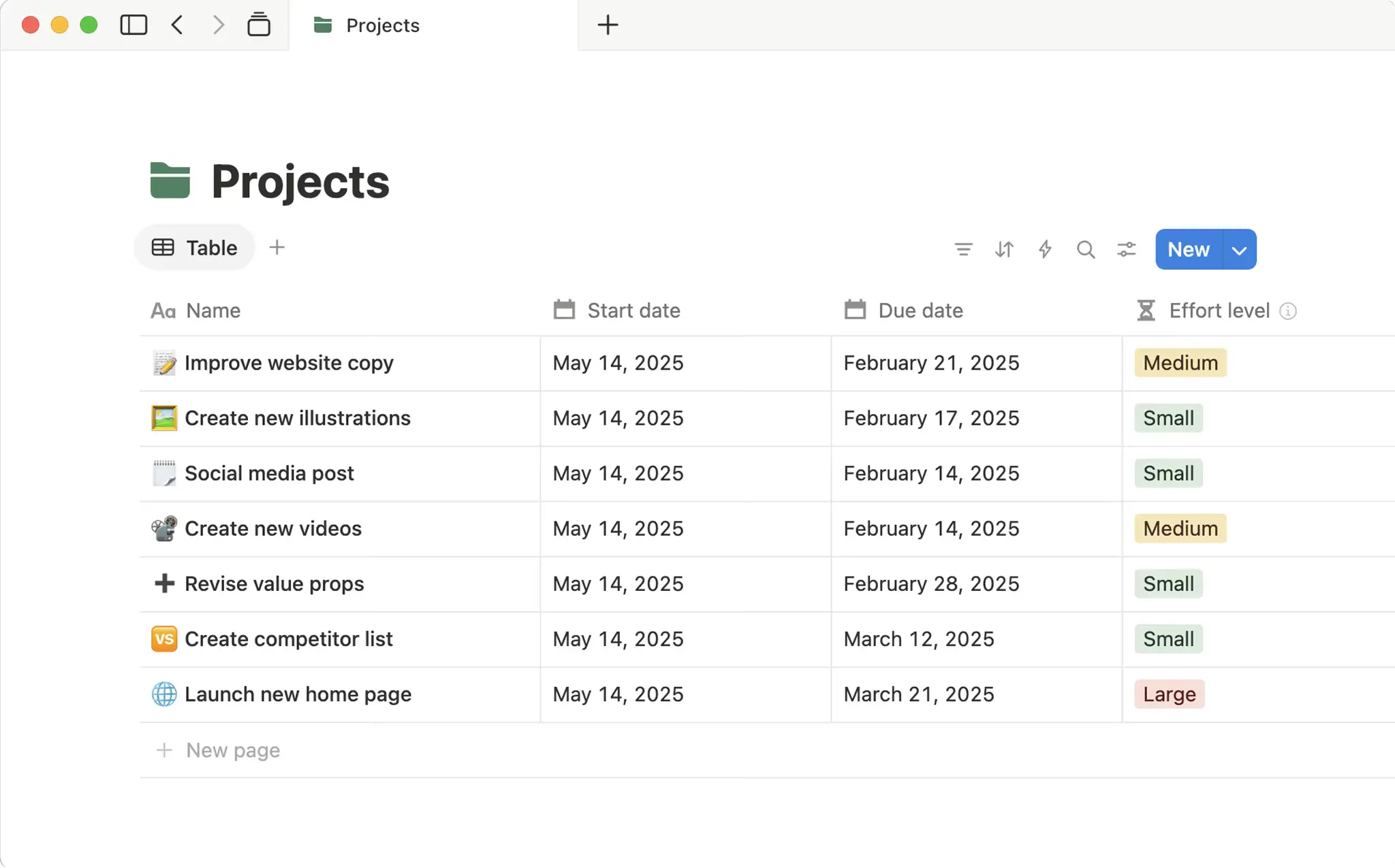
Bottom line: Notion blends docs, wikis, and lightweight databases into one workspace, trading Airtable's relational depth for flexible, content-first organization.
Where Notion beats Airtable:
- Combines docs, wikis, and databases in a central workspace
- Each database entry can expand into its own page with nested content
- Simpler setup for content planning, lightweight CRMs, and knowledge hubs
Where Airtable is better:
- True relational logic and linked records across multiple tables
- More advanced field types and automation
- Better performance with large datasets
Who Notion is not for: Teams that need advanced relational logic or automation across large datasets.
Migrating from Airtable:
- Migration method: CSV import; no native one-click Airtable connector
- What transfers: Tables (as databases) and field values
- What may require rebuilding: Linked-record relationships, formulas, and views
Pricing: Free plan (limited blocks for teams of two or more); paid plans start at $10/member/month, billed annually.
For larger teams: SAML SSO starts on the Business plan. SCIM, audit logs, data residency, and a HIPAA BAA are on Enterprise. Guests are free (up to 10 on the Free plan).
Verdict: Choose Notion if you want a flexible, doc-first workspace and don't need Airtable's relational database depth.
9. Coda — for interactive docs and workflows
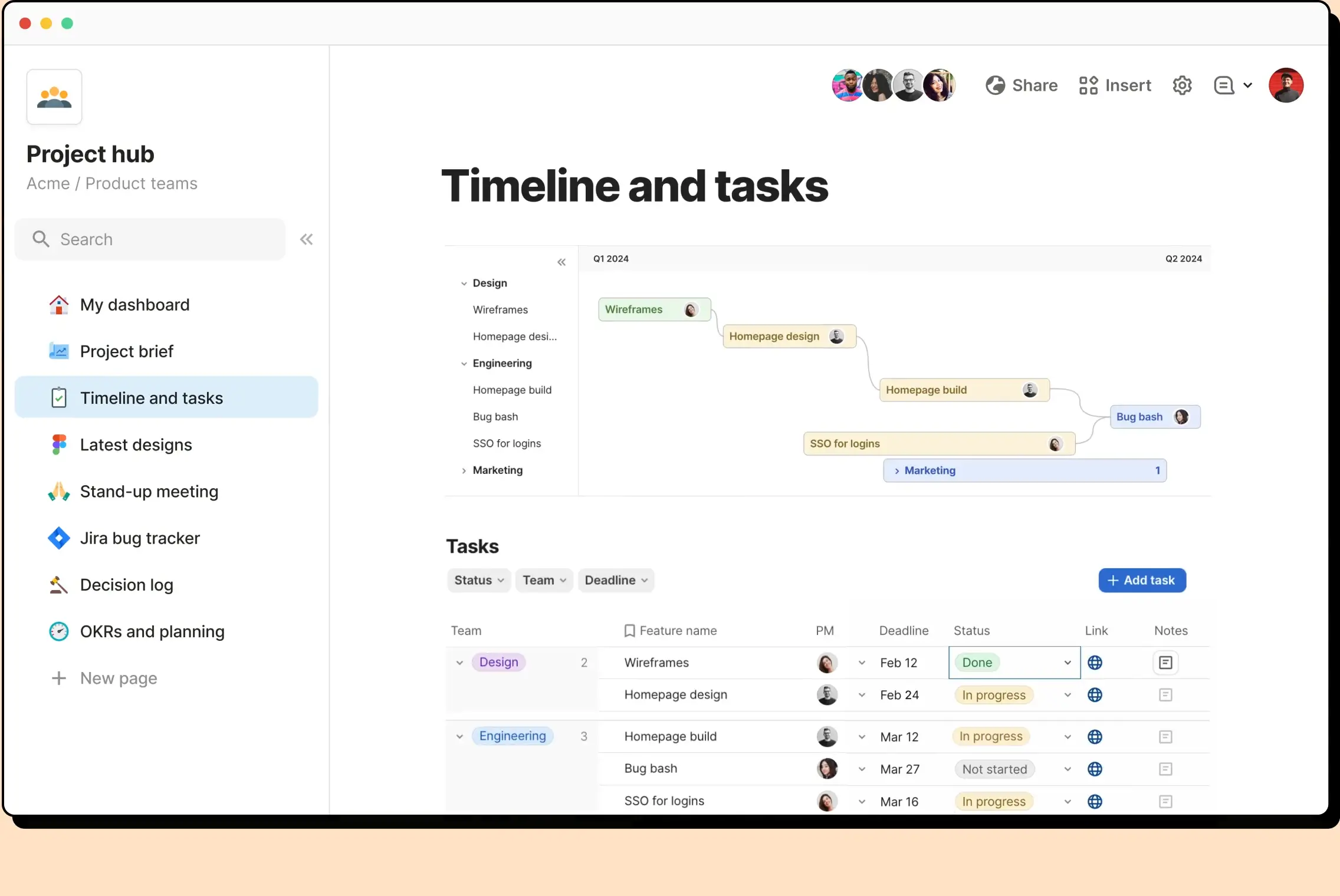
Bottom line: Coda merges docs, spreadsheets, and databases into a single canvas, letting you build interactive "doc-apps" with buttons and formulas rather than a standalone database.
Where Coda beats Airtable:
- Docs, tables, and interactive elements (buttons, formulas) live on one canvas
- Packs extend functionality with integrations like Slack and GitHub
- Better suited to interactive reports and knowledge management than Airtable
Where Airtable is better:
- Relational database functionality built for large, structured datasets
- More consistent performance as tables grow
- Larger ecosystem of templates for data management use cases
Who Coda is not for: Teams with heavy relational data needs or large tables, where performance can lag.
Migrating from Airtable:
- Migration method: Native Airtable importer (beta), plus an Airtable Pack for ongoing sync
- What transfers: Tables, views, field values, and linked tables
- What may require rebuilding: Formulas, rollups, grouping, and automations
Pricing: Free plan (shared docs limited to 50 objects and 1,000 rows); paid plans start at $12/Doc Maker/month, billed annually.
For larger teams: Coda is now sold as Superhuman Docs. SAML SSO, SCIM, and audit logs are on the Enterprise plan. You pay only for Doc Makers, while editors and viewers are free.
Verdict: Choose Coda if you want interactive docs and workflows more than a dedicated relational database.
Side-by-side feature comparison
| Alternative | Relational database | Free plan | Open source | PM views (Gantt/kanban) | App/portal builder | Starting price |
|---|---|---|---|---|---|---|
| Softr | Yes | Yes | No | Kanban (Gantt via Vibe Coding block) | Yes | $19/month |
| Stackby | Yes | Yes | No | Kanban and timeline | Limited | $4.20/user/month |
| SmartSuite | Yes | No (trial) | No | Yes | No | $15/user/month |
| Baserow | Yes | Yes | Yes | Kanban and timeline | Yes | $10/user/month |
| NocoDB | Yes (SQL-backed) | Yes | Source-available | Kanban only | Beta (paid cloud) | $12/user/month |
| Google Sheets | No | Yes | No | No | No | Free |
| monday.com | No | Yes | No | Yes | No | $9/seat/month |
| Notion | Limited | Yes | No | Timeline and board | No | $10/member/month |
| Coda | Limited | Yes | No | Timeline and board | No | $12/Doc Maker/month |
Enterprise features compared
This table covers the controls IT teams ask about most. I checked each vendor's own pricing and security pages in October 2026. "Not listed" means that I couldn't find it there.
| Tool | SSO starts on | SCIM starts on | Audit logs start on | Self-hosting | Data location | Billing model |
|---|---|---|---|---|---|---|
| Airtable | Business | Business | Enterprise Scale | Not listed | EU residency on Enterprise Scale | Per editor (plus commenters on Team) |
| Softr | Enterprise | Enterprise | Enterprise | No | Germany | Per plan, with user limits |
| Stackby | Enterprise | Not listed | Pro | Not listed | Not listed | Per editor |
| SmartSuite | Enterprise | Enterprise | Enterprise | Not listed | US or EU, chosen at sign-up | Per editor |
| Baserow | Advanced (self-hosted) | Not supported | Advanced | Yes | Germany (cloud), or your own servers | Per user |
| NocoDB | Business | Enterprise | Scale | Yes | Not listed (cloud), or your own servers | Per editor, or flat on Plus and Business |
| Google Sheets | Google as SSO provider, all editions | Not listed | All Workspace editions | No | Region controls from Business Standard | Per user |
| monday.com | Enterprise | Enterprise | Enterprise | No | US, EU, or APAC | Per seat |
| Notion | Business | Enterprise | Enterprise | Not listed | Region choice on Enterprise | Per member |
| Coda | Enterprise | Enterprise | Enterprise | Not listed | Not listed | Per Doc Maker |
What Airtable really costs at 50 and 500 users
Airtable bills per user with edit access to at least one base, and commenters count too on the Team plan. Read-only users, form submissions, and share links are free. So a base with 5 editors and 200 viewers costs much less than a base with 200 editors.
The table below shows Airtable's list prices with annual billing, checked in October 2026. A 500-person rollout usually runs on Enterprise Scale, which has custom pricing.
| Editors | Airtable Team ($20/user/month) | Airtable Business ($45/user/month) |
|---|---|---|
| 10 | $200/month ($2,400/year) | $450/month ($5,400/year) |
| 50 | $1,000/month ($12,000/year) | $2,250/month ($27,000/year) |
| 500 | $10,000/month ($120,000/year) | $22,500/month ($270,000/year) |
Softr pricing works differently. Each plan includes a set number of builders and app users, and you pay for extra users on top. Team users are internal app users on your company's email domain. Prices below are for annual billing:
- 10 team users: The Pro plan ($99/month) includes 10 team users and 50 client users.
- 50 team users: The Business plan ($329/month) includes 30 team users. 20 extra team users at $5/month each bring it to $429/month.
- 500 team users: Business allows up to 100 team users ($679/month at that limit). It includes 100 external/client users and allows up to 500. Beyond those limits, you need the Enterprise plan.
Extra client users cost less, at $1/month each on Pro and $2/month each on Business.
With a client portal: 100 team users and 500 client users on Softr Business come to $1,479/month. On Airtable, 100 editors on Business cost $4,500/month before you add client portal access. Airtable's Portals add-on starts at $150/month for 15 guests, and for guests above 200 you'll have to contact sales.
What if prices rise? As an example, not a forecast: a 30% increase would take 50 editors on Airtable Business from $2,250/month to $2,925/month. For more infformation, see our article on the Bending Spoons acquisition, our Airtable pricing guide, and our Softr vs Airtable comparison.
Stay on Airtable, add Softr, or move to Softr Databases?
Leaving Airtable isn't your sole option. Below are some key reasons you might want to stay or add Softr on top of Airtable.
Stay on Airtable if:
- A few people edit data and most people only read it.
- Your bases stay well under Airtable's record limits.
- Your team has critical dependencies on Airtable scripts or extensions.
Keep Airtable data and add a Softr app if:
- You need a client portal or internal tool with logins and per-user permissions.
- You don't want to give every user an Airtable seat.
- You want to keep your bases as they are while you build on top of them with the Airtable integration.
This path does have a tradeoff, though, since you'll still pay Airtable for every editor (and Airtable's record limits still apply to your data).
Move to Softr Databases if:
- You want one bill and one place for your data, apps, and workflows.
- You're hitting Airtable's record limits or seat costs.
- You want to import your Airtable bases into Softr Databases instead of rebuilding them. The import keeps tables, fields, records, linked records, attachments, and most formulas, and it leaves your Airtable base untouched. You'll rebuild automations, user groups, and permissions in Softr.
Where Softr doesn't fit: Softr isn't HIPAA compliant and doesn't offer self-hosting. If you need either, look at Airtable's Enterprise Scale plan, Notion Enterprise, or a self-hosted tool like Baserow or NocoDB.
What is the best Airtable alternative for you?
The best Airtable alternative depends on what you want to do with your data.
If you want something that feels familiar, Stackby is the closest Airtable-like option, while SmartSuite adds more structure for operational workflows and project management. For simpler needs, Google Sheets works well for basic data tracking, while Notion and Coda make more sense when your data needs to live alongside docs, knowledge, and collaborative work.
If control over your data matters more, Baserow (open source) and NocoDB (source-available) can both be self-hosted. Baserow is better suited to building databases from scratch, while NocoDB is designed to put a no-code interface over an existing SQL database. If you're primarily managing projects rather than relational data, monday.com is the more purpose-built option.
But if your goal is to turn data into software that employees, clients, or partners can actually use, Softr is the strongest fit. You can build relational databases alongside mobile-friendly portals, dashboards, CRMs, and internal tools, or keep Airtable and other existing systems as your data source. Authentication and granular permissions control what different users can see and do, without requiring a paid database seat for every external app user.
How to migrate from Airtable
Whichever tool you choose, a migration from Airtable follows the same five steps:
- List everything you run on Airtable: Write down every base, its owner, and the integrations that connect to it. Check each base for scripts and automations, since these rarely transfer.
- Export a full backup: Export every table as a CSV, and download the attachments separately. Keep this backup until the migration is complete.
- Rebuild one pilot workflow: Pick one workflow and rebuild it in the new tool before you move anything else.
- Run both tools side by side: Use Airtable and the new tool in parallel for two weeks, and compare the results.
- Move users, then switch Airtable to read-only: Move your users to the new tool. Then change everyone's Airtable access to read-only before you cancel.
Linked records need extra attention. A CSV export flattens them into plain text, so check how the new tool handles relationships between tables. Most tools on this list now have an Airtable importer, but each importer keeps different data. Read its import notes before you start. If you're moving to Softr, see how to migrate from Airtable to Softr.
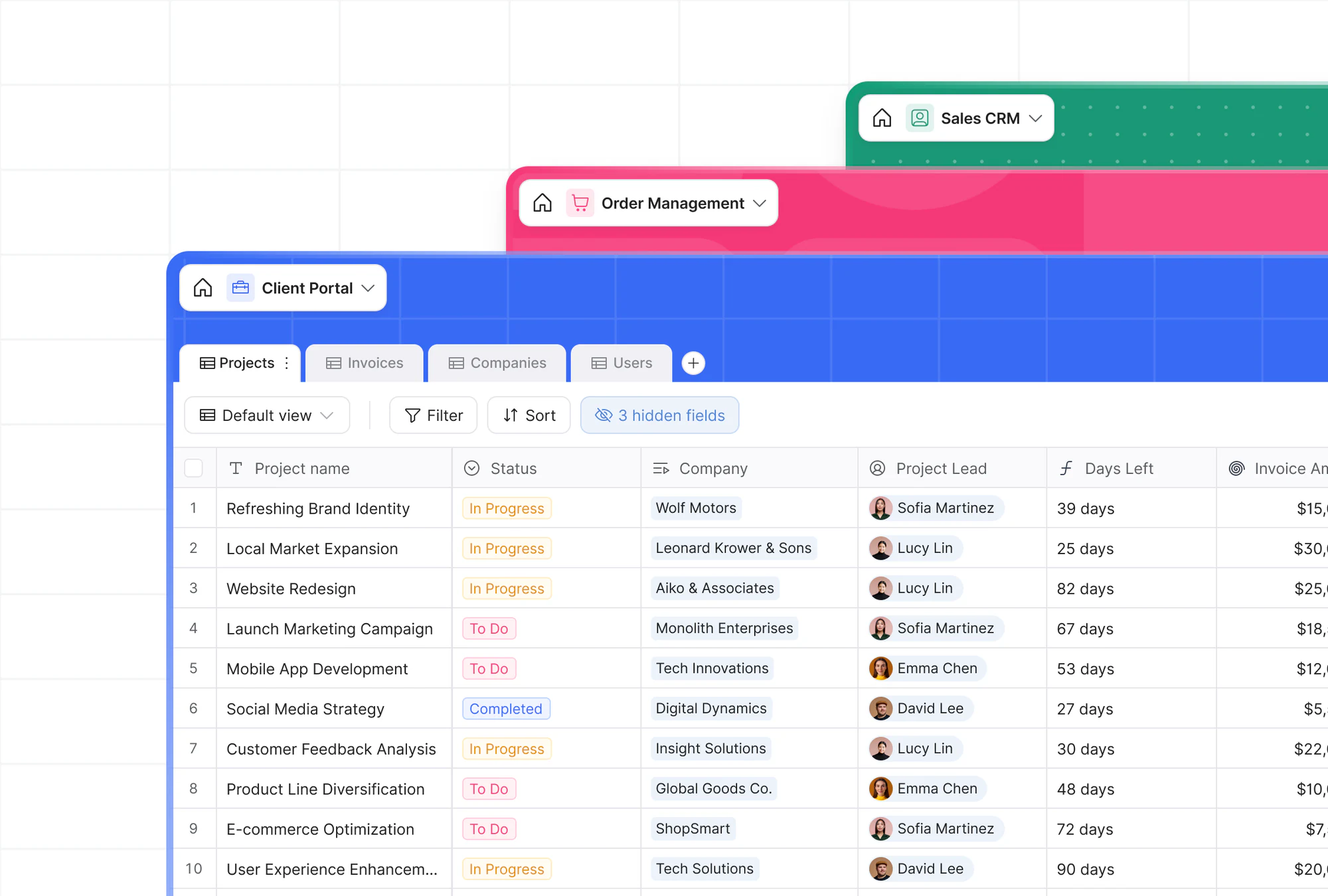
Already using Airtable but need more flexibility or better pricing? Import your bases to Softr Databases in just a few clicks. There's no need to rebuild your schema from scratch. Or try Softr's AI Co-Builder and generate fully functional business software with a native relational database, built-in workflow automation, and infrastructure that's secure by default.
Frequently asked questions
Is Airtable raising prices after the Bending Spoons acquisition?
What is the best Airtable alternative for enterprise teams?
Which Airtable alternatives support SSO and SCIM?
What is the best open-source Airtable alternative?
Can I migrate an Airtable base without losing linked records?