


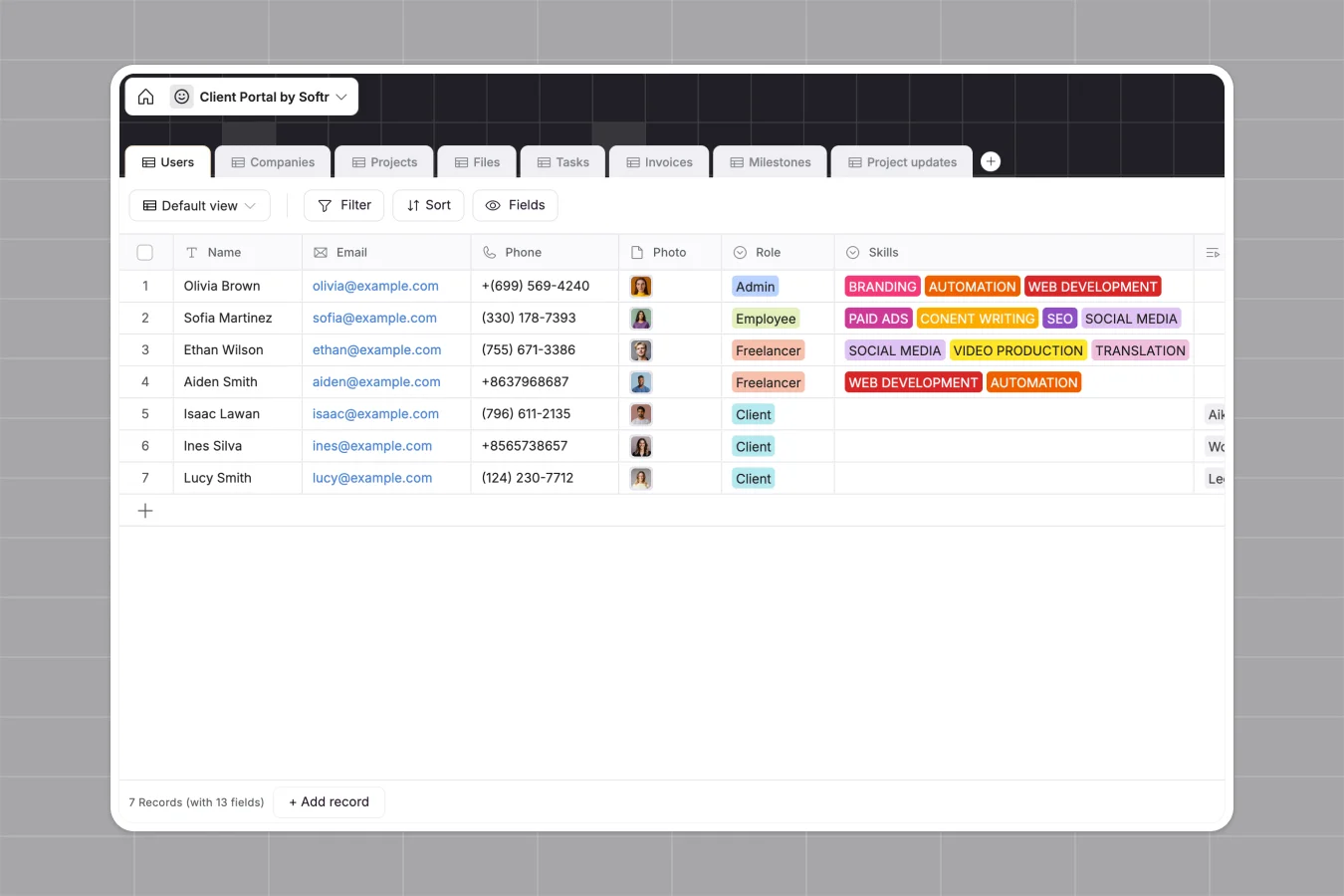
Your Client Portal database at a glance
This template gives you a single, organized home to manage your clients, projects, tasks, and deliverables. It entirely eliminates the chaos of digging through email threads and fragmented documents.
Built with beautifully connected tables, it links specific tasks, milestones, and invoices directly to individual companies and users. Everything stays perfectly organized, making it easy to track project statuses and overdue payments instantly.
Why client portals get messy in Excel
Attempting to manage client communications, project files, and invoices in Excel quickly turns into a logistical nightmare.
What a structured database changes
In a spreadsheet, natively attaching contract files, gathering approvals, or separating client data securely is nearly impossible. Rows get accidentally deleted by collaborators, and manual updates slow your team down.
A structured database enforces rules: dates stay dates, un-paid invoices trigger overdue formulas automatically, and deliverables stay neatly attached to their specific projects. This is exactly what Softr Databases are designed for.
Instead of fragile VLOOKUPs, native relationships link your clients directly to their specific milestones and invoices. You never have to manually copy-paste data across tabs again.
What you can do with this template
Instantly track project health, assigned tasks, and pending approvals across all your ongoing accounts. Built-in, real-time formulas will automatically flag overdue tasks and unpaid bills.
You can also safely store final deliverables and signed contracts within the exact project record they belong to. It ensures absolutely nothing gets lost in transition between you and the client.
-
Users
Manage team members and client contacts with roles, skills and profiles
-
Companies
Organize client organizations with industry details, size and key contacts
-
Projects
Track project lifecycles with timelines, assigned leads and budget rollups
-
Files
Centralize project deliverables and signed contracts with type classification
-
Tasks
Monitor daily work items with assignees, deadlines and overdue calculations
-
Invoices
Handle billing workflows with payment links, amounts and status tracking
Who is this Client Portal database for
This system is ready for any team that provides services and needs a reliable, scalable way to manage client accounts:
- Agencies: Track paid ads, SEO, or branding projects alongside deliverables and approvals.
- Freelancers: Keep client invoices, task deadlines, and contract files organized in a single dedicated space.
- Consulting firms: Monitor team availability, track billable milestones, and manage ongoing project status.
How to take it further
Customizing this template is completely intuitive. You can easily rename project stages, add new skill tags for your team members, or modify dropdown values for invoice statuses.
Ready to populate your portal? Import your existing client contact lists or project histories instantly via CSV or API, so you aren't starting from scratch and can see immediate value.
When you are ready, you can transform this database into a secure, white-labeled client app. By using an interface builder, you provide clients a professional way to log in and interact with their specific data.
With robust users and permissions, clients can only view their own projects, approve milestones, and pay invoices. Meanwhile, your internal team securely manages the ongoing pipeline in the background.
-
1
-
2
-
3
-
4
Frequently asked questions
-
What is a client portal database?
-
Why use a no-code database to build a client portal?
-
How can AI help managing data for client portals?
-
Can I build an app with this client portal database?
-
Is this Client Portal database free?
-
Why is an Excel client portal hard to scale?
Start building today. It's free!
Build and launch your first app in under 30 minutes.