What is Airtable and how does it work? (2026 beginner’s guide)



What is Airtable?
Airtable is a no-code platform that combines a spreadsheet interface with a relational database. Teams use it to organize, connect, and automate data across projects, clients, content, and operations, all without writing code.
This guide explains what Airtable is, how its core building blocks work, what it's used for, and how it compares to spreadsheets software like Google Sheets and Microsoft Excel.
Bending Spoons now owns Airtable
On September 4, 2026, Bending Spoons completed its acquisition of Airtable.
Bending Spoons has bought more than 50 companies, including Evernote and WeTransfer, and its pattern afterward has been consistent: cut staff, then raise prices and tighten free-tier limits. That doesn’t guarantee the same will happen at Airtable, but it’s a reasonable moment to plan for it.
Softr connects directly to your existing Airtable base, so you can keep your data where it is and still move your team’s apps onto a platform you control. Book a free migration consultation and our team will help you plan the move.
What are the benefits of Airtable?
Airtable makes it easier for teams to organize, share, and act on their data without engineering support. Key benefits include:
- Linked records: Connect data across different tables so information stays structured and in sync. When you link records, Airtable automatically creates a mirrored connection in both tables without the need to duplicate entries or manually map relationships.
- Lookups and rollups: Once records are linked, you can pull related data (like client names or project totals) from other tables using lookup and rollup fields. This helps you summarize, count, or reference connected information automatically.
- Collaboration: Assign tasks, share updates, and manage access with defined roles and permissions.
- Familiar interface: Spreadsheet-style design makes onboarding quick for anyone used to Excel or Google Sheets.
- Ready-made templates: Start fast with templates for CRMs, content calendars, or project tracking, then customize as you go.
- Flexible views: Switch between grid, Kanban, calendar, Gantt, or form views to match how your team works, without having to duplicate the data.
- Built-in automations: Set triggers and actions to handle repetitive steps, from sending reminders to updating records.
- Transparent version history: See who changed what and when, so collaboration stays clear and accountable.
{{cta-1}}
Databases vs. spreadsheets
If you’ve managed work in Excel, Google Sheets, or any other spreadsheets, you know how fast things can get messy. One formula breaks, someone overwrites a cell, and suddenly, the data you rely on isn’t reliable anymore.
Spreadsheets and databases look alike but solve different problems. Spreadsheets like Excel and Google Sheets evolved from paper ledgers, while relational databases (including Airtable) were built to keep large, interconnected datasets clean and consistent across thousands of records.
Let’s look at what really separates the two:
What is Airtable used for?
Teams use Airtable to organize, connect, and automate their data management workflows. Its spreadsheet-like interface makes it easy to get started, while its relational structure keeps records consistent as your data grows.
Here are some of the most common ways small and mid-sized businesses build on top of Airtable:
- Client & customer relationship management: Track clients, leads, and projects in one place, link related records, and share updates with your team in real time with an Airtable client portal.
- Project tracking: Build visual timelines, assign tasks, and use views like Kanban, Calendar, or Interfaces to keep projects moving.
- Marketing campaigns: Plan and execute campaigns with content calendars, approvals, and AI-powered automations to keep launches on schedule.
- Product operations: Coordinate product launches or track inventory, suppliers, and budgets across departments.
- HR & team management: Manage hiring pipelines, employee directories, and onboarding checklists—all with permissions that keep sensitive data private.
- Content production: Content teams run editorial calendars, asset libraries, and approval workflows from one connected base.
- Event planning: Event teams manage guest lists, vendor coordination, and timeline logistics with linked records and shared views.
With Omni and Field Agents, you can now also use AI to generate tables, write formulas, and analyze data inside your bases.
💡 To see more top use cases, check out the most popular Airtable templates used by different departments and teams.
How does Airtable work? Key terms & use cases
Airtable is less overwhelming than it can look at first glance. The platform is structured on five core building blocks: bases, tables, fields, records, and views. Understanding these makes everything else click.
Bases
A base is Airtable's term for a single database. It holds all the information for one project or process. A base contains multiple connected tables that track different parts of your work (like clients, projects, and invoices) and link together where they overlap.
You can start a base from scratch or use one of Airtable's templates for content calendars, project trackers, event planning, and more.
Tables
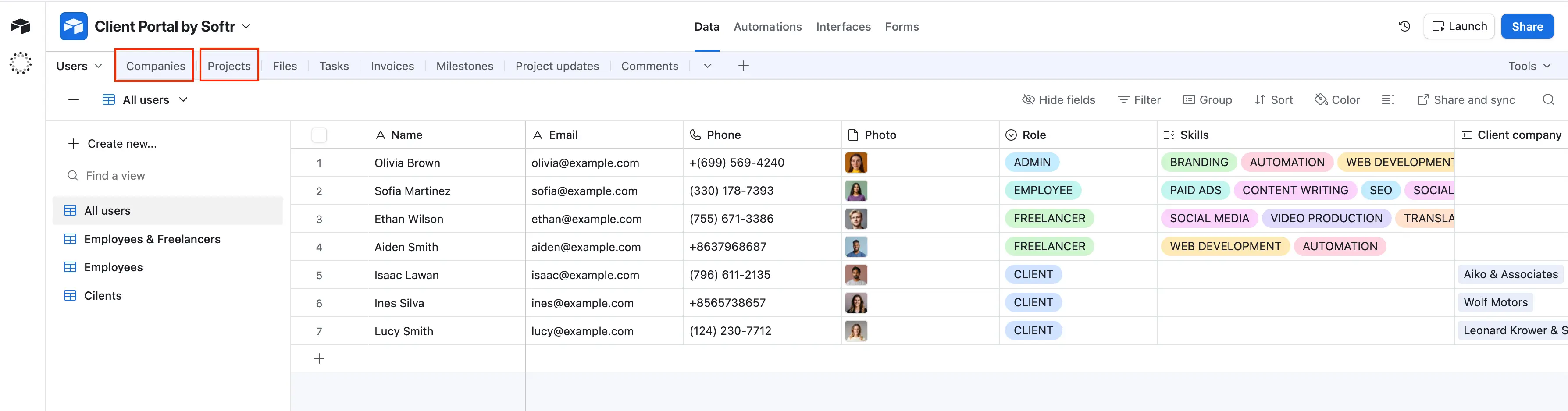
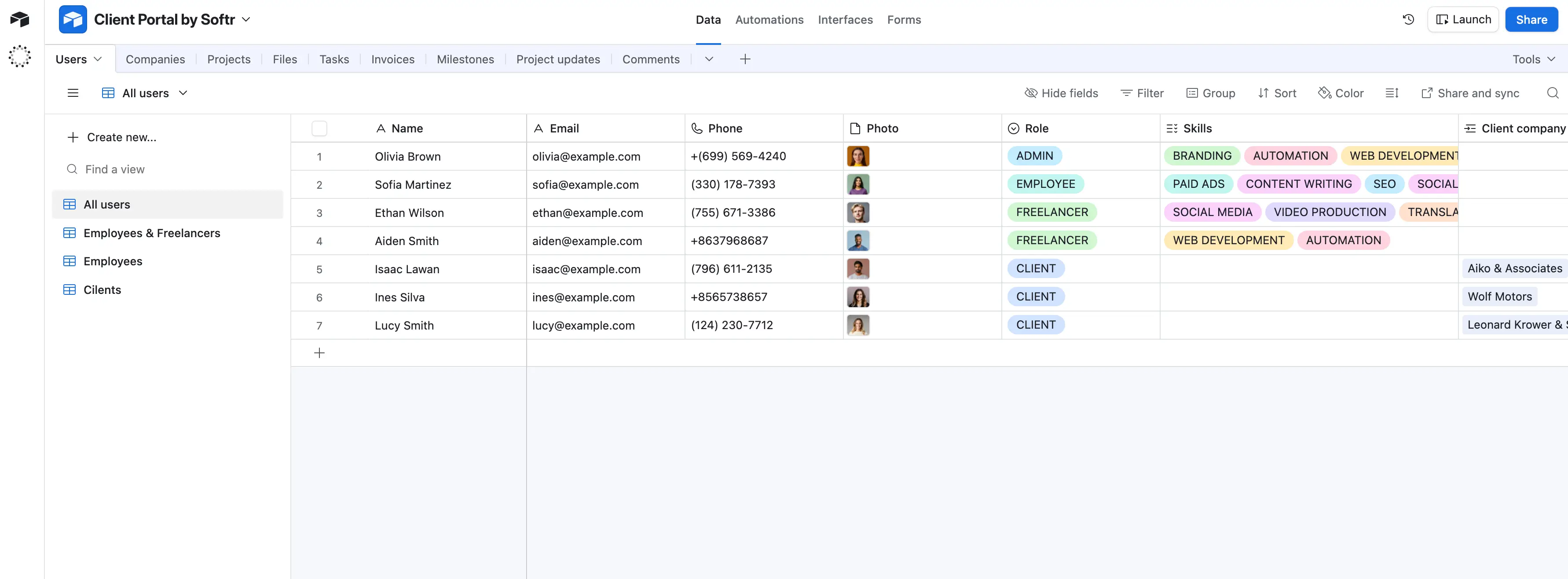
Tables store one type of information each, similar to sheets in a spreadsheet. A single base might contain tables for employees, clients, projects, and invoices, each holding records of that type.
For example, the “Users” table might include separate tables for employees, freelancers, and clients, each with records that track names, roles, contact details, and skills. Those tables can connect, so you can see which freelancer worked on which project or which clients are assigned to which account manager.
If you’ve used spreadsheets before, the layout will feel familiar; it has rows, columns, and fields, but more structure. You can define field types, link records between tables, and switch between grid, Kanban, or calendar views to see data from different angles.
To create a new table, click Add or import and either build one from scratch or import from a CSV, Google Sheets, or another integrated tool.
Fields
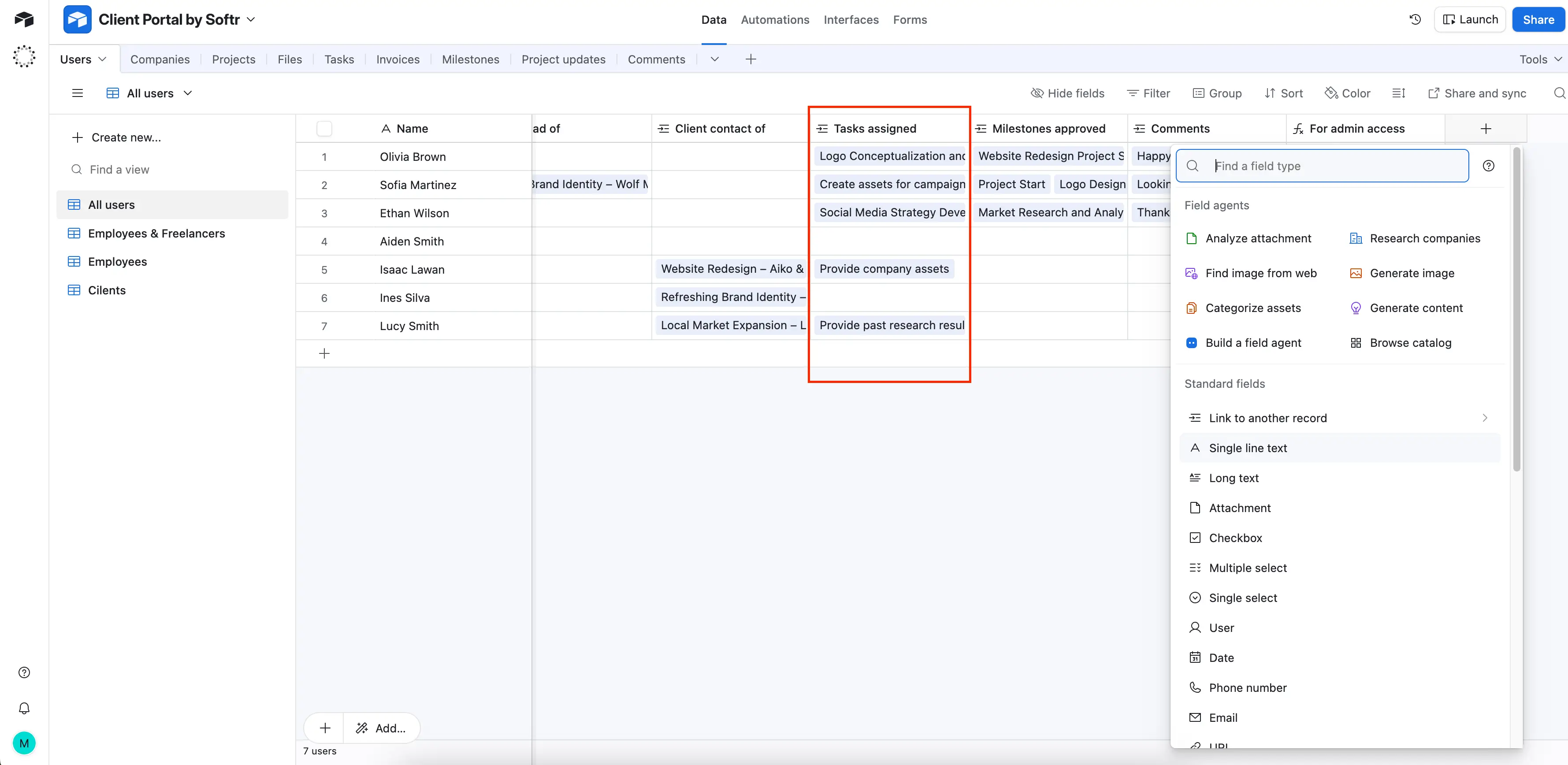
Fields are the columns in your tables, but each one has a defined data type. Each field dictates the type of data a column can hold, helping you keep information structured and consistent across your tables.
You can choose from 20+ field types in Airtable, including:
- Single-line text and long text for written entries
- Date, checkbox, and attachment fields for files or images
- Linked record fields to connect data across tables
- Formula and rollup fields to calculate or summarize values
- AI and lookup fields for automating insights and pulling related data
This flexibility means your tables can store nearly any kind of information—from client contact details to project budgets—without losing clarity or control.
Records
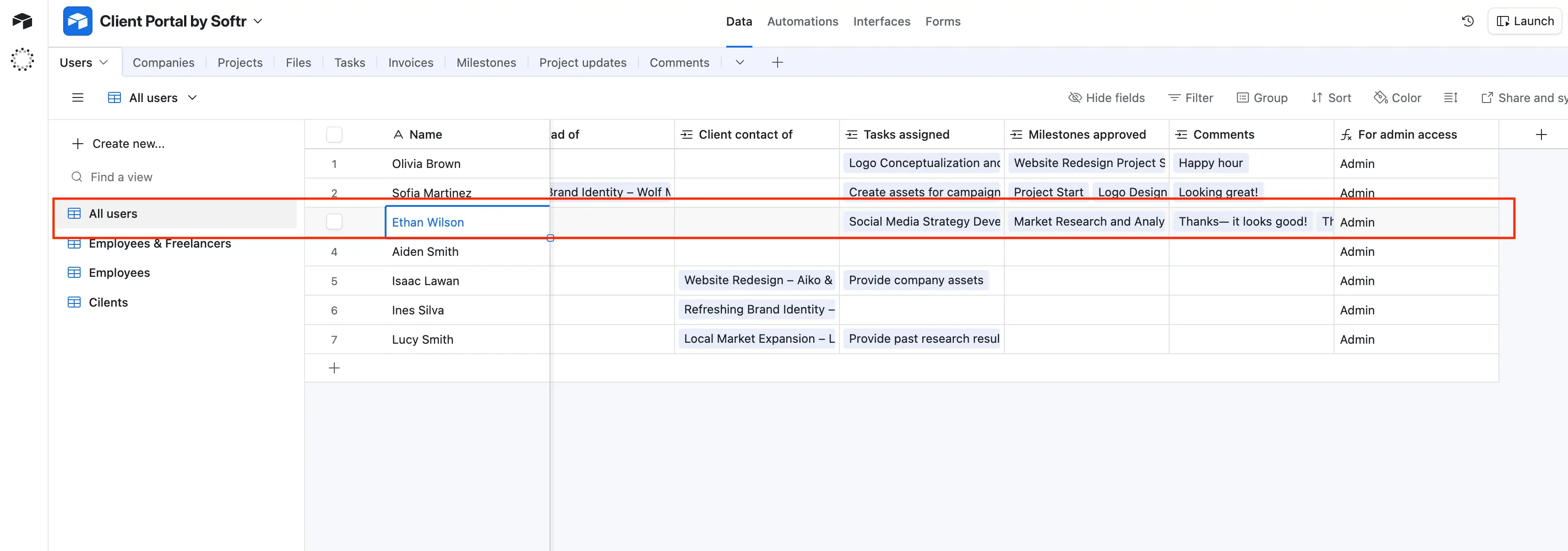
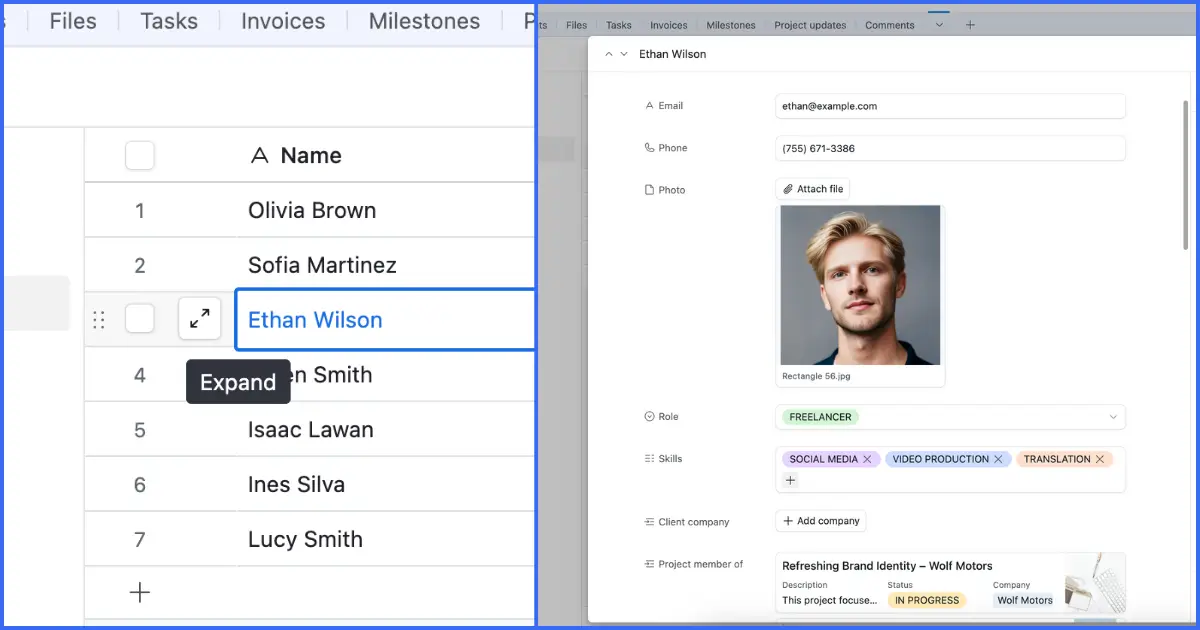
Records are the rows in your Airtable tables, each representing a single item, like a client, project, or task. Every record stores its data across the fields you've defined.
You can add, expand, edit, or import records directly within a table or view.
Because Airtable is relational, records in one table can link to records in another. For example, a record in the "Employees" table can link to a record in the "Teams" table, so changes flow through automatically.
Views
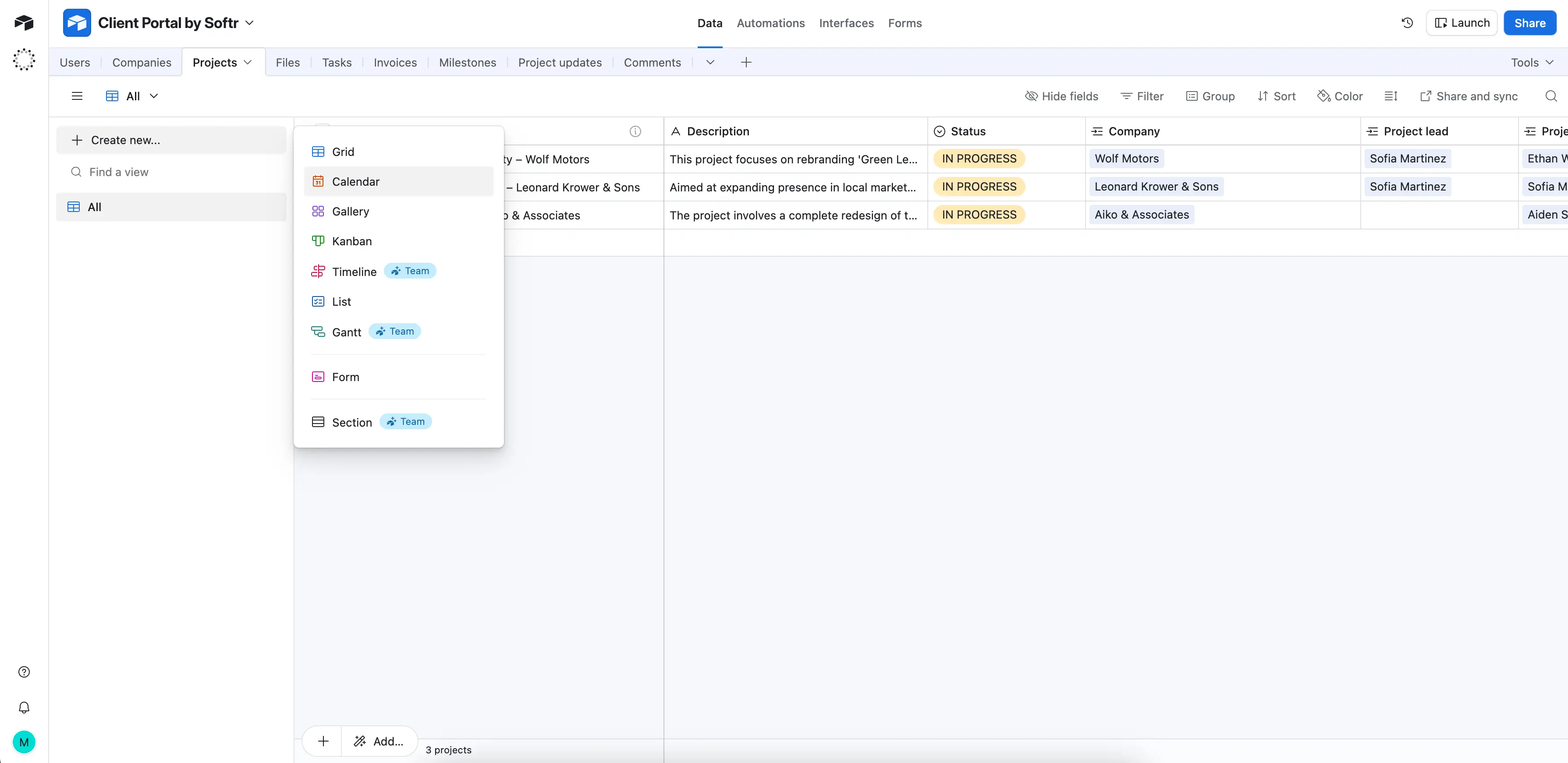
Each Airtable base supports multiple views, so you can look at the same data from different angles. They allow you to configure how you view the data in your tables and interfaces. Below are some of the most commonly used views:
- Grid view: Classic spreadsheet layout
- Kanban view: Cards organized by status or category
- Calendar view: Records arranged by date
- Gantt view: Timeline-based project tracking
- Gallery view: Visual cards for image-heavy data
- Timeline view: Horizontal timeline for scheduling
- Form view: Collect data from internal or external users
Advanced Airtable features
Once you’ve built a few bases and understand the basics, Airtable offers a range of advanced tools for automation, customization, and analysis:
- Omni: Airtable’s built-in AI assistant that helps you create tables, fields, and workflows from plain language.
- Automations: Let you set up triggers and actions, like sending alerts when a project’s status changes or creating records automatically from form submissions.
- Extensions: Add extra functionality such as charts, reporting, or integrations directly inside your base.
- Interface Designer: Turn complex data into shareable dashboards or focused views, so collaborators see only what’s relevant to them.
- Airtable Insights: Analyze how your team uses bases and spot ways to improve efficiency or fix errors.
- Record templates: Speed up recurring projects by reusing prefilled record structures instead of starting from scratch.
- HyperDB: Enterprise Scale storage layer that supports up to 100M records in a single table (separate from regular bases)
Airtable integrations
Airtable integrates natively with 27 external apps, and you can expand thousands of third-party connections via automation tools like Zapier and Make. With Airtable integrations, you're able to automate tasks like:
- Sending emails when Airtable records are updated
- Syncing Airtable to Google Calendar
- Updating records based on changes in other applications
- Sending messages in Slack/Microsoft Teams
- Scheduling social media posts
- Accepting payments through Stripe
- Managing file storage with Dropbox
Just be aware that a number of integrations are locked behind higher pricing tiers. Enterprise Scale is required to access all of them.
Softr turns your Airtable data into full-stack business apps
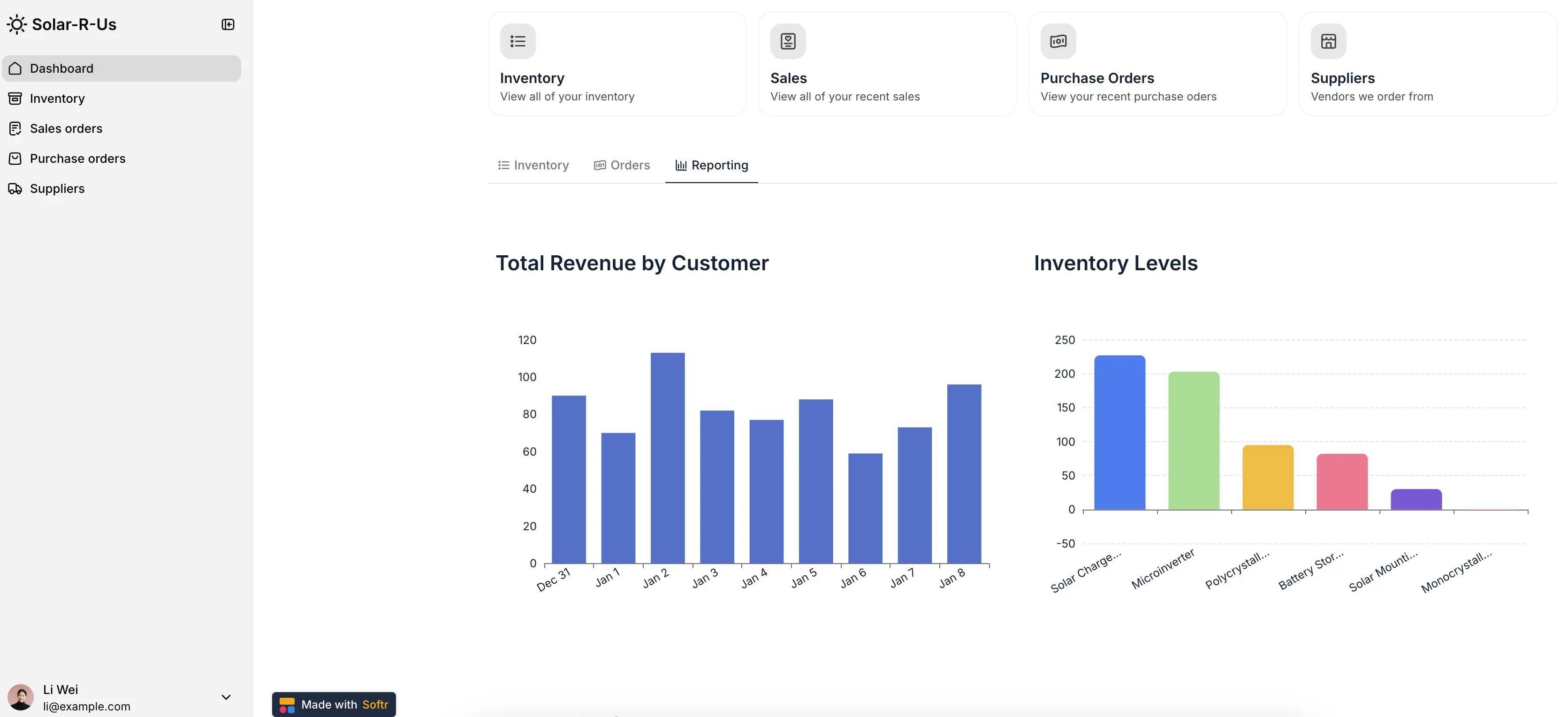
Looking for an Airtable alternative? While Airtable helps you organize your data, Softr helps you do more with it. Softr is the AI-native platform for building secure, full-stack business software (like client portals, CRMs, internal tools, and more) without writing code. It bridges the gap between structured data and how people actually use it.
With Softr, you can:
- Generate full working apps from Airtable bases using Softr's AI App Builder.
- Build custom frontends for your Airtable data, complete with forms, filters, charts, and permissions.
- Control access and permissions for every user, from clients and partners to internal team members.
- Automate two-way updates between Softr, Airtable, and other apps in real time.
- Add AI assistance with built-in tools like Ask AI and Database AI Agents that summarize, categorize, and enrich records.
- Scale beyond Airtable’s limits with Softr Databases: a native relational database that integrates seamlessly with Airtable import and connects to 21+ external data sources.
You can start from a ready-made template for a CRM, inventory tracker, or client portal and then customize it to fit your workflow. Or, describe what you want and let Softr's AI app and database builder create it for you.
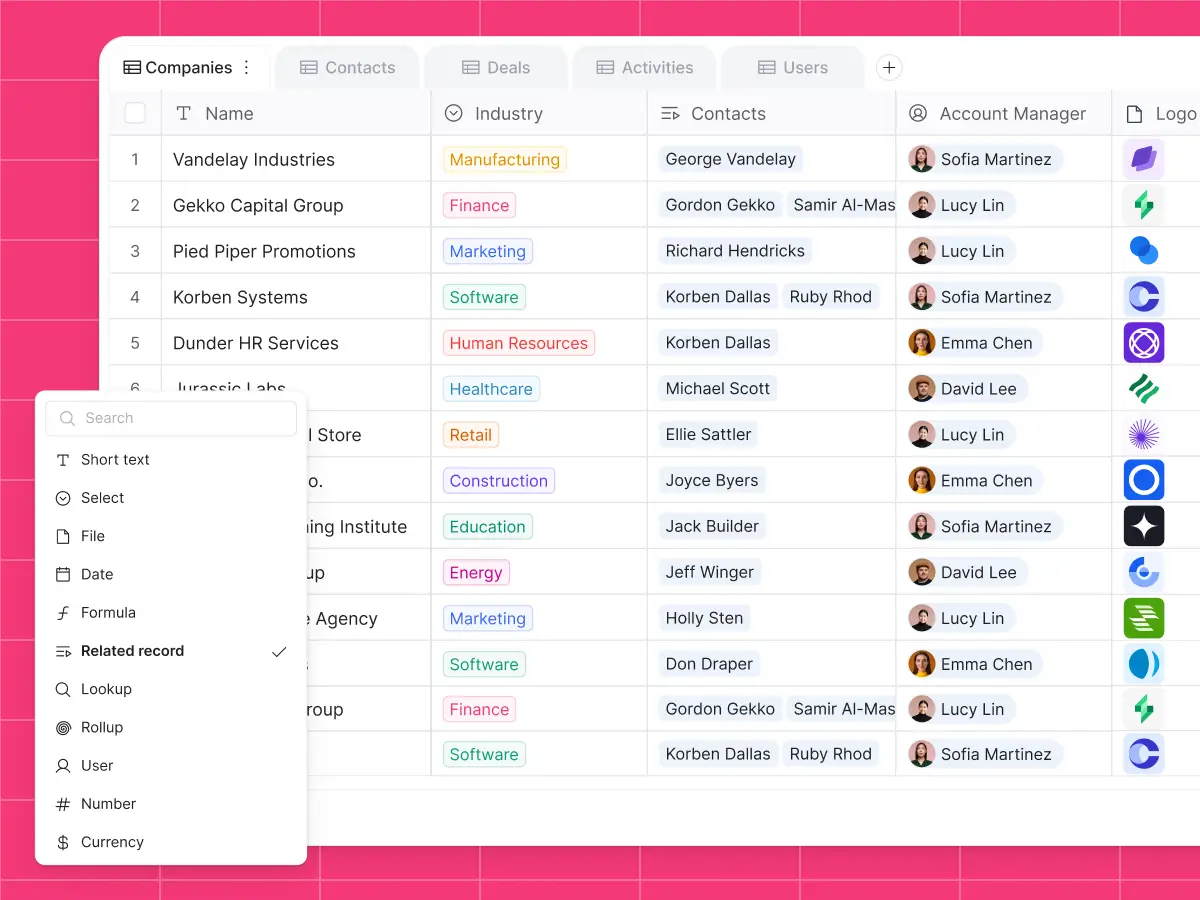
Softr Databases key features
- Effective field types: Choose from diverse field types such as short text, currency, linked records, rollups, lookups, dates, and more.
- Custom views: Create custom views using built-in filters, sorting, and field visibility tailored to different teams and workflows.
- Airtable import: Easily migrate data from Airtable into Softr Databases in just a few clicks (relational fields included!).
- Native workflow automation: Set custom triggers and actions within Softr Databases, your apps, and third-party tools.
- Ability to create full-stack business apps: You can turn your data into secure client portals, project management systems, inventory trackers, and more (all in one place).
- Database AI Agents: Automatically enrich records, update data, or pull live insights from the web in your database.
- Public API: Push data from any tool with a REST API into Softr Databases. Migrate from legacy systems, sync live CRM data, and centralize scattered information.
- Database templates: Get started quickly with ready-made database templates for CRMs, inventory, client portals, and dozens of other use cases.
Softr Databases pricing
Softr offers flexible pricing, including a generous free plan. Softr Databases are available on all Softr plans.
- Free: Unlimited apps, with access to Softr Workflows and Softr Databases, 5 app users, 5,000 database records, 5 AI credits
- Basic ($19/month): Unlimited apps with 36 integrations, Team 5 + Client 5 app users, 50,000 database records, 10 AI credits
- Pro ($99/month): Unlimited apps with 39 integrations and custom code, Team 10 + Client 50 app users, 500,000 database records, 50 AI credits, 3 custom user groups
- Business ($329/month): Unlimited apps with 46 integrations, Team 30 + Client 100 app users, 1M database records, 100 AI credits, custom user groups (up to 10)
- Enterprise: Custom pricing with SSO, SOC 2 reporting, custom usage limits, dedicated success manager, and priority support
Here's how one Redditor compares Softr Databases' costs to Airtable's:

Airtable vs Softr: Which one to pick?
Airtable Portals work well for internal data views, but you have to pay for them as a separate (and costly) subscription add-on. So, when you need client-facing apps, custom permissions, mobile readiness, and cost efficiency, Softr gives you the flexibility to scale for a more reasonable price.
Why teams choose Softr over Airtable:
- Go beyond record limits: Airtable caps records per base (50,000 on Team and 125,000 on Business), and performance drops as datasets grow (often before you reach the record limit). Softr Databases handle up to 1M+ records per workspace, with faster load times and no API bottlenecks.
- Control access precisely: Airtable’s permission model is basic. Softr lets you define granular rules: control visibility at the field, record, or role level for clients, vendors, or internal teams.
- Design freely and brand it: Airtable’s Interface layouts are limited. Softr lets you fully style your app, add branding, and go white-label on higher plans.
- Build full-stack apps with AI, not just interfaces: Generate secure utility and login pages, multi-step forms, logic, and automations without code.
[.blog-callout]
💡 When content agency Animalz needed to manage 30+ freelancers, they built a Softr portal on top of Airtable—giving each writer secure access, automated assignment workflows, and a clean, branded interface.
The result? $700+ saved per month, faster onboarding, and zero manual updates.
[.blog-callout]
From organizing data to building with it
Airtable gives teams a powerful way to structure and connect data without needing to code. But once you’re ready to turn that data into something flexible and scalable, Softr steps in.
With Softr, your Airtable base becomes more than a database: it becomes a living system. You can build secure client portals, internal tools, or other apps on top of your data, all generated in minutes by the AI Co-Builder.
And if you hit Airtable’s limits, it's easy to migrate to Softr Databases in just a few clicks. You keep the same structure, views, and flexibility, but gain scalability and native AI features.
👉 Start with your data, build with Softr, and scale without code. Try it free today.
📖 Related reading:
- Supabase vs Airtable comparison guide
- Airtable pricing & plans overview
- Step-by-step Softr Databases migration guide
- How Softr compares to Airtable Interface Designer
- How Urban's Group increased productivity with Softr
Frequently asked questions
Does Airtable have AI features?
What is the best alternative to Airtable?
What is a rollup field in Airtable?
What is a workspace in Airtable?
How many records can Airtable hold?