If your business is growing but still relying on basic spreadsheet tools for data management, it’s probably time to make the jump to a relational database. This might sound like a major shift, but moving from a simpler data system to a more complex one doesn’t necessarily mean reinventing the wheel.
Spreadsheet-style databases bridge the gap between the familiarity and flexibility of Google Sheets and Microsoft Excel and the power of a full-fledged database — without requiring SQL or coding knowledge. To help you find the right spreadsheet-style database for your team, I spent weeks testing six of the most popular options to see where each one excels — and why Softr is the best all-around choice.
Best spreadsheet-style databases at a glance
| Tool | Best for | Key features | Pricing |
|---|---|---|---|
| Softr | Spreadsheet-style database with AI, app building, and workflow automation | • Database AI agents • Relational structure • No-code app building for client portals and CRMs • Deep workflow automation • Role-based access control | Free plan available; paid plans from $19/month |
| Airtable | Teams migrating from spreadsheets who need multiple data views | • AI-enhanced fields • Multiple data views (grid, Kanban, Gantt, calendar) • Interface Designer for custom dashboards | Free plan available; paid plans from $20/user/month |
| Notion | Workspace combining databases, docs, and wikis | • Connected relational databases • Inline database embeds • Built-in AI for database generation and autofill | Free plan available; paid plans from $10/user/month |
| Baserow | Teams that need data sovereignty and self-hosting | • Full self-hosting with Docker • 25+ field types • Kuma AI assistant | Free open source plan; paid plans from $10/user/month |
| NocoDB | Converting SQL databases into spreadsheet interfaces | • MySQL, PostgreSQL, and SQLite connectivity • Row-level permissions • Audit log | Free plan available; paid plans from $12/user/month |
| Stackby | Column-level API connections | • Native API columns • 30+ column types • 1,000+ templates | Free plan available; paid plans from $4.20/user/month |
What is a spreadsheet-style database?
A spreadsheet-style database is a data management system that looks and feels like a spreadsheet but functions like a relational database. So, you get the familiar interface of rows and columns, but with the ability to link records across different tables (e.g., connect customers to their orders, projects to their tasks).
If you use a tool like Softr, you’ll also be able to enforce a clear data structure that holds up regardless of how many rows you add, query your database to get answers with natural language prompts, and set granular permissions for who can view, edit, or delete specific data.
When should a team graduate from spreadsheets to a database?
A team should move from spreadsheets to a database when managing the data starts creating more work than using it.
Common signs include duplicating information across sheets, manually linking related data, relying on complex formulas to keep everything in sync, or needing tighter control over who can view and edit specific information. Spreadsheets can also become limiting when important workflows depend on someone remembering to update a cell, send a notification, or copy data into another tool.
A spreadsheet-style database gives you relational structure, permissions, and automation while keeping the familiar rows-and-columns interface. You get more control over growing business data without jumping straight to SQL or a traditional database.
How to choose a spreadsheet-style database
The best spreadsheet-style database should feel familiar enough that your team can use it without SQL, but structured enough that you don't recreate the same problems you had in spreadsheets.
What to verify:
- Relational data: Can you link records across tables rather than duplicating information across sheets?
- Permissions: Can you control who can view, add, edit, or delete data — and how granular can those rules get?
- Automations: Can updates trigger notifications, assignments, approvals, data enrichment, or other workflows?
- Integrations: Can it connect directly to the CRM, project tools, APIs, and other systems where your data already lives?
- Imports and migration: Can you bring existing spreadsheet data across cleanly without rebuilding everything by hand?
- What you can build on top: If people need to use the data rather than manage the database itself, can you turn it into dashboards, portals, forms, or internal apps?
1. Softr — best all-around spreadsheet-style database with app building and workflow automation
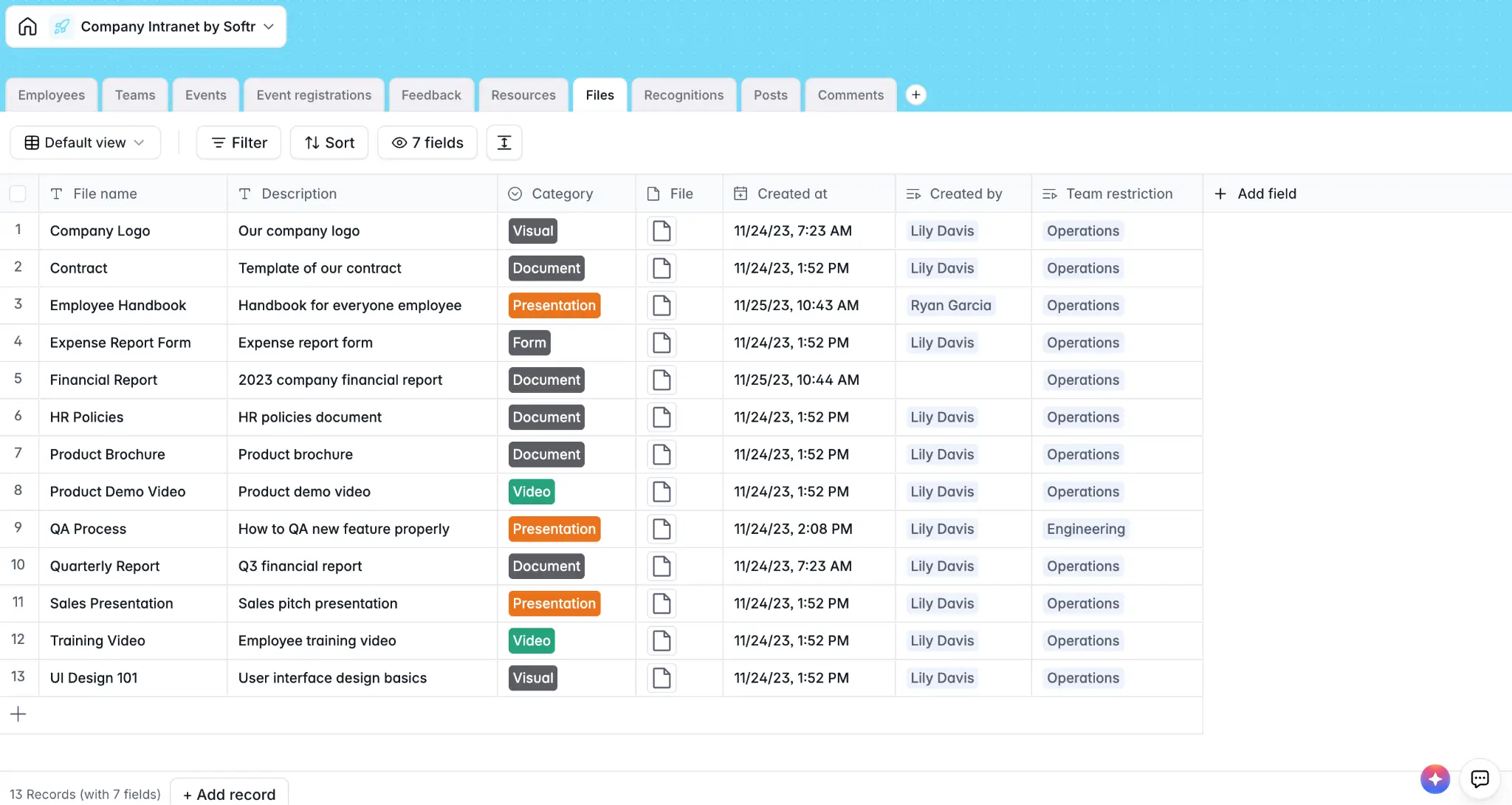
Building a data system for your business often means picking a database tool, then spending a big chunk of time connecting it to everything else: your CRM, client portal, internal dashboards. Softr shifts that process by letting you keep your data—and the apps you build on top of it—in the same place.
This makes Softr more than just a spreadsheet-style database, since it gives you a complete back-end and front-end in one. You can use it purely for data management with workflow automation, or extend it into production-ready business apps that sync natively with your Softr Databases.
The spreadsheet interface handles linked records, flexible field types (including AI fields), custom views, granular access control, and hundreds of thousands of rows without slowing down. And if you'd rather skip the setup stage, Softr’s AI Co-builder can generate a fully structured database from a plain-language description of what you need.
Softr pros and cons
Pros:
- Intuitive spreadsheet-style interface: Teams used to spreadsheet tools can pick up and start using Softr Databases in minutes.
- All-in-one data management: Softr works as a powerful standalone data system with workflow automation and interfaces included, so there's no need to glue together separate tools to keep your data actionable.
- Fast deployment: AI generation, pre-built templates, and a visual builder mean even non-technical users can get a working database up and running in minutes.
- Deeply integrated AI: Ask AI lets you query your data in plain language, while Database AI agents can be configured to automate data enrichment, updates, web research, and more. You can also prompt Softr AI to generate full databases based on what your business needs.
- Relational functionality: Linked records, formulas, lookups, rollups, and attachments give you full relational database functionality without any SQL.
- Data source flexibility: Build natively in Softr, pull from external data sources like HubSpot or Google Sheets, or do both.
- Generous user limits: Flat-rate pricing means you won’t break the bank when adding team members, making pricing more predictable than per-seat tools like Airtable or Notion.
Cons:
- Teams needing custom SQL queries, complex cross-table analytics, or deep data transformation will likely need a dedicated BI tool alongside Softr
- Better suited to operators than developers
Softr best features
- Vibe Coding Block: Prompt Softr’s AI to create custom widgets, calculators, tracking interfaces, and data visualizations that go beyond standard database views.
- AI Co-builder: Describe what you need in plain language and let Softr AI generate a complete database structure with tables, fields, relationships, and placeholder records.
- AI Co-Builder & MCP: Describe what you need and Softr AI generates the database structure, or build it from Claude, ChatGPT, or Cursor through the Softr MCP.
- Forms for data collection: Create custom forms with conditional logic, validation rules, and automation triggers that write directly to your database in real time.
- Complex workflow automation: Configure automations triggered by new form submissions, records, or changes to existing data.
- Enterprise-grade security: SOC2 compliance, SSO (SAML/OIDC), and role-based access controls are included by default.
- REST API connector: On top of Softr's 21+ native integrations, the REST API connector lets you ingest data from virtually any external tool.
- Support infrastructure: Softr offers live chat and email support (even on the free plan) alongside an active community of builders you can leverage for additional help.
Softr pricing
Softr offers flat, predictable pricing with a generous free plan:
- Free: Unlimited apps, with access to Softr Workflows, Softr Databases, Softr MCP, 5 app users, 5,000 database records, 5 AI credits.
- Basic ($19/month): Unlimited apps with 42+ integrations, Team: 5 + Client: 5 app users, 50,000 database records, 10 AI credits, custom domain and conditional section visibility.
- Pro ($99/month): Unlimited apps with 45+ integrations and custom code, Team: 10 + Client: 50 app users, 500,000 database records, 50 AI credits, advanced forms, calling external APIs, and e-signatures.
- Business ($329/month): Unlimited apps with 52+ integrations, Team: 30 + Client: 100 app users, 1,000,000 database records, 100 AI credits, and advanced data sources.
- Enterprise (custom pricing, contact sales): SSO, dedicated success manager, and tailored onboarding
2. Airtable — best for teams migrating from spreadsheets who need multiple data views
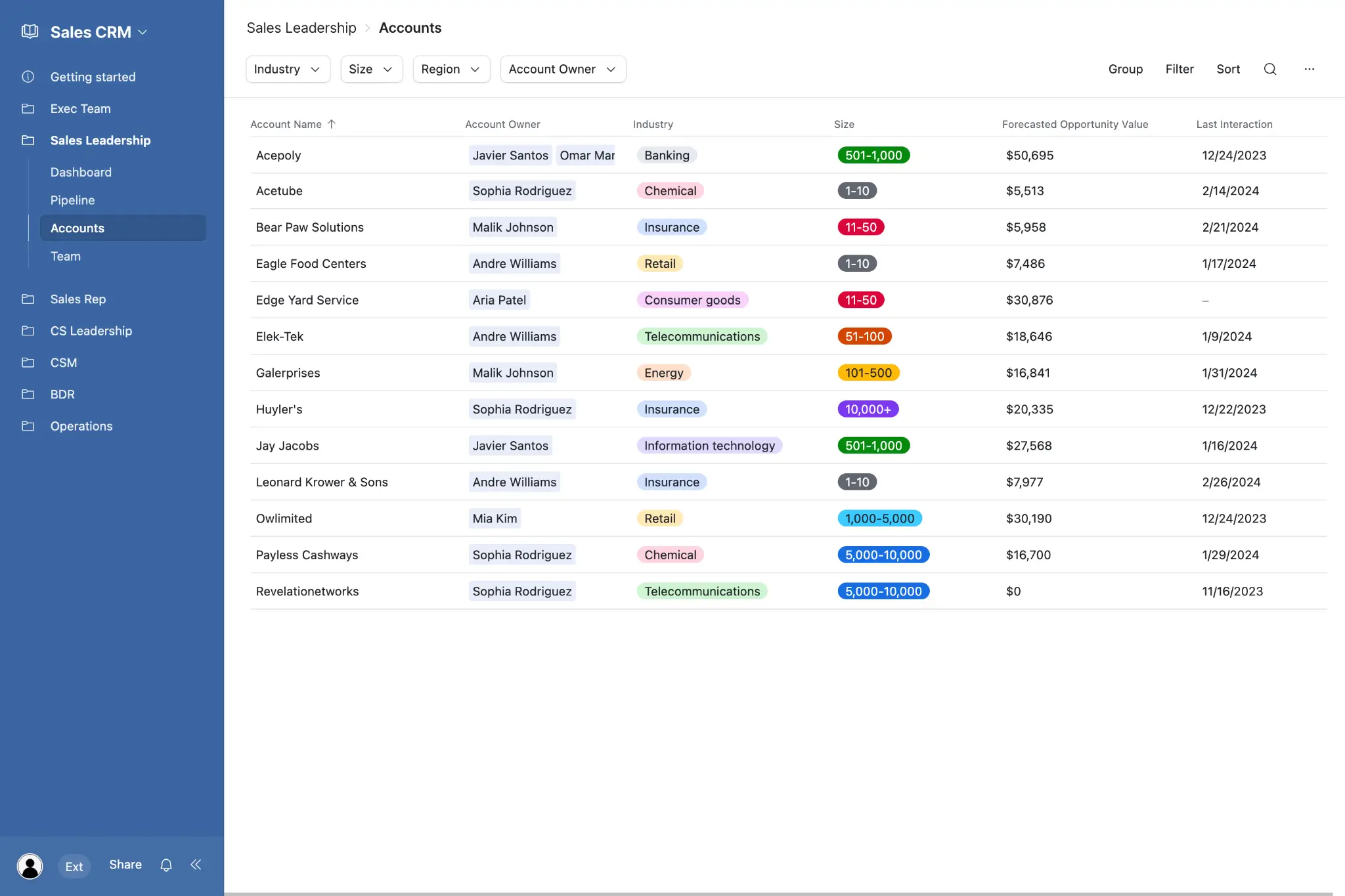
Airtable is arguably the tool that popularized spreadsheet-style database software. And while today it isn’t the de facto choice for teams migrating from Sheets or Excel, it’s still a highly approachable data management tool for non-technical users. Airtable offers a ton of database templates to get you started, plus options to view your data as a grid, calendar, gallery, Kanban board, Gantt chart, or custom interface.
Airtable pros and cons
Pros:
- AI-enhanced fields: Auto-generate summaries, categorize records, and enrich data using AI directly in your table columns.
- Large template library: Build a database quickly with hundreds of templates across various use cases and industries.
- Easy-to-use interface: While busier than Google Sheets, users familiar with spreadsheet tools will have no trouble learning how to use Airtable.
- Native automations: Automate multi-step workflows with a rich extension marketplace and connections to Slack, Salesforce, and Jira.
Cons:
- Databases can start to lag with tens of thousands of records, complex formulas, or extensive relational links
- Record limits on free and lower plans can be restrictive
- Per-user pricing can get costly fast
Airtable best features
- Multiple data views: Switch seamlessly between grid, gallery, Kanban, Gantt, timeline, and calendar without any extra setup.
- Interface Designer: Create lightweight dashboards and apps on top of your data for non-Airtable users.
- Extensions marketplace: Extend Airtable’s functionality with chart blocks, pivot tables, custom scripts, and third-party integrations.
- Real-time collaboration: Work simultaneously across your database with live updates, threaded comments, and activity notifications.
Airtable pricing
All prices shown billed annually.
- Free: Unlimited bases, 1,000 records per base, 1GB attachment storage
- Team: $20/user/month
- Business: $45/user/month
- Enterprise Scale: Custom pricing
[.blog-callout]
✨ Dive deeper into how Softr and Airtable compare in our full breakdown.
[.blog-callout]
3. Notion — best for workspaces with databases, docs, and wikis
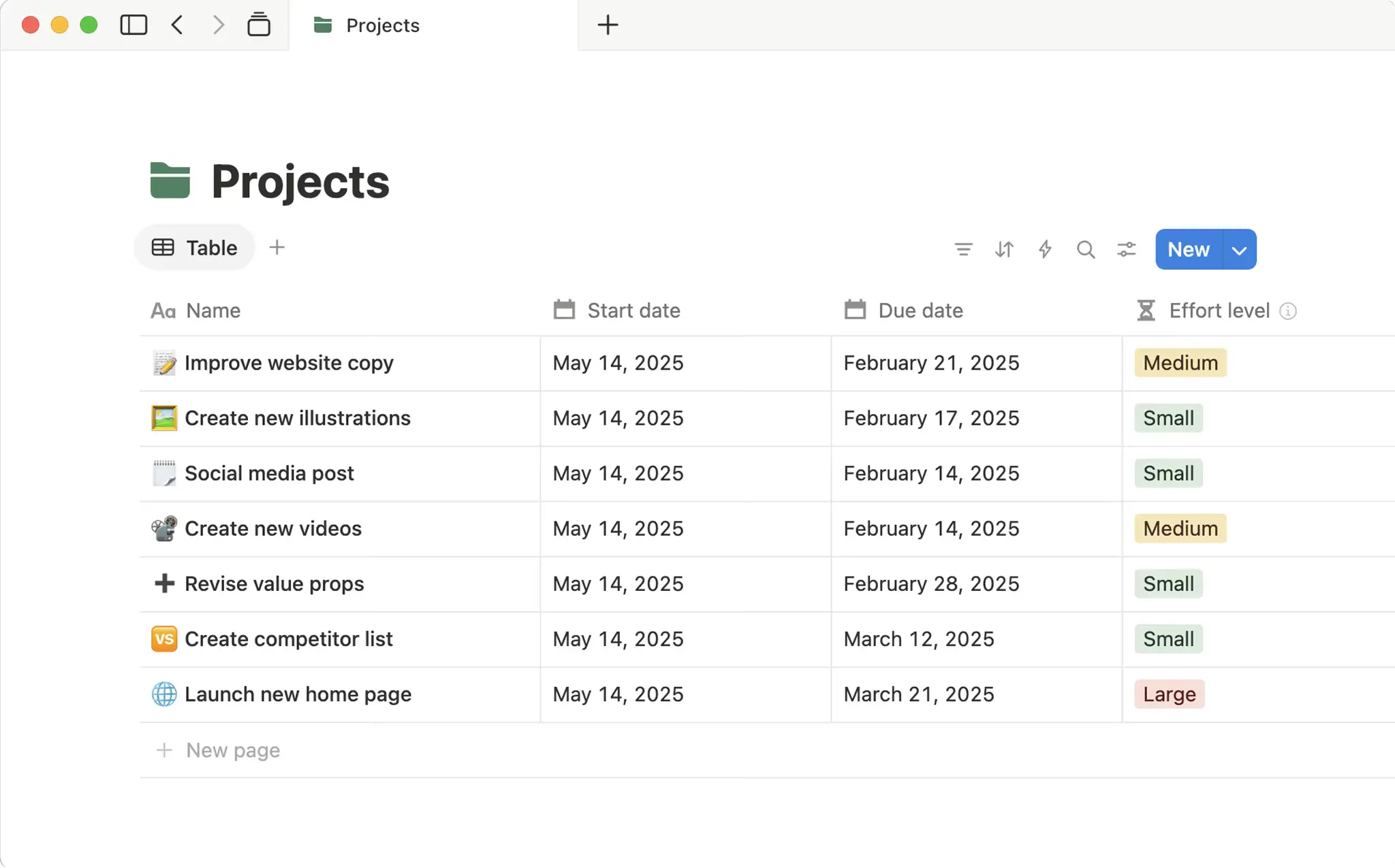
Notion started as a note-taking and documentation tool but has since grown into a comprehensive workspace platform with native relational databases you can add to any page. Unlike pure database tools, Notion blends documents, wikis, project and task management, and data into one interface. If you’re already familiar with spreadsheets, you can start using Notion’s relational tables with no learning curve.
Notion pros and cons
Pros:
- One working environment: Notion brings documentation, project and task management, and structured data together in a single platform.
- Relatively affordable: Generous free plan and competitive per-seat pricing make Notion less costly than many alternatives.
- Integrated AI: Notion’s built-in AI can build databases, generate summaries, and autofill records.
- Multiple database views: Display the same dataset in multiple layouts across different pages: as a table, list, board, gallery, calendar, or timeline.
Cons:
- Interface can become cluttered since databases live in the same place as docs and other pages
- Lacks advanced data querying capabilities
- Automations are limited compared to Softr or Airtable
Notion best features
- Connected databases: Link records across databases to build relational structures across your entire Notion workspace.
- Collaboration toolkit: Real-time editing, @ mentions, and threaded comments help teams work together within databases.
- Inline database views: Embed any filtered database view directly inside a page, doc, or dashboard without duplication.
- User-uploaded database templates: Choose from hundreds of pre-built database templates for a range of business and personal use cases.
Notion pricing
All prices shown billed annually.
- Free: Unlimited basic pages and databases for individual users with limited team features
- Plus: $10/user/month
- Business: $20/user/month
- Enterprise: Custom pricing
4. Baserow — best for teams that need data sovereignty and self-hosting
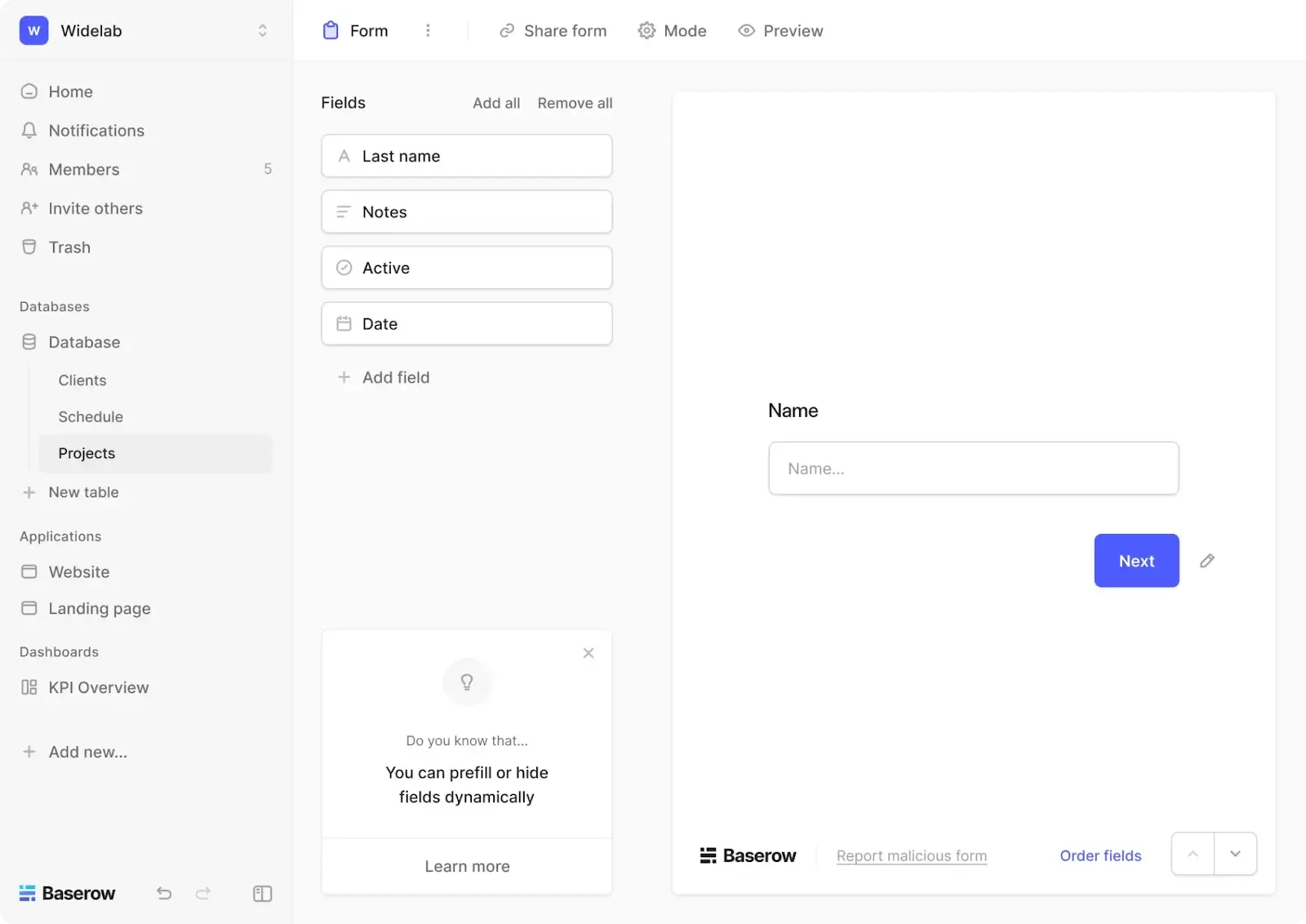
Baserow is like Airtable’s self-hosted, open-source cousin: it’s a spreadsheet-style database with multiple views, a crisp UI, and light application building capabilities. And while it does offer cloud-hosting, Baserow’s real selling point is its free-forever, open source version — with no limits on usage, databases, or storage so long as you have the infrastructure (and Docker experience) needed to host.
Baserow pros and cons
Pros:
- Actively developed: Baserow has regular feature releases with a transparent public roadmap, and you also can submit your own suggested updates.
- 25+ field types: Database field options include text, numbers, dates, file uploads, formulas, lookups, boolean values, and more.
- Polished interface: The UI is sleek, intuitive, and highly legible, competing with tools like Softr and Airtable in ease of use.
- Plugin architecture: Extend your database’s functionality through plugins and custom extensions without forking the codebase.
Cons:
- Role-based permissions and certain data views not available on free and lower-tier plans
- Self-hosting requires technical knowledge to deploy and maintain
Baserow best features
- Full self-hosting: Deploy on your own servers with Docker, retaining complete control over where your data lives.
- Open API: Baserow’s open API allows developers to build custom integrations and applications.
- No database limits: Whether self-hosting or cloud-hosting, there are no limits on how many databases you can create in Baserow (though there are storage limits on the cloud-hosted free plan).
- Kuma AI assistant: Its built-in AI assistant can generate databases from prompts, help you build additional AI agents, and classify and enrich your data.
Baserow pricing
All prices shown billed annually.
- Open source: Free for self-hosting
- Free (Cloud-hosted): Limited storage and rows compared to the open source plan
- Premium: $10/user/month
- Advanced: $18/user/month
- Enterprise: Custom pricing
5. NocoDB — best for converting SQL databases into spreadsheets
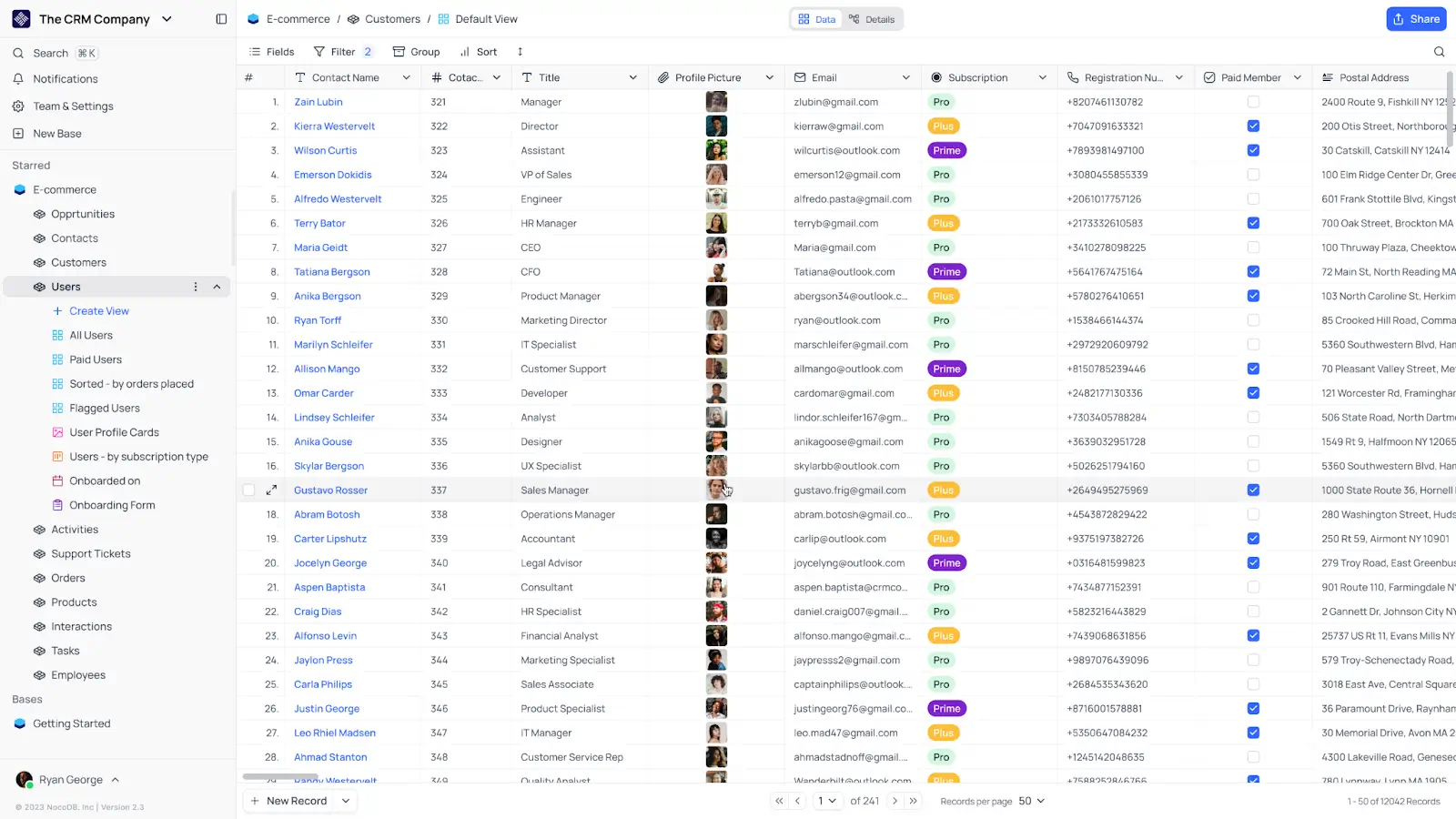
While NocoDB lets you build a spreadsheet-style database from scratch, it’s best at converting MySQL, PostgreSQL, or SQLite databases into more user-friendly spreadsheet interfaces. Like Baserow, it’s open source and self-hostable, so if you’re looking for a developer-oriented platform, consider this one. Or, if you’d rather not self-host, there are cloud-hosted plans that don’t require infrastructure management.
NocoDB pros and cons
Pros:
- Fair-code version: This self-hosted, open source option is completely free with unlimited storage and users.
- Connects to SQL databases: Point NocoDB at your MySQL, Postgres, or SQLite database and get a spreadsheet interface built on top of it.
- Powerful search and filtering: Apply multi-condition filters, sorts, and field groupings to sort through large datasets quickly.
- Multiple view types: Switch between grid, gallery, Kanban, and form views on any table.
Cons:
- Fair-code users need to manage and maintain their own infrastructure, including backups, security, and updates
- Reporting and analytics capabilities are minimal
- Sparse template library
NocoDB best features
- Row-level permissions: Control data access at a granular level without writing complex SQL.
- Responsive mobile view: You can access and edit data via smartphone and the interface will adjust automatically to fit your screen.
- Audit log: Every change made to your data is logged with a timestamp and user attribution, so you have a clear history of changes for accountability or debugging.
- Password-protected shared views: NocoDB lets you share specific views of your data externally with optional password protection.
NocoDB pricing
All prices shown billed annually.
- Free: Up to 1,000 records and 1 GB of storage
- Plus: $12/user/month (or $108/month for unlimited seats)
- Business: $24/user/month (or $216/month for unlimited seats)
- Enterprise: Custom pricing
6. Stackby — best for column-level API connections
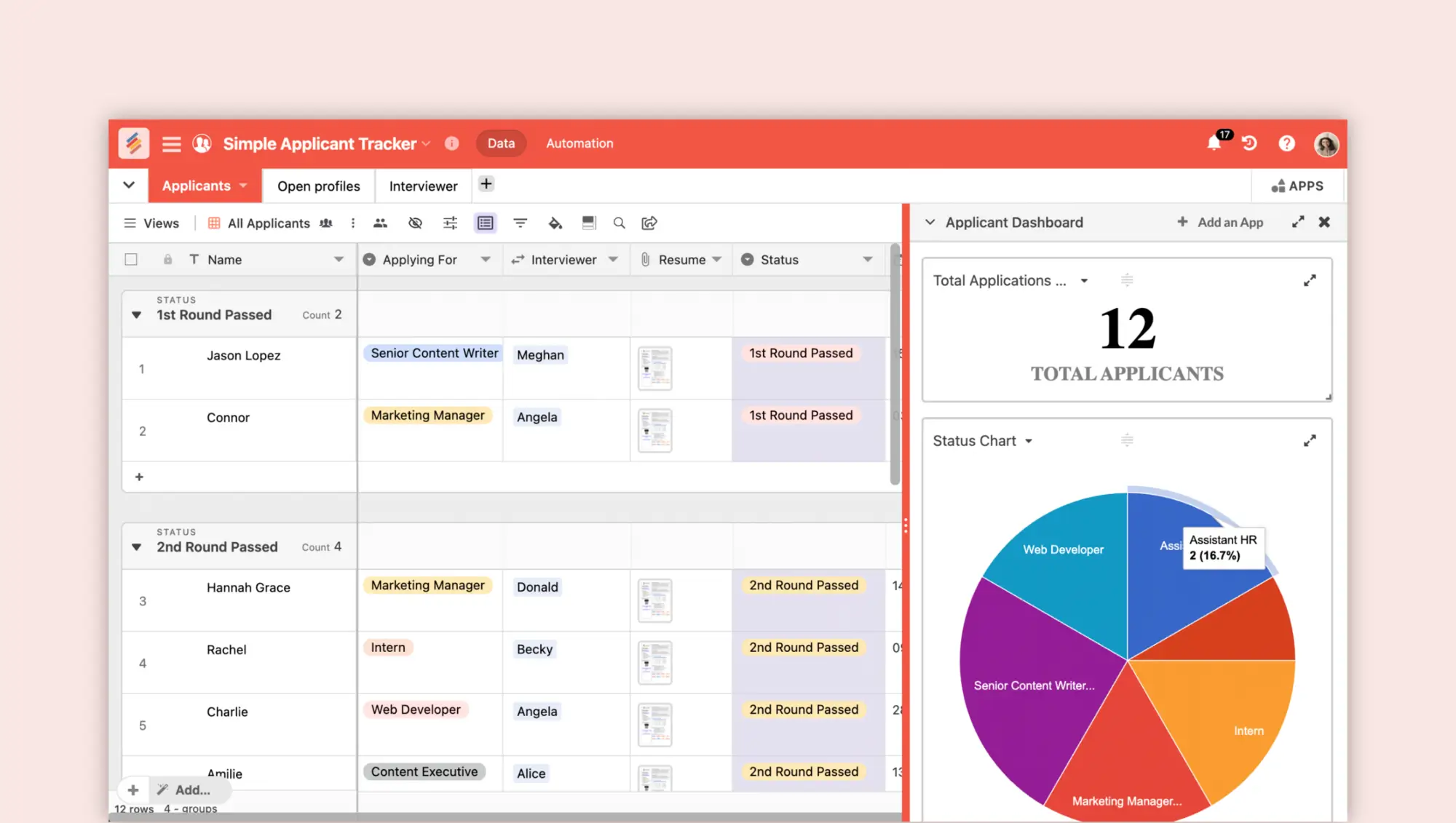
Stackby covers a lot of the same ground as the other spreadsheet-databases on this list, but with a fairly unique feature for connecting databases to APIs at the column level. This means one of your input columns can pull data directly (and automatically) from external apps like Facebook, YouTube, MailChimp, Ahrefs, and more. While there are other databases that can do this, it works especially well in Stackby. Otherwise, the platform offers what you’d expect from a no-code data management solution.
Stackby pros and cons
Pros:
- 30+ unique column types: Options include links across tables, formulas, checklists, attachments, AI fields, and more.
- Competitive pricing: Stackby's paid plans are priced more affordably than Airtable’s, making it a solid value option for budget-conscious teams.
- Reporting functionality: You can build basic dashboards from your data using Stackby’s Apps Marketplace.
- Rich template library: Start building fast with one of Stackby’s 1,000+ database templates.
Cons:
- Not ideal for teams that need deep relational data modeling or enterprise-grade security and compliance
Stackby best features
- Native API columns: Connect individual columns directly to external APIs so data from tools like YouTube, Google Analytics, or Facebook populates and refreshes automatically.
- Forms with direct database capture: Build forms that feed submissions directly into your stacks, with the same conditional logic and field types available across the rest of the platform.
- Row comments for collaboration: Leave comments directly on individual rows to keep context and feedback localized to the relevant record.
- Embed stacks and views: Embed individual stacks or data views directly into external websites or internal tools using an iframe.
Stackby pricing
All prices shown billed annually.
- Free: Up to 5 users, 50 read-only guests, and 20 databases
- Economy: $4.20/user/month (for a minimum of three users)
- Business: $8.30/user/month (for a minimum of three users)
- Pro: $12.50/user/month (for a minimum of three users)
- Enterprise: Custom pricing
Which tools combine a spreadsheet interface with relational data?
Softr combines a familiar spreadsheet-style interface with a relational database, while also letting teams build workflows and business apps directly on top of their data. You can connect records across tables using linked records, lookups, rollups, and formulas without needing SQL.
Airtable, Notion, Baserow, NocoDB, and Stackby also support spreadsheet-style data management with relational capabilities, but with different focuses. Airtable emphasizes flexible database views, Notion brings databases into a docs-and-wiki workspace, and Baserow and NocoDB offer self-hosted options. Stackby stays close to the spreadsheet experience while adding API-connected columns.
The main difference with Softr is what you can do with the data once it’s structured. The same relational database can power portals, CRMs, internal tools, dashboards, forms, and automated workflows, without adding a separate app-building platform.
How do permissions, automations, integrations, and imports compare?
Softr offers the most complete combination of granular permissions, workflow automation, integrations, and app building among the spreadsheet-style databases reviewed here. Rather than treating the database as a standalone data layer, Softr lets teams control access, automate processes, connect external systems, and build interfaces around the same data.
| Tool | Permissions | Automations | Integrations | Imports |
|---|---|---|---|---|
| Softr | Granular role-based access | Built-in multi-step workflows | Native integrations + REST API | Spreadsheet and external data sources |
| Airtable | Role-based access | Built-in automations | Large integration ecosystem | Spreadsheet imports |
| Notion | Workspace and database permissions | Basic database automations | Native integrations + API | CSV imports |
| Baserow | Role-based permissions on eligible plans | Workflow automation | API + integrations | Spreadsheet/CSV imports |
| NocoDB | Granular data permissions | Workflow automation | SQL databases + API | Spreadsheet/CSV imports |
| Stackby | Workspace permissions | Built-in automations | Native integrations + API columns | Spreadsheet/CSV imports |
Softr offers the most complete combination for teams that want to manage relational data and turn it into usable business software in the same platform. Granular permissions control access, built-in workflows automate processes, integrations connect external systems, and existing Airtable or CSV data can be imported into Softr Databases.
Find a spreadsheet-style database that suits your business
Softr is the best spreadsheet-style database for teams that want to go beyond organizing data and turn it into workflows and business software. It combines a relational database with AI, granular permissions, workflow automation, integrations, and app building, so teams can manage their data and build the tools people use to interact with it in one platform.
Other spreadsheet-style databases may make sense for more specialized requirements, such as self-hosting, document-centric workspaces, or API-driven data management. But for the broader use case of moving from spreadsheets to a structured database that can grow into portals, internal tools, dashboards, CRMs, and other business apps, Softr offers the most complete all-around solution.
Try it free and start getting more out of your data.
Frequently asked questions
What's the difference between a spreadsheet and a spreadsheet-style database?
Can I migrate from Excel or Google Sheets to a spreadsheet-style database?
Are spreadsheet-style databases secure enough for sensitive data?