


Airtable review 2026: pros, cons, pricing, and real user reviews

[.blog-callout]
✨TL;DR:
- Airtable is worth it for teams that need a no-code spreadsheet alternative to organize data, link records across tables, and collaborate on projects.
- It's less suited to teams that need extensive UI customization, want to avoid per-seat pricing, or need a true AI app builder rather than a database with interfaces on top.
[.blog-callout]
Airtable has evolved well beyond its spreadsheet-meets-database roots, adding everything from workflow automation to AI agents and an AI app builder. But is it actually worth using in 2026?
To find out, I tested Airtable myself and dug through Airtable reviews from real users on G2, Capterra, TrustRadius, and Reddit. In this honest Airtable review, I'll look at where Airtable shines, where users consistently run into problems, how much it costs, and who we'd recommend it for.
Airtable reviews at a glance
| Category | Details |
|---|---|
| Best for | Teams managing relational data in a familiar, spreadsheet-style interface |
| Free plan | Yes, for up to 5 editors, 1,000 records/base, 1GB of attachments |
| Starting paid price | $20/user/month (Team plan, billed annually) |
| Setup time | ~30 minutes (longer for beginners) |
| AI features | Omni (app builder), AI agents |
| Best paired with | Softr, Zapier, Make |
{{cta-1}}
What is Airtable?
Airtable is a no-code platform that combines a spreadsheet interface with a relational database. Users build "bases" containing linked tables, then layer on custom views, automations, and AI-powered fields without writing code (no SQL knowledge required).
It's used across project management, CRM, content planning, inventory tracking, HR, and operations use cases. Combined with tools like Softr, Airtable bases can also power customer-facing web apps.
Airtable pros and cons
Pros
- Multiple project views (Grid, Kanban, Calendar, Gantt, Gallery) let each team member view work the way they prefer
- Linked records and relational data make it easy to organize complex projects without needing SQL
- Free plan available with basic database functionality; useful for testing the tool before committing
- Large template library to speed up setup for typical use cases
- Built in AI features for app building and adding agents to workflows
Cons
- Limited visual customization, so your apps will look like Airtable apps
- Modest learning curve if you're coming from non-relational spreadsheet software
- Formula syntax compared to Excel or Google Sheets
- Per-seat pricing scales quickly for growing teams
- No refunds for mid-cycle seat removals as of October 2025
- Advanced features require paid tiers, including more records, automations, integrations, and portals
Airtable features
1. Relational database and custom views
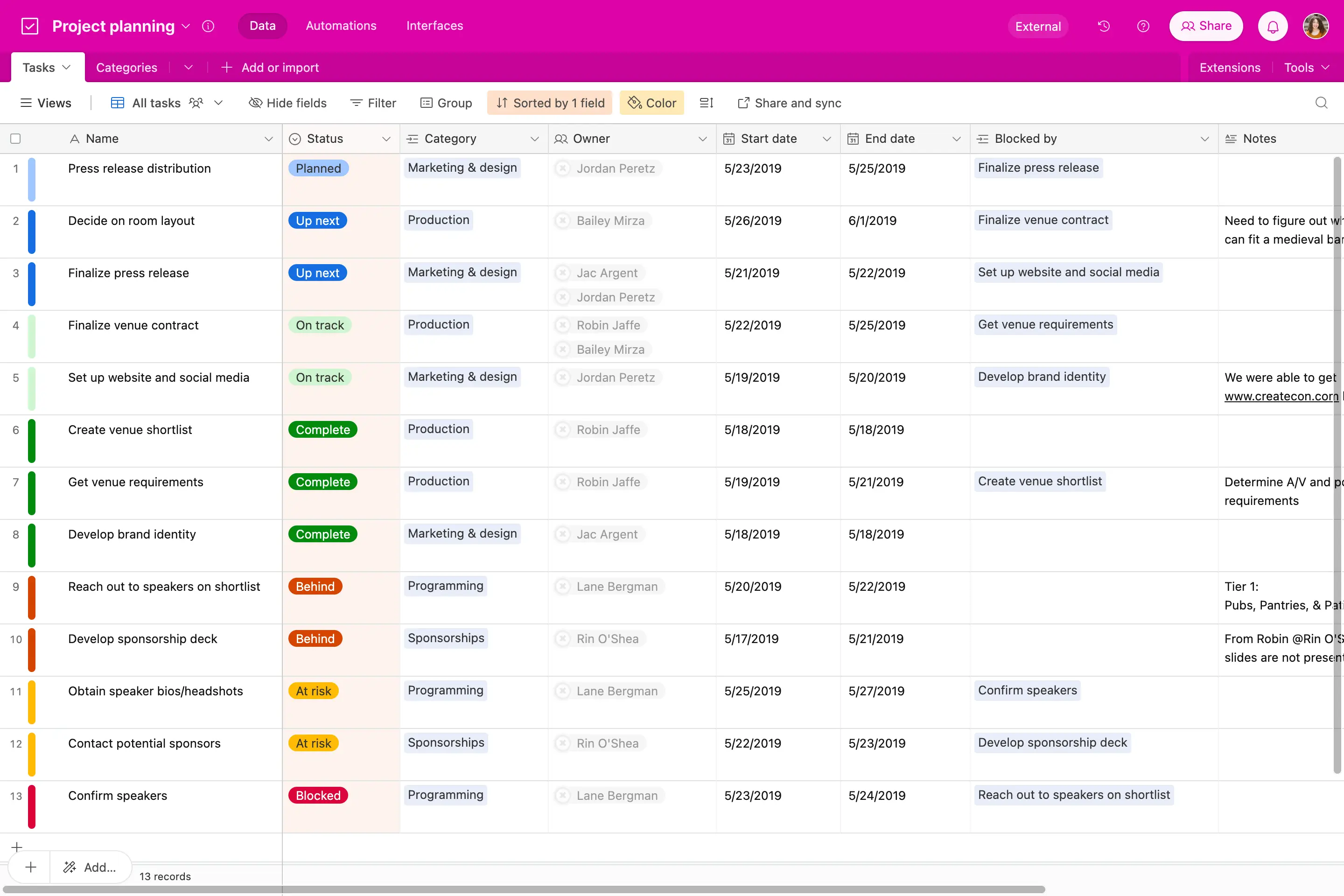
Airtable's core product is a relational database with a spreadsheet interface that'll be familiar to anyone who's used Google Sheets or Microsoft Excel. Users can switch between Grid, Kanban, Calendar, Gantt, Gallery, Timeline, and List views without restructuring their data.
Linked records connect tables—for example, a Clients table linked to a Projects table—so updates flow automatically across related fields.
2. Workflow automations
Airtable automations trigger actions based on record changes, schedules, or form submissions. Common examples include:
- Sending Slack messages when deal status changes
- Auto-assigning team members based on project type
- Creating linked records from form submissions
You can also add AI agents directly to workflows, and configure them to perform tasks like document analysis, web search, and content generation. For complex multi-step workflows, most teams pair Airtable with external tools like Zapier, Make, or Softr.
3. Interface Designer
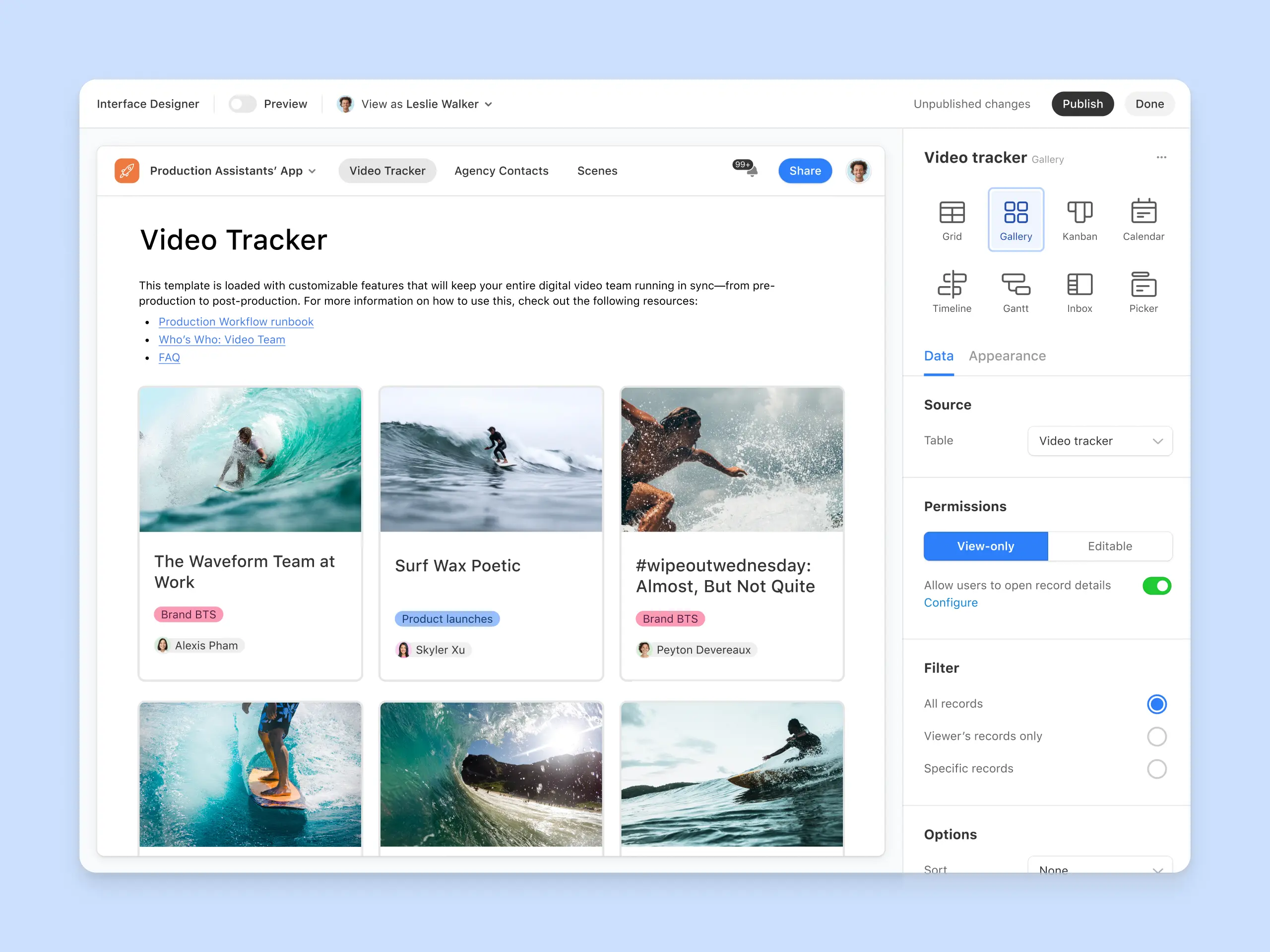
The Interface Designer lets users build front-end dashboards on top of base data. Interfaces support charts, grids, forms, and buttons, and can be shared with collaborators or external users. You can also build branded portals, but this requires a subscription add-on, starting at $120 for 15 guests/month on the Team plan.
4. AI features (Omni and Field Agents)
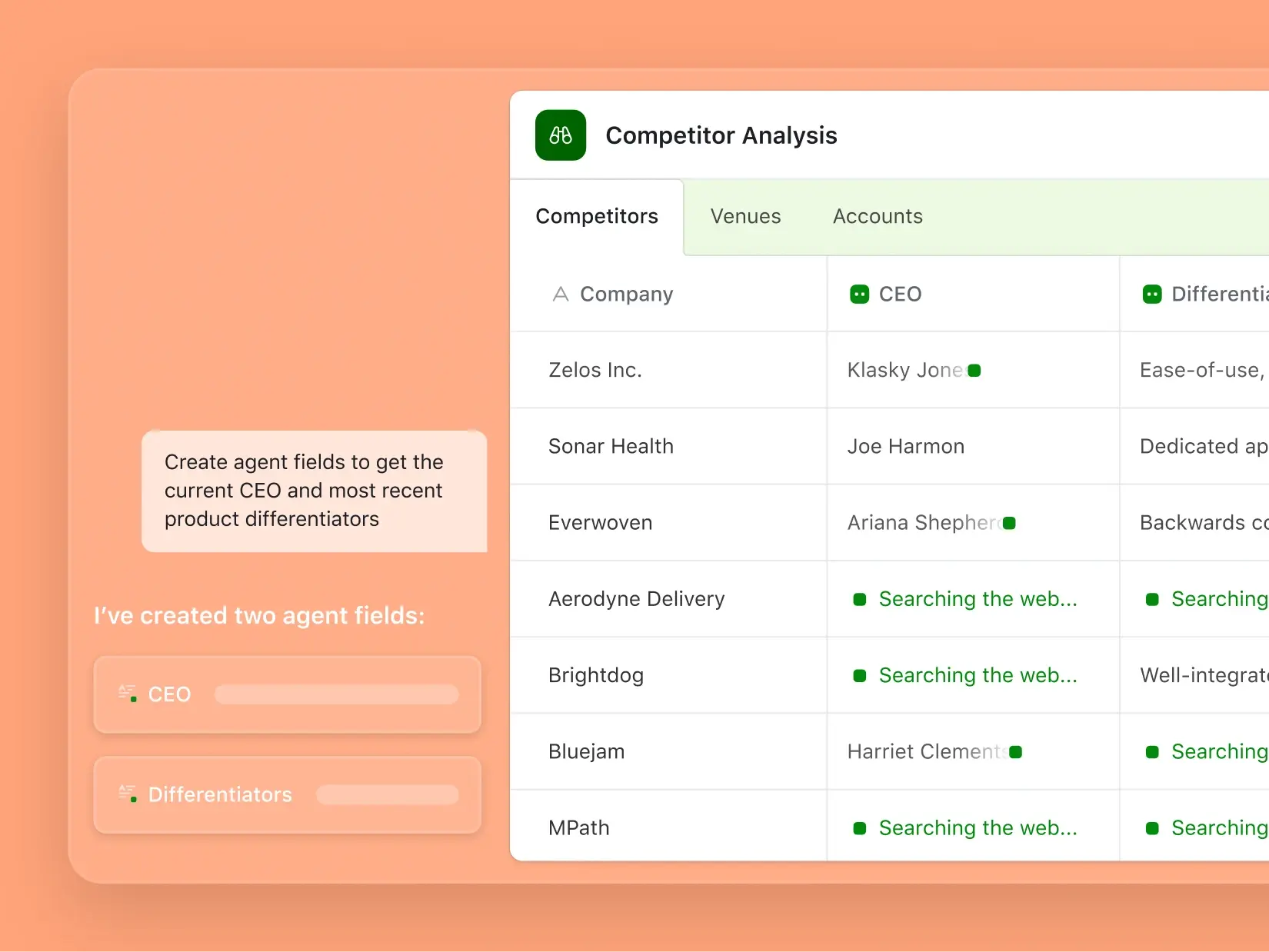
Airtable AI is fully launched and built on an agentic framework. The platform's AI toolkit includes:
- Omni: A conversational app builder. Describe what you want in plain language; Omni creates tables, interfaces, and automations.
- Field Agents: AI-powered fields that work autonomously inside records. They analyze documents, search the web, generate content, classify data, and extract insights.
- AI in automations and formulas: Generate formulas, select options, and run AI-powered steps inside workflows and bases.
Be aware that AI features are usage-based and consume credits for every run.
5. Integrations
Airtable supports a range of native integrations with popular tools. This includes LLMs (Claude, ChatGPT), social media platforms (Facebook, Instagram), email and calendar tools, GitHub, CRMs, and more. In total, Airatble integrates with 27 external apps.
Note that some integrations require an external tool like Zapier or Make. Also, integrations are plan-gated, so to get access to all of them you'll need to sign up for Enterprise Scale.
6. Security and compliance
Airtable is SOC 2 and ISO 27001 compliant, with optional two-factor authentication on all plans. Enterprise plans add SSO, SCIM provisioning, audit logs, HIPAA compliance, and Enterprise Key Management. AI Admin controls are only available on the Business plan or higher.
What real Airtable users say: A deep dive into reviews
I looked through reviews on G2, Capterra, Trustpilot, and Reddit to see how Airtable holds up for real users.
Overall, users have a lot of good things to say about Airtable, particularly its flexibility and how much non-technical teams can build with it. But the reviews also point to a few recurring frustrations, especially as bases and teams (and work processes) start to scale. Here’s the honest breakdown of what users love—and what they hate in equal measure.
Users love Airtable's flexibility and ease of use
Flexibility is one of the clearest themes in Airtable reviews. Users like being able to take the same tool and adapt it to very different processes, whether that's project management, CRM, inventory, marketing operations, reporting, or something more specific to their business.
That comes through particularly strongly on G2, where Airtable scores 4.6/5 from more than 3,000 reviews. Ease of use, automation, versatility, flexibility, and its intuitive interface are among the most frequently mentioned positives.

The learning curve gets steeper as your setup gets more complex
Capterra paints a similarly positive picture overall, with Airtable scoring 4.6/5 from more than 2,200 reviews. But its reviews also highlight an important distinction: getting started with Airtable and mastering Airtable aren't necessarily the same thing.
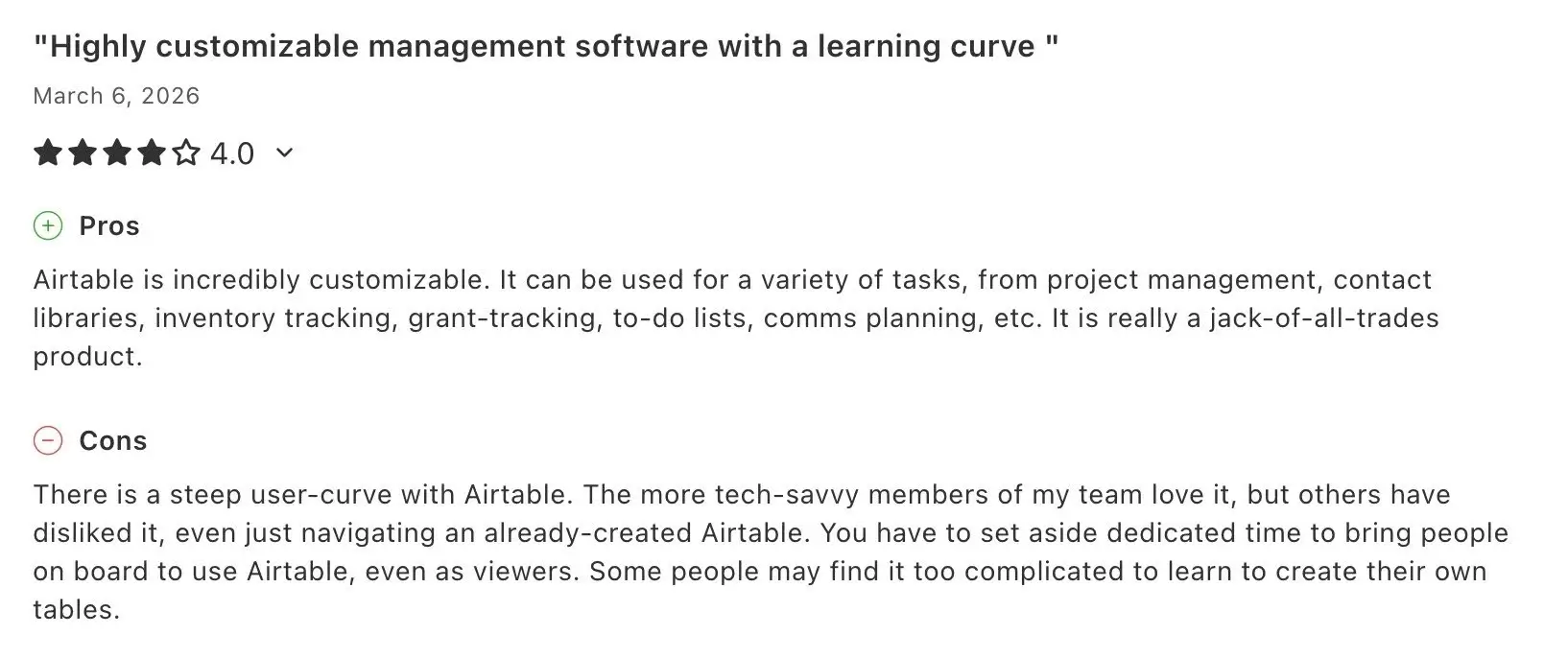
Users report that relatively simple bases can be approachable, but the learning curve gets steeper when you start working with more advanced database concepts, linked records, formulas, automations, and increasingly interconnected workflows.
Some reviews also point out that this can create a divide within teams. The person who built an Airtable setup may understand exactly how everything fits together, while less technical colleagues might need more onboarding or struggle to make changes themselves.
Pricing and billing can be a pain point
Price is another recurring concern, particularly when teams need to add more users or move into Airtable's higher-tier plans.
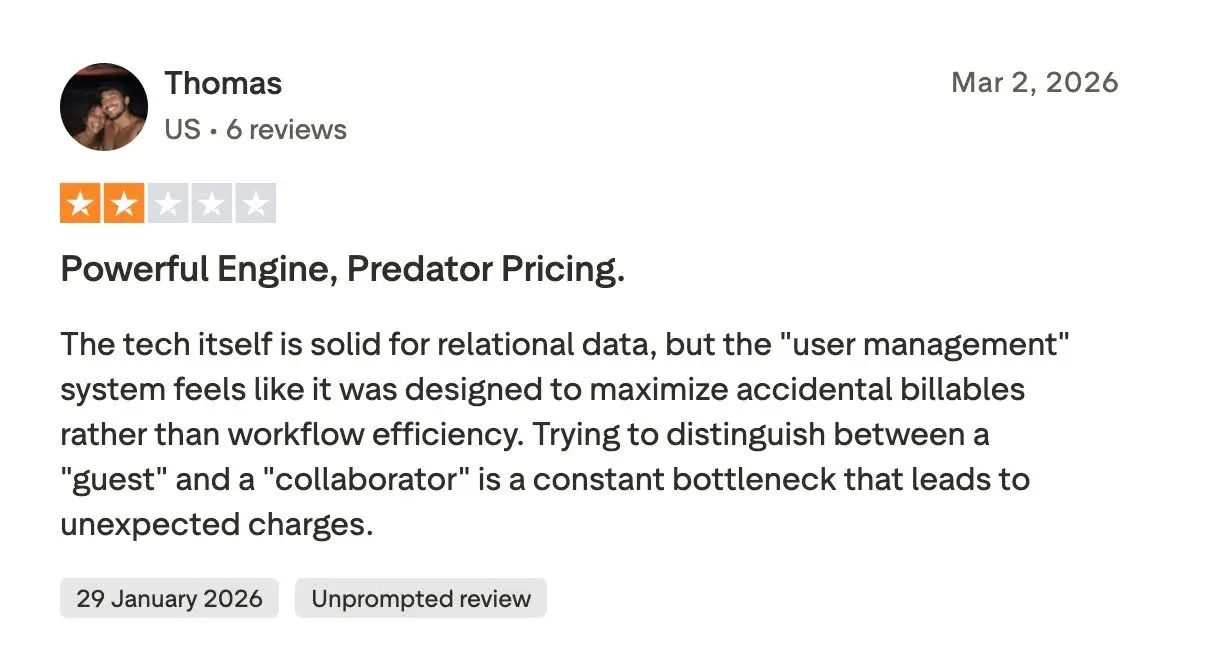
This criticism is especially noticeable on Trustpilot, where the sentiment is dramatically more negative than on G2 or Capterra. Airtable currently has a 2.0/5 TrustScore there, compared with 4.6/5 on both G2 and Capterra.
A large share of the negative Trustpilot reviews focus on billing and the customer experience around it rather than Airtable's underlying database functionality. Reviewers report problems with unexpected charges, additional user seats, cancellations, refunds, and getting support when something goes wrong.
Reddit users love the flexibility—but question what happens as you scale
Reddit discussions are perhaps the most interesting because you see both sides of Airtable in the same conversations.
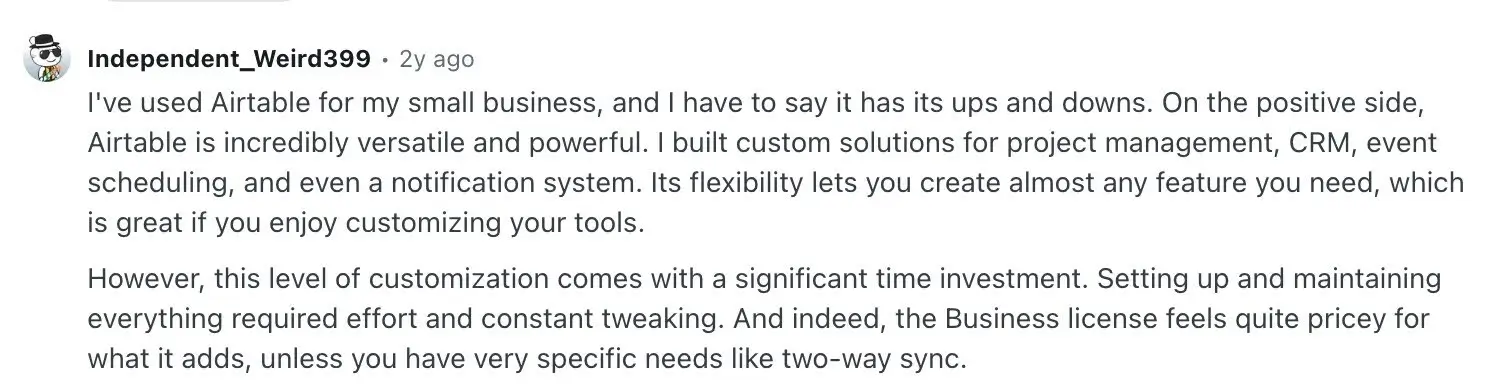
Users talk about building custom solutions for project management, CRMs, event scheduling, internal dashboards, notifications, and other workflows. The ability to customize Airtable around exactly how a business works is clearly a big part of its appeal.
But users also point out that all that customization requires time to build and maintain. As systems become more sophisticated, some describe spending more time tweaking their setup and working around limitations.
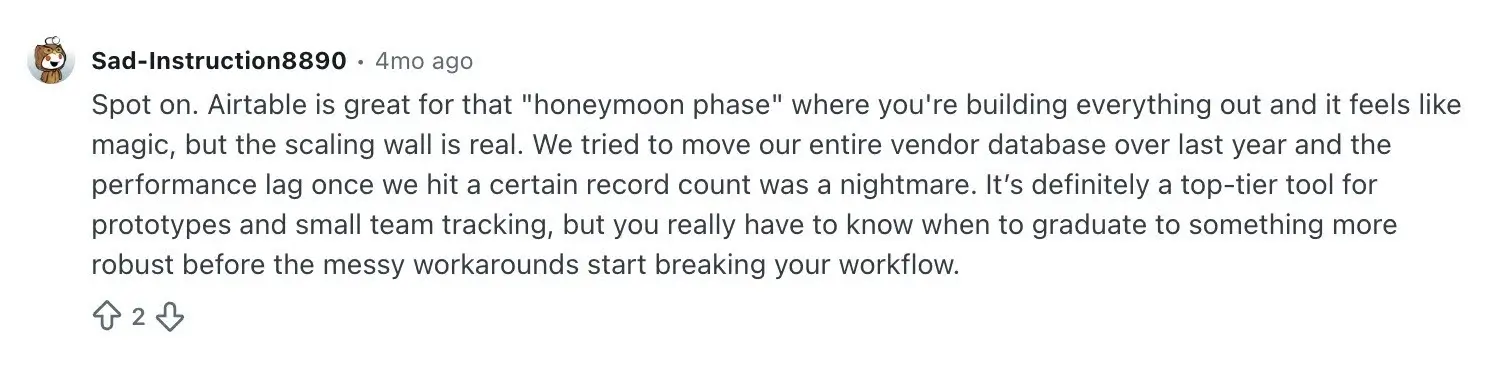
Scaling is another recurring concern. Some Reddit users describe Airtable as particularly effective for getting a prototype or smaller internal system running quickly, but report performance issues once datasets become larger or workflows more complicated.
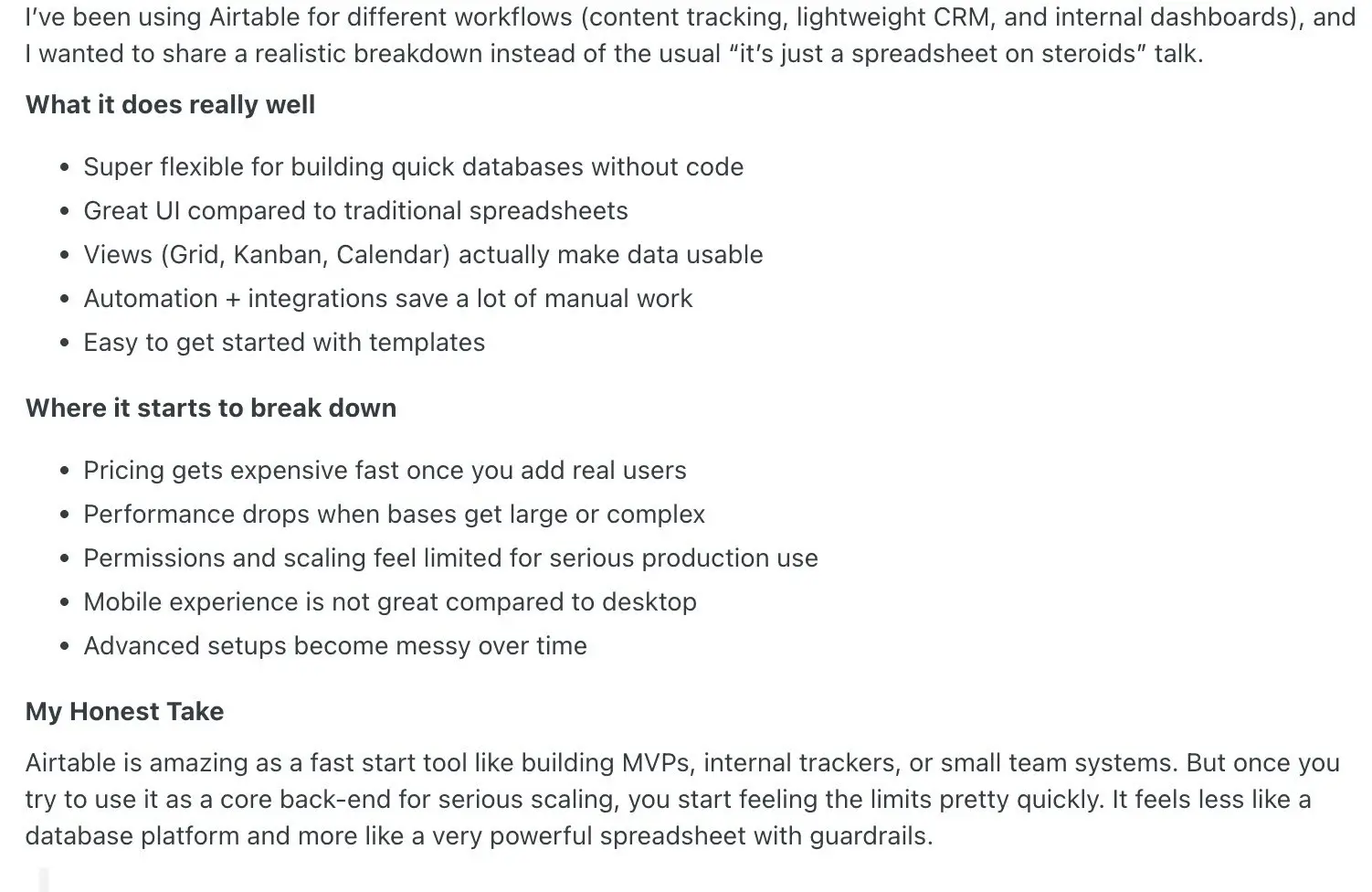
And that same pattern shows up in broader reviews from long-term users: Airtable is praised for quick databases, multiple views, automations, integrations, and getting started with templates, while pricing, performance, permissions, mobile usability, and increasingly messy advanced setups come up on the other side.
Of course, Reddit posts are individual experiences rather than controlled tests of Airtable's performance. But they're useful context for understanding the trade-offs people encounter once they've moved beyond relatively straightforward bases.
So, what do Airtable reviews actually tell us?
Looking across G2, Capterra, Trustpilot, and Reddit, there's a surprisingly consistent pattern.
Users like: Airtable's flexibility, approachable interface, different data views, automation capabilities, and the freedom to build systems around their own processes without relying heavily on developers.
Users don't like: The learning curve for more advanced setups, the amount of maintenance complex bases can require, performance and permissions limitations in some larger setups, per-user pricing, and—in Trustpilot reviews in particular—billing and customer support.
My takeaway is that Airtable is at its best when you want the freedom to build a system around the way your team already works. But that flexibility isn't free: as the system and the team using it grow, you're likely to spend more time thinking about structure, maintenance, permissions, performance, and cost.
My own verdict after testing Airtable
I’ve used Airtable extensively for content management in the past, so I was curious to see how much the experience had changed with the addition of AI.
For this review, I asked Omni to build a content management system for a small marketing team. I wanted separate tables for articles, team members, and campaigns, with linked records, content statuses, and sample data.
I was genuinely impressed by how much it got right from a single prompt. Omni created the tables, connected them, added the fields I needed, and populated the system with realistic sample content. Instead of thinking through the database structure first, I could describe what I wanted and let Airtable figure out much of the setup for me.
Having used Airtable before, that feels like a pretty significant improvement. There’s still a learning curve once you want to customize things yourself, but getting to a useful starting point is much faster.
Where I think Airtable is less convincing is when the end goal isn’t the database, but the app people actually use.
You can build Interfaces on top of your Airtable data, and Portals lets you give external users controlled access to them. But if I were building a polished client portal, employee tool, CRM, or other business app that people needed to use every day, Airtable wouldn’t be my first choice. I’d want more control over the experience, permissions, and how the finished app looks and works.
Pricing is another reason I’d think carefully about that use case. Airtable’s Team plan costs $20 per user per month when billed annually, while Business costs $45. That can add up quickly when more people need to actively work in your system.
Portals can help when those users are external. Rather than giving every client, vendor, or partner a full Airtable seat, you can give them access to selected interfaces. But Portals is another paid add-on, starting at $120 per month for 15 portal seats on Team and $150 on Business.
Is Airtable worth it in 2026?
My score: 7.5/10.
For managing connected data and building workflows around it, absolutely. I’d happily use Airtable again for content management, and Omni makes getting a new system off the ground much easier than I remember.
But a great database doesn’t automatically make a great business app. If I wanted to build something primarily for employees, clients, or partners to interact with, I’d look at purpose-built business app builders too—especially once the number of users starts growing.
That’s ultimately where I land on Airtable: excellent for organizing the work behind the scenes, but not necessarily the tool I’d choose for the finished app people use to do that work.
Airtable pricing in 2026
Airtable's pricing and plans are fairly straightforward. You have four tiers to choose from, as well as options to pay for the Portals add-on or additional AI credits.
| Free | Team | Business | Enterprise Scale | |
|---|---|---|---|---|
| Price | $0 | $20/seat/mo | $45/seat/mo | Custom |
| Records per base | 1,000 | 50,000 | 125,000 | 500,000 |
| Attachment storage | 1 GB | 20 GB | 100 GB | 1 TB |
| Automation runs/month | 100 | 25,000 | 100,000 | 500,000 |
| AI credits/month | 500/user | 15,000/user | 20,000/user | 25,000/user |
| Workspaces | 1 | 1 | Unlimited | Unlimited |
| Revision history | 2 weeks | 1 year | 2 years | 3+ years |
| Admin panel & SSO | No | No | Limited | Yes |
| Portals | Not available | Add-on from $120/mo | Add-on from $150/mo | Custom |
If you're coming back to Airtable after a long hiatus, there are two other details to be aware of. First, the Plus and Pro plans were retired during Airtable's 2024 restructure. Second, prorated refunds are no longer offered for mid-cycle seat removals (as of October 2025).
Who is Airtable best for?
Airtable is a good fit if you:
- Need a central database for business operations
- Want linked records and relational logic without SQL
- Automate workflows across multiple tools
- Are comfortable investing time in setup
Airtable may not be the right fit if you:
- Need secure, fully-functional apps with custom UI
- Have a fast-growing team and want to avoid per-seat pricing
- Just need a simple spreadsheet without database complexity
Is Airtable worth it in 2026?
Airtable is worth it for teams that need a flexible no-code database, are comfortable with per-seat pricing, and want native AI features (Omni and Field Agents) built into their data workflows. Its customizable views, linked records, and growing AI toolkit make it a strong backbone for business operations.
But to be upfront, costs do scale quickly with seat count, AI credits, and Portal add-ons. And the October 2025 no-refund policy means you should size your team carefully before committing. It's also not a great pick if you want to build business apps on top of your data, since it really only works for internal data views.
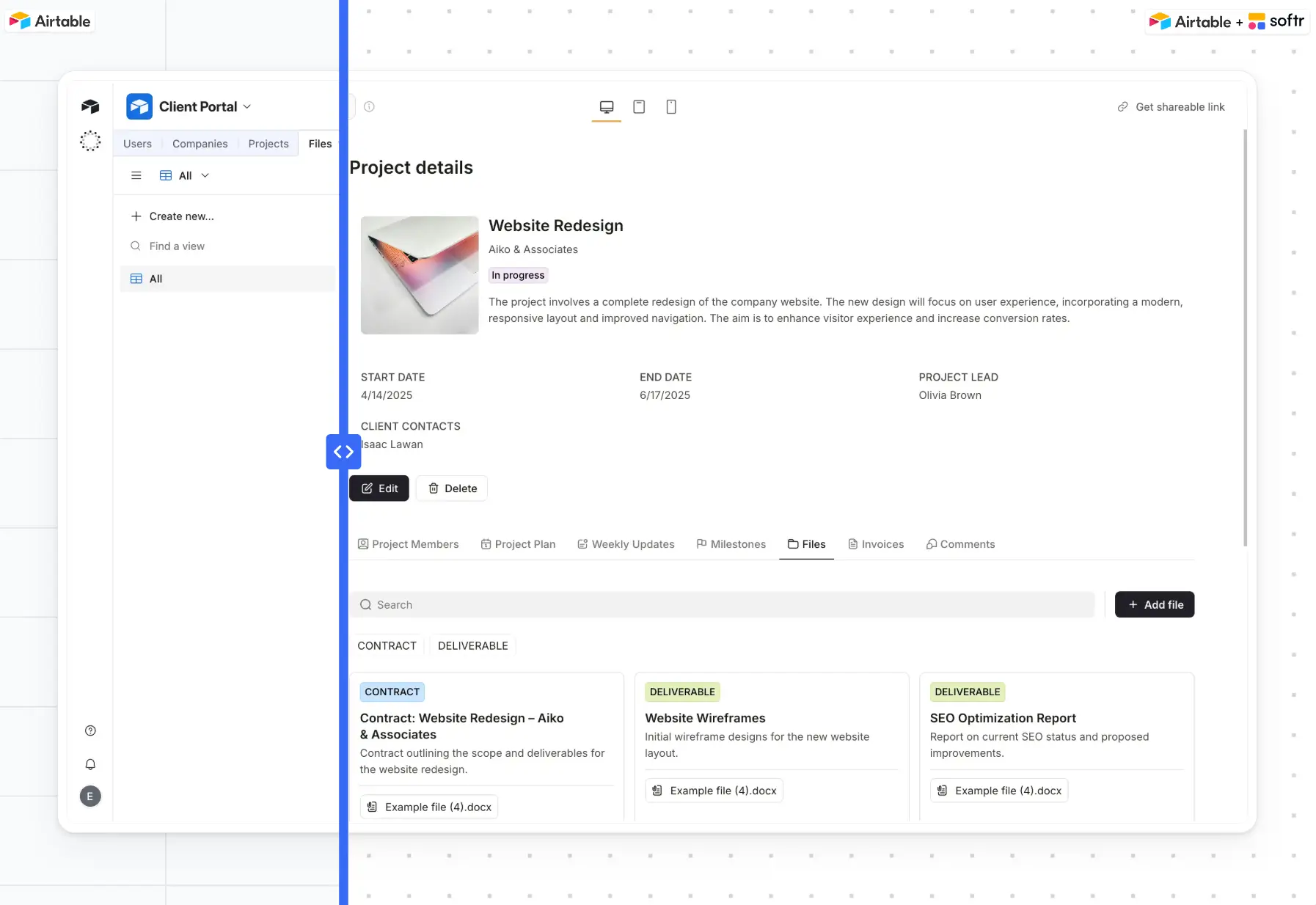
For more complex software you can share with real users, you'll need user groups, granular permissions, white-label portals, and PWA support. For these cases, it's better to turn to an AI app builder like Softr, which lets you create full-stack, branded software in minutes using the Co-Builder. Softr integrates natively with Airtable, so you can even use it to build apps on top of your existing Airtable bases (or import your data to Softr's native database).
However, if you're set on using Airtable for data management, its free plan has no time limit. The best way to evaluate it is to set up a table or two and test it out. Once you've explored its feature set, you should know whether upgrading to a paid plan is worth it for your business or if you need to look at Airtable alternatives.
Frequently asked questions
Is Airtable free?
Is Airtable no-code or low-code?
Is Airtable better than Excel or Google Sheets?
Can Airtable replace a CRM?


