[.blog-callout]
✨TL;DR:
- Spreadsheets work well for financial modeling and solo work, but break down when multiple users, departments, and permissions are involved.
- Warning signs include broken VLOOKUPs, versioned filenames, and data that should be relational but isn't.
- When a workflow is collaborative or customer-facing, replace your spreadsheet with a business app built in Softr.
[.blog-callout]
Spreadsheets have a branding problem. Depending on who you ask, they're either the greatest productivity tool ever invented or the single biggest source of operational chaos in the modern workplace. Both are true: spreadsheets are excellent at some jobs and terrible at others. Most teams just don't know how to tell the two apart.
This article is for the operator, founder, or team lead trying to answer a specific question: should this workflow stay in a spreadsheet, or does it need to become a real app? There's a clear answer most of the time.
When to use spreadsheets
Before talking about limits, it's worth being fair about what spreadsheets do well. Excel and Google Sheets are two of the most refined tools in software history. They're universal, cheap, and already installed on most browsers or machines. For a specific set of jobs, they're still the best option out there.

Keep the spreadsheet for:
- Complex financial modeling: Forecasts, budgets, "what if" scenario analysis, valuation models. Spreadsheets are unmatched at running formulas across hundreds of variables and letting you tweak assumptions in real time. Nothing else comes close.
- One-off scratchpad work: Dedupe a 500-row CSV before a campaign. Sort a contact list for a one-time send. Pull a quick breakdown for a meeting next Tuesday. If the job has a beginning and an end, and nobody else will touch the file afterward, a spreadsheet is the fastest path.
- Data cleaning and transformation: Standardizing text, reformatting dates, splitting columns, preparing a messy file for import into another system. This is exactly what sheets are built for.
- Solo or two-person workflows: If the file will only ever be opened by you, or by you and one trusted colleague, with little risk of someone overwriting a cell, a spreadsheet is fine.
These have one thing in common: the data is isolated, the users are limited, and the work is analytical or a one-off. The spreadsheet is a tool for a specific task, not an entire system.
When a spreadsheet is the wrong tool
The spreadsheet stops being the right answer the moment a workflow involves more people, more roles, or more time. Consider dropping it (and switching to Softr) when any of the following is true:
- Multiple people edit the same data. Once five or ten people work out of the same sheet, accidental overwrites and conflicting filters become frequent. Someone changes a shared view and it changes for everyone, so teams end up telling each other "I'm using the spreadsheet right now, don't change my filters." A spreadsheet has no concept of "who should see what" or "who should be allowed to change what."
- External stakeholders need access. Never share a raw internal spreadsheet with a client, a vendor, or a partner. There's no way to say "this client sees their project and nothing else," so the workaround is usually a separate sheet per external user, which multiplies the mess.
- The workflow has states and approvals. A status column in a spreadsheet is decorative. Changing "Pending" to "Approved" doesn't notify anyone, trigger an email, or move the record anywhere. If your process has stages, handoffs, or approvals, the spreadsheet isn't tracking the workflow, just logging it after the fact.
- Data needs to be connected. Real business data is relational. Contacts belong to companies, tasks belong to projects, invoices belong to vendors. Spreadsheets fake this with VLOOKUPs that hold together until someone renames a tab or inserts a row. Once your data has real relationships, a sheet is the wrong shape.
- Field use is part of the workflow. Technicians, delivery drivers, sales reps, and property managers (anyone who works away from a desk) can't navigate a 40-column sheet on a smartphone. They end up texting data to someone in the office who retypes it, an obvious bottleneck.
- The data is sensitive. Personal information, client financials, HR records. Sheets are all-or-nothing: you either share the whole file or you don't. There's no way to show managers the salary column while hiding it from everyone else.
If any one of these is true, the spreadsheet is almost certainly working against you. If two or three are true at once, it's costing the team hours every week.
"In a traditional spreadsheet, it's very hard to restrict who can edit which table and who can see what data. This is exactly where databases excel." — Kai Schönberger, engineer behind Softr Databases
Quick-reference matrix
Here's a shortcut for quickly comparing how spreadsheets and business apps stack up:
| Spreadsheet | Custom business app | |
|---|---|---|
| Primary users | 1 to 3 internal people | Whole teams, plus external users |
| Access control | All-or-nothing sharing | Role-based, per-record visibility |
| Interface | Grid with optional chart | Pages, forms, buttons, dashboards |
| Data structure | Free-form, mixed types | Structured, validated, relational |
| Workflows | None (status columns are cosmetic) | Triggered actions, approvals, notifications |
| Mobile | Painful on anything smaller than a laptop | Responsive by default, installable as a PWA |
| Best for | Modeling, analysis, solo work | Operations, collaboration, external access |
The tipping point (in plain language)
The tipping point is easy to recognize once you've seen it: you're maintaining 15 colored tabs, three of your VLOOKUPs are broken, you've renamed the file to "v4 FINAL (use this one)," and you're pretty sure Dave from Accounting deleted rows 42-84 last week.
The usual reaction is to start over: rebuild the sheet, rename it "2026," and add "master" to the filename. This buys a few months of peace before the same pattern repeats, because the format itself is what breaks.
"One thing we often see is spreadsheets with a six-month lifespan, then a new '2026' spreadsheet gets created." — Guillaume Duvernay, Softr
"That's a scalability problem you don't need to worry about with a Softr database." — Kai Schönberger, engineer behind Softr Databases
So the fix isn't a better spreadsheet, but a different tool.
Why use a custom business app?
A business app built with Softr addresses every failure mode above, by design. It pairs three pieces into one full-stack platform: a structured Softr Database for your data, an interface your team logs into, and Softr Workflows that act when the data changes.
- Structured data: Each field has a type. Dates are dates, numbers are numbers, and statuses can only hold allowed values. Bad data gets rejected at entry.
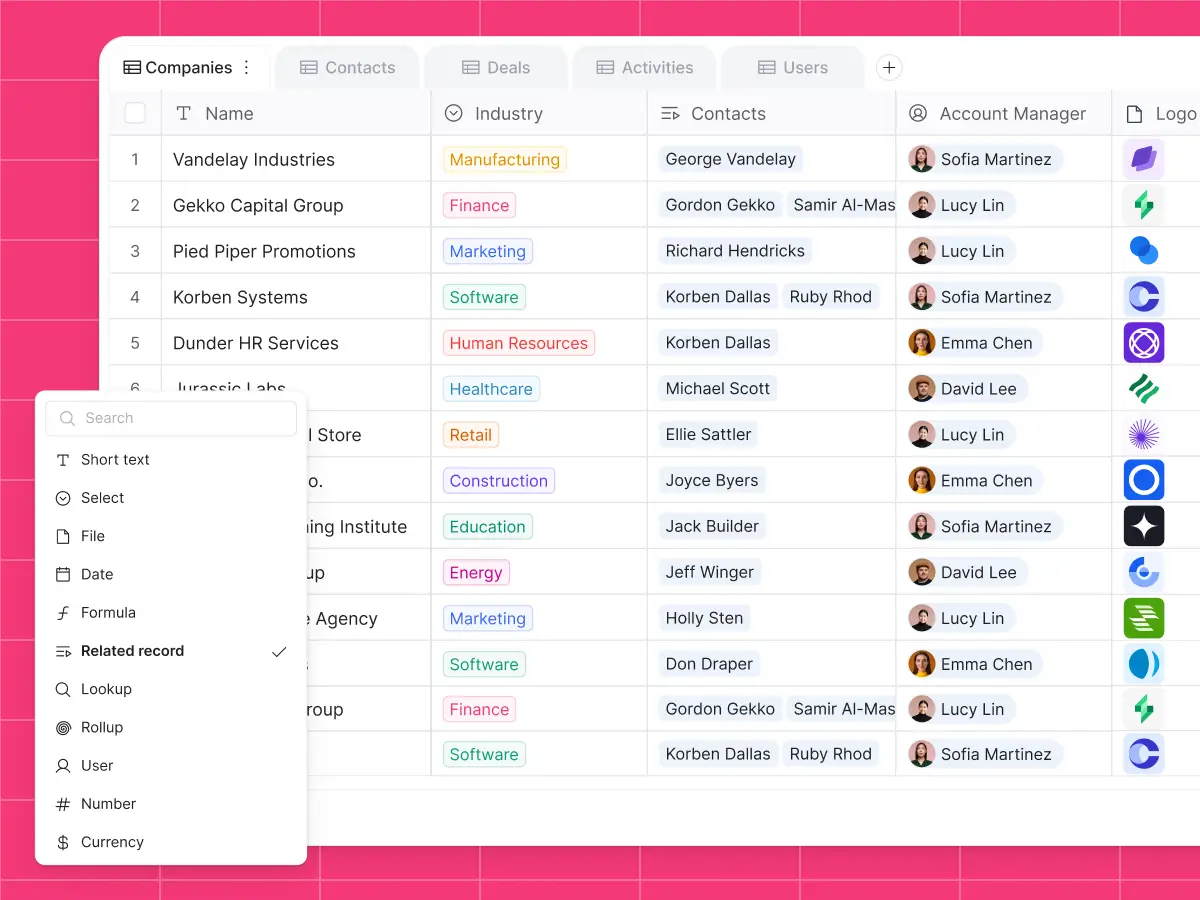
- Relationships: Tables link to each other. Rename a company once and every reference updates. Pull a company's total invoices with a single rollup.
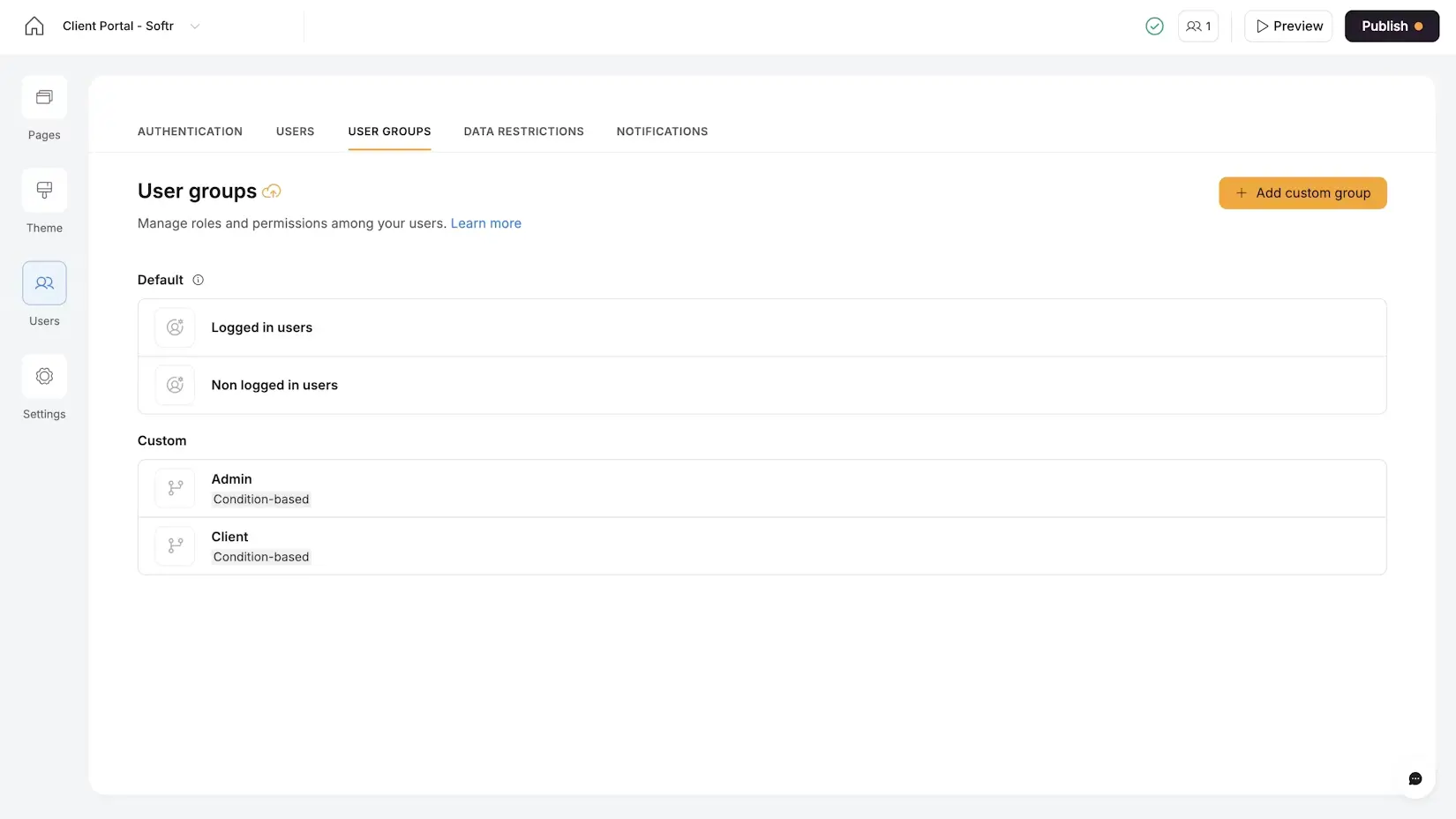
- Permissions: User groups (admins, employees, managers, clients, vendors) see different pages, different data, and different actions, all from the same underlying database.
"Managing external partners through emails and spreadsheets is a nightmare. A portal allows you to only surface the information that is relevant to them and make approvals on the fly." — Shiran Brodie, Head of Marketing at Softr
- Real interfaces: Pages, dashboards, kanbans, calendars, forms, and detail views. The app looks like software people already know how to use.
- Workflows: When a status changes, something happens. Notifications, approvals, reminders, and escalations are all handled automatically.

- Mobile and field use: Business apps are responsive by default, and often installable as a PWA so field workers can add the app to their home screen and use it on site.
- Secure sharing: Real login, real access control. You can safely invite 200 vendors to a portal without exposing anyone else's data.
Historically, getting all of that meant hiring developers or buying expensive SaaS that covered 60% of your use case. Neither is necessary anymore.
Build a business app without code
Platforms like Softr exist for this reason: teams need a real business app but don't have (or don't want to wait for) an engineering team. If you're weighing your options, our breakdown of the best app builder picks for non-technical teams is a good place to start.
Describe what you need to Softr's AI Co-Builder, and it builds the database schema, user groups, pages, and sample data in a few minutes. Edit it visually from there, or keep prompting the app, database, and workflow assistants. Store your data in Softr's native relational databases, or connect one of 17+ external data sources including Google Sheets, Excel, Airtable, and a REST API connector. Native databases keep the data, interface, and logic in one place, so the app stays fast as records and users grow, without the API rate limits you hit when building on top of an external source.

If your use case is a familiar shape (CRM, vendor portal, client portal, internal tool), you can also start from one of 100+ templates (and building from scratch is fast too).
What you end up with is the opposite of a spreadsheet: a tool with structured data, real permissions, clean interfaces, and workflows that do something when your data changes. Because it's visual, the same person who understands the workflow can build the app, however nontechnical they may be.
Spreadsheets vs. business apps: the verdict
Keep spreadsheets for what they're great at: modeling, analysis, and solo work. Move everything else, anything collaborative, permissioned, or customer-facing, into a real app. The tools to do this without code exist right now, so the default answer for operational workflows has shifted.
A good rule of thumb: if a spreadsheet is the backbone of how two or more people do their job every week, it shouldn't be a spreadsheet. If you're in this boat, try Softr for free and build your first business app with the AI Co-Builder today.
Frequently asked questions
Isn't a business app overkill for a small team?
Can I connect my existing spreadsheet to an app instead of replacing it?
What if I only need certain app features, like better sharing?