Which vibe coding tools are best for non-developers in 2026?


I'm growing a little wary of my YouTube feed. Every other video seems to feature somebody insisting that laypeople can vibe code a brilliant app in seconds. If I had a dollar for every one of these videos I've watched, I'd have a decent stack of cash by now.
Unsurprisingly, when I actually try these vibe coding tools, the promise doesn't always match my experience. I build an app, something doesn't work, and that requires debugging, which requires...you guessed it, familiarity with code.
You or your teammates may have run into this yourselves while looking for a vibe coding platform that is friendly to non-developers. So which tools can you trust? I tested and researched a bunch of them and put together my recommendations, right here.
Best vibe coding tools for non-developers at a glance
| Tool | Best for | Top features | Pricing |
|---|---|---|---|
| Softr | Reliable, fully operational apps from day one | AI App Builder, Vibe Coding block, native databases, granular permissions, built-in workflows | Free plan available. Paid plans begin at $19/month. |
| Base44 | Creating full-stack apps quickly | Self-contained backend, auto-recovery on failed builds, Start from URL, Base 1 model | Free plan available. Paid plans begin at $16/month. |
| Bolt | Hands-on builders who want deeper code access | Live code access, Standard/Max agent choice, multiple import sources | Free plan available. Paid plans begin at $18/month. |
| Lovable | Prototypes with clean UIs | Strong design output, multi-agent builds, two-way GitHub sync | Free plan available. Paid plans begin at $21/month. |
| Softgen | Shipping apps on a tight budget | Wide model selection, SEO baked in | Free trial available. $33/year, plus pay-as-you-go AI credits. |
Note: The pricing throughout this post reflects yearly billing.
What is a vibe coding tool?
The term "vibe coding" was coined by OpenAI co-founder Andrej Karpathy. He used it to describe non-developers typing requests into an AI tool to produce working software. Today, though, plenty of developers lean on vibe coding to speed through the duller parts of their workflows, too.
Can non-developers build a production business app with vibe coding?
Non-developers can build production business apps with vibe coding, provided the platform handles the technical infrastructure needed to run them securely and reliably. That includes things like the database, authentication, permissions, and hosting — not just generating an interface from a prompt.
Vibe coding doesn't have to result in a whole app. You can vibe code a single UI component, like a widget or an animation, or a landing page. You can even build a backend database and API. Though if you're not technical, I might hold off on managing those pieces yourself. Backends handle real data and live connections, and it's easy to ship a security hole or leak sensitive information when you can't read the code well enough to catch an issue.
Which vibe coding tools are best for non-technical teams?
I'm in a handful of Slack-based automation and AI communities. I tend to lurk in the channels where the developers hang out, just out of curiosity. The gap between the vibe coding tools they reach for and the ones someone like me (a normie) reaches for is vast.
Here's what I look for in a non-developer-friendly vibe coding tool:
- It lets you build with plain-English prompts. This is table stakes. You bring an idea, and the tool walks you from that first sentence to working software.
- It keeps you away from code, even when you're editing. Many tools let you build a prototype, then require you to open a code editor to change something basic. The accessible tools let you adjust by pointing, clicking, and typing more requests.
- It handles the database, authentication, and hosting for you. These are the unglamorous parts that let an app actually run. Without them, you've got a pretty-looking app shell at best.
This is where tools like Claude Code and Codex can mislead people. They're powerful, and yes, they can totally build a complex app for you. But they don't meet the requirements above. Don't be lulled in just because you're comfortable prompting with Anthropic's or OpenAI's chatbots. Claude Code and Codex were largely built for technical builders who are comfortable in a terminal and can read code.
1. Softr — best for building reliable apps that are operational from day one
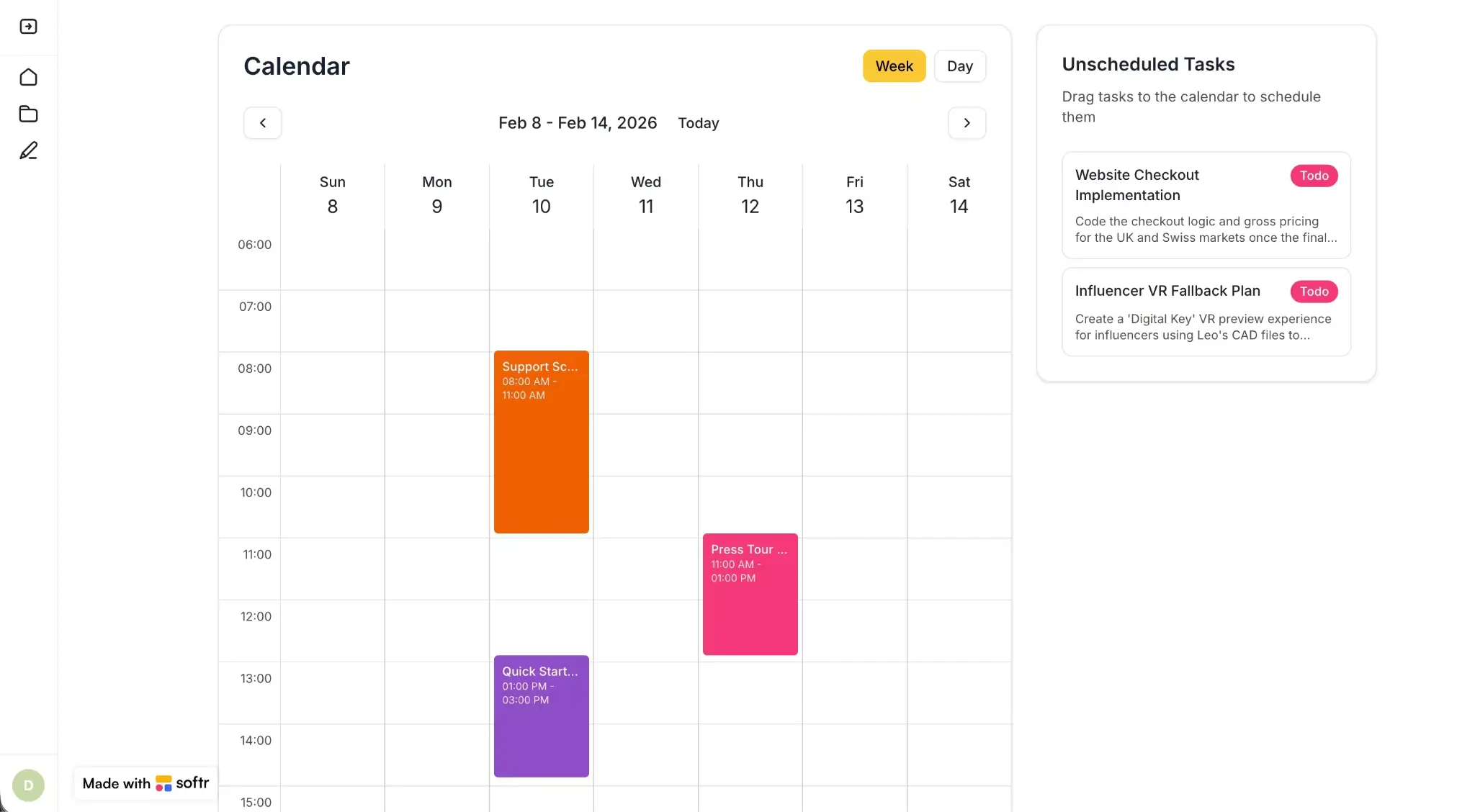
Softr's promise of being a genuinely code-free vibe coding tool isn't just lip service. When I want to spin up an app for my freelance business, be it a client portal or scope calculator or something else, I just head to its AI app builder. It produces a database, interface, and business logic for me, all from a prompt. And all of it's connected, secure, and ready for anyone I work with to use. Best of all, I don't inherit any technical debt that I need to worry about hosting, securing, or debugging later.
Softr provides native blocks for commonly needed features. But it also has a Vibe Coding block, giving you the power to customize your creations at the granular level. Just describe the component you want, and Softr makes it happen. All vibe coded components inherit your app's theme, connect to the same data sources, and respect the same user permissions, so they behave reliably. And if you've built a block you know you want to reuse, you can copy it into another project instead of rebuilding it multiple times.
💡 Amandine and Marine, the cofounders of No-Code Week, leaned on Softr's Vibe Coding block to launch a unique event app in less than a week. Read how they did it here.
Softr pros and cons
Pros
- You can access multiple build modes. Start with AI for speed, then switch to visual editing for precision, or work from your own AI assistant through the Softr MCP. Making a small change doesn't require you to submit another prompt and hope that nothing breaks.
- There's nothing to host or maintain. Authentication and hosting are built in. If a security certificate expires or a dependency needs patching, Softr handles it and keeps your app working.
- Softr works with your existing data and tools. To get started, you don't have to move your data out of Airtable, Google Sheets, or wherever it already lives.
- One platform supports your entire operation. Are you building a portal, CRM, dashboard, project tracker, or an internal tool? Softr was built to create them all. You don't have to rely on a stack of disconnected vibe coding tools.
- Start with a generous free plan. You can build unlimited apps with up to 10 users before you ever need to pay a dime.
Cons
- This is a "pro" for my fellow non-developers out there, but just to say it: the platform runs on Softr's infrastructure, so you can't export your app's code to host it somewhere else.
Softr key features
- AI App Builder: Describe what you want, and Softr creates the database, app, and business logic as one connected system.
- Vibe Coding block: When you generate a custom component from a prompt, it matches your app's look, data, and permissions automatically.
- Native databases and integrations: Model your data in Softr Databases or sync in real time with 21+ sources. For anything else, use a REST API.
- Custom user groups and permissions: Control what each person sees and does at the app, page, block, and record level.
- Built-in workflow automation: Trigger emails, Slack notifications, approvals, and data updates when users do things in your app.
- Enterprise-grade security: SOC 2 and GDPR compliance, SSO, and built-in encryption come standard at higher tiers.
Softr pricing highlights
- Free: Unlimited apps, with access to Softr Workflows and Softr Databases, 5 app users, 5,000 Softr Database records, and 5 AI credits.
- Basic: $19/month. Unlimited apps with 42+ integrations, Team: 5 + Client: 5 app users, 50,000 records, and 10 AI credits.
- Pro: $99/month. Unlimited apps with 45+ integrations and custom code, Team: 10 + Client: 50 app users, 500,000 records, and 50 AI credits.
- Business: $329/month. Unlimited apps with 52+ integrations, Team: 30 + Client: 100 app users, 1M records, and 100 AI credits.
- Enterprise: Custom pricing. Includes SSO, SOC 2 reporting, advanced security, and dedicated support.
%20(1)%20(1).webp)
2. Base44 — best for building full-stack apps quickly
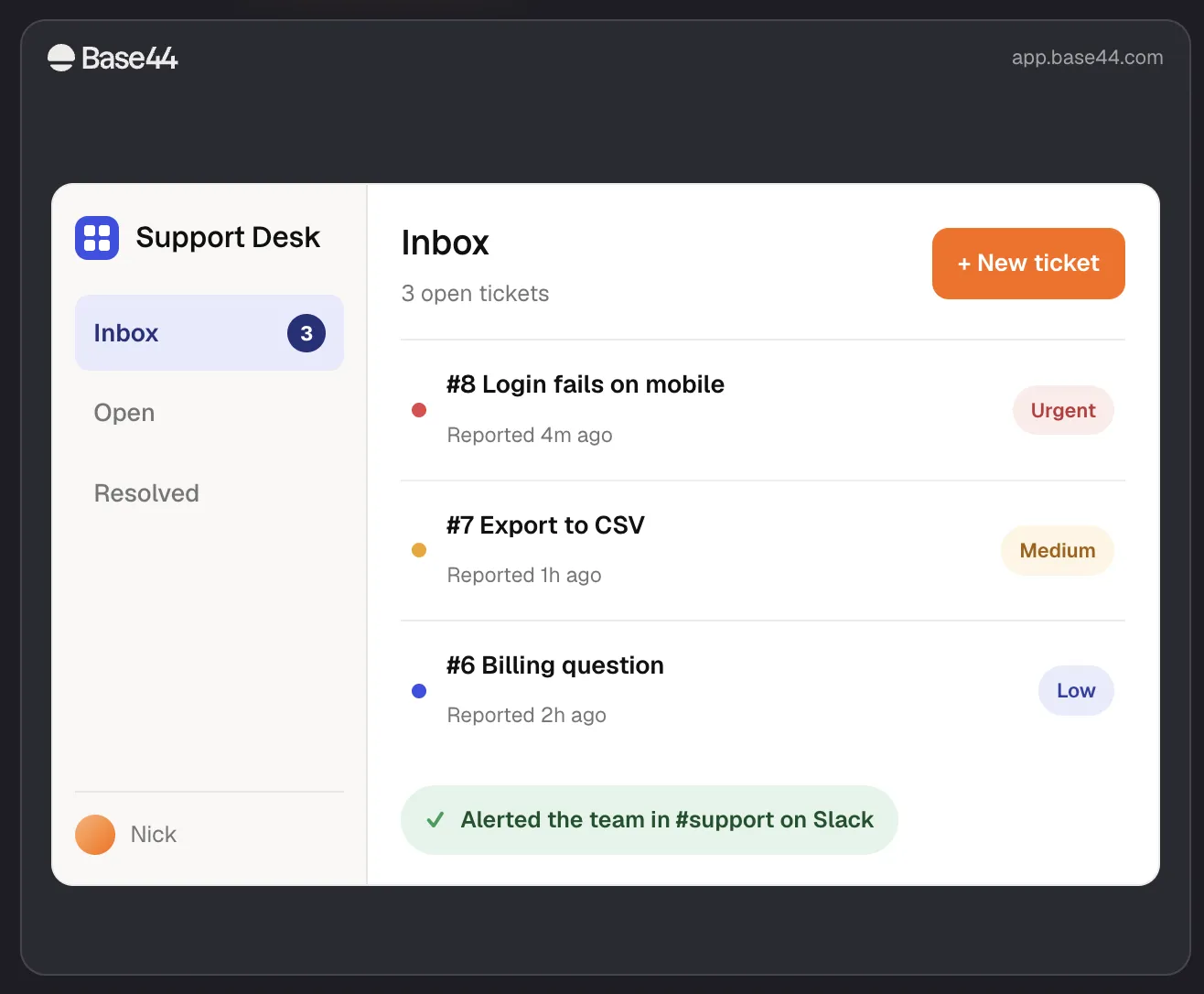
A couple of Base44's features stand out to me as especially non-dev friendly. For one, the database, authentication, and hosting all run on Base44's own cloud, so there are no external services like Supabase or Firebase to connect and manage.
Two, it's fast. That's partly thanks to Base 1, the AI model that Base44 released in late June. Because it's trained on millions of real users' building sessions, it works more quickly and uses up fewer AI credits, something I noticed as I added features to my apps. Plus, Base44 gives you the option to start from a URL. That built-in feature is designed to let you point Base44 at a site you already own, then rebuild it as a working app, so you can keep your existing brand and layout.
Base44 pros and cons
Pros
- There's no backend service to wire up or babysit.
- Modeling your vibe coded app off a site you already own beats designing something from scratch, especially if you're not a designer.
- It's one of the fastest tools on this list to get you from an idea to something you can actually click around in.
Cons
- It's fine for simpler apps, but complex logic gets harder to trust and harder to audit.
- They have a two-part credit system (you get message credits for building, and get integration credits for live usage), which can make costs unpredictable. And unused credits don't roll over.
- You can export your code (frontend and backend functions) and your data as CSVs. But the database structure, hosting, and authentication system stay behind, so moving off Base44 would require you to stand up that infrastructure again, elsewhere.
Base44 key features
- Auto-recovery on failed builds: When a build fails, Base44 attempts the repair itself instead of showing you some indecipherable code error.
- Base 1 model: Base44's own AI (trained on real users' building sessions) is faster to generate with and lighter on AI credit usage.
- Start from URL: Point Base44 at a site you already own, and it'll rebuild it as a working app, keeping your brand and layout consistent.
Base44 pricing highlights
- Free: 25 message credits and 100 integration credits per month, with authentication and a database included.
- Starter: $16/month. 100 message credits and 2,000 integration credits, plus unlimited apps and in-app code edits.
- Builder: $40/month. 250 message credits and 10,000 integration credits, plus custom domains, GitHub frontend export, and backend functions.
- Pro: $80/month. Everything in Builder and doubles the credit limits.
- Elite: $160/month. Everything in Pro. 1,200 message credits and 50,000 integration credits, plus premium support.
3. Bolt — best for hands-on builders who want deeper code access
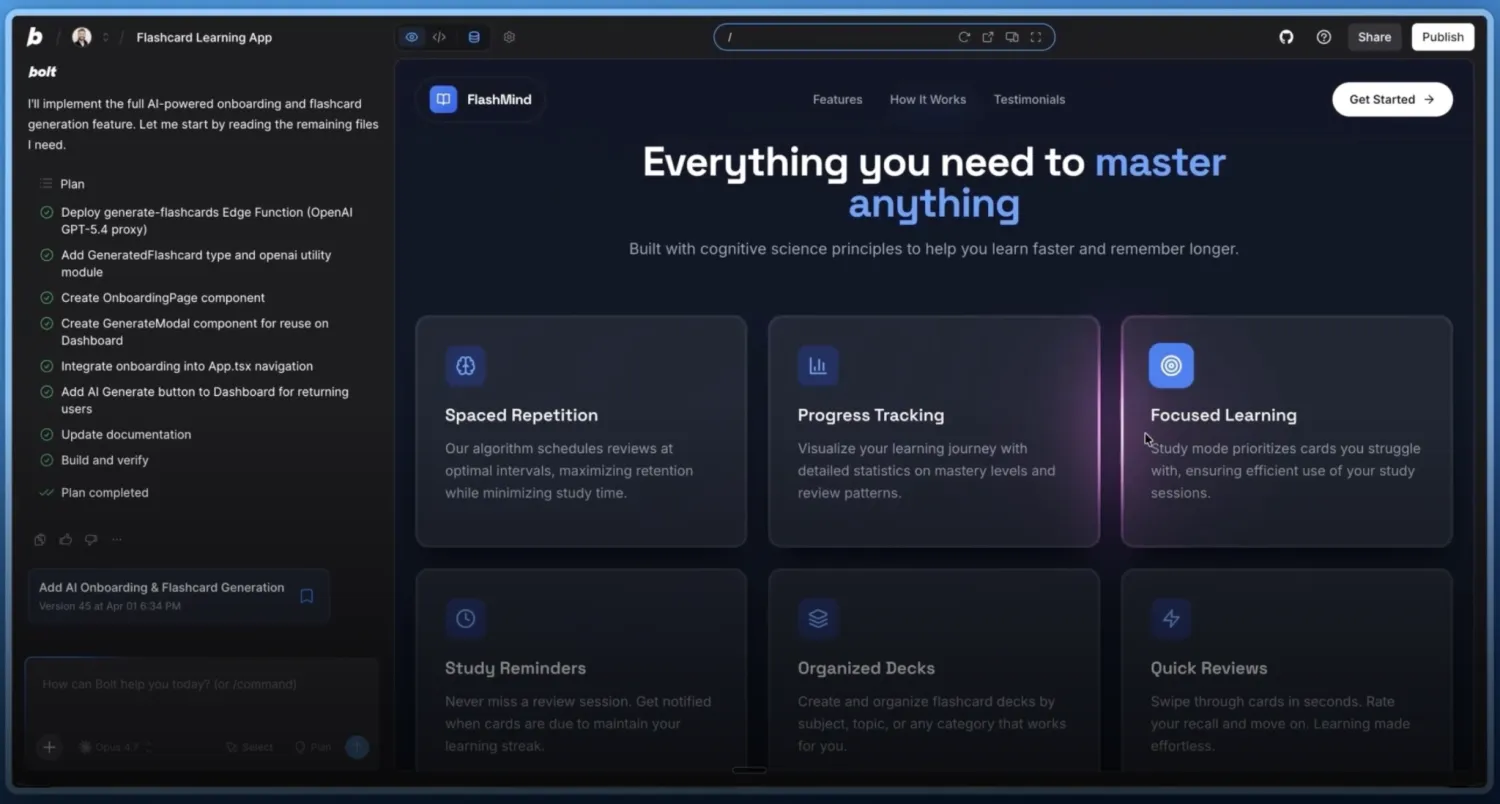
I opened this piece by saying the best apps for non-developers don't force you into working with code. And Bolt doesn't. But it does let you go deeper than the other tools on this list, if you want the option. Through Code View, you get a full in-browser dev environment where you can edit your app's files directly. Plenty of these tools let you peek at the code, but Bolt is built around the idea that you can prompt when you want and code when you want. I like that I can keep things simple for now and still hand my app to a developer later if I ever want to push my customization further.
Another thing I like about Bolt? It puts me in the driver's seat right away. Before I submit a prompt, I choose one of two AI agents to build with: Standard or Max. Standard comes with every plan (including the free one), uses fewer credits, and excels at simpler builds. So when I just need to share a quick prototype or do some front-end work, I know I can go with Bolt and pay nothing or very little.
Bolt pros and cons
Pros
- You can dip into the code when you're curious or have developer resources.
- It bends to your project, letting you start from a design, a repo, or another tool and build for web or mobile.
- Unused tokens carry over to the next month (just for one month), which takes some of the sting out of token-based pricing.
Cons
- It shines at prototyping, but bigger full-stack apps can be harder to maintain.
- It's most comfortable for people who can read and edit code, which arguably pushes it past the true non-developer line.
- The daily token cap on the free plan can stop you mid-session.
Bolt key features
- Browser-based dev environment: WebContainers run a full Node.js setup in your browser, with no local install.
- Live code access: Drop into and edit the real generated code as you build.
- Framework flexibility and Expo: Build across frameworks, including native mobile apps.
- Multiple import sources: Start from Figma, Google Stitch, a GitHub repo, or a Lovable project.
Bolt pricing highlights
- Free: 1 million tokens per month, 300K daily token cap, public and private projects, website hosting.
- Pro: $18/month. 10 million tokens per month, no daily cap, custom domains, and no Bolt branding.
- Teams: $27/member/month. Adds centralized billing and team management.
- Enterprise: Custom pricing.
4. Lovable — best for creating prototypes with clean UIs
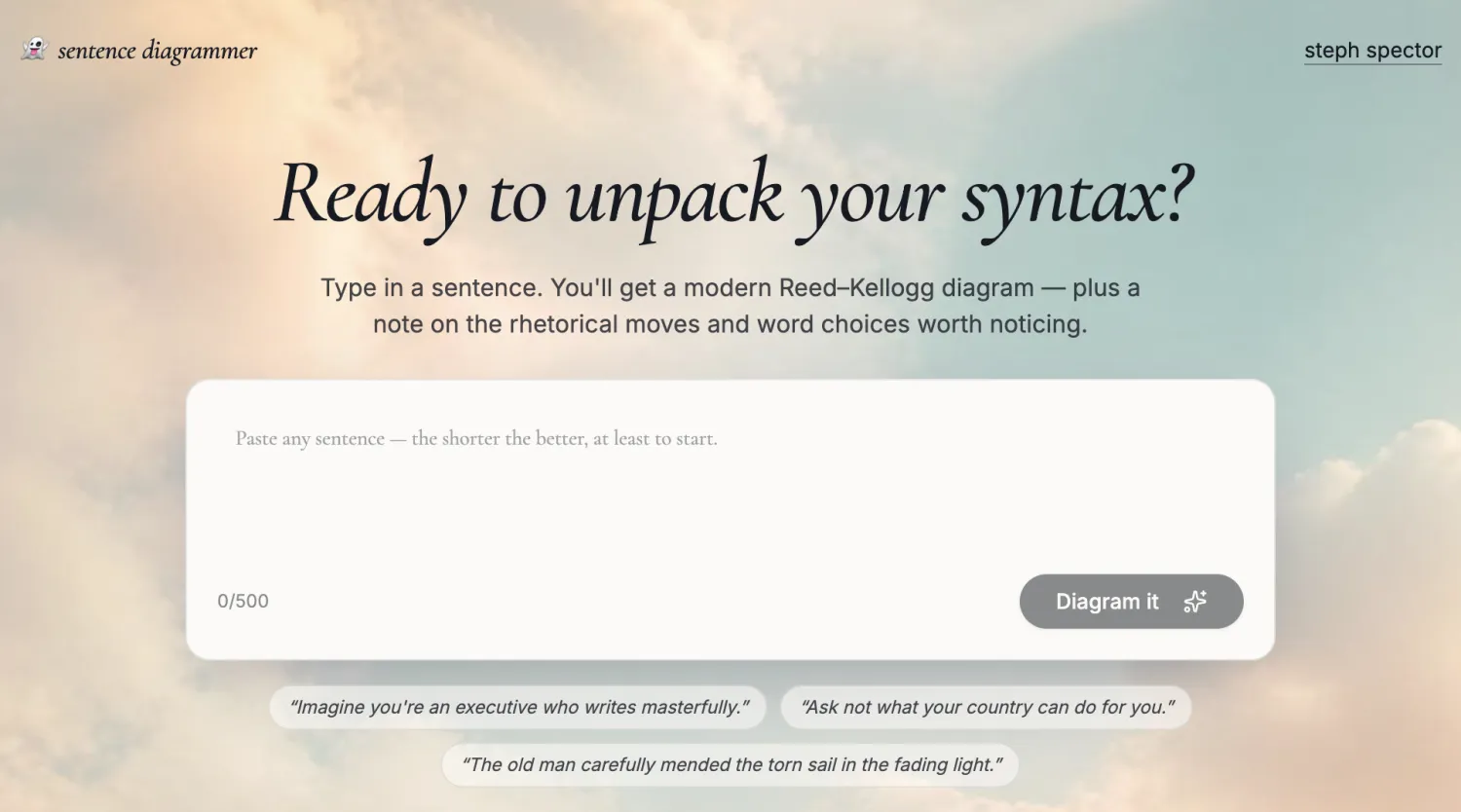
A number of content marketers I've worked with have used Lovable to build gorgeous landing pages and lightweight apps. And not one of them writes code. That's Lovable's claim to fame: it gives you polished-looking vibe coded creations. I put that benefit to work for my coaching clients by building an app that diagrams their sentences, styled to match my website.
Although I prefer Lovable for simpler builds, it is getting better at handling complexity. Instead of one model doing everything in a single pass, Lovable now splits work across several AI agents. One acts like a product manager, one like a designer, and one like a developer. So a more complex app will get planned and organized rather than just slapped together, which pushes that ceiling a little higher than it used to be.
Lovable pros and cons
Pros
- When you need to make a strong first impression, Lovable's output looks the part and requires the least effort to get you there.
- It now keeps bigger builds organized, so you're less likely to lose the thread halfway through.
- You're not locked in, because you own the code and a developer can take over if the project outgrows Lovable.
Cons
- It's better suited to prototypes and MVPs than to production apps, especially since Lovable creations don't come with baked-in security.
- Credit-based pricing, plus separate billing for cloud hosting and AI usage, makes real monthly costs hard to predict.
- Role-based permissions are limited and don't come with much granularity.
Lovable key features
- Strong design output: The UI comes out clean because Lovable makes sure your buttons, forms, and layout always match, helping your app look intentional.
- Multi-agent builds: Instead of one AI agent doing everything, subagents split the work to keep more complicated builds organized.
- Two-way GitHub sync: You get clean React and TypeScript, and you own the code fully from day one.
- Developer hand-off path: If you outgrow Lovable, there's a documented route to keep building in Cursor or Claude Code.
- Builder seats included: Up to 3 builders on the free plan, with extra builder seats on paid plans from $5/month.
Lovable pricing highlights
- Free: 5 daily credits (up to 30/month), workspace-private projects, and unlimited collaborators.
- Pro: Starts at $21/month and increases with your monthly credit selection, starting at 100 monthly credits. Adds credit rollovers, custom domains, and user roles and permissions.
- Business: Starts at $42/month and increases with your monthly credit selection, starting at 100 monthly credits. Adds SSO, a team workspace, and a security center.
- Enterprise: Custom pricing.
5. Softgen — best for shipping apps on a tight budget

Most AI tools are subscription-based, which adds up. So if you're more of an occasional vibe coder, Softgen is worth checking out. You pay for an affordable annual license that comes with an ample selection of AI models. That means you can pick whichever model is strongest for your use case at the lowest price. And it gives you a generous pool of AI credits, even at the entry-level tier.
Softgen also builds with search in mind. Every app ships with the SEO essentials baked in, like a sitemap, meta tags, and structured data, so the things you produce are easier for people to actually discover. Your app's backend runs on a managed Supabase database, too, so your data and logins are set up and maintained for you. For a tool at this price, that's a lot of infrastructure you don't have to set up yourself.
Softgen pros and cons
Pros
- If budget is your main constraint, nothing here beats it, since you only pay for credits while you're actively building.
- It's a great fit for tinkerers, letting you try different AI models without paying a premium for the option.
- If you're building something that needs to be found, like a landing page or a public site, the SEO essentials come built in, so you get discoverability without doing the legwork yourself.
Cons
- There's no free plan, just a three-day trial.
- Credit usage can climb fast when you make lots of iterative changes.
- When you're working on bigger apps, making a change in one area can potentially break another.
- Visual control is limited if you want pixel-perfect layouts.
- Debugging its generated code can be frustrating if you don't have any development experience or dev resources.
Softgen key features
- Annual license plus pay-as-you-go: You pay $33/year, then buy AI credits only as you need them. And credits roll over.
- AI model flexibility: You can pick from more than 12 models across Anthropic, OpenAI, and Google.
- Baked-in SEO: Next.js generates meta tags, sitemaps, and structured data automatically.
- GitHub export and managed backend: Own your code, with a managed Supabase backend included.
- Deploy to your own Vercel: Publish your app to your own domain on Vercel, with security handled for you.
Softgen pricing highlights
- Trial: A short, three-day free trial with starter credits.
- Platform license: $33/year, which unlocks the full builder, GitHub export, and team features.
- AI usage: Pay-as-you-go credits at rates that run less than its competitors.
Which platforms include authentication, permissions, databases, and integrations?
| Platform | Authentication | Permissions | Database | Integrations |
|---|---|---|---|---|
| Softr | Built in | Granular user and data permissions | Native relational database | Native integrations + REST API |
| Base44 | Built in | Row-level permissions | Built-in managed database | Connectors + API integrations |
| Bolt | Built in | Configurable through app/database security | Built-in database or Supabase | External services + MCP |
| Lovable | Built in | Fine-grained access controls | Built-in managed database or Supabase | Connectors + APIs |
| Softgen | Built in via Supabase | Row-level security | Managed or connected Supabase | Built-in integrations + APIs |
How do prototype-focused and production-ready vibe coding tools differ?
Prototype-focused vibe coding tools optimize for how quickly you can generate an app, while production-ready platforms also account for what happens after real users arrive.
A prototype might only need a working interface and basic logic. A production business app also needs secure authentication, granular permissions, reliable data, integrations, workflows, hosting, and a way for your team to maintain it without breaking the underlying application.
Softr is designed around that second use case. AI accelerates the initial build, but the app runs on an existing platform where databases, permissions, authentication, workflows, and hosting are already managed. That means non-technical teams can keep operating and improving the app after launch rather than handing an AI-generated codebase to developers.
Choose the right vibe coding tool for your business
Honestly, the best vibe coding tool for a non-developer is the one that gets you off the tool fastest, because you're not stuck tinkering with it. Every tool on this list can generate something impressive. The real question is whether the output holds up once a real user logs into it.
Each of these tools shines for a particular builder: Bolt is great if you want room to grow into code, Lovable rocks for a polished first draft, Base44 excels at speed, and Softgen's solid if you're watching your budget. Softr is the one I'd trust to hand a working app to a whole team, with the logins, permissions, and structured data that keep it working reliably.
Want to make even your least technical teammates feel like programmers, with production-ready, vibe-coded creations? Give Softr a try for free.
Frequently asked questions
Can non-developers successfully produce apps with vibe coding tools?
What features do the best vibe coding apps for non-developers come with?
How did you evaluate the vibe coding tools in this piece?