Spreadsheets vs databases: What's the difference?


Most teams reach for a spreadsheet the moment they need to organize data. It's fast, familiar, and already open in another tab. But at some point, a spreadsheet stops being enough. Filters break. Formulas drift. Multiple people can't work in the same file without stepping on each other. And sharing data with a client means manually redacting a copy and hoping you didn't miss a row.
That's usually when someone mentions "a database." But what does that mean in practical terms, for a team that isn't full of developers?
This article breaks down what each tool is, where they differ, and how to choose between them.
What is a spreadsheet?
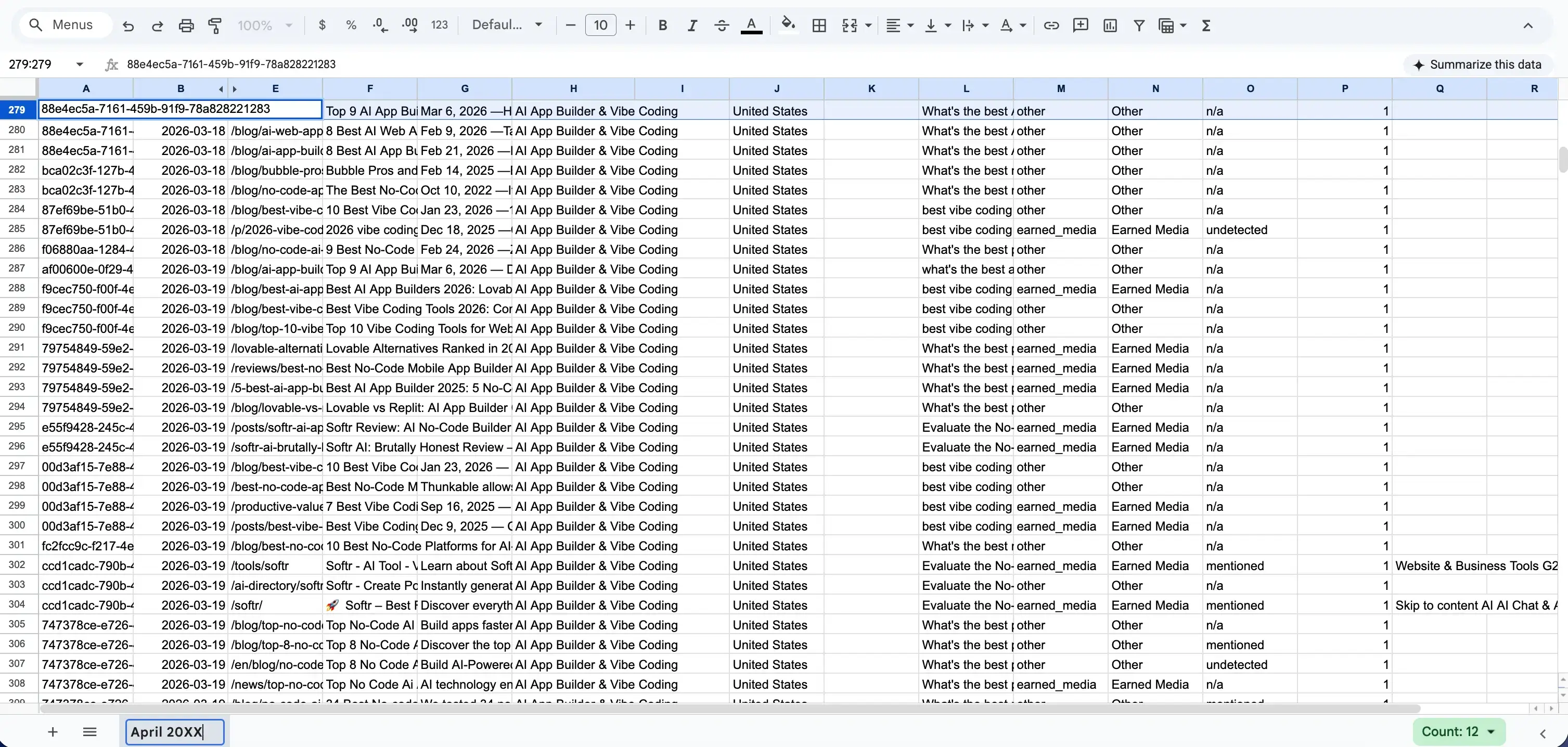
A spreadsheet is a grid of rows, columns, and cells. Each cell can hold anything: a number, a date, a sentence, a formula, or nothing at all. The format imposes almost no rules on the data.
This is both a strength and a weakness. The flexibility makes spreadsheets fast to start with. Open Excel or Google Sheets, type your headers, and you're storing data in thirty seconds. No setup, no schema, no decisions about structure.
That same flexibility is what breaks things later. Nothing stops someone from typing "March 15th" in a column that should hold dates, or adding a note in a cell that a formula was counting. The grid is the interface, and the data is whatever ended up in it.
Spreadsheets shine at a specific set of jobs: financial modeling, scenario analysis, one-off data cleaning, and solo or two-person work where a wrong cell doesn't cost much. For those jobs, nothing is faster or more flexible.
What is a database?
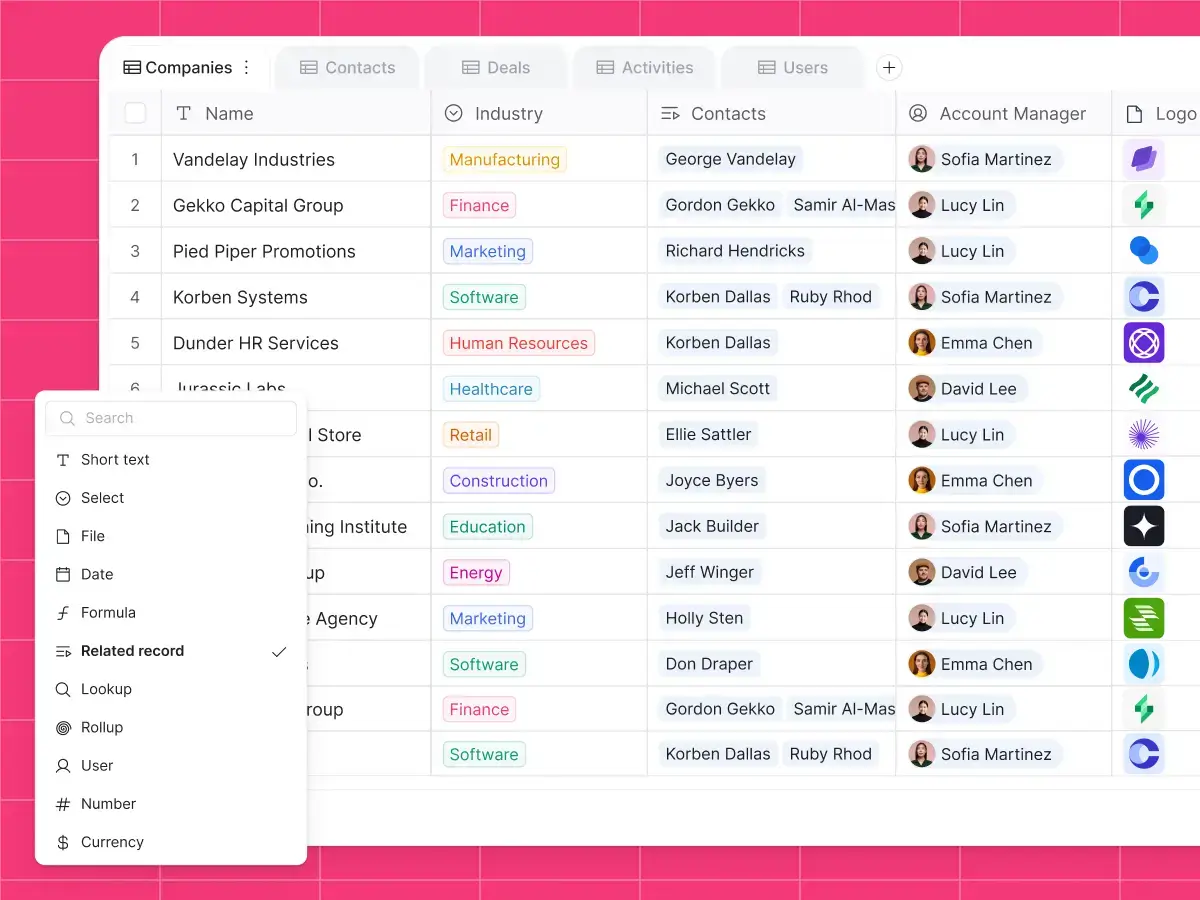
A database stores data in a structured way. Instead of a single flat grid, it's made up of tables, each representing a distinct kind of thing: contacts, companies, tasks, invoices, vendors. Each table has defined fields (the equivalent of columns), and each field has a type: text, number, date, single-select, email, attachment, linked record. Every row is a record: one per contact, one per invoice, one per task. A group of related tables lives together in a base, which represents the overall area you're tracking.
Modern no-code database tools give you that structure without the traditional overhead. As Kai Schönberger, the engineer behind Softr Databases, puts it:
"It's more powerful than a sheet, but with much better UX than a traditional database. It gives you the power of something like a MySQL database without the hassle of a complicated interface." — Kai Schönberger, engineer behind Softr Databases
The structure isn't decoration. It enforces data quality at entry. A date field won't accept "ASAP." A single-select field with four allowed values won't let you type a fifth. The data going in is the right shape, so the data you query later is reliable.
More importantly, a database is relational. Tables aren't isolated from each other: a contact can be linked to a company, a task to a project, an invoice to a vendor. These are real connections, not formulas. Rename a company once and every linked contact updates automatically. Sum all the invoices for a vendor with a single rollup field, not a SUMIF that depends on a text value staying consistent.
"Using related fields is the way to make your data structure as robust and scalable as possible. It is way better, way more organized and structured than Excel." — Guillaume Duvernay, Softr
This structure is what makes a database the right foundation for anything more than one person uses.
Spreadsheet vs database comparison matrix
The table below summarizes the structural differences between spreadsheets and databases across key operational areas.
| Feature | Spreadsheet | Database |
|---|---|---|
| Primary structure | Free-form grid of cells | Structured tables with typed fields |
| Data relationships | Fragile formulas (like VLOOKUP) | Native links between tables |
| Access control | All-or-nothing file sharing | Granular, record-level permissions |
| Collaboration | Risk of overwrites and view resets | Simultaneous editing without conflicts |
| Mobile experience | Difficult to navigate on small screens | Highly responsive through dedicated apps |
| Best use case | Financial modeling and solo analysis | Collaborative business tools and portals |
The key differences
Structure: Free-form vs typed
In a spreadsheet, any cell can hold any value. A "Date" column holds dates until someone puts "TBD" in it, and the formula counting dates silently breaks with nothing to stop it.
In a database, every field has a type. A date field is always a date. A number field is always a number. A status field holds only the values you defined. Bad data is rejected at entry, not discovered in a report two weeks later.
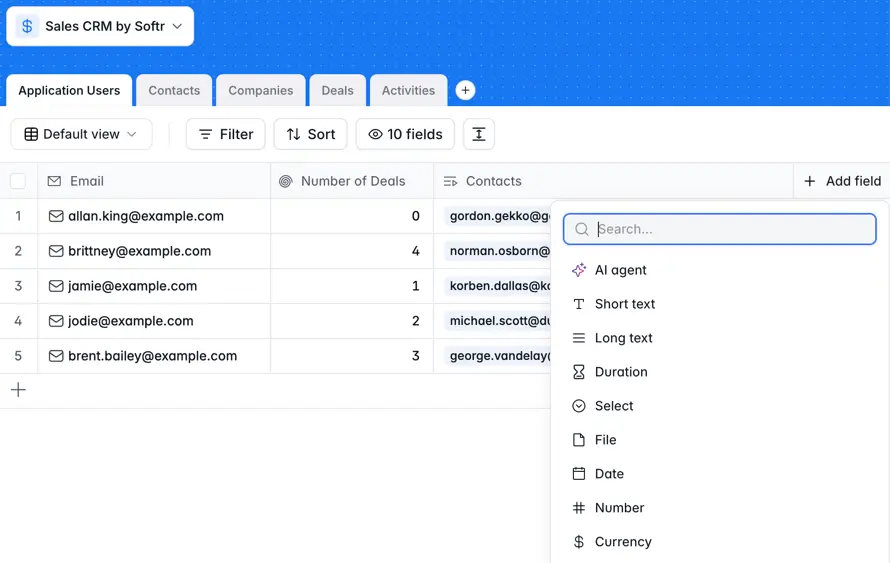
This matters most as the team and the dataset grow. With three people and 50 rows, a wrong cell is easy to fix. With fifteen people and 5,000 rows, it's invisible until it causes a real problem.
Relationships: Formulas vs linked records
Business data is inherently relational: contacts belong to companies, tasks belong to projects, and invoices belong to clients. A spreadsheet simulates this with VLOOKUP or XLOOKUP: matching on a text value in one sheet to pull data from another.
The problem is that lookups match on text, not identity. Rename "Acme Inc." to "Acme Corp" in one sheet, and every lookup referencing the old name returns an error. Insert a column in the source table and the index shifts. Drag a formula one row too far and it silently pulls the wrong data.
"The way you connect tables in a spreadsheet is through VLOOKUPs, which everyone struggles with, and it never feels like a proper connection." — Guillaume Duvernay, Softr
A database uses linked records instead.
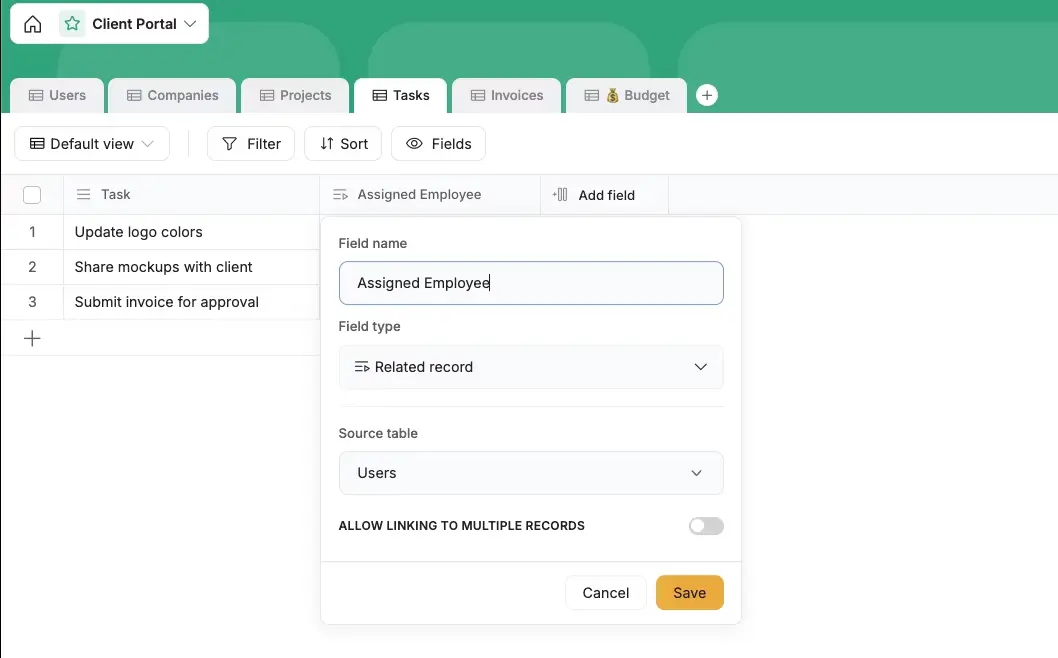
A contact doesn't store the company's name as text. It points to the actual company record. Rename the company once and every linked contact reflects it automatically. Pull a company's total invoiced amount with a rollup field that calculates across all linked invoices in real time, replacing formulas and fragile text-matching entirely.
Access control: All-or-nothing vs row-level
This is where spreadsheets fall apart for any team with more than a couple of people, especially when external stakeholders are involved.
A spreadsheet shares at the file level. Either someone can open the whole file or they can't. There's no way to say "this vendor sees only their own rows," "managers see salary data but employees don't," or "each client sees their project and nothing else." The only workarounds are manual: duplicate the file, delete the rows that shouldn't be visible, send the redacted version, and repeat every time data changes.
A database supports row-level access control.
.webp)
Rules like "clients see only records where their account is the owner" are enforced at the data level, not the page level. Every user logs in and sees a personalized view of the same underlying dataset, with no risk of accidentally exposing someone else's data.
Collaboration: Shared view vs per-user view
In a spreadsheet, filters, sorts, and hidden columns are global. Two people working in the same file at the same time overwrite each other's view constantly: the person who sorted by due date comes back after lunch to find a different sort, the hidden columns restored, the frozen rows gone. Teams end up managing this with awkward side agreements, like "I'm using the spreadsheet right now, don't change my filters."
In a database, each user has their own experience: the data is shared, but the views aren't. An admin sees a full dashboard. A field technician sees only their assigned jobs. A client sees only their project. No one resets anyone else's setup or accidentally edits data they shouldn't be touching.
The interface: Grid vs app
This is the most fundamental difference, and the one most people don't fully appreciate until they've experienced it.
In a spreadsheet, the grid is the interface. Everyone stares at the same rows and columns. New team members have to be taught which column means what, which tab is current, and which formulas they should never touch. The data and the experience are inseparable.
In a database, the data sits underneath, and an interface can be built on top of it. The same dataset can power an admin dashboard, a client-facing portal, a mobile form for field workers, and a Kanban board for the operations team, all from the same underlying tables, with each group seeing only what's relevant to them.
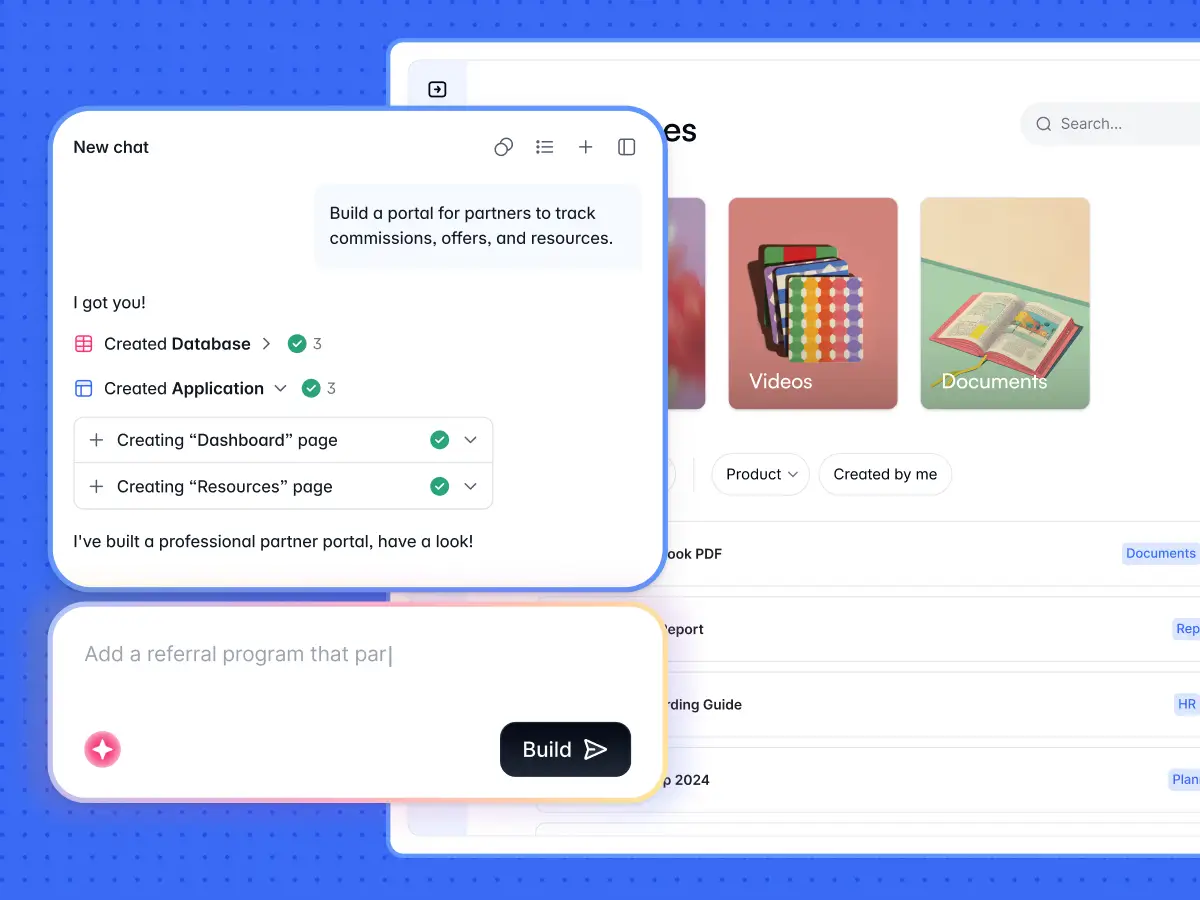
This is the shift that changes how work actually gets done.
When to use a spreadsheet
Spreadsheets are still the right tool for specific jobs. Keep them for:
- Financial modeling and scenario analysis. Spreadsheets are unmatched at running formulas across hundreds of variables and letting you adjust assumptions in real time. Nothing else comes close for budgets, forecasts, and "what if" models.
- One-off scratchpad work. Deduplicating a contact list before a campaign send. Reformatting a messy export before importing it somewhere else. If the job has a clear end and nobody else will touch the file, a spreadsheet is the fastest path.
- Solo or two-person work. If you're the only one using the file, or you and one trusted colleague, with no meaningful risk of someone overwriting a cell, a spreadsheet is fine.
The pattern is clear: spreadsheets are the right tool when the data is isolated, the use is temporary or analytical, and the audience is tiny.
When to use a database
Move to a database when any of the following is true:
- Multiple people need to edit the same data, with different roles and different levels of access
- External users (clients, vendors, partners) need access to their own data without seeing anyone else's
- The data has real relationships (contacts belong to companies, tasks belong to projects)
- The workflow has stages, approvals, or handoffs that should trigger actions automatically
- Field or mobile workers need to interact with the data on their phones
- The data needs to be secure and auditable, not stored in a shared file anyone can forward
If two or three of these are true at once, the spreadsheet isn't just inconvenient. It's costing the team time every week in manual workarounds, broken formulas, and data they can't fully trust.
From database to app: Why structure matters
There's a mental shift worth naming. The moment you move your data into a proper database, you also unlock something a spreadsheet can never give you: the ability to build a real app on top of it without a development team.
This is where Softr Databases come in. Softr is a full-stack platform: a native relational database, an interface builder for the app on top, and Softr Workflows for the logic that ties it together. The database gives you typed fields, linked records, rollups, lookups, and formulas, structured exactly the way described above. Because the database is native rather than an external source accessed over an API, the app built on top stays fast, with responses in milliseconds and none of the rate limits you hit when your interface has to poll a third-party spreadsheet.
You don't have to build that structure by hand, either. Describe what you want to the AI Co-Builder ("I manage projects, tasks, and clients, with team members assigned to each"), and it generates the tables, fields, relationships, and sample data for you. You can also start from a template or build from scratch, and every table the AI creates stays fully editable in the visual database editor. Your AI assistant can also create tables, adjust fields, and update records through the Softr MCP.
"When you're sitting there not knowing where to start, building all the tables and fields is a lot of work. The AI bootstraps that so you can focus on the trickier things afterward." — Kai Schönberger, engineer behind Softr Databases
But the database is just the foundation. The real value is what you can build on top of it.
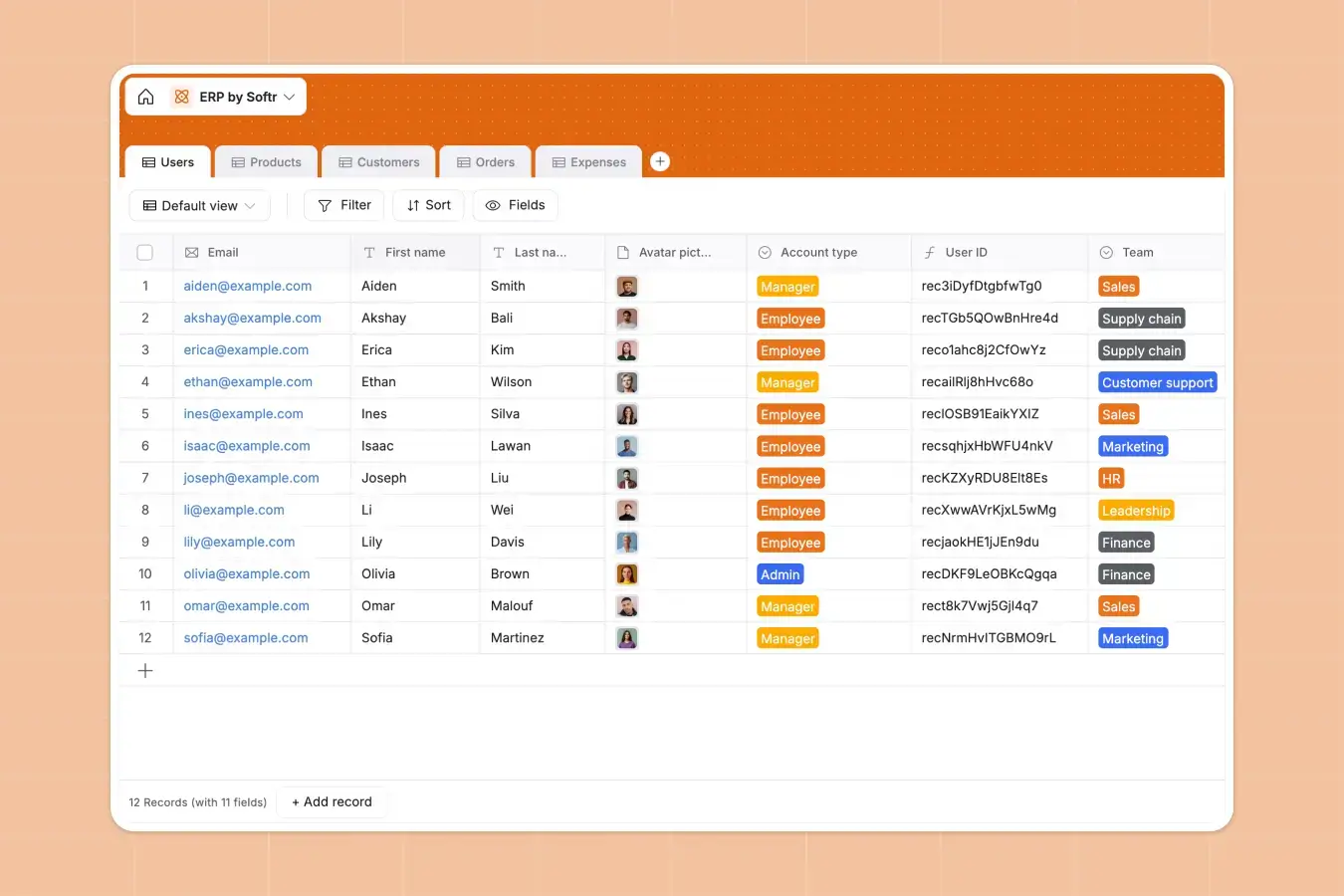
Once your data is structured properly in Softr, the same tables power multiple experiences at once:
- The right people see the right things. Users and permissions in Softr work at four levels: which pages each user group can see, which blocks appear on those pages, which action buttons are available, and which database records are accessible. A rule like "vendors see only records linked to their own account" is enforced at the database level, so it holds even if the interface is misconfigured. From the same app, admins see everything, clients see their own project, and field workers see their assigned tasks.
- External stakeholders get a real experience. Instead of emailing a redacted spreadsheet to a vendor or a client, you give them a login to their own portal. They see their data, take actions (upload a document, submit an invoice, mark a task complete), and can't accidentally reach anyone else's information. Adding a new external user is one step, and removing them cuts their access everywhere, immediately.
- Collaboration works without stepping on each other. Each user's homepage, filters, and views are independent. Two people working in the same app at the same time don't erase each other's setup. A manager changing their view doesn't affect what a team member sees.
- The app works on any device. Every Softr app is mobile responsive by default and can be installed as a Progressive Web App. A field technician can add it to their home screen and use it on site like a native app, without a separate mobile build or App Store submission. The same app that works on a laptop works on a phone.
- Data entry is richer and more reliable. Forms with conditional logic, file attachment fields, dropdown selects with enforced options, date pickers, barcode scanners. Users interact with a purpose-built interface, not a raw grid, so errors are caught at entry, not discovered downstream. For anything the pre-built blocks don't cover, the Vibe Coding block generates a custom component from a plain-language prompt, so you get limitless UI without breaking the app's structure.
- The database can enrich itself. Database AI agents run right inside a field: they can categorize an incoming support ticket by urgency, summarize a long note, or web-search a company's headcount from its URL. As Kai puts it, "you can enrich, score, and also do conversion or formatting that's too complex to build into a formula." It's automated data cleanup a spreadsheet can't offer.
- Softr Workflows close the loop. When a status changes, a record is created, or a deadline passes, workflows trigger notifications, emails, record updates, and integrations automatically. The data stops being a passive container and starts being the engine of your operations.
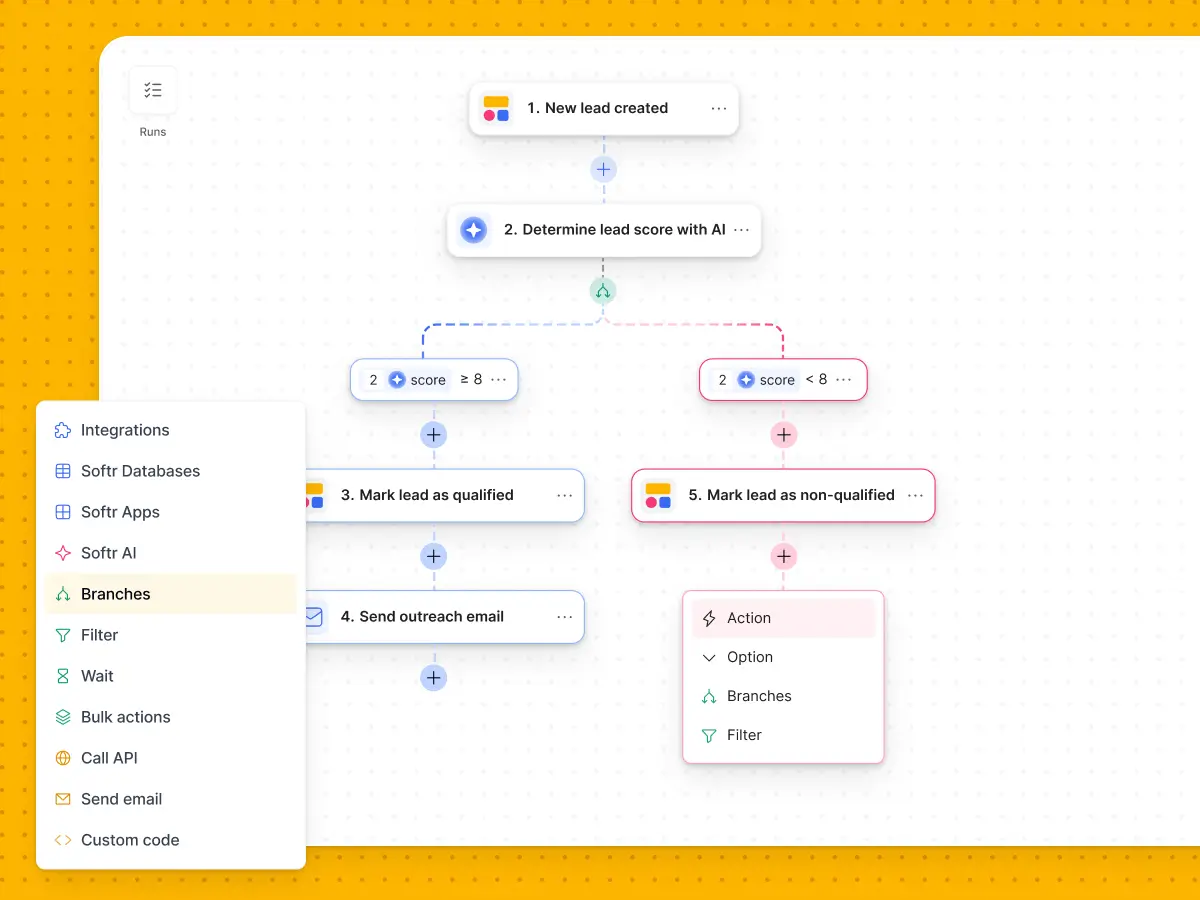
In one sentence: a database doesn't just store your data better. It lets you build a real interface on top of it, so the right people can do their work without ever seeing the raw data underneath.
Spreadsheets vs databases: The verdict
Spreadsheets are excellent for a specific job: analysis, modeling, and solo work. The moment a workflow involves multiple people, external stakeholders, relational data, or real access control, a spreadsheet is the wrong format, and no amount of rebuilding it will change that.
A database gives you the structure that makes everything downstream possible: reliable data, real relationships, and the foundation for an app that actually serves the way people work.
Ready to test it out? Get started with Softr for free and start building your database today.
📖 Related reading:
Frequently asked questions
How do I migrate my data from a spreadsheet to a database?
Can I keep my spreadsheet and connect it to a database?
Isn't a database more complex to set up than a spreadsheet?
Do all my business tools need to become databases?
What if my team is small? Is a database overkill?