I tested the 5 best Base44 alternatives: Ranked and reviewed for 2026


As a writer, I’ve tried plenty of AI app builders (it comes with the territory), so of course I’ve tested out Base44. It works great for spinning up prototypes, but once you need to add real users and tighter security controls, things might just fall apart without a coder in the room. Here are the best Base44 alternatives, tested across July and August 2026.
Best Base44 alternatives at a glance
| Tool | Key features | Pricing |
|---|---|---|
| Softr | AI Co-Builder, native relational database, visual editing after AI generation, granular, role-based permissions, native workflows, SOC 2/GDPR compliance | Free plan available; paid plans start around $19/month (billed annually) |
| Bubble | Visual workflow builder, built-in database, responsive editor, API connector, native mobile support | Free plan available; paid plans start around $59/month (billed annually) |
| Lovable | React frontend + Supabase backend generation, real-time previews, GitHub sync, Figma import | Free plan available; paid plans start around $25/month (billed annually) |
| Bolt | Conversational full-stack code generation, browser IDE, AI debugging, real-time previews, code export | Free plan available; paid plans start around $18/month (billed annually) |
| Replit | AI coding agent, browser-based IDE, multiplayer collaboration, deployment tools, GitHub integration | Free plan available; paid plans start at $20/month (billed annually) |
How I tested these Base44 alternatives
I built and tested an app on each of these platforms, starting from a prompt and taking each build to at least a working first version. I judged them on four main criteria: how long the initial draft takes, how much you can edit without re-prompting the AI, how hard it is to add logins and permissions, and how much pricing changes if you expand the app.
1. Softr
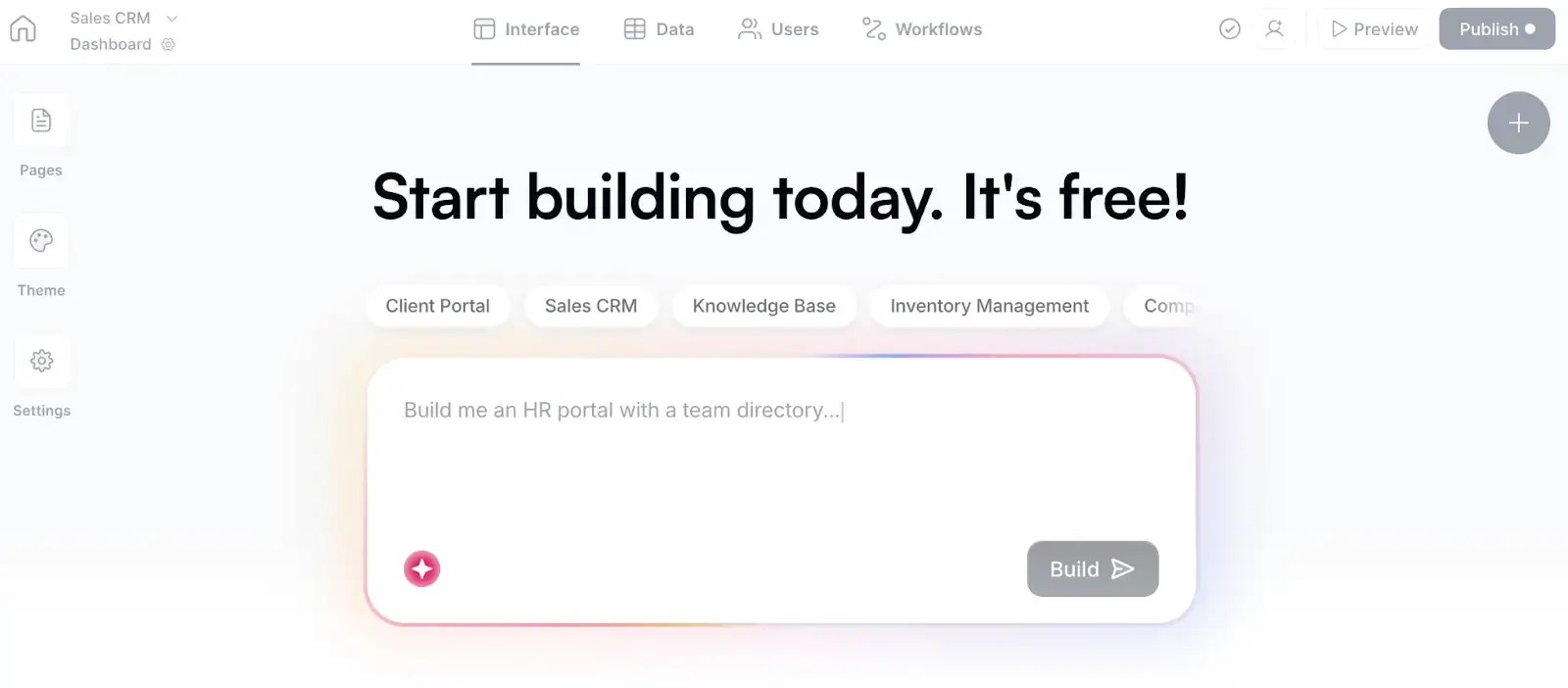
Softr’s builds secure, fully-functional business apps with AI. And I don’t just mean fun side projects or prototypes, but operational apps (think internal tools, portals, or CRMs) your team actually depends on, with the permissions, security, and guardrails already in place.
Describe what you need and Softr’s AI app builder whips up your database (native to Softr), then layers on app pages, utility pages, permissions, and logic.
You decide how users log in and what levels of access they should have, while Softr handles the trickiest (and riskiest) parts of any full-stack app: authentication, password resets, infrastructure security, and compliance requirements like SOC 2 and GDPR.
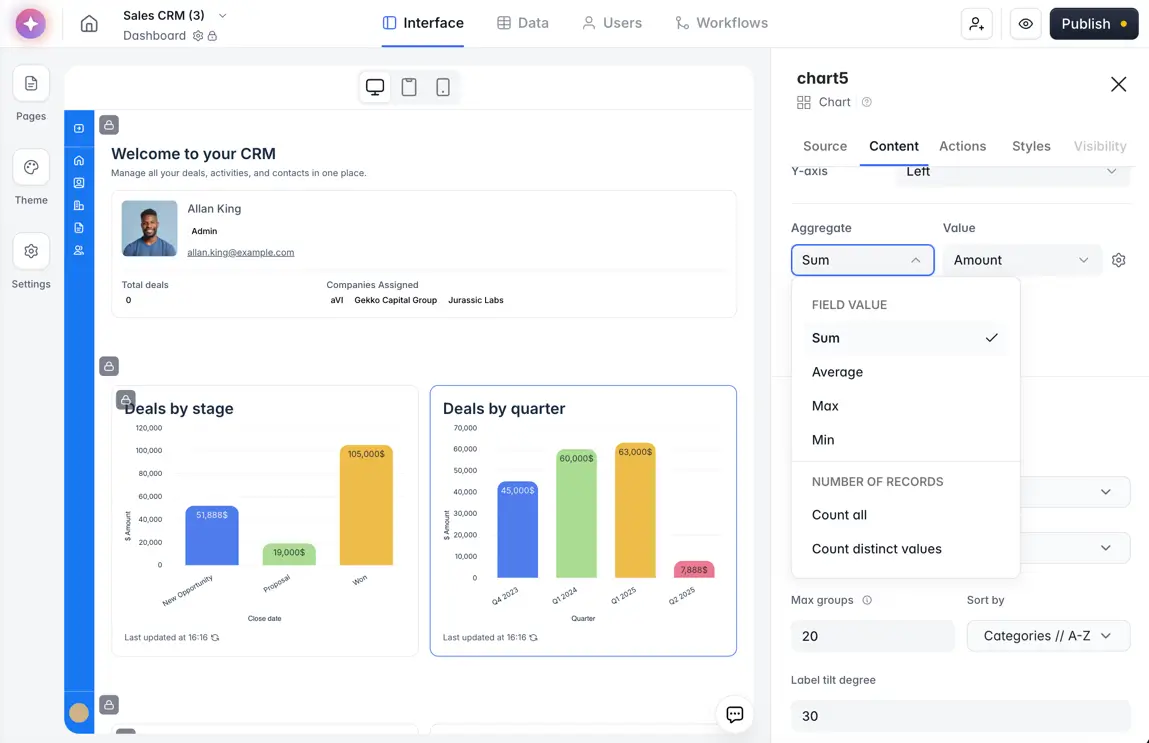
My favorite part of Softr is that you’re not locked into re-prompting AI if you want to change anything. Instead, you can use the visual builder to add or edit blocks, or pick from over 100+ ready-to-use templates with sample databases. (See below as I customize the dashboard blocks in the CRM I built.)
From there, you can set up how your app behaves with your other apps, like sending Slack notifications when invoices are approved or sending a welcome email when a new client is added to the database. If you’re obsessed with AI features that actually do something useful, you can also use Softr’s Vibe Coding block to build custom components like dashboards, calculators, or even CSV importers from prompts.
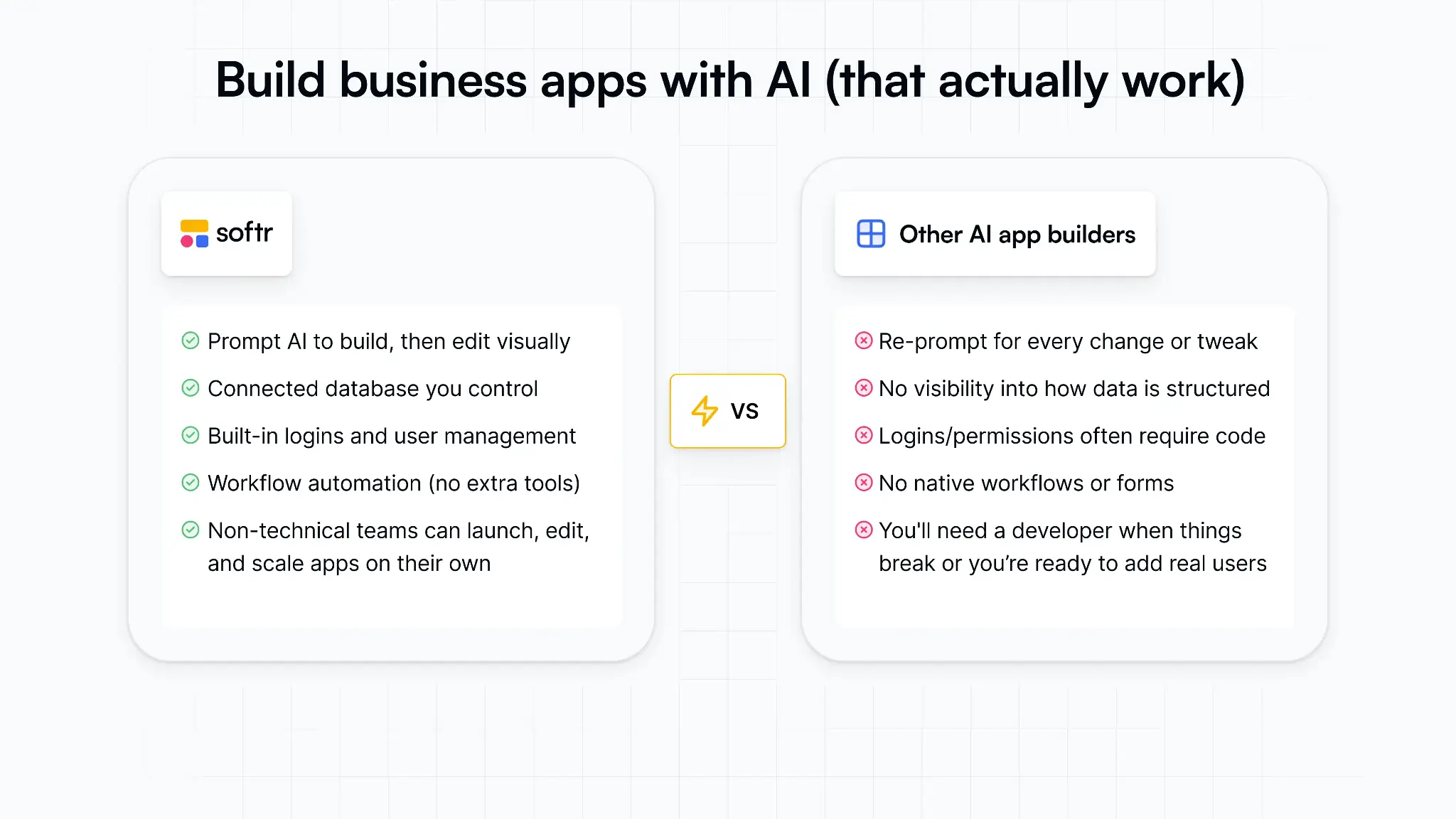
The verdict: Most AI app builders are great at generating prototypes; Softr is one of the few that feels built for actual operations with security in place for live users.
Softr pros and cons
Pros
- AI Co-Builder that turns your app ideas into custom, ready-to-use apps you can launch and share in minutes.
- Business-ready apps with secure logins, user roles, and onboarding flows built in for multi-user teams.
- Visual editor that lets you refine and edit your app without spending AI credits on constant re-prompting.
- Smart data management with database AI agents that can automate workflows, approvals, onboarding flows, and actions across connected tools, plus 20+ external data sources.
- Custom user groups, granular permissions, and SSO for managing exactly who can view, edit, approve, or access different parts of the app.
- Predictable flat pricing that doesn’t slam you with per-seat surprises and include user, database, workflow, and AI allowances, making it easier to plan costs.
Cons
- Less suited for developers who want full control over the underlying codebase.
- Not the best fit for SaaS marketplaces.
Softr best features
- AI Co-Builder: Softr AI generates your app pages, layouts, navigation, and user flows from a single prompt.
- Business-ready apps: Build production-grade apps with secure logins, user roles, and onboarding flows built in
- Native relational database: Softr automatically creates and organizes your database with the right fields, relationships, and structure already in place.
- Visual editing after generation: Teams can refine layouts, workflows, permissions, and app logic directly inside the builder without constantly re-prompting the AI.
- Flexible drag-and-drop blocks: Build with customizable components like lists, charts, calendars, forms, grids, dashboards, and tables.
- Built-in authentication and user management: Configure login flows with email/password, magic links, Google login, or SSO while managing user groups and permissions visually.
- Enterprise-grade security: Includes SOC 2 Type II compliance, GDPR compliance, audit logging, and server-side permission enforcement.
- Vibe coding blocks: Teams can generate custom UI elements and app logic from prompts when prebuilt blocks aren’t enough.
- Softr MCP: Builders can connect tools like Claude or ChatGPT to manage databases, pages, and workflows directly from their assistant.
- Data support: Apps can run on Softr Databases or connect to 20+ external data sources like Airtable, HubSpot, Google Sheets, SQL databases, and more.
- Softr Workflows: Automate approvals, notifications, and multi-step processes with conditions, branches, loops, and AI actions.
Softr pricing
Softr offers flat, predictable pricing plans.
- Free: Unlimited apps, with access to Softr Workflows and Softr Databases, 5 app users, 5 AI credits, 5,000 database records, and 500 workflow actions
- Basic: $19/month for unlimited apps with 42+ integrations, Team: 5 + Client: 5 app users, 10 AI credits, 50K records, 2.5K workflow actions
- Pro: $99/month for unlimited apps with 45+ integrations and custom code, Team: 10 + Client: 50 app users, 50 AI credits, 500K records, and 10K workflow actions
- Business: $329/month for unlimited apps with 52+ integrations, Team: 30 + Client: 100 app users, 100 AI credits, 1M records, and 25K workflow actions
- Enterprise: Enterprise (custom pricing, contact sales)
Note: Every plan includes a monthly AI credit allowance, so you can try the AI Co-Builder and Vibe Coding block at no cost.
2. Bubble
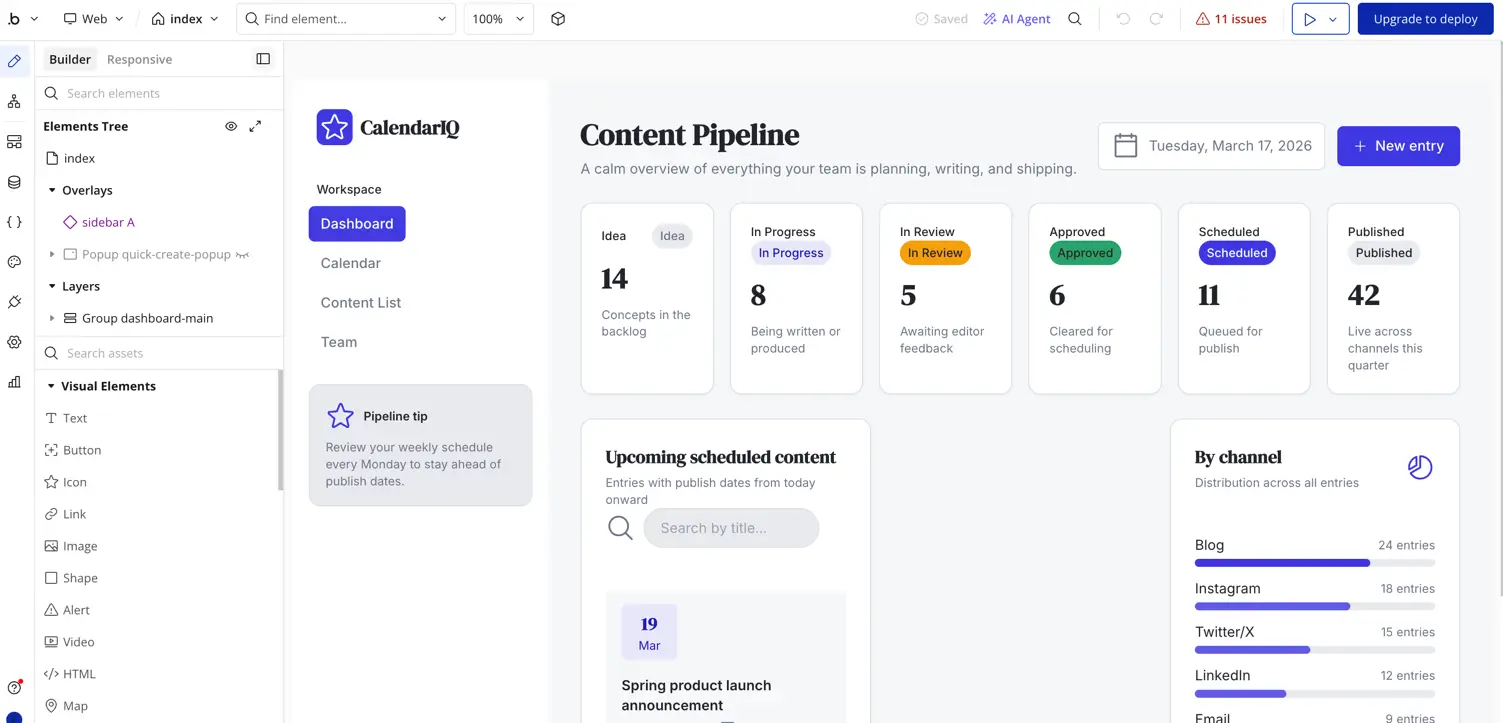
Bubble is one of the more mature app builders out there as it gives you a lot more control over how your app is built and what goes on under the hood.
You type out your prompt (no surprises there), Bubble spits out the app—and then you’re dropped into the visual editor, where you can map out how your app reacts to user actions and data changes.
The tradeoff? It’s complicated to learn, even after it puts together the initial build. For example, I asked it to create an editorial calendar for the content team, and while the initial setup looked solid, I kept running into situations where changing one workflow or permission setting meant manually updating several other parts of the app to match.
The verdict: Once you start thinking about different access levels for users and admins, just know that Bubble expects you to architect and maintain them yourself behind the scenes.
Bubble pros and cons
Pros
- Native mobile apps for iOS and Android: Build and refine a full web app first, then turn it into a native mobile experience for iOS and Android without rebuilding everything from scratch or switching platforms.
- Visual editing after AI generation: Instead of constantly re-prompting the AI every time you want to tweak something, Bubble lets you jump directly into the visual editor to refine your app.
- Works well for marketplace and SaaS logic: Bubble can support profiles, listings, bookings, payments, dashboards, and admin workflows within a single app.
Cons
- Better suited to MVPs and SaaS-style apps: Bubble gives you a lot of flexibility, but things like user permissions and access rules usually need to be configured manually.
- Pricing can get confusing as apps grow: Bubble uses a workload-based pricing model, which can be harder to predict once more users, workflows, and backend activity enter the picture.
- Steeper learning curve for non-technical teams: Bubble expects you to manage a lot of the app structure yourself, which means there’s more setup involved to keep things organized long term.
- User flows need to be built from scratch: Login pages, onboarding flows, password resets, and account management typically need to be configured manually inside the editor.
Bubble features
- Visual workflow builder: Teams can map out user actions, approvals, backend automations, notifications, and conditional app behavior without writing code.
- Native mobile editor: Bubble includes tools for building mobile apps, testing app behavior on-device, debugging flows, managing versions, and preparing builds for launch.
- API connector: Bubble apps can connect to outside tools, APIs, and external data sources when workflows extend beyond Bubble’s built-in database.
- Version control and collaboration: Higher-tier plans include branching, version history, server logs, and multiple app editors for teams managing more complex projects.
Bubble pricing
The listed prices are for web and mobile plans, billed annually:
- Free ($0/month): 1 app editor, 50K workload units/month
- Starter ($59/month): 175K workload units/month, 3 live app versions
- Growth ($209/month): 250K workload units/month, 5 live app versions
- Team ($549/month): 5 app editors, 500K workload units/month, 8 live app versions
- Enterprise: Custom workload units, custom live app limits
💡Check out how Bubble stacks up against Replit (another Base44 alternative on this list).
3. Lovable
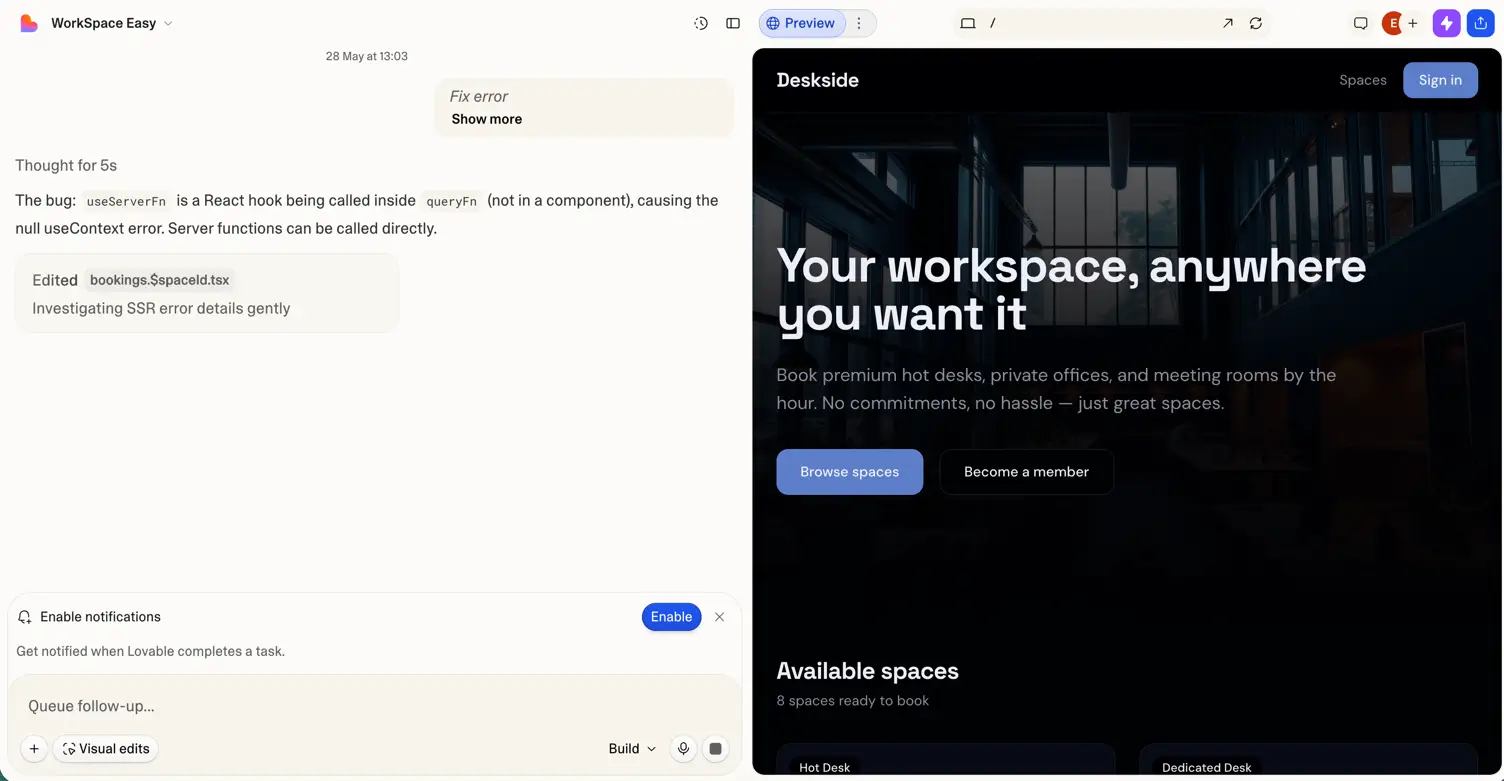
Lovable’s biggest strength is speed. Describe your app and it delivers editable code (with a live preview) that you can then export to GitHub pretty quickly.
I tested this one out in May and used it to build a fictional workspace booking app with member logins, calendars, and payment flows. To its credit, the front-end it created looked polished.
But once I started adding more operational logic around bookings and authentication, the experience became noticeably less smooth—with debugging errors stacking up pretty quickly.
The biggest catch in that is the credit system. Every prompt eats into your credits, so repeated edits, debugging, and larger app structures can get expensive fast once you build it for operations.
The verdict: For technical teams, Lovable gives you a first version fast, but you’ll still need to spend time refining things like permissions or user management before rolling out a working app to your users. For non-technical teams, it’s a fun option for MVPs, hackathons, and front-end heavy products.
Lovable pros and cons
Pros
- Fast prompt-to-app generation: Lovable can turn rough app ideas into working interfaces quickly using conversational prompts instead of manual setup.
- Real-time previews while building: Teams can see changes appear instantly and make inline edits without constantly navigating through separate editors or menus.
- GitHub sync and code export: Projects can sync directly with GitHub and you can export codebases, giving devs more flexibility outside the platform later on.
- Helpful for designers and frontend-heavy apps: Lovable supports Figma import workflows and comes with strong prompting patterns for generating polished UI layouts.
Cons
- Larger edits, repeated prompts, and more complex workflows can burn through credits surprisingly fast.
- Lovable feels stronger for polished interfaces and MVPs than apps with complex permissions, approvals, and multi-user workflows.
- Business apps still need refinement around onboarding flows, user management, and permissions before you can confidently go live.
- Advanced database management (like complex Supabase rules) is restricted and incorrectly securing row-level security can expose your application to vulnerabilities.
Lovable features
- Fast prototypes with AI: Quickly spin up working app demos from short text prompts.
- Editable, exportable code with live preview: Adjust the generated code with visual results then move into developer frameworks for long-term maintenance.
- Different modes: Switch between planning, building, agents, and code editor modes for specific tasks or before making changes to code.
Lovable pricing
- Free: Limited credits (5 credits/day with a 30/month max) with basic features
- Pro: From $25/month with 100 credits/month, 5 additional credits daily, extra project slots, and more
- Business: $50/month with 100 credits/month and team workspaces
- Enterprise: Custom pricing for collaboration and higher usage needs
💡Check out how Lovable stacks up against Base44 directly.
4. Bolt
Unlike more visual AI app builders, Bolt leans much closer to an actual development environment—dependencies, terminals, file structures, debugging, and all.
That’s part of the appeal. You’re not boxed into a closed no-code system, and Bolt gives teams much more visibility into how the app is actually built. You can connect to GitHub, work directly with the generated files, deploy externally, and integrate tools like Supabase and Stripe without completely fighting the platform.
The verdict: Bolt makes it easy for developers and tech-fluent teams to get a working app off the ground quickly, but token usage ramps up fast once projects move beyond simple prototypes. Longer debugging sessions, repeated prompts, and more operational app logic can make costs less predictable over time.
Bolt pros and cons
Pros
- Fast code generation: Bolt can generate frontend UI, backend logic, and database structure from simple prompts.
- Developer control: Teams can export the generated code, connect GitHub, and avoid getting locked into a closed platform.
- One-click deploys: Teams can publish apps directly to hosting providers like Netlify without managing local infrastructure or deployment pipelines manually.
- Browser-native development environment: Bolt runs entirely in the browser, including package installs, server runtimes, and debugging tools.
- Flexible integrations: Native integrations with tools like Supabase, GitHub, Netlify, and Stripe make it easier to extend apps beyond simple prototypes.
Cons
- Less operational structure out of the box as business workflows, approvals, onboarding flows, and long-term user management usually require more manual setup
- Bolt feels closer to an AI coding environment so non-technical teams may eventually need developers once apps become more operationally complex
- Token-based pricing can be unpredictable for larger, complex builds (like working apps with real users)
- Generated outputs often need developer refinement before production
Bolt features
- AI builder for full stack apps: Generate React, Node, and Postgres schemas from prompts.
- Browser-native development: Build, run, and test apps entirely in the browser.
- Live previews and editing: Instantly preview apps and refine them conversationally.
- AI-assisted debugging: Bolt can detect errors, troubleshoot issues, and help rewrite code during development.
- Code ownership and GitHub sync: Export projects, connect GitHub, and keep full access to the generated code.
- One-click deployment: Publish apps directly to platforms like Netlify with minimal setup.
Bolt pricing
- Free: Limited monthly credits for experimenting, Bolt branding
- Pro: $25/month billed monthly (around $18/month billed annually) for ~10M tokens, hosting for ~1M monthly requests
- Teams: Add more team features, centralized billing, admin controls
- Enterprise: Custom pricing with advanced usage and dedicated support
💸 Want a thorough breakdown of Bolt pricing? Check out our complete guide to plans and pricing to get up to speed.
5. Replit
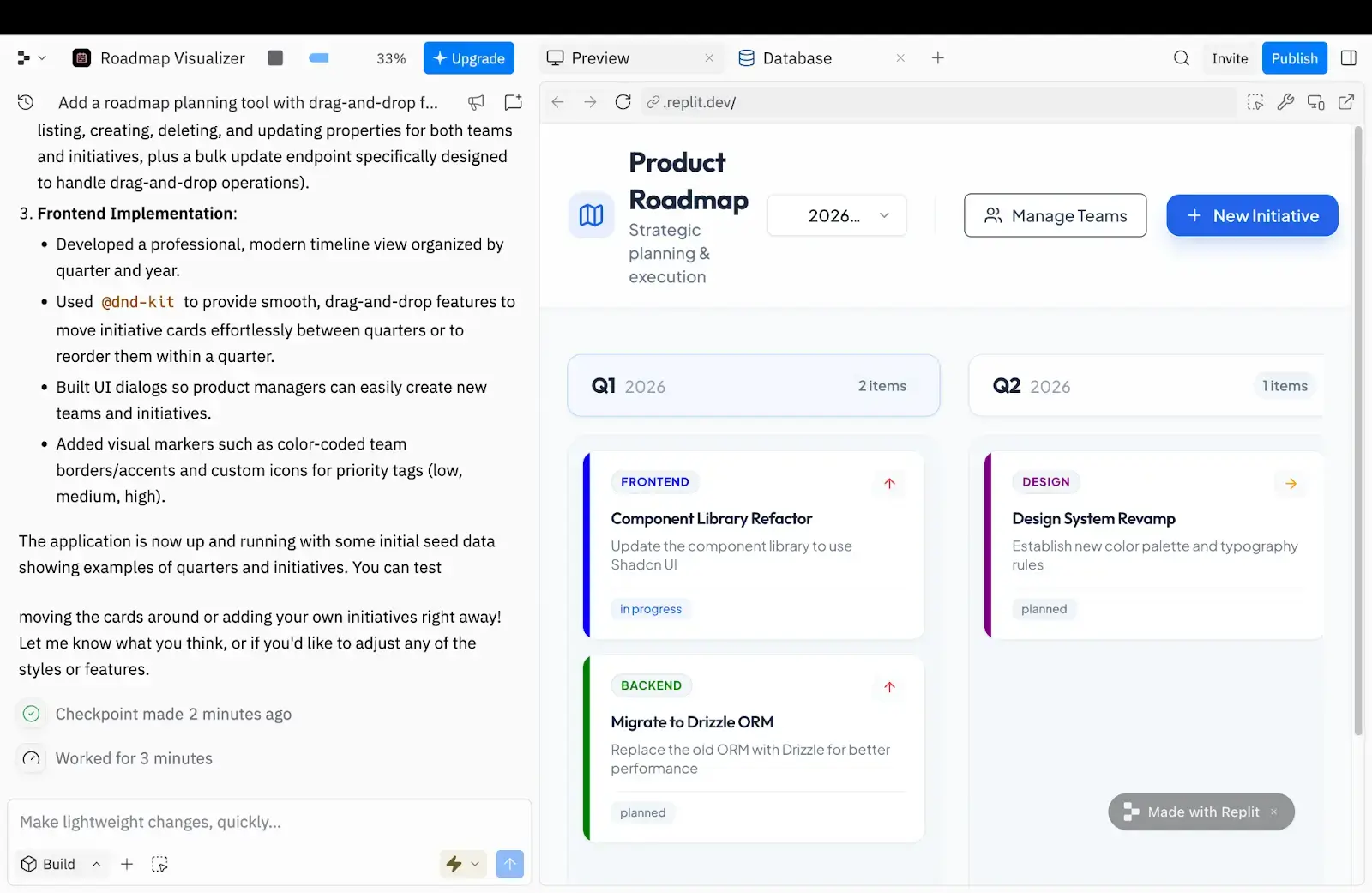
Replit has evolved beyond its original roots as an online IDE, with AI now handling everything from code generation to debugging and deployment. It’s definitely more developer-oriented than tools like Softr or Bubble, but if you know your way around software, it’s one of the fastest ways to go from idea to working app.
It also supports multiplayer coding and over 50 programming languages, so if you’re like me and need the help, you can pull in your co-workers to give you a hand.
Plus, being able to generate code, test changes, deploy the app, and collaborate from the same browser window makes Replit feel much lighter than a traditional development setup.
The verdict: Replit still expects you to put your developer hat on. You're ultimately responsible for configuring, deploying, and maintaining the code behind the curtains. If that sounds even vaguely terrifying, Replit might not be the tool for you.
Replit pros and cons
Pros
- Browser-based AI coding environment: Teams can generate, test, debug, and deploy apps directly from the browser without local setup.
- Strong for rapid prototyping: Replit works especially well for hackathons, MVPs, experiments, and fast-moving technical teams validating ideas.
- AI-assisted development: Replit Agent can generate code, fix bugs, test app behavior, and automate parts of the development workflow.
- Built-in deployment tools: Teams can deploy apps, connect custom domains, and manage projects from a shared workspace.
- Flexible for developers: GitHub integration, multiplayer collaboration, and support for 50+ programming languages give developers more control behind the scenes.
Cons
- Limited user roles and permissions inside your app (requires coding skills to guarantee security).
- Database features are fairly basic compared with other dedicated backends.
- AI credits can disappear fast in Replit, particularly if the AI gets stuck in repeated prompts or error loops.
Replit features
- AI Agent for code generation and debugging: Replit’s Agent can generate app code, troubleshoot errors, suggest fixes, and help automate parts of the development process conversationally.
- Browser-based development environment: Everything runs directly in the browser, so teams can build, test, and deploy apps without installing local development tools.
- Multiplayer collaboration: Multiple users can work inside the same project simultaneously, making Replit useful for collaborative coding and team experimentation.
- AI-powered vulnerability scanning: Replit includes security scanning tools that can check apps for potential vulnerabilities before deployment.
- Support for 50+ programming languages: Developers can build across a wide range of languages.
Replit pricing
- Starter: Free plan with daily Agent credits and 1 project
- Core: $20/month billed monthly, or $18/month billed annually, with full Agent access, unlimited apps, $20 monthly usage credits
- Pro: $100/month billed monthly, or $90/month billed annually, with $100 monthly credits, 15 collaborators, and 50 viewers
- Enterprise: Custom pricing; includes SSO/SAML, SCIM, advanced privacy controls, dedicated support
What’s the best overall Base44 alternative?
It depends on what you’re actually trying to build.
If you want to generate prototypes, experiment quickly, or work closer to the code itself, tools like Lovable, Bolt, and Replit are excellent for moving fast. They’re especially strong for technical founders, developers, hackathons, and MVP-style projects where flexibility matters more than operational structure.
But if your goal is to build software that real teams will use every day, with user permissions, approvals, onboarding flows, security guardrails, and long-term maintainability, platforms like Softr tend to hold up much better over time. That’s because it handles more of the operational layer your business actually needs once apps move beyond the prototype phase.
Try Softr for free and build your first production-ready business app with AI.
Frequently asked questions
What is the best Base44 alternative for business apps?
Which Base44 alternative is best for non-technical teams?
What’s the difference between Base44 and Softr?
Which Base44 alternative is best for developers?
Do Base44 alternatives handle user logins and permissions for you?