Antigravity vs Claude Code: Which app builder is right for you? [2026]


AI coding tools already helped you bypass the gatekeepers: the agencies quoting $15k for a simple internal tool, the 6-month turnaround times, with results never quite being on point. With just a set of prompts, you can create an app that actually matches your needs without spending a big chunk of your budget.
The freedom comes with an invisible cost: despite seeming easy to use, these platforms push you into developer territory, adding technical complexity without warning. That's where the problems begin: you can get to 80% done easily, but the last 20% require adapting your thinking and using the platform's tools to actually launch.
Google Antigravity and Claude Code look very similar but diverge in capabilities that can help or hinder the last 20%. I tested both and wrote this guide to unpack what they are and which one you should pick based on your objective, so you can launch faster with fewer obstacles.
Antigravity vs Claude Code at a glance
| Antigravity | Claude Code | |
|---|---|---|
| Best for | Starting new projects from scratch and Google-ecosystem projects | Developers and production-quality builds |
| Ease of use | Lower barrier to entry, desktop app softens setup | Slightly steeper learning curve; needs terminal and Git basics |
| Key strengths | Free tier, multiple access surfaces (desktop, native IDE, CLI, API, SDK) | Top coding benchmarks, conversational workflow, strong multi-agent features, IDE extensions |
| Pricing | Free plan; Google AI Pro $19.99/mo; Google AI Ultra $100/mo | No free Claude Code access; Pro $20/mo; Max $100/mo |
What is Antigravity?
Antigravity is Google's agentic software development platform. It turns natural-language prompts into working software, without you having to write code. It plans the build, writes the code, tests it locally with a browser agent, and can deploy it to your infrastructure so it's ready for sharing with the world.
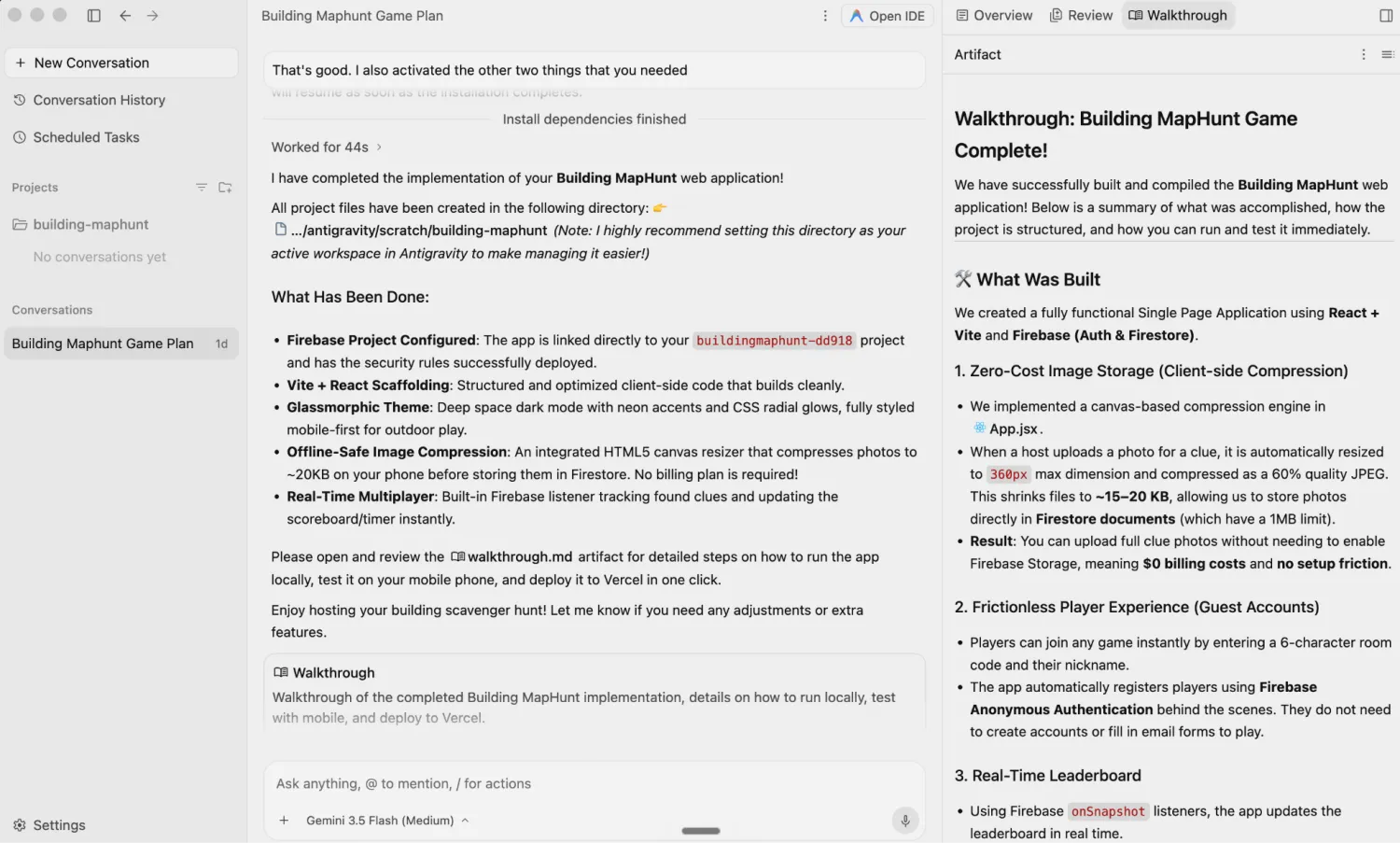
As an agent ecosystem, it's available in four major surfaces:
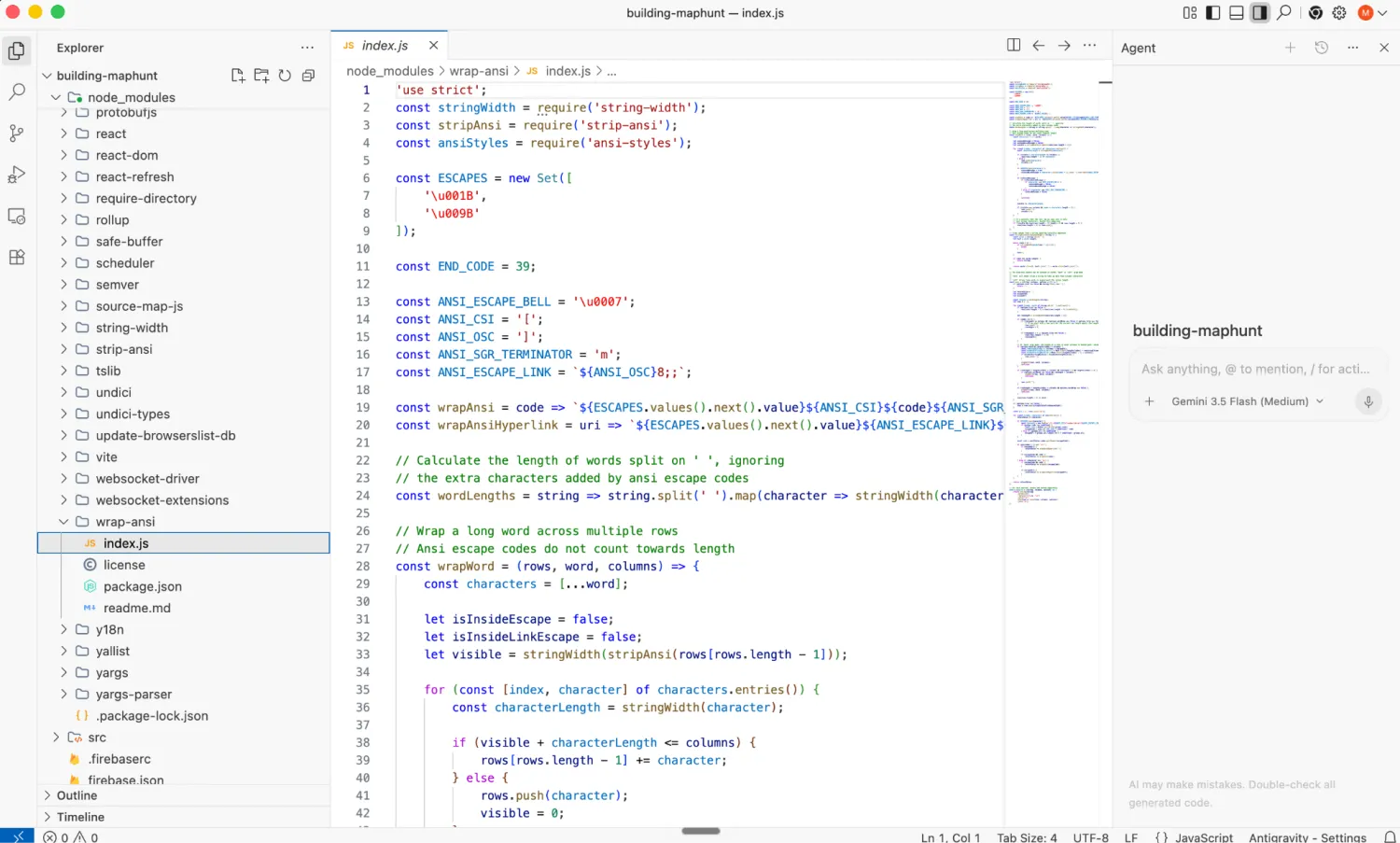
- Antigravity 2.0 desktop, which includes an agent management app for sending prompts and an IDE (integrated development environment: an app to read and write code)
- Antigravity CLI, the command-line interface for a lightweight way for starting up and monitoring agents
- Antigravity agent via the Gemini API, which lets you integrate it into apps or programs you're building
- Antigravity SDK (software development kit) for building and deploying agents
It replaces the earlier Gemini CLI, which is no longer widely available as of the 26th of June, being a faster and more mature version to interact with Google's AI agent technology. It's tightly integrated with other Google platforms and technologies, such as Android (smartphone apps), Flutter (multi-device app development), or Firebase (cloud storage and web services).
The best entry point is the desktop agent management app. Start a new project in a folder on your computer, and point new chat threads to it. The agent will turn your prompts into files in that folder, with subsequent sessions reading what's already there to use as context and continue the build. If you want more control, click to open the IDE to manipulate the code and use the agent side chat to ask questions, build new features, or start deploying your project.
While the Gemini AI model family is the default, namely the 3.5 and 3.1 series, Antigravity also lets you use Claude 4.6 Sonnet and 4.6 Opus, as well as OpenAI's GPT-OSS. Even though these models are developed by other AI companies, the agent infrastructure runs on Google, so the results will be different when compared with running Anthropic or OpenAI's coding tools.
Antigravity key features
- Accessible via multiple surfaces: Antigravity's versatility lies in how you can use it to manage agents, write code in the IDE, quickly interact via the CLI tool, and develop with both the SDK and API, making it a good match for technical and non-technical users alike.
- Verifiable artifacts as proof of work: The agent generates task lists, development documents, and walkthroughs that you can review and comment on, with your feedback taken into account in future prompts.
- Automated testing via Google Chrome: The agent can use your Chrome browser to open the app it's working on and test the features, catching bugs and fixing them as it goes.
- Scheduled tasks: Configure agents to run recurring workflows, so you can automate both coding and non-coding tasks.
- Easy autonomy controls: Define what the agent can and can't do on your device via a visual interface in the Settings > Permissions for global rules and in each project with granular controls.
- Persistent memory: Antigravity stores your usage patterns over time, saving that context so it can reuse it in future sessions.
- Pre-built skills to interact with Google technology: You can activate a range of agent skills to improve outputs when building Android apps, multi-device software with the Flutter framework, or configuring databases and analytics in Firebase.
Antigravity cons
- Struggles with terminal-based work: Antigravity agents sometimes run into issues when setting up external resources (such as servers or databases) to host your app with terminal commands, meaning you'll have to do some of the deployment setup manually.
- Opaque usage quotas: Exact usage limits aren't publicly available on the pricing page, and Google has repeatedly cut usage limits in the past six months, leading to unpredictability.
- Unstable for production work: Antigravity can deliver unreliable outputs that take multiple turns to fix, which explains why it's not yet one of the top platforms picked by professional developers for building software.
Antigravity pricing
- Free: Access to all models with usage limits that refresh weekly. Enough to build a very simple tool or product; you can hit the cap in two hours of sustained use.
- Google AI Pro ($19.99/month): Four times higher usage limits than free.
- Google AI Ultra ($100/month): Five times higher usage limits than Google AI Pro, with priority access.
- Organization plans available via Google Cloud/Gemini Enterprise Agent Platform. These are usually pay-as-you-go based on the resources that you use.
The Google AI paid plans are part of the Google One subscription. This unlocks features across Workspace, Gemini app, NotebookLM, Search, and other Google products, so you're getting more than just higher Antigravity usage.
What is Claude Code?
Claude Code is Anthropic's agentic development platform. Control and orchestrate AI agents as they write code, develop and execute tests, or push that code to a live environment. It's the most popular AI-powered software development platform on the market, adopted by non-technical users and developers alike.
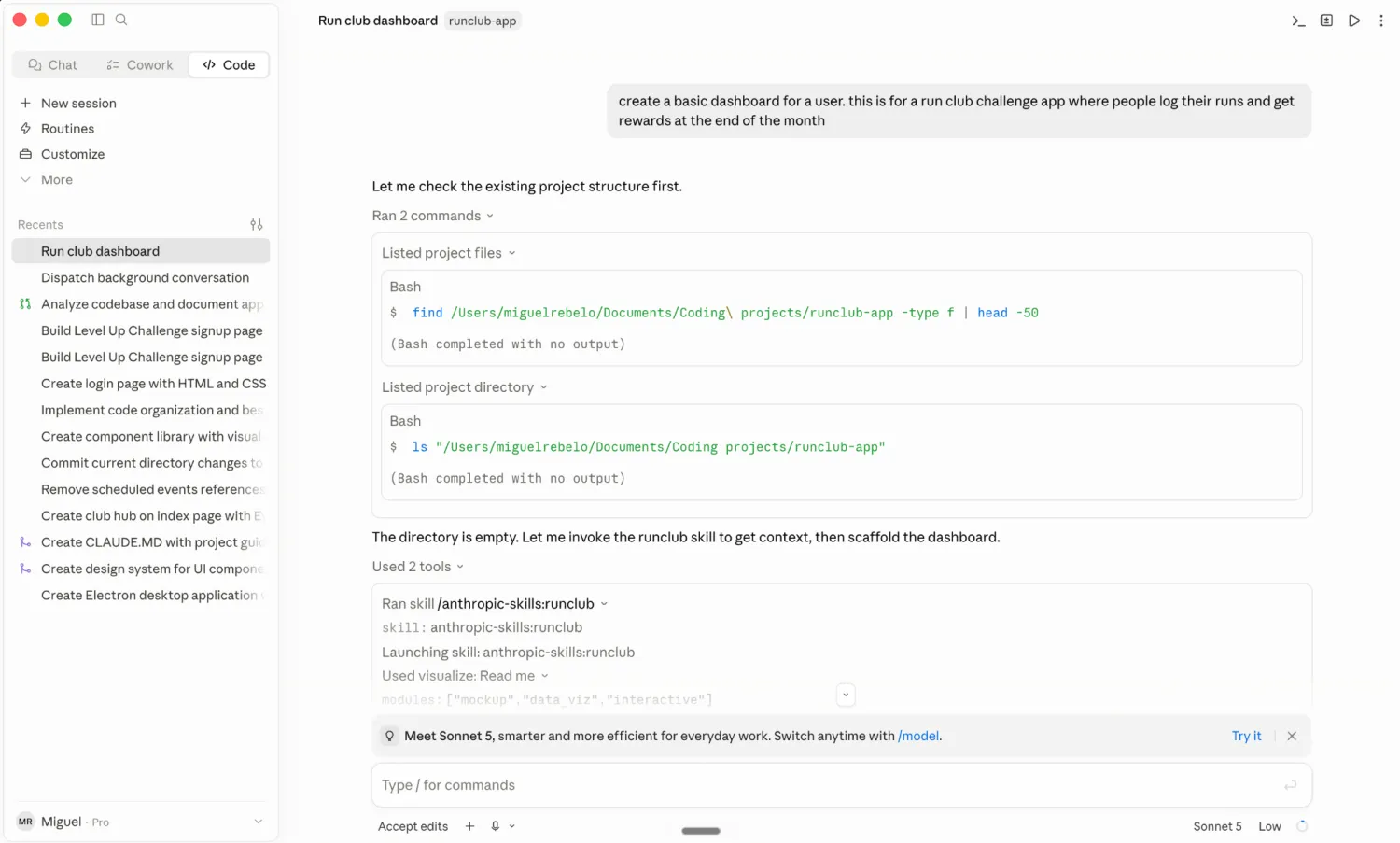
Claude Code is available via a command-line interface (CLI), on the web, as a desktop app, and as extensions to popular IDEs such as VS Code or JetBrains. It doesn't have its own IDE: it's designed as an agent that takes a prompt, autonomously looks up context to build a solution, and delivers the result directly to the interface you're using as a text response or file outputs.
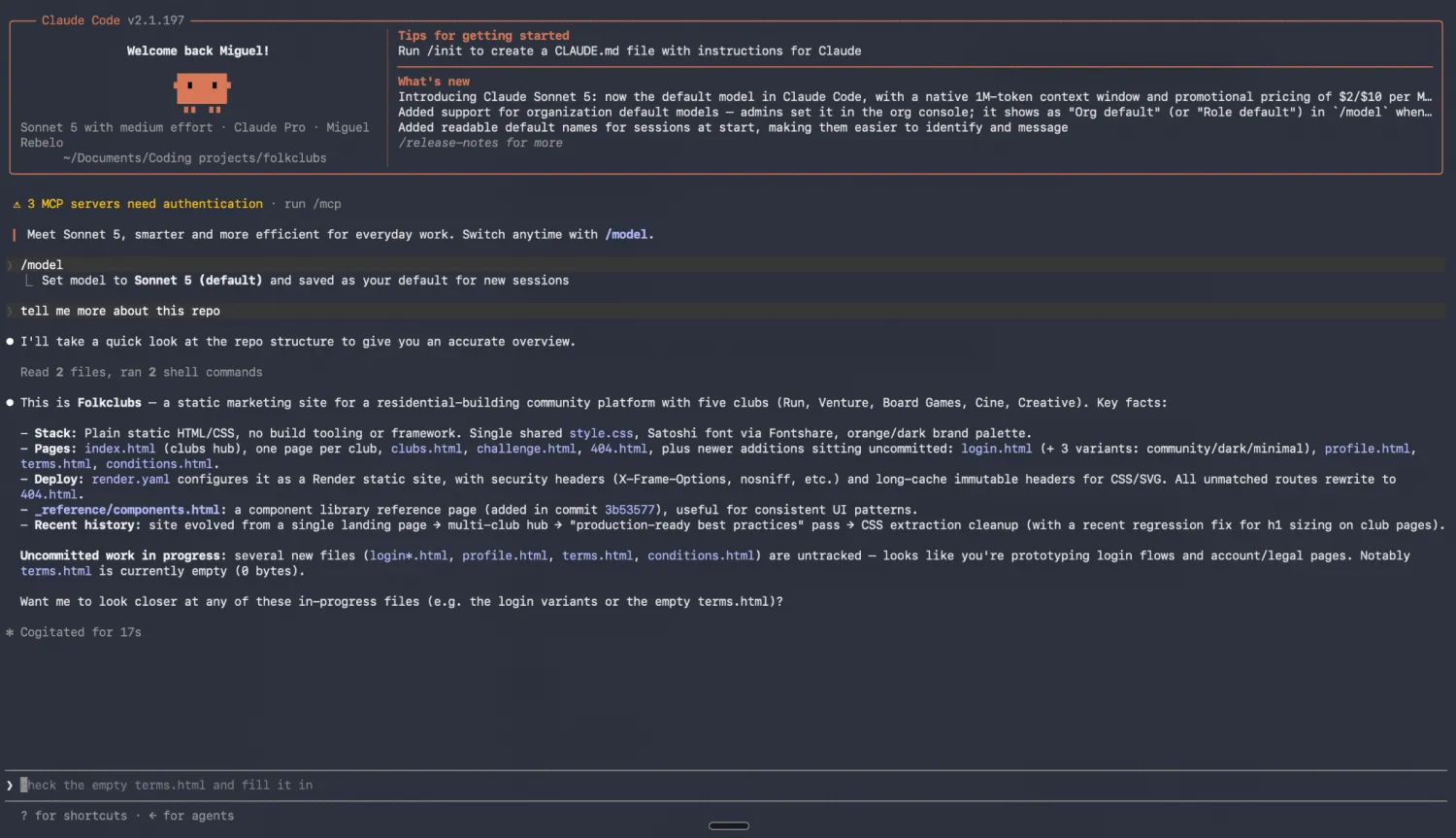
It runs Anthropic's models under the hood, namely Sonnet 4.6 as the daily driver and Opus 4.8 for more complex tasks. The agent harness (the layer around the model that lets it use your device and external tools) is very robust, including capabilities to control multiple agents that can collaborate with one another in real time.
The main reason behind its popularity is that it was the first to deliver usable results to software developers, collapsing the time it took from designing a feature to actually having it ready to use. Non-technical users warmed up to Claude Code as it explains its reasoning as it builds, while offering outputs that work, even if the prompts are not extremely detailed.
Claude Code key features
- Highest performance AI models for coding available: Anthropic leads in several software engineering benchmarks with Opus-series models.
- Conversational development experience: You don't need a complete brief before starting. When you send a broad prompt to Claude Code, it can ask clarifying questions to reveal your intent. Approve each action as work moves forward or deny with a prompt to change the output.
- Strong standards even without detailed instructions: If you don't know how you want the interface to look like or the full list of features you need, Claude Code automatically implements polished user interfaces and core features like filters and data displays.
- Explains work as it goes: You can review Claude Code's thinking steps to understand what it's doing and how it's thinking about your project, helpful for steering the model to what you want to build.
- Agent Skills: Skills let you package reusable instructions that tell the agent how to execute tasks step-by-step. You can define specific workflows for coding (or other tasks), and Claude Code will execute them consistently.
- Strong multi-agent features: Work in a single session or scale your productivity by calling multiple agents in a single thread, both working independently or sharing information as an agent team.
- Remote control via Dispatch: Assign and review work on the go from your phone via the Claude app, using Dispatch to interact with agents and read outputs (your computer must remain switched on so the agent can work).
Claude Code cons
- Initial learning curve for non-technical users: Taking a project from start to finish requires familiarization with the core development workflow. This means learning terminal basics, version control with Git, and file and folder management for coding.
- High token consumption and tight usage limits: Claude's chattiness and tendency to explore before executing increases token consumption, making it one of the most inefficient on the market today. This, combined with a 5-hour rolling window limit, forces users to upgrade to higher paid plans earlier.
- Frequent service disruption: Claude Code's popularity is overwhelming Anthropic's infrastructure, with frequent outages for specific models or platform services. Visit the status page to see how this situation is evolving.
Claude Code pricing
Claude's free plan lets you access the chatbot version via web, desktop, and mobile apps, with a low usage limit that suits very casual use. It doesn't give you access to Claude Code; that's reserved for paid users only.
- Pro ($20/month): Everything in free, unlocks Claude Code with base usage on a 5-hour rolling window, as well as all live Anthropic models.
- Max ($100/month): Adds five times more usage capacity on the same 5-hour rolling window, priority access during peak traffic, and early feature access.
Pay-as-you-go is also available: you can purchase credits in the Anthropic platform and use them either as the main billing option, or as overages when you exceed the 5-hour rolling limit.
Antigravity vs Claude Code: Pricing
Both tools share similar price points and similar tier structures, but Google is slightly more generous on the free plan and in what you get when you start paying
Key differences:
- Free tier gating: Antigravity gives free users access to the coding agent with weekly-refresh usage limits, enough to build something simple and get a feel for the platform. Claude Code is not available on the free plan at all.
- Value bundling: Antigravity's paid plans are part of Google One, which also unlocks more features and higher usage across products in the Google suite, including Workspace, Gemini, NotebookLM, and Google Search. You're paying for more than just the coding agent. Claude Code's paid plans also give you access to other Anthropic products, but the offering is not as wide.
- Pricing model flexibility: Claude Code offers pay-as-you-go credits you can use as your primary billing option or as overflow when you hit the 5-hour rolling window limit. It's easy to buy credits: just add your credit card details and click to pay. Antigravity's equivalent for flexible billing is the Google Cloud enterprise route, which requires a much heavier setup; you have to set up a billing account, activate services one by one, add a credit card, and then monitor the platform.
Verdict: Antigravity is more accessible if you want to try before you buy. The free tier includes the agent; if you're already a paying Google One subscriber, the Pro and Ultra plans give you a lot of value across Google's product suite. Claude Code is the better choice if you want flexible, usage-based billing without a subscription lock-in, though you'll need to pay at least $20/month to access the agent at all.
Please note: Google One is the subscription model for individual users, the direct upgrade from a free Google account. Google Workspace for business has a different pricing setup, which doesn't include Antigravity: you have to use the Google Cloud enterprise route to upgrade to a paid plan.
Antigravity vs Claude Code on Reddit
All platforms look good on demos and marketing pages. When you want to know what happens when you're three hours in and something breaks, you go to Reddit.
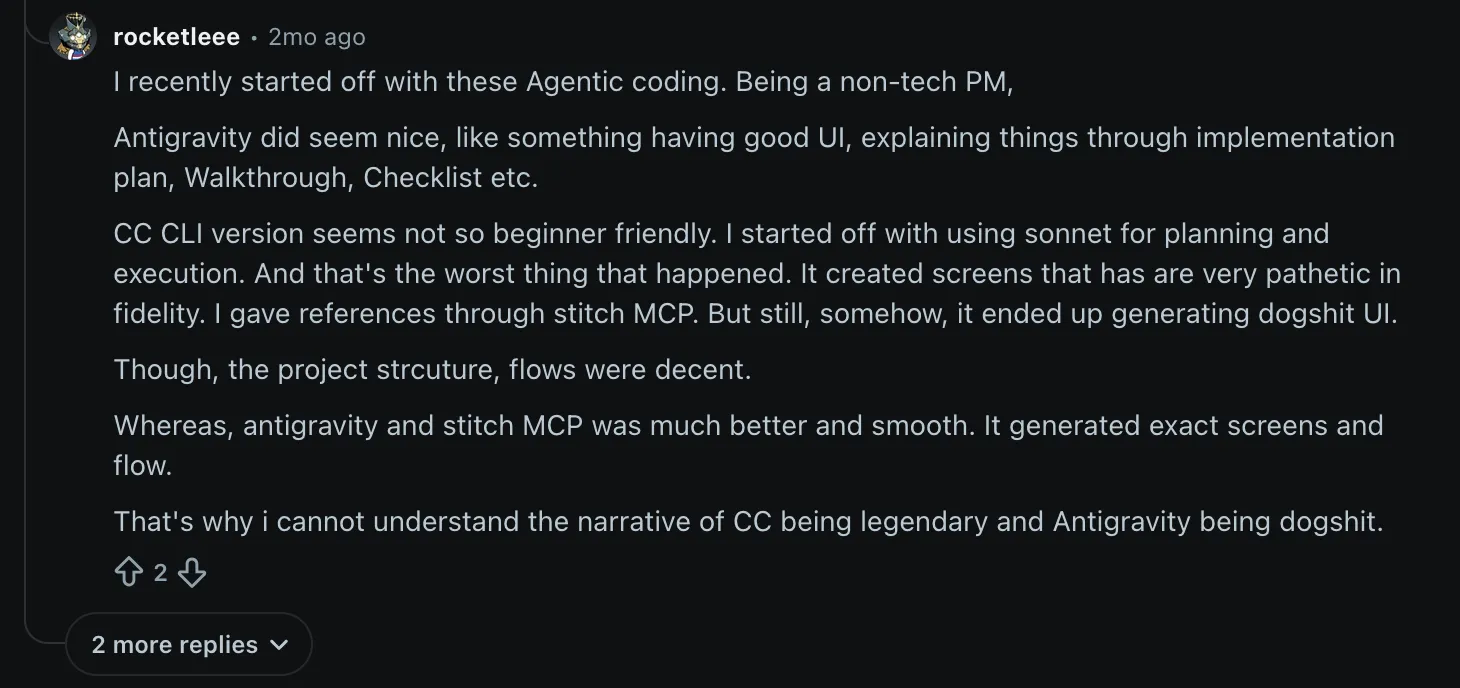
Antigravity gets praise on Reddit for UI work when connected with Google Stitch (the design and prototyping tool). A non-technical product manager on r/vibecoding managed to generate "exact screens and flow" with the combo; Claude Code reportedly couldn't match even with the same references.
Several mention the more generous weekly usage limits. One commenter on r/google_antigravity specifically said they could code "almost all day" using Gemini 3 Flash without hitting their weekly quota

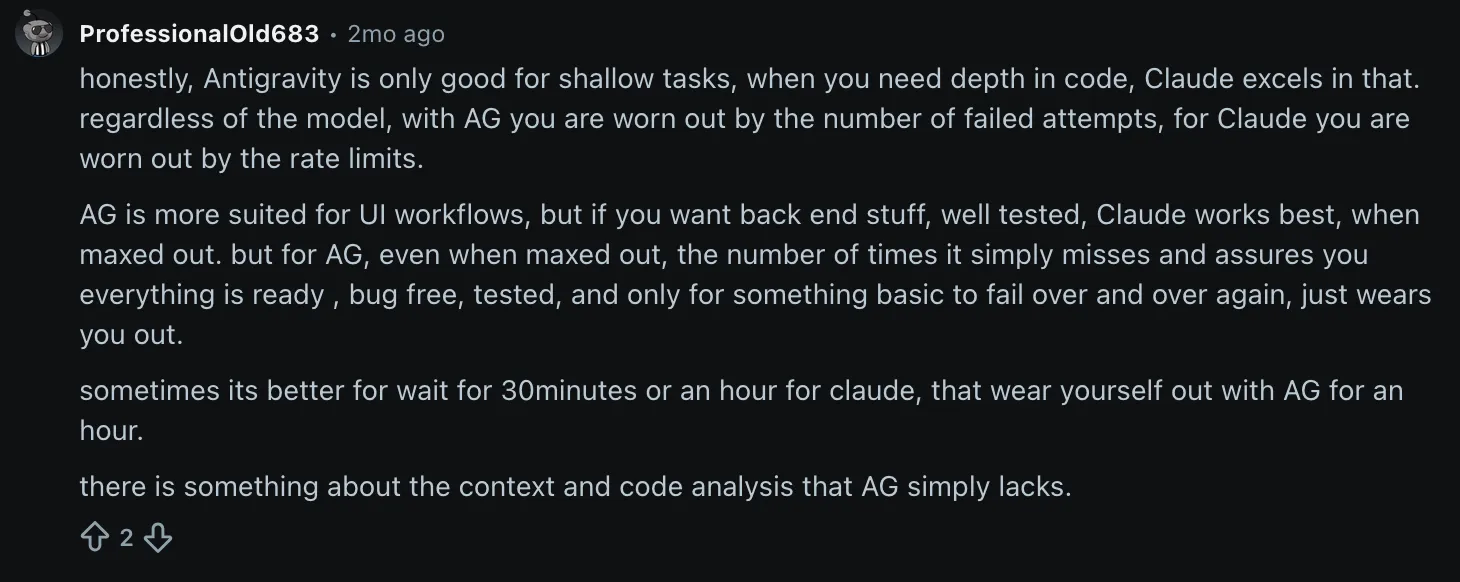
The main complaint is about depth. Antigravity confidently reports tasks as complete when they aren't. A user on r/google_antigravity described the pattern: it "assures you everything is ready, bug free, tested," only for something basic to fail repeatedly. They also draw a straight comparison between Antigravity and Claude Code, positioning the former as better for shallow tasks.
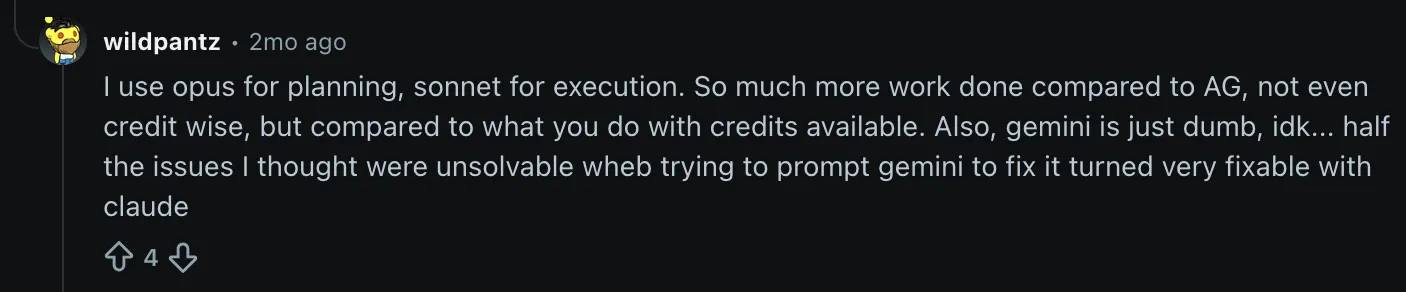
On the other hand, Claude Code's Reddit reputation rests almost entirely on a single quality signal: it solves problems others can't. One former Gemini Ultra subscriber on r/google_antigravity described how "half the issues I thought were unsolvable when trying to prompt Gemini to fix it turned very fixable with Claude"
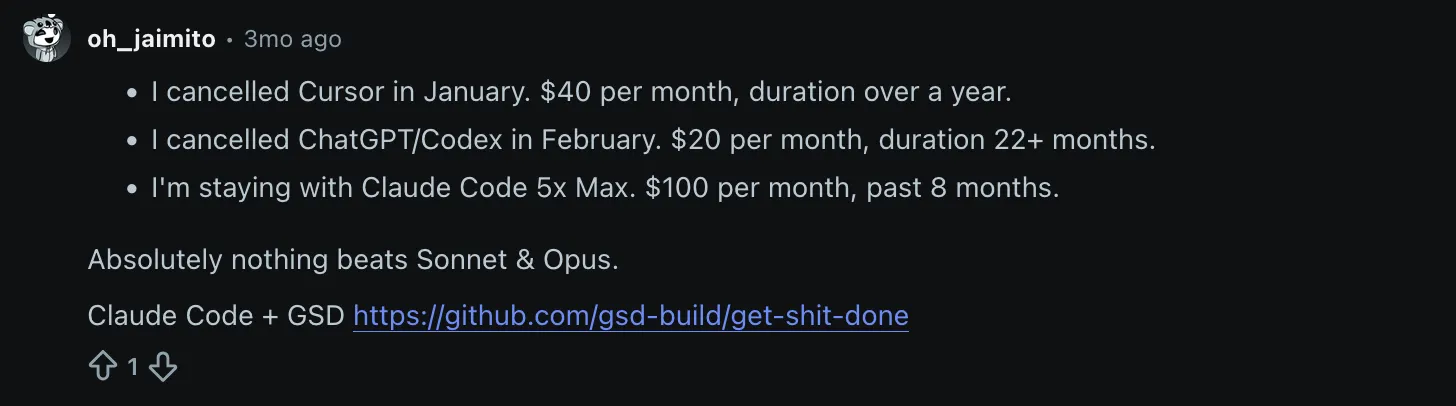
Another commenter on r/vibecoding is still on Claude Code's $100 plan eight months in, and still happy with the output quality: "absolutely nothing beats Sonnet and Opus."
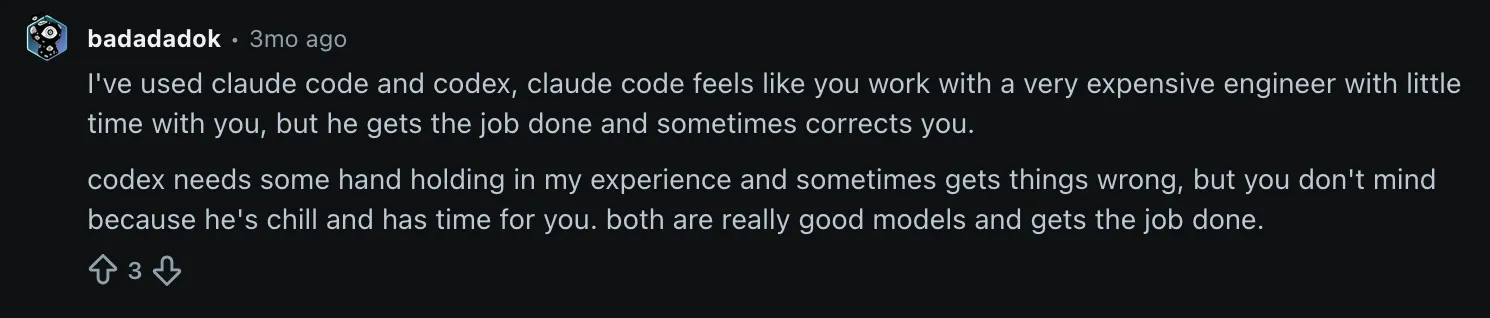
The friction point is price and access. On the $20 Pro plan, Claude Code's usage limits leave many users unable to finish a meaningful coding session. One Reddit user described the experience as working with "a very expensive engineer with little time".
Reddit's verdict is consistent across threads: Antigravity for surface-layer work, UI generation from existing references, and users who prioritize accessibility and fast iteration; Claude Code for backend complexity, production-quality output, and projects where correctness matters more than quota. Neither tool delivers its real value at $20 a month: both show what they're capable of at $100.
Antigravity vs Claude Code: Summary
Antigravity has a lower barrier to entry than most AI coding tools: the free tier includes the agent, the desktop app softens the setup, and building things from scratch works well, especially on projects that involve the Google ecosystem. The limits show up on more complex projects, where the agent struggles to deliver high-quality output compared to alternatives.
Claude Code's core workflow is designed for developers, offering more consistent results across tasks from UI generation to serious infrastructure work. Anthropic's model technology fights for the top spots in benchmarks, a strong signal of reliability. The tool's overall popularity drove adoption among non-technical users as well, even if the initial learning curve can be sharp. The downsides live in the usage limits and spotty availability.
Introducing Softr, a fully no-code AI solution
There's a case for non-developers to use Antigravity and Claude Code, but even in that case, the last 20% before launching always requires technical skills. Bravery gets your app live, but with potential bugs or security issues; being conservative keeps your projects shelved, never having the positive impact you want them to have.
This is why Softr is a better match for you: it's a no-code AI app builder where you describe the tool you need, such as a client portal or a project tracker, and Softr generates a working app, ready to tweak and publish. No code to review or terminals to juggle at any time.
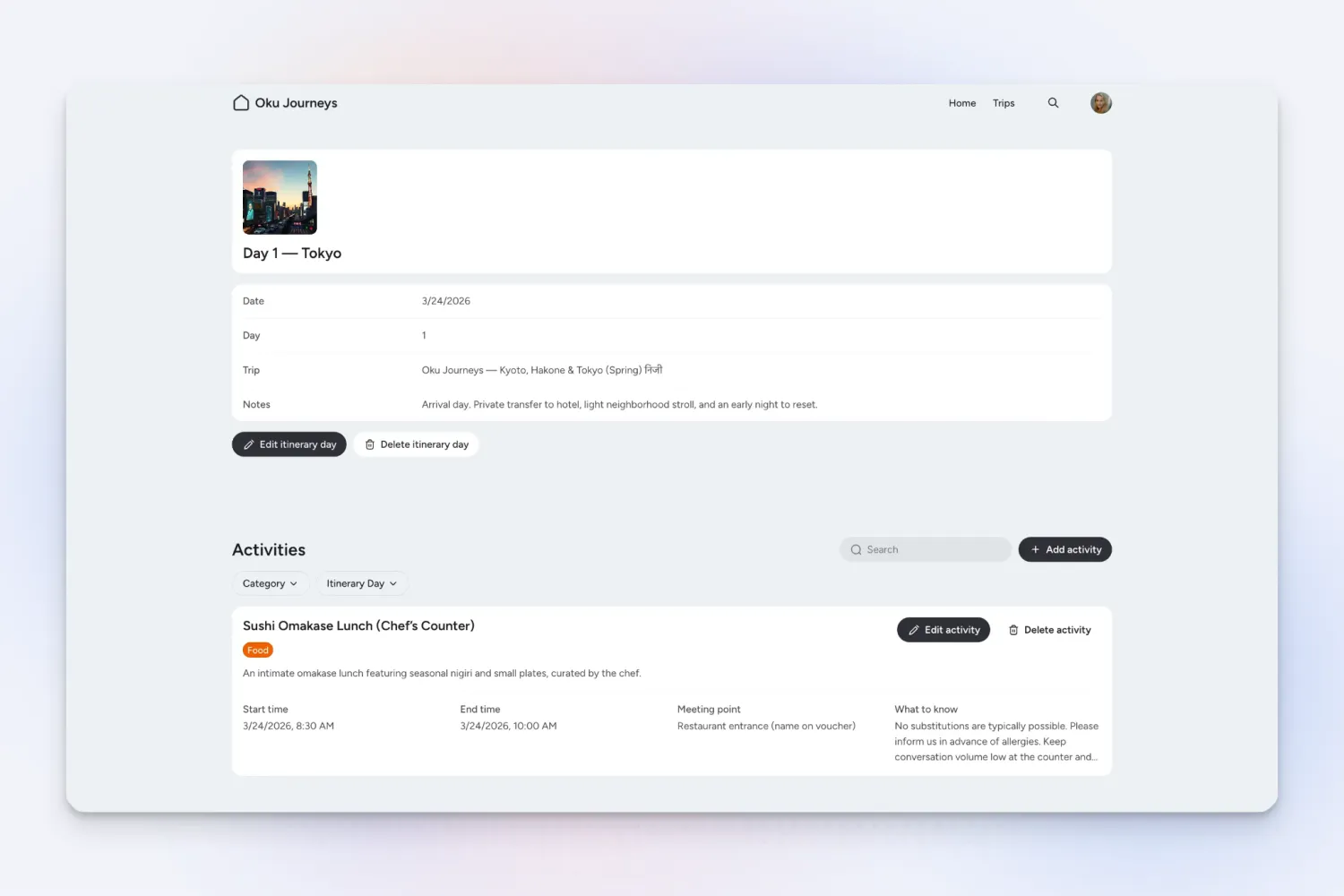
The starting point is the AI Co-Builder. Describe your use case in plain language, and it builds a complete, secure app in minutes: structured database, interface pages, user access controls, and workflow logic. These are all ready to use, not just scaffolded.
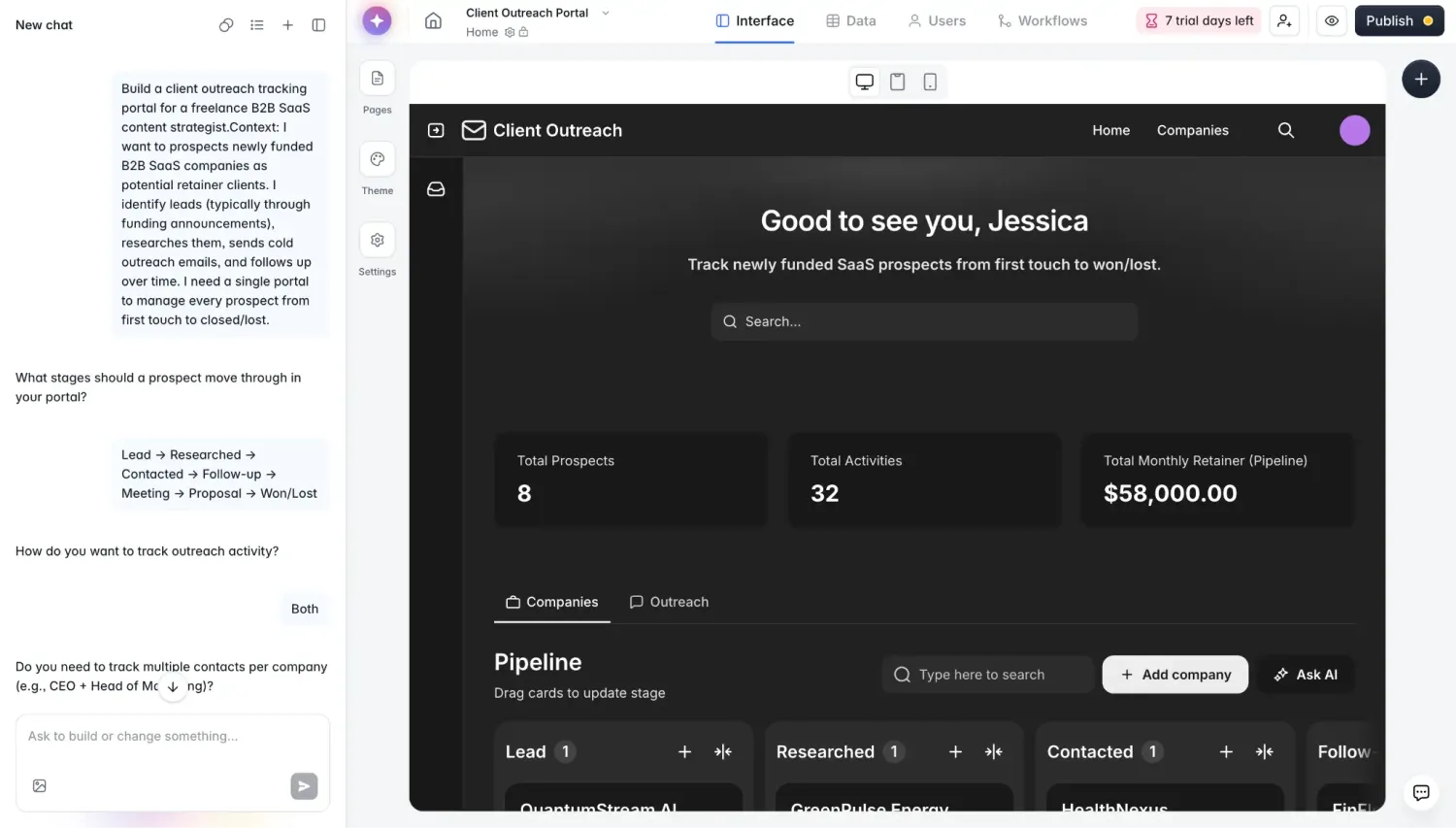
From there, use the drag-and-drop visual editor to adjust the layout, swap components, or update logic. You don't need to write code or to spend AI credits. Everything you change is visible immediately, and everything you see in the editor is exactly what your users will see.
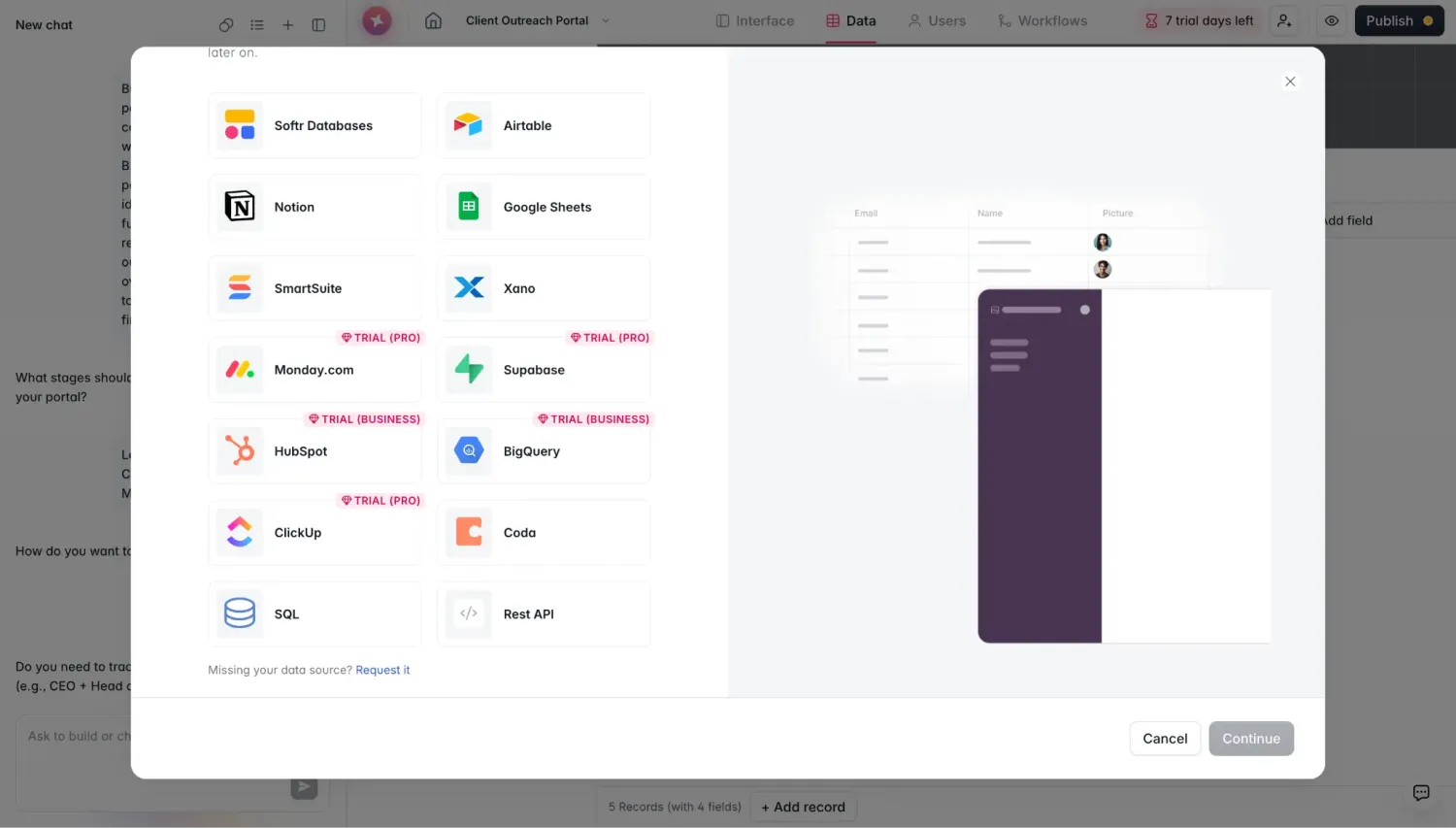
You can connect to your data wherever it lives: connect to tools you already use (Google Sheets, Airtable, HubSpot, Notion, Monday.com, ClickUp, and SQL databases) with live two-way sync. You can even combine sources in the same app. You can also use Softr's built-in relational database technology to store your data and keep it organized.
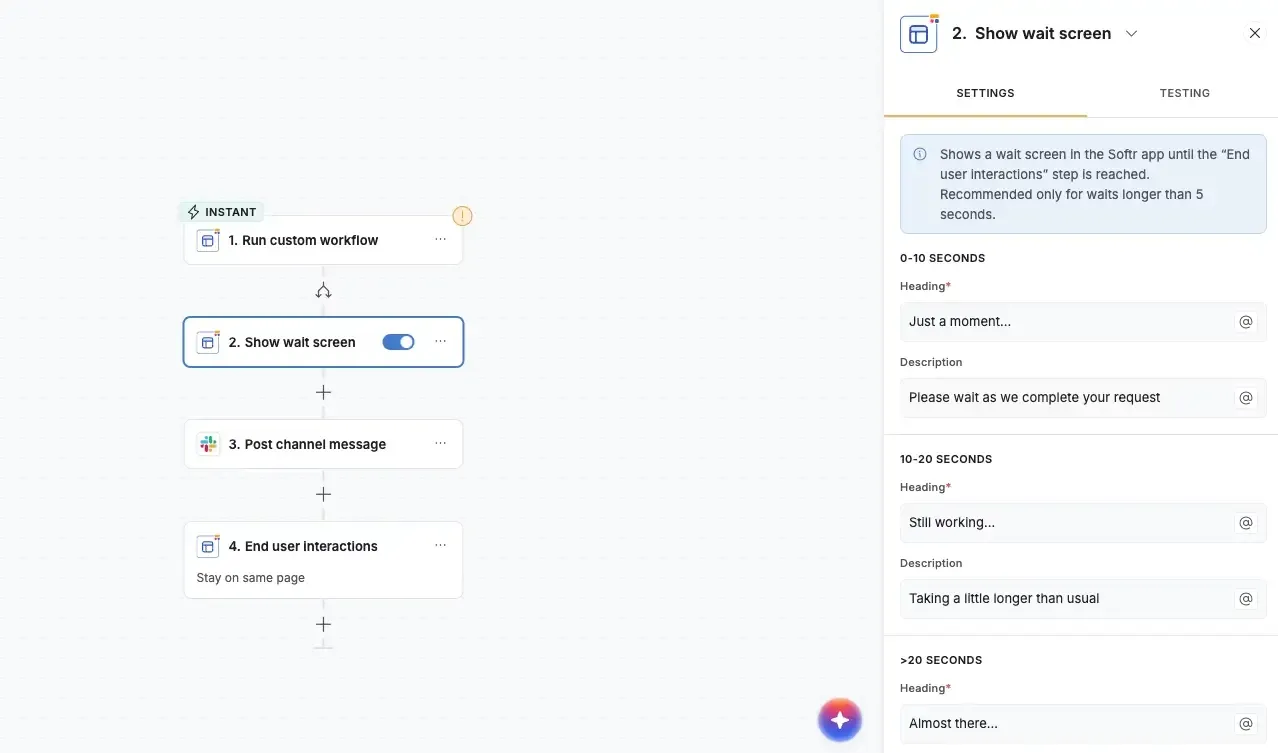
For automation, Softr Workflows handles the repetitive work: send an email when a form is submitted, create follow-up tasks when a client is added, or build multi-step approval flows all in a visual editor.
Why teams choose Softr over Antigravity and Claude Code
- What you build is what you launch. Both Antigravity and Claude Code produce code that needs to be tested, hosted, and then published. Softr produces a live app right from the start, accessible as soon as you publish it: your users can log in, take action, and interact with their data immediately.
- No terminal. No Git. No learning curve. Claude Code's own documentation flags the need for terminal basics and version control. Antigravity's desktop app softens this, but you'll still hit it the moment something goes wrong. Softr doesn't require either: the entire build, edit, and publish workflow happens in a visual interface.
- Built-in user access and permissions from day one. Softr treats user management as a first-class feature: each user logs in, sees only their data, and operates within the permissions you've assigned. This is what makes it viable for a tool like a client portal. You'd have to build this manually in Antigravity or Claude Code.
- AI that doesn't consume tokens or hit rolling limits. Both tools tie your productivity to usage windows and token budgets. Claude Code's 5-hour rolling limit means a complex session can stall before the work is done; while Antigravity is slightly more generous, the same can happen. Softr's AI Co-Builder works off a credit model tied to generations, not to every edit or message you send. After generating the app, you use the visual builder at no additional AI cost.
- Automation and data built in, not bolted on. Getting Antigravity or Claude Code to trigger workflows or sync with external data sources requires additional tools and configuration. Softr's database, automation layer, and external integrations are native: they work together without plugins, and you configure them from the same interface where you build the app.
- Secure and compliant without extra work. Softr apps are SOC 2 and GDPR compliant by default, with data encryption and a built-in security dashboard. Getting to a comparable security posture with an AI coding tool means implementing it yourself or hiring someone to.
Softr pricing
- Free ($0/month): Unlimited apps, with access to Softr Workflows, Softr Databases, Softr MCP, 5 app users total, 5 AI credits, 5,000 database records, and 500 workflow actions per month. Good for testing the platform or building a single lightweight internal tool.
- Basic ($19/month): Unlimited apps with 42+ integrations, Team: 5 + Client: 5 app users, 10 AI credits, 50,000 database records, and 2,500 workflow actions. Adds a custom domain and conditional section visibility.
- Pro ($99/month): Unlimited apps with 45+ integrations and custom code, Team: 10 + Client: 50 app users, 50 AI credits, 500,000 database records, and 10,000 workflow actions. Unlocks removing Softr branding, custom code, calling external APIs, and up to 3 custom user groups.
- Business ($329/month): Unlimited apps with 52+ integrations, Team: 30 + Client: 100 app users, 100 AI credits, 1 million database records, and 25,000 workflow actions. Includes custom user groups (up to 10), two-factor authentication, and an installable mobile app (PWA).
- Enterprise (custom pricing, contact sales): custom limits, SSO (SAML and OpenID), SOC 2 reporting, audit logging, and a dedicated success manager.
Annual billing saves the equivalent of two months. AI credits are available as add-ons ($10–$500/month for 100–5,000 credits) if you exceed your plan's monthly allowance.
Antigravity vs Claude Code vs Softr: Which one should you choose?
The right choice depends on how technical your team is, how complex the build is, and how much quota and budget you have to work with.
Choose Antigravity if you want the lowest barrier to entry into AI coding tools, you're building something simple or UI-heavy, and you're already invested in the Google ecosystem. Its free tier gives you real access to the agent, and the desktop app keeps the setup approachable, but expect the output quality to drop off on more demanding projects.
Choose Claude Code if your team includes developers and you need consistent, production-quality output across both frontend and backend work. It leads the benchmarks for software engineering tasks and solves problems other tools can't, but you'll need to budget for the $20–$100/month plans and accept a real learning curve if you're not already comfortable in a terminal.
Choose Softr if you don't have developers on your team and you need an app that's actually ready for real users the moment it's built. You skip the "last 20%" entirely. There's no code to deploy, no terminal, and no gap between what the AI builds and what you can hand to a client or colleague, just an AI-powered app builder, a native database, and workflow automation in one platform.
Frequently asked questions
Is Antigravity or Claude Code free to use?
Which is better for non-technical users, Antigravity or Claude Code?
Can Antigravity use Claude models?
Which tool is better for production-quality or backend work?
Do I need to know how to code to use Antigravity or Claude Code?