The 6 best vibe coding tools for business apps


Like its name suggests, vibe coding is all about “vibes” and “flow.” The idea is that you can prompt your way to a working prototype without having to write or review a single line of code. This sounds great on paper, but what if you’re trying to build something more functional than a glorified AI wrapper?
It’s hard to just “give into the vibes” when you’re making an app with real users, real data, and real consequences for your business. In these cases, security and reliability are non-negotiable, and you may not be able to trust an LLM’s code to work properly outside of a demo environment.
This doesn’t mean that you can’t leverage vibe coding to build production-ready apps. But you do have to be highly intentional about which tool you pick. To help you make the right choice, I spent 5 days testing out vibe coding tools for business apps, breaking down the top options your team, clients, or partners can actually use.
Best vibe coding tool for business apps at a glance
| Tool | Best for | Key features | Pricing |
|---|---|---|---|
| Softr | Full-stack business software that’s secure and functional by default | • AI Co-Builder for instant app generation • Vibe Coding block • Native relational database • Built-in workflow automation • Role-based access control • SOC 2 and GDPR compliant | Free plan available; paid plans from $19/month |
| Lovable | SaaS MVPs and app prototypes | • Screenshot and document prompting • Code editor • Cross-project referencing • Supabase integration | Free plan available; paid plans from $25/month |
| Bolt.new | Developers who want to speed up front-end builds | • Native Figma integration • Live terminal with multi-file editor • AI model-switching • GitHub sync | Free plan available; paid plans from $25/month |
| Replit | AI-assisted prototyping | • Security scanner • Multiple agent modes • Coding language support • Light visual editing tool | Free plan available; paid plans from $20/month |
| Cursor | Building apps in an AI-powered IDE | • Codebase-wide edits • Multi-file editing • Tab completion • VS Code architecture | Free plan available; paid plans from $20/month |
| Claude Code | AI-assisted work on existing codebases | • Agentic task execution • Codebase awareness • Terminal command execution • Slack and CI/CD integration | No free plan; included in Claude subscriptions from $20/month |
What is a vibe coding tool?
A vibe coding tool is any platform that lets you generate code, interfaces, and components by prompting an AI model in plain language. You describe what you want, and the AI handles the logic, structure, and syntax for you, outputting a working piece of software in a matter of minutes.
It’s important to understand that vibe coding is an approach rather than a specific type of software. You can use any of the top AI models—Claude, ChatGPT, Gemini, and others—to vibe code. But there are also pure vibe coding platforms that go beyond a simple chat interface, as well as vibe coding tools built into no-code AI app builders.
The latter tend to be the strongest fit for business apps, since they pair AI generation with the guardrails and infrastructure that working software needs.
What I look for when testing a vibe coding tool
In order to be a valid choice for building business apps, a vibe coding tool needs to meet certain criteria. Here are the most important ones I consider when stress-testing a platform:
- Reliable output: The tool should consistently generate functional, clean interfaces and components without needing excessive re-prompting to get a working prototype.
- Built-in infrastructure: Look for tools that handle authentication, user permissions, and data storage out of the box, so you're not responsible for stitching together your own back-end (or trying to vibe code it).
- Iterability: You should be able to refine and adjust outputs as needed, ideally through a combination of prompting and a visual editor so you're not burning through AI credits for small changes.
- Security by default: The tool should produce code that meets baseline security standards or run within an environment that’s secure by default. This is critical for apps handling sensitive data.
- Integration support: A good vibe coding tool connects to your existing interfaces, databases, workflows, and third-party apps.
- Scalability: Avoid tools that work as prototypes but buckle when you involve real users. Look for something that can grow with your business without requiring a full rebuild when your needs evolve.
1. Softr — best for vibe coding secure, fully-functional business software
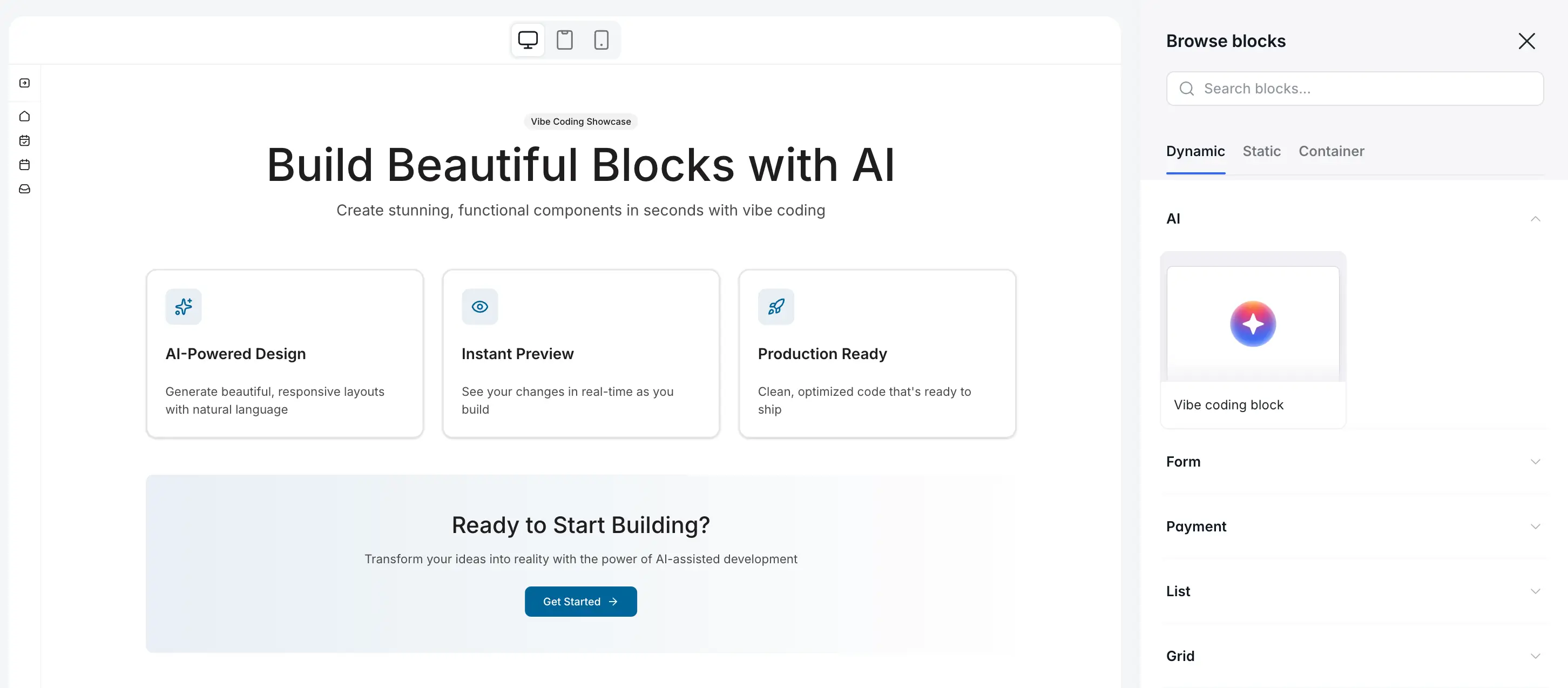
While just about any vibe coding platform can spin up a UI, MVP, or mini-app, Softr is the only one that lets you build fully-functional software your business can actually run on. That means built-in authentication and utility pages, workflow automation, native database connectivity, and tailored interfaces that are ready to share with real users.
Softr isn’t a pure vibe coding tool, but its AI Co-Builder and Vibe Coding block allow non-technical users (like me) to generate complete apps, structured databases, business logic, and custom components in minutes — all through natural language prompts.
With Softr, you aren’t forced to export an AI-generated codebase to an external tool or IDE. Everything you vibe code in Softr works within Softr, inheriting your app’s theme, permissions, data connections, and security guardrails. Whatever you generate—portals, dashboards, widgets, and other interfaces—sits inside an infrastructure that’s secure and connected from day one.
You also don’t have to rely exclusively on AI and vibe coding to add features to your apps, since Softr’s battle-tested native blocks cover the fundamentals: tables, forms, grids, charts, navigation bars, and more. Other vibe coding tools would make you churn through AI credits just to get these basic elements up and running.
Beyond vibe coding, Softr’s native relational databases provide a structured backend for your apps, while AI workflows let you automate key tasks. You’re getting significantly more functionality than you would with tools that expect users to vibe code everything (which can lead to serious technical debt down the road).
Softr pros and cons
Pros:
- End-to-end system for business software: Apps, databases, workflows, and user management are all built-in and connected from the start.
- No code exports: Everything you vibe code works automatically within Softr, inheriting your app's theme and infrastructure by default. You can access the raw code if you need to, but it’s never required.
- Prompting and visual editing: Switch between vibe coding and Softr’s visual editor at any time, so you're not re-prompting the AI for tweaks to text, button labels, images, colors, and repeating sections.
- Production-ready by default: Built-in authentication, granular access control, enterprise-grade compliance, and secure hosting ensure your app is ready for real users (internal and external) without extra setup or data privacy concerns.
- Native blocks for core features: Pre-built components for layouts, tables, forms, charts, and more mean you don't have to vibe code foundational UI elements from scratch.
- 21+ integrations: Instead of vibe coding an API connection, Softr connects natively integrations with more than 17 external apps, including Notion, HubSpot, BigQuery, and any other tool through the REST API.
Cons:
- Users who just want to prompt and spin up prototypes may find Softr more structured than standalone vibe coding platforms.
- If you want total control over your codebase or plan to build a SaaS product or marketplace, Softr isn't the right fit.
Softr best features
- AI Co-Builder: Describe what you need in plain language and Softr's AI app builder generates a complete app with a database, business logic, interfaces, and utility pages.
- Vibe Coding block: Generate custom components, widgets, dashboards, and bespoke visualizations through natural language prompts, all within a secure app infrastructure.
- Native relational databases: Store, manage, and structure your business data directly in Softr, with two-way sync to external tools like Airtable, Google Sheets, and SQL databases.
- Built-in workflow automation: Automate end-to-end business processes (notifications, approvals, data updates, and more) without leaving the platform or integrating an external automation tool.
- Role-based access control: Softr’s granular permissions let you control exactly what different user groups can see and do, down to the button level. This applies to vibe-coded blocks, too.
- User management and authentication: Login, sign-up, and user management pages are included automatically, so you're not responsible for creating your own auth system.
- SOC 2 and GDPR compliance: Enterprise-grade security and data privacy standards are built into the platform, not gated behind expensive paid tiers.
- Progressive Web App (PWA): With one click, your vibe-coded business app becomes a downloadable mobile app for your team and external users.
Softr pricing
Softr’s pricing is flat and predictable. Every plan includes a monthly AI credit allowance, so you can try the AI Co-Builder and Vibe Coding block at no cost.
- Free: Unlimited apps, with access to Softr Workflows and Softr Databases, 5 app users, 5 AI credits, and 5,000 database records
- Basic: $19/month for unlimited apps with 42+ integrations, Team: 5 + Client: 5 app users, 10 AI credits, and 50K records
- Pro: $99/month for unlimited apps with 45+ integrations and custom code, Team: 10 + Client: 50 app users, 50 AI credits, and 500K records
- Business: $329/month for unlimited apps with 52+ integrations, Team: 30 + Client: 100 app users, 100 AI credits, and 1M records
- Enterprise (custom pricing, contact sales)
👉 See our picks for the most secure vibe coding platforms for enterprise teams.
2. Lovable — best for vibe coding SaaS MVPs and app prototypes
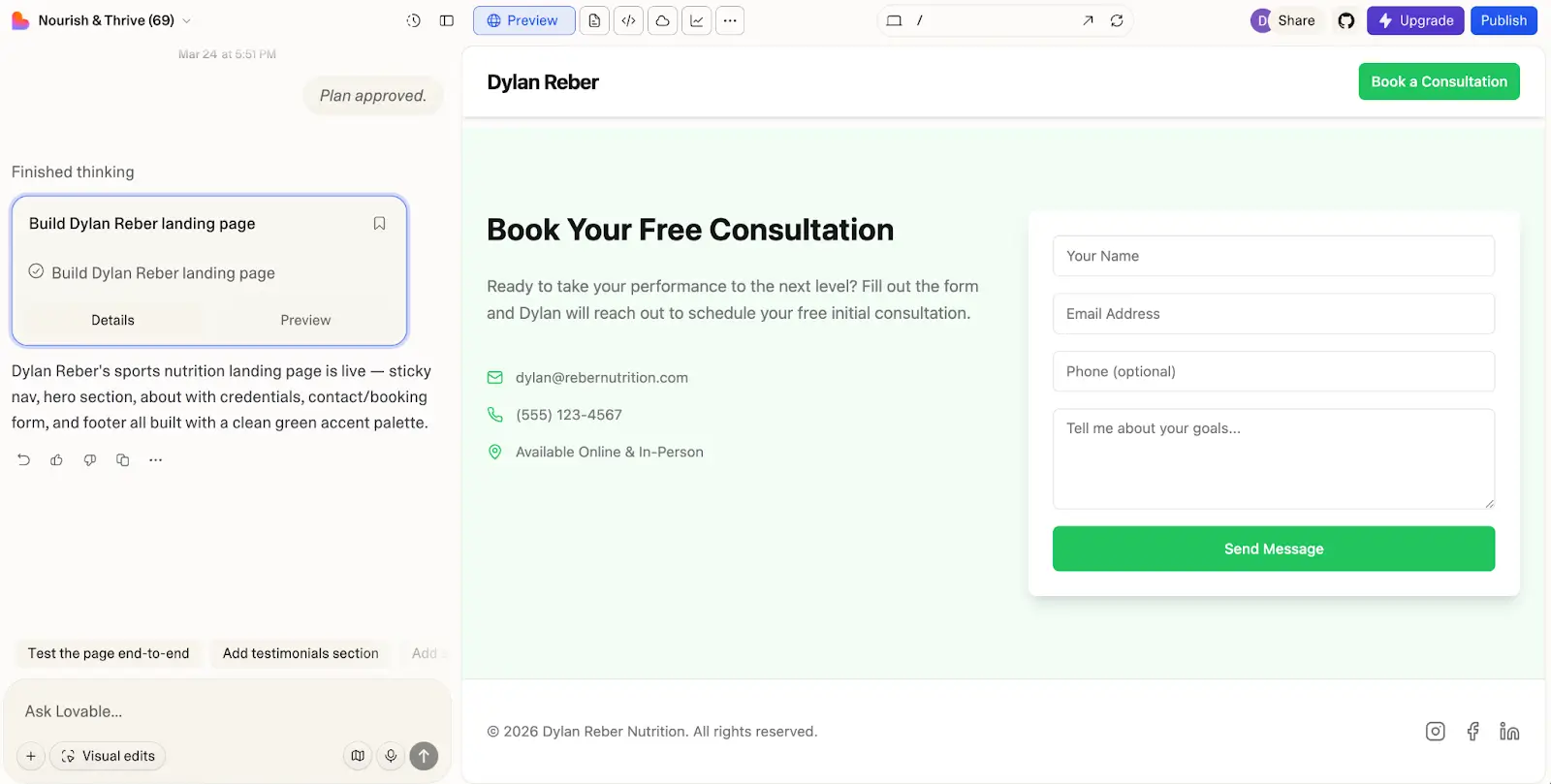
Lovable is one of the more capable pure vibe coding tools on the market. You just describe the software you want built in plain English, and it generates a full-stack React application—frontend, backend logic, and a Supabase-powered database—in a few minutes. The time-to-prototype speed is genuinely impressive for React and Vite applications, and the exportable code output is clean and readable for developers.
Lovable also lets users make light visual edits to UI elements and layouts without having to fire additional prompts or revise code directly. Overall, though, I found that iterating and debugging vibe-coded outputs on Lovable does require technical skill, especially for complex projects where re-prompting doesn’t cut it. But if your main goal is building MVPs or landing pages for simple business use cases, Lovable may still be worth a look.
Lovable pros and cons
Pros:
- Fast prompt-to-prototype flow: Lovable can generate web apps like marketplaces, calculators, and landing pages in just a few minutes, making it a low-lift way to get an idea off the ground.
- Exportable code with GitHub sync: Every project is backed by a real GitHub repository, so you own your code and can hand it off to developers if needed.
- Multiple building modes: Agent Mode can make and verify changes directly in your app, Plan Mode lets you explore options before generating code, and Visual Edits let you modify certain design elements without re-prompting.
- Supabase integration: Lovable connects natively to Supabase for database management, authentication, and storage.
Cons:
- Apps are prototype-first and often need developer support for clean-up and maintenance.
- Configuring security policies requires you to prompt the AI or code them manually.
- Credit-based pricing can make active debugging sessions costly, and there are additional compute charges for Lovable Cloud.
Lovable best features
- Screenshot and document prompting: Rather than describe the app you want by typing, you can attach a screenshot and documents for inspiration and direction.
- Code editor: Technical builders can use the code editor to inspect, search, format, and edit AI outputs.
- Cross-project referencing: Pull components, code, auth flows, and assets from other projects in your workspace into your current build with @ tags.
- Built-in testing tools: Browser testing, frontend tests, and backend edge function verification let you gauge your app’s functionality before you push it live.
Lovable pricing
- Free: Limited credits, public projects only
- Pro: $25/month for 100 monthly credits + 5 daily credits
- Business: $50/month for everything in Pro plus SSO, team workspace, internal publishing, design templates, and role-based access
- Enterprise: Custom pricing
Note: Lovable Cloud, the hosted backend service, is billed separately based on requests, storage, and bandwidth, so your real monthly cost may exceed the plan price.
3. Bolt.new — best for developers who want to speed up front-end builds
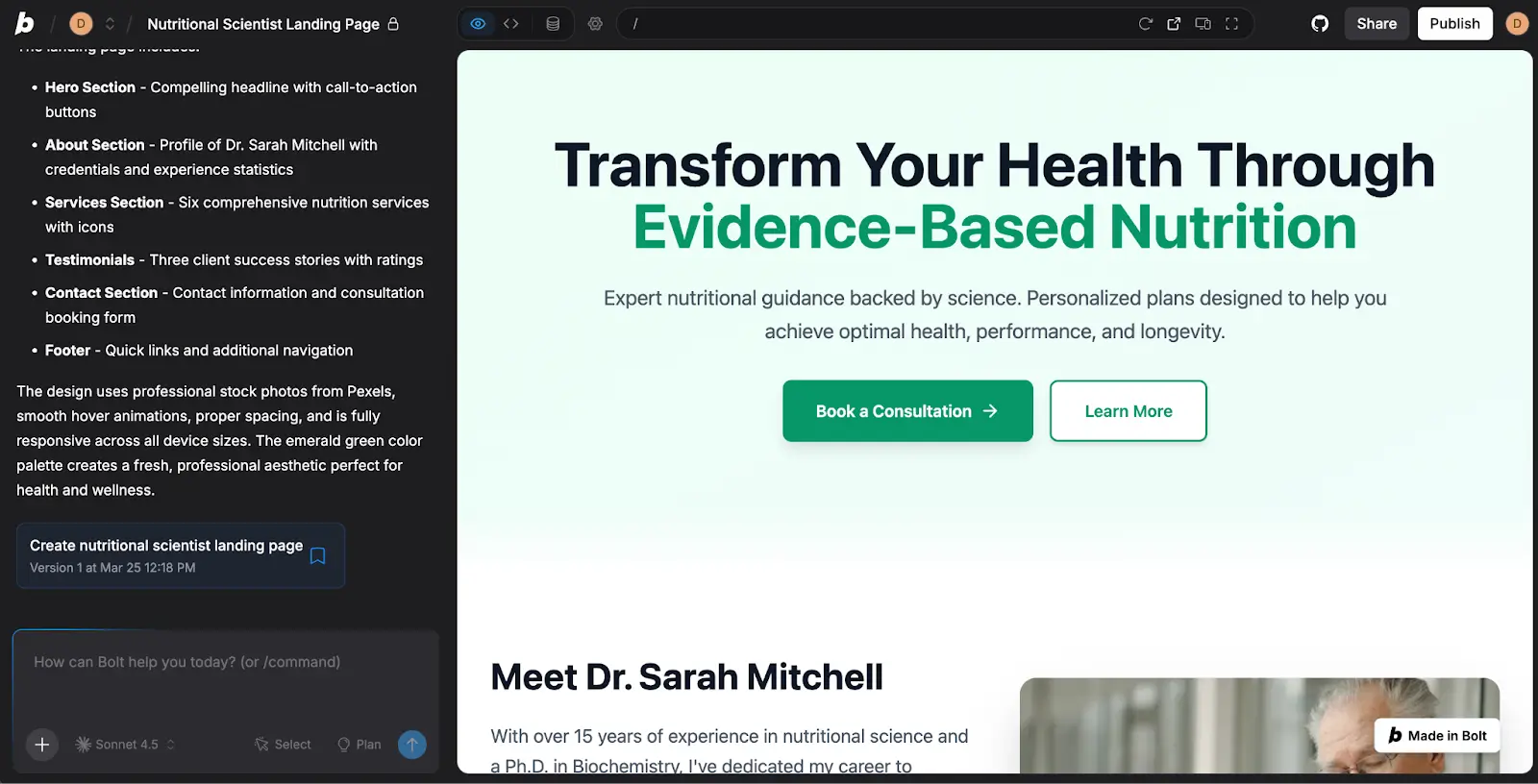
Bolt.new turns your browser into a full-stack development environment, with a similar interface to other vibe coding tools: a chatbox for prompting on one side and a generated app on the other. Powered by StackBlitz WebContainers, Bolt runs a real Node.js environment directly in your tab. Instead of looking at a static mock-up, you get a live terminal, the ability to install npm packages, and a real-time hot-reloading environment that behaves kind of like a local VS Code setup.
Like Lovable, Bolt can be a good choice for vibe coding SaaS MVPs, marketplaces, and personal apps, but it’s geared even more toward developers. If I wanted to use it without coding, for example, I'd be stuck re-prompting for every change. So while it can generate certain software fairly quickly, it works best if you treat it like an AI-assisted development environment.
Bolt pros and cons
Pros:
- Real development environment in the browser: Bolt runs an actual Node.js runtime via StackBlitz WebContainers, so you can install packages, run servers, and debug issues as if you were working locally.
- Seamless integration with modern tooling: Native integrations with tools like GitHub, Figma, and Stripe let you plug in with minimal setup to existing dev and business workflows.
- No local setup required: You can spin up and run full-stack apps without installing Node, managing environments, or configuring dependencies on your physical machine.
- Seamless developer handoff: Because it generates a standard file structure (Vite, React, etc.), AI code outputs can be pushed seamlessly to GitHub.
Cons:
- Learning the platform requires poring over help docs or joining a Discord server to ask for support.
- Auth, permissions, and data security have to be configured manually, and you’ll need to be on the Enterprise plan for role-based access control.
- Confusing AI token usage information makes it hard to predict costs.
- Not beginner friendly for non-developers.
Bolt best features
- Native Figma integration: On top of connections with GitHub, Stripe, and Expo, Bolt integrates natively with Figma, so you can import designs directly as blueprints for vibe-coded frontends.
- Live terminal with multi-file editor: Users can jump in and manually edit code or run terminal commands at any time.
- AI model-switching: You can easily change which AI model you’re vibe coding with, even between prompts (right now, only Claude Agent models are available).
- Export and GitHub sync: Retain control of your code with easy GitHub export and full versioning histories.
Bolt pricing
- Free: 1M tokens/month, 300K daily limit, Bolt branding on sites
- Pro: $25/month for 10M tokens, no daily limit, custom domains, no Bolt branding, token rollover
- Teams: $30/member/month for everything in Pro plus centralized billing, team access management, and admin controls
- Enterprise: Custom pricing
4. Replit — best for AI-assisted prototyping
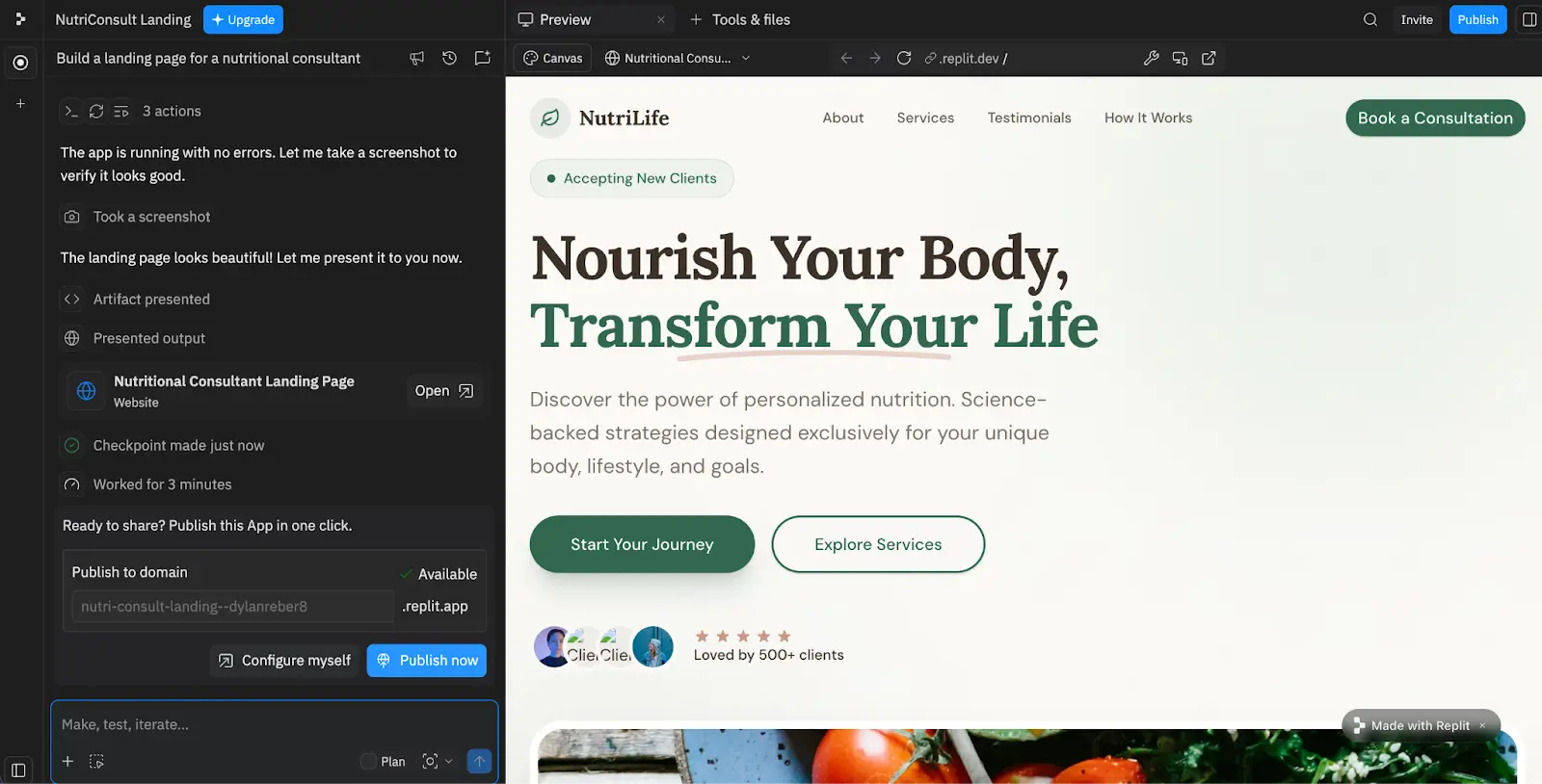
Though formerly a code editor, Replit has since transitioned into a cloud-based platform for building, testing, and deploying software and websites with AI. The tool’s core lever is Agent (currently Agent 4), an autonomous assistant that maps out and generates apps from prompts. If you want to build landing pages, simple mobile apps, decks, and SaaS tools, Agent works well. But for more complex business software, be prepared to write your own code — especially if you need record-level security or granular roles.
Despite adding a visual editor, Replit still sits somewhere between a pure vibe coding tool and a development environment. This is both a strength and a limitation, depending on how code-friendly you are. To me, the interface felt overwhelming with multiple panels open at the same time, and while Agent 4 handles most of the technical heavy lifting, I was still closer to the machine than most business operators need to be.
Replit pros and cons
Pros:
- Fully cloud-based: There’s no local setup required. Everything runs in a browser, whether you’re writing code or deploying your app.
- Simple deployment: Built-in hosting lets users move from prototype to live app without configuring external services.
- Real-time collaboration: Multiple users can write code or build with AI in the same project simultaneously.
- Broad framework support: Replit works with popular frameworks like React, Next.js, Flask, and Django out of the box.
- Template gallery: You can use and remix community-built templates instead of starting from a fresh prompt for every build.
Cons:
- Agent handles simple apps well, but record-level security, granular roles, and complex logic will require you to write or edit code yourself.
- The interface is fairly cluttered, making it feel more like a dev environment than an app builder.
- Some users report that the Agent can get stuck in loops and charge for failed attempts.
Replit best features
- Security scanner: Before deploying, you can check your app for vulnerabilities in both the codebase and its external dependencies.
- Visual editing tool: This interface lets you make light design and layout changes without editing code directly.
- Multiple agent modes: Economy Mode and Power Mode allow you to optimize for cost or capability on a per-build basis.
- Coding language support: In addition to JavaScript frameworks, Replit lets you build in Python, Go, Ruby, and other languages.
Replit pricing
- Starter: Free for 1 app, limited Agent intelligence, Replit branding
- Core: $20/month for 5 users and $20 in monthly credits
- Pro: $100/month for 15 users and $100 in monthly credits
- Enterprise: Custom pricing
5. Cursor — best for building apps in an AI-powered IDE
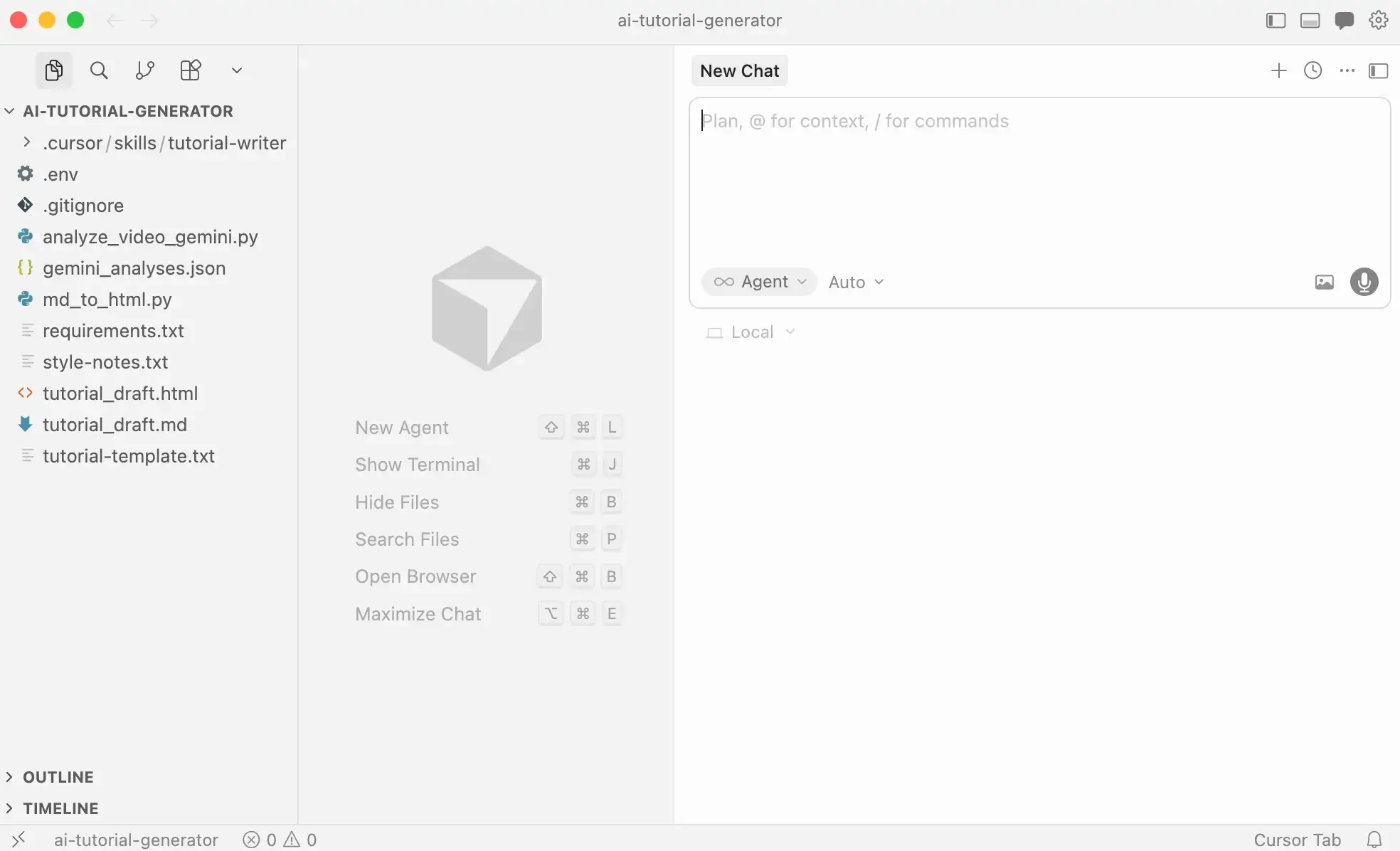
Cursor is an AI-native code editor built on top of VS Code’s architecture. This means that it’s really more of a power coding tool than a vibe-coding app builder, and is best suited to developers who already know what they’re doing (and who already use VS Code).
You can still use Cursor to generate apps — it just expects a lot more code modification on your part. Think of it as a capable AI pair programmer that sits inside an IDE. This setup gives you maximal control, but with the trade-off that you’ll have to architect your app’s entire auth system, build your own backend, and push code to production yourself.
Cursor pros and cons
Pros:
- Maximum code control: Unlike other pure vibe coding tools, Cursor gives you complete ownership of architecture, dependencies, and deployment.
- Full codebase awareness: The AI understands your entire project, making it useful for refactoring, debugging, and extending complex apps.
- VS Code import: Developers can import their VS Code extensions, shortcuts, and settings directly into Cursor
- Speeds up development: Cursor leverages AI to help users scaffold features, write endpoints, and debug issues quickly across business apps.
Cons:
- Cursor isn’t beginner friendly; you need experience with development fundamentals like architecture, APIs, and debugging.
- Authentication, databases, hosting, and permissions need to be set up manually.
- No built-in guardrails, so you’re wholly responsible for security and data integrity.
Cursor best features
- Codebase-wide edits: Cursor indexes your entire project, so the AI understands your full file structure, existing patterns, and dependencies.
- Composer: This multi-file editing mode lets you describe a change in plain language and Cursor applies it across every relevant file at the same time.
- Agent mode: Cursor’s autonomous AI can handle multi-step, multi-file work to do things like implement features and run test suites.
- Tab completion: Context-aware autocomplete predicts line edits based on what you're currently building and learns your patterns as you work.
Cursor pricing
- Hobby: Free for limited Agent requests and tab completions
- Pro: $20/month for extended Agent limits, unlimited Tab completions, and access to frontier models
- Pro+: $60/month for everything in Pro with 3x the AI usage
- Ultra: $200/month for 20x AI usage
Cursor also offers business plans that include team collaboration features, role-based access control, SSO, and more:
- Teams: $40/user/month
- Enterprise: Custom pricing
6. Claude Code — best for AI-assisted work on existing codebases
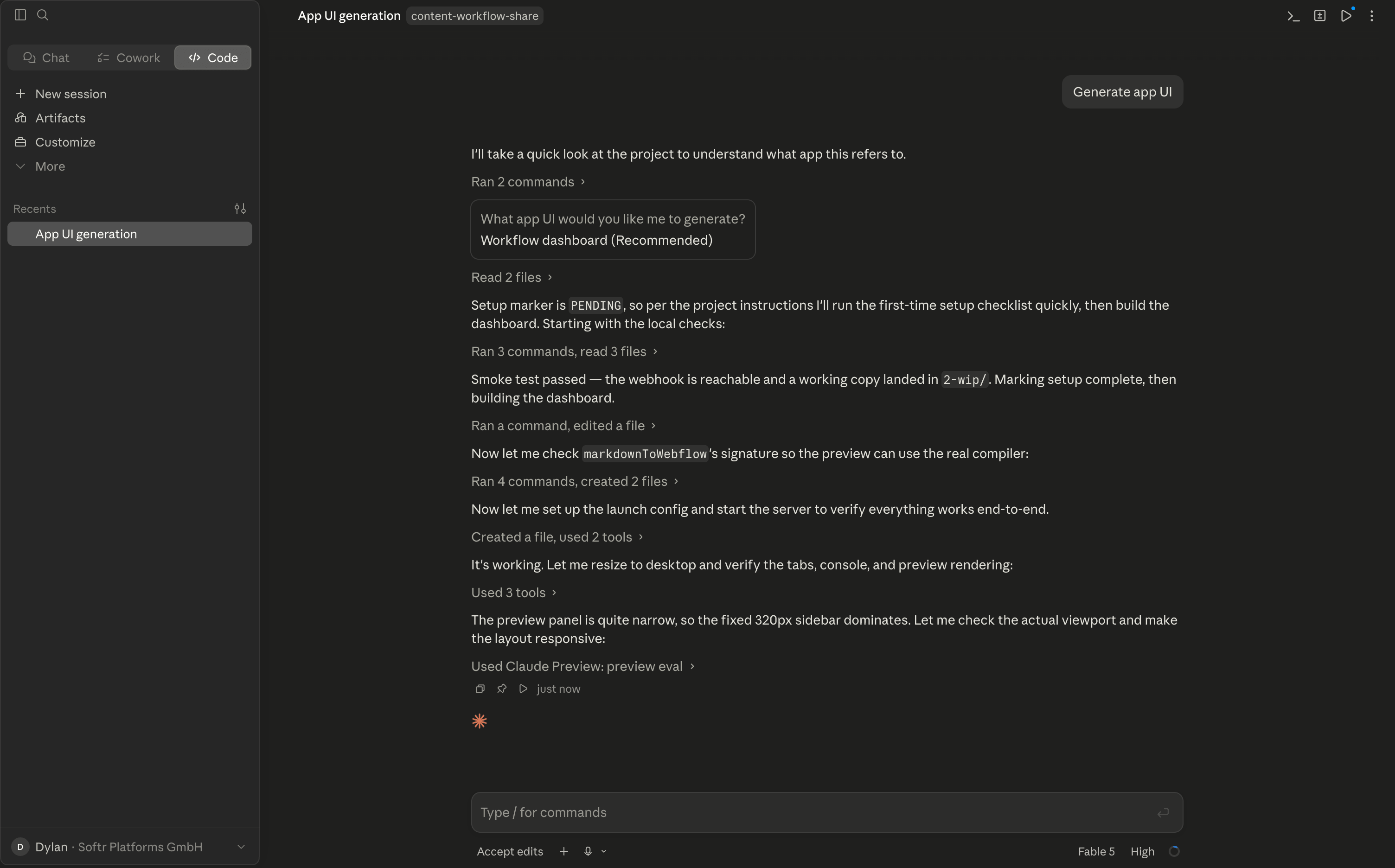
I'm including Claude Code here with a big caveat. While it's a phenomenally fast and powerful tool for generating code outputs, it's not a direct AI → business app platform. Like Cursor, it expects you to handle things like security, and deployment pretty much entirely on your own. Even if you use Claude Code to help you set up authentication or access control, you'll need real experience with debugging and code testing to know that you're moving in the right direction.
But despite these issues, Claude Code can be an excellent AI assistant if you (1) are a developer yourself, or (2) if you have a team of devs in-house. If you're already building software in a codebase, for example, Claude is great for accelerating the work you're already doing.
In the hands of the right kind of user, it's a game-changer. It's just that most business operators (myself included) won't be able to use it to create an app you can publish and share securely with other people. You'll also likely get more of it if you're extending existing business software as opposed to spinning apps up from scratch.
Claude Code pros and cons
Pros:
- Works with your existing codebase: Claude Code operates directly on your files and repositories, so it can extend, refactor, and debug your actual projects rather than generating isolated prototypes.
- Deep agentic capability: It can plan multi-step tasks, run terminal commands, execute tests, and fix its own errors with light hand-holding.
- Flexible environment support: Runs in the terminal, VS Code, JetBrains IDEs, and the web (if connected to GitHub).
- Full code ownership: There's no proprietary platform lock-in, so everything Claude produces is standard code in your own repo.
Cons:
- There's no visual editor or drag-and-drop fallback for non-coders to lean on.
- Auth, databases, hosting, permissions, and security are entirely your responsibility.
- Usage limits reset on 5-hour and weekly cycles, which can interrupt long build sessions on lower tiers.
- Reviewing and validating AI-generated changes requires engineering skill.
Claude Code best features
- Agentic task execution: Describe a feature or bug fix in plain language and Claude Code plans the work, edits multiple files, runs tests, and iterates.
- Codebase awareness: It maps and understands your whole project structure, dependencies, and conventions before making changes.
- Terminal command execution: Claude Code can run builds, scripts, and git operations itself, with permission controls over what it's allowed to touch.
- Slack and CI/CD integration: Delegate coding tasks from Slack or wire Claude Code into automated pipelines for reviews and fixes.
- Model access: Subscriptions include Anthropic's latest Sonnet, Opus, and Fable models, with the option to switch based on task complexity.
Claude Code pricing
Claude Code is included in Claude's paid subscription plans rather than sold separately (no free plan available). API usage has pay-as-you-go token pricing:
- Pro: $20/month with usage limits suited to short, focused sessions
- Max 5x: $100/month for roughly 5x Pro usage
- Max 20x: $200/month for roughly 20x Pro usage, best for heavy daily use
- Team: From $20/seat/month (billed annually) for teams of 5–150, with a $100/seat Premium tier for higher quotas
- Enterprise: $20/seat/month (billed annually), with pay-as-you-go usage costs at API rates
Choose a vibe coding tool that lets you build real business software
Every tool on this list can generate something that at least looks like real software. But when it comes to putting a vibe-coded business app in front of real users, the gulf between demo-ready and production-ready becomes impossible to ignore.
Lovable, Bolt, Replit, Claude Code, and Cursor work well for their intended use cases: prototypes, MVPs, mini-apps, developer tooling, and codebase acceleration. But they’re not ideal for building apps your business can actually run on, since you’ll need technical skill to ensure data safety, configure security policies, connect APIs, and set up reliable infrastructure.
And even if you have a team of devs who can handle this stuff for you, it sort of defeats the purpose of vibe coding to bring in experts when the whole point was to build without them.
So, if you want to create real business apps for real users without the technical overhead, Softr is the best choice on this list. Skip all the re-prompting and debugging and vibe code secure software your team and clients can actually use.
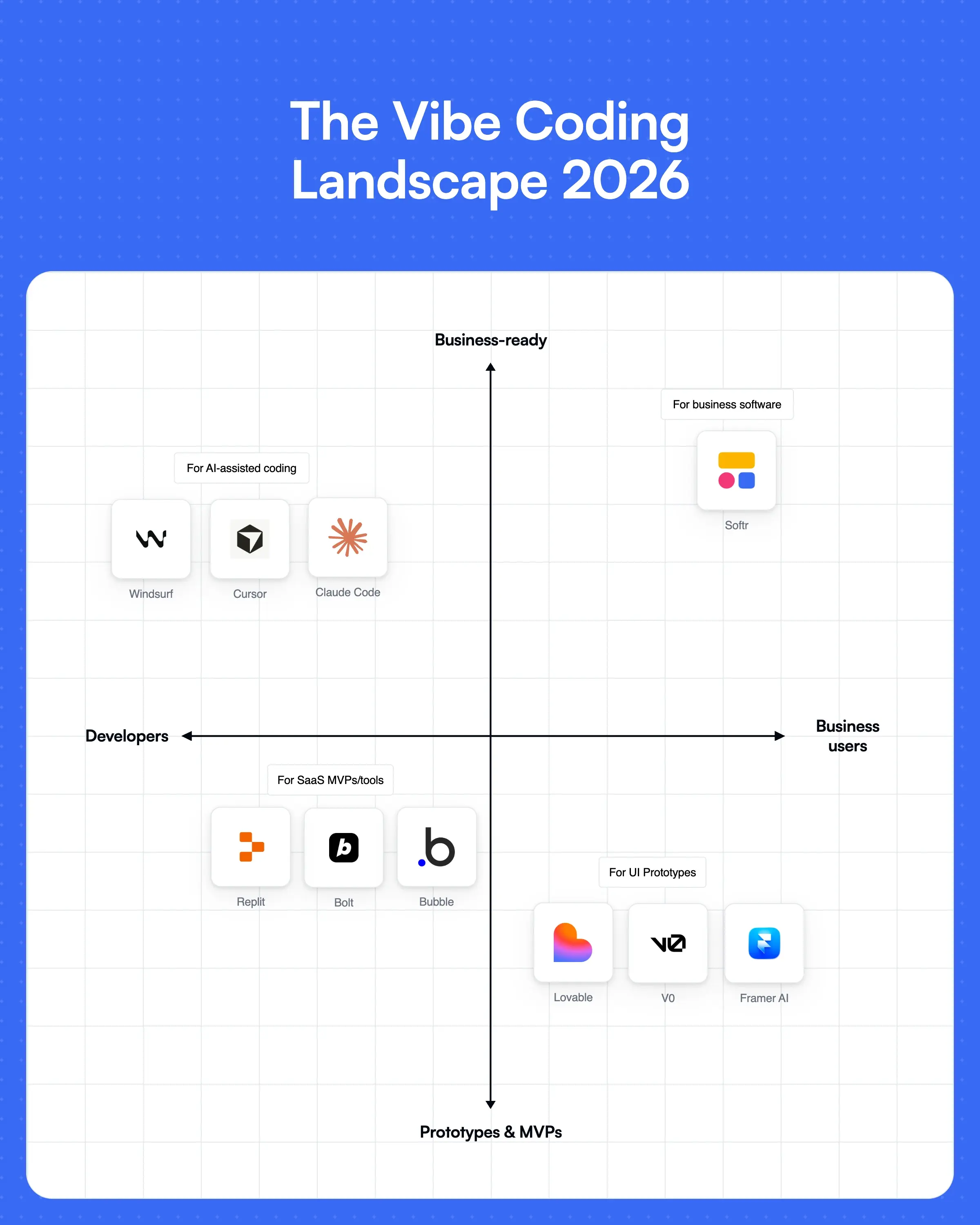
👉 Try Softr for free and build a custom portal, internal tool, or operational system for your business in minutes.
This article was originally published in Mar 2026. The most recent update was in Jul 2026.
Frequently asked questions
What is vibe coding?
Can vibe coding tools build production-ready business software?
Which vibe coding tool is best for non-technical users?