Even just a few years ago, building custom software was mainly something developers did: specialists with deep experience in coding, system architecture, and debugging. For less-technical folks, creating a working app from the ground up without dev support seemed largely out of reach.
Then generative AI came along, bringing with it a sea change in how people think about software development. “Vibe coding” has been a major part of that shift. It’s a way to build interfaces, tools, and visual elements by describing what you want in plain language and letting AI create it for you.
There’s been a ton of buzz around vibe coding lately, and it can be hard to distinguish between the hype and reality. This guide helps clear that up. Read on to learn what vibe coding is, what you can realistically build with it, and when you’ll want to pair it with no-code tools for better, more reliable results.
What is vibe coding?
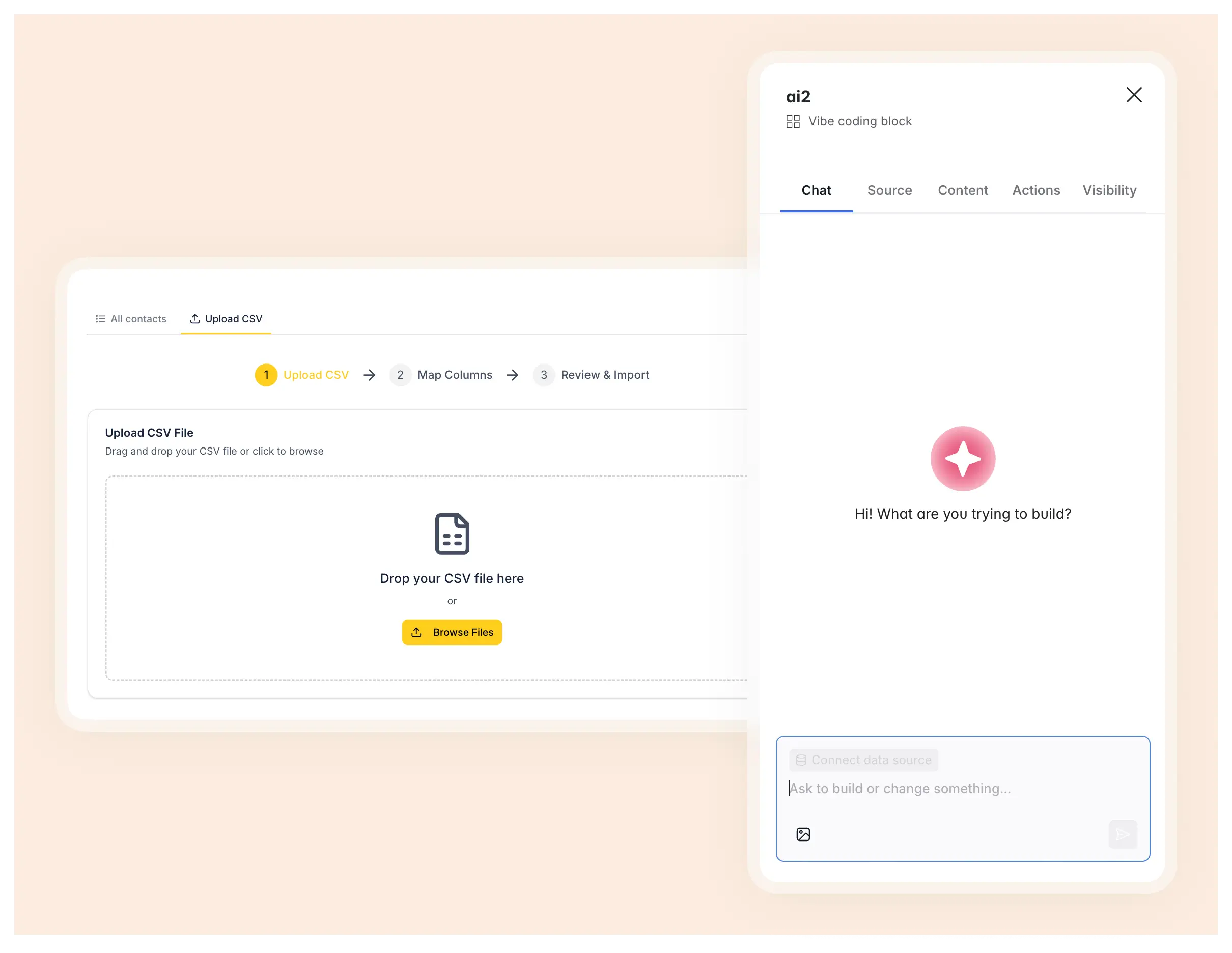
Vibe coding is a method of building software by telling an AI assistant what you want to create using natural language prompts. You just describe your idea in plain English and the AI rapidly generates the code behind it, giving you a working draft of a tool, interface, or dashboard (depending on what you asked for).
If you have the experience, you can then dive into the generated code itself to make changes or export to an integrated development environment (IDE). Or, you can guide the AI assistant through a process of iteration, refinement, and debugging. Best case scenario, each version the AI spins up will be closer to a finished product people can actually use.
It’s worth stressing that vibe coding is an approach rather than a specific tool or platform. You can do it with pretty much any AI model capable of generating code — not only Claude, ChatGPT, and Gemini but also AI app builders like Softr.
Why use vibe coding tools?
There are many reasons someone might want to use vibe coding tools, but two of the biggest are accessibility and speed. If you aren’t versed in programming but have an idea you’d like to see realized, vibe coding makes that possible. Building bespoke software used to be the domain of developers; now, with AI and vibe coding tools, it’s been democratized.
But seasoned programmers also have a lot to gain from vibe coding. Tasks that used to take hours—like scaffolding a new project or prototyping an interface—can now be knocked out by an AI assistant in minutes. And even if you don’t go to production with AI-generated code, vibe coding is a fast way to stress-test an idea before committing to a full build.
The point is that technical and non-technical users alike can leverage vibe coding tools to bridge the gap between concept and prototype far more quickly than they could with traditional development.
| Vibe coding | Traditional development | |
|---|---|---|
| Speed | Prototype in minutes/hours | Days to weeks |
| Technical skill required | Low | High |
| Customization | Flexible (with re-prompting) | Unlimited |
| Cost | Subscription and usage-based | Developer salaries |
| Iteration | Conversational, instant | Slow feedback loops |
How does vibe coding work?
The mechanics of vibe coding can vary depending on what tool you’re using and what you want built, but the core workflow usually looks something like this:
- Choose an AI tool. This could be a general purpose coding assistant, an AI-powered IDE, or even a chatbot that can generate and explain code. The key is picking something that lets you quickly iterate and refine outputs (and that you’re comfortable working with).
- Start with a clear prompt. The first step is telling the AI what you’re trying to create. Your prompt should be as specific as possible, and results will likely be better if you limit your request to one feature or component at a time.
- Generate and review the output. The AI will generate code (and, depending on what you asked for, a working draft of an interface or component). At this point, you can review the code yourself and test the output to see if it’s working as intended.
- Re-prompt to refine. Describe what needs to be changed or added in plain language, being just as specific as you were in your initial prompt. For more complex projects, you may have to repeat this step several times if the model struggles to produce something functional.
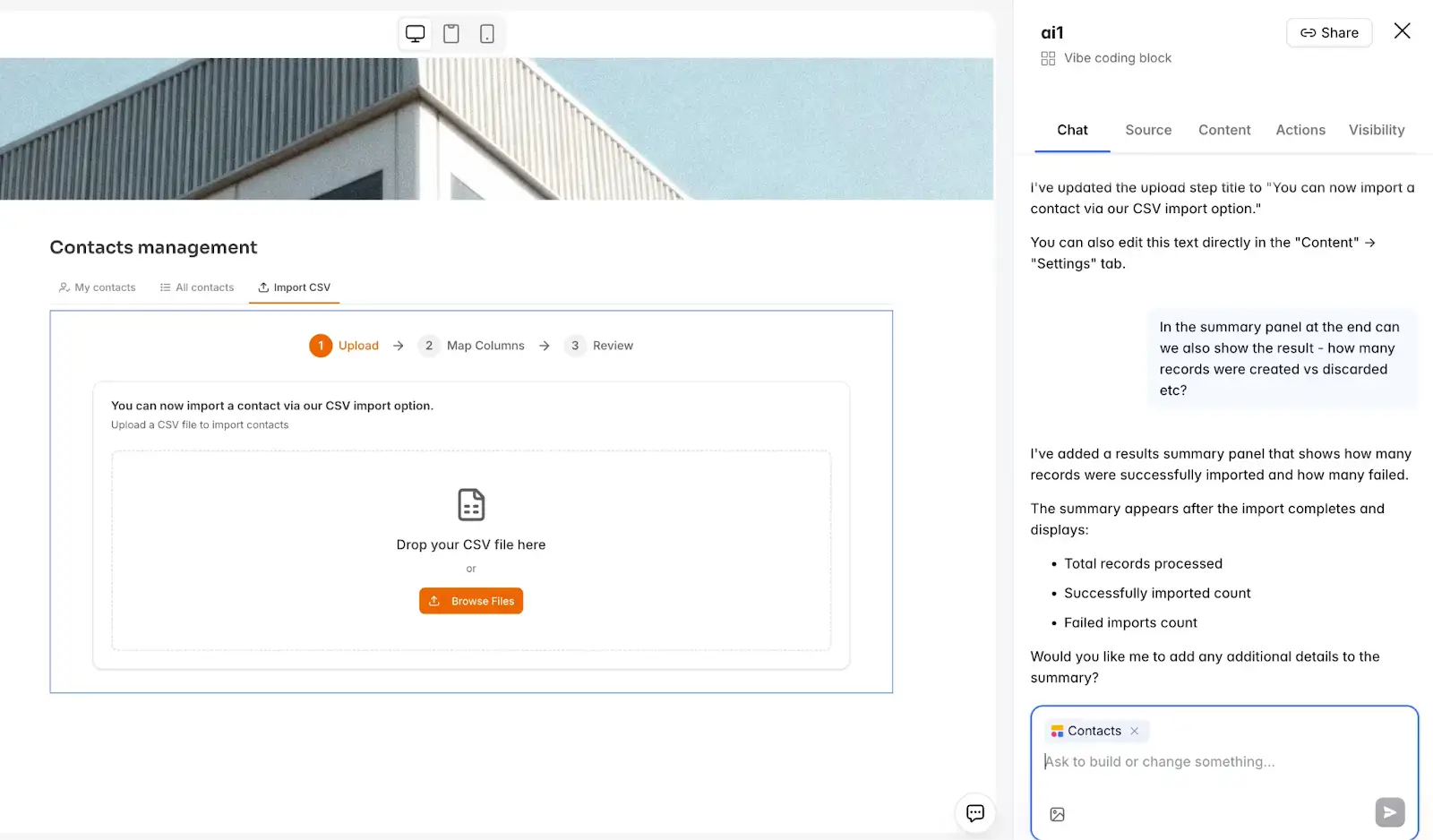
- Export or connect to infrastructure. Depending on what platform you’re working in, you may need to export the code to an IDE or hosting environment. If you’re using Softr’s Vibe Coding block, anything you build can connect seamlessly to live databases, apps, a workflow automation engine, or external integrations.
- Test and ship. Before putting a vibe-coded product in front of real users, test it thoroughly for responsiveness and unexpected behavior. Once you're sure it works as intended, you're ready to push it live.
Vibe coding examples
So far, we’ve been speaking pretty abstractly about vibe coding. To make it more concrete, let’s take a look at some real-world examples of tools you can build (and publish) with Softr’s Vibe Coding block.
CSV importer with column mapping
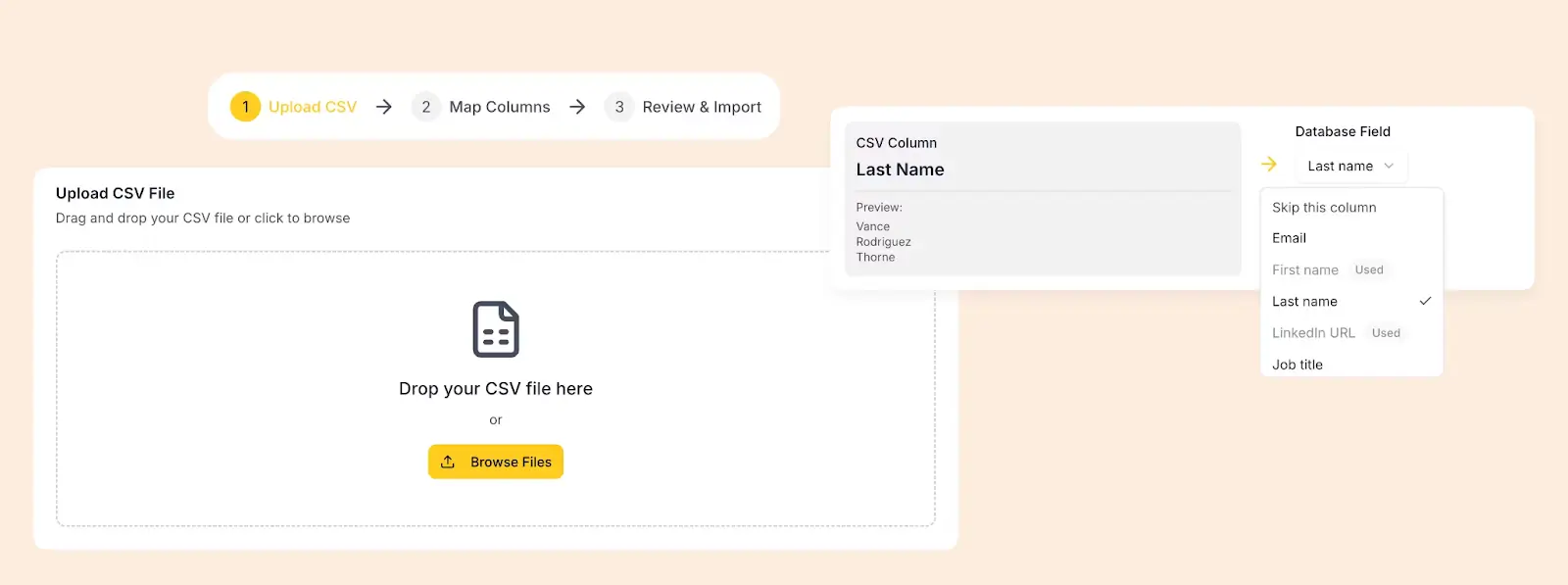
For this project, we vibe-coded an interface that allows sales reps to bulk-import contacts from any CSV file. This included the following components:
- A drag-and-drop upload zone
- A column mapping interface where users match CSV headers to database fields
- Fuzzy matching to auto-map columns with similar names
- A review stage where the user can select or deselect certain rows before importing
This tool was generated in just two prompts with the Vibe Coding block and then connected directly to a Contacts database.
[.blog-callout]
💡 Check out the full video walkthrough for vibe coding a CSV importer.
[.blog-callout]
Floating AI chatbot widget
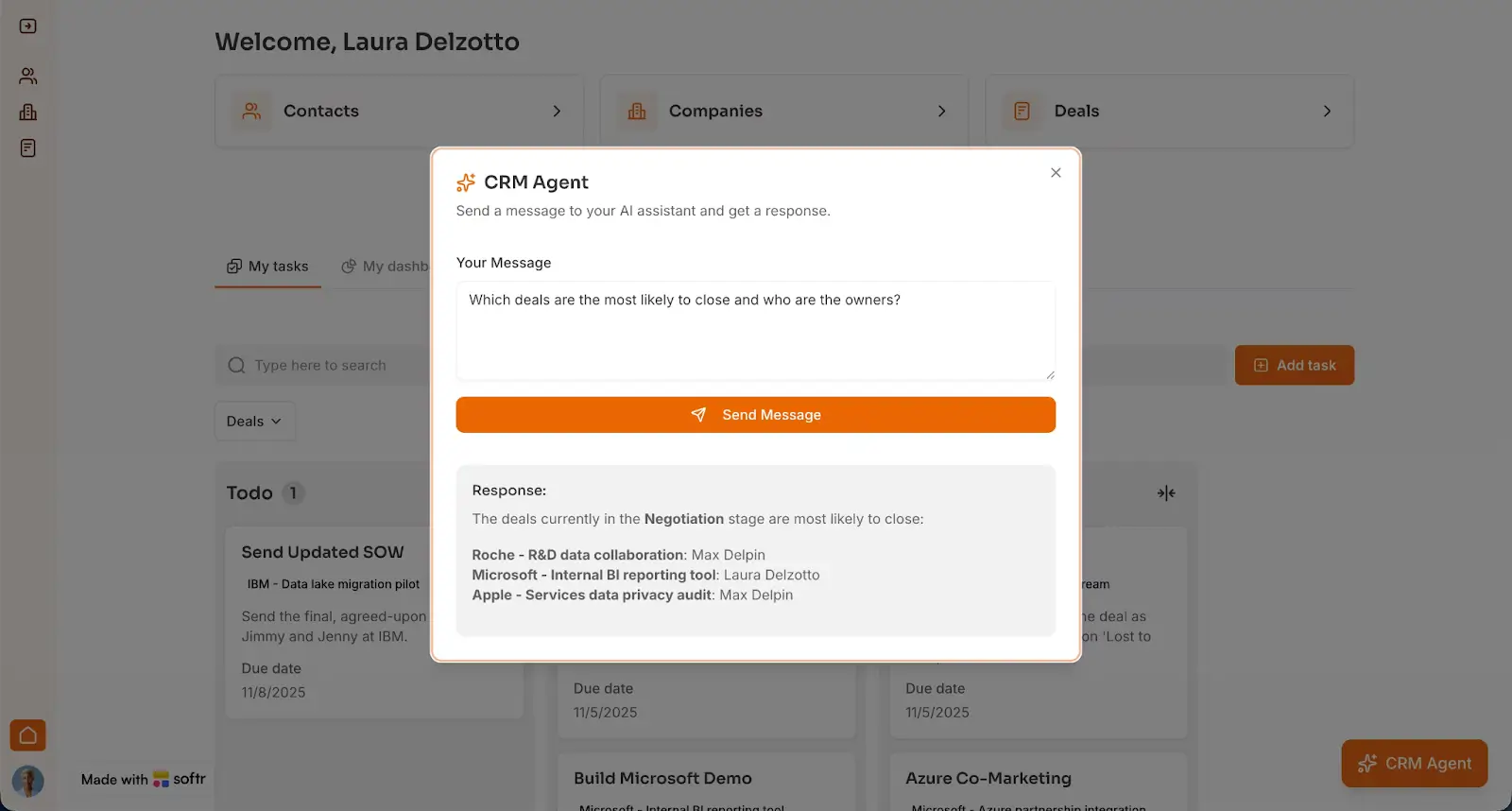
This widget was vibe coded in Softr as part of an AI CRM app build. The goal was to give users a conversational interface for querying deal data without opening another page or platform. The Vibe Coding block generated a sticky chat bubble pinned to the bottom-right corner.
If clicked, it opens a chat interface where users can ask plain language questions (e.g., "Which deals are most likely to close?"). The block sends the question via webhook to a Softr Workflow, which then queries the database with AI and returns the answer to the interface.
Drag-and-drop task calendar
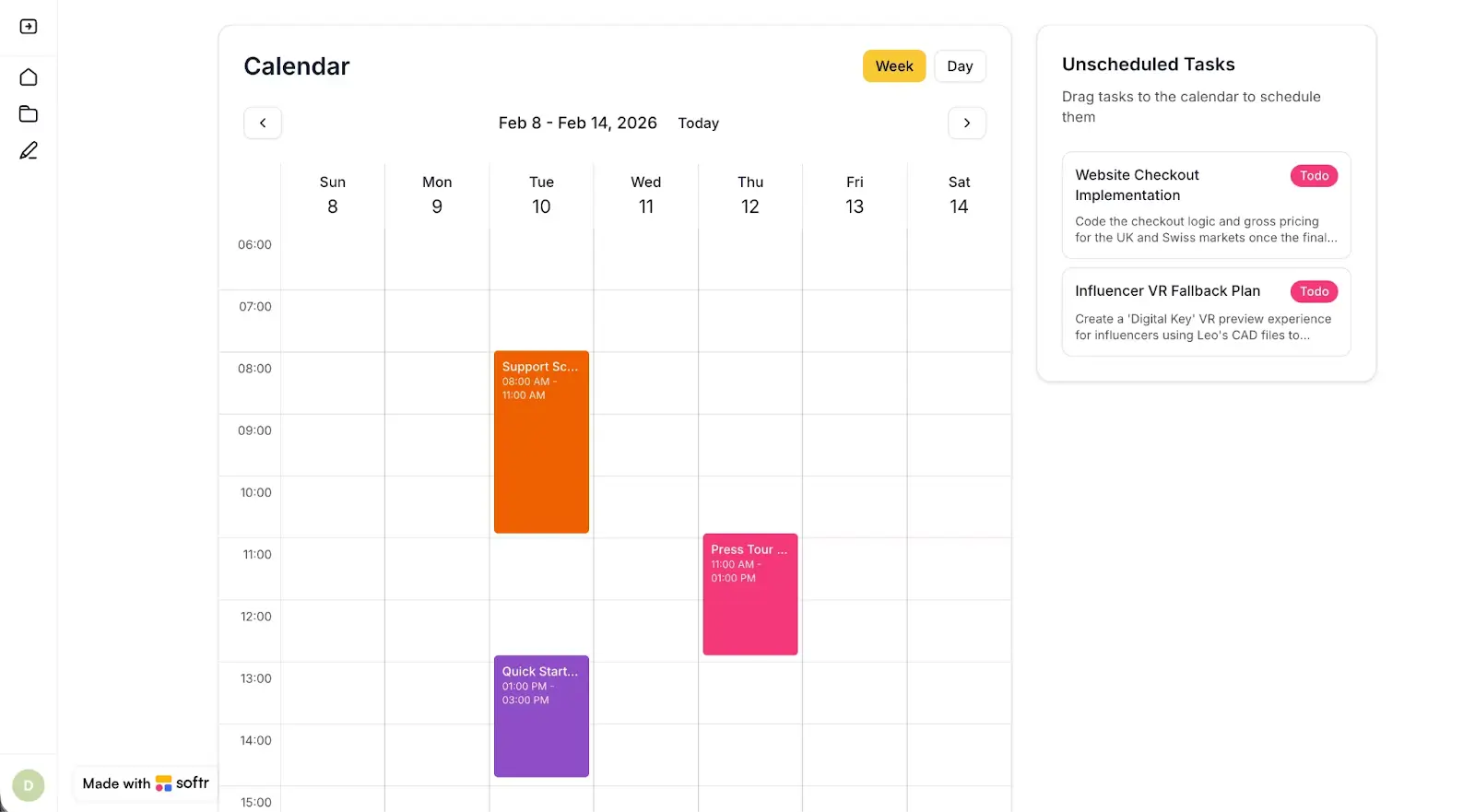
For this use case, we used the Vibe Coding block to create a weekly calendar where unscheduled tasks appear in a sidebar, allowing users to drag them onto time slots. Tasks can be resized, edited with a click, and swapped between weekly and daily views.
This custom tool was built with vibe coding in Softr and connected to the same Tasks database used by the rest of the task management app.
Custom rich-text editor
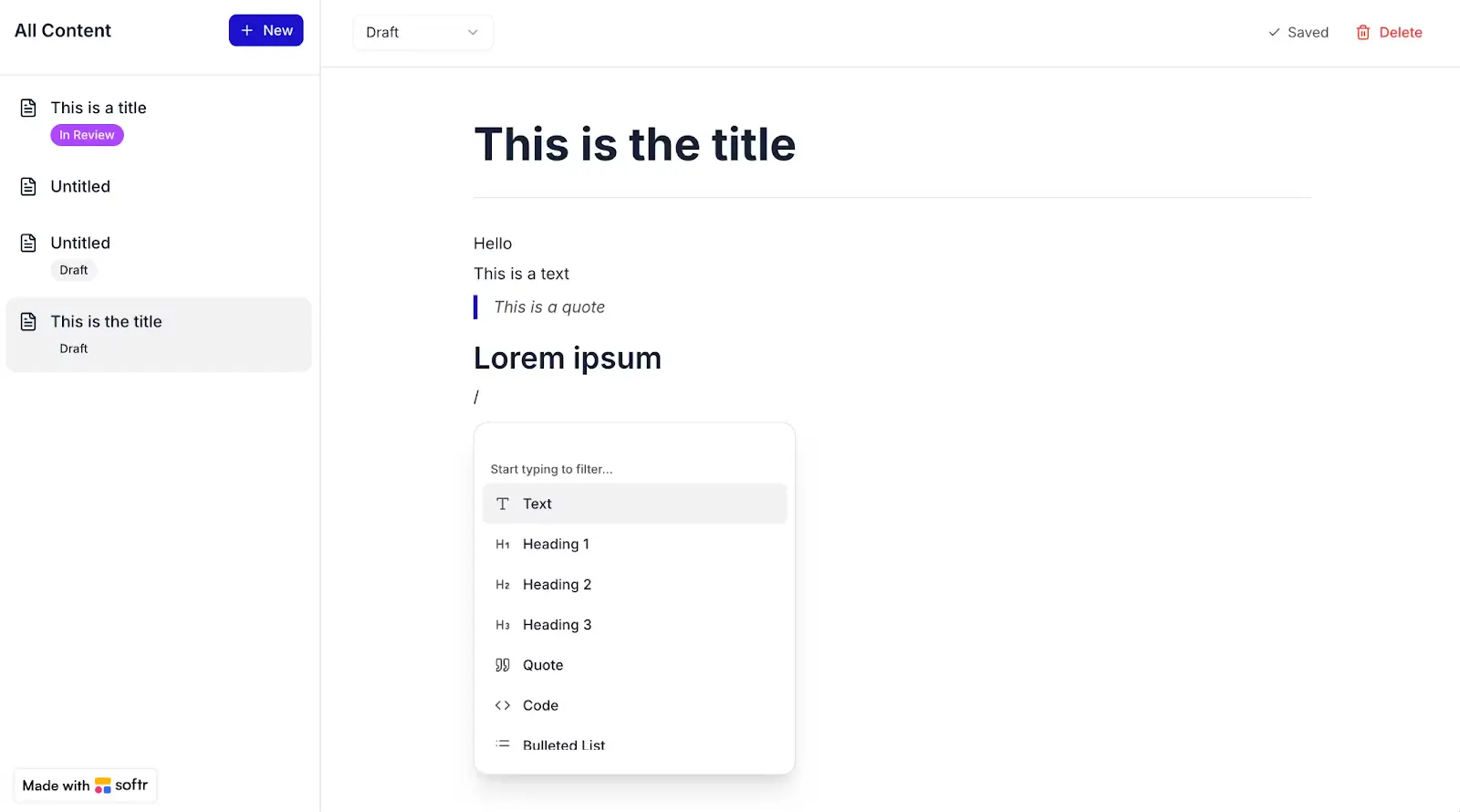
Here, we built a Notion-style text editor using Softr’s Vibe Coding block. While native text fields handle standard content well, a true rich-text editor with block-level editing—like text, images, code blocks, markdown rendering—requires custom UI logic. Vibe coding can get you that logic without having to code it yourself.
Document diff comparison view
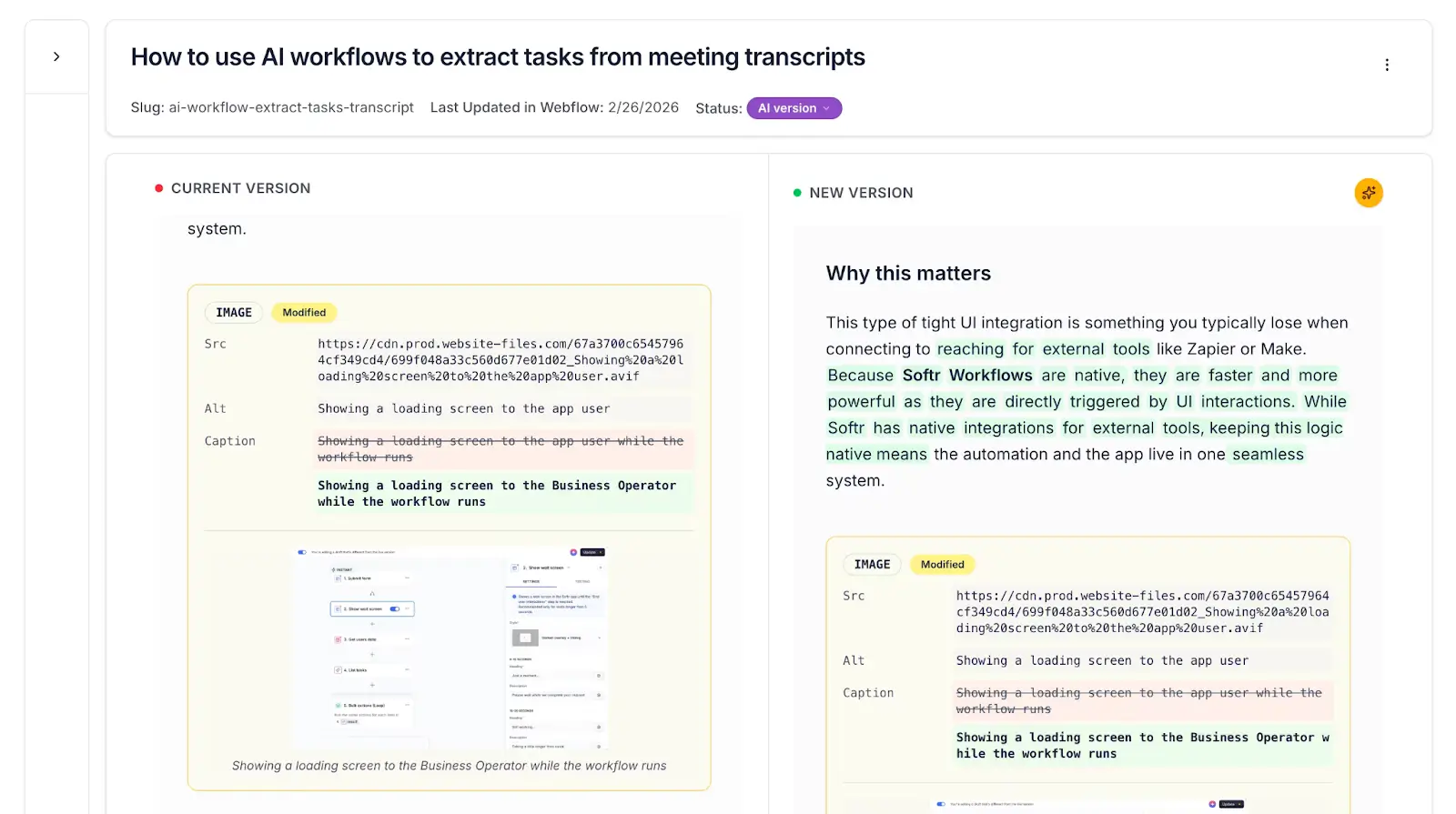
This custom, vibe-coded interface displays two versions of a document side by side, with differences highlighted using color codes. It’s a specialized visualization that parses text, computes diffs, and renders them in the same view with precise formatting.
An output like this would typically have to be built by a developer from scratch, but here it was generated with a prompt.
Vibe coding limitations
When it’s working, vibe coding feels like magic, or at least like having a super fast developer on 24/7 speed dial. For non-technical users in particular, it opens up possibilities that used to be totally inaccessible without signing up for a coding bootcamp (or three).
But like I said in the intro, there’s so much hype behind vibe coding that its limitations tend to get buried by the buzz. Still, there are limitations, and it’s important to know what they are to keep expectations realistic.
- Re-prompting can get costly fast. AI assistants won’t always give you a functional output on prompt one, and most tools require re-prompting to make even simple changes to a vibe-coded interface. This can make you quickly burn through AI credits.
- AI-generated code can be hard to maintain. If you're exporting raw code from a vibe coding session, you might inherit something that works but that nobody really understands. Adding features, debugging, or passing the project off to a developer can be difficult when the underlying code wasn't written with maintainability in mind.
- Complex logic has a ceiling. Vibe coding handles UI and straightforward interactions well, but it struggles with complex business logic, data relationships, and edge cases. The AI will attempt anything you throw at it, but the results won’t necessarily be reliable.
- Security and reliability aren't guaranteed. AI models don't inherently write secure code. Without a developer reviewing the output—or infrastructure that’s secure by default—vulnerabilities can slip through. This is especially risky for apps that handle sensitive user data or payment processing.
- It's not a replacement for infrastructure. Vibe coding produces interfaces and components, but an app still needs somewhere to store data, utility pages to manage users, and integrations with the rest of your tech stack. Without a platform to plug into, you're responsible for building and maintaining all of that yourself.
- You shouldn’t vibe code everything. When you try to vibe code an entire app (back-end and front-end), every component can break during iteration. A single follow-up prompt could undo something that was working before, and debugging AI-generated infrastructure is harder than debugging UI components. This is why vibe coding works best for specific, purposeful elements rather than every part of a business application.
Combine vibe coding with no-code to build real business apps
The above limitations hold true for pretty much every pure vibe coding tool. So, if you want to build apps that are secure, reliable, and production-ready from day one, it’s best to combine vibe coding with no-code infrastructure that can handle the fundamentals for you: authentication, permissions, data connections, and responsive layouts.
This is what Softr excels at. It’s a no-code, AI-powered business app builder with integrated vibe coding. But unlike standalone vibe coding tools, Softr doesn't make you stitch together your own back-end or prompt AI for every single edit you want to make.
.webp)
Use battle-tested native blocks for standard, foundational app features like forms, tables, charts, and utility pages. Leverage the Vibe Coding block for custom interfaces, interactive components, and bespoke visualizations. When you want to adjust a vibe-coded block, switch to Softr’s visual editor to make changes without spending AI credits on re-prompting.
There's also the AI Co-Builder, which lets you build secure, fully-functional apps from plain language prompts — with the interface, database, and logic connected and ready for real users.
Softr gives teams the best of both worlds: the speed and flexibility of vibe coding with the reliability and functionality of proven no-code infrastructure.
👉 Try Softr free and start building with the Vibe Coding block today.
Frequently asked questions
Do I need to know how to code to use vibe coding?
What can I vibe code?
What's the difference between vibe coding and no-code?