5 best AI web app builders for teams in 2026



The promise of AI web app builders sounds amazing on paper: describe an idea and watch software appear. Nevertheless, this is still a relatively new type of tool, so there can be a ton of variance in product features and reliability.
Some AI-generated apps, for example, lack the workflows, approvals, and operational structure teams need to function properly, meaning collaboration gets messy as apps grow. Others might be great for solo users because of how fast and easy it is to build an app. But add teams into the mix and you’re out of luck without governance or role-based access controls.
We’re here to cut through the noise. In this article, we evaluate the best AI app builders based on collaboration, AI-build capabilities, scalability, and how well you can create a live system that multiple people can securely operate together.
Best AI web app builders at a glance
| Tool | Best For | Key Features | Pricing Model |
|---|---|---|---|
| Softr | Business operations client portals, and internal tools; full teams | Granular user roles, custom portals, user groups, ready-made business software | Per-seat (predictable) with freemium option available |
| Lovable | Full-stack MVPs; non-technical founders | Prompt-to-full-stack generation, GitHub sync, mobile and voice support | Credit-based ($25/mo) |
| Replit | Autonomous coding in browser | Agent 4 for building, automated debugging, Design Canvas | Effort/credit-based ($20/mo)with freemium option |
| Cursor | Professional developers | Git & VS Code integration, Composer 2 for agent collaboration, parallel agents | Free plan then starts at $16 per month for one user |
| ToolJet | Internal dashboards, teams in regulated industries | Self-hosted open-source, full governance control | Open-source / per-seat (starts at $19 per month) |
What is an AI web app builder?
An AI web app builder uses artificial intelligence (AI) to generate fully functional web applications. The difference between this and coding is that you can create apps using natural language prompts. Just tell the AI what you want, and it starts developing before your eyes.
Every interface, workflow, database, dashboard, and automation is built without writing a single line of code.
What to look for in an AI app builder
When evaluating AI web app builders (specifically for team use), you should first look at the basics:
- Can you generate apps instantly from just plain English descriptions?
- Can you centralize operations by working inside one shared system?
- How’s the pricing model? Might offer a credit-based system, but are you punished for operational apps running 24/7?
The next tier ensures the platform works not only for solo builders, but teams and businesses:
- Full-stack output: Does it generate just the user interface (UI)? Or can it build the database schema, implement the business logic, and handle hosting too?
- Permissions and access controls: Can you set role-based access control (RBAC)? Can external clients see only their data while internal admins see everything?
- Collaboration: Can multiple team members edit the app simultaneously without breaking things? And can AI agents run parallel to developers?
- Workflows and approvals: Does the tool support multi-step processes, approvals, and automations that teams actually need?
- Scalability: Will the app break as your data grows or your team adds more users?
Check these boxes, and you’re golden.
1. Softr — best for building complete business systems with AI

Most AI web app builders prioritize the front end. Softr takes care of all of it. It's an AI-native platform that lets you build both the interface and the back-end system your apps run on.
Softr’s AI Co-Builder can generate fully custom, user-ready business apps: client portals, vendor portals, company intranets, CRMs, project trackers, inventory systems, and internal tools. Just describe what you need, in Softr or from Claude, ChatGPT, or Cursor through the Softr MCP, and Softr builds to match your specifications. In minutes, you can have a database, application, and business logic already secure, connected, and safe to share with users.
Unlike other AI app builders that prioritize the individual, Softr is designed around the team. You can manage permissions, user roles, approvals, and shared data inside your app for a single operational workflow.
Softr pros and cons
Pros:
- Builds the full app at once: AI can generate the database, interface, permissions, and workflows (not just the front end).
- Usable by non-technical teams: Use drag-and-drop after the AI does its thing without the code panic.
- Native database and automations in one place: Everything is in one place, so you don’t have to stitch together outside tools or databases.
- Permissions that work for real business teams: AI can build apps where clients see only their stuff, admins see everything, users only use the tools, etc.
- Looks professional out-of-the-box: Clean UI as soon as AI builds it.
- Fast to launch: With templates, easy-to-use drag and drop, and AI steering the ship, you can have your web app built and operational in under an hour.
Cons:
- No raw code export: Softr is not a code generator, so you can't download the raw React code to host elsewhere.
- Limited integrations: Relatively new product, so not a ton of native data source integrations outside the app.
Softr best features
- AI Co-Builder w. drag-and-drop: Tell it what you want, get a working app. Then click around to fix whatever the AI got wrong.
- Native database: Build your data model inside Softr and link records, auto-categorize, and control data with AI agents.
- Real permissions: Set rules for who can see what, including clients, vendors, admins, developers, users, etc.
- Custom portals: App building extends to branded client portals, vendor portals, and internal dashboards.
- Built-in automations: Button clicks or database changes trigger actions like emails, messages, record updates, and notifications.
Softr pricing
Softr’s pricing is transparent, simple, and even has a free option. It comes with an AI credit allowance (monthly) for Ask AI or Database AI Agents. Here are the plans (if billed annually):
- Free: Unlimited apps for up to 3 builders, with access to Softr Workflows and Softr Databases, 5 app users, 5 AI credits, and 5,000 Softr Database records.
- Basic: $19/month for unlimited apps with 42+ integrations, Team: 5 + Client: 5 app users, 10 AI credits, and 50K records.
- Pro: $99/month for unlimited apps with 45+ integrations and custom code, Team: 10 + Client: 50 app users, 50 AI credits, 500K records, and 3 custom user groups.
- Business: $329/month for unlimited apps with 52+ integrations, Team: 30 + Client: 100 app users, 100 AI credits, 1M records, and custom user groups (up to 10).
- Enterprise: Custom pricing. Includes all Business plan features, plus priority support, a dedicated success manager, and advanced security features.
2. Lovable — best for founders with a vision
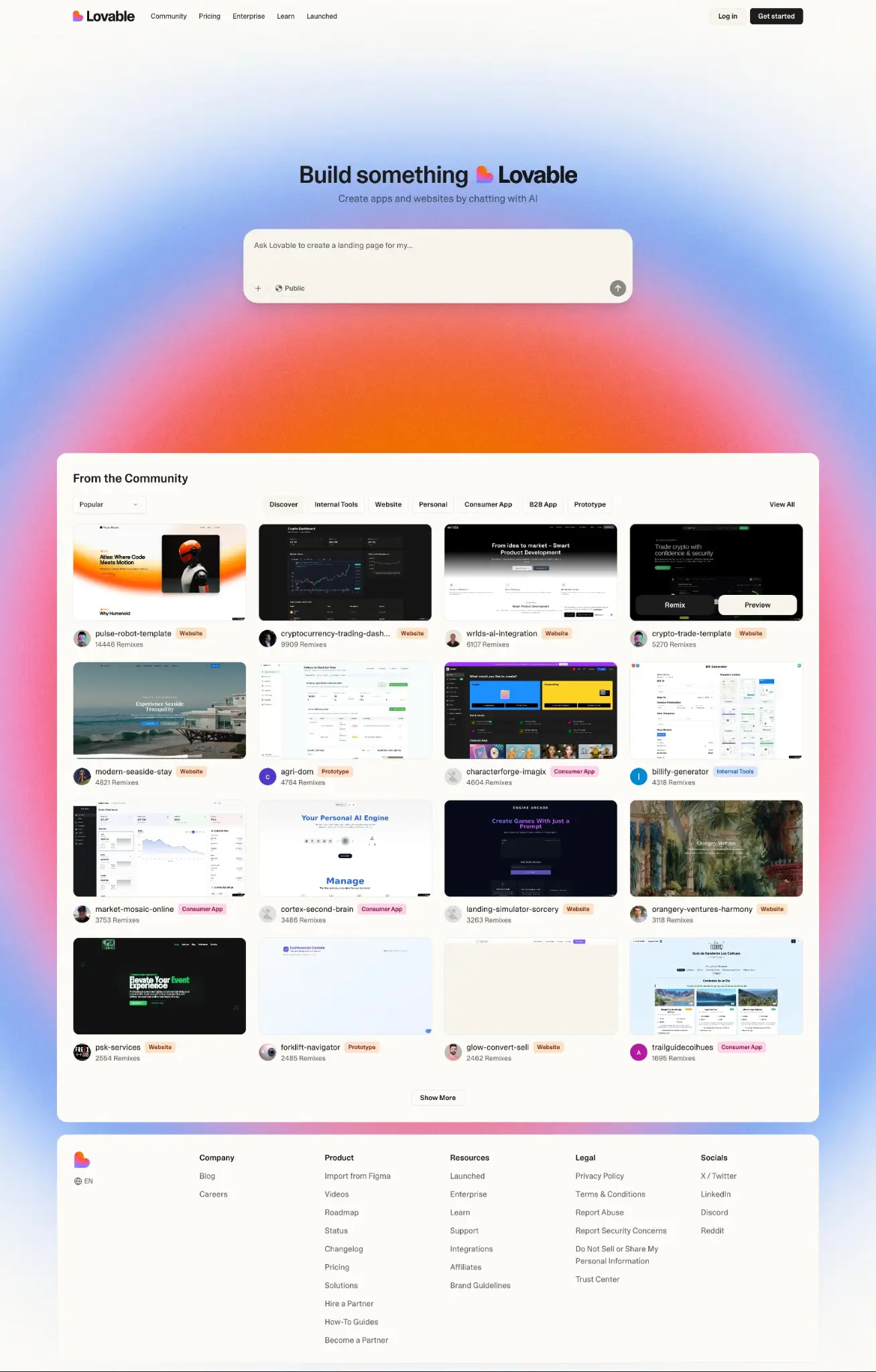
Lovable is for people who have an idea and just want to ship it. You describe what you want, and it's handled (mostly) for you: the React frontend, Supabase backend, basic authentication, and even Stripe payments. Because it's so conversational, it's a solid option for a non-technical founder.
You can use real-time preview updates to see what the AI builder has created and can evaluate changes immediately. Lovable has added AI-powered security scanning that tests your app for vulnerabilities before you launch. There's also a mobile option for starting projects from your phone.
The biggest issue is credits. Every prompt costs you, and complex tasks chew through them faster than you'd expect.
Lovable pros and cons
Pros:
- Builds the whole stack from a single prompt: You get actual working code you own from a conversation with AI.
- Plan mode lets AI think before coding: You can outline what AI will build first and save time and credits from going down the wrong path.
- Unique AI app builder tools: Offers voice prompts and mobile support so you can start a project from your phone by just talking.
Cons:
- Credit system burns fast: Every prompt, fix, and "oops, try again" costs you. You can run through 400 credits in an hour and go over budget fast.
- Concerning security record: Multiple incidents in the last few years, and known for vulnerabilities during development.
- Hits a wall during development: Great for getting a prototype running fast, but AI gets stuck in fix-break-fix loops and requires more effort for production-ready apps.
Lovable best features
- Prompt-to-full-stack generation: Describe what you want, and Lovable builds the whole thing: React frontend, Supabase backend, auth, database.
- Mobile and voice support: Start a project from your phone, talking to the AI bot, and pick it up on your laptop later.
- Automated browser testing and security scanning: Lovable actually opens a browser, clicks around, and verifies things work, plus can look for security vulnerabilities before launch.
- One-click GitHub sync and deploy: Every change pushes straight to your repo, and you own the code.
Lovable pricing
Lovable pricing is straightforward, though its credit system can get unpredictable. If you don’t stay on top of it, costs could rack up fast. Here are the subscription tiers (billed annually):
- Free: 5 daily credits and up to 30 per month.
- Pro: $25/month for 100 monthly credits with 5 daily
- Business: $50/month for 100 monthly credits and no daily cap
- Enterprise: Custom pricing and the highest credit limits.
3. Replit — best for solo, browser-based development

Replit is a completely browser-based AI builder. Its “Agent” can autonomously write code, test it in a simulated browser, and debug errors without human intervention. In terms of collaboration, it's solid for multiplayer coding, but most governance features aren’t available until you jump to the Enterprise plan. Plus, there isn’t much you can do for configuring granular user groups (like clients or vendors).
Because of its Design Canvas, browser-based operation (no downloads required), and prioritized support for AI code execution, a typical user will experience little friction creating an app with Replit. However, Replit is still built around AI-generated code you have to understand, maintain, and deploy. For this reason, it's better at building prototypes, not full business apps for complex use cases.
Replit pros and cons
Pros:
- Great for solos: Replit puts everything in one place, including hosting, databases, and deployment. Solo builders can go from idea to live app without becoming a DevOps engineer.
- Fully browser-based: No setup or installation. Users can open a tab and start building in seconds. Replit even handles runtimes, dependencies, and packages automatically.
- Powerful autonomous agent: Agent 4 can run multiple tasks simultaneously, resolve merge conflicts automatically most of the time, and work across web apps, mobile apps, slide decks, and data visualizations within the same project.
Cons:
- Risky effort-based pricing: Costs become unpredictable as you grow.
- Limited governance: Anything related to app security controls, setting privileges, and who can access what is fairly weak and mostly available on the Enterprise plan.
- No visual workflow builders: While you can visually build an interface on a canvas, automations or approval flows require direct coding.
Replit best features
- Agent 4: Describe what you want, and Replit can build slide decks, data dashboards, mobile apps, and web apps all in the same project.
- Design Canvas for visual editing: Click any element in your app (text, colors, spacing, images, etc) and edit it directly. These updates don’t change the code and therefore don’t use credits.
- Automated debugging: The Agent runs your app, catches errors like routing bugs, missing dependencies, or broken APIs, and fixes them without you doing anything.
- Real-time collaboration: Once you get a team on board, multiple people can work on the same project at the same time, each with their own chat thread and Agent.
Replit pricing
Replit uses effort-based pricing based on credits and projects. Here’s what the different plan looks like with annual billing:
- Free: Limited computing minutes and can only publish up to 1 project.
- Replit Core: $18/month. More compute minutes, projects, and up to 5 collaborators.
- Replit Pro: $90/month for more credits, premium support, and 15 collaborators
- Enterprise: Custom pricing for governance features.
4. Cursor — best for professional engineering teams

Cursor is for developers who like code control. Compared to products where AI builds things for you, Cursor's AI is more of a co-pilot. It’ll suggest the next line, refactor across multiple files, and debug issues without completely taking the wheel.
It's particularly useful if you work inside a familiar VS Code environment, need Git integration, and want to incorporate AI into existing DevOps flows.
Last month (April 2026), Cursor 3.0 dropped. Now you can run multiple agents in parallel across local and cloud environments, compare outputs from different models, and hand off long-running tasks to cloud agents that keep working after you close your laptop.
Ultimately, this tool is for engineers, not operators or business users. You need to know how to code because Cursor doesn't abstract anything away.
Cursor pros and cons
Pros
- Lots of developer control: Cursor is a full VS Code fork that keeps you inside a real IDE with real debugging, terminals, and Git. AI helps, but you’re always in control.
- Parallel agents: Run multiple agents at the same time (locally,in the cloud, or on a remote server). They work in parallel, and you can hand off sessions between environments without losing context.
- Built its own model for speed: Cursor built Composer 2, its own coding model that allegedly runs 4x faster than GPT-5 or Claude and costs less per token.
Cons
- Not for the non-technical: AI won’t do everything for you, and there’s no drag-and-drop or visual building.
- Team collaboration can get tricky: Installing private team plugins requires manual config file editing because Cursor's Git auth is broken on some systems. So it may require workarounds before you can work together.
- Pricey governance and control: Granular admin and model controls, and advanced permission and security settings require the Enterprise plan.
Cursor best features
- Composer 2 with autonomy slider: Lets you describe a task like "migrate this project to Next.js 16," and Composer plans the edits, runs them, and tests the result. You can even slide the dial up or down to adjust the balance between manual and automated agent approvals.
- Automations for background work: Set up agents that trigger on Slack messages, Linear tickets, or GitHub pull requests.
- Parallel cloud agents: Spin up agents that run on Cursor's infrastructure and let agents run while your team is logged off.
Cursor pricing
Cursor has per-user pricing. Here’s how the annual plans stack up:
- Free: Limited completions and agent requests.
- Individual (Pro, Pro+, or Ultra): $16-$160/month per user for extended limits (varying by subplan), access to models and cloud agents.
- Teams: $32/month per user for shared team cloud agents and team automation.
- Enterprise: Custom pricing and advanced governance.
5. ToolJet — best for internal dashboards and strict governance

ToolJet is for teams needing heavy compliance and governance controls. As an open-source platform, it hands you the keys to the kingdom, letting you self-host on your own infrastructure. This means data stays in your control and you deploy it wherever (and however) you want.
You can still use AI to generate forms, tables, and workflows, so you don’t have to substitute speed for control. It’s built for enterprise organizations that need SSO, SCIM user sync, fine-grained component-level permissions, and audit logs.
The downside of all this is that someone on your team needs to run the server. Every update, backup, security patch, and scaling demand is on you.
ToolJet pros and cons
Pros:
- Open-source and self-hostable: You get the code and can run it anywhere. It’s your own servers, air-gapped environments, whatever compliance demands.
- AI generation with full code transparency: Describe what you want, and ToolJet builds forms, tables, and workflows. But you can inspect every line and change anything.
- Native connectors to everything: PostgreSQL, MongoDB, Google Sheets, Slack, Stripe, REST APIs. ToolJet ships with connectors for most databases and SaaS tools your internal apps need to talk to.
Cons:
- Self-hosting means you need extra skills: Updates, backups, security patches, and uptime monitoring are your team's problem now.
- Engineering-first, not for business users: The power comes from JavaScript, SQL, and Python. Non-technical team members will hit a wall.
- AI is assistive, not magical: ToolJet's AI won't build your entire app from a single sentence. It speeds things up, but you still need to know what you're building.
ToolJet best features
- Prompt-to-app generation with agents: Describe your internal tool, and ToolJet generates the UI, database queries, and business logic. Plus, its agents can monitor inventory, check supplier APIs, and draft purchase orders for you.
- Internal dashboard design: 60+ pre-built components including tables, charts, forms, Kanban, and progress bars. You can plug into PostgreSQL, MongoDB, or 80+ other data sources.
- Self-hosted with enterprise security baked in: SSO, SCIM, audit logs, role-based access, custom user groups. All the governance stuff is available even in the open-source version.
ToolJet pricing
ToolJet offers both cloud and self-hosted options. For self-hosting, here are the annual plan costs:
- Free: 2 users and 2 apps. Up to 100 AI credits per month.
- Pro: $79/month per user. Up to 5 apps and 2,000 AI credits per builder, per month.
- Team: $199/month per user. Unlimited apps and 2,000 AI credits per builder, per month.
- Enterprise: Custom pricing for advanced governance, deployment, and custom AI credits for usage.
Find the right AI web app builder for your team
The best AI web app builders are the ones that actually do what your team needs them to do. If you need full-stack code created quickly with AI, Lovable can work for light use cases. If you're a solo builder who wants everything in the browser, Replit is a solid option. And if you’re a team of software engineers who still want to work directly with code, Cursor or ToolJet will work, depending on how much control you want.
But if you need real business software your whole team can use—client portals, CRMs, project trackers, internal tools, dashboards—go for Softr. Tell the Co-Builder what kind of app you want, and Softr's AI instantly builds the database, interface, utility pages, and business logic. And it all comes pre-connected and ready for real users from day one. You can switch between prompting and visual edits, control who sees what, and scale as you grow without technical overhead. Plus, it offers reliable infrastructure (logins, permissions, security, hosting) by default.
Try Softr for free and start using the AI web app builder to create a collaboration-friendly business system.
Frequently asked questions
What is the best AI web app builder for non-technical teams?
Can AI app builders create full-stack applications?
Are AI web app builders suitable for enterprise teams?