[.blog-callout]
✨ TL;DR:
- Retool is a low-code platform mainly for teams building internal tools on top of existing databases and APIs. Developers can control exactly how their apps pull data, filter records, and run automations. But if your team doesn't have someone who knows JavaScript or SQL, you’ll likely need external technical help to build or maintain those apps.
- Bubble.io is a no-code platform for building web and mobile apps. You get more control over how your app looks and plugins to add features like payments, AI, and analytics without building them yourself. But adding advanced features requires deeper knowledge of how Bubble works. And if you decide to leave Bubble, you'll likely need to rebuild your app elsewhere, as there's no way to export code.
- Softr is a better choice for teams that want to build business apps like client portals, CRMs, internal tools, or dashboards without coding. Unlike Retool and Bubble, Softr is designed so non-technical teams can use AI to build and manage their apps, data, permissions, and automations on their own.
[.blog-callout]
If you've been comparing app builders, Retool and Bubble have probably come up more than once in your search. Both tools help teams build custom apps faster, and they now include AI features to make setup even easier.
But they’re built for very different kinds of teams and use cases. Retool is a low-code platform for teams with technical support that need to build internal tools on top of existing databases and APIs. Bubble is a no-code platform for teams that want to build full web and mobile apps without writing code.
To make your search easier, we’ve compared Retool and Bubble side by side, so you can understand what each platform is good at, what their limits are, what real users think, and when Softr might make more sense for your team.
Retool vs Bubble at a glance
| Retool | Bubble.io | |
|---|---|---|
| Best for | Developers building internal tools on top of existing databases and APIs | Non-technical teams building full web or mobile apps without code |
| Ease of use | Fast for developers. Non-technical users will need support | Easy to start, but gets harder as apps grow more complex |
| Key strengths | 70+ native database and API integrations, JavaScript/SQL customization, workflow automation, AI agents, self-hosted deployment | Pixel-level visual editor, Figma import, built-in database, 8,000+ plugins, AI app generation, native mobile apps (beta) |
| Pricing | Free for up to 5 users; paid plans from $10/month per builder + $5/month per internal user | Free for prototyping (no live app); web plans from $29/month |
What is Retool?
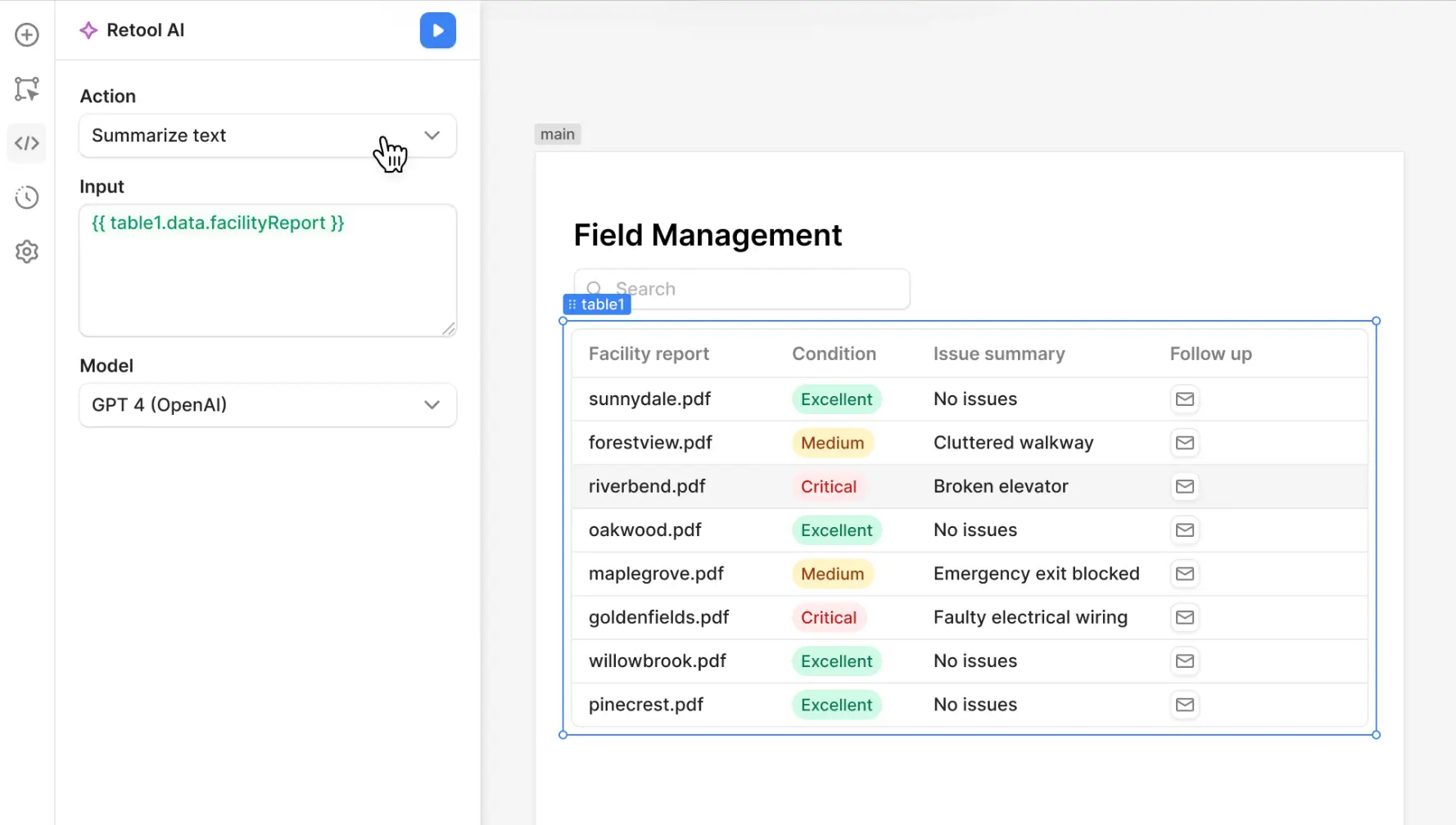
Retool is a popular low-code platform for building admin panels, dashboards, and internal tools. You connect it to your database or APIs, then either start with a template or use ready-made components to build your app.
One thing that makes Retool stand out is how much control you get compared to a typical no-code tool. You can drag and drop components to build a working layout quickly, but when you need something more specific, you can go deeper with JavaScript and SQL. That flexibility is a big part of the appeal, especially for teams that want speed without giving up the ability to customize.
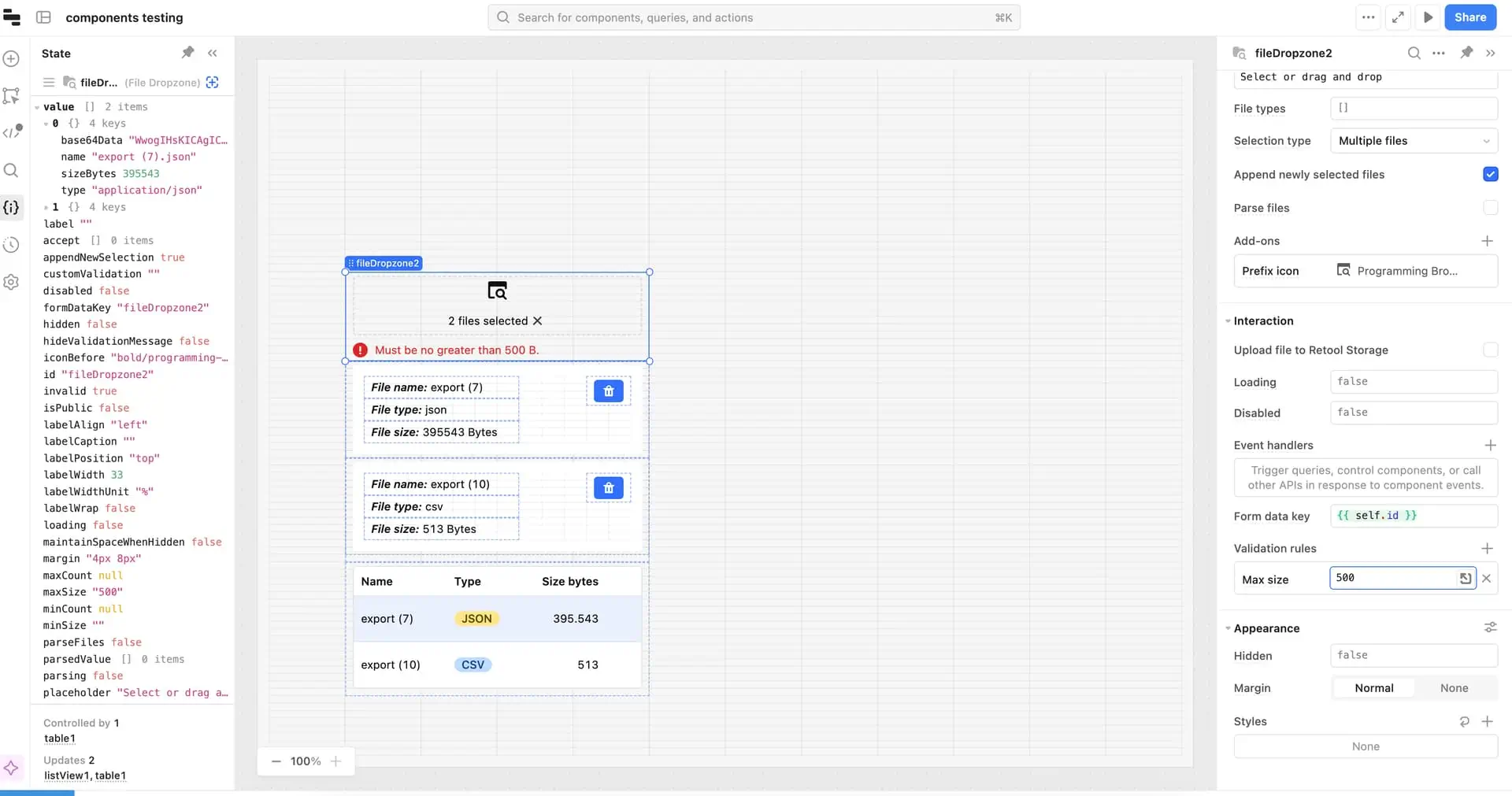
Another advantage is how easily it connects to the systems you already use. Retool integrates with major databases, APIs, and tools like Salesforce, Stripe, and Google Sheets. For operations teams and back-office workflows, that can save a lot of time. Instead of building custom connections from scratch, teams can pull data from the tools they already use into one interface.
Retool key features
- Drag-and-drop interface builder: Build app interfaces visually using a canvas editor with 100+ pre-built components.
- AI app generation (AppGen): Describe what you want to build in plain language, and Retool can generate a working app with components and logic based on your connected data and existing setup.
- Native database and API connections: Connect directly to PostgreSQL, MySQL, MongoDB, REST APIs, GraphQL, Salesforce, Stripe, Google Sheets, and more.
- Workflow automation: Build multi-step automations—triggered by schedules, webhooks, or API calls—to handle repeated tasks, alerts, and other business processes automatically.
- AI agents: Create AI-powered agents that can handle tasks like data analysis, ticket triage, and report generation across your business.
- External user portals: Share apps securely with people outside your organization with managed logins, signups, and granular permissions.
- Native mobile apps: Build iOS and Android apps—with device-specific features like barcode scanning, offline editing, NFC, and push notifications—and deploy directly to app stores.
- Self-hosted or cloud-hosted deployment: Deploy Retool on your own infrastructure for full control over data, security, and compliance. Or use Retool's cloud-hosted option for faster setup.
- Enterprise security: Retool offers SSO, role-based access controls, audit logging, version control, and multi-environment support.
Retool cons
- Steep learning curve for non-technical users: If your team doesn’t have someone comfortable with JavaScript or SQL, Retool may be harder to use effectively without ongoing developer support.
- Limited design customization: Retool gives you less control over layout details, UI behavior, and branding, which can be limiting if you want your app to look and feel tailored to your brand.
- Per-user pricing adds up: Costs climb quickly as more people need access, especially for customer-facing apps where the user base rises over time.
Retool pricing
Retool uses seat-based pricing with separate rates for builders (users who create or edit apps or workflows) and internal users (those who use the apps).
- Free ($0/month): Unlimited web and mobile apps for up to 5 users, 500 workflow runs per month, 5GB of database storage, and AI usage limits
- Team ($10/month per builder, $5/month per internal user): Everything in Free, plus 5,000 workflow runs per month, staging, app release versions, and support
- Business ($50/month per builder, $15/month per internal user): Everything in Team, plus audit logging, richer permission controls, portals and embedded apps, and unlimited environments
- Enterprise (custom pricing): Advanced security, governance, and support options for larger organizations. Cloud or self-hosted options
What is Bubble.io?
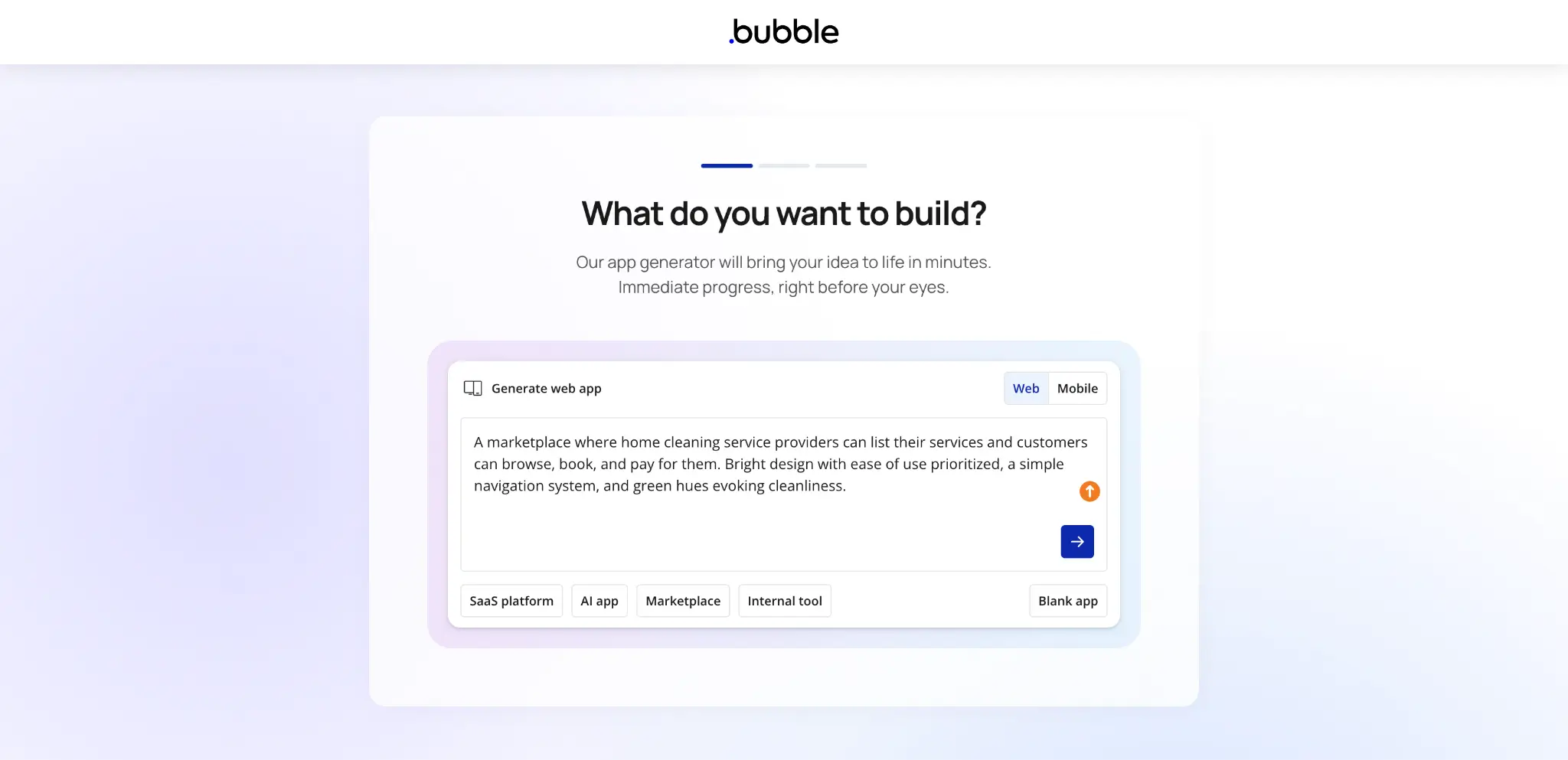
Bubble is a no-code platform for building web and mobile applications. You describe what you want to build, and Bubble’s AI generates a basic app with an interface and logic. From there, you can adjust and customize everything using the drag-and-drop editor.
People use Bubble to build everything from marketplaces and SaaS MVPs to community platforms and internal tools. It also gives you more control over how your app looks than most platforms in this space. You get responsive design across devices, pixel-level control over layouts, and the ability to import designs directly from Figma.
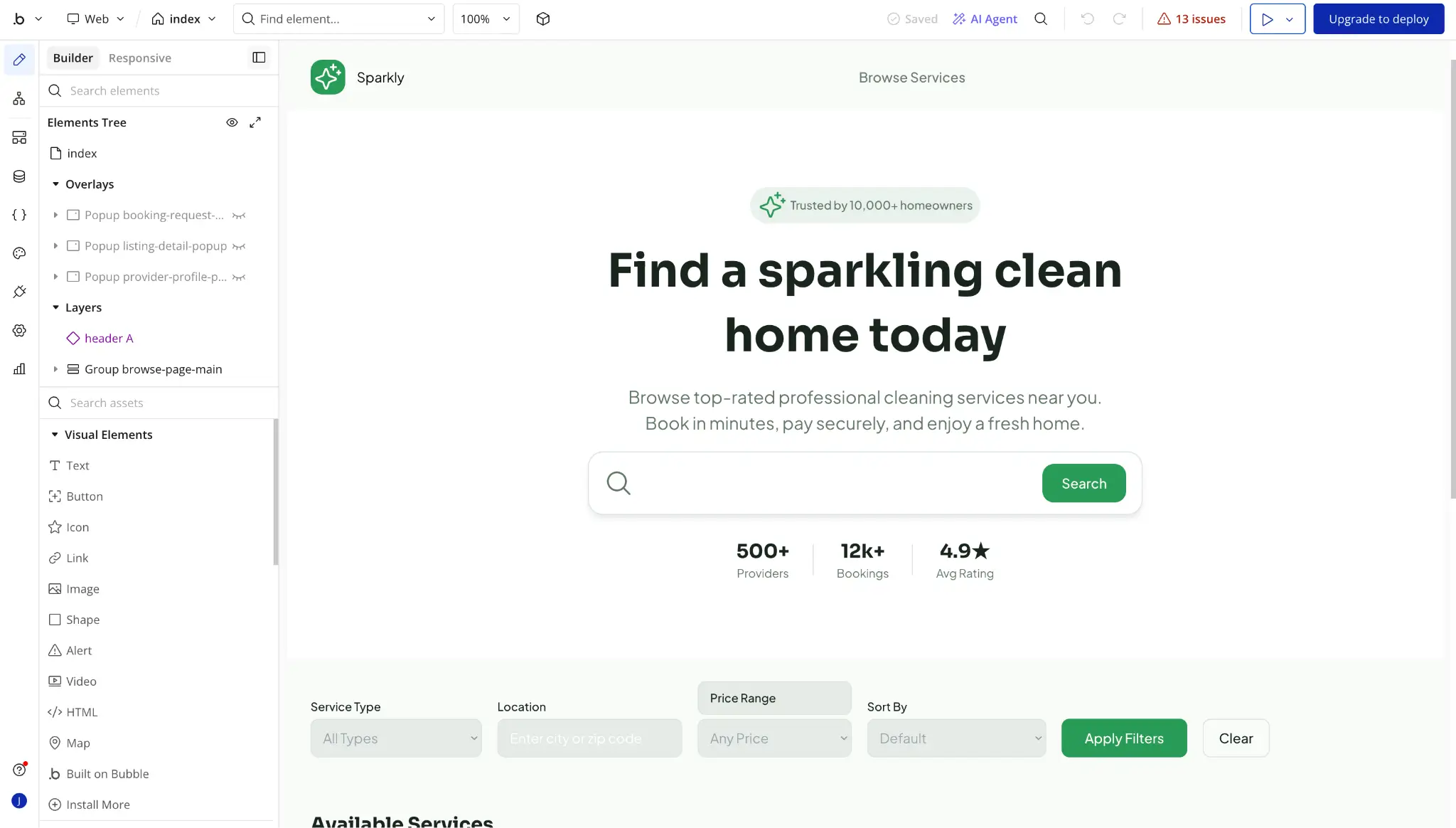
The other thing that sets Bubble apart is the ecosystem around it. There are over 8,000 plugins covering everything from payments to AI integrations, a host of templates to start from, and a large community of builders, agencies, and coaches. If you get stuck, there’s a good chance someone has already solved the problem and shared how they did it.
Bubble.io key features
- Visual drag-and-drop editor: Design your app’s interface visually with detailed control over layouts, reusable elements, and the option to import designs directly from Figma.
- AI app generation: Describe your app idea, and Bubble’s AI generates a basic app to start. Then, chat with the AI Agent to make changes.
- Built-in database: Create custom data types, set privacy rules, and manage records without setting up an external database. Bubble also supports bulk operations and API access.
- Workflow and logic builder: Build custom workflows for signups, payments, notifications, and more using visual expressions. Schedule automations or trigger them based on user actions or database changes.
- Plugin library: Add functionality like payments, AI integrations, analytics, maps, and messaging through Bubble’s plugin marketplace. You can also connect to external services through the API Connector.
- Native mobile apps (beta): Build and publish iOS and Android apps from the same platform, with support for native features like push notifications, camera access, and location services.
- Version control and collaboration: Create branches, track changes with a changelog, resolve merge conflicts, and manage deployments across different app versions.
Bubble.io cons
- Takes time to learn for more advanced apps: Bubble is easy to use at the start, but the learning curve gets steep once you start building apps with more advanced workflows, permissions, and backend logic.
- Pricing can be harder to predict as usage grows: Bubble uses workload units to measure how much processing your app uses, which means costs can be harder to estimate upfront, especially as traffic grows or workflows become more complex.
- Moving away from Bubble can be difficult: Bubble lets you export your data, but you can’t export your app’s code. So if you decide to switch platforms later, you will usually need to rebuild the app on the new platform instead of moving it over directly.
- Lower plans can limit team collaboration: Bubble’s Free and Starter plans allow only one app editor. You’ll need to move to a higher plan if multiple people need to build, edit, or maintain apps at the same time.
Bubble.io pricing
Bubble charges per project, not per user. You choose a project type (Web only, Mobile only, or Web + Mobile), then pick a pricing tier. Each plan includes a set amount of workload units (WU), which measure how much server processing your app uses.
| Plan (billed annually) | Web only | Mobile only | Web + Mobile |
|---|---|---|---|
| Free | $0/mo | $0/mo | $0/mo |
| Starter | $29/mo | $42/mo | $59/mo |
| Growth | $119/mo | $169/mo | $209/mo |
| Team | $349/mo | $449/mo | $549/mo |
| Enterprise | Custom | Custom | Custom |
Here's what each tier includes (based on Web only):
- Free: 1 app editor, 50K WU/month
- Starter: Live app, custom domain, recurring workflows, basic version control, 175K WU/month
- Growth: 2 app editors, premium version control, 2FA, 10 custom branches, 250K WU/month
- Team: 5 app editors, sub-apps, 25 custom branches, 500K WU/month
- Enterprise: Custom workload limits, hosting region, dedicated servers, dedicated support, invoice billing
Mobile and Web + Mobile plans also include build submissions, live app versions, and over-the-air updates, with higher limits on higher tiers.
Retool vs Bubble.io: Pricing
Retool charges per user with separate rates for builders and internal users. Bubble charges per project (Web, Mobile, or Web + Mobile), based on how much server processing your app uses.
Key differences:
- Free plans: Retool's free plan supports up to 5 users with unlimited apps. Bubble's free plan is for development only, so you can't launch a live app on it.
- How costs scale: Retool's costs grow with the number of people who use your app. Bubble's costs grow with how much your app is used.
- Predictability: With Retool, you know what each person costs upfront. With Bubble, your bill depends on how much server processing your app uses, which can be harder to predict if traffic varies.
- External users: If you want external users (like clients or partners) to access your Retool apps, you'll need a higher-tier plan. Bubble doesn't charge per user, though heavier usage will still increase your costs.
The verdict: If your app needs to support a lot of users, Bubble can be more cost-effective because you're paying for the project, not for each person who logs in. But if your team is small and you know exactly how many people will use the app, consider Retool since each user has a fixed monthly cost.
Retool vs Bubble.io on Reddit
On Reddit, Retool gets a lot of praise for speed and developer flexibility, especially when teams are building admin panels, dashboards, or other tools that connect to existing databases. Like this example:

The biggest complaint about Retool is usually pricing, especially when teams want to use it for external users. Two Redditors raised the same concern in this thread:
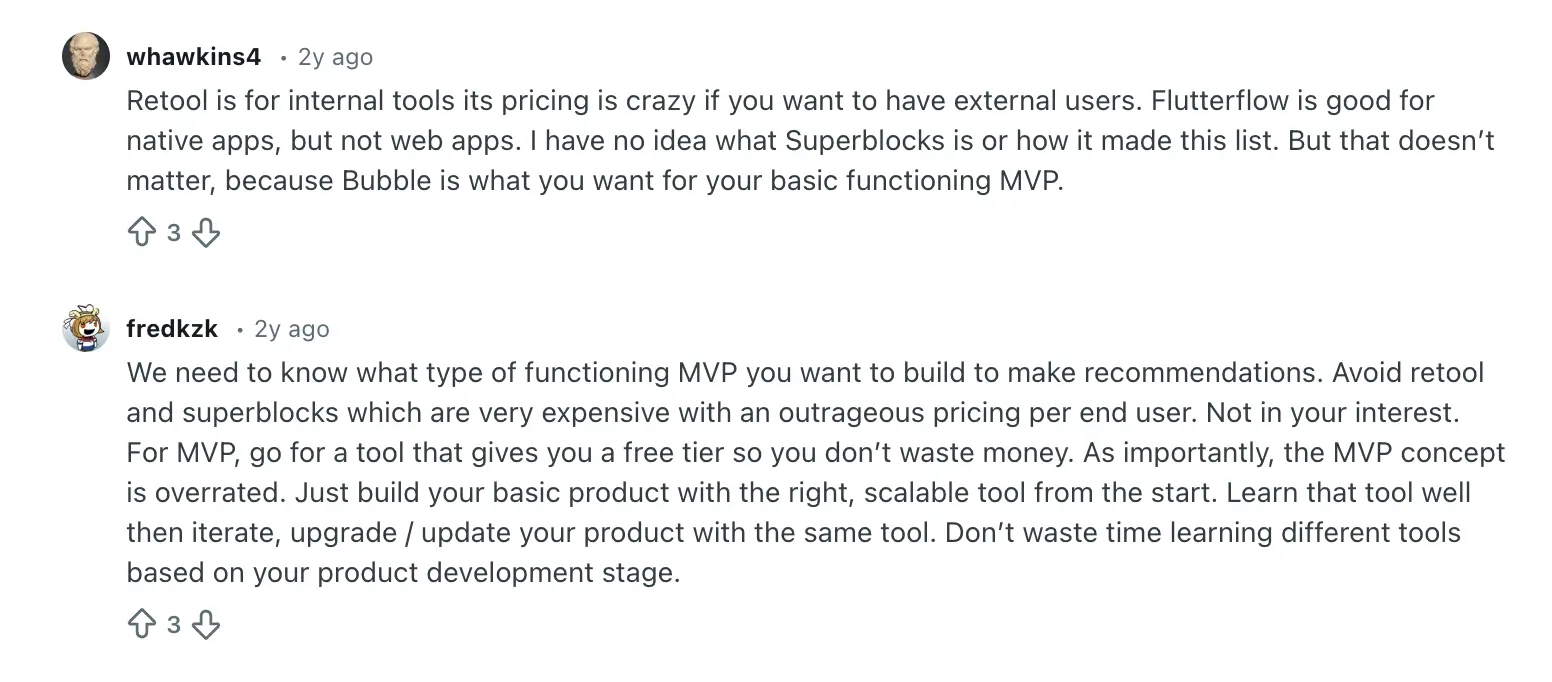
Some Reddit users also say Retool feels more like traditional development than they expected, which makes it less appealing for teams looking for a faster, lighter way to build.
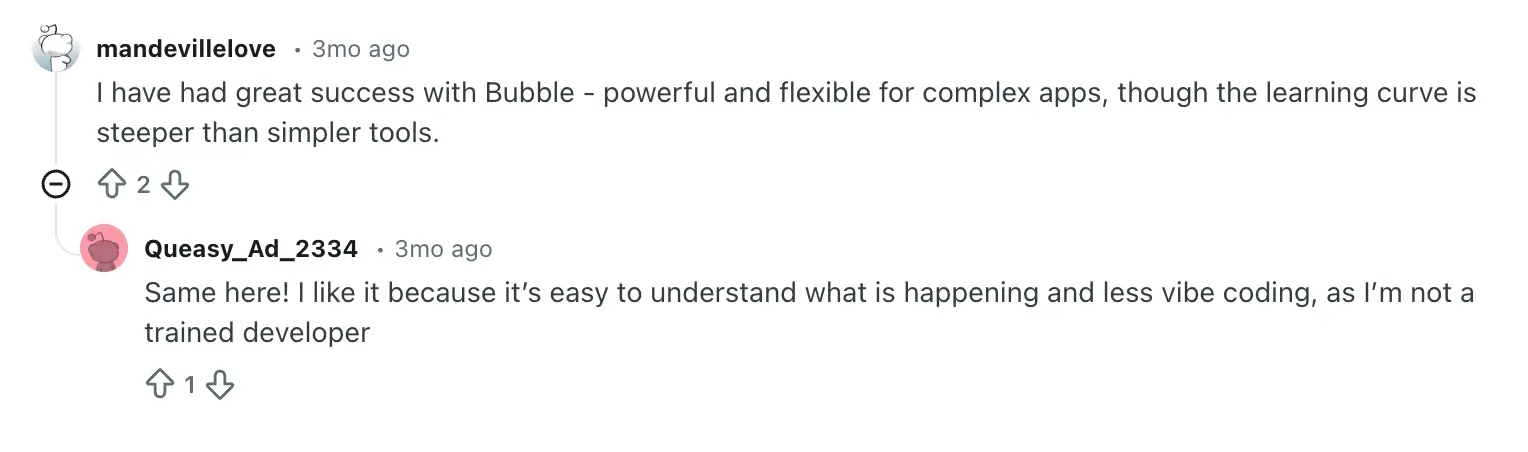
Bubble, on the other hand, comes up more often when people ask about building a minimum viable product (MVP) or a public-facing web app. Some users praise it for being flexible but note the learning curve as a downside.
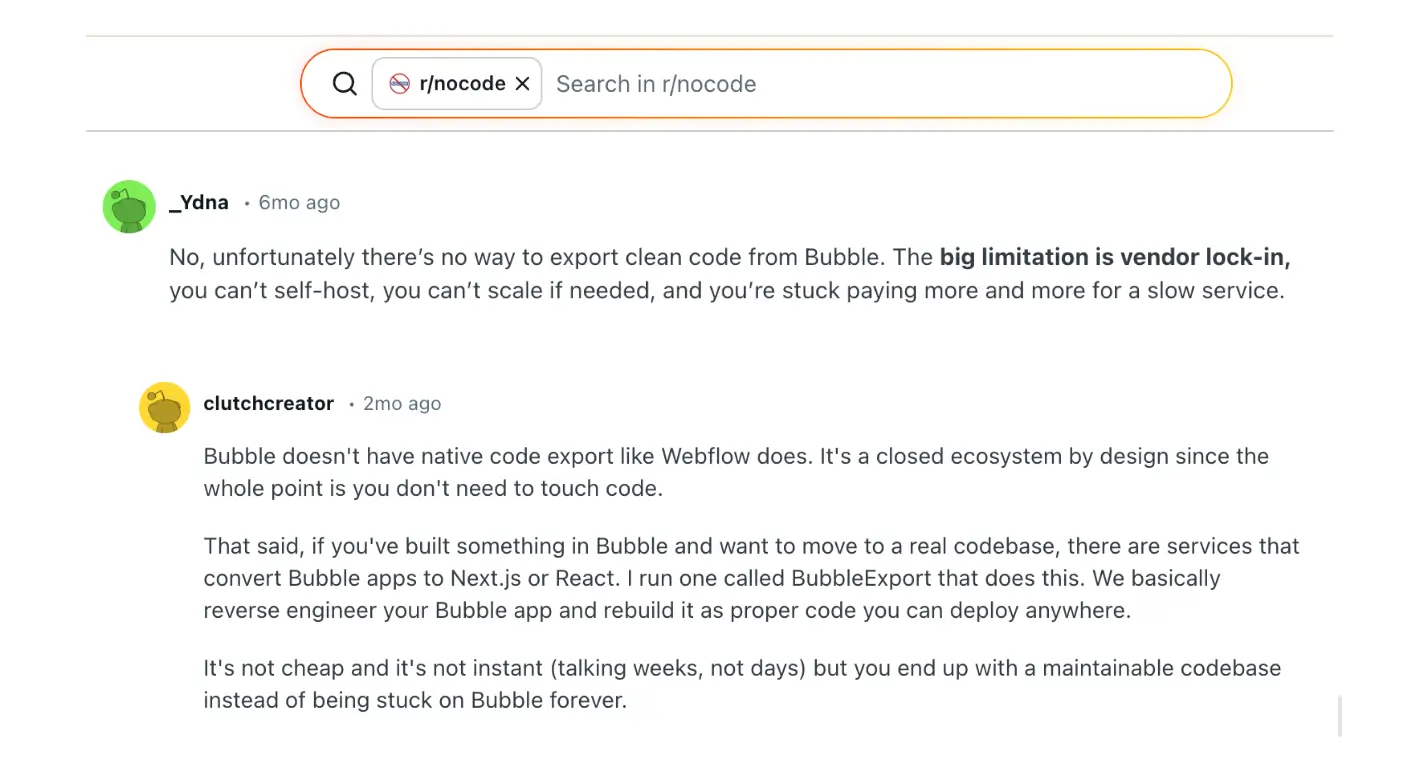
Another common concern is how hard it can be to move away from Bubble. One Reddit user described this as vendor lock-in. Because Bubble doesn’t let you export your app’s code, switching to another platform usually means rebuilding the app instead of moving it over directly.
Overall, Reddit users tend to say Retool works best for teams with developers who need to build data-heavy internal tools. Bubble works better for teams that want to build a product without writing code, as long as they’re prepared for some growing pains.
Retool vs Bubble.io: Summary
- Retool is best for technical teams building internal tools. Developers can connect to existing databases and APIs, control how apps pull and filter data, and automate workflows with JavaScript and SQL. But non-technical team members will need developer help to build or update apps, you get less control over how apps look, and per-user pricing means costs grow with every person who needs access.
- Bubble is best for teams building full web or mobile apps without code. You can design how your app looks, set up payments, user authentication, and multi-step workflows, and add features through plugins — all without writing code. However, features like conditional permissions and advanced database queries take longer to learn, pricing depends on how much your app is used, and there’s no built-in support to export your app’s code if you decide to leave Bubble.
Softr: the best Retool and Bubble alternative for teams who want to build internal and customer-facing apps with AI
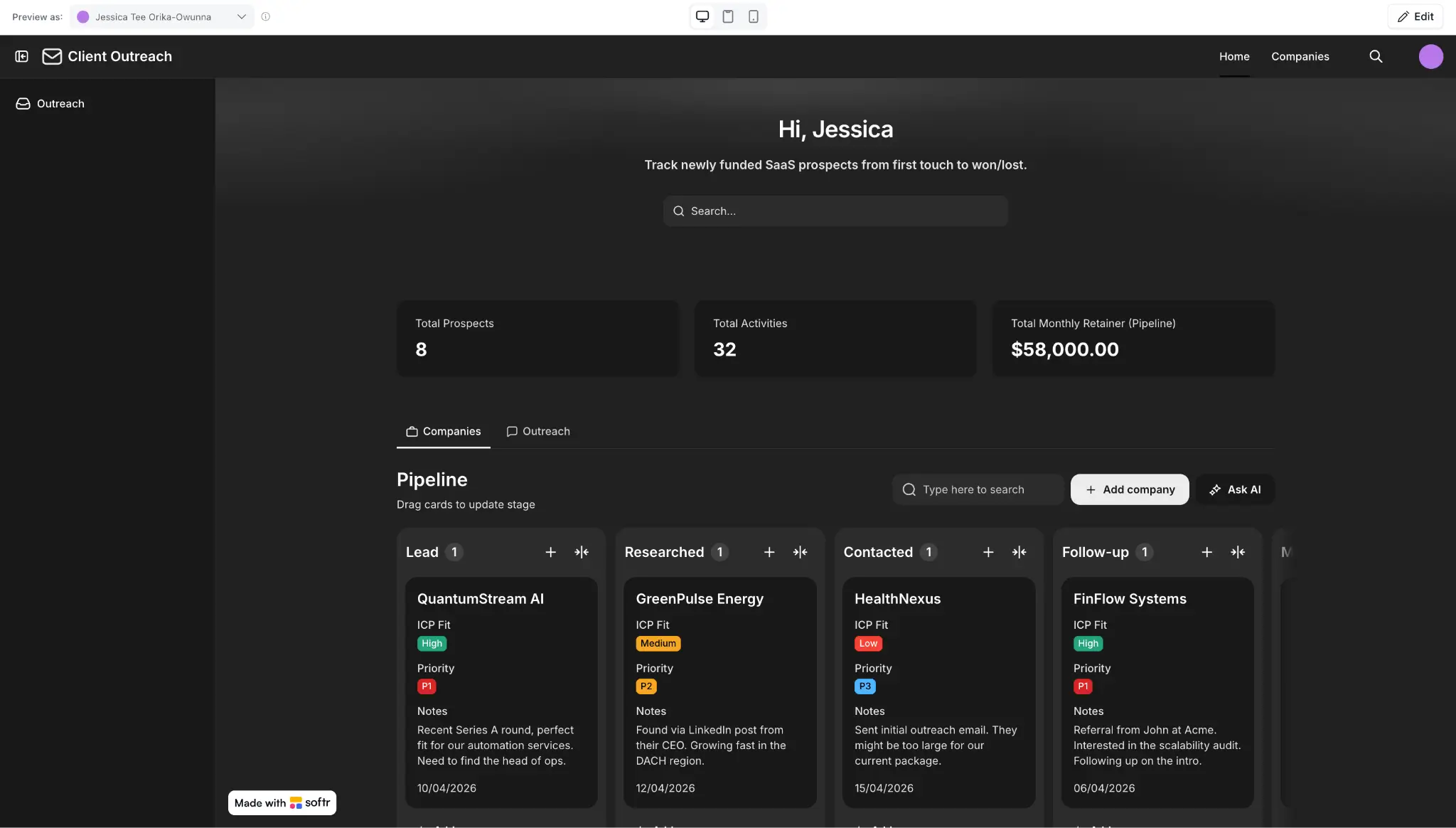
If neither Retool nor Bubble feels like the right fit for your team, consider Softr. It’s an AI-native no-code app builder that lets you build the software your team actually runs on—like customer portals, CRMs, internal tools, and operational systems—without developer dependency or a steep learning curve.
Softr stands out because it combines the three things most teams need to build and run business apps, all in one platform:
- An AI Co-Builder that lets you describe what you need and get a secure, working app with interface, logic, permissions, and data schema all ready to use.
- A native relational database and 21+ external data source integrations, so you can store data directly in Softr or connect to tools you already use.
- Built-in workflow automation that triggers actions when something happens in your app or database, without needing a separate automation tool.
Describe the tool you need and the AI Co-Builder will create a complete app in minutes, with the pages, database, user permissions, and business logic already connected.
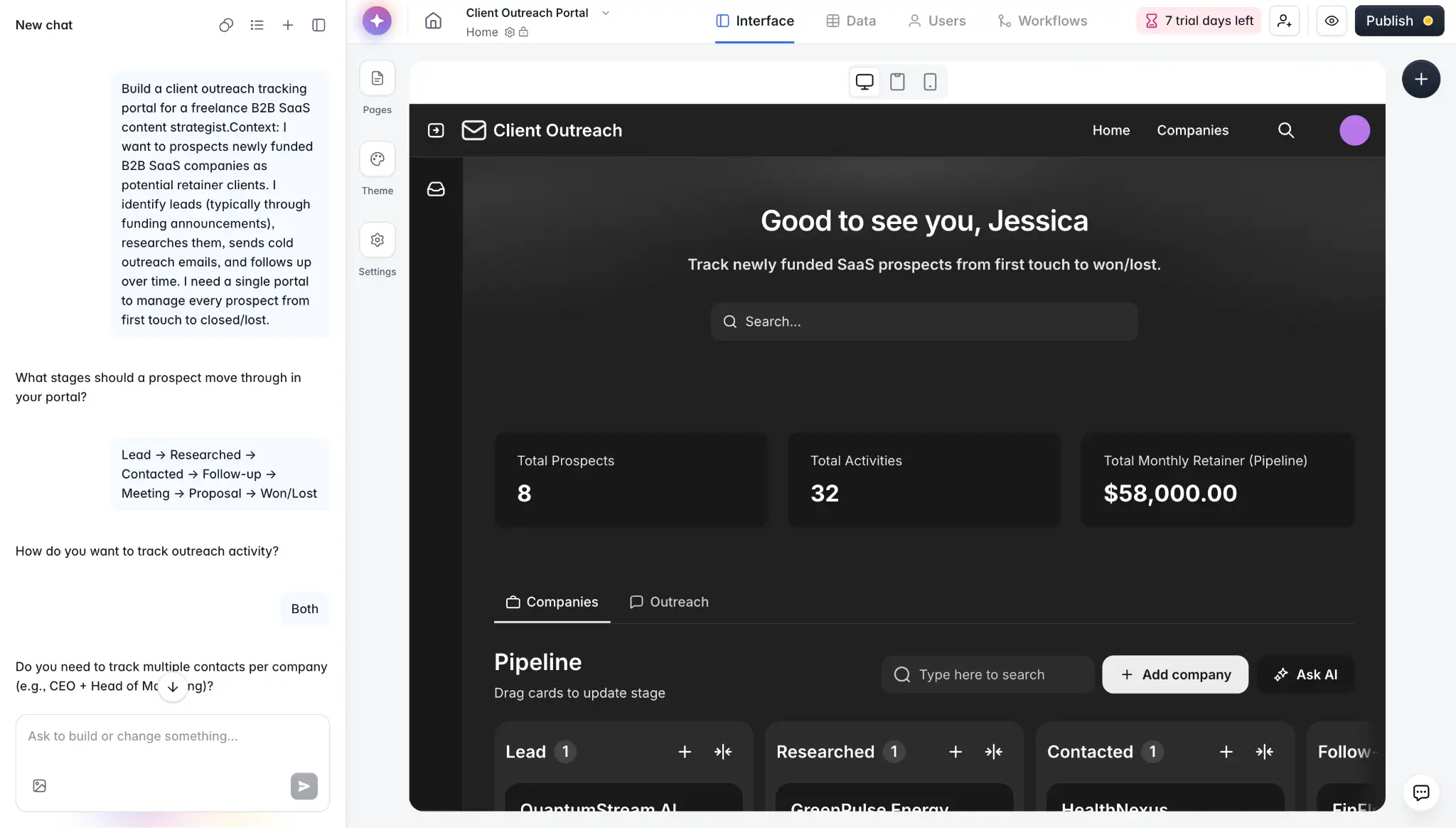
From there, switch to the drag-and-drop visual builder to adjust the layout, update the content, or change how the app works (without spending credits). Or use the Vibe Coding Block to add custom sections without reworking the rest of the app.
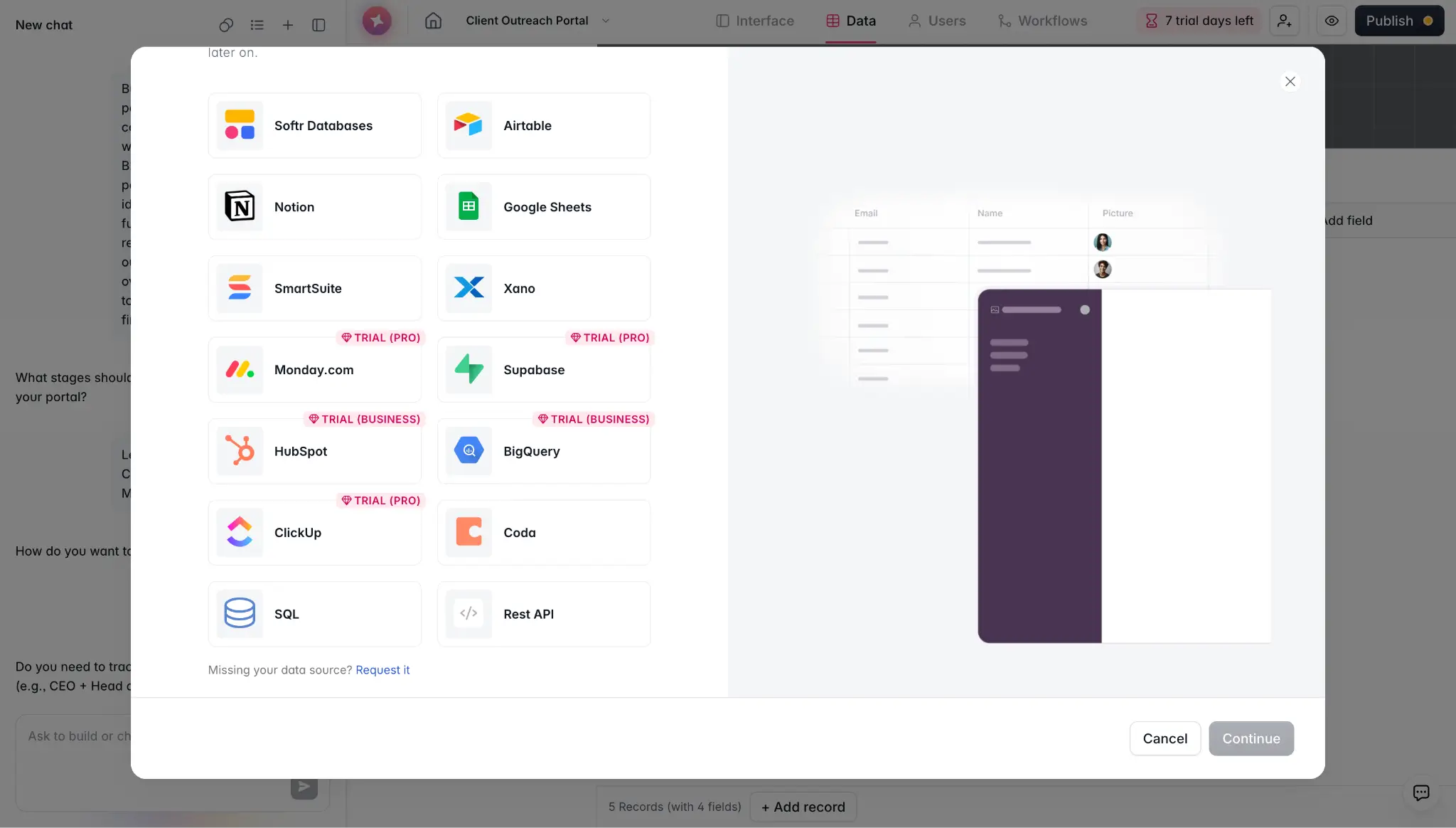
For your data, use Softr's built-in relational database to organize everything from clients and projects to invoices and inventory. Or connect to external apps like Google Sheets, Airtable, HubSpot, Notion, Monday.com, ClickUp, and SQL databases, with live two-way sync. You can even combine Softr's database with external sources in the same app, so all your data stays in one place instead of being spread across different tools.
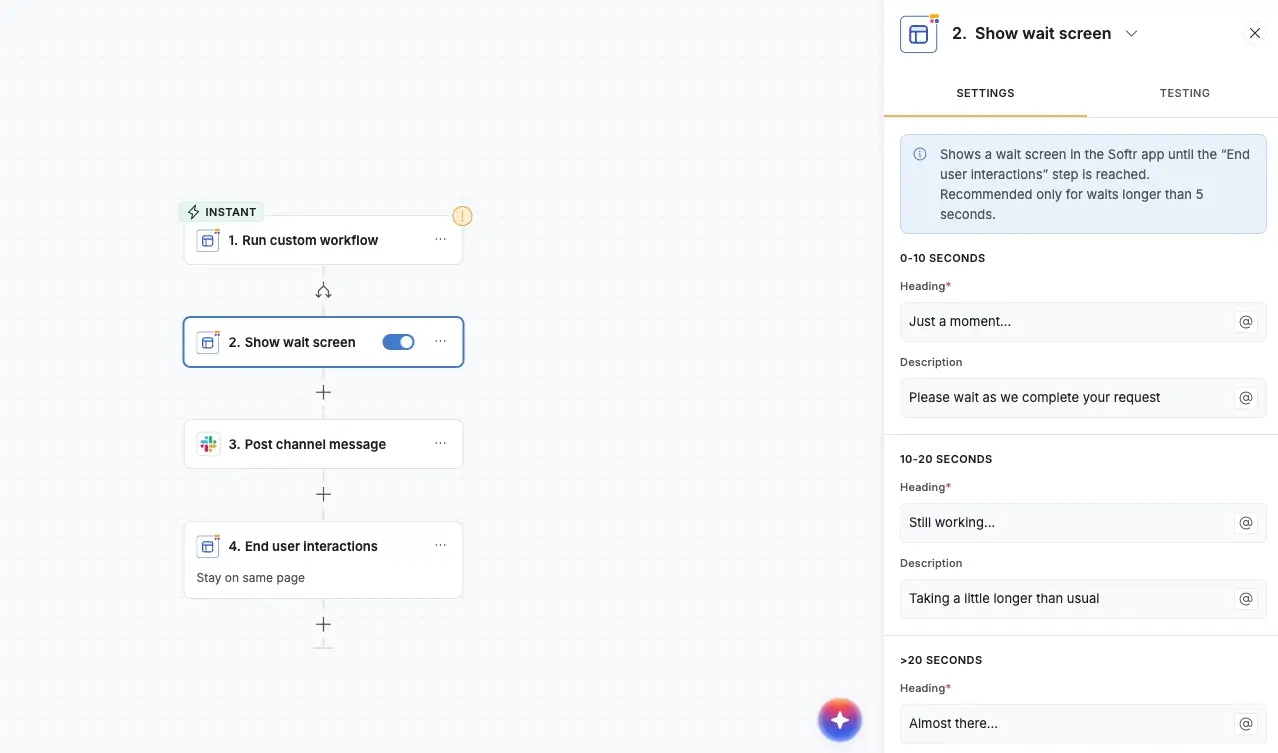
Use Softr Workflows to automate the most time-consuming parts of your operations. You can start simple, like sending an email when a new client is added or creating a follow-up task when a form is submitted. But you can also build more advanced flows with conditions, branches, loops, and wait steps to handle things like multi-step approval processes or onboarding sequences that send different emails based on user type.
Softr also includes built-in AI features across the platform. You can add AI agents to your workflows to summarize data, tag records, enrich leads with web data, or generate reports automatically. And with Ask AI, your team or clients can ask questions about their data directly inside the app and get instant answers.
Your apps are secure by default and SOC 2 / GDPR compliant, with data encryption and a built-in security dashboard. You can also turn any app into a PWA with one click, so your team or clients can use it on their phone without building a separate mobile version.
Best for: Non-technical teams that want to build secure business software that’s ready for real users from day one.
Why teams choose Softr over Retool and Bubble.io
- Build and maintain apps without needing developers: Retool requires JavaScript and SQL. Bubble is easier to start with, but managing workflows, permissions, and security guardrails gets harder as your app grows. Softr’s AI lets non-technical teams easily build, launch, and keep improving their apps on their own.
- Flat pricing with users included: Unlike Retool's per-seat pricing, Softr uses flat, predictable pricing with users included, so you know what you're paying as your team grows.
- A generous free plan: Retool's free plan limits you to 5 users and doesn't include workflow automation beyond 500 runs. Bubble's free plan doesn't let you launch a live app at all. Softr's free plan includes unlimited apps, 5 app users, 5,000 database records, 500 workflow actions, and AI credits.
MIT needed a portal for 2,800+ students but their existing custom-coded app cost $100K and was hard to maintain. Instead of hiring developers to rebuild it, one person built a replacement on Softr in less than three months. The team now updates and manages the portal on their own.
Retool vs Bubble.io vs Softr: Which one should you choose?
The right choice depends on what you're building, who on your team will build it, how much technical support you have, and how many people need to use the app.
Choose Retool if your team has developers and you need to build data-heavy internal tools like admin panels, dashboards, or operational apps on top of existing databases and APIs.
Choose Bubble if you want to build a full web or mobile application without writing code, and you're willing to invest time learning the platform. Bubble is a strong fit for founders and teams building MVPs, SaaS products, marketplaces, or customer-facing apps that need deep customization.
Choose Softr if your team doesn't have in-house developers or technical expertise and you need business apps that actually work when you put them in front of real users. You get an AI-powered app builder, a native database, and workflow automation in one platform, so you can manage everything yourself and consolidate your tech stack.
Try Softr for free and start building today.
Frequently asked questions
Can you use Retool for free?
What are the best Retool competitors with AI app generation features?
What are the best alternatives to Bubble?