


[.blog-callout]
💡TL;DR:
- Replit is code-first: Great for developers, students, or hackathons. It gives you a browser-based IDE with AI tools for scaffolding and debugging, but scaling beyond prototypes requires developer effort.
- Bolt is prompt-first: Better for users who want to spin up demos or lightweight apps quickly from plain-language prompts. It scaffolds front and back ends, but reliability drops with complex apps, and token costs can spike.
- Both fall short for business apps: Neither has built-in authentication, permissions, or compliance. Costs also scale unpredictably through credits (Replit) or tokens (Bolt).
- Softr takes you further: It combines a relational database, secure logins, granular permissions, automation, and flat pricing, so you can move past prototypes and run production-ready apps your business can depend on.
[.blog-callout]
When it comes to vibe coding, the Replit vs Bolt debate comes up because both take you from concept to code in minutes. Replit gives you a coding environment in the browser, while Bolt turns plain-language prompts into working apps. Both can take you from idea to prototype in minutes.
That speed is valuable for demos, learning, or testing out concepts. But if you’re running a business, prototypes aren’t enough. You need secure logins for clients and employees, permissions to control who sees what, and confidence that your data won’t leak.
While Replit and Bolt are great for testing ideas, they don’t include essentials like native authentication and permissions — things you’ll eventually need to run apps securely.
In this guide, we’ll break down how Replit and Bolt compare, what they cost in practice, and why many SMB teams turn to alternatives built with security and reliability in mind. Note: If Bolt and Replit are the only tools you’re considering, this comparison will help. Otherwise, you can explore a broader list of tools like Replit and how they stack up.
Replit vs Bolt at a glance
| Replit | Bolt | |
|---|---|---|
| Best for | Developers, students, and small teams who want to code, prototype, and deploy lightweight apps in the browser. | Non-technical users or small teams who want to generate landing pages, demos, or MVPs quickly with plain-language prompts. |
| Prototyping | Code-first: you write and maintain projects directly, with AI tools (Replit Agent) for scaffolding and debugging. | Prompt-first: converts natural-language instructions into apps, with diff-based editing for refinements. |
| AI support | Replit Agent (build, debug, and iterate on apps). | Generates entire apps from prompts; shows edits in a “Diff” view for review and control. |
| Deployment | Built-in hosting, custom domains, autoscaling, HTTPS. Best for smaller apps, APIs, or demos. | Deploy to Netlify or use built-in hosting; includes domains, SSL, and analytics. |
| Integrations | Flexible via APIs, GitHub, and custom code but no one-click connectors for CRMs, ticketing, or accounting tools. | Integrates with Supabase (data), Stripe (payments), Netlify (hosting), and imports from Figma. |
| Collaboration | Real-time multiplayer coding, live chat, and shared editing. | No native real-time collaboration. |
| Production readiness | Can run small apps but scaling requires developer effort for databases, permissions, governance. | Fine for landing pages, demos, and simple e-commerce; struggles with complex, multi-user, or long-term systems. |
What is Replit?
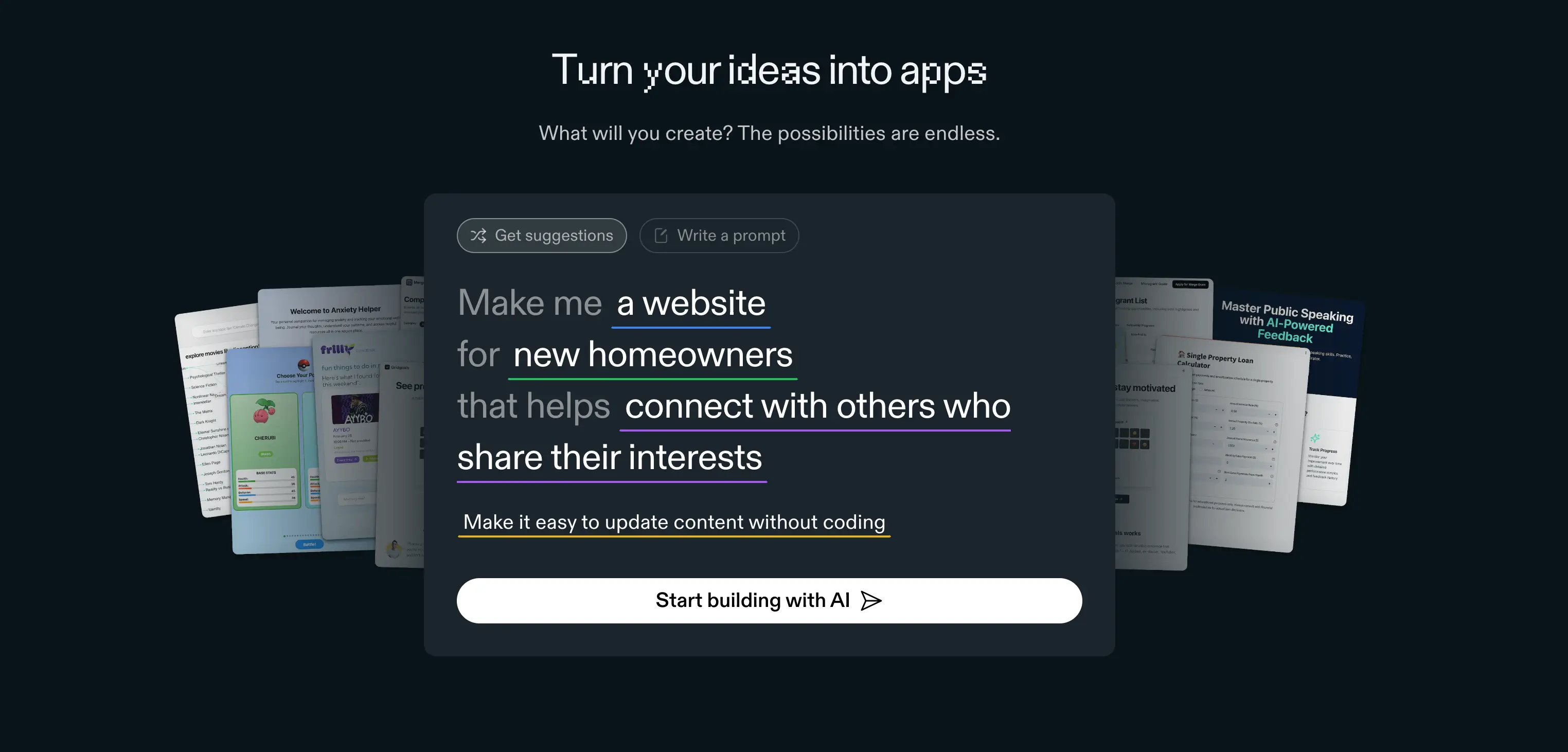
Replit is a cloud-based IDE (Integrated Development Environment) that runs in your browser. It brings together coding, AI support, and basic deployment, so you can move from idea to live code without setting up local, complicated software.
Compared to tools that generate apps directly from prompts, Replit keeps you closer to the code. You can write and maintain your own projects, while AI features like Replit Agent help with scaffolding, debugging, and small refinements.
Replit stand-out features
1. Replit Agent
Replit Agent takes AI one step further by scaffolding small apps directly from text prompts. Ask it for a to-do list, blog app, or simple game, and it will generate the starter files, add dependencies, and set up basic docs.
It’s a fast way to experiment or share a quick demo without starting from scratch. That said, Agent outputs usually need debugging or custom edits, so it’s best thought of as a project starter kit, not a production-ready builder.
2. Instant deployment
Replit also includes hosting, which means you can publish a project to a custom domain in minutes.
Autoscaling and HTTPS are included, making it easy to share small web apps, APIs, or simple bots. For heavier, business-critical apps, though, most teams will need a more robust setup outside of Replit’s environment.
3. Real-time collaboration
Multiple users can code in the same project at once, complete with live chat and shared editing. It’s especially handy for classrooms, vibe coding workshops, or hackathons where speed and visibility matter. For longer-term team projects, however, the lack of role-based permissions and workflow management can be limiting.
What Replit is best for
Replit is great when you need something quick and easy. It’s often used for testing ideas, practicing code, or sharing simple apps without the hassle of setting up a local environment.
- Classrooms & learning: Students can jump straight into coding together, with Replit Agent breaking down tricky code and assisting with debugging.
- Hackathons & workshops: The zero-install setup and live collaboration make it easy for teams to build quickly under time pressure.
- Client demos: Deploy a working prototype or proof of concept in minutes on a custom domain.
- Lightweight utilities: Spin up small tools, like calculators, form processors, or basic APIs, without heavy infrastructure.
- Creative coding: Experiment with games, generative art, or interactive storytelling projects.
Where Replit struggles is moving beyond these use cases. Most users see it as a fast way to test MVPs or validate ideas, but scaling into multi-user systems with structured data, permissions, and reliable automation usually requires other tools — especially since AI outputs can be buggy and need extra debugging.
Replit limitations
- Not built for multi-user business apps with permissions and workflows
- Built-in database is limited, no visual data modeling
- AI outputs are buggy and often need debugging
- Costs scale unpredictably with usage credits
Replit pricing
- Starter (Free): Daily Agent credits, a daily-capped Free Mode, a built-in database, and 1 published app that goes down after 30 days.
- Replit Core ($20/month or $18/month billed annually): $20 in monthly credits, a Free Mode allowance for everyday Agent work, Full build, Plan Mode, Connectors, unlimited published apps, and up to 5 collaborators. Extra usage is pay-as-you-go.
- Replit Pro ($100/month or $90/month billed annually): Everything in Core plus $100 in monthly credits (higher tiers go up to $2,050/month), up to 15 collaborators and 50 viewers, 10 parallel agents, two-month credit rollover, and priority support.
- Enterprise (Custom pricing): Everything in Pro plus SSO/SAML, SCIM, advanced privacy controls, unlimited seats, and dedicated support.
How much does Replit actually cost?
While Replit Core includes $20/month in credits, how far that goes depends on what you’re doing. Credits are consumed by Agent work in Power or Max Mode and by running hosted apps. Replit uses effort-based pricing, so complex requests cost more than small ones. Extra usage is billed pay-as-you-go, which can add up quickly.
Examples:
- Running a small web app 24/7 draws on the same $20 in credits you use to build, depending on traffic.
- A complex Agent request, like building a login flow and connecting a database, costs far more than a small fix, so a few heavy builds can use up the included credits.
- Debugging loops cost credits on every attempt, even when the Agent's earlier fix didn't work.
- Hosting multiple apps while building with Agent often pushes teams onto pay-as-you-go charges.
That’s why many users report that $20/month rarely covers a full month of active development. Free Mode helps with everyday work, but heavier builds still draw on credits. Costs can be unpredictable compared to flat-priced no-code platforms like Softr, where usage doesn’t eat into credits.
For operators, Replit is most useful as a quick way to prototype and test ideas. However, it lacks the relational data, user management, and workflow features needed to support structured, ongoing business processes.
What is Bolt?
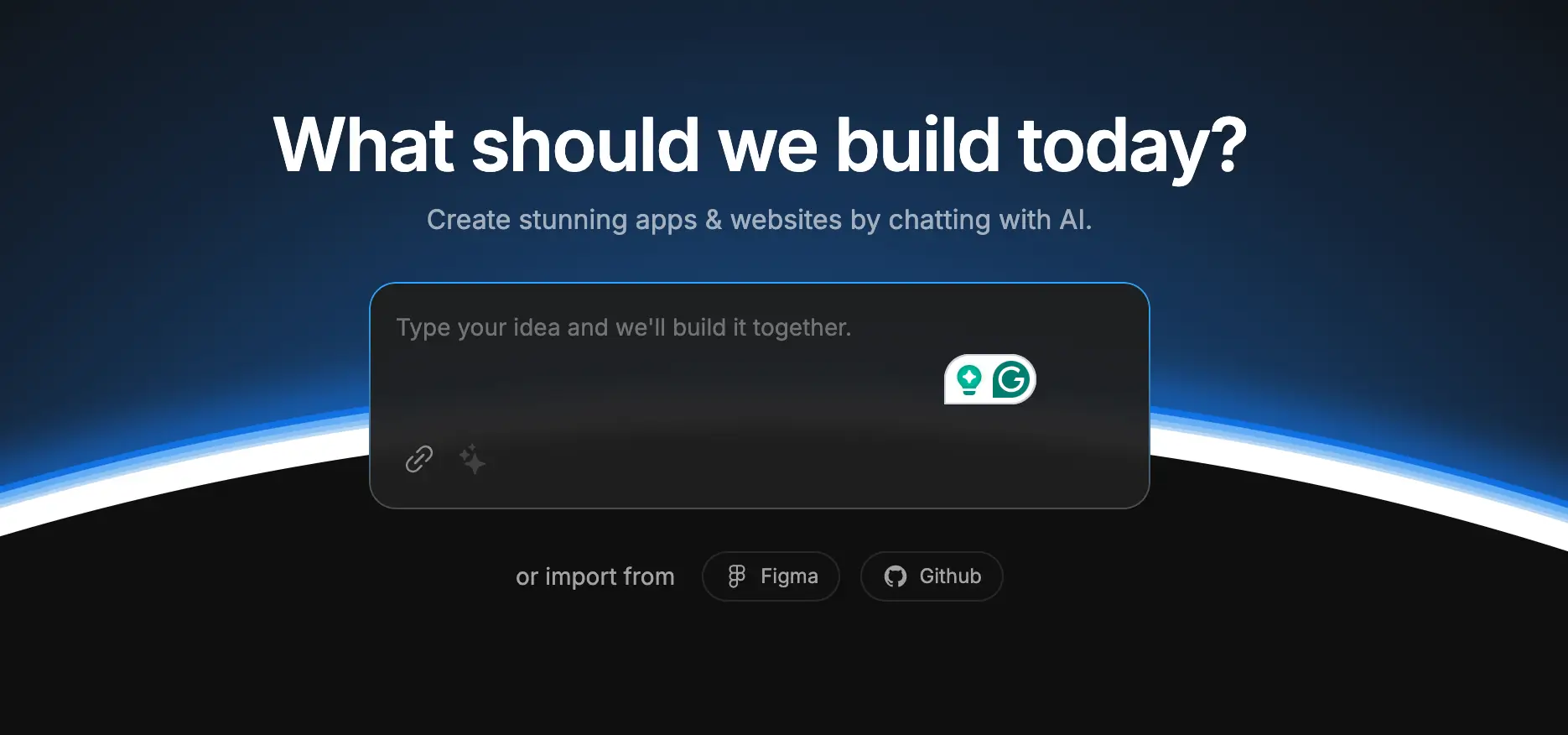
Bolt (Bolt AI or Bolt.new) is an AI-powered tool by StackBlitz that converts your plain-language prompts into fully working web and mobile apps. Powered by Anthropic’s Claude Sonnet 3.5 model, Bolt runs in the browser using StackBlitz’s WebContainers, so there’s no setup required. Once generated, you can deploy projects quickly to platforms like Netlify, with integrations for services like Supabase and Stripe.
Bolt ships best for smaller apps or MVPs. A single prompt can get you surprisingly far, but you’ll need follow-up instructions to refine the code, fix errors, or correct details.
Bolt stand-out features
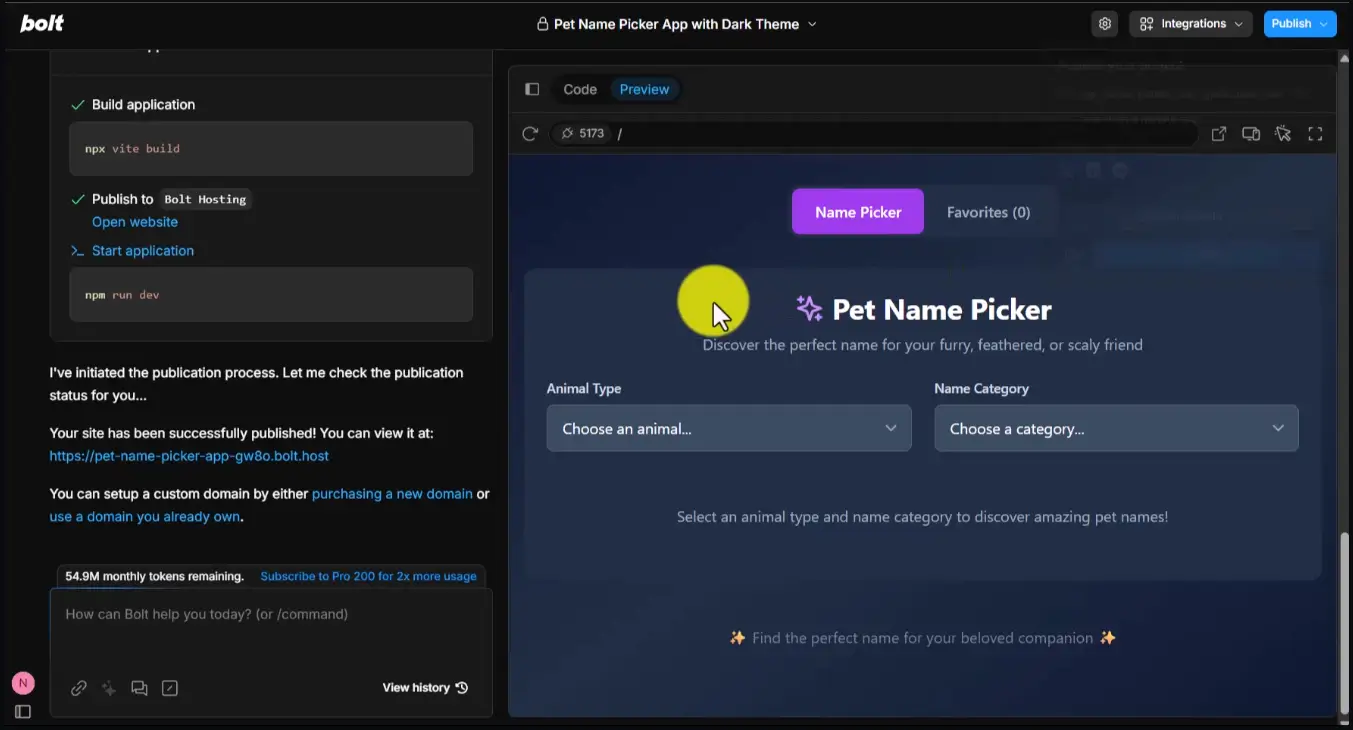
- Prompt-to-app generation: Bolt turns natural-language prompts into working applications. For example, you can ask for a landing page with a signup form or an online shop with a cart, and Bolt will scaffold both the frontend and backend code. It’s fast for starting small projects or MVPs, though refinements usually require follow-up prompts.
- Browser-based development: Bolt runs on StackBlitz’s WebContainers, so everything happens in the browser. You can install npm packages, spin up Node.js servers, and preview your app without local setup.
- Diff-based editingInstead of blindly rewriting your code, Bolt shows proposed changes in the “Diff” view. This makes it easier to review edits, keep control of your code, and avoid unexpected breakages.
- Integrations with modern stacks: Bolt connects with Supabase for data storage, Stripe for payments, and Netlify for deployment. It also accepts imports from design tools like Figma. This gives operators a faster way to test and launch prototypes or lightweight apps that feel closer to production from day one.
- Built-in hosting & services: Bolt now includes its own hosting, domain management, authentication, and analytics. It also offers serverless functions, analytics, and SEO tools, positioning itself as an end-to-end development environment rather than just an AI code generator.
What Bolt is best for
Bolt is at its best when you need to move fast and don’t want to worry about setup or infrastructure. It’s great for:
- Prototypes and MVPs: If you want to test an idea, get a live demo in front of stakeholders, or show how a workflow might look, Bolt gets you there quickly. One or two prompts are often enough to spin up a working draft you can tweak as needed.
- Landing pages and smaller sites: Bolt works best for lean projects like landing pages, portfolios, or simple e-commerce demos. These are less likely to hit the complexity limits that make Bolt run into errors.
- Dashboards and demos: Need a simple tracker, signup flow, or product showcase? Bolt can scaffold these quickly, and you can extend them with services like Supabase for data or Stripe for payments.
- Non-technical users: Because you’re mostly working in plain English prompts, marketers, designers, and operations leads can build usable demos without diving into config files or setting up dev environments.
- Learning and exploration: Developers also use Bolt to experiment. It’s an easy way to spin up a React or Next.js app, see the code it generates, and learn by tinkering with real examples in the browser.
Bolt limitations
- Limited context window and prompt structure issues
- Struggles with larger or complex projects
- Unpredictable code adjustments and token inefficiency (users complain it rewrites entire files rather than applying incremental updates, leading to inefficiencies and high token usage)
- AI-driven content may require correction
- Better suited for prototypes than long-term tooling
Bolt pricing
Bolt offers four pricing tiers with both monthly and yearly options:
- Free ($0): Includes public and private projects, 150K tokens daily (1M per month), website hosting, a 10MB file upload limit, Bolt branding on published sites, and up to ~333K web requests. A good entry point for testing or learning.
- Pro ($25/month or $18/month billed yearly): Adds unlimited daily tokens (starting at 10M per month), 100MB file uploads, website hosting, up to 1M web requests, custom domain support, SEO boosting, and no Bolt branding. Unused tokens roll over month to month.
- Teams ($30/user/month or $27/user/month billed yearly): Everything in Pro, plus centralized billing, granular team-level admin and access management, private NPM registries, and design system knowledge with per-package prompts. This tier suits small development teams needing governance and shared billing.
- Enterprise (Custom pricing): Customizable for larger organizations with advanced needs — SSO, audit logs, compliance features, 24/7 support, dedicated account management, data governance, custom workflows, and hands-on onboarding.
How much does Bolt actually cost?
On paper, Bolt’s Pro plan looks straightforward: $25/month (or $18/month with yearly billing) for 10M tokens, 1M web requests, custom domains, and no branding. But the real cost depends on how you use it — especially tokens.
Examples:
- Building a landing page or small store may stay well within the Pro plan’s 10M tokens.
- Iterating on a dashboard with multiple revisions can burn through millions of tokens in days, especially if Bolt reintroduces old errors and you prompt fixes repeatedly.
- Teams with multiple members working simultaneously will almost always need the Teams plan at $30/user/month ($27 yearly).
For casual use or small prototypes, Bolt’s Free and Pro tiers feel affordable. But once you start relying on it every day, that $25/month plan can quickly feel unpredictable as tokens run out. Costs rise with every prompt, making budgeting harder compared to fixed-price no-code platforms like Softr, where pricing stays flat and doesn’t depend on credits.
Replit vs Bolt: Pricing comparison
Both Replit and Bolt use subscription pricing, but what you’re actually paying for, and how predictable it feels, is very different.
Key differences
- Usage model: Replit limits you through credits tied to compute and AI use. Bolt limits you through tokens, which measure how much you prompt and edit.
- Predictability: Bolt burns through tokens fast, so its costs can climb unpredictably for active devs. Replit’s credit model has the same issue, but in practice, it’s easier to estimate monthly spend around hosting and AI usage.
- Free tiers: Bolt’s free plan is more generous for testing (private projects, hosting, tokens) compared to Replit’s free tier, which is restricted to public apps and lighter usage.
- Team support: Both offer per-seat plans, but Replit’s are more focused on collaborative coding environments, while Bolt’s add workflow tools like design system prompts and private registries.
Bolt vs Replit on Reddit
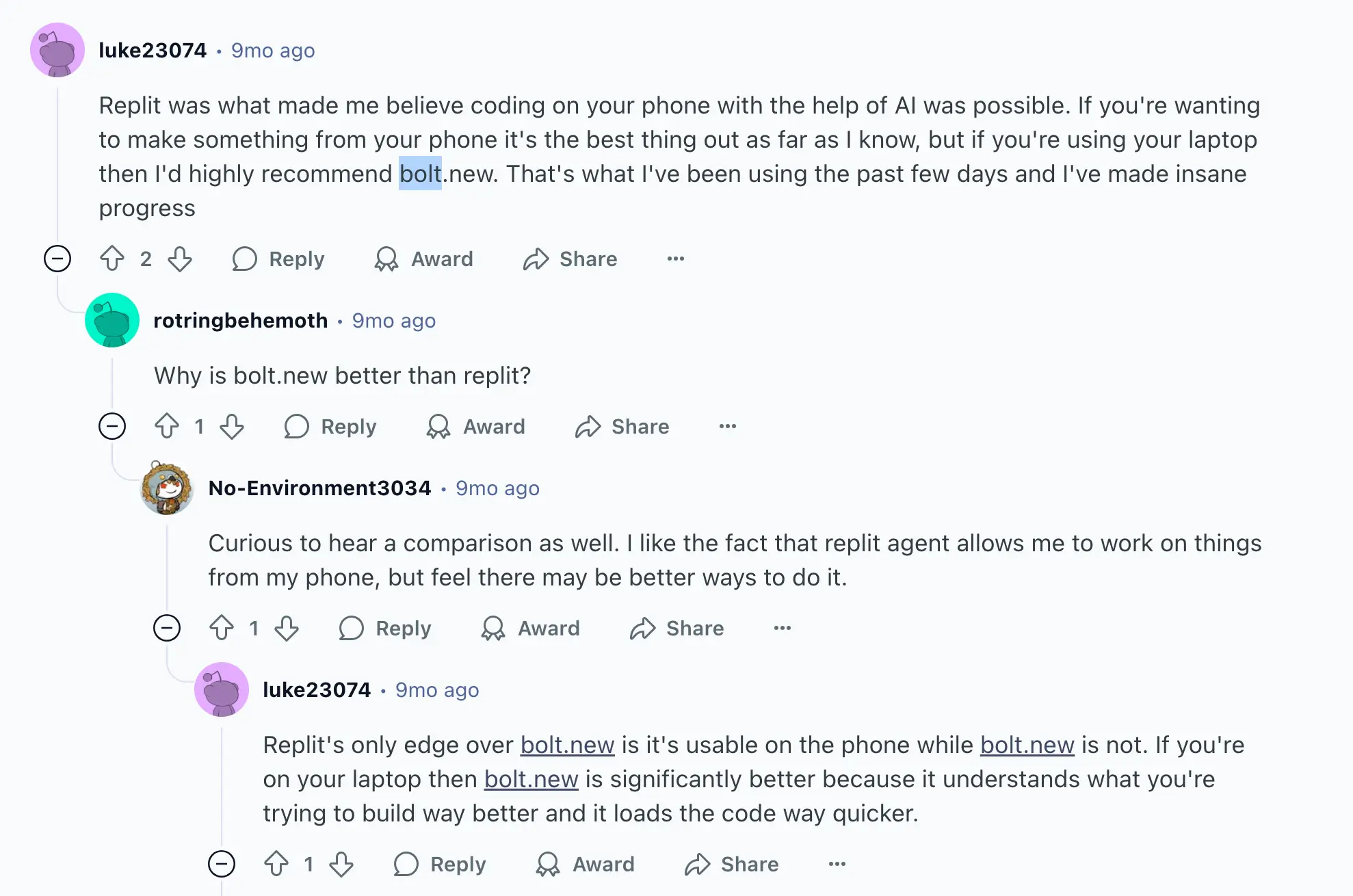
In discussions about Replit and Bolt, the conversation usually comes down to project type and complexity. Several users put it simply:

Others mentioned that Replit is stronger for backend work, while Bolt is great for quick front-end scaffolding. One even mentioned using both tools depending on the task.


And in terms of accessibility, according to this thread, Replit is easier to run on mobile, while Bolt feels faster and more intuitive on a laptop.
Replit vs Bolt summary
This Replit vs Bolt comparison highlights that both tools help you get from idea to working software quickly, but they serve different types of builders.
- Replit is code-first. It’s well-suited for developers, students, or teams that want hands-on control of their code in the browser, with AI tools like Replit Agent to speed up debugging and scaffolding. It’s great for experiments, classrooms, or lightweight apps, but its limitations show when you need structured databases, user permissions, or workflow automation for business-ready tools.
- Bolt is prompt-first. It’s designed for non-technical users or small teams who want to generate a landing page, e-commerce demo, or dashboard with plain-language instructions. It’s fast and accessible, but reliability drops as projects grow. Token limits and inefficiencies also make costs less predictable, especially compared to flat-priced no-code platforms.
Both tools shine for early-stage work, like testing ideas, prototyping, or sharing demos. But if your goal is to run daily operations, manage clients, or scale beyond prototypes, neither Replit nor Bolt is built with those workflows in mind.
That’s why many teams eventually look for alternatives like Softr, which is built to handle what these tools leave out: predictable pricing, structured databases, permissions, and workflows that actually support day-to-day business use.
Softr — the best Replit vs Bolt alternative for building full-stack business apps
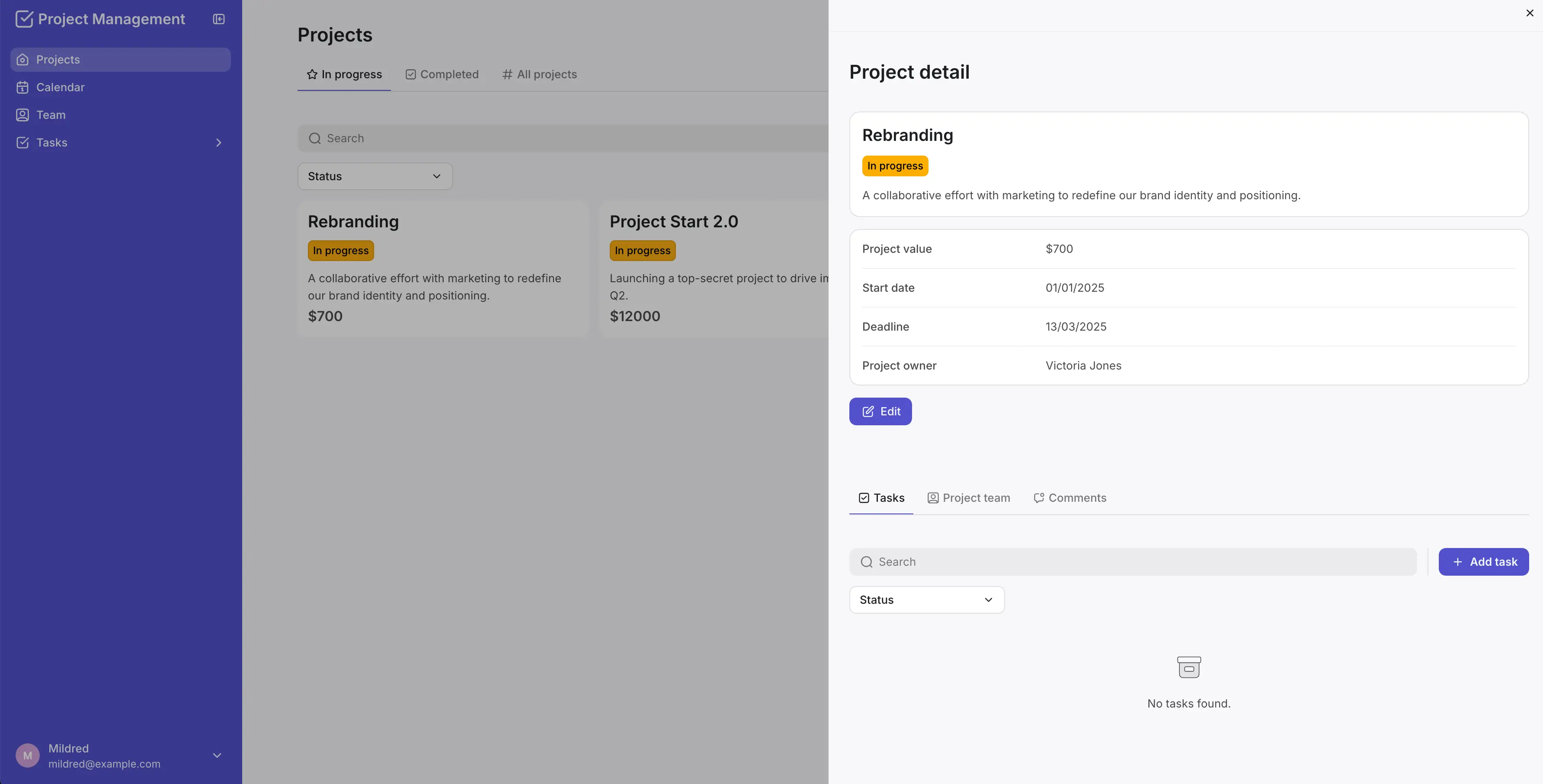
Replit and Bolt are both strong for early-stage building. Replit gives you a coding environment in the browser, while Bolt lets you generate apps from plain-language prompts. Both approaches are useful for quick experiments, lightweight demos, or learning.
But if your goal is to run a business, you’ll quickly run into limits.
Prototypes are great for fresh ideas. However, running operations requires tools that keep client data secure, resources and projects on track, and scale without surprise costs.
This is where full-stack platforms like Softr come in. Softr combines a built-in native database, 21+ data source integrations, granular permissions, workflow automation, and AI features into one platform — so business operators and ops teams can build production-ready apps they can actually rely on every day. For teams that live in an AI assistant, the Softr MCP lets you build apps, manage databases, and create workflows directly from tools like Claude, ChatGPT, or Cursor.
Native relational database, 21+ native integrations, & RestAPI
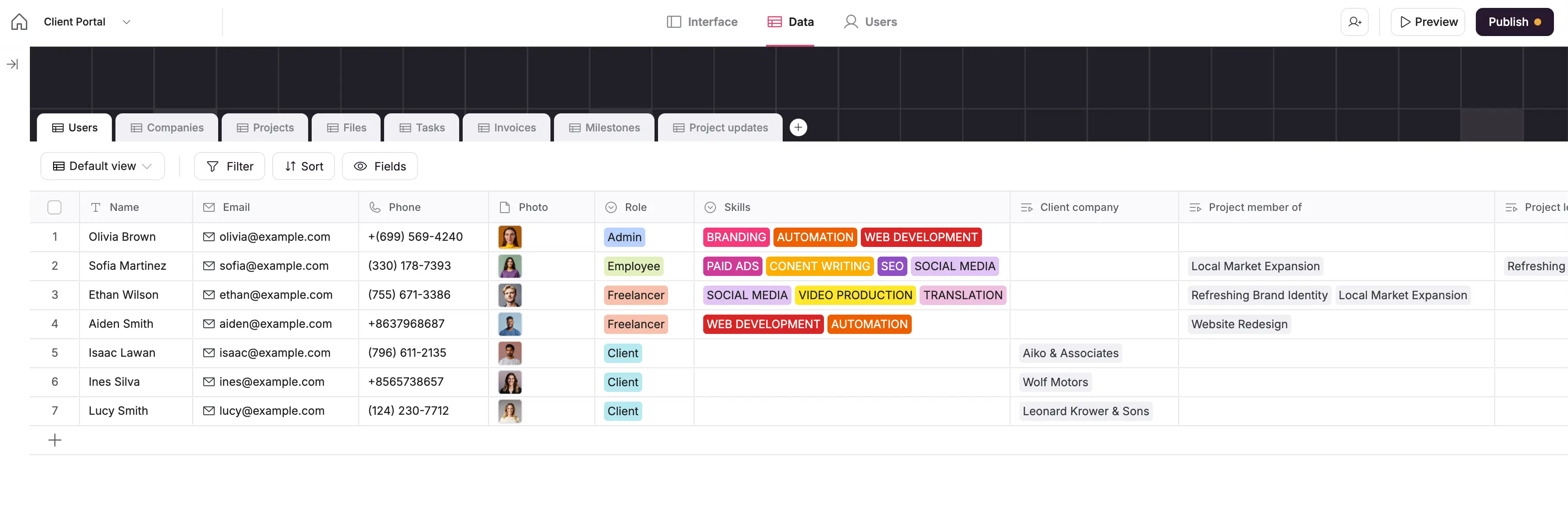
Softr comes with its own native relational database, and integrates with 21+ data sources, including Airtable, Google Sheets, Hubspot, Notion, Coda, monday.com, ClickUp, SQL databases, Supabase, and more, with real-time, two-way sync. You can also connect to the REST API and bring in data from almost any external service.
Replit has a basic SQL database, but you’ll need to write queries, wire everything manually, and handle workflows yourself.
Bolt doesn’t come with its own database. Instead, it sets up a connection to Supabase for storing data. That’s fine for small apps or demos, but it doesn’t give you the structured setup or reliability you’d need to run business apps over time.
User management & authentication
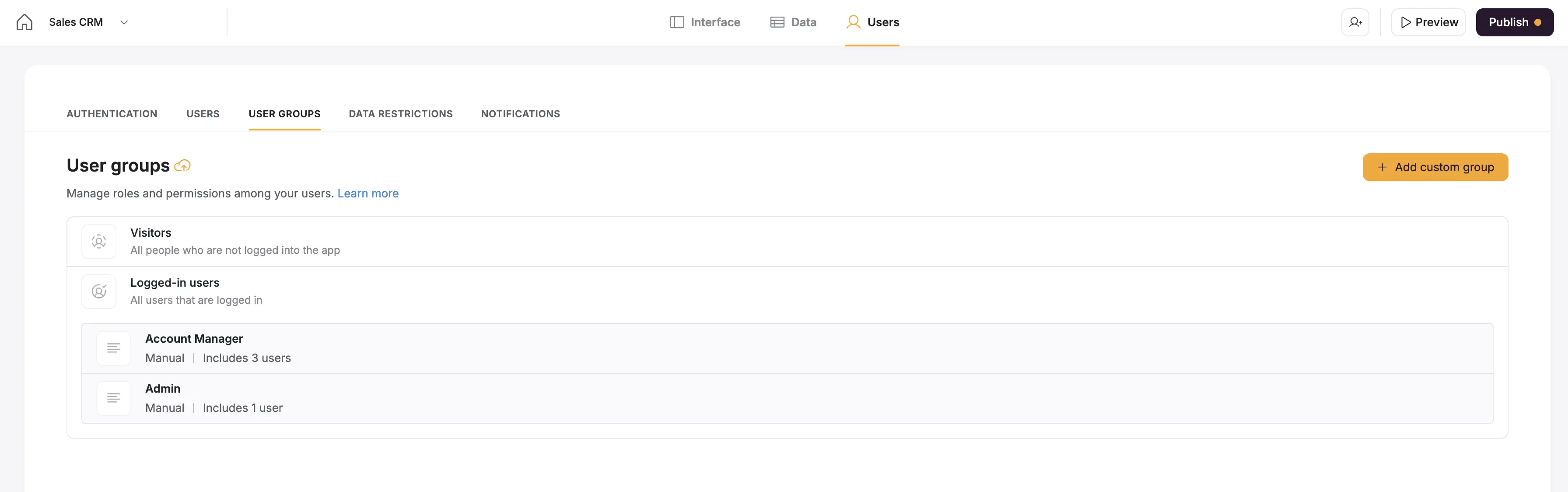
Softr has authentication, end-user logins, and SSO built in. You can set up signup and login flows right away, manage users directly in your app, and connect to providers like Google or Microsoft for single sign-on.
This means you can securely onboard clients, partners, or employees without needing extra tools or writing custom code.
Replit, by contrast, has no built-in auth. If you need user logins, you’re on your own: you’ll have to integrate external services like Firebase Auth, set up user databases, and manage everything manually. This can be technical and cumbersome for non-developers.
Bolt.new can support login systems, but only with added setup. You’ll need to use the visual builder and connect workflows to Firebase, Supabase, or similar services to get authentication working.
Granular permissions & conditional visibility
Softr gives you detailed control over who can see and do what in your app. You can assign roles (like “admin,” “manager,” or “client”), limit access at the page, block, or even field level, and use rules to show or hide content based on user attributes or conditions.
That way, every user only sees the information and actions relevant to them — not your full dataset.
This is critical for protecting sensitive data. Without this permission control, things like client details, invoices, or HR records can easily end up exposed. Neither Replit nor Bolt include built-in permission controls, so business operators using those tools risk sharing data too broadly. Softr prevents that by default, giving SMBs the same level of access control you'd expect in enterprise software.
Enterprise-grade security & governance
Softr includes secure hosting, SSL, SSO/SAML, and SOC 2 compliance, so it’s ready for sensitive business apps that require strong safeguards.
Replit does provide hosting, but it’s geared toward developers and lacks built-in governance or compliance features.
Bolt doesn’t offer enterprise-grade protections either. While you can deploy apps, there’s no out-of-the-box compliance or governance, making it less suitable for business-critical use.
Predictable pricing
Unlike Replit and Bold, Softr doesn’t rely on credits or token-based billing. The flexible pricing plans are flat and transparent, so you always know what you’ll pay each month.
- Free ($0/month): Unlimited published apps, with access to Softr Workflows, Softr Databases, Softr MCP, up to 5 app users, and 5,000 Softr Database records. Good for testing or simple internal projects.
- Basic ($19/month): Unlimited apps with 42+ integrations, Team: 5 + Client: 5 app users, and 50,000 records. Adds a custom domain, conditional section visibility on forms, and 2 form-logic branches.
- Pro ($99/month): Unlimited apps with 45+ integrations and custom code, Team: 10 + Client: 50 app users, and 500,000 records. Includes custom code, calling external APIs, e-signature, and removing Softr branding.
- Business ($329/month): Unlimited apps with 52+ integrations, Team: 30 + Client: 100 app users, custom user groups (up to 10), and 1M records. Adds two-factor authentication, domain-restricted signup, and an installable mobile app (PWA).
- Enterprise (custom pricing, contact sales): Everything in Business plus SSO (SAML/OpenID), custom invoicing, dedicated success manager, and team training.
The key difference is predictability. With Softr, you won’t run out of tokens mid-month or face surprise overruns.
What Softr is best for
.webp)
Softr is the best alternative for companies needing secure, business-ready apps that support day-to-day operations — the areas where Replit and Bolt fall short.
- Portals: Give customers or partners a branded, secure space to submit requests, track progress, and access documents. Replit requires custom code for authentication and permissions, while Bolt's auth is limited and not reliable for production.
- Internal tools: Build CRMs, project trackers, or inventory systems that keep your team aligned. Replit demands developer time to wire up databases and workflows, and Bolt isn't stable enough to manage ongoing internal processes.
- Knowledge bases & directories: Organize company resources into searchable apps with role-based access. Neither Replit nor Bolt provide built-in roles or governance, which makes controlling sensitive data difficult.
- Workflow automation: Use native Softr Workflows to set up approvals, notifications, and role-based automation triggered directly from your app's interface — no custom code required. Replit has no native automation, and Bolt is focused on code scaffolding rather than operational workflows.
In short, Softr is best for building scalable apps for businesses. Replit and Bolt are handy for trying out ideas. Softr, on the other hand, covers the practical needs: secure logins, permissions, structured data, and automation, so your apps can actually support day-to-day work.
Replit, Bolt, or Softr
Replit vs Bolt comes down to how you prefer to build: they’re both useful if your focus is on testing ideas. Replit gives developers a code-first environment with AI helpers for scaffolding and debugging. Bolt makes it easy to spin up demos from plain-language prompts. For learning, experimenting, or sharing lightweight prototypes, either can work well.
But if you’re running a business, the gaps become clear. Neither tool includes built-in authentication, role-based permissions, or enterprise-grade security: the essential components you need to manage clients, protect data, and keep operations reliable. Costs also scale unpredictably, whether through usage credits in Replit or tokens in Bolt.
That’s why many SMBs look to Softr instead. Softr combines a relational database, authentication, user roles, and workflow automation into one platform — all with predictable, flat pricing. You can build client portals, CRMs, or internal tools that go beyond prototypes and actually support your business day to day.
Move past experiments. Try Softr for free and start building secure, business-ready apps your team and clients can depend on.
Frequently asked questions
Is Bolt new better than Replit agent?
What are the disadvantages of using Replit?
Is Bolt better than Cursor?


