



Replit makes it easy to run code in the browser, test ideas, and share quick prototypes. But if you’re running a small or mid-sized business, Replit’s dev-first setup can feel limiting. It still requires manual coding, lacks relational structure, and doesn’t provide the data management, user authentication, permissions, or automations teams need for business apps. Here are the best Replit alternatives in 2026.
Best alternatives to Replit at a glance
| Best for | Standout features | Pricing | |
|---|---|---|---|
| Softr | Teams that need secure, production-ready business apps | - AI Co-Builder + native database - Role-based permissions & secure logins - Advanced forms and conditional fields - Automations, AI queries, templates library | Free (5 users) Basic: $19/mo (Team: 5 + Client: 5 app users) |
| Lovable | Quickly prototyping AI-assisted web apps | - AI-generated app prototypes from prompts - Editable code with live preview - Pre-built UI components - Export to external frameworks - Collaboration sharing | Free plan with limits Pro: ~$20/mo |
| Cursor | Developers wanting an AI-powered IDE for edits, chat, and code review | - Tab autocomplete & multi-file edits - Agent mode for end-to-end changes - Background Agents (async remote workers) - Bugbot (AI PR review) | Hobby: Free Pro: $20/mo |
| Bolt (bolt.new) | Teams needing fast full-stack prototypes with exportable code | - AI-generated React/Node/Postgres stack - Live preview & visual editing- Export & GitHub sync - One-click Netlify deploys - NPM package install in-browser | Free plan (limited credits) Pro: $20–25/mo (10M tokens) |
| Bubble | SMBs building customizable web apps without coding | - Visual app builder - Custom workflows - Plugin marketplace - Database & API integrations - Responsive design - User permissions - Version control | Free plan (limited) Starter: $29/mo |
| v0 (Vercel) | Teams wanting AI-generated UIs with design-system polish | - AI-generated React/Tailwind UI (shadcn) - Visual Design Mode (convert sketches/screens) - GitHub integration - Vercel one-click deploy - Token-based usage credits | Free (with $5 monthly credits) Premium: $20/moTeam: $30/user/mo |
| GitHub Copilot | Developers seeking AI pair-programmer inside existing IDEs | - Contextual code completion - Copilot Chat inside IDEs - PR review support - Multi-model support (GPT-4, Claude, Gemini) - Works in VS Code, JetBrains, Visual Studio | Free (students/OSS) Pro: $10/mo or $100/yr |
| GitHub Codespaces | Developer teams needing cloud-based coding environments | - Cloud-hosted VS Code - Customizable dev containers - Deep GitHub integration - Adjustable compute power - Collaboration support - Persistent storage | Free quota (hours + storage) Pay-as-you-go (vCPU hours + storage) |
| StackBlitz | Developers building and sharing front-end apps in the browser | - WebContainers (Node.js in browser) - Framework presets (React, Angular, Vue) - GitHub integration - NPM support - Shareable links - Secure sandboxing | Free (open-source use) Pro: $9/mo |
Limitations of Replit

Replit is made with developers in mind, which can become a barrier for non-technical teams. You might look at alternatives if:
| Limitation | Why it matters |
|---|---|
| It feels too developer-first | Replit is terminal-heavy and code-centric, making the learning curve steep for non-technical users. |
| You need a more visual approach | Offers less creativity, design, or UI flexibility compared to vibe-coding tools or no-code builders. |
| Your apps depend on structured data | Replit offers a built-in SQL database, but it works for developers who are comfortable writing queries. It doesn’t provide relational structure, linked records, or business-ready forms: features most SMBs need for CRMs, dashboards, or client portals. |
| You need user roles and permissions | No built-in way to manage roles or control access for team members or clients. |
| Workflow automation matters | Replit doesn’t come with built‑in approvals, reminders, or automations that chain tasks together, like updating a status or sending a notification. So you'd have to code them yourself or hook up external tools. |
| You want business-ready integrations | Can call APIs, but no one-click connectors for CRMs, accounting tools, or project management software: your team must maintain data with manual work. |
| You’re looking for design-driven UIs | Not built for branded portals, mobile-friendly dashboards, or polished client-facing tools. |
Types of Replit alternatives
Not all Replit alternatives serve the same purpose. They generally fall into three categories, depending on whether your focus is: experimenting with code, building structured business tools, or extending a developer-first stack.
1. No-code platforms (for business operators)
No-code, AI-powered platforms such as Softr let teams build applications without writing code. Unlike pure vibe coding tools, they’re structured for business use cases, with features like permissions, workflow automation, responsive design, databases or integrations with external databases. They’re a stronger fit for apps that need ongoing use that non-technical teams can maintain.
Who is it for?
Small to mid-sized businesses in services, operations, or manufacturing that need tools to manage clients, projects, or field jobs, without relying on developers.
2. Vibe coding tools (for fast prototyping & creative projects)
These tools, like Replit or Lovable, combine AI and lightweight coding to help users prototype ideas quickly, that’s generating code snippets, building simple UIs, or experimenting with designs. They’re great for learning, hackathons, and creative exploration, but not built for long-term business use cases.
Who is it for?
Developers, students, and creative teams who want to test ideas, learn fast, or build side projects without setting up complex environments.
3. Dev-first IDEs & cloud workspaces (for developers)
GitHub Codespaces or StackBlitz are coding environments designed for professional developers. They provide deep control over code, frameworks, and deployment pipelines, but they assume technical expertise. While powerful, they come with a steep learning curve and won’t solve workflow needs.
Who is it for?
Technical teams and developers who want full flexibility for software projects and are comfortable managing infrastructure.
What to look for in Replit alternatives
When choosing a Replit alternative, keep these in mind:
| What to look for | Why | |
|---|---|---|
| 1 | Ease of setup | Choose a tool your team can pick up without needing deep coding knowledge or a long onboarding. A short learning curve is key if you don’t have in-house developers. |
| 2 | Business workflows | Look for features that support daily operations like setting up user roles, permissions, data management with real-time, two-way sync, built-in automations. |
| 3 | Collaboration | Your team should be able to co-edit, share feedback, and manage roles in one place, without relying on Git or external dev tools. |
| 4 | Deployment | Some platforms are only for experiments. If you need production apps, check whether secure hosting, custom domains, and scaling are included. |
| 5 | Scalability | Make sure the platform grows with your team: more users, bigger datasets, and better control should be possible without switching stacks. |
| 6 | Cost structure | Compare how pricing scales: by credits, user seats, or features. For SMBs, the best alternative is one that supports growth without breaking the budget. |
1. Softr — best for teams needing secure business apps without developer overhead

Softr is an AI platform for building business software without code that teams can actually use every day.
Replit is a powerful coding environment for developers and a great tool if you’re learning to code. But it still requires programming knowledge and produces projects that someone has to maintain. For organizations without a dedicated dev team, that means dealing with incomplete builds, fragile code changes, and the constant overhead of managing technical debt.
Softr takes a different approach: production-ready apps without code. You can use the AI Co-Builder to generate complete working apps with a database, role-based permissions, and workflow automation built in. Create client portals, CRMs, employee hubs, or other internal tools in minutes—not weeks—without worrying about code breaking. Apps stay secure, scalable, and easy for non-technical teams to update as business needs evolve.
Pros and cons of using Softr
Pros:
- Business-ready apps, not just prototypes: build portals, CRMs, dashboards, intranets, and more that can actually run day-to-day operations.
- Designed for non-technical teams: drag-and-drop builder, conditional logic, and styling without needing code.
- Templates & support ecosystem: 150+ templates, live chat and email support, and an expert partner/creator community to help teams move faster.
- All-in-one platform: grow from a single app (e.g. an intranet) to a full suite (knowledge base, portal, ERP) without extra tools or migration.
- Control who sees and edits what: role-based access and granular permissions, SSO, passwordless login, and external user authentication built in.
- No per-seat pricing: Invite internal and external users without paying more per collaborator. No credit-based surprises.
- Built-in database + integrations: native Softr Databases plus deep integrations with Airtable, Notion, HubSpot, SQL, and REST APIs, all with real-time sync.
Cons:
- More structured than freeform tools: while powerful for business apps, it’s less suited to “blank canvas” prototyping or vibe coding that Lovable or Webflow-style tools enable.
- Best fit for small to mid-sized companies and ops-heavy teams: larger enterprises with highly bespoke engineering needs may still prefer custom development
Softr key features
- AI Co-Builder: Input a natural language prompt and get a working, secure business app in minutes. That means interfaces, a database, and business logic, not just UI.
- Softr MCP: Connect your AI assistant (Claude, ChatGPT, Cursor) to build apps, edit databases, and configure workflows with your builder permissions.
- Vibe Coding block: Vibe code custom components, interactive interfaces, widgets, and more directly in your Softr apps. Start with a prompt, then swith to the visual editor to make changes.
- Native data flexibility: Connect to native data sources like Airtable, Google Sheets, Notion, HubSpot, monday.com, ClickUp, SQL databases, Coda, and more with real-time, two-way sync. Or, use Softr Databases to manage your data and apps in one place.
- User authentication and roles: Secure logins and role-based permissions make it easy to onboard clients, partners, or employees while keeping sensitive data protected.
- Ask AI: Query your app data in plain language and get instant answers. Built-in permissions ensure users only see what they’re allowed to.
- Advanced forms: Create forms with conditional logic, multiple steps, and custom visibility rules. Use them for client requests, internal approvals, or ticket submissions, and route the data with real-time sync straight into your data source with tags and assignments.
- Conditional fields: Set rules to show or hide fields, trigger updates, or route tasks automatically without writing a single line of code.
- Works on any device: Users can access the platform from any device with a fully responsive design. You can even turn your app into a downloadable mobile app with Softr's PWA feature.
- Automations: Trigger updates, alerts, or workflows in tools like Slack, Zapier, and Make. (or use native Softr Workflows)
- Custom branding: Create fully white-labeled apps with your own logo, colors, layout, and navigation, so every page looks and feels like your brand.
- Live chat support & active community: Access live chat and a community of builders.
Softr pricing
Pricing
Softr offers flexible pricing plans, so you can build databases and apps at any tier:
- Free for up to 5 users per month
- Basic starts at $19/month for Team: 5 + Client: 5 app users (when billed annually)
- Pro: Starts at $99/month for Team: 10 + Client: 50 app users (when billed annually)
- Business: Starting at $329/month for Team: 30 + Client: 100 app users (when billed annually)
- Enterprise (custom pricing, contact sales) for enterprise customers
Why it’s better than Replit pricing
- Predictable costs: Flat monthly tiers based on team size and records.
- SMB-friendly: Pricing designed for business teams, not developers burning through compute cycles.
- All plans include core features: databases, user roles, permissions, and external sharing — features that Replit leaves to custom code or add-ons.
Who Softr is best for
Softr is best for business operators who want to create end-to-end systems in a complete, AI-native platform. Some examples include service-based teams managing clients, HR teams tracking candidates, or construction firms needing project dashboards (but the possibilities are vast).
Verdict: Softr vs Replit
If building business apps and protecting data is a priority, Softr is the better choice.
Replit is built for developers who want to experiment, code prototypes, or customize every detail. Softr, by contrast, leverages AI to deliver ready-to-use apps—CRMs, portals, dashboards, etc., that operators can launch, manage, and scale themselves.
If your goal is to centralize data, give the right people secure access, and keep workflows moving without technical overhead, Softr makes that possible.
2. Lovable — best for quickly prototyping AI-assisted web apps
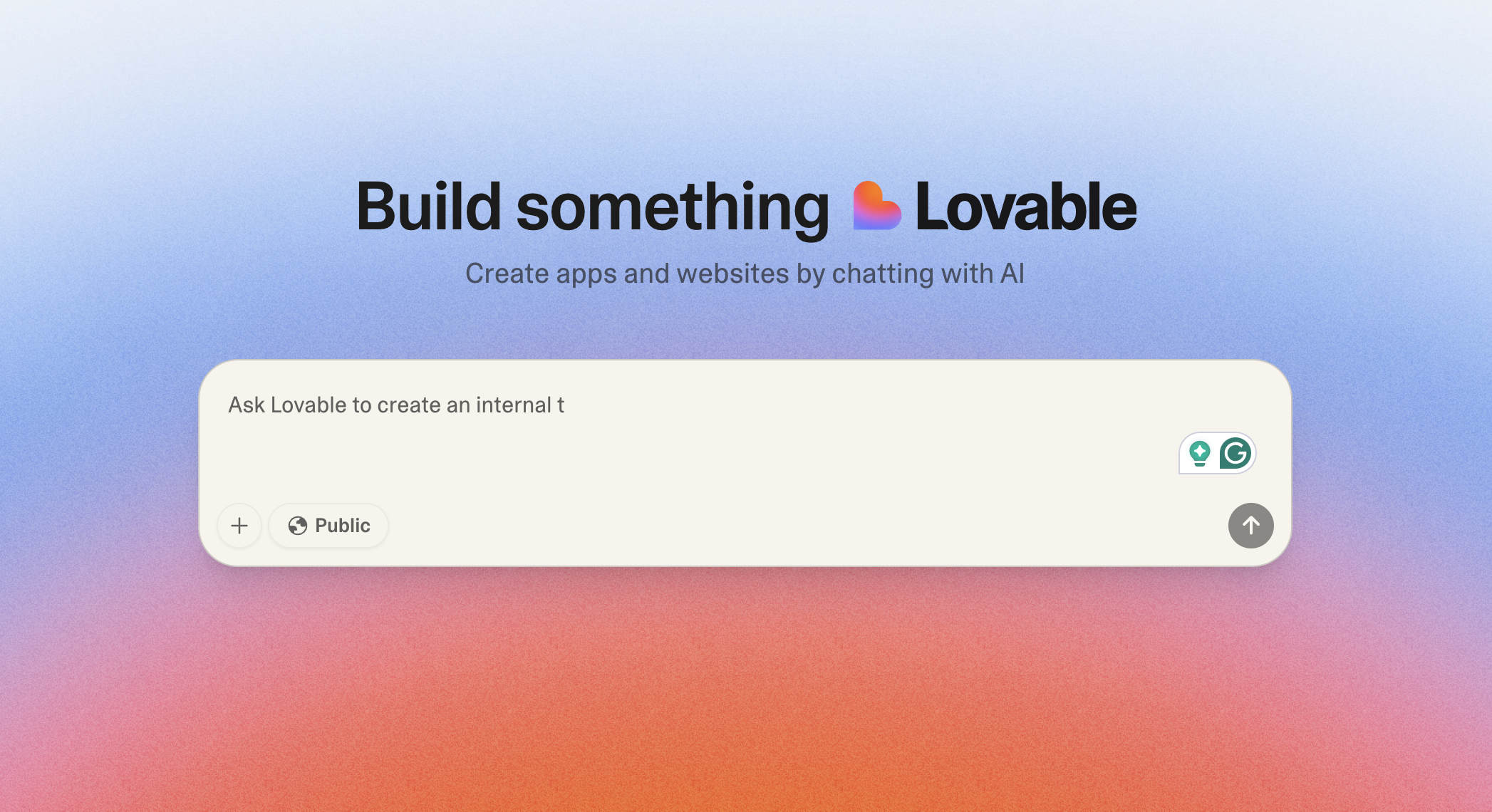
Lovable is an AI-powered app builder designed to spin up working prototypes from natural language prompts. Instead of opening a blank IDE, you describe the app you want, and Lovable’s AI generates the code and a live preview. It’s especially geared toward early-stage ideas, hackathons, or small teams who want to test concepts fast without hiring developers.
The trade-off is that Lovable remains prototype-first: apps often need extra polish, manual fixes, or migration into a more robust platform once your use case gets serious.
Pros and cons of using Lovable
Pros:
- AI-assisted building: Generate apps from simple text prompts, great for non-developers experimenting with ideas.
- Fast prototyping: Turn concepts into a running demo in minutes, no manual coding required.
- Visual previews: See results in real time as you adjust inputs or prompts.
- Good for ideation: Helps teams align quickly on what an app could look like before investing resources.
Cons:
- Not production-ready: Apps often need developer cleanup or migration to other platforms for long-term use.
- Limited scalability: Better for small prototypes than business workflows that need security, permissions, or integrations.
Key Features
- AI-generated app prototypes: Turn text prompts into working app prototypes in minutes, so teams can visualize ideas without starting from scratch.
- Editable code with live preview: Adjust generated code in real time and instantly see how the app changes: useful for refining prototypes in workshops or pitches.
- Pre-built layouts and UI components: Speed up ideation with ready-made elements like forms and navigation bars that you can quickly rearrange.
- Export to external frameworks: Take generated code out of Lovable and move it into developer tools for further customization once you’re past the prototype stage.
Lovable pricing
Pricing
- Free plan: Limited generation credits (5/day) and basic features
- Pro plan: Starts around $20/month — includes more AI generations(100/month) and project slots
- Team and Enterprise: Custom pricing for collaboration and larger AI usage quotas
Who Lovable is best for
Best for early-stage teams, product managers, or entrepreneurs who want to test UI-heavy concepts quickly without involving a dev team. It’s particularly useful in hackathons, brainstorming workshops, or design sprints where speed matters more than stability.
Verdict: Lovable vs Replit
Lovable works well for generating simple prototypes from prompts. Replit is better suited if you want to write and customize code directly.
3. Cursor — best for developers needing an AI IDE with multi-file edits and smart refactors

Cursor is an AI code editor built on VS Code that layers advanced autocomplete, codebase-aware chat, and an Agent that can apply changes across files. You describe an outcome, and Cursor drafts diffs you can review and merge. It also includes Background Agents (remote workers that run tasks asynchronously) and Bugbot (AI code review for pull requests).
Pros and cons of using Cursor
Pros
- Real codebase context: Reference files or symbols, ask targeted questions, and have suggestions applied directly as diffs.
- Agentic workflows: Let the Agent implement changes end-to-end with checkpoints for review.
- Background Agents & Bugbot: Offload long tasks to remote agents and get automated PR feedback linked back into Cursor.
Cons
- Developer-first: Not designed for non-technical teams; it’s an IDE, not a no-code builder.
- Usage limits by plan: Heavy Agent use may require upgrading.
Cursor key features
- Tab & multi-line edits: Smart autocomplete that handles changes across multiple lines and files.
- Agent mode: Drafts diffs, runs commands, and loops on errors while keeping you in control.
- Context retrieval: Automatically pulls relevant files and libraries into context.
- Background Agents: Run tasks remotely on isolated machines while you continue working.
- Bugbot: Automated code review that comments on pull requests and offers one-click fixes.
Cursor pricing
- Hobby: Free — limited Agent requests & Tab (includes a two-week Pro trial).
- Pro: $20/month — unlimited Tab, extended Agent limits, Background Agents, Bugbot, and larger context windows.
- Ultra: $200/month — ~20× more usage, priority access to features.
- Teams: $40/user/month — Privacy Mode, admin dashboard, centralized billing, and SAML/OIDC SSO.
- Enterprise: Custom — advanced usage, SCIM, access controls, and priority support.
Who Cursor is best for
Engineering teams working in existing codebases who want AI to speed up refactors, reviews, and repetitive edits with diffs and checkpoints to keep changes auditable.
Verdict: Cursor vs Replit
Replit is a browser IDE for quick prototypes. Cursor enhances your day-to-day editor workflow, making existing codebases faster to navigate, edit, and review, especially when multi-file changes and code quality matter.
4. Bolt (bolt.new) — best for teams wanting to generate full-stack apps from natural language prompts

Bolt is an AI-first app builder that runs entirely in the browser. You describe the app you want, and Bolt generates a complete stack—React front end, server logic, and a database schema, instantly runnable in your tab. Unlike most AI builders, you own the generated code: you can export it, push to GitHub, or deploy directly to platforms like Netlify.
Pros and cons of using Bolt
Pros
- Rapid code generation: Spin up working apps (UI, backend, database) in minutes.
- Code ownership: Export and edit the generated source: no lock-in.
- One-click deploys: Publish directly to hosting providers like Netlify.
- Browser-native environment: Built on WebContainers, so you can run servers and install packages without local setup.
Cons
- Token-based usage: Heavy projects can burn through credits quickly.
- Framework bias: Strongest for React/Node stacks; other frameworks have limited support.
- Prototype-first: Generated apps often need cleanup before production.
Bolt key features
- AI-generated full stack: Generates React front end, Node backend, and Postgres schema in one go.
- Visual editing and live preview: See changes instantly in the browser.
- Export & GitHub sync: Keep, fork, and version control your code.
- Netlify deployment path: Publish live apps with one click.
- Integrated packages: Install npm modules directly from the browser.
Bolt pricing
- Free plan: Limited credits per month for experimentation.
- Pro: $20/month — ~10M tokens, hosting for ~1M monthly requests.
- Higher tiers: Add more tokens, hosting bandwidth, and team features.
- Enterprise: Custom usage and support.
Who Bolt is best for
Product teams, startup founders, or small dev shops that need to validate ideas quickly and want to keep control of the underlying code. Great for hackathons, MVPs, or internal tools where speed matters.
Verdict: Bolt vs Replit
Replit provides a general-purpose coding environment for many languages, but you still write the code. Bolt skips straight to a runnable full-stack app from a prompt. If your goal is prototyping and demoing fast while keeping code portable, Bolt is the stronger choice.
5. Bubble — best Replit alternative for MVPs & SaaS

Bubble is a no-code platform designed for creating MVPs, SaaS products, and marketplaces. Unlike Replit, which is developer-first, Bubble lets teams build web applications visually through a drag-and-drop editor. It’s often used by startups and agencies that need to launch digital products without hiring engineers.
The platform is powerful but requires time to learn, and apps can slow down as they scale. Since all projects run on Bubble’s infrastructure, teams are also dependent on its hosting environment.
Pros and cons of using Bubble
Pros:
- Purpose-built for products: Create SaaS apps, MVPs, and marketplaces without coding.
- Extensive plugin ecosystem: Thousands of plugins add features like payments, chat, or analytics.
- Detailed design control: More freedom over UI and layouts than lighter no-code tools.
- Supports scaling: With optimization, Bubble apps can grow to handle larger use cases.
Cons:
- Steeper learning curve: More powerful than Replit alternatives built for prototyping, but harder for non-technical SMB teams to master quickly.
- Performance limitations: Apps can slow down as they grow, unless carefully optimized.
- Hosting lock-in: You’re tied to Bubble’s infrastructure, which can limit portability and raise long-term dependency risks.
Bubble key features
- Visual editor: Build interactive web apps with a drag-and-drop interface.
- Workflows: Automate user actions like onboarding, payments, and approvals.
- Plugin marketplace: Extend functionality with pre-built integrations.
- Database & API support: Manage structured data or connect to external services.
Bubble pricing
Pricing
- Free plan: Limited functionality and Bubble branding
- Starter: $29/month — basic features for small apps
- Growth: $119/month — adds scaling, performance, and advanced features
- Team: $349/month — collaboration tools and larger capacity
- Enterprise: Custom — higher performance, dedicated infrastructure, and compliance
Who Bubble is best for
Bubble works best for startups, agencies, and product teams creating SaaS platforms, marketplaces, or MVPs. It’s not the simplest option for quick internal tools, but it offers flexibility for teams focused on product launches.
Verdict: Bubble vs Replit
Bubble is stronger than Replit when the goal is to build and launch SaaS products or marketplaces without code. Replit, by contrast, suits developers who want a code-first environment for learning or prototyping.
6. v0 (by Vercel) — best for AI-assisted UI generation with deployment & design-system consistency
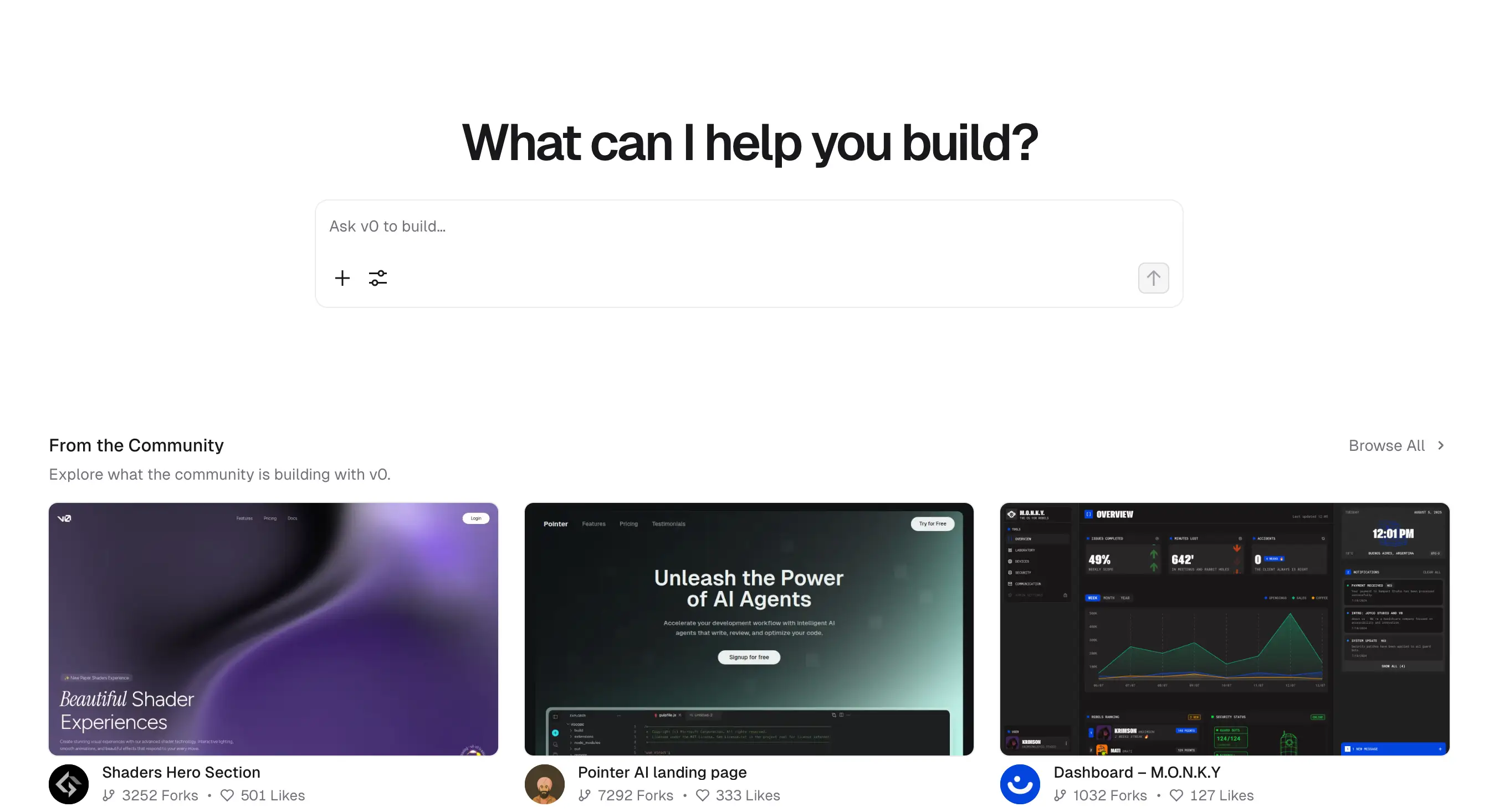
v0 is an AI-first app builder from Vercel. You describe what you want (even share screenshots or mockups), and it generates code aligned with the Shadcn design system using Tailwind CSS and React components. It also includes a visual Design Mode, Git integration, and built-in deployment to Vercel.
Pros and cons of using v0
Pros
- Design-system backed UIs: Generated UIs are consistent, polished, and shadcn-aligned—great for professional aesthetics.
- Streamlined deployment: One-click deploys directly to Vercel—seamless integration.
- Multimodal inputs: Supports visual inputs like sketches, screenshots, or mockups, not just text prompts.
Cons
- Metered usage: Relies on tokens/credits, so busy teams should monitor plan usage or purchase extra.
- Front-end focus: Still evolving on full-stack generation; backend features may be limited.
- Requires some code comfort: You get generated code—not a visual drag-and-drop interface like no-code tools.
v0 key features
- AI-generated React UIs: Built with Tailwind and shadcn for consistency and visual polish.
- Design Mode: Convert inputs (sketches, screenshots) into code visually.
- Git integration: Commit and sync generated code straight into your repository.
- Instant Vercel deploys: Publish apps live with a button click.
v0 pricing
- Free trial: Credit to test core features.
- Premium: $20/month — includes a credit pool for AI generations and Vercel integration.
- Team: $30/user/month — more credits and collaboration tooling.
- Enterprise: Custom — with higher usage limits and enterprise-grade support.
Who v0 is best for
Design-forward teams, agencies, or startups that want visually consistent front ends fast, and prefer a tight pipeline from mockup to deployment.
Verdict: v0 vs Replit
Replit offers raw, universal dev environments and prototyping flexibility across languages. v0, by contrast, accelerates polished, front-end-first app creation—and lands you production-ready React code on Vercel instantly. If UI quality and deployment speed are priorities, v0 wins.
7. GitHub Copilot — best for developers wanting AI code suggestions, chat, and reviews in their existing IDEs

GitHub Copilot is Microsoft and OpenAI’s AI pair-programmer built into popular editors like VS Code, JetBrains, and Visual Studio. It suggests code completions, generates functions from natural language, assists with tests, and now offers Copilot Chat and Copilot for Pull Requests. For teams already working in GitHub repos, it becomes a natural productivity layer.
Pros and cons of using GitHub Copilot
Pros
- Seamless IDE integration: Works directly in editors that most devs already use.
- Context-aware suggestions: Generates code, tests, and docs in line with your project.
- Chat and PR support: Ask questions about code, get explanations, or review PRs automatically.
- Multi-model support: Copilot now leverages several large models (e.g., GPT-4, Claude, Gemini) for different tasks.
Cons
- Not beginner-friendly: Requires coding knowledge—it won’t replace developers.
- Quality varies: AI suggestions can contain bugs or security issues; everything still needs review.
- Data/privacy considerations: Teams may need enterprise controls for IP-sensitive projects.
GitHub Copilot key features
- Code completion: Inline suggestions from single lines to full functions.
- Copilot Chat: Conversational interface inside IDEs to explain, debug, or refactor code.
- Pull Request review: AI suggests changes, flags issues, and helps write commit messages.
- Multi-model support: Routes tasks to the most capable model for code, explanations, or review.
- Cross-platform: Works with VS Code, JetBrains IDEs, and GitHub.com.
GitHub Copilot pricing
- Free: For students, teachers, and open-source maintainers.
- Pro: $10/month or $100/year — unlimited code completions, Copilot Chat.
- *Pro+: $39/month or $390/year — multi-model Copilot with advanced features.
- Business & Enterprise: Custom pricing — includes SSO, compliance, usage analytics, and team governance.
Who GitHub Copilot is best for
Professional developers and SMB teams already using GitHub who want to speed up daily coding tasks, improve reviews, and reduce repetitive work.
Verdict: GitHub Copilot vs Replit
Replit is a cloud IDE for writing and sharing code in the browser—great for lightweight prototyping. GitHub Copilot lives inside existing editors, making professional coding workflows faster and smoother. For SMBs with in-house devs, Copilot is often the more natural choice.
8. GitHub Codespaces - best for developer teams needing cloud-based coding environments

GitHub Codespaces is GitHub’s cloud-based development environment. Instead of setting up a local dev machine, developers can spin up a containerized workspace directly in the cloud with VS Code or a browser editor. For engineering teams, it reduces onboarding time and ensures everyone works in a consistent environment.
Compared to Replit, Codespaces is less about experimenting or prototyping and more about giving professional developers a standardized coding setup. It’s powerful for dev-heavy teams, but non-technical SMB operators won’t get much use from it.
Pros and cons of using GitHub Codespaces
Pros:
- Fast onboarding: New developers can spin up a full coding environment in minutes.
- Consistency across teams: Everyone works in the same containerized setup, reducing “works on my machine” issues.
- Deep GitHub integration: Tied directly into repos, pull requests, and GitHub Actions.
- Scalable compute: Choose memory and CPU allocations depending on project needs.
Cons:
- Developer-only tool: Requires technical skills—non-technical teams won’t benefit.
- Usage costs: Heavy compute hours and storage can quickly become expensive.
- No business workflows: It’s a coding IDE, not a platform for permissions, databases, or automations.
GitHub Codespaces key features
- Cloud-hosted dev environments: Run VS Code in the browser or on a desktop with everything pre-installed.
- Customizable containers: Define environments with Dockerfiles and devcontainer configs.
- Integration with GitHub repos: Open branches and pull requests directly in a Codespace.
- Adjustable compute power: Scale resources up or down for different projects.
GitHub Codespaces pricing
Pricing
- Included free usage: Each GitHub account comes with a monthly allotment of core hours and storage.
- Pay-as-you-go: After the free quota, charges are based on vCPU hours and storage used.
- Enterprise pricing: Scales with team size, usage, and compliance requirements.
Who GitHub Codespaces is best for
Best for teams with in-house developers who want faster onboarding and standardized setups. Agencies, SaaS startups, and product teams benefit most when multiple developers need to collaborate across projects.
Verdict: GitHub Codespaces vs Replit
Codespaces is a stronger choice than Replit for professional developers who want full GitHub integration and consistent cloud-based environments. Replit is better for quick experiments or lightweight prototyping, while Codespaces is built for production-ready workflows.
9. StackBlitz — best for developers building and sharing front-end apps in the browser
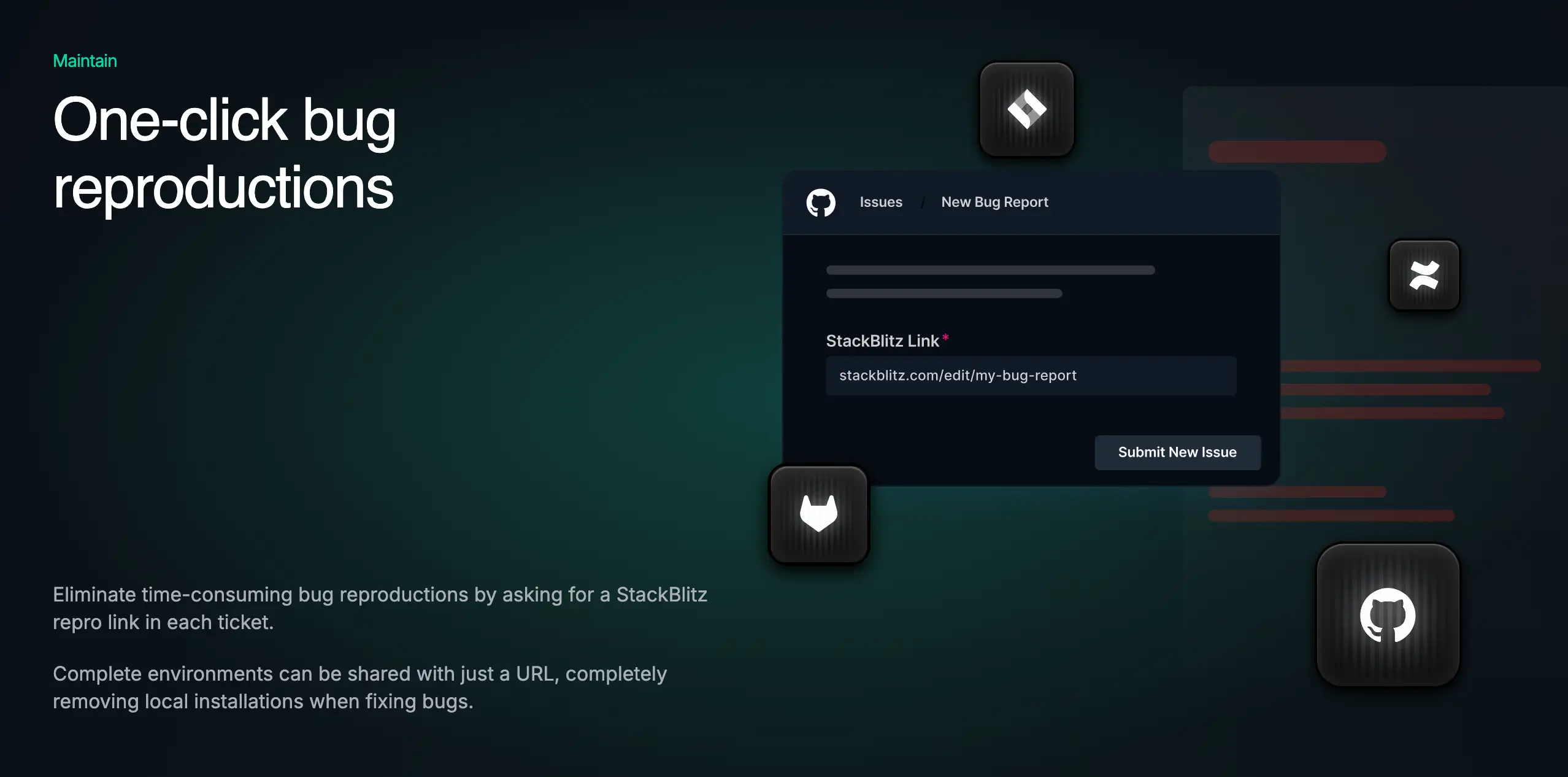
StackBlitz is a cloud-based development environment purpose-built for front-end frameworks like React, Angular, and Vue. Unlike Replit, which supports a wide range of languages and general-purpose coding, StackBlitz is optimized for modern web development—setting up projects instantly in the browser without requiring local setup.
For SMBs with technical teams, this can reduce onboarding time and make it easier to prototype client-facing apps or internal tools. But like Replit and GitHub Codespaces, it’s still a developer-first tool: non-technical operators won’t benefit without dev involvement.
Pros and cons of using StackBlitz
Pros:
- Instant environments: Launch a React, Angular, or Vue project in seconds without installing dependencies.
- Fast onboarding for dev teams: Great for agencies or SMBs that work with rotating developers or contractors.
- Seamless GitHub integration: Import repos and edit directly in the browser.
- Secure by default: Projects run in isolated WebContainers, reducing setup and dependency conflicts.
Cons:
- Developer-focused: Non-technical teams won’t be able to build or maintain apps on their own.
- Limited backend support: Optimized for front-end projects—backend services need external hosting.
- Not a business app platform: Doesn’t provide ready-to-use CRMs, dashboards, or client tools.
StackBlitz key features
- WebContainers technology: Run Node.js-based environments entirely in the browser.
- NPM support: Install packages directly from the browser.
- Cross-device editing: Pick up your dev environment from any computer with a browser.
- Preview and deploy options: View live previews and deploy projects quickly.
StackBlitz pricing
Pricing
- Free plan: Limited usage for individuals and open-source projects
- Pro plan: $9/month — increased resources, private projects, and better collaboration
- Teams: $29/user/month — advanced collaboration, team management features
- Enterprise: Custom pricing — security, compliance, and dedicated support
Who StackBlitz is best for
StackBlitz is best for SMBs with developer teams focused on modern front-end frameworks. It’s useful for training, prototyping, and speeding up client-facing builds, but not suited for operators or teams without coding skills.
Verdict: StackBlitz vs Replit
StackBlitz is the better option if you’re focused on front-end development with frameworks like React or Angular. Replit supports a wider range of languages and experimentation, but StackBlitz is faster and more streamlined for web developers.
Choose the right Replit alternative for your team
Replit is great for quick experiments, but most teams eventually need more than prototypes. The best alternative depends on your goals: some tools focus on fast idea generation, others on developer productivity, and a few—like Softr—on giving operators production-ready apps they can actually use every day.
If your team needs secure, branded software to manage clients, projects, or data without relying on developers, Softr is the clearest choice. With built-in databases, permissions, and ready-made templates, you can launch a working CRM, portal, or dashboard in less than an hour.
Try Softr for free and build a CRM, portal, or dashboard with the AI Co-Builder.
Frequently asked questions
What are the best Replit alternatives for non-developers?
Which Replit alternatives are best for AI-assisted prototyping?
What Replit alternatives allow internal teams to collaborate on full-stack apps?
Which Replit alternatives support low-code and AI-based dev workflows?
What are the best free alternatives to Replit?


