


Lovable is an AI coding tool that builds apps from plain-English prompts, often used by developers, students, and hobbyists to test ideas quickly. But the platform still generates code that someone has to manage, its credit-based pricing can run out fast, and updates sometimes break existing projects. Here are the best Lovable alternatives in 2026.
Best alternatives to Lovable at a glance
| Best for | Standout features | Pricing | |
|---|---|---|---|
| Softr | Teams that need secure, production-ready business apps | - Built-in database + AI Co-Builder - Role-based permissions & secure logins - Advanced forms and conditional fields - Automations, AI queries, templates library | Free plan (5 users) Paid plans from $19/month |
| Bubble | For building SaaS applications and MVPs | - Visual builder with pixel-level control - Built-in database & workflows - Robust plugin marketplace - Scales to complex business use cases | Free plan Paid plans from $29/month |
| Replit | Collaborative prototyping and AI-assisted coding | - Replit Agent for full app generation - Built-in SQL database (query-based) - One-click hosting & deployment | Free plan Paid plans from $20/month |
| Cursor | Developer-led teams wanting AI inside coding | - Natural-language code generation - Context-aware autocomplete & refactoring - Conversational repo search - Bugbot debugging (GitHub integration) | Free plan Paid plans from $20/month |
| Bolt | AI-assisted coding with developer control | - Browser-based IDE with zero setup - AI code generation & refactoring - Smart debugging assistance - Version history & collaboration tools | Free beta Paid plans TBD (~$20/month) |
| V0 by Vercel | Frontend devs generating UI components faster | - Prompt-to-React + Tailwind UI - Production-ready, editable code - Direct Vercel hosting integration - Extendable for custom projects | Free tier Paid plans from $20/month |
| Figma Make | Design-led teams prototyping and publishing inside Figma | - Prompt-to-app generation from frames - Built-in publishing (custom domains) - Supabase integration for auth & data - Edit UI and code in context | Included with Full seats:$16–$90/month (tiered) |
| Anima | Design-centric teams turning Figma into clean code | - Semantic React/Vue/TypeScript exports - Multi-screen prototypes into live code - Flexible deploy to GitHub/Netlify - Developer-ready structured output | Free tier Paid plans from $19/user/month |
| TeleportHQ | Teams moving from mockups to deployable interfaces | - Figma import + visual editor - Multi-framework code export (React, Vue, Angular) - Flexible hosting or export to Vercel/GitHub - Real-time collaboration | Free plan Pro plan $18/editor/month ($9 annual) |
| Builder.io | SMBs & enterprises needing CMS + personalization | - AI design-to-code (Figma → React/Vue/Qwik) - Composable CMS layer - Built-in A/B testing & personalization - Works inside dev workflows | Free tier Paid plans from $25/user/month |
| Wix AI | Beginners & SMBs needing fast AI websites | - Conversational AI site builder - SEO, payments, e-commerce, analytics built-in - Drag-and-drop customization - Hosting included | Free plan Paid plans from $17/month |
| Framer AI | Startups & SMBs launching polished marketing sites | - Prompt-to-site builder with modern design - Built-in hosting + CMS- SEO & analytics integrations - Responsive, sleek layouts | Free plan Paid plans from $10/month |
| 10Web | SMBs wanting AI-powered WordPress sites with hosting | - AI site generator from prompt or URL - Google Cloud hosting included - WooCommerce + WordPress plugins - Automated speed & SEO optimization | Paid plans start at $10/month |
Limitations of Lovable
Many businesses turn away from Lovable once they try using it beyond prototypes. For most SMBs, Lovable’s AI-driven coding feels exciting at first, but quickly shows its limits when you try to use it for real operations.
| Limitation | Why it matters |
|---|---|
| No real user authentication or roles | You can’t set up role-based access, which is essential for client portals or internal apps. |
| No structured database | There’s no relational database or schema management, so data ends up scattered or unmanageable. |
| Not production-ready | Apps aren’t truly deployable for long-term use, making them unreliable for business-critical workflows. |
| No templates | There are no pre-built templates to get you started with common use cases. |
| Collaboration is creative, not operational | It’s designed for tinkering together, not managing roles, permissions, or workflows. |
| Missing ecosystem | It lacks the integrations, automations, and support network that businesses expect from a tool they’ll use every day. |
Types of Lovable alternatives
Not all Lovable AI alternatives work the same way. Depending on your team’s skills and goals, you’ll find four main types of tools:
1. AI prototyping & vibe coding tools
These tools generate and edit code with AI, letting developers move fast while staying in control. They’re great for prototyping, but still expect coding knowledge for long-term use.
- Examples: Replit, Cursor, Bolt, V0 by Vercel, Figma Make
- Best for: Developer-led teams who want to spin up ideas quickly without giving up control of the code.
2. Design-to-code platforms
These tools automate the transition from visual design to working code—perfect for teams aiming to shorten designer-developer handoffs.
- Examples: Anima, TeleportHQ, Builder.io
- Best for: Design-driven teams that want to convert mockups into framework-ready code with minimal friction.
3. AI website builders
These focus on speed and automation, using AI to generate site layouts, landing pages, and hybrid setups in minutes.
- Examples: Wix AI, Framer AI, 10Web
- Best for: Startups and small teams that need fast, AI-assisted websites without complex backend needs.
4. No-code app builders
These prioritize operators over developers. They come with templates, visual editors, role-based permissions, and automations—everything SMBs need to build real internal and external apps.
- Examples: Softr, Bubble
- Best for: Non-technical SMB teams that want stable, ready-to-use CRMs, portals, or dashboards without touching code.
What to look for in a Lovable alternative
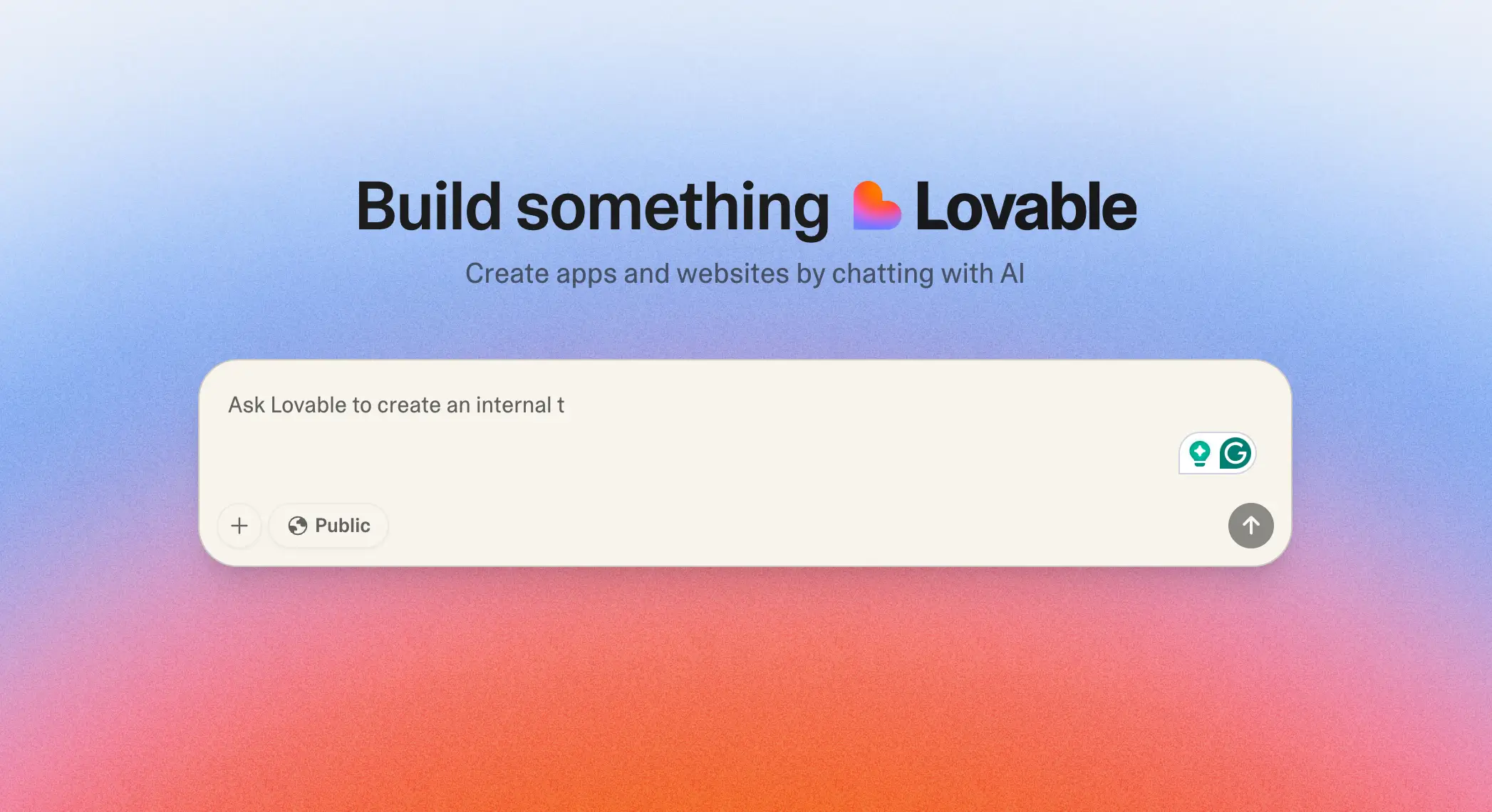
If you’re evaluating the best alternatives to Lovable, focus on the essentials that make a tool reliable for daily business use:
- Ease of use: A clear, visual interface so non-technical teams can build and maintain apps on their own.
- User authentication and roles: Secure logins and role-based access for clients, partners, and employees.
- Structured database support: Relational data, linked records, and forms to keep business information organized.
- Production readiness: Stable hosting, security, and scalability to support apps you rely on every day.
- Pre-built templates: Ready-to-use templates for CRMs, portals, or project trackers to speed up setup.
- Integrations and automations: Smooth connections with tools like Google Drive, Slack, Zapier, or Make to cut manual work.
- Predictable pricing: Transparent, flat plans that are easier for SMBs to budget than credit-based models.
- Collaboration features: Role-based permissions and secure team access for operational, and not just creative use.
1. Softr — best Lovable alternative for production-ready business apps

Softr is an AI-native platform for building real business software (client portals, vendor portals, company intranets, CRMs, project trackers, and more) without writing code. With the AI Co-Builder, just describe the app you need and get a customdatabase, app, and business logic. It's secure and functional by default, so you can share any app you make with real users.
Switch back and forth between prompting and visual editing, so you don't have to drain your AI credits to make changes. Builders can also connect Claude, ChatGPT, or Cursor to create and edit business apps through the Softr MCP. Customize logic, control who sees and edits what, add features, and scale as your business evolves. No technical overhead or waiting on developers to finish their sprint.
Unlike Lovable, Softr gives non-technical teams an in-depth, visual way to build, customize, and maintain apps without code. With a built-in database, secure logins, and granular access controls, Softr ensures business data stays organized and accessible only to the right people.

Softr pros and cons
Pros
- Business-ready apps, not just prototypes: build portals, CRMs, dashboards, intranets, and more that can actually run day-to-day operations.
- Visual builder for non-technical teams: drag-and-drop builder, conditional logic, and styling without needing code.
- Built-in database + integrations: native Softr Databases plus deep integrations with Airtable, Notion, HubSpot, SQL, and REST APIs, all with real-time sync.
- Granular permissions & secure logins: role-based access and granular permissions, SSO, passwordless login, and external user authentication built in.
- All-in-one platform: grow from a single app (e.g. a CRM) to a full suite (knowledge base, portal, ERP) without extra tools or migration.
- Templates & support ecosystem: 150+ templates, live chat and email support, and an expert partner/creator community to help teams move faster.
- Predictable pricing: No per-seat or credit-based surprises.
Cons:
- More structured than freeform tools: while powerful for business apps, it’s less suited to “blank canvas” prototyping or vibe coding that Lovable or Webflow-style tools enable.
- Best fit for small to mid-sized companies and ops-heavy teams: larger enterprises with highly bespoke engineering needs may still prefer custom development
Softr key features
- AI Co-Builder: Softr's AI app builder pairs the reliability of no-code infrastrucure with the speed of vibe coding, generating complete, secure apps that actually work.
- Native data flexibility: Connect to native data sources like Airtable, Google Sheets, Notion, HubSpot, monday.com, ClickUp, SQL databases, Coda, and more with real-time, two-way sync. Or, use Softr Databases to manage your data and apps in one place.
- User authentication and roles: Secure logins and role-based permissions make it easy to onboard clients, partners, or employees while keeping sensitive data protected.
- Advanced forms: Create forms with conditional logic, multiple steps, and custom visibility rules. Use them for client requests, internal approvals, or ticket submissions, and route the data with real-time sync straight into your data source with tags and assignments.
- Conditional fields: Show, hide, or route tasks automatically—no coding needed.
- Ask AI: Query your app’s data in plain English and get your answers fast. APP permissions apply to users to only see what they should.
- Responsive apps & PWAs: Apps work on web, mobile, and can be published as installable PWAs.
- Custom branding: White-label with your own logo, colors, and navigation for a professional client experience.
- Automations: Trigger updates, alerts, or workflows in tools like Slack, Zapier, and Make. (or use native Softr Workflows)
- Templates library: Dozens of ready-made templates for lightweight CRMs, intranets, project trackers, and portals.
- Live chat support & active community: Access live chat and a community of builders.
Softr pricing
Softr offers flexible pricing plans, so you can build databases and apps at any tier:
- Free: $0/month, with every building block included, plus Softr MCP
- Basic: $19/month (billed annually), adds a custom domain
- Pro: $99/month (billed annually), adds branding removal, custom code, calling external APIs, and comments
- Business: $329/month (billed annually), adds two-factor authentication and an installable mobile app
- Enterprise: custom pricing, adds SSO and advanced security & governance
Why it’s better than Lovable pricing
Lovable’s plans start free but quickly become unpredictable with credit limits.
That means your apps can stall mid-month when credits run out. Softr’s flat tiers give predictable monthly costs, unlimited usage within plan limits, and no surprise downtime. For SMBs that need stability, Softr’s pricing model is far more sustainable.
Who Softr is best for
Softr is perfect for SMBs with operational workflows—whether in professional services, business operations, manufacturing, logistics, or agencies — that need secure, branded portals, CRMs, dashboards, or internal tools.
Verdict: Softr vs Lovable
If building business apps and protecting data is a priority, Softr is the better choice.
Lovable makes it simple to spin up a prototype, but it leaves security, permissions, and stability up to you. Softr bakes these guardrails in from the start—secure logins, role-based access, and real-time data sync, so your apps stay protected without adding technical overhead.
[.blog-callout]
Manual review cycles can easily block growth. That was the challenge Make faced with its creator contests—thousands of submissions, five separate workflows, and dozens of teammates trying to stay aligned. Instead of throwing developer resources at the problem, they built a community challenge app in Softr. In just one month, the app was live: it now processes over 1,000 submissions per contest, automates reviews and notifications, and enables 50+ team members to collaborate in one place—scaling the process without scaling the dev team.
[.blog-callout]
2. Bubble — best Lovable alternative for MVPs and SaaS
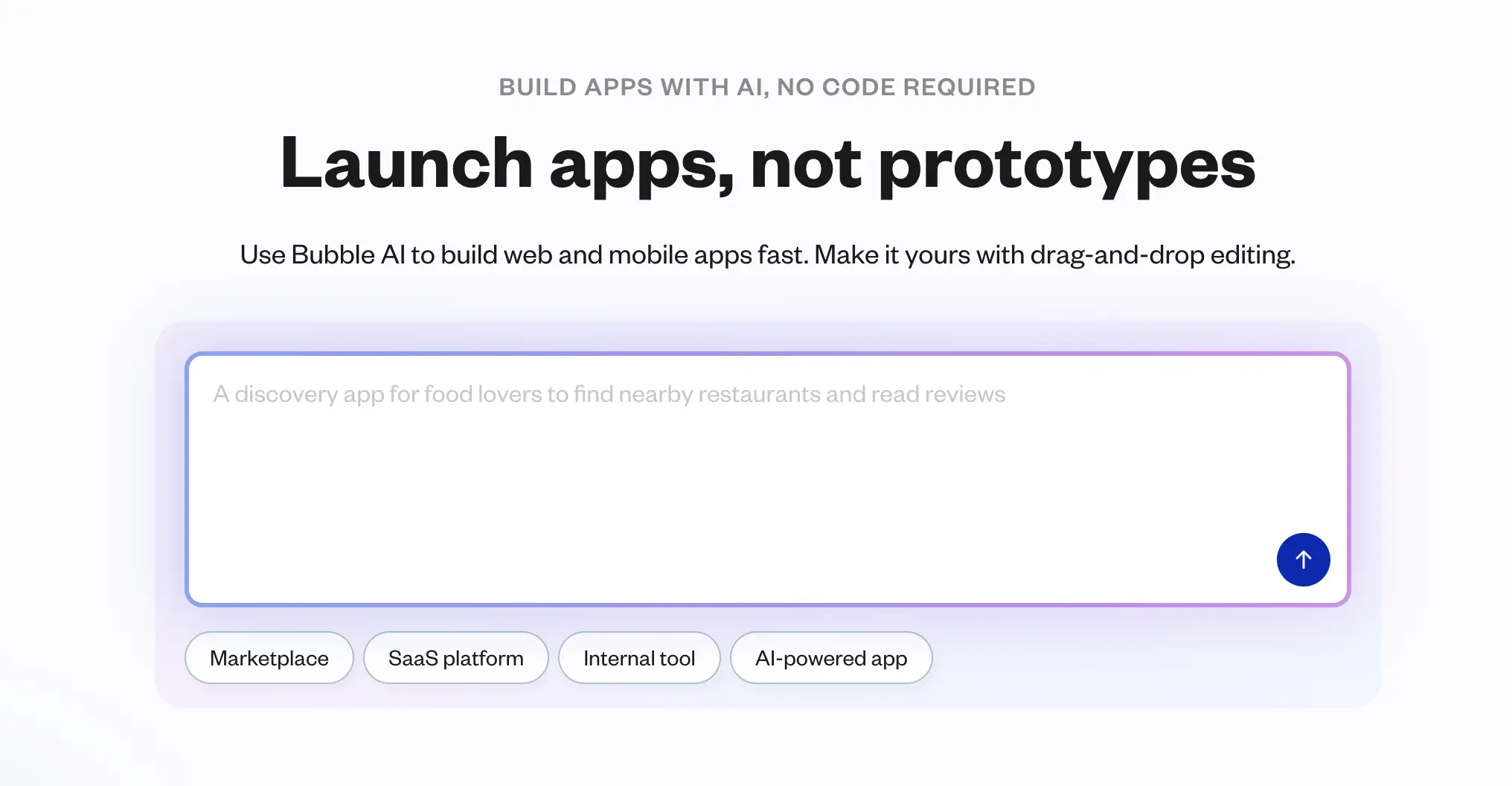
Bubble is best suited for teams building MVPs, SaaS products, or marketplaces. Unlike Lovable, which is focused on lightweight prototyping, Bubble provides the workflows, plugins, and infrastructure needed to take an idea into a production-ready SaaS or platform — but it requires more setup and has a steeper learning curve.
Pros and cons of using Bubble
Pros:
- Highly flexible: Build almost any type of web app—from marketplaces to SaaS MVPs without coding.
- Plugin ecosystem: Thousands of plugins extend functionality (payments, chat, analytics).
- Built-in database and workflows: Native data storage with visual automation tools.
- Production potential: Apps can be scaled for real users if optimized well.
Cons:
- Steeper learning curve: Takes longer to master than Lovable.
- Performance issues: Large apps may slow down without optimization.
- Hosting lock-in: All apps run on Bubble’s infrastructure.
- Authentication is limited: Basic logins are possible, but advanced auth needs plugins or custom setup.
Bubble key features
- Visual editor: Drag-and-drop interface for web app design.
- Custom workflows: Automate tasks like approvals, notifications, and payments.
- Plugin marketplace: Add integrations and features without coding.
- Built-in database: Manage structured data internally or connect APIs.
Bubble pricing
- Free plan: Limited functionality and Bubble branding
- Starter: $29/month — basic features for small apps
- Growth: $119/month — adds scaling, performance, and advanced features
- Team: $349/month — collaboration tools and larger capacity
- Enterprise: Custom — higher performance, dedicated infrastructure, and compliance
Who Bubble is best for
Bubble is best for startups and small teams that want to build SaaS products, marketplaces, or MVPs without hiring developers. It’s suited for teams ready to invest time learning the platform in exchange for flexibility and scale.
Verdict: Bubble vs Lovable
Bubble is better if you need to build and launch a SaaS product or marketplace. Lovable is quicker for prototyping, but it lacks the workflows and scale needed for production apps.
3. Replit — best for collaborative prototyping and AI-assisted development

Replit is a browser-based IDE (Integrated Development Environment) that combines coding, AI support, and deployment in one place. It’s widely used by students, educators, and developers who want a fast way to experiment with code or share working prototypes without setting up a local environment.
Compared to Lovable, Replit puts you closer to the code. It’s better suited for those who want to write, edit, and maintain applications directly, with AI tools like Replit Agent to speed things up. Lovable, by contrast, focuses on generating prototypes from prompts, which is faster for non-coders but less flexible once you need to refine or scale.
Pros and cons of using Replit
Pros:
- Zero-setup coding: Run code in the browser with support for 50+ languages.
- AI assistance: Replit Agent helps with autocomplete, debugging, and even generating full applications with documentation.
- Built-in deployment: Custom domains, autoscaling, and live hosting without extra tools.
- Collaboration: Real-time multiplayer editing and live chat for pair programming or classroom use.
Cons:
- Limited data handling: SQL database included, but no visual modeling, linked records, or form-based entry.
- No user roles or permissions: Authentication and access control must be coded separately.
- Few built-in automations: Approvals, reminders, and workflows require custom code or third-party tools.
Replit key features
- Cloud IDE: Code in 50+ languages without installs.
- Replit Agent: Generates entire apps from prompts, including dependencies and docs.
- Built-in deployment: Autoscaling hosting, custom domains, and live previews.
Replit pricing
- Starter: Free — Daily Agent credits, a daily-capped Free Mode, and 1 published app for 30 days
- Core: $20/month ($18/month annually) — $20 in monthly credits, a Free Mode allowance, Full build, unlimited apps, up to 5 collaborators
- Pro: $100/month ($90/month annually) — $100 in monthly credits (higher tiers up to $2,050/month), 15 collaborators, 50 viewers, 10 parallel agents
- Enterprise: Custom pricing — SSO/SAML, SCIM, advanced privacy controls, unlimited seats, dedicated support
Who Replit is best for
Replit is best suited to developers, students, and educators who need a lightweight coding setup with AI support and built-in hosting. It’s also useful for teams that want to validate concepts quickly before moving to a more structured platform.
Verdict: Replit vs Lovable
Replit is the stronger choice if you want hands-on coding with AI support and real deployment options. Lovable, by contrast, is better if you need to generate quick prototypes from prompts without touching code.
4. Cursor — best for developer-led teams that want AI deeply integrated into coding
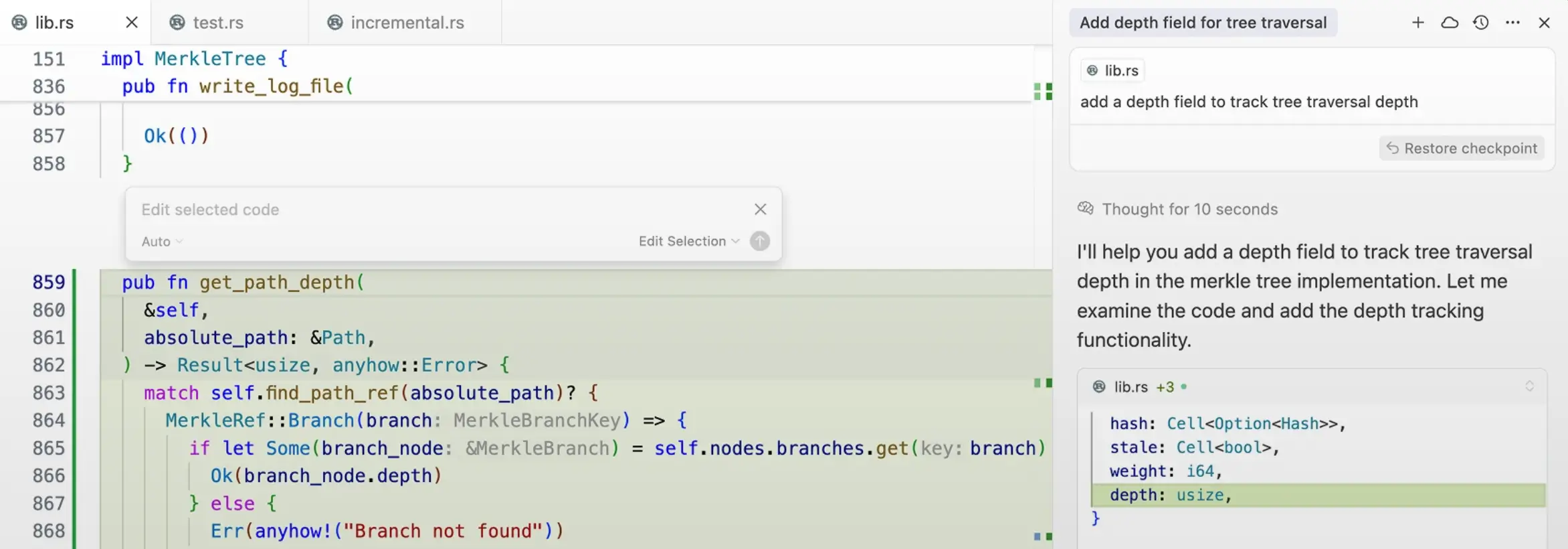
Cursor is an AI-powered code editor built on top of VS Code. Unlike Lovable, which tries to abstract code away entirely, Cursor keeps developers in the loop while speeding up everyday coding, debugging, and refactoring with AI. It’s especially useful for teams who want to move faster in existing codebases but still maintain full control of their stack.
Pros and cons of using Cursor
Pros:
- Code-aware AI: Generates, edits, and rewrites code directly in context.
- Productivity features: Autocomplete, smart refactors, and conversational codebase search.
- Bugbot integration: AI-assisted debugging that links with GitHub to suggest and test fixes.
- Familiar environment: Feels like VS Code with extra AI features.
Cons:
- Not no-code: Still requires coding knowledge to maintain and review AI output.
- Performance issues: Can lag or freeze with large files or long sessions.
- Pricing complexity: Usage-based tiers can be unpredictable for heavy users.
Cursor key features
- Natural-language code generation: Write or refactor code by describing changes in plain English, directly inside the editor.
- Context-aware AI assistance: Autocomplete, rewrites, and explanations tuned to your codebase and current file.
- Codebase search & Q&A: Query your entire repo conversationally to find functions, logic, or references faster than manual search.
- Bugbot debugging: Identify issues, generate fixes, and even draft GitHub pull requests to speed up troubleshooting.
Cursor pricing
Pricing (as of 2025):
- Free plan with limited AI requests
- Pro: $20/month — increased usage limits, faster AI access
- Business: $40/month per user — includes Bugbot and team features
- Enterprise: Custom pricing with SOC 2 compliance and privacy controls
Who Cursor is best for
Cursor is best for developer-led SMB teams who want to improve their coding workflow with AI. It’s not designed for non-technical operators but is great for product engineers, startups, or technical founders who want to build and maintain production apps faster.
Verdict: Cursor vs Lovable
Teams don’t always choose between Cursor and Lovable — they often use both. Lovable is handy for spinning up a quick UI from a prompt, while Cursor gives you the coding environment to take it further: adding backend logic, debugging, and refining the app.
A common flow is to start with a UI in Lovable, then move it into Cursor (or VS Code) to handle the real development work. If you just need a quick prototype, Lovable is usually enough. But when stability and maintainability matter, Cursor is where the project grows.
5. Bolt — best for AI-assisted coding with developer control

Bolt is an AI-powered code editor that runs in the browser, combining a familiar dev environment with AI assistance for generating, editing, and debugging applications. It’s for developers who want speed without giving up control of the underlying code.
Compared to Lovable, Bolt keeps the focus on developer ownership. Lovable auto-generates prototypes that may need cleanup, while Bolt provides AI help inside a coding-first workflow, making it a better fit for teams that want to stay in the codebase but move faster.
Pros and cons of using Bolt
Pros:
- Coding-first approach: AI speeds up workflows but leaves the developer in control.
- Browser-based editor: No setup required, making it easy to start projects instantly.
- AI debugging and refactoring: Helps improve code quality and maintainability.
Cons:
- Requires coding knowledge: Not accessible for non-technical teams.
- Limited production tooling: Lacks built-in hosting or app templates.
Bolt key features
- AI-assisted coding: Generate new code blocks or refactor existing code while keeping control of the logic.
- Browser-based editor: Start coding instantly without installing IDEs or setting up environments.
- Smart debugging tools: Get AI-powered suggestions to fix errors and improve readability.
- Version history and collaboration: Track changes and share projects with teammates in real time.
Bolt pricing
Pricing
Bolt currently offers free access during its beta, with paid plans expected as usage scales. Pricing details have not yet been standardized, but are likely to follow a usage/credit-based model.
Who Bolt is best for:
Developer-led teams that want to move faster without giving up control of the codebase. Especially useful for prototyping and building smaller apps with AI assistance.
Verdict: Bolt vs Lovable
Bolt is a better choice than Lovable if you want AI help inside a coding workflow rather than having full code generated for you. Lovable suits non-coders experimenting with quick ideas, while Bolt is designed for developers who want both speed and control.
6. V0 by Vercel — best for AI-assisted UI generation
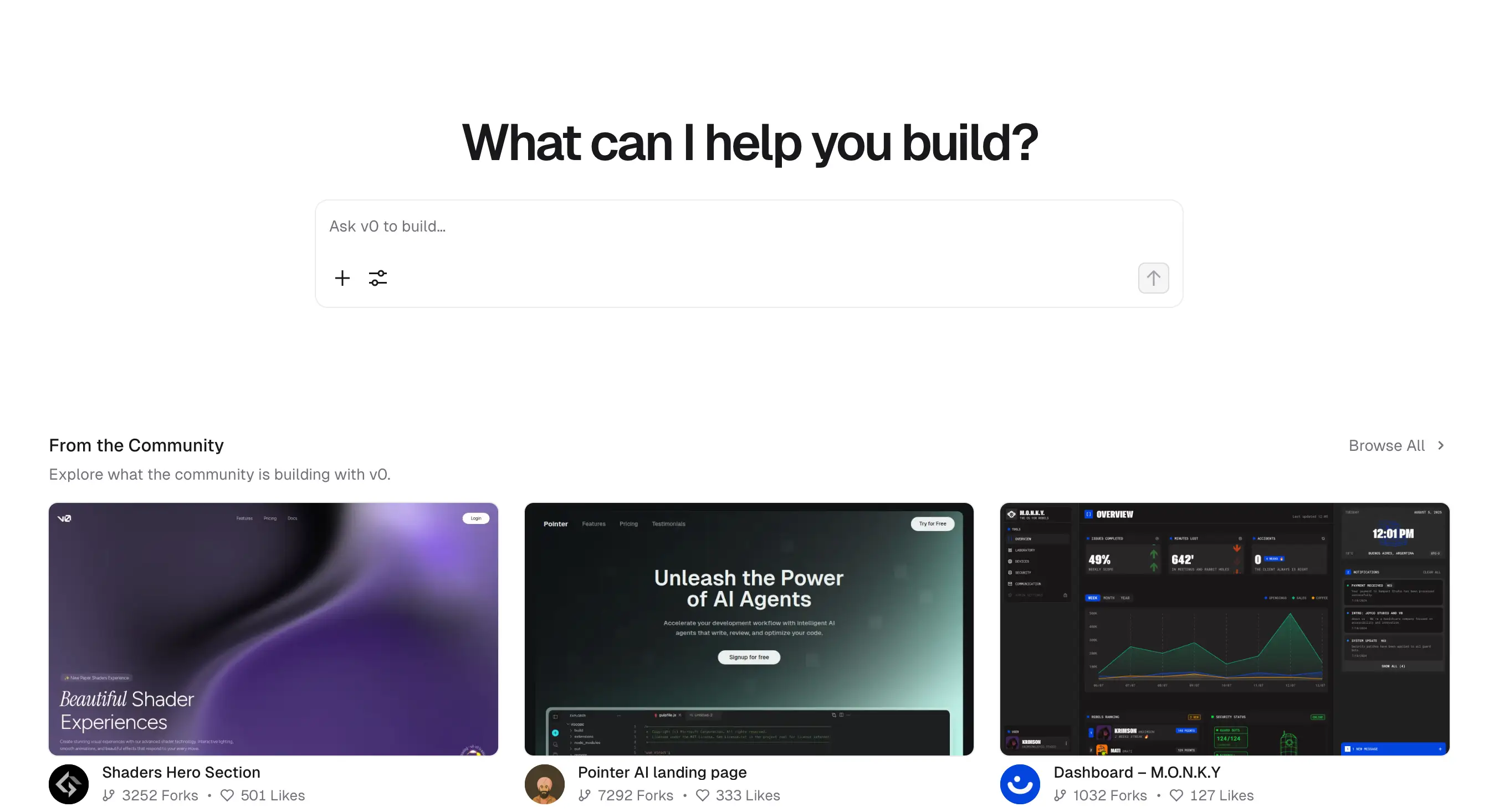
V0 by Vercel is an AI tool that turns prompts into working UI components built on React, styled with Tailwind, and ready to ship on Vercel’s hosting platform. It’s built for frontend developers who want a head start on layouts and components without manually scaffolding everything.
Compared to Lovable, V0 is more specialized: it doesn’t attempt to generate whole apps, but instead accelerates the most repetitive parts of UI development. That makes it more reliable for developers shipping production frontends, whereas Lovable is better for quick all-in-one prototypes.
Pros and cons of using V0 by Vercel
Pros:
- High-quality UI generation: Produces React + Tailwind components ready for production.
- Seamless with Vercel: Works natively with Vercel’s hosting, deployments, and previews.
- Speeds up frontend workflows: Reduces boilerplate coding for common layouts and UI elements.
- Editable output: Developers can immediately tweak and extend generated code.
Cons:
- Frontend-only focus: Doesn’t generate databases, workflows, or backend logic.
- Requires dev skills: Still needs React/Tailwind knowledge for refinement.
V0 by Vercel key features
- Prompt-to-UI generation: Create React + Tailwind components from natural-language prompts.
- Production-ready code: Output is structured for immediate use in live projects.
- Direct integration with Vercel: Deploy components and apps quickly using Vercel’s platform.
- Editable and extendable: Developers can refine code directly for custom use cases.
V0 by Vercel pricing
Pricing:
- Free tier: Available with limited AI generations.
- Pro tier: Starts at $20/month — includes higher usage quotas and collaboration tools.
- Team & Enterprise plans: Custom pricing for large teams, with advanced usage limits and support.
Who V0 by Vercel is best for:
Frontend developers and teams who want to generate clean, production-ready UI components quickly, while still owning and refining the codebase.
Verdict: V0 by Vercel vs Lovable
V0 by Vercel is a better fit if your focus is on shipping a polished UI faster while keeping the codebase maintainable. Lovable is better for non-technical users who just want to see an idea come to life quickly, but the trade-off is less flexibility and reliability for production use.
7. Figma Make — best for design-led teams wanting prompt-to-app prototypes (with hosting) inside the Figma ecosystem

Figma Make is Figma’s AI prompt-to-app tool: you describe what you want (or attach Figma frames), and it generates a functional prototype or web app you can iterate on with chat and code edits. Teams can publish to the web (including custom domains) and optionally connect Supabase for auth, data, and private APIs—all without leaving Figma. It’s now generally available and included on Full seats (usage limits apply).
Compared to Lovable, which also turns prompts into React/TypeScript projects with integrations like GitHub, Supabase, Stripe, and Resend, Figma Make keeps the entire flow: design → prototype → publish—inside Figma and Figma Sites. Lovable’s strength is code export/ownership and flexible deploys (Vercel/Netlify or its own subdomain), whereas Figma Make optimizes designer-developer handoff and “ship from the canvas” workflows.
Pros and cons of using Figma Make
Pros
- Design-native workflow: Start from Figma frames, iterate in chat, and tweak generated UI/code in place.
- Built-in publishing: Share a live URL or map a custom domain without leaving Figma.
- Backend option when needed: Supabase integration for auth, data, and private APIs.
- Available today: Included with Full seats; other plans have limited access.
Cons
- Ecosystem tilt: Best value if your team already lives in Figma.
- Complex apps still need engineers: For robust workflows and scale, you’ll still outgrow prototypes.
- Licensing nuance: Full seat required for full use and publishing.
Figma Make key features
- Prompt-to-app: Generate functional prototypes/web apps from text prompts or Figma frames.
- Edit in context: Point-and-prompt UI changes or adjust generated code directly.
- Supabase integration: Add auth, databases, and private APIs without external tools.
- Publish from Figma: Public URL and custom domains, plus smooth handoff to Figma Sites.
Figma Make pricing
Figma Make is included on Full seats across Professional, Organization, and Enterprise plans. Pricing depends on tier:
- Professional Full seat: $16/month (billed annually), includes 3,000 AI credits/month
- Organization Full seat: $55/month (billed annually), includes 3,500 AI credits/month
- Enterprise Full seat: $90/month (billed annually), includes 4,250 AI credits/month
Starter and non-Full seats get limited AI credits for testing, but full Make functionality requires a Full seat.
Who Figma Make is best for
Figma Make is best for design-heavy product teams and agencies that already use Figma and want to prototype quickly, publish easily, and reduce handoff friction, without setting up separate builders or deployment pipelines.
Verdict: Figma Make vs Lovable
Both tools turn prompts into working UIs, but they serve different workflows:
- Figma Make is best when your team starts in Figma and wants design-native prototyping with easy publishing and optional Supabase connections.
- Lovable is better if you want exportable React/TypeScript code with a broader set of integrations and flexible deployment options like Vercel or Netlify.
In short, Figma Make is structured and design-led, while Lovable is faster and friendlier for non-designers.
8. Anima — best for design-centric teams wanting clean, production-ready UI code from Figma prototypes
Anima (through its Playground and Figma plugin) is a design-to-code platform that lets you generate live, production-grade UI from static Figma frames, prompts, or entire design flows. It exports developer-friendly code in React, Vue, Tailwind, TypeScript, Next.js, and more—while allowing immediate editing and deployments. Its strength lies in combining design consistency, clean markup, and real-world deployment flexibility.
Pros and cons of using Anima Playground
Pros
- Rich design-to-code engine: Outputs semantic, component-based code across modern frameworks.
- Multi-screen support: Convert full prototypes into responsive, linked pages with navigation.
- Flexible deployment: Export code, share via Playground, or deploy through GitHub, Netlify, or other hosts.
- Developer-ready: Code is structured, editable, and works with popular component libraries like ShadCN or MUI.
Cons
- Cost: Paid plans start at $19 per user/month, which can add up for SMBs.
- Design hygiene required: Works best with well-structured Figma files; messy designs produce weaker results.
Anima key features
- Plugin + Web Playground: Convert Figma frames or full prototypes into live code environments.
- Deploy-ready code: Export clean code in React, Vue, Tailwind, and more.
- Hosting flexibility: Launch prototypes live or integrate locally into production projects.
- Community support: Backed by strong documentation and frequent updates.
Anima pricing
- Free tier: Limited daily generations and exports.
- Pro: $19/user/month — full access, including advanced code exports.
- Enterprise: From $500/month — includes SSO, MFA, SLAs, and custom deployment options.
Who Anima Playground is best for
Anima is best for designer-developer hybrid teams, agencies, or product teams that need to turn polished Figma prototypes into working code quickly, without messy handoffs or manual rebuilding.
Verdict: Anima vs Lovable
Anima is better if you need clean, ready-to-use code from your Figma designs.Lovable is quicker for testing ideas with text prompts, but the code usually needs cleanup and can’t be deployed as easily.
9. TeleportHQ — best for teams wanting a visual-to-code workflow

TeleportHQ is a collaborative low-code front-end platform that lets you import Figma designs, or even start from scratch in its visual builder, and turn them into production-ready static websites or UI components. You can export code (HTML/CSS/JS or frameworks like React, Vue, Angular), publish to Teleport’s subdomain, connect custom domains, or push your project to Vercel or GitHub. It offers AI-assisted layout tools, real-time collaboration, and headless CMS integrations—all in a unified interface.
Pros and cons of using TeleportHQ
Pros
- Versatile input sources: Work with Figma imports or design directly in TeleportHQ’s visual editor.
- Multi-framework code export: Get clean, editable code in React, Next.js, Vue, Angular, or plain HTML/CSS.
- Flexible deployment: Host on Teleport's subdomain, connect a custom domain, or export to Vercel and GitHub.
- Collaborative and scalable: Real-time teamwork, templates, asset libraries, and versioning tools streamline workflow.
Cons
- Resource limitations on free tier: Free plan limits projects to a small asset budget and shared subdomain hosting.
- Pricing tiers: Professional seats cost $18/month (or $9/month if billed annually), which can add up for larger teams.
TeleportHQ key features
- AI-enhanced layout generation: Quickly generate responsive layouts from sketches or imported files.
- Design-to-code export path: Translate UI into production-ready components for your preferred framework.
- Live collaboration: Work with teammates in real time—ideal for aligning designers and developers.
- Deployment flexibility: Publish immediately or export to external hosting and developer workflows.
TeleportHQ pricing
- Free Plan: Includes 1 project, unlimited collaborators, basic hosting (Teleport subdomain), and limited asset storage.
- Professional Plan: $18/editor/month (or $9 if billed annually). Unlocks unlimited projects, 3 custom domains, video uploads, private workspaces, and Vercel integration.
- Agency Plan: Custom pricing; supports 10+ domains, expanded bandwidth and storage, and dedicated support.
Who TeleportHQ is best for
TeleportHQ is ideal for product teams, agencies, and SMEs who need to go from design to live interfaces quickly, with the option to export code, collaborate across roles, and deploy to production or staging environments without heavy engineering overhead.
Verdict: TeleportHQ vs Lovable
TeleportHQ and Lovable both streamline front-end creation, but they serve distinct workflows:
- TeleportHQ is great when you’re moving from mockups to fully deployable interfaces across frameworks: ideal for teams focused on production-ready code and flexibility.
- Lovable is faster for generating UI with text prompts, making it useful for quick experimentation when developer refinement is expected later.
10. Builder.io — best for AI-assisted design-to-code with CMS and personalization
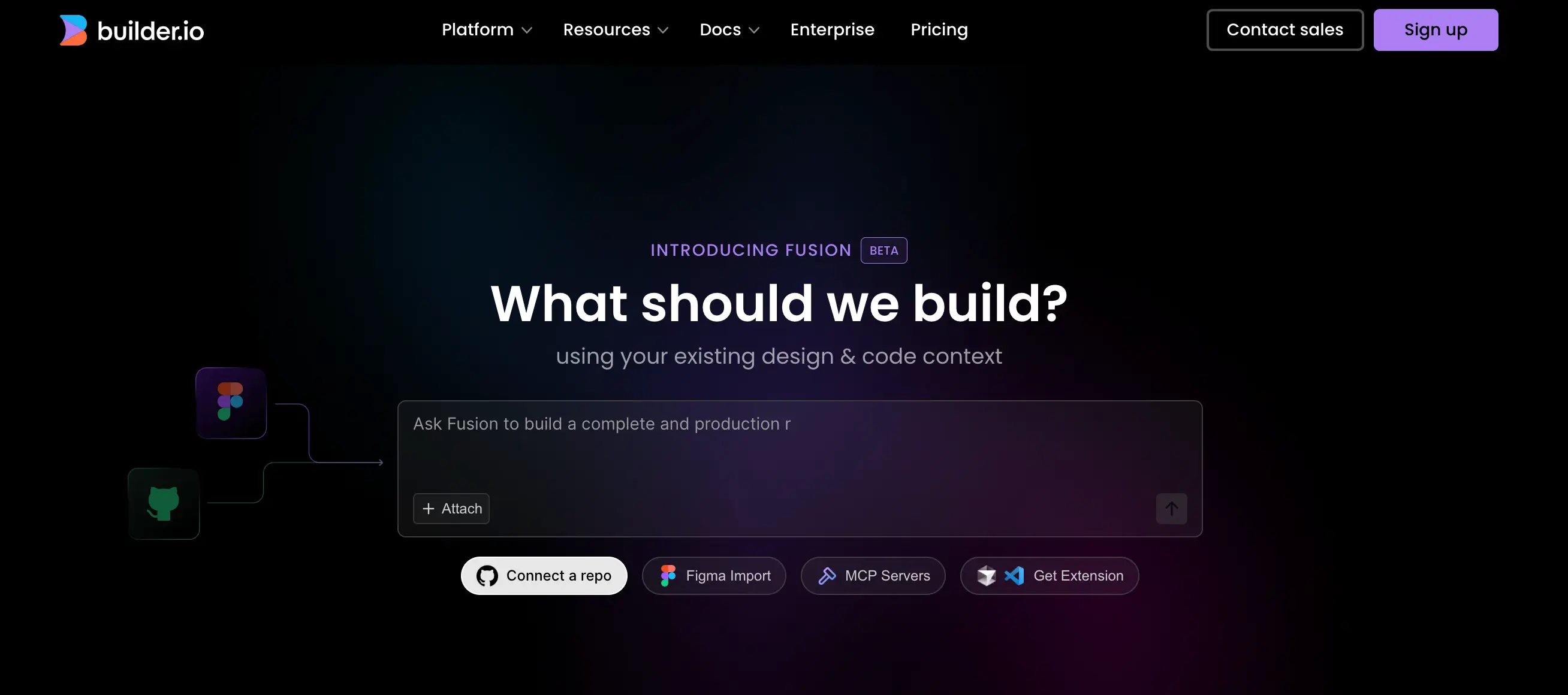
Builder.io is a visual development platform that blends design, content management, and front-end code generation. Unlike Lovable, which creates UI layouts from prompts and exports React/TypeScript projects for developer handoff, Builder.io focuses on delivering production-ready components and pages that plug into modern frameworks like React, Next.js, Vue, or Qwik. It combines a drag-and-drop editor with an AI “Visual Copilot” that turns Figma designs into clean code.
This makes it especially useful for marketing and product teams that need dynamic, CMS-driven sites with features like A/B testing, personalization, and analytics, without relying on developers for every update.
Pros and cons of using Builder.io
Pros
- AI design-to-code: Visual Copilot turns Figma files into React, Qwik, or Vue components.
- CMS and content layer: Manage content directly in Builder.io and connect to any backend.
- Personalization & experimentation: Built-in A/B testing, targeting, and analytics.
- Developer-friendly: Works inside your existing codebase with composable APIs.
Cons
- Pricing jumps quickly: Advanced features (like targeting and enterprise integrations) require higher plans.
- Learning curve for operators: More complex than simpler site builders; requires some setup.
- Not no-code-only: Best results when paired with developer involvement.
Builder.io key features
- Visual Copilot: an AI tool that converts Figma designs into editable, production-grade code.
- Drag-and-drop editor: Build and update content without touching code.
- Composable CMS: Central content management layer with APIs to connect any backend.
- Framework support: Integrates with React, Next.js, Qwik, Vue, Angular, and more.
Builder.io pricing
- Free tier: Limited users and content entries.
- Pro plan: Starts at $25/user/month — includes visual editor, CMS, and API integrations.
- Growth plan: $50/user/month — adds A/B testing, targeting, and advanced analytics.
- Enterprise: Custom pricing with dedicated infrastructure, advanced governance, and SLAs.
Who Builder.io is best for
Builder.io is best for marketing, growth, and product teams that want to combine design-to-code with a powerful CMS and personalization tools. It suits companies that need to balance developer involvement with marketer independence, especially when running experiments at scale.
Verdict: Builder.io vs Lovable
Builder.io is the better choice when you need production-ready pages and components, with integrated CMS, personalization, and analytics. It fits directly into enterprise and SMB workflows where content teams need control without sacrificing code quality.
Lovable, on the other hand, is stronger for lightweight prototyping: it quickly generates front-end scaffolds from prompts but lacks built-in CMS, personalization, or publishing capabilities.
11. Wix AI Website Builder — best for beginners and SMBs needing quick AI-built websites with business tools

Wix AI Website Builder simplifies website creation through a conversational process. Answer a few questions about your business and style preferences, and the AI instantly generates a full site, complete with layouts, content, images, and branding. You can then fine-tune everything using Wix’s drag-and-drop editor.
Wix AI is available on all Wix plans, including the free tier, but premium features, like removing Wix branding or connecting a custom domain, require a paid plan starting at $17/month.
This tool is ideal for small businesses, freelancers, and bloggers who want a functional, attractive website quickly, with no technical expertise.
Pros and cons of using Wix AI
Pros
- Instant site drafts: AI generates a complete website in minutes.
- Built-in business tools: Includes SEO, appointments, e-commerce, analytics, and more.
- Customizable after launch: Edit layouts, branding, and content in the visual editor.
- Beginner-friendly: Requires no design or coding background.
Cons
- Basic structure may feel templated: AI layouts often need manual refinement.
- Best for simple sites: Less suited to complex e-commerce or advanced workflows.
- Premium features gated: Custom domains and advanced tools require paid plans.
Wix AI key features
- Conversational site builder that generates design, content, and branding from prompts.
- Integrated ecosystem with SEO, payments, booking, analytics, and marketing tools.
- Full drag-and-drop editor for easy post-creation customization.
- Hosting and infrastructure included by default.
Wix AI pricing
- Free plan: Create and edit a site with Wix branding.
- Premium plans start at $17/month (Light): Add a custom domain and remove Wix ads.
- Core plan ($29/month): Unlocks e-commerce, analytics, and additional tools.
- Business Elite ($159/month): Includes unlimited storage and advanced e-commerce features.
Who Wix AI is best for
Wix AI is perfect for small business owners, freelancers, and non-technical users who want a polished, functional website in minutes, without handling design or coding themselves.
Verdict: Wix AI vs Lovable
Choose Wix AI if you need a live, business-ready website with built-in tools, fast and hassle-free.
Choose Lovable if you’re focused on experimenting with UI layouts, want front-end output, and have developers who can refine and integrate the code later.
12. Framer AI — best for startups and SMBs wanting to generate polished, design-first websites fast
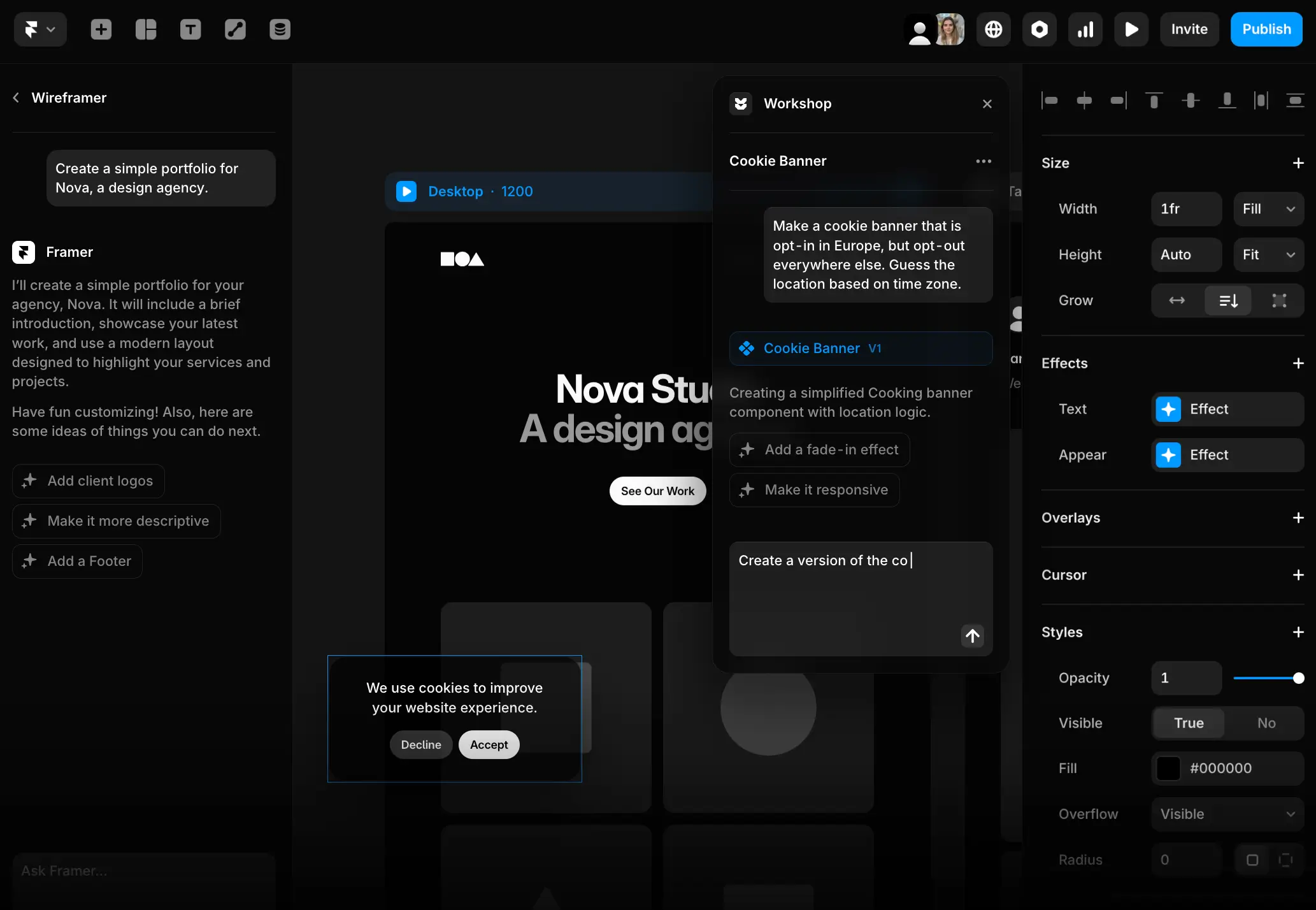
Framer AI takes the friction out of web design by pairing a visual editor with AI that can spin up an entire site from a simple prompt. Ask for a startup landing page, an agency portfolio, or a product site, and it delivers a polished, responsive draft—layouts, images, and copy included, ready for you to refine. Unlike Lovable, which generates React/TypeScript scaffolds for developers to extend, Framer AI is built for teams that want to publish modern, marketing-ready websites fast, without extra engineering overhead.
It’s gained traction with startups and design-led SMBs because the output doesn’t just look good—it plugs straight into workflows like SEO, analytics, and CMS updates, making it practical for running live sites day to day.
Pros and cons of using Framer AI
Pros
- Instant AI site drafts: Generate full websites (not just UI scaffolds) from prompts.
- Modern, polished design: Outputs sleek, responsive layouts that often need minimal tweaking.
- Built-in hosting: Publish instantly with hosting, custom domains, and SSL included.
- Marketing ready: SEO tools, analytics integrations, and CMS content updates built in.
Cons
- Limited backend logic: Not designed for apps, CRMs, or workflows—purely websites.
- Pricing scales fast: Premium features and higher traffic allowances require upgrades.
- Less flexible for developers: Stronger for design-first teams than engineering-heavy teams.
Framer AI key features
- Prompt-to-site builder: Generate landing pages, portfolios, or full sites from plain-English prompts.
- Visual editor: Drag-and-drop interface to refine AI drafts without coding.
- Built-in hosting: Includes custom domains, SSL, and global CDN.
- CMS support: Manage blog posts, case studies, or product pages directly in Framer.
- Marketing integrations: SEO tools, analytics, and embeds for forms or third-party services.
Framer AI pricing
- Free plan: Create and publish one basic site with a Framer subdomain.
- Mini plan ($10/month): For personal projects, includes custom domains.
- Basic plan ($20/month): Unlocks higher bandwidth and CMS items.
- Pro plan ($40/month): Adds more CMS items, analytics, and advanced features.
- Enterprise: Custom pricing with advanced collaboration, performance, and governance.
Who Framer AI is best for
Framer AI is best for startups, agencies, and small businesses that need to launch polished marketing sites quickly. It’s particularly useful for teams that value design and speed-to-market over complex functionality.
Verdict: Framer AI vs Lovable
Framer AI is best for polished, hosted websites with built-in marketing tools, while Lovable is better for quick UI prototypes that developers extend into apps.
13. 10Web — best for SMBs needing an AI WordPress site builder with hosting
10Web is an AI website builder built on top of WordPress. Unlike Lovable, which focuses on generating React/TypeScript prototypes for developers, 10Web instantly generates and hosts live WordPress websites. You enter a prompt or provide an existing URL, and 10Web’s AI creates a site draft complete with layouts, images, and text. From there, you can customize in Elementor or the WordPress editor.
10Web is especially attractive to SMBs that want the flexibility of WordPress—plugins, SEO tools, e-commerce, and blogging—without the hassle of manual setup and hosting.
Pros and cons of using 10Web
Pros
- AI site generation: Create a WordPress site from scratch or by cloning an existing one.
- Hosting included: Runs on Google Cloud with automated backups, SSL, and security.
- Full WordPress ecosystem: Access plugins, themes, WooCommerce, and SEO tools.
- Performance optimized: Includes caching, CDN, and automated speed improvements.
Cons
- Learning curve: Still requires familiarity with WordPress for advanced customization.
- Less design polish than Framer/Wix: Sites may feel more “WordPress template-like” unless customized.
- Pricing tied to hosting: Plans scale with traffic and resources, not just features.
10Web key features
- AI-powered WordPress builder: Generate a site from a prompt, URL, or template.
- Google Cloud hosting: Secure hosting with 99.9% uptime and automated backups.
- E-commerce support: Build online stores with WooCommerce.
- Site optimization tools: Automated speed boost, CDN, and SEO integrations.
10Web pricing
- Starter plan ($10/month): 1 website, 10GB storage, 25K monthly visits.
- Premium plan ($24/month): 3 websites, more storage and traffic.
- Agency plan ($60/month): 10 websites, larger quotas, white-label options.
- Enterprise: Custom pricing for large-scale needs.
Who 10Web is best for
10Web is best for small businesses and agencies that want a fast way to generate, host, and customize WordPress sites—without spending time on manual installs or juggling third-party hosting.
Verdict: 10Web vs Lovable
10Web delivers live, hosted WordPress sites with CMS and e-commerce; Lovable is limited to front-end prototyping without hosting or site management.
Choose the right Lovable alternative for your team
The best Lovable alternative depends on your team’s skills and what you want to achieve. If you have developers, tools like Replit, Cursor, or Bolt give you AI-assisted coding while keeping full control over the codebase. If your team works primarily in design, platforms like Anima, TeleportHQ, or Builder.io make it easier to turn Figma files into usable code. And if you just need a modern website quickly, Framer AI, Wix AI, or 10Web deliver polished sites with hosting built in.
But for businesses that need secure, reliable business apps—not just prototypes, Softr is the stronger choice. With a built-in database, user authentication, role-based permissions, automations, and flat pricing, Softr makes it possible for non-technical teams to build secure tools they can run their business on every day.
Try Softr for free and see how easy it is to build secure, production-ready apps with AI.
Frequently asked questions
What are the most affordable alternatives to Lovable?
Are there more scalable or governance-friendly alternatives to Lovable for internal applications?
What are top alternatives to Lovable for AI full-stack app generation?


