The 5 best vibe coding app builders in 2026
.png)

Vibe coding sounds great: Describe the app you want in plain English and an AI builds it. At least, it sounds great in theory. In practice, things are a little more complicated. Some tools don't work as promised, some are really AI coding assistants that require you to have a lot of technical knowledge, and some generate impressive demos but leak your user details to the world. A few, though, fulfil that vibe coding promise.
To see how the biggest vibe coding app builders stacked up, I put them through their paces. The main challenge was to build a membership and event management app, though I also tested them more generally. Here are the five vibe coding apps that stood out—and what each one is best for.
Best vibe coding app builders at a glance
| Tool | Best for | Standout features | Pricing |
|---|---|---|---|
| Softr | Professional apps | AI Co-Builder, native database and integrations, built-in auth and permissions, visual workflows | Free plan; from $19/month |
| Lovable | Prototypes | Prompt-to-prototype, Visual Edits, multi-modal input, GitHub sync and export | Free plan; from $25/month |
| Replit | Semi-technical vibe coders | Autonomous agent that tests its own builds, real production infrastructure, separate dev and production environments | Free plan; from $20/month |
| Bolt | Developers looking for vibe coding speed | Full-stack code generation, GitHub sync, Figma import, one-click deploys | Free plan; from $25/month |
| Base44 | Beginners | All-in-one platform, conversational building, custom AI model, Wix payments | Free plan; from $20/month |
What is a vibe coding app builder?
Vibe coding is a pretty loose term. It's often used to describe a few different but related forms of AI coding tool. (Though really, to me it's mostly about having a hands-off approach to the generated code.)
- AI coding assistants like Cursor, Claude Code, and Codex are designed for developers; they assume a certain level of technical sophistication. You can vibe code with them, but you are unlikely to get very far if you don't know your way around Github.
- AI app generators like Lovable and Bolt. They take your prompt and build an app. Increasingly, they can also host the app which makes vibe coding feasible.
- AI-native app builders like Softr. These use AI to build apps from pre-defined features, workflows, and tools. They provide a database, auth set up, and permissions rather than generating them each from scratch. They are what make vibe coding viable for businesses.
What to look for in a vibe coding app builder
Every tool on this list can produce a working app in minutes but that stopped being the differentiator last year. What separates them now is how they handle everything around the app generation.
- Control of the process. Vibe coded apps start with a prompt, but you need to be able to make small tweaks, add features, and change things dramatically. These tools have to give you some way to do that, ideally with a combination of additional AI prompting and good old-fashioned menus.
- Security from the start. For a vibe coded app to be safe to deploy, it needs to be secure. Authentication, permissions, and access rules shouldn't be re-written from scratch for every app. In the past, this is where vibe coding app builders have really fallen short—one study of 5,600 live vibe-coded apps found over 2,000 high-impact vulnerabilities.
- Predictable pricing. Credits, tokens, "effort-based" billing, and post-deployment hosting all obscure what you will have to pay. The best vibe coding app builders have transparent pricing so you can figure it out in advance.
- Data control. Does the tool connect to the Airtable, Google Sheets, or database you already have? Does it have its own backend? If you're building from scratch this might not matter but its important for existing businesses.
- Multi-user support. Tech demos are fine, but real business apps often need different kinds of users. This needs to be built in from the start, not bolted on with a prompt.
1. Softr — best vibe coding app builder for professional apps

Softr is the best vibe coding platform for anyone building apps and tools for their business, or that they want to turn into a business. It's great for client portals, internal tools, CRMs, dashboards, inventory systems, event management systems, communities, and the rest.
I built the event management app (in my head, it's for home cooks to host paid private dinner parties) using Softr's AI App Builder. It combines an AI agent with a visual user interface. I started with my prompt and it then asked me a few questions to configure authentication and user permissions, as well as set up the underlying database and the initial visuals for the app.
I'd thrown the kitchen sink at Softr and was looking for an app that included registration forms, member dashboards, event management features, invoices and payments, feedback collection, and a resource hub, so I was very impressed it had a live prototype ready to go in less than 10 minutes. Then it was just a matter of tweaking things using the agent and visual builder: If I wanted to push the app live, I'd need to configure Stripe Checkout, add Google Analytics, and set up a custom domain.
As far as vibe coding goes, Softr hits a great balance. You get the fun of creating an entire app with a simple prompt (or just adding features and seeing things change on screen) with a balanced and feature-filled backend. The reality is you shouldn't be configuring payments, domain names, and user auth with a vibe coded solution every time.
Pros and cons
Pros:
- Prompt to prototype takes a matter of minutes; prototype to production can be done in an afternoon. Softr is incredibly fast and you don't need to be particularly technical to use it.
- Dangerous features like user authentication, database permissions, and payments are platform infrastructure. You don't have to piece them together yourself which makes building safe apps much easier.
- Supports multiple user classes. You can have admins, moderators, users, and the like, just by configuring the various permission options. You can control exactly who sees and can do what instead of hoping the AI wrote the right access rules.
- There's support for workflows, conditional forms, AI agents, and other powerful automation features. Apps aren't just forms with a database, but legitimate tools.
- Connects to your existing data sources like Airtable, Google Sheets, HubSpot, Notion, Supabase, standalone SQL databases, and more.
- Predictable flat pricing. No token meter that spins while an AI debugs its own mistakes.
Cons:
- Not designed for regulated industries with strict compliance requirements, but you're vibe coding so you shouldn't be thinking about that anyway!
Best features
- AI Co-Builder: Prompt to production in an afternoon, with total control of the process.
- Native database and integrations: Build with Softr Databases or sync in real time with the Airtable, Google Sheets, and other data you already have.
- Built-in user management: You don't need to worry about vibe coding password resets.
- Tool integrations: With Stripe Checkout, Google Maps, and connectors like Zapier, you can vibe code an app that does almost anything.
- Visual workflows: Create branching automations with triggers, conditions, and schedulers.
- Vibe Coding block: Vibe code just a small part of your app, and reuse it in other apps.
- Softr MCP: Build databases, pages, and workflows directly from your own AI assistant like Claude or Cursor.
- Ask AI: Let app users query live data in plain English, without breaking any permission rules.
Pricing
- Free: Unlimited apps, with access to Softr Workflows and Softr Databases, 5 app users, 5 AI credits, 5,000 database records
- Basic: $19/month for unlimited apps with 42+ integrations, Team: 5 + Client: 5 app users, 10 AI credits, 50K records
- Pro: $99/month for unlimited apps with 45+ integrations and custom code, Team: 10 + Client: 50 app users, 50 AI credits, 500K records
- Business: $329/month for unlimited apps with 52+ integrations, Team: 30 + Client: 100 app users, 100 AI credits, 1M records
- Enterprise (custom pricing, contact sales)
2. Lovable — best for prototypes

Lovable was one of the first major vibe coding apps. It was among the first apps to make the whole simple-prompt-to-full-app workflow reliable. It can spin up a working prototype with a Supabase backend in just a few minutes, and you can push it live using the Lovable Cloud.
For validating your ideas, testing out user flows, or building something small for yourself, it's hard to beat. It's easy to use, fast to work with, and the prototype is exportable to GitHub so you can hand it off to a developer (or a coding agent) for some follow up work.
You get into difficulty when you start treating the prototype as a production-ready app. End-user permissions exist, but they're basic and geared towards managing internal tools. You can connect data from Airtable or Google Sheets, but the experience is better if you use the built-in Supabase integration—otherwise you need to mess around with personal access tokens (or let the AI do it for you).
Then there's the security stuff. Lovable has repeatedly been found to have flaws that can potentially expose user data—and they haven't always handled this with grace. While the issues are now patched and security features have been beefed up, the company's "move fast and break things" approach has had casualties. And there may yet be more issues that haven't been found.
Lovable is best when you use it for creating great prototypes and internal tools. It's when you push it further than that, the cracks appear.
Pros and cons
Pros:
- Quickly go from prompt-to-prototype, with good looking modern UIs by default.
- Live preview with inline edits gives you control of how things look.
- Accepts screenshots, sketches, and documents as input, so your static prototype can become dynamic.
- GitHub sync and code export. Your prototype can become a real product with a bit of extra work.
Cons:
- Credit-based pricing for both design and hosting makes costs hard to predict.
- The AI is more willing than I'd like to configure important settings like user permissions.
Best features
- Prompt-to-prototype: You get a full-stack app from a simple description in just a few minutes.
- Visual Edits: UI tweaks don't require chatting to the chatbot (and burning through credits).
- Agent and Plan modes: You can explore an idea before committing to it.
- Multi-modal input: Prompt Lovable with text, screenshots, sketches, Figma mockups, and documents.
- GitHub sync and export: Export the repository so you can hand off to a developer or coding agent.
Pricing
- Free: 5 build credits/day (up to 30/month) and 20 Cloud hosting credits
- Pro: $25/month for 100 monthly plus 5 daily AI credits and 20 cloud hosting credits
- Business: $50/month adds team features, security center, and templates
- Enterprise: Custom pricing
💡 Looking for more inspiration specific to Lovable? Check out our comparison guides on Lovable vs Replit, Bolt, Base44, and the best Lovable alternatives out there right now. Alternatively, check out the video below for a more technical breakdown:
3. Replit — best for semi-technical vibe coders

Replit started as a browser-based coding tool before pivoting to its current vibe coding approach. Its early technical roots are still apparent though, and Replit sits somewhere between a pure vibe coding app like Lovable and a developer tool like Claude Code. If terms like "Postgres", "cron jobs", and "schema" mean nothing to you, it might not be the right tool.
Replit's Agent is amongst the most transparent. It tells you what code it's writing, what files it's writing to, and why it's doing all this—and you can inspect it while it works. It also tests out the app you build automatically then fixes any issues it finds.
Of course, this lack of abstraction can come with issues. Last year, the agent deleted a production database after running unauthorized commands. Replit has since fixed this by creating separate development and production environments (which ironically makes it substantially more secure than some of the other tools on this list) but it should give you an idea of the level of technical sophistication you might need to make the most of it.
Replit's pricing is also transparently vague. Your billed on the "effort" the AI takes when working, not per prompt. The bigger the project or feature, the more you pay. But it means you need to have a rough idea of what you're asking it to do to guess how much it will cost. If it fails or gets stuck in a loop, it can also rack up a bigger bill.
If all this sounds manageable, Replit is one of the best vibe coding apps. You get a lot of control and transparency around the app you build. But if you don't know your APIs from your KPIs, it's probably not for you.
Pros and cons
Pros:
- A complete cloud-based environment. No localhost or terminal access needed.
- Agent tests the app as it builds which catches real bugs.
- Separate development and production databases mean you can keep building without affecting your live app.
- Built-in security scanner for the codebase and its dependencies.
Cons:
- Effort-based pricing is fair but unpredictable.
- Great for simple apps, but building something truly complex may require writing code yourself.
Best features
- Agent works autonomously: It plans, codes, then uses its built-in browser to test your app and fix any bugs.
- Real production infrastructure: Reserved VMs, Postgres databases, and more.
- Staging server plus development environment: You can keep building safely.
Pricing
- Starter: Free daily credits and one project
- Core: $20/month for 5 collaborators and $20 of monthly credits
- Pro: $100/month for 15 collaborators and $100 of monthly credits
- Enterprise: Custom pricing
Check out our complete pricing guide for Replit, including plans and credits, plus the best Replit alternatives if those plans don't suit your needs.
4. Bolt — best for developers looking for vibe coding speed
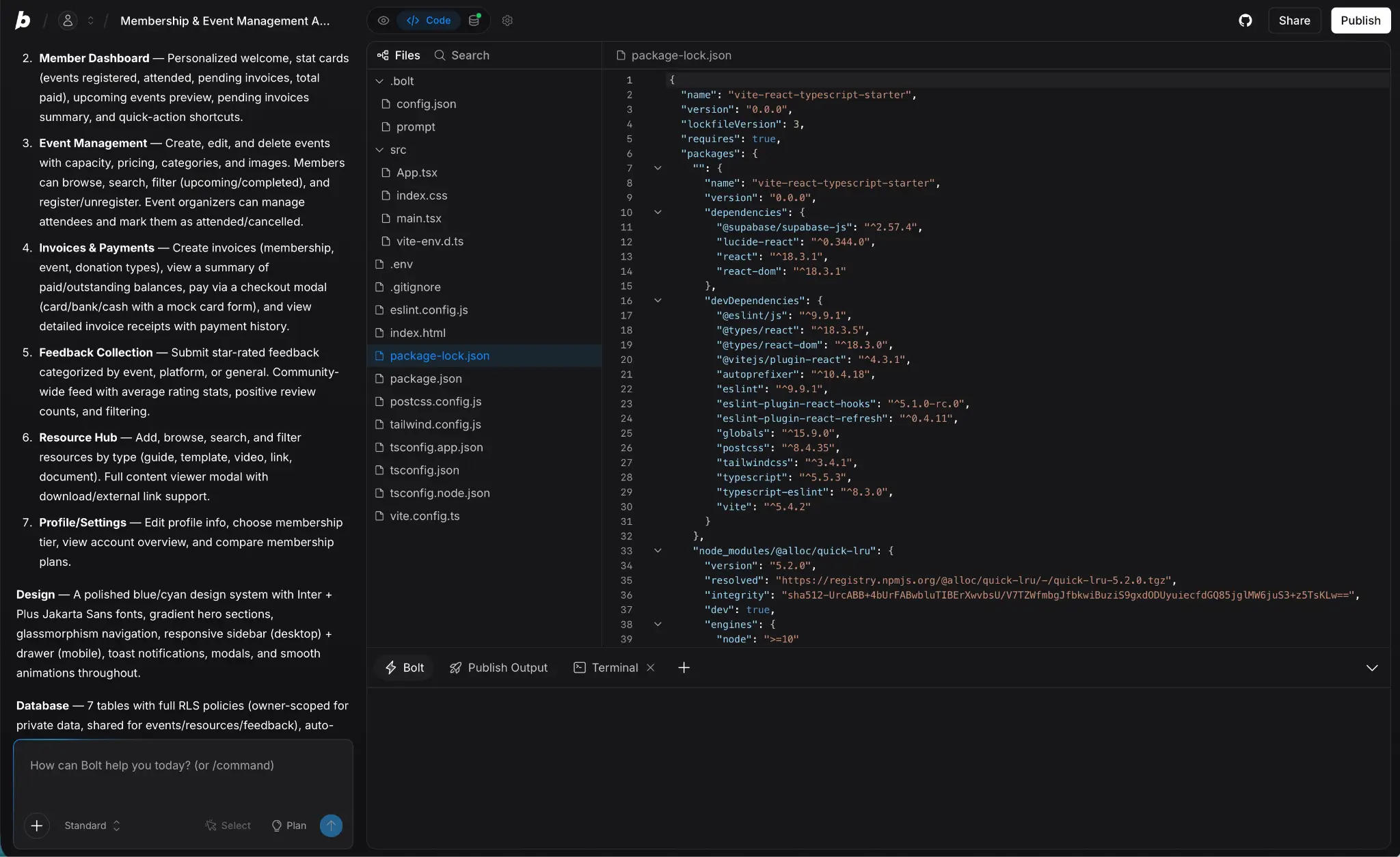
Bolt generates full-stack apps with real code that you can export to Github. If you want a vibe coding app builder that works with React, Node, and Postgres (and know what they are) then it might be the tool for you. Like Replit, it's a hybrid between a real dev environment and a straight up vibe coding tool. And that's both the reason to use it or avoid it.
If you have the technical talent, Bolt is a great middle ground. Faster than starting with a coding agent but still flexible enough that you can work on it how you please. Since everything can be sent to Github, you can also work on some of the harder problems with Claude Code or Cursor, and use Bolt to handle the rough outline. Of course, this gets you away from pure vibe coding, but that's kind of the deal with an app like this.
If none of this makes much sense to you, stay away from Bolt. Its marketing makes the case for non-technical builders, but I honestly wouldn't recommend it. As soon as you run into something like auth, permission, and data security, you're playing with fire. Likewise, the token-based billing can be unforgiving if you don't realise what you're asking the app to do.
Pros and cons
Pros:
- Vibe coding and a full development environment together in the browser. There's even a terminal.
- You have full code control with GitHub sync, so you can work with developers or coding agents separately.
- Import designs from Figma or build your own in Bolt.
- One-click deploys with Bolt Cloud.
Cons:
- Token-based pricing can be unpredictable and unforgiving. What seems like a small fix can burn through your budget.
- Auth, permissions, and data security need to be configured manually.
Best features
- Full-stack generation: React frontend, Node backend, and a Postgres database from a single prompt. Plus there's built-in hosting.
- GitHub sync and export: You can work on the code in another tool and still have it in Bolt.
- Figma import: Go from design to real app in a few hours.
- Production ready: If you have the technical skills, Bolt allows you to vibe code and tweak your way to a production app.
Pricing
- Free: 1M tokens/month with a 300,000 daily limit and Bolt branding on hosted sites
- Pro: $25/month for 130 tokens, no daily limit, and custom domains
- Teams: $30/member/month with centralized billing and admin controls
- Enterprise: Custom pricing
Looking for a detailed comparison between Bolt and Softr? Check out the video below.
5. Base44 — best for beginners

Base44 is the simplest tool on this list. Everything is already part of the platform, from the database and authentication to payment processing and analytics. It's no surprise that website builder Wix acquired it last year—though for now it's still operating independently.
For total beginners who just want to build a simple tool for their own use, Base44 has a lot to offer. With so little to configure, there are limited pitfalls. You can even spin up a tool for a side hustle and get paid through Wix payments.
Of course, this rigidity is also the downside to Base44. Simple apps are easy to build but creating complex tools has you butting up against Base44's limits. And, since you don't own the tech stack, you can't port it anywhere else without a lot of hassle. If your side hustle grows and you want to move it to a dedicated server, you're going to be doing a lot of rebuilding and reconfiguring—even with the GitHub export.
Pros and cons
Pros:
- From idea to app with no technical knowledge or infrastructure decisions.
- Owned by Wix, so worst case is it getting rolled into a combined platform.
- Built-in integrations for the things like Stripe, Slack, Google Sheets, and email.
- Automatic security scanning on generated apps.
Cons:
- You're pretty locked in to Base44. Fine for a prototype or personal tool, but moving users elsewhere isn't easy.
- Not as good at building complex tools as other apps on the list.
Best features
- All-in one platform: The database, user auth, and backend are all handled for you.
- Pure vibe coding: You can build your full app with the conversational interface.
- Custom AI model: Base44 has its own specially tuned LLM for app building.
- Easy to use: You won't run into anything a chatbot can't help you with.
Pricing
- Free: 25 message credits/month, up to 5 apps.
- Starter: $20/month for 100 message credits
- Builder: $50/month for 250 message credits and custom domains
- Pro: $100/month for 500 message credits
- Elite: $200/month for 1,200 message credits and premium support
Pick the vibe coding app builder that meets your ambitions
Vibe coding app builders have made it possible for anyone to build an app or tool with almost no technical skills. Of course, the more you know the more successful you're likely to be but it doesn't change the fact that it's never been easier to create a working prototype or product, no matter how mad your idea.
If you're serious about building something real, Softr is the tool to start with. It gives you the speed and ease of vibe coding, with the hard parts handled safely. You can also launch a production safe app.
Other tools like Lovable, Replit, Bolt, and Base44 have their sweet spots too. If you want to avoid all the technical details, go with Lovable or Base44. If you want a bit more control of the technical stuff, Replit and Bolt is worth a look. (You could also go totally rogue and use an AI coding agent instead).
But in most cases, if you want to vibe code something your business can actually use, start with Softr. It's free to try.
Frequently asked questions
What's the difference between a vibe coding app builder and an AI coding assistant?
Is vibe coding secure?
Which vibe coding app builder is best for non-developers?