


Lovable vs Bolt: Which AI app builder should you choose in 2026?


[.blog-callout]
💡 TL;DR:
- Lovable = design-first speed: Great for quick UI prototypes and collaborative workshops, but stops short of backend logic, hosting, or production readiness.
- Bolt = app scaffolding speed: Generates front + back end from prompts with hosting included, useful for demos or MVPs, though costs and reliability can be unpredictable.
- Both fall short for daily business use: Limited authentication, permissions, and governance make them hard to rely on beyond experiments.
- Softr fills that gap: It combines a built-in database, native auth, granular permissions, and AI Co-Builder, so non-technical teams can go from idea to secure, business-ready apps without extra setup.
[.blog-callout]
Many teams put Lovable vs Bolt side by side, given how similar they appear at first glance as vibe coding tools. Lovable stands out for fast UI prototyping and getting design concepts in front of stakeholders quickly. Bolt leans more toward app scaffolding, giving you backend hooks and hosting with room for developers to refine code when more control is needed.
But both tools come with trade-offs. Error handling, scalability, security, and especially features like user authentication and permissions are limited, making them harder to rely on for everyday business apps.
In this guide, we’ll walk through where Lovable and Bolt work well, where they fall short, and what to consider if you’re looking for tools your team can actually depend on.
Lovable vs Bolt at a glance
| Lovable | Bolt | |
|---|---|---|
| Best for | Designers, product managers, and founders who need fast UI mockups and prototypes. | Non-technical users or small teams who want to generate MVPs, landing pages, and dashboards with prompts. |
| Prototyping | Prompt-based UI creation with a collaborative canvas; exports React/TypeScript front-end code for developer handoff. | Prompt-to-app generation; scaffolds full apps (front + backend) and supports diff-based editing for refinements. |
| AI support | Natural-language prompts create layouts instantly; outputs structured but not production-ready code. | Powered by Anthropic Claude; generates entire apps, shows edits in diff view for review and control. |
| Deployment | No built-in hosting — prototypes must be exported and hosted elsewhere. | Built-in hosting, domains, SSL, analytics; also deploys to Netlify. |
| Integrations | GitHub, Supabase, Stripe, Resend, OpenAI/Anthropic. | Supabase (data), Stripe (payments), Netlify (hosting), Figma imports. |
| Collaboration | Shared canvas for real-time design collaboration. | No native real-time collab; individual edits and review. |
| Production readiness | Best for prototypes and mockups — lacks backend, workflows, and authentication. | Works for small apps, demos, and MVPs; struggles with complex, multi-user, or long-term systems. |
What is Lovable?
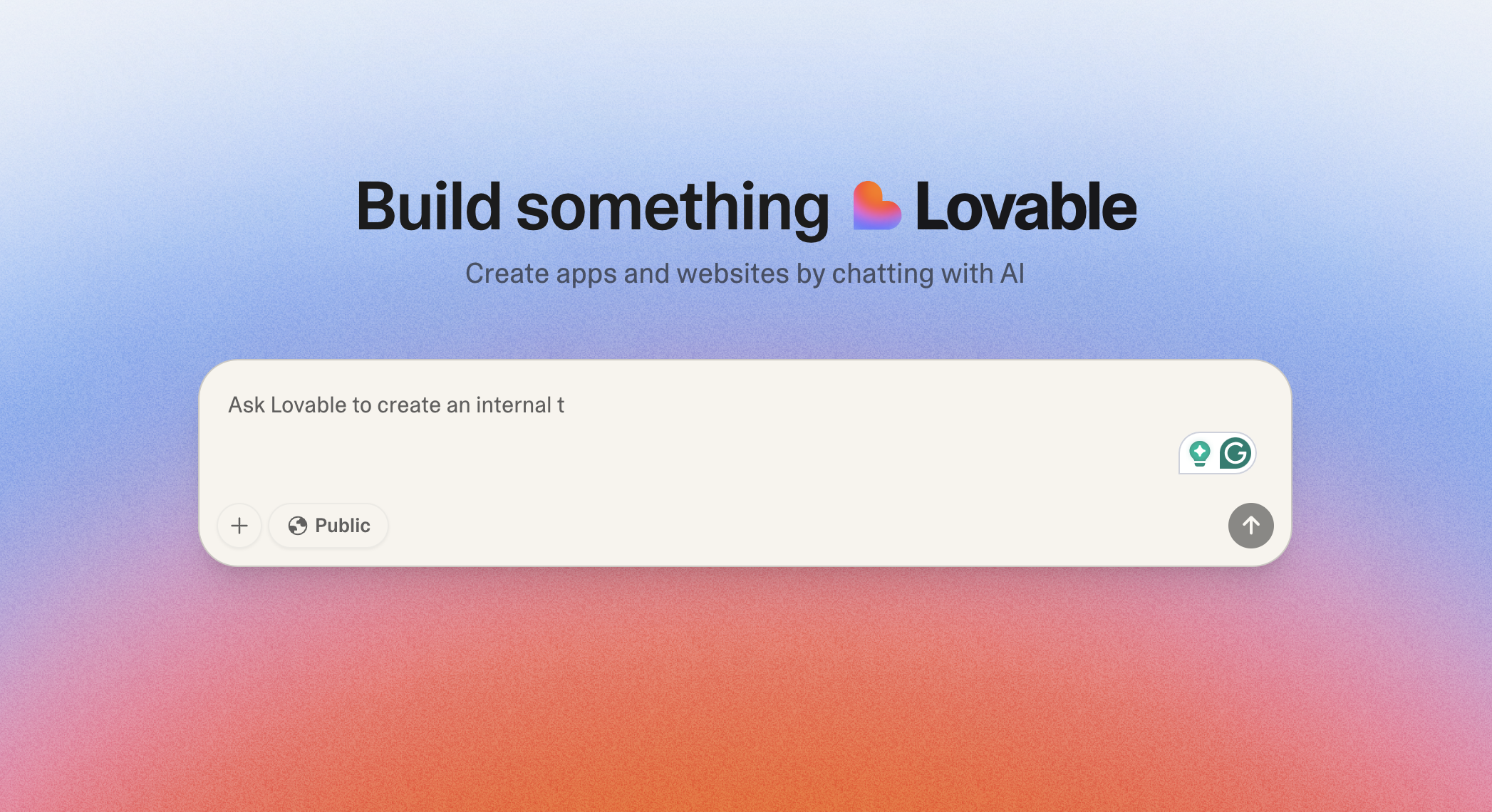
Lovable is an AI-powered design and app-building tool that generates user interfaces and front-end code from text prompts. It works like a collaborative visual canvas where teams can sketch, tweak, and refine layouts before delivering them to developers. Unlike Bolt, which aims to scaffold full apps (front and back) with hosting included (via Netlify), Lovable focuses on front-end UI design rather than backend logic or production deployment.
Lovable stand-out features
1. Prompt-based UI creation
As a vibe coding tool, Lovable lets you generate layouts with plain language prompts and refine them directly.
You can go from a rough idea (“a dashboard with charts and filters”) to a working front-end scaffold in minutes. This makes it ideal for brainstorming flows or creating quick client-facing mockups. It’s a huge time-saver for early workshops.
But unlike Bolt, which can generate both UI and backend scaffolds, Lovable’s outputs are limited to front-end code; designs usually need cleanup or refactoring before they can be shipped.
2. Collaborative canvas
Built for team input, Lovable offers a shared visual workspace where product managers, designers, and engineers can co-create. Think of it as a Figma-style environment with live editing, but where the output is real front-end code you can later export.
This makes it strong for alignment sessions and quick feedback loops. Bolt, by contrast, doesn’t have real-time collaboration built in — it’s more about prompting, editing, and reviewing diffs individually.
3. React/TypeScript output
Every design you create exports as structured React/TypeScript code.
That makes it easier for developers to extend compared to static mockups. Still, you’ll need an engineering team to connect it with databases and APIs before it’s production-ready. Bolt-generated apps often include basic backend hooks out of the box, whereas Lovable keeps the scope strictly front-end.
4. Integrations & exports
Lovable connects with GitHub and Supabase, and also supports services like Stripe for payments, Resend for emails, and OpenAI/Anthropic for AI features. These integrations make it possible to demo richer flows during prototyping.
But there’s no built-in hosting, so every project has to be exported and deployed elsewhere. In practice, Lovable is designed for handoff to developers, not for running production apps end-to-end.
What Lovable is best for
Lovable shines in the early design and prototyping phase, where speed and collaboration matter most.
- Prototypes: Founders and teams can validate ideas quickly with working front-end mockups.
- Client presentations: Share interactive flows to test ideas with stakeholders before investing in code.
- Product exploration: Compare layouts and user journeys to guide early design decisions.
- Internal demos: Build quick dashboards or simple utilities that developers can later extend.
In short: it’s best for visual prototypes and collaborative exploration. Teams use it to align quickly, but still need developers and infrastructure to take things further.
Lovable limitations
- No backend, authentication, or workflow support
- No hosting — everything must be exported
- Limited business integrations beyond GitHub/Supabase
- Best for prototypes, not production apps
Lovable pricing
- Free: 5 daily credits (up to 30/month), public projects, unlimited collaborators.
- Pro ($25/month or $21 billed annually): 100 monthly credits, 5 daily credits (up to 150/month), private projects, user roles & permissions, custom domains, credit rollovers, remove Lovable badge.
- Business ($50/month or $42 billed annually): All Pro features + SSO, personal projects, opt-out of data training, design templates.
- Enterprise (Custom): Dedicated support, onboarding services, custom integrations, and group-based access control.
How much does Lovable actually cost?
Lovable uses a clear credit-based pricing model—each AI prompt or message costs 1 credit.
Here’s how that plays out in practice:
- Free Plan gets you 5 credits per day (capped at 30–50 monthly), making it great for testing concept ideas or playing around.
- Pro Plan ($25/month) starts with 100 monthly credits, plus the daily credits—typically giving you around 130 total prompts per month.
In everyday use:
- A single design tweak like “make the footer smaller” might cost under 1 credit, but a more elaborate instruction like “build a landing page with images” could use 2 credits or more .
- Users report that 30–40% of usage is spent on bug fixes and tweaks when AI-generated code breaks, which can drain credits faster than expected
For operators, Lovable is most useful as a design-first tool to shape and test ideas, but it lacks the backend, workflows, and integrations needed to support ongoing business processes.
What is Bolt?
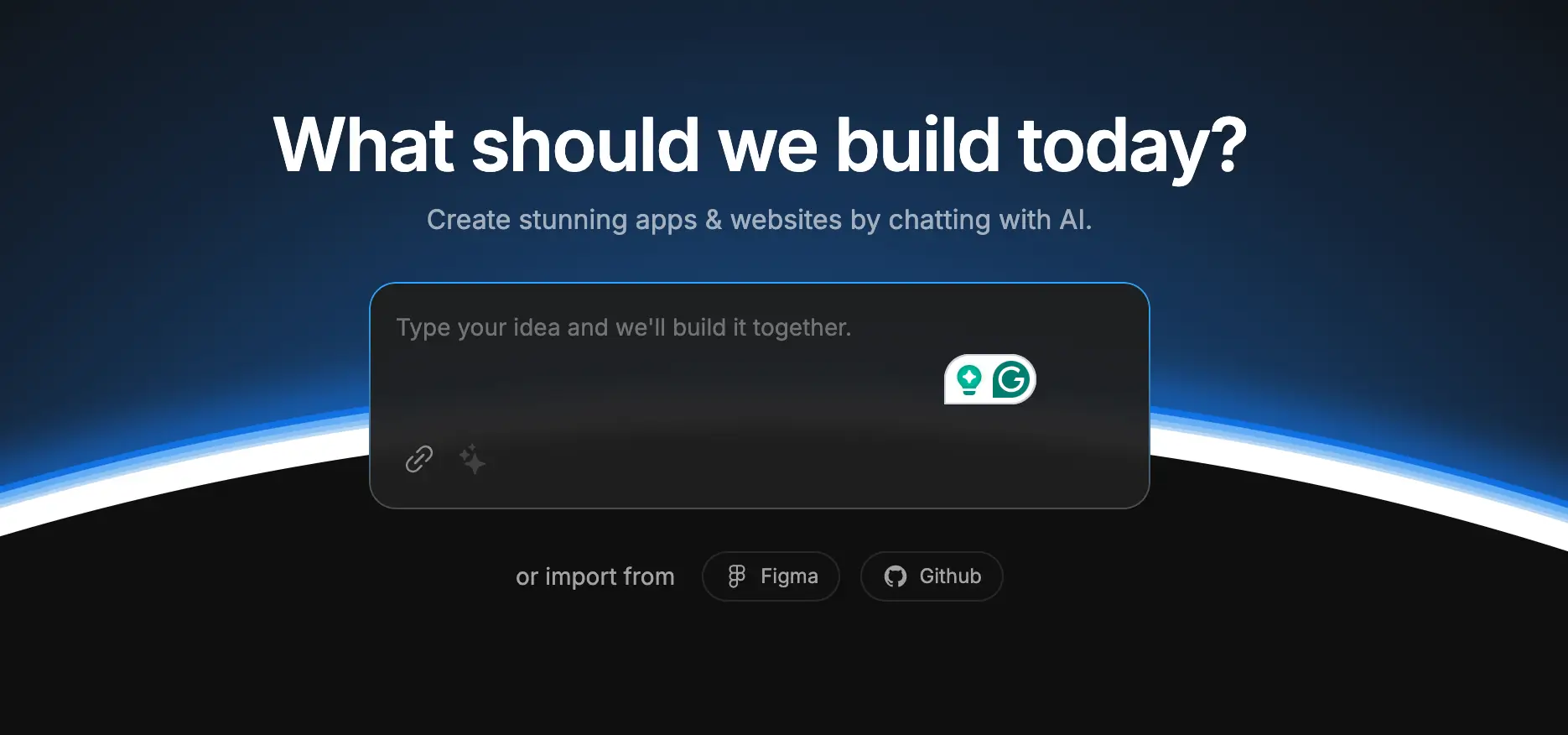
Bolt (also known as Bolt.new in the vibe coding space) is an AI-powered development platform built by StackBlitz. Using Anthropic’s Claude Sonnet 3.5, it enables you to describe what you want in plain English and receive a fully functional web or mobile app scaffolded directly in your browser via WebContainers.
Unlike Lovable, which focuses on design-first front-end mockups, Bolt aims to deliver full app scaffolds, including both frontend and backend, with hosting and deployment.
Bolt works best for smaller apps or MVPs. A single prompt can generate a working draft, but follow-up instructions are often needed to refine code, fix bugs, or add missing details.
Bolt stand-out features
1. Prompt-to-app generation
Bolt turns natural-language prompts into working applications. For example, you can ask for a landing page with a signup form or a simple store with a cart, and Bolt will scaffold both the frontend and backend code. Where Lovable outputs UI scaffolds for developer handoff, Bolt pushes closer to functional prototypes. Though you will usually require refinement follow-ups.
2. Browser-based development
Everything runs in the browser with StackBlitz’s WebContainers. You can install npm packages, spin up Node.js servers, and preview apps without any local setup.
3. Diff-based editing
Instead of blind rewrites, Bolt proposes code changes via a “Diff” view, giving users clearer visibility and version control. Lovable, by contrast, takes a more visual, collaborative canvas approach.
4. Integrations with modern stacks
Bolt integrates with Supabase (database/auth), Stripe (payments), and deployment platforms like Netlify. These integrations come together more holistically than Lovable’s, which focuses on frontend workflows paired with limited backend plugins.
5. End‑to‑end hosting & deployment
Bolt includes built-in hosting (via Netlify), domain setup, authentication, analytics, and serverless functions, making it more deployment-ready than Lovable, which requires users to export and host apps externally.
What Bolt is best for
Bolt is at its best when you need to move fast and don’t want to worry about setup or infrastructure. It’s great for:
- Prototypes and MVPs: If you want to test an idea, get a live demo in front of stakeholders, or show how a workflow might look, Bolt gets you there quickly. One or two prompts are often enough to spin up a working draft you can tweak as needed.
- Landing pages and smaller sites: Bolt works best for lean projects like landing pages, portfolios, or simple e-commerce demos. These are less likely to hit the complexity limits that make Bolt run into errors.
- Dashboards and demos: Need a simple tracker, signup flow, or product showcase? Bolt can scaffold these quickly, and you can extend them with services like Supabase for data or Stripe for payments.
- Non-technical users: Because you’re mostly working in plain English prompts, marketers, designers, and operations leads can build usable demos without diving into config files or setting up dev environments.
- Learning and exploration: Developers can learn React, Next.js, and backend flows by editing Bolt-generated code in-browser.
Bolt limitations
- Struggles with larger or complex projects
- Token-based pricing makes costs unpredictable
- AI often rewrites more code than needed, leading to inefficiency
- Generated code usually requires fixes and refinements
- Better suited for prototypes than long-term, reliable business systems
[.blog-callout]
An example of such a business system built with Softr is Caddy Moving’s custom mover portal. The company uses it to manage 3,000+ movers, booking over 800 jobs per month. Nearly 95% of jobs are now scheduled at least a day in advance, reducing cancellations, improving retention, and giving both movers and dispatchers more predictability.
[.blog-callout]
Bolt pricing
Bolt offers four pricing tiers with both monthly and yearly options:
- Free ($0): Includes public and private projects, 150K tokens daily (1M per month), website hosting, a 10MB file upload limit, Bolt branding on published sites, and up to ~333K web requests. A good entry point for testing or learning.
- Pro ($25/month or $18/month billed yearly): Adds unlimited daily tokens (starting at 10M per month), 100MB file uploads, website hosting, up to 1M web requests, custom domain support, SEO boosting, and no Bolt branding. Unused tokens roll over month to month.
- Teams ($30/user/month or $27/user/month billed yearly): Everything in Pro, plus centralized billing, granular team-level admin and access management, private NPM registries, and design system knowledge with per-package prompts. This tier suits small development teams needing governance and shared billing.
- Enterprise (Custom pricing): Customizable for larger organizations with advanced needs — SSO, audit logs, compliance features, 24/7 support, dedicated account management, data governance, custom workflows, and hands-on onboarding.
How much does Bolt actually cost?
On paper, Bolt’s Pro plan looks straightforward: $25/month (or $18/month with yearly billing) for 10M tokens, 1M web requests, custom domains, and no branding. But the real cost depends on how you use it — especially tokens.
Examples:
- Building a landing page or small store may stay well within the Pro plan’s 10M tokens.
- Iterating on a dashboard with multiple revisions can burn through millions of tokens in days, especially if Bolt reintroduces old errors and you prompt fixes repeatedly.
- Teams with multiple members working simultaneously will almost always need the Teams plan at $30/user/month ($27 yearly).
For casual use or small prototypes, Bolt’s Free and Pro tiers feel affordable. But once you start relying on it every day, that $25/month plan can quickly feel unpredictable as tokens run out. Costs rise with every prompt, making budgeting harder compared to fixed-price no-code platforms like Softr, where pricing stays flat and doesn’t depend on credits.
Bolt vs Lovable: Pricing comparison
Both Lovable and Bolt offer free plans, but their paid tiers scale differently depending on whether your focus is design-first prototyping or full app scaffolding.
Key differences
- Free plans: Lovable gives 5 daily credits (≈30–50 per month), enough for light prototyping. Bolt’s free plan is more generous with 150K daily tokens (1M/month), private projects, and built-in hosting.
- Scaling costs: Lovable’s Pro plan ($25/month) covers ~130 prompts; frequent iterations or fixes can drain credits quickly. Bolt’s Pro plan ($25/month or $18 yearly) includes 10M tokens, but active teams often burn through tokens and need the Teams tier.
- Team features: Lovable’s Business plan ($50) adds SSO, project privacy, and templates for design collaboration. Bolt’s Teams plan ($30/user) adds centralized billing, private registries, and governance for dev teams.
- Enterprise focus: Lovable emphasizes onboarding support and custom design systems. Bolt emphasizes compliance, audit logs, and workflow governance for larger engineering teams.
Bolt vs Lovable Reddit discussions
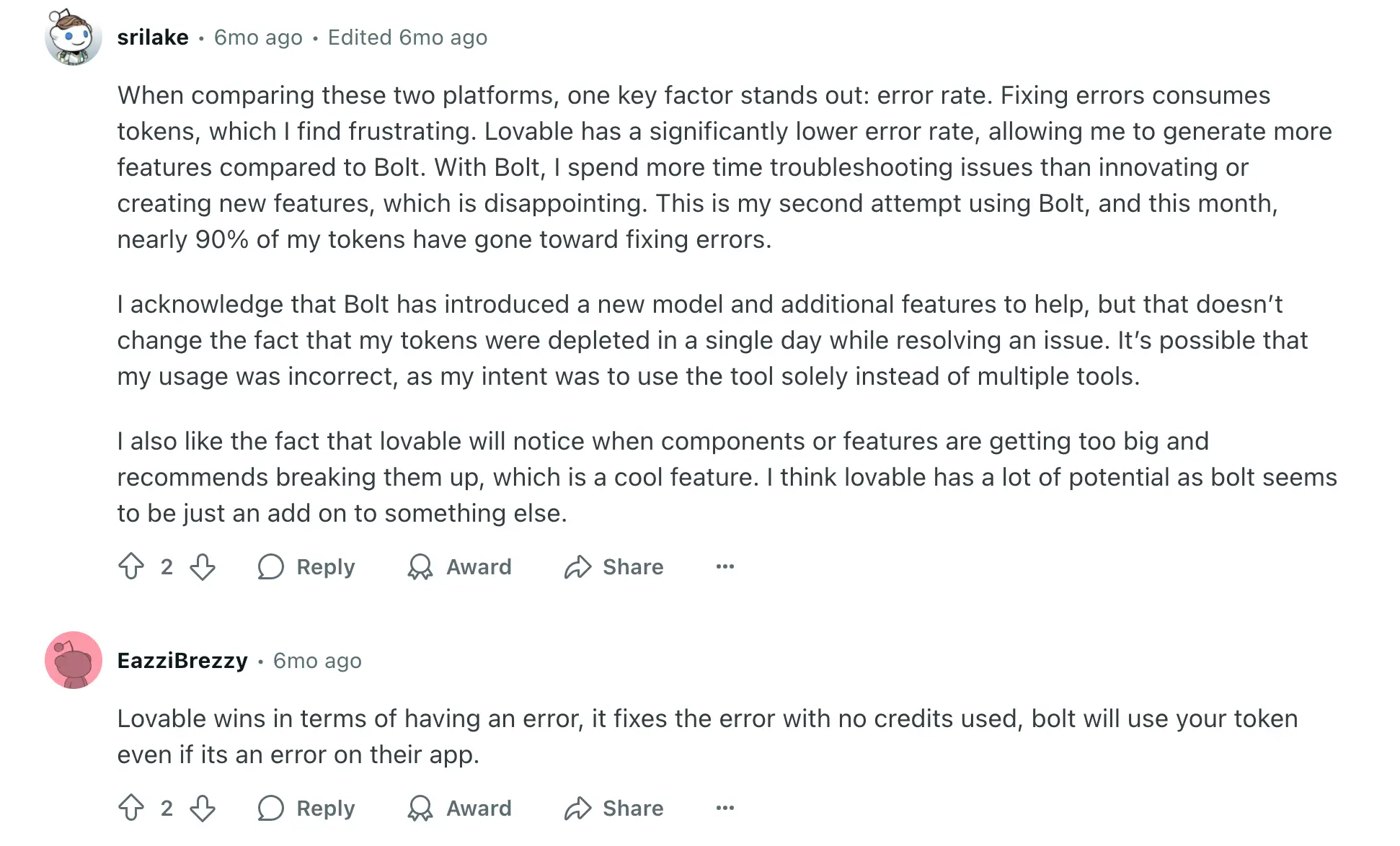
Conversations on Reddit highlight how developers and teams weigh the trade-offs between Lovable vs Bolt. One user highlights:

Another Redditor emphasized error handling as the biggest difference between the two tools.
Lovable vs Bolt summary
Teams compare Lovable and Bolt because both are built for speed — Lovable for rapid UI prototyping, Bolt for scaffolding apps with hosting included.
- Lovable leans into the design side. It’s best for sketching out user interfaces fast and sharing them in a collaborative space. That makes it especially useful for validating layouts with stakeholders or running early product workshops. The downside is that its scope ends at the UI layer — you’ll need developers and infrastructure to turn those prototypes into live apps.
- Bolt is positioned more as a lightweight builder. It can generate both the front and back end of an app from prompts, with hosting and integrations bundled in. This makes it appealing for quick demos or small MVPs. Where teams struggle is in cost and reliability: tokens drain fast with repeated fixes, and the error rate means a lot of time can go into troubleshooting rather than adding features.
In short, Lovable is a faster path to visual prototypes, while Bolt offers a faster path to working demos. Both are valuable for experimenting and testing ideas, but as users on Reddit point out, neither tool is built for the demands of long-term, production-grade business apps.
Softr — the best Lovable vs Bolt alternative for building business software with AI
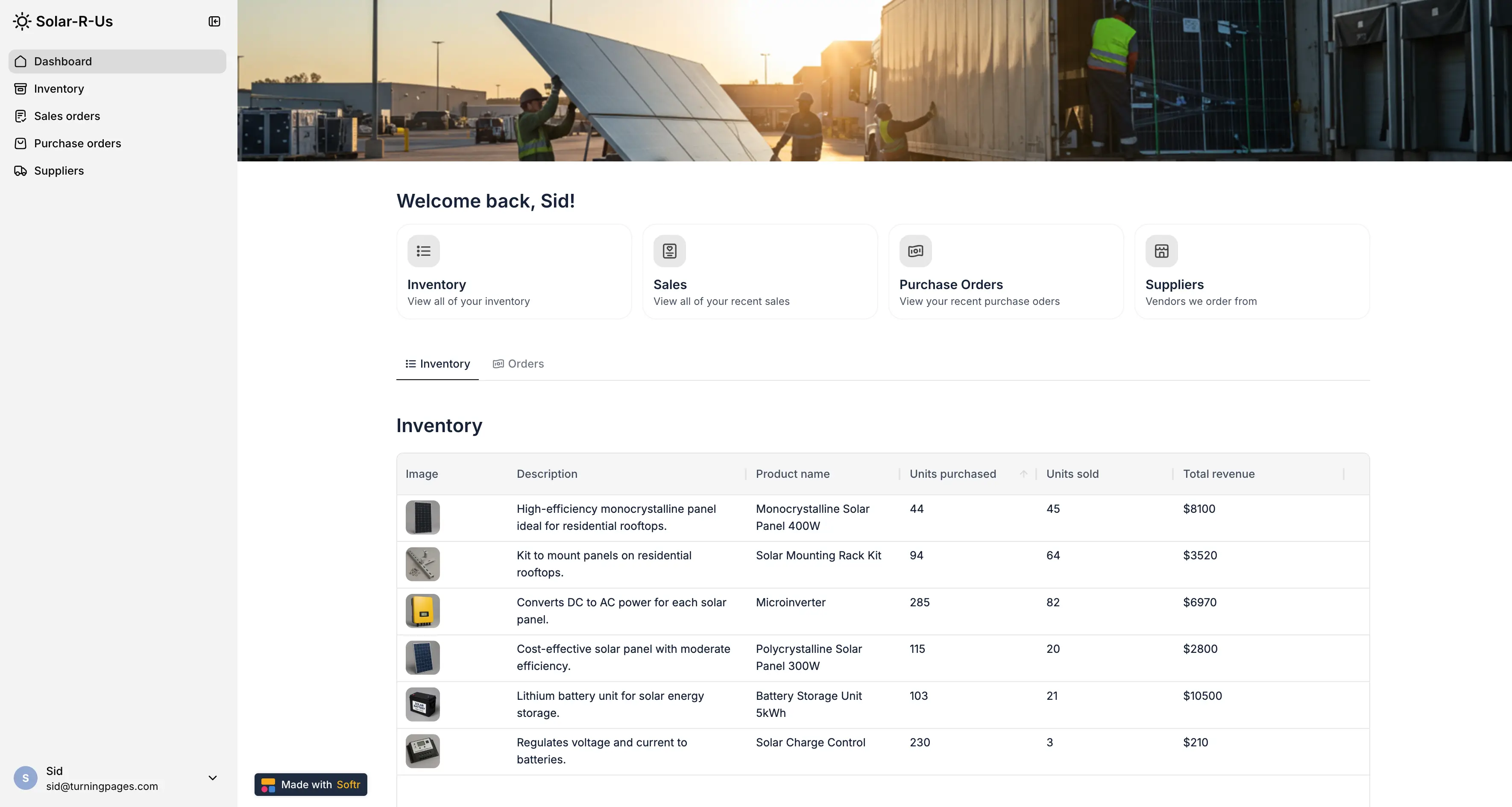
Lovable and Bolt are great for getting ideas off the ground — sketching out UI flows, spinning up quick demos with hosting attached, etc. But when you need to run day-to-day operations, speed alone isn’t enough.
Prototyping helps in testing ideas. Running operations requires tools that keep clients organized, projects on track, and data secure, that won’t disappear when credits or tokens run out.
This is where an AI-native, no-code platform like Softr becomes a must. Softr combines a built-in database, 21+ data source integrations, granular permissions, workflow automation, and AI features into one platform. Feed the AI Co-Builder a prompt and watch it generate a full database structure, an interface with utility pages, and secure business logic that won't crack under the pressure of real users.
Built-in database, 21+ native integrations, plus RestAPI
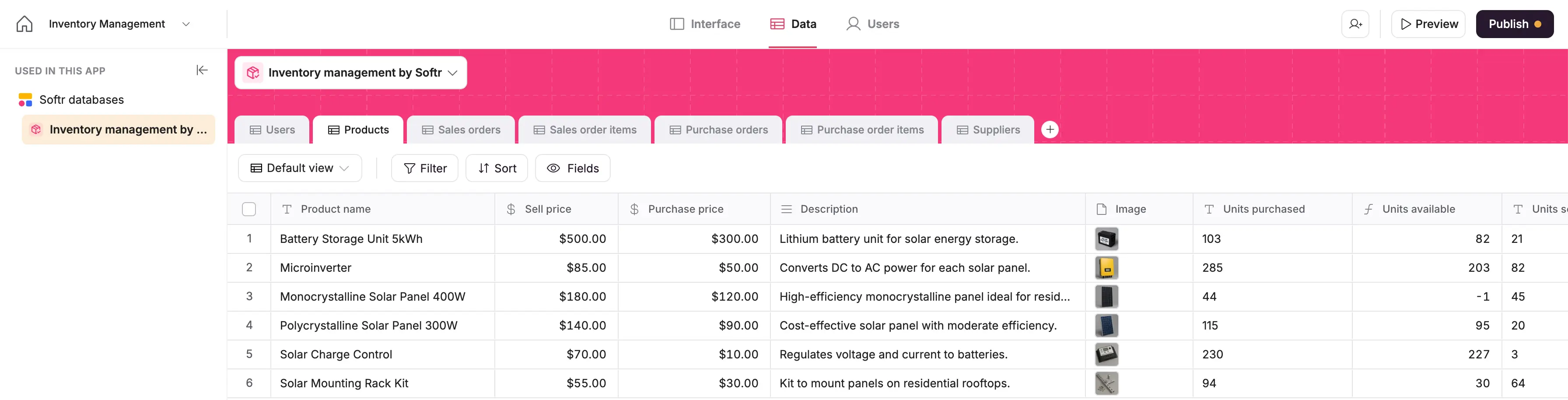
Softr comes with its own native relational database, and integrates with 21+ data sources, including Airtable, Google Sheets, Hubspot, Notion, monday.com, SQL databases, Supabase, and more, with real-time, two-way sync.
There’s also a REST API connector, so you can pull in data from almost any external service.
- Lovable has no backend. You’ll need external services for even the simplest data requirements.
- Bolt can connect to Supabase, but its focus is scaffolding. Complex data relationships or governance controls aren’t built in.
User management & native authentication
Softr has authentication, end-user logins, and SSO built in. You can create signup and login flows out of the box, manage users directly in your app, and connect to providers like Google or Microsoft for single sign-on.
This makes it easy to onboard clients, partners, or employees securely without adding any external services or writing code.
- Lovable doesn’t support authentication at all, since it only outputs front-end scaffolds. There’s no concept of logins or secure access: any “app” you build in Lovable has to be exported and then integrated with a backend system that handles auth.
- Bolt does provide a clearer path to building apps with secure user access compared to Lovable. But Bolt’s auth is not plug-and-play—you’ll need backend knowledge to make it robust and safe.
Granular permissions & conditional visibility
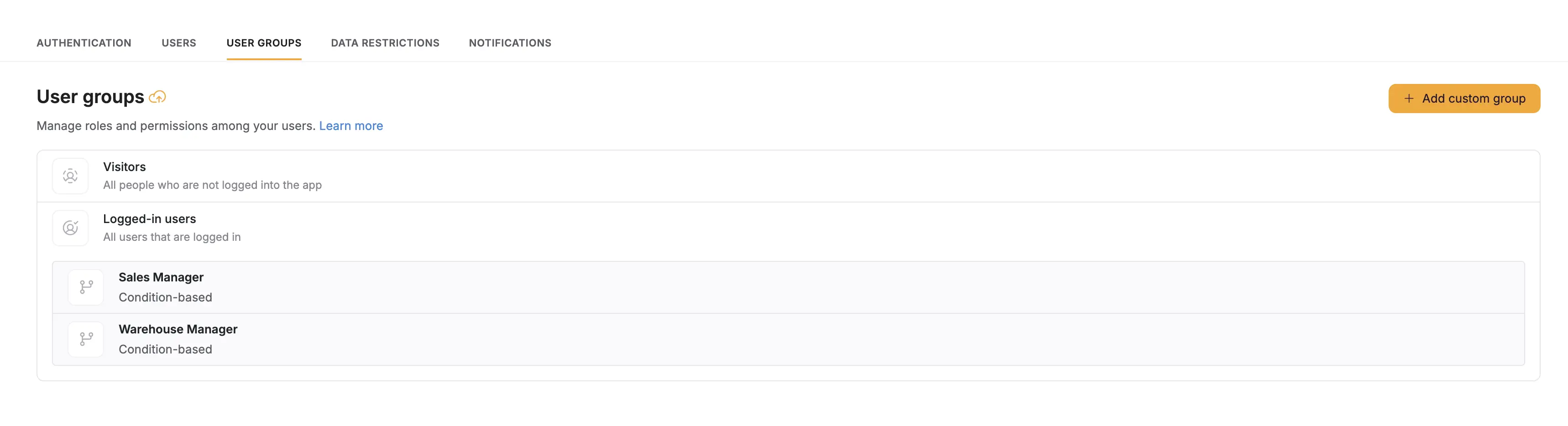
Softr lets you control exactly who can see or edit data. You can assign roles (”admin”, “sales manager”, or “client”), restrict access at the page, block, or even field level, and use conditional visibility rules.
This ensures every user only sees the data and actions relevant to them, and not your entire dataset. This truly matters for data security.
- Lovable doesn’t include permission layers: all prototypes are open once exported.
- Bolt supports authentication, but fine-grained roles and visibility logic are limited.
For SMBs, this kind of control is critical to avoid accidental data exposure. Softr provides it by default, giving SMBs the same controls you’d expect in enterprise software.
Enterprise-grade security & governance
Softr provides secure hosting, SSL, SSO/SAML, and SOC 2 compliance, making it safe for sensitive business apps.
AI Co-Builder to launch faster
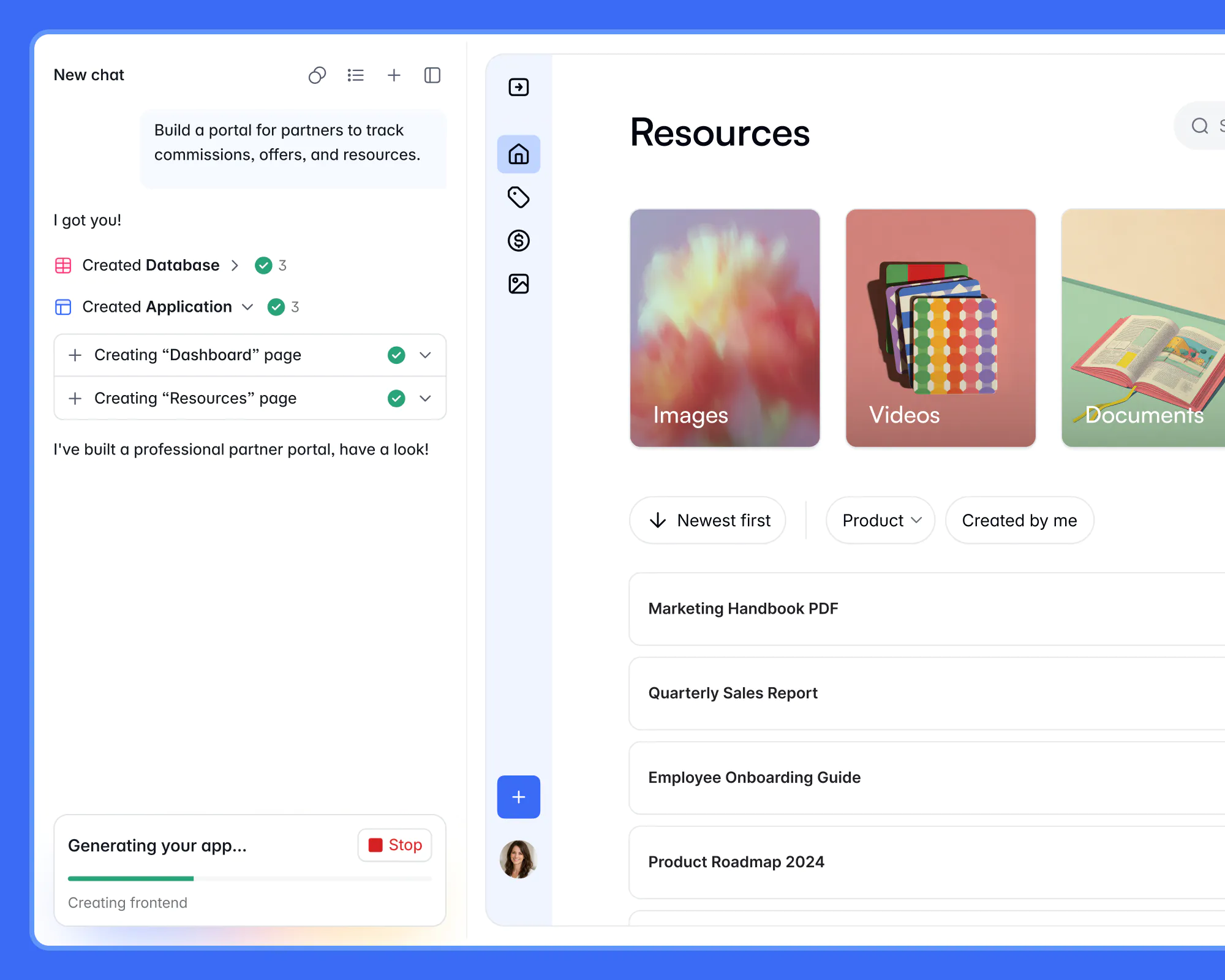
If you want to create a production-ready app in minutes, use Softr's AI Co-Builder. Simply describe what you need, and it instantly generates the database, app, and business logic — all pre-connected, secure, and ready for real users.
You fully own your app, so there's no need to bring in developers. Refine your app by switching back and forth between prompting and visual editing at any time. Customize logic, control who sees and edits what, add features, and scale as your business evolves. Builders can also use the Softr MCP to create and edit business apps directly from assistants like Claude, ChatGPT, or Cursor.
Predictable pricing
Softr’s pricing is flat and predictable. Every plan includes a monthly AI credit allowance, so you can try the AI Co-builder and Vibe Coding block at no cost.
- Free: Unlimited apps, with access to Softr Workflows and Softr Databases, 5 app users, 5 AI credits, and 5,000 database records
- Basic: $19/month for unlimited apps with 42+ integrations, Team: 5 + Client: 5 app users, 10 AI credits, and 50K records
- Pro: $99/month for unlimited apps with 45+ integrations and custom code, Team: 10 + Client: 50 app users, 50 AI credits, and 500K records
- Business: $329/month for unlimited apps with 52+ integrations, Team: 30 + Client: 100 app users, 100 AI credits, and 1M records
- Enterprise: Custom pricing
What Softr is best for
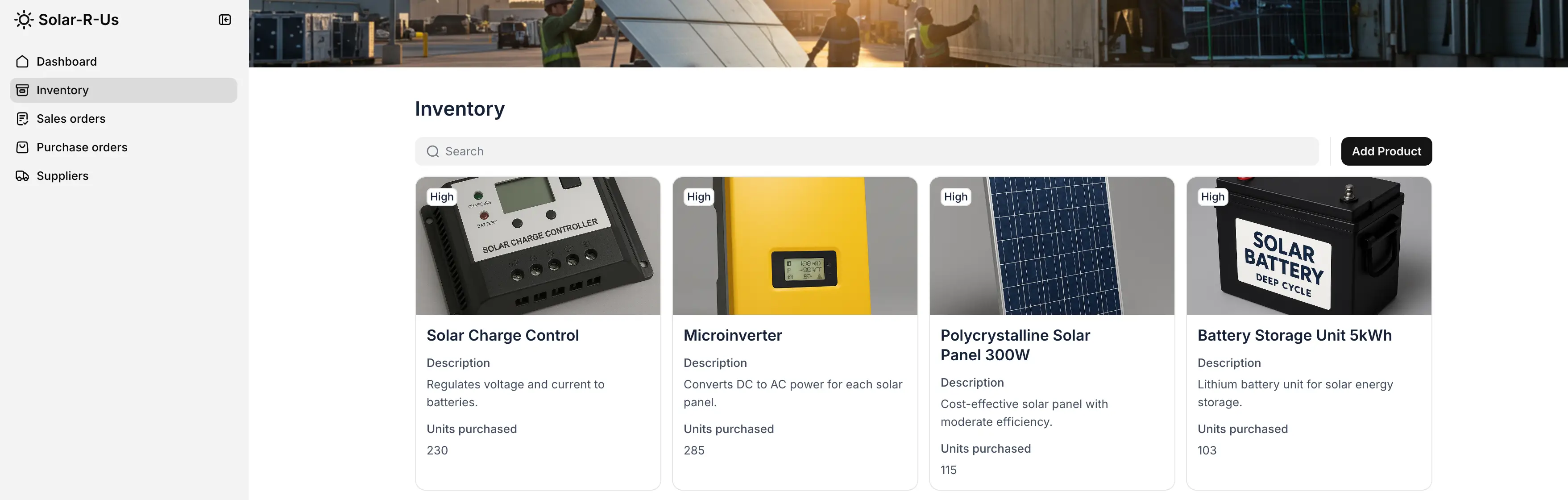
Softr is the best alternative for teams that need a secure, business-ready AI app builder — the areas where Lovable and Bolt both fall short.
- Portals: Create branded, secure spaces for clients or partners to submit requests, track progress, and access documents. Bolt offers basic auth hooks through Supabase, but setup is manual and fragile. Lovable doesn't support authentication at all.
- Internal tools:Build CRMs, project trackers, or inventory systems that keep teams aligned without relying on spreadsheets. Lovable only outputs front-end, and Bolt scaffolds backends, but requires debugging and maintenance that non-technical teams can't handle.
- Knowledge bases & directories: Organize resources into searchable, role-based apps. Neither Lovable nor Bolt provides robust user roles, relational data, or governance controls out of the box.
- Workflow automation: Set up approvals, notifications, and role-based access without code using native Softr Workflows — triggered directly from UI interactions like button clicks and form submissions. Bolt doesn't provide workflow automation, and Lovable is limited to UI mockups with no operational logic.
In short: Lovable accelerates design prototyping and Bolt spins up functional demos, but neither is built for long-term business operations. Softr provides the structured data, permissions, automations, and compliance that business operators and ops teams need to build apps they can actually run a business on.
Lovable vs Bolt vs Softr
The Lovable vs Bolt debate comes down to momentum: Lovable is great when you just need to mock up a screen and get quick feedback, and Bolt helps you generate a working demo without much setup.
But once you’re managing clients, keeping projects organized, or storing sensitive data, the gaps start to show. Neither tool gives you the built-in permissions, workflows, or security you need to actually run operations.
That’s where Softr makes the difference. It comes with a real database, user management, and automation features built in — so you can move past prototypes and build tools your business can depend on every day. Costs stay predictable, features scale with your business, and setup doesn’t require a developer.
Start building with Softr for free and see how quickly you can turn ideas into secure, production-ready apps.
Frequently asked questions
What is better than Lovable AI?
What is the difference between Bolt and Lovable and Cursor?


