The most secure vibe coding tools for enterprise teams in 2026


"Vibe coding" and "enterprise" sound like two words that don't belong in the same sentence. A vibe coder is just winging it with AI, trusting a prompt to produce working code for them. In an enterprise, you shouldn’t wing anything, particularly if your work touches sensitive data.
But vibe coding tools with real security and governance baked in do exist. You just have to know where to look for them. And you're in the right place: I spent two weeks researching and testing the best vibe coding tools for enterprise teams right now.
Best tools for enterprise vibe coding at a glance
| Tool | Best for | Key features | Pricing |
|---|---|---|---|
| Softr | Non-technical teams building secure, production-ready business apps without writing or maintaining code | AI Co-Builder, Vibe Coding block, built-in relational database, granular role-based access control, SOC 2 and GDPR compliance, SSO on Enterprise | Free plan available; paid plans start at $19/month |
| GitHub Copilot | Engineering orgs already standardized on GitHub | Repository-level content exclusion, 180-day audit logs, IP indemnity on Business+, SSO/SCIM on Enterprise | Free plan available; paid plans start at $10/month |
| Retool | Building internal tools, dashboards, and admin portals | On-premise deployment option, SOC 2 Type II, HIPAA-eligible, granular permissions, CI/CD and source control integration | Free plan available; paid plans start at $10/month per builder plus $5/month per internal user |
| Cursor | Engineering teams working in large, complex codebases | Org-wide Privacy Mode with ZDR, encrypted file paths during indexing, SAML SSO via WorkOS, AI code audit logs | Free plan available; paid plans start at $16/month |
| Claude Code | Enterprise engineering teams that need strong governance controls | Server-managed settings, OpenTelemetry monitoring, SSO/SCIM, private deployment via AWS Bedrock, Vertex AI, or Microsoft Foundry | No free plan; paid plans start at $17/month |
| Windsurf | Organizations that need maximum control over where code and data are processed | Self-hosted deployment options, ZDR by default on paid seats, deploys as Docker Compose or Helm chart | Free plan available; paid plans start at $20/month |
What is a vibe coding tool?
A vibe coding tool lets you spin up software through a natural-language prompt. You just type what you want, and the AI figures out how to build it.
Vibe coding tools have seriously democratized the app-building process, so even people who can't read a line of JavaScript can get in on the action. As long as you can describe your desired end result, you can vibe code.
That being said, developers use these tools, too. They'll often dig into the code that AI generates or export that code to an IDE to keep refining it.
IDE stands for integrated development environment. It's an all-in-one app where developers write, test, and debug their code.
How I evaluated each vibe coding tool for enterprise teams
To build this list, I spent time testing each platform firsthand, exploring how they handle team collaboration, permissions, version control, and app-building workflows. I also reviewed documentation, watched product demos and YouTube reviews, and dug through Reddit threads and community discussions to understand what real users love, hate, and struggle with once a project moves beyond a simple prototype.
The takeaway: On an enterprise team, security requirements are going to keep you from adopting just any vibe coding tool.
You’ll also have to evaluate these factors:
- Security and governance capabilities: Does this tool support SSO, SCIM, and audit logs? Can you control which AI models and prompts are available to your team?
- Hosting and deployment considerations: Is it cloud-based, hybrid, or self-hosted? And where does your data actually live?
- Permissions and access controls: Who can see what, who can build what, and who can ship to production? Can you set role-based access controls, or are you stuck with broader options?
- Maintainability and infrastructure ownership: Will the apps still be supportable a year from now? And who owns the infrastructure underneath them?
- Compliance footprint: Does it meet SOC 2, ISO 27001, HIPAA, or FedRAMP requirements, or whichever standards apply to your industry?
Most vibe coding tools were designed to generate code quickly, but not to govern, host, or maintain what gets built. That creates real problems for enterprise teams: who owns the infrastructure, who manages access, and who fixes it when the AI-generated app breaks six months from now? The six tools below take meaningfully different approaches to those questions.
1. Softr — Best for non-technical teams building secure business apps without writing code
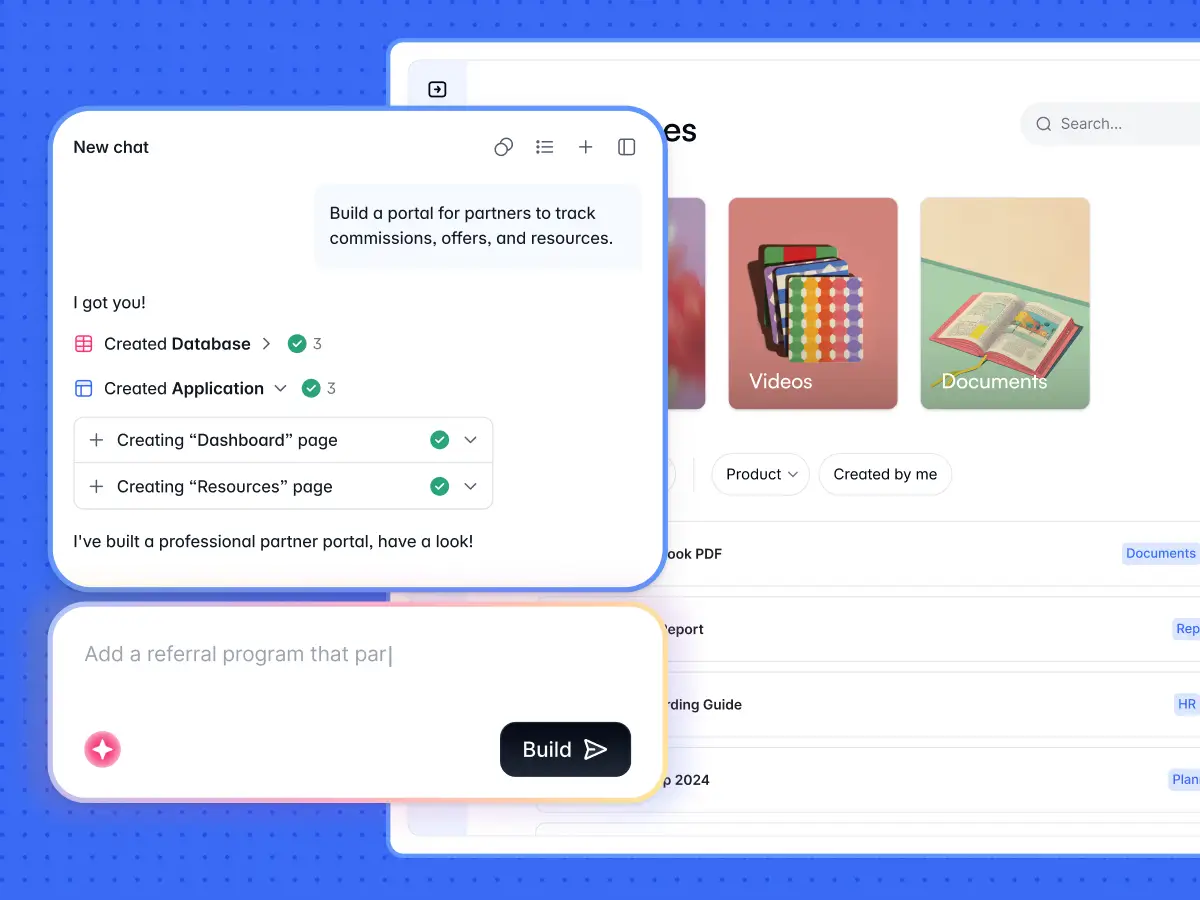
Plenty of vibe coding tools were designed to help developers build apps. Softr, on the other hand, is an AI-native platform built around a different premise. The problem with most vibe coding tools is that after the code generation, someone still has to secure it, host it, maintain it, and fix it when it breaks. Softr absorbs all of that. You describe what you need, and you get a production-ready app with no backend to manage and no infrastructure to own.
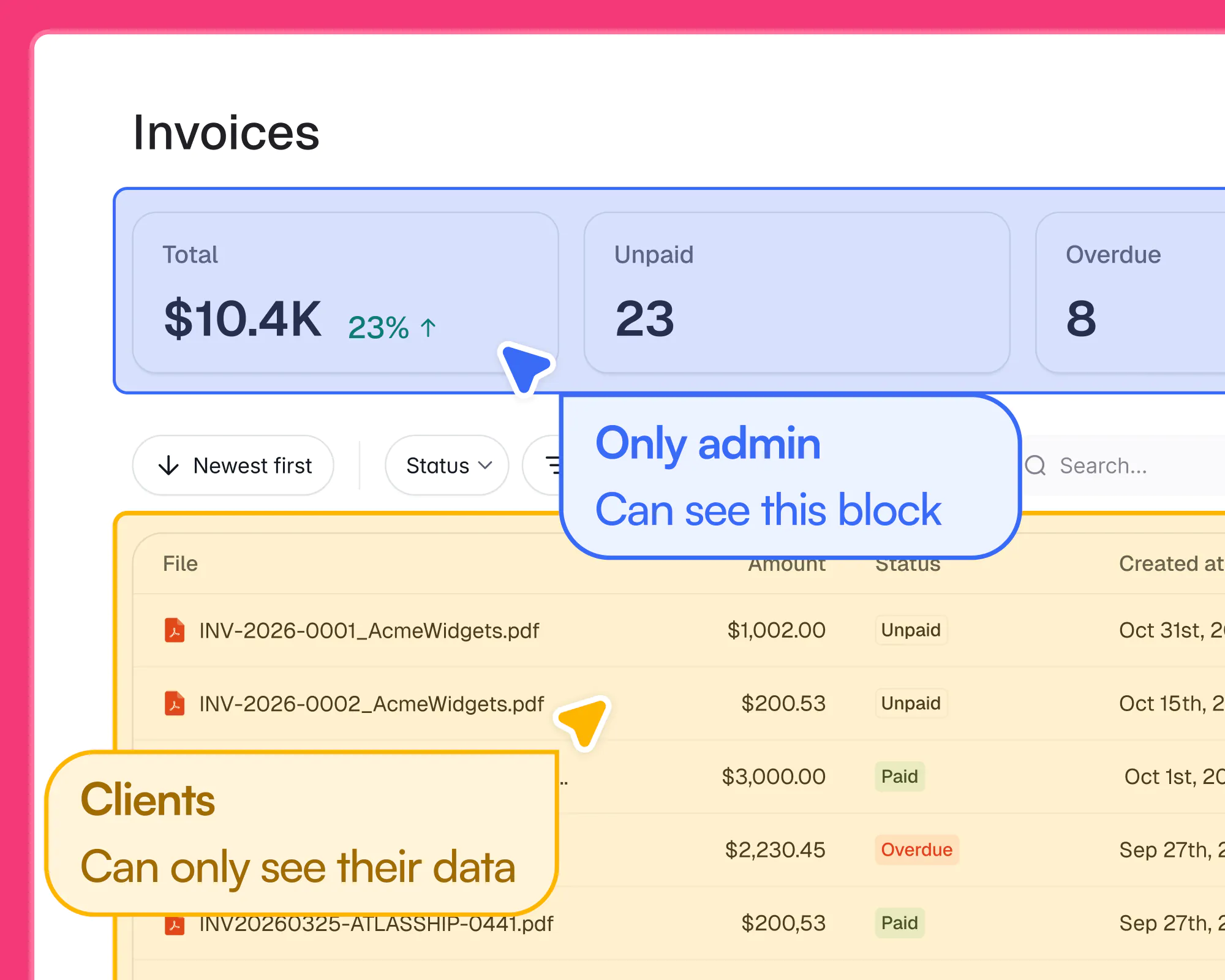
If security is a priority, the Enterprise plan gives you a governance layer that includes SSO, audit logs, granular permissions, and SOC 2 Type II and GDPR compliance. You can also manage access centrally across workspaces, control which teams can build and publish, and connect Softr to the tools you already use without migrating a thing.
Softr pros and cons
Pros:
- Non-technical teams can build and ship production-ready apps without touching backend infrastructure. Authentication, hosting, and permissions are all built in.
- There’s no server to maintain or update, so your apps stay supported as the platform evolves.
- You can switch between AI prompting and visual editing at any time without wasting credits on small tweaks. You can also make changes from your own AI assistant using the Softr MCP, within the access you grant it.
- Over a million users trust Softr, including teams at Fortune 500 companies.
Cons:
- Softr is a hosted platform. If you ever want to move off it entirely, it may take some planning.
Softr best features
- Enterprise security and governance: SOC 2 Type II and GDPR compliance, SSO, audit logs, and granular workspace controls come with the Enterprise plan.
- Granular role-based access: Define custom user groups and control exactly what each one sees and can do, down to the record level.
- AI Co-Builder: Describe what you need and Softr generates the full app, including the database, business logic, interfaces, and utility pages, already connected and ready for real users.
- Vibe Coding block: Need a custom component that your app doesn't have out of the box? Generate it through a prompt, and it'll match your app's look, feel, data, and permission structure.
- Native relational databases: Structure your business data inside Softr, or sync in real time with Airtable, Google Sheets, HubSpot, Notion, and SQL databases.
- Built-in workflow automation: Trigger emails, Slack notifications, approvals, or data updates when users take action in your app.
Softr pricing
- Free: Unlimited apps, with access to Softr Workflows and Softr Databases, 5 app users, 5,000 Softr Database records, 5 AI credits
- Basic: $19/month. Unlimited apps with 42+ integrations, Team: 5 + Client: 5 app users, 50,000 records, 10 AI credits
- Pro: $99/month. Unlimited apps with 45+ integrations and custom code, Team: 10 + Client: 50 app users, 500,000 records, 50 AI credits
- Business: $329/month. Unlimited apps with 52+ integrations, Team: 30 + Client: 100 app users, 1M records, 100 AI credits
- Enterprise: Custom pricing. Includes SSO, SOC2 reporting, advanced security, and dedicated support
2. GitHub Copilot — Best for engineering teams already standardized on GitHub
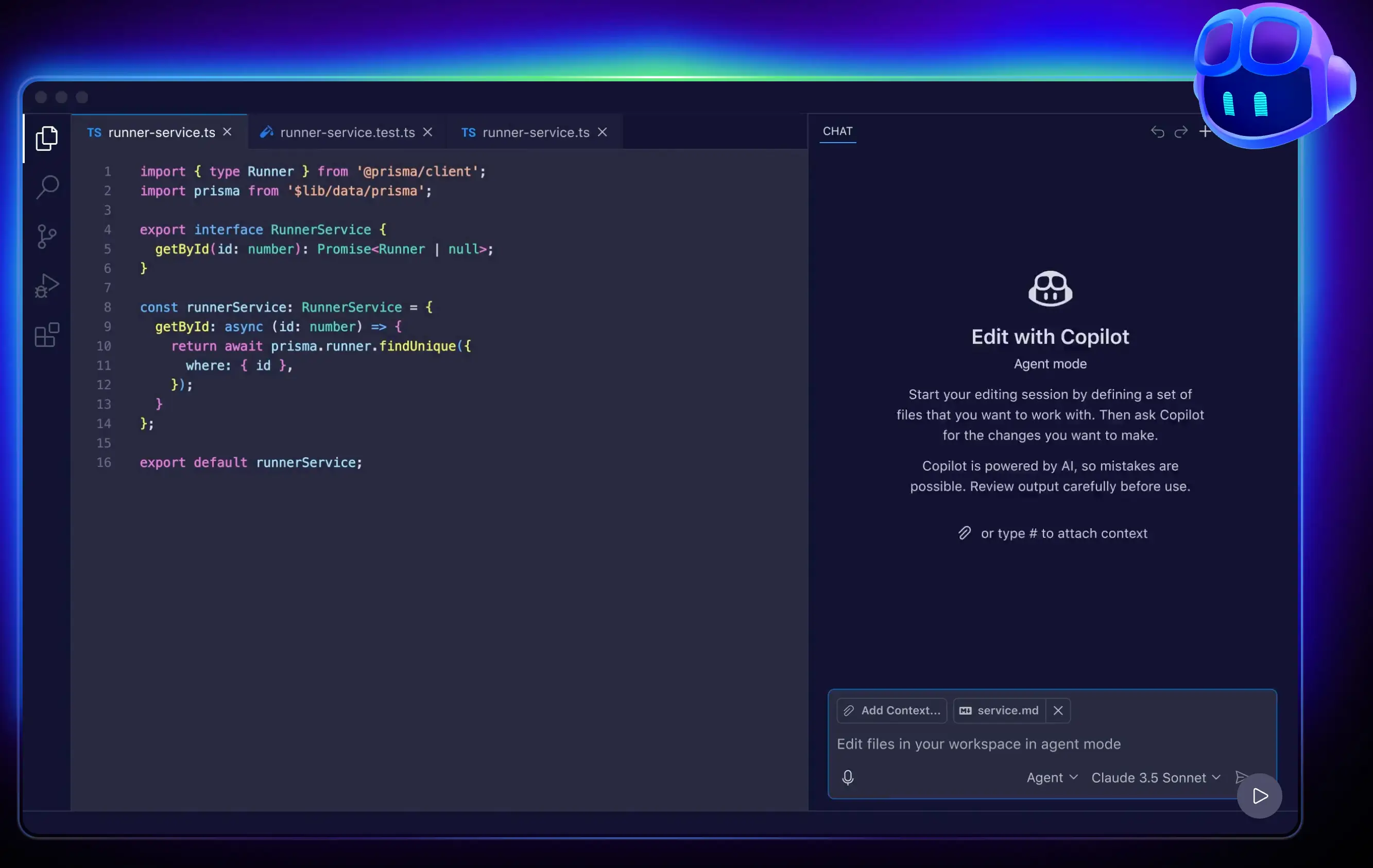
GitHub Copilot is GitHub's built-in AI coding agent, and that's a big advantage: it plugs right into the platform most engineering teams are already running on. If engineers want to vibe code, this lets them do so inside a tool their security team has likely already vetted.
The Business and Enterprise tiers add meaningful privacy controls on top of that foundation. That includes being able to define exactly which files and directories GitHub Copilot can never see, an optional filter that blocks suggestions matching public code for license compliance, and 180-day audit logs that cover changes to your Copilot plan as well as agent activity on GitHub.
GitHub Copilot pros and cons
Pros:
- Copilot plugs directly into your existing GitHub workflows. There's no parallel security infrastructure to stand up or manage.
- IP indemnity is included on Business and Enterprise plans.
- Org-wide policy controls let admins enforce settings across teams, so they don’t have to rely on individuals to configure them correctly.
Cons:
- GitHub Copilot is built for engineers. Non-technical teammates won't find much footing here without developer support to review and ship what they build.
- New sign-ups for Pro and Pro+ plans are currently paused. That could complicate evaluations for teams that haven’t already adopted Copilot.
- Copilot's AI models run in GitHub's cloud, not on your own servers. That can be a dealbreaker if you need fully on-premises AI tools.
- In June 2026, Copilot will move to usage-based billing through GitHub AI Credits. Using autonomous agents and premium models heavily will make costs less predictable.
GitHub Copilot best features
- Repository-level content exclusion: Define file patterns and directories that Copilot excludes from its context when generating suggestions, chat responses, reviews, and other outputs.
- Org-wide audit logs: 180 days of searchable logs covering Copilot administration, policy changes, and agent activity, integrated with GitHub's broader audit infrastructure.
- SSO and SCIM provisioning: Standard on the Enterprise tier for centralized identity management.
- Enterprise- and org-level policy controls: Force settings across teams instead of trusting individuals to configure them correctly.
GitHub Copilot pricing
- Free: 50 agent mode or chat requests/month, 2,000 completions/month, access to multiple AI models, Copilot CLI
- Pro: $10/user/month. Everything in Free, plus Copilot cloud agents and code review, 300 premium requests, unlimited agent mode
- Pro+: $39/user/month. Everything in Pro, plus GitHub Spark and 5x the premium requests
- Business: $19/user/month. Everything in Pro, plus user management, usage metrics, IP indemnity, and data privacy
- Enterprise: $39/user/month. Everything in Business, plus 3.33x the premium requests
3. Retool — Best for building internal tools in regulated industries
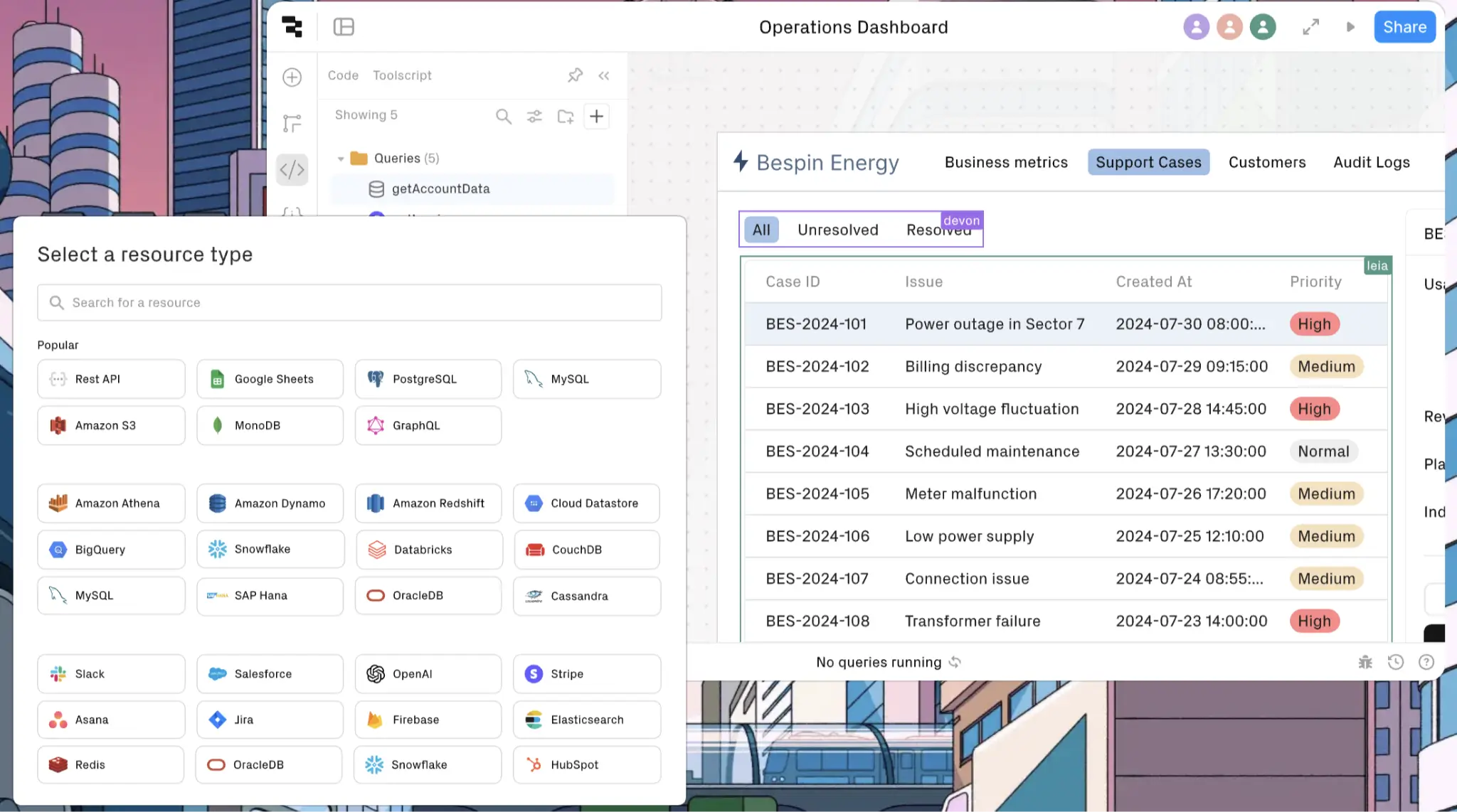
Retool was built for engineers and technical ops teams to vibe code internal tools. So like GitHub Copilot, it leans more technical. If your builders can write some SQL and JavaScript, they'll get a lot out of it.
When Retool's AI generates code, it operates within Retool's app-building environment, working with your UI components, queries, and data connections rather than directly interacting with your company's servers or file system. That can reduce some of the risks associated with agentic tools that have direct terminal access, where AI can execute system-level commands with broad network access. Retool also supports self-hosted deployment, so the building process can stay inside your own infrastructure.
Retool pros and cons
Pros:
- Self-hosted deployment lets you keep app data and infrastructure inside your own environment.
- Retool is SOC 2 Type II and ISO 27001 certified.
- Enterprise governance is built in: you get SSO, custom user roles, audit logs, granular permissions, source control with GitHub, unit tests, and CI/CD integration.
Cons:
- It's less generative than newer vibe coding tools. You can't just describe what you want and get a finished app. Some of the building still happens through manual configuration.
- Retool requires some SQL and JavaScript knowledge, so it's not ideal for non-technical builders.
- Per-user pricing splits builders from internal users, which can get confusing to forecast at scale.
- If you need customer-facing products, it’s not the strongest choice, since it’s primarily designed for spinning up internal apps.
Retool best features
- On-premise deployment: You can run Retool inside your own infrastructure through Docker, Kubernetes, or Retool On-Premise.
- Source control with GitHub: Treat Retool apps like real software, with versioning, branches, and review workflows.
- Built-in unit tests and CI/CD: Test app behavior before pushing to production and automate the deployment pipeline.
- Granular permissions and audit logs: Role-based access controls, audit logging, and governance features are available on Business and Enterprise plans.
Retool pricing
- Free: Unlimited apps, 500 workflow runs/month, 5GB data storage
- Team: $10/month per builder plus $5/month per internal user. Everything in Free, plus 5,000 workflow runs/month, staging, app release versions, up to 5 users
- Business: $50/month per builder plus $15/month per internal user. Everything in Team, plus audit logging, permissions, unlimited modules and environments
- Enterprise: Custom pricing. Everything in Business, plus SAML/OpenID Connect SSO, source control, workspaces, platform APIs, dedicated support
4. Cursor — Best for engineering teams that need deep codebase awareness
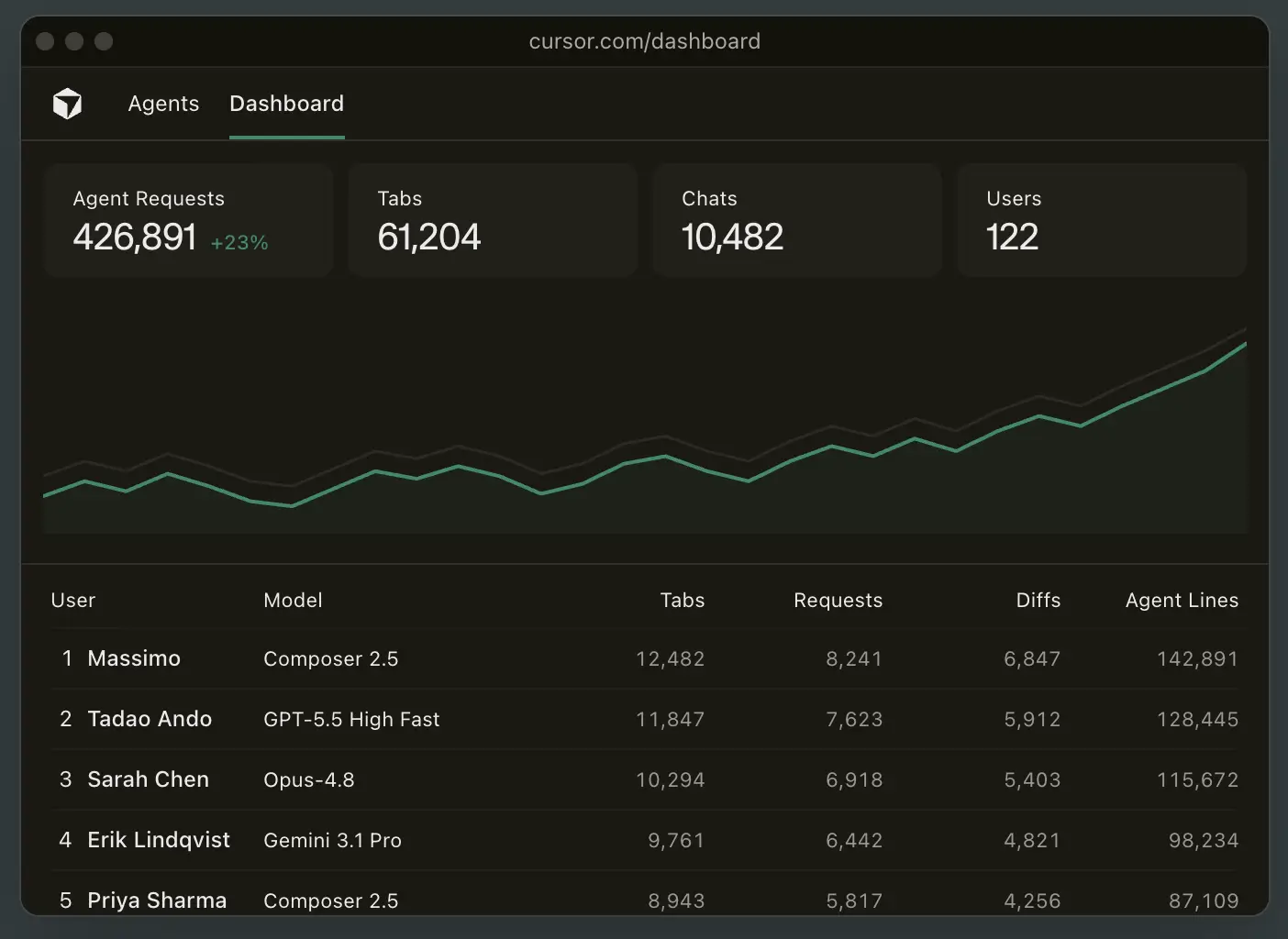
Cursor is an AI-powered code editor. It reads your codebase — all the code that makes up your product or app — to understand how everything connects, which makes it especially powerful for large projects where dozens of people have contributed code across hundreds of files.
And you don't have to sacrifice security, either. On the Enterprise plan, Privacy Mode is enforced org-wide, so your code is never stored or used for training. Most tools promise not to use your code themselves, but Cursor's zero data retention (ZDR) agreements extend that guarantee to major model providers, including OpenAI and Anthropic.
Cursor pros and cons
Pros:
- Cursor offers strong codebase indexing for large, complex projects.
- SAML 2.0 SSO via WorkOS and SCIM provisioning are included on the Enterprise plan.
- Admins can restrict model selection and whitelist or blocklist repos and MCP servers.
- Self-hosted cloud agents let organizations run agent workloads within infrastructure they control.
Cons:
- The editor has a steep learning curve, particularly for anyone who hasn't used VS Code.
- Billing can catch teams off guard. Your monthly credit pool depletes at different rates depending on the AI model you're using and how complex your tasks are. Heavy Agent use with premium models can burn through a plan faster than you'd expect.
Cursor best features
- Org-wide Privacy Mode: Force ZDR across the entire organization, so individual users can't accidentally opt out.
- Encrypted codebase indexing: Codebase metadata is encrypted, helping teams balance AI-assisted development with security requirements.
- Repo and MCP allowlists: Restrict which repositories and MCP servers Cursor is allowed to touch.
- AI code audit logs: Track AI usage, policy enforcement, and organizational activity.
Cursor pricing
- Hobby: Free. Limited Agent requests and Tab completions
- Individual: $16/month. Extended limits on Agent, MCPs, skills, and hooks, cloud agents
- Teams: $32/user/month. Everything in Individual, plus team-wide rules and automations, security review agent, SAML/OIDC SSO, usage analytics, centralized billing
- Enterprise: Custom pricing. Everything in Teams, plus SCIM seat management, AI code tracking API and audit logs, granular admin and model controls, priority support
5. Claude Code — Best for enterprise engineering teams that need centralized governance
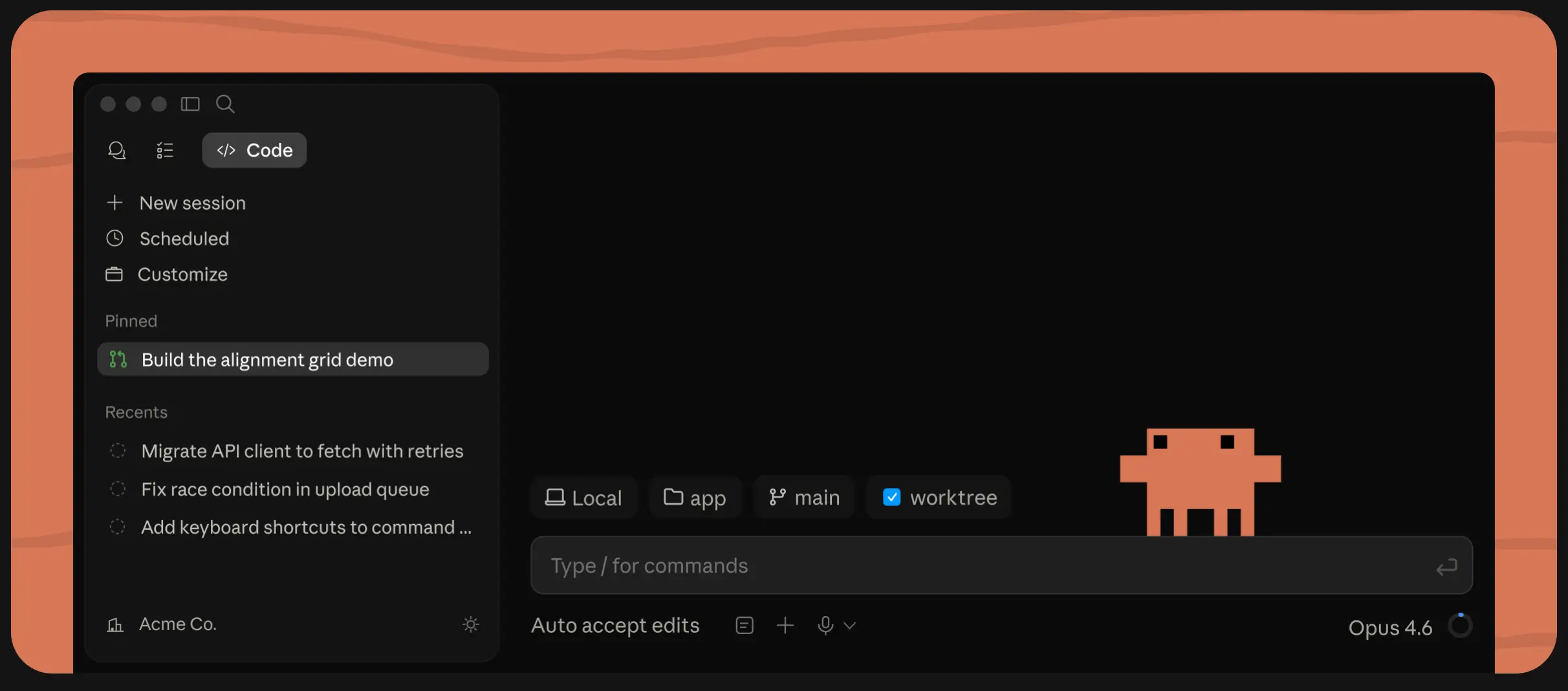
You might know Claude as a general-purpose AI assistant. But Anthropic also offers Claude Code, an agentic coding tool built for larger, more complex work. Beyond vibe coding, it can write automated tests, debug issues, refactor existing code, and open pull requests for your team to review.
Where it really stands out for enterprise teams is governance and deployment flexibility. The Enterprise plan includes centralized administration for managing tool permissions, file access, and org-wide policies. Bring-your-own-keys support through AWS Bedrock, Google Vertex AI, or Microsoft Foundry lets you run it within your existing cloud environment and security controls. And OpenTelemetry integration streams usage, activity, and cost data into your observability stack, so you have full visibility into how the tool is being used.
Claude Code pros and cons
Pros:
- Claude Code can take on larger development tasks than traditional AI coding assistants, including writing features, debugging issues, generating tests, and opening pull requests.
- It works across the terminal, IDEs, desktop app, Slack, and the web, letting teams adopt it without changing their existing workflows.
- You can use Claude Code within existing cloud and security environments rather than adopting a separate AI infrastructure.
Cons:
- Claude Code assumes some familiarity with software development workflows. It can be a poor fit for non-technical teams.
- Even on higher-tier plans, usage is metered. Heavy users can run into rate limits during intensive coding sessions.
- Claude Code itself isn't currently part of Claude for Government, which might matter for organizations that want every component of their AI stack to fall under a FedRAMP-authorized offering.
Claude Code best features
- Server-managed settings: Configure tool permissions, file access restrictions, and MCP server settings centrally across your organization.
- OpenTelemetry monitoring: Export usage, activity, token consumption, and cost data directly into your existing observability stack.
- Private deployment options: Run Claude Code through AWS Bedrock, Google Vertex AI, or Microsoft Foundry while keeping governance within your existing cloud environment.
- Access and permissions: Manage users with SSO and SCIM, apply role-based permissions, and maintain visibility through audit trails and centralized administration.
Claude Code pricing
- Pro: $17/month. Also includes access to Chat and Cowork
- Max: Starts at $100/month. Everything in Pro, plus 5x or 20x more usage, higher output limits, priority access at high traffic times
- Team: $20/seat/month or $100/seat/month for 5x more usage. Everything in Pro, plus more usage and no model training on your content by default
- Enterprise: $20/seat plus usage at API rates. Everything in Team, plus admin-set spend limits, role-based access, audit logs, custom data retention, network-level access control, IP allowlisting, HIPAA-ready, Claude Security
6. Windsurf — Best for organizations that need maximum deployment control
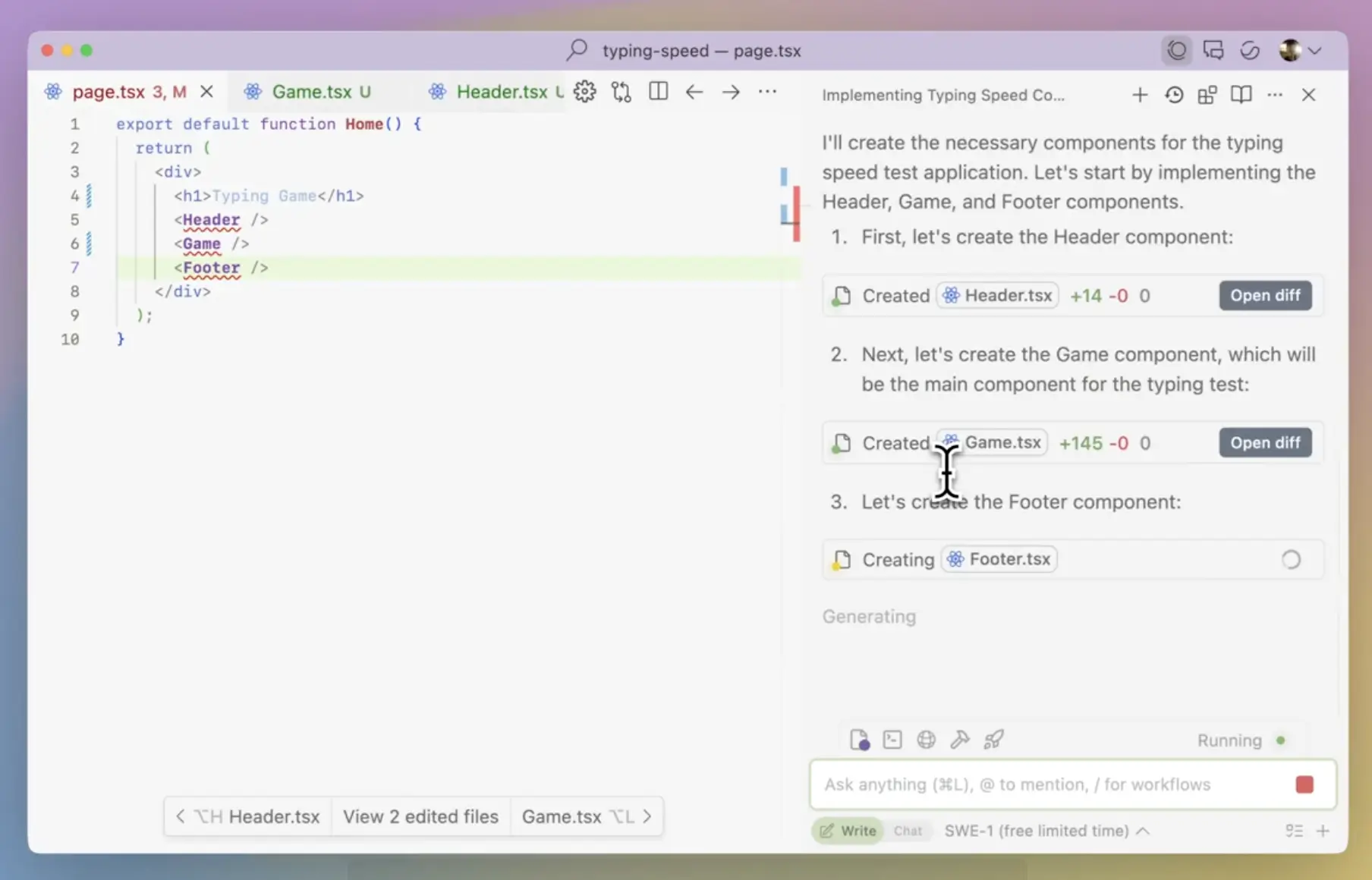
A major reason developers love vibe coding with Windsurf is that it ships plugins for tons of IDEs, from VS Code and JetBrains to Vim, Emacs, Eclipse, and Visual Studio. That means engineers don't have to change where they work to benefit from Windsurf's AI capabilities. And for security-conscious teams, Windsurf can be deployed in three ways: in the cloud, in a hybrid setup, or fully self-hosted. The self-hosted option is the one enterprises with strict data residency requirements will care about most, since it gives them more control over where code is processed and stored, with outbound traffic limited to approved services and model endpoints.
Windsurf pros and cons
Pros:
- Self-hosted deployment is available and production-ready.
- SSO and SCIM provisioning are available on the Enterprise plan alongside role-based access controls.
- Three deployment modes let you match the architecture to your workload's sensitivity level.
Cons:
- Self-hosted deployment is operationally heavier than cloud. Your team will have to own more of the stack and the maintenance.
- Windsurf has a smaller community and ecosystem than Cursor or Copilot, which can mean fewer external resources to turn to if you hit an issue.
- Windsurf is built for developers. Non-technical users won’t get far without an engineer in the loop.
Windsurf best features
- Self-hosted deployment: Deploy Windsurf within infrastructure you control and keep indexes, audit logs, and other customer data in your own environment rather than Windsurf's cloud.
- ZDR by default on paid seats: No code is stored or used for training, and that doesn’t require admin configuration to enforce it.
- Full audit logs across all tiers: Not gated behind Enterprise.
- Cascade Agent with human-in-the-loop approval: Multi-step agent actions can require explicit approval before executing.
Windsurf pricing
- Free: Light quota for agent coding, limited models, unlimited inline edits and Tab completions
- Pro: $20/month plus usage at API pricing. Everything in Free, plus frontier AI model access, cloud agents
- Max: $200/month. Everything in Pro, plus significantly higher quotas
- Teams: $40/user/month. Everything in Pro, plus centralized billing, admin dashboard with analytics, automated zero data retention
- Enterprise: Custom pricing. Everything in Teams, plus role-based access control, SSO, hybrid deployment option, dedicated account management
Pick up a vibe coding tool that's actually secure
Secure vibe coding and enterprise risk management aren't mutually exclusive, and the six tools on this list prove that. Most of them, though, solve for speed. They generate code fast and leave your team to handle the production side. That works if you have engineers to absorb it. But if your team doesn't write code and still needs to ship secure, governed apps, you need something built for production from the start. That's where Softr is different.
Try Softr for free today — you'll see just how easy it is for your team to build a secure, production-ready app without writing a line of code.
Frequently asked questions
What can make vibe coding tools risky for enterprise use?
What are the best vibe-coding tools for enterprise use?
What happens when an AI-generated app breaks?