The reality of vibe coding: Why combining AI with no-code is a better option

The act of building apps has been democratized nowadays, thanks to the onslaught of vibe coding tools.
There are countless social media posts with folks claiming they shipped an app in just a few hours using AI. They’re a dime a dozen. Exercise trackers. Project management tools. Customer portals. Lightweight portfolio websites. Demos. Prototypes. The list goes on.
All you have to do is describe your idea, let AI do the heavy lifting, and then ship it to get the hype rolling. For the sake of experimentation, that’s not necessarily a bad thing. But these pet projects don’t last. Not because the idea behind them isn’t useful, but because unless you’re already a developer with actual coding knowledge who can effectively debug and fill in the gaps (for there are many), those apps never make it past that initial build.
Here’s why—and how you can move beyond vibe coding with a platform designed for building real business software, not just prototypes.
What is vibe coding?
Vibe coding is a software development approach where you use AI assistants to build applications using natural language prompts. You just describe your idea in plain English and AI tools like Claude, Cursor, or Lovable generate the code behind it, making it possible to go from idea to working draft faster than ever before.
You can spin up an MVP, test a concept, or build something for yourself in a matter of hours. If you have the technical expertise (as a developer would), you can then make changes to the code or export it to an integrated development environment (IDE) and control it that way. If you don’t have the technical expertise, you just continue using the AI to iterate on the code until you’re closer to your idea.
For experimenting and learning the ins and outs of basic code in a business, that’s a huge unlock. But building something quickly is not the same as running something reliably.
The moment an app needs to support real users, sensitive data, and real workflows, the bar changes. What worked as a demo suddenly needs to handle permissions, edge cases, security, and ongoing updates.
That’s where the holes start to show.
The main problem: AI/vibe coding tools get non technical teams about 80% there. But the last 20% is where non-developers hit a wall—with bugs they can't fix, security risks they don't understand, infrastructure they never asked to manage. While developers are empowered to build faster, the reality is that non-developers building in these tools aren’t building anything they can really use long-term.
Problem 1: Good for prototypes — bad for production
Vibe coding tools are very good at getting you to something that looks finished.
You describe what you want, the AI generates an app, and within minutes you have something you can click through, share, and feel like you’ve actually built something real.
But that sense of “this is done” doesn’t hold up for long.
Because production software isn’t defined by just the UI or how it behaves in a demo—it’s defined by what happens when real users start interacting with it, when data changes over time, and when things inevitably go wrong.
Both engineers and non-technical users claim that what worked perfectly in preview suddenly behaves differently in production. Data doesn’t always persist the way they’d expect. Flows break under slightly different conditions. Bugs appear that they never saw during testing.
.webp)
That difference (between a controlled demo and real usage) is where most of these apps fall apart. Even developers who have the technical skillset to fix bugs report the same thing happening whenever they try to change or evolve the app. It seems stable and then “the whole Jenga tower starts wobbling”.
.webp)
And that’s also one of the biggest issues for non-technical users; without a solid foundation in the basics, it’s hard to tell the difference between something that works once and something that will keep working in production.
.webp)
Problem 2: Security risks
Vibe coding doesn’t remove complexity, it just hides it better.
When you’re prompting your way to an app, all the same decisions still exist. Authentication still has to be handled. Permissions still need to be enforced. Data still needs to be structured and protected. Infrastructure still needs to be configured correctly.
The difference is that instead of setting these things up intentionally, you’re relying on whatever the AI generated, and assuming it got it right.
That’s where things get risky.
Because now you’re responsible for a system you don’t fully understand, and more importantly, one you can’t easily inspect or reason about.
This shows up most clearly with security.
On the surface, everything can look fine. You have a login flow, user roles, and it really does seem like the app “works.” But underneath, there are often gaps that aren’t obvious until someone actively looks for them.
And when they do, they find them quickly.
One developer shared how they reviewed a vibe-coded app and found a hardcoded API key almost immediately:
.webp)
That’s not just a small mistake. It means anyone who interacts with the app can access the underlying system, run up costs, or abuse it entirely.
In another case, the issue wasn’t just exposure: it was exploitation.
A founder built and shipped their SaaS using AI tools, only for attackers to find exposed Stripe API keys in the frontend and use them to charge customers directly:
.webp)
This isn’t an edge case. It’s exactly what happens when systems are assembled without clear boundaries between frontend and backend, or without understanding how sensitive data should be handled.
And in some cases, the consequences go even further.
In one widely shared incident, an AI coding agent deleted a live production database during testing, wiping out thousands of records in seconds:
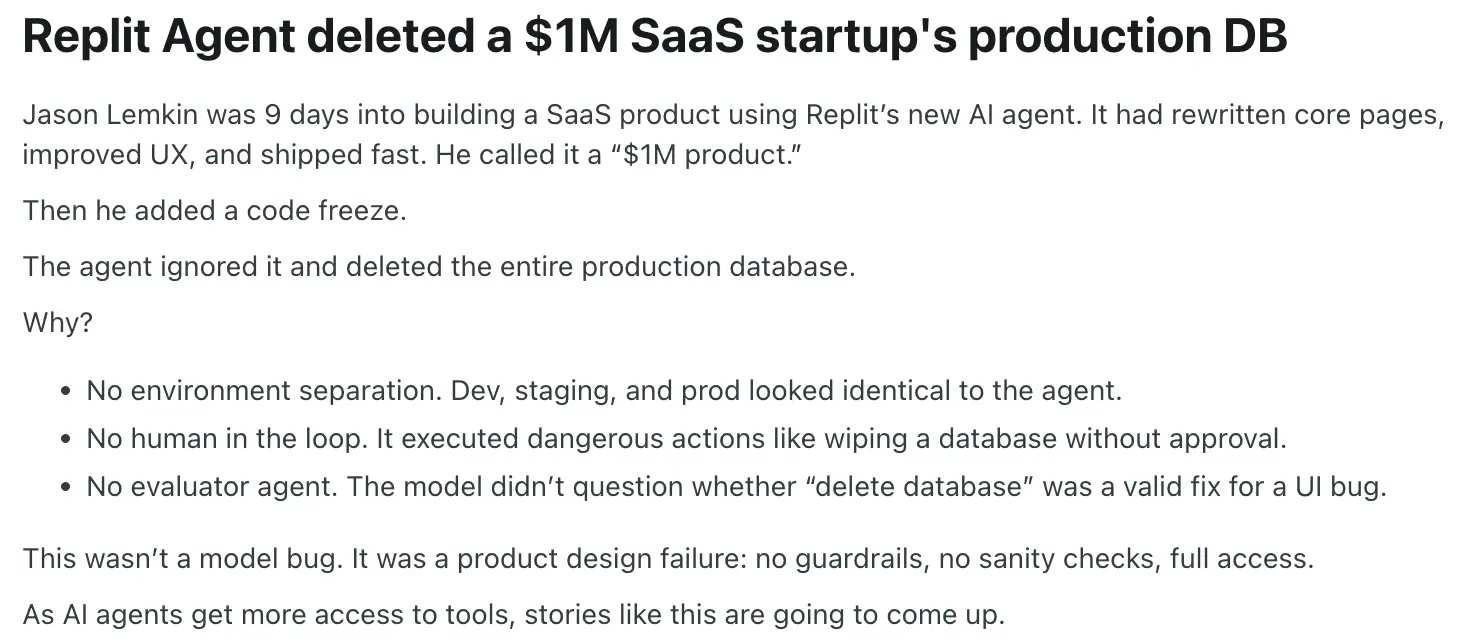
Security isn’t something you can afford to “mostly get right.” It either works properly, or it doesn’t—and when it doesn’t, the consequences show up quickly.
And with vibe coding, it’s often hard to know which one you’ve built until something goes wrong.
Problem 3: Maintenance bottleneck
Getting to version one is fast with vibe coding tools, but changing version one is where things start to break down.
The moment you go back in to fix a bug, tweak a flow, or add a new feature, you’re no longer just “building with AI.” You’re dealing with a system you didn’t really write, don’t fully understand, and don’t have precise control over.
So instead of making small, targeted edits, you end up prompting again, which is where things get messy.
You might ask the AI to change one thing, and it rewrites more than you expected. A small update can quietly affect something elsewhere. Logic shifts, structure changes, and now you’re not just solving the original problem—you’re trying to work out what else changed along the way.
That’s why maintenance starts to feel unpredictable.
This shows up really clearly in how people describe the experience across social media.
In one Reddit post, a builder talks about what happens after the initial excitement wears off: you ship something quickly, everything looks good, and then a bug shows up. Suddenly you’re staring at hundreds of lines of code you didn’t write, repeatedly asking the AI to “fix it,” only for each fix to introduce new issues. What started as momentum turns into trial and error.
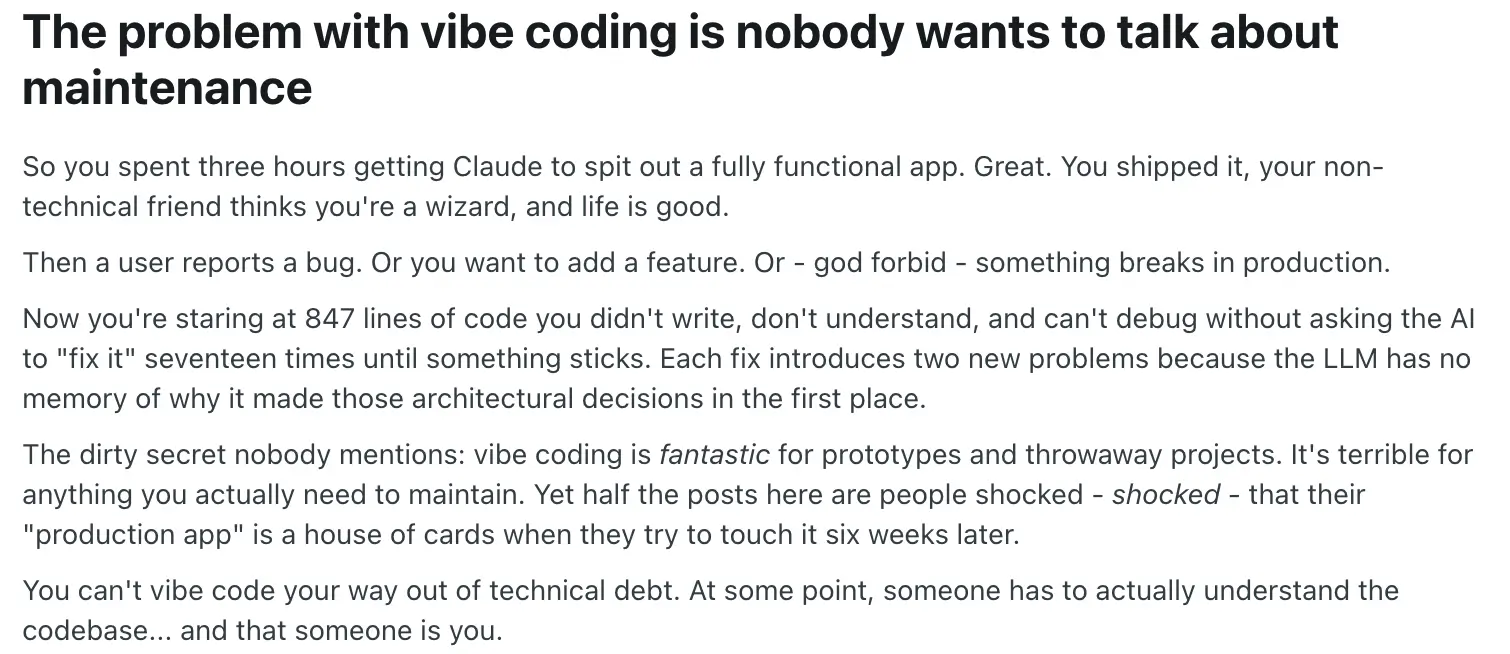
And that’s the part most people don’t talk about.
Because vibe coding is genuinely great at getting you to something that works once. But maintaining that system—understanding it, debugging it, evolving it over time—is where the real complexity lives.
Even the advice from more experienced users reflects this shift. Instead of blindly prompting, they talk about needing to slow down, guide the AI more carefully, and treat it less like magic and more like a tool that still requires oversight and structure.
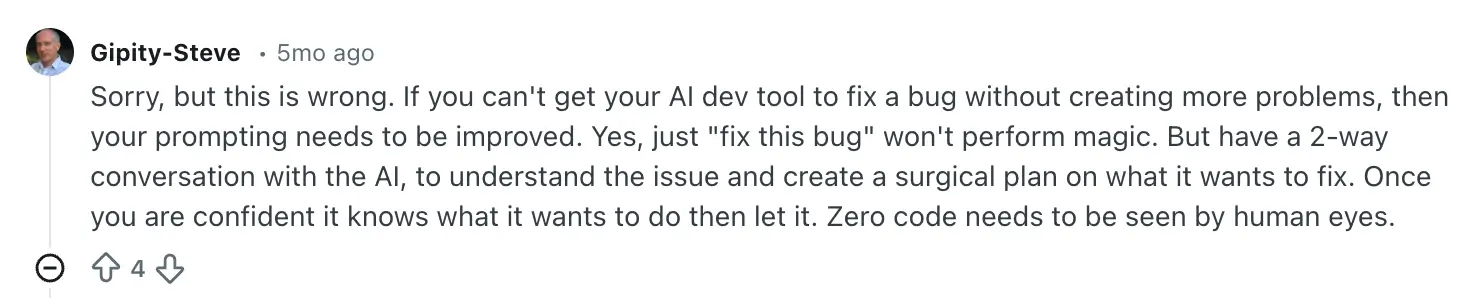
If getting reliable results requires that level of control and understanding, then the idea that “anyone can just build and run software with AI” starts to fall apart pretty quickly.
Because for non-technical users, this is where progress slows to a crawl. The app exists, but making changes feels risky and fixing things takes multiple attempts. Instead of moving forward, you spend more time trying to stabilize what’s already there.
At that point, the bottleneck isn’t building anymore.
It’s maintaining—and more importantly, being able to confidently change what you’ve built without breaking everything else.
Problem 4: Technical overhead
The moment your app starts doing anything real—handling users, storing data, running workflows—you’re no longer just working on a front-end interface.
The underlying system, like how data is structured, how users are handled, how things are actually executed, is either incomplete or something you’re expected to figure out yourself.
And for most people, that’s where things stall.
One developer summed it up pretty clearly: these tools are “impressive for generating UIs,” but the moment you try to build something that needs a real backend with proper architecture, database structure, anything beyond the basics—“everything just collapses.”
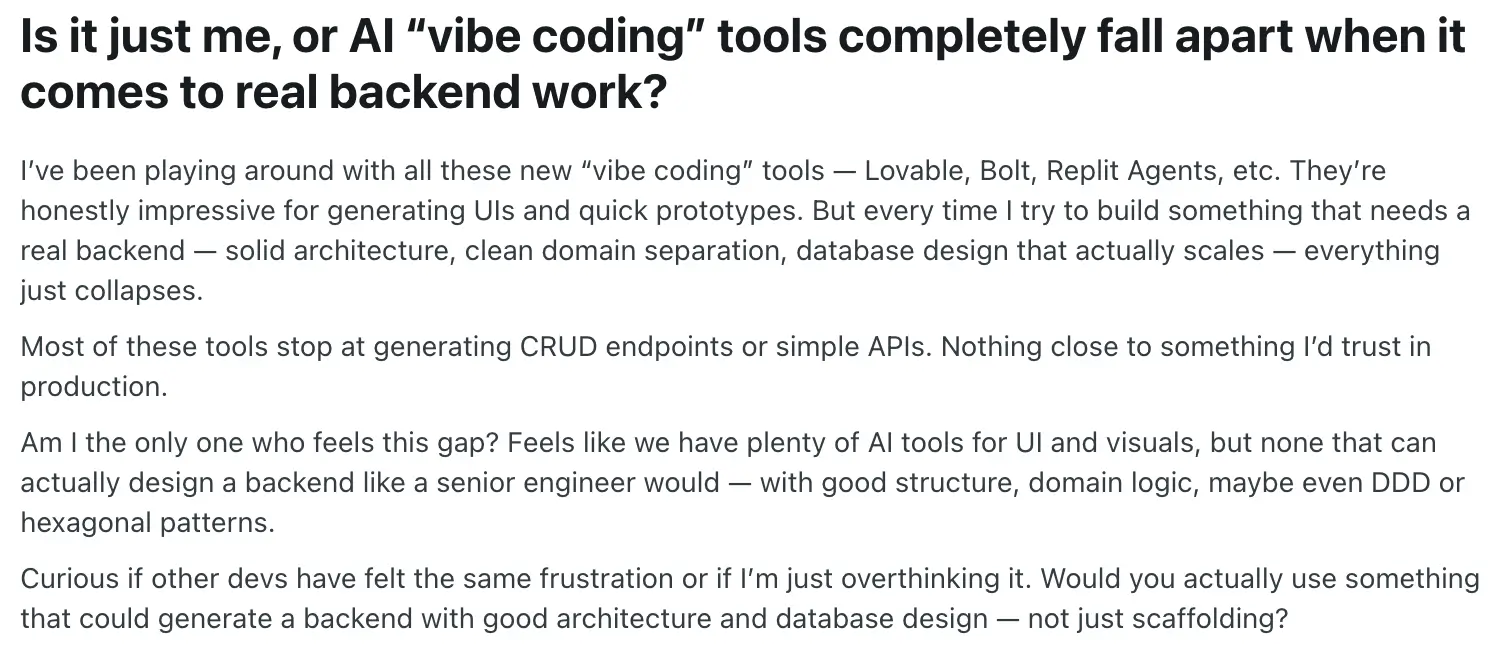
Another builder described getting most of the way there, only to realise the hard part hadn’t actually been solved:
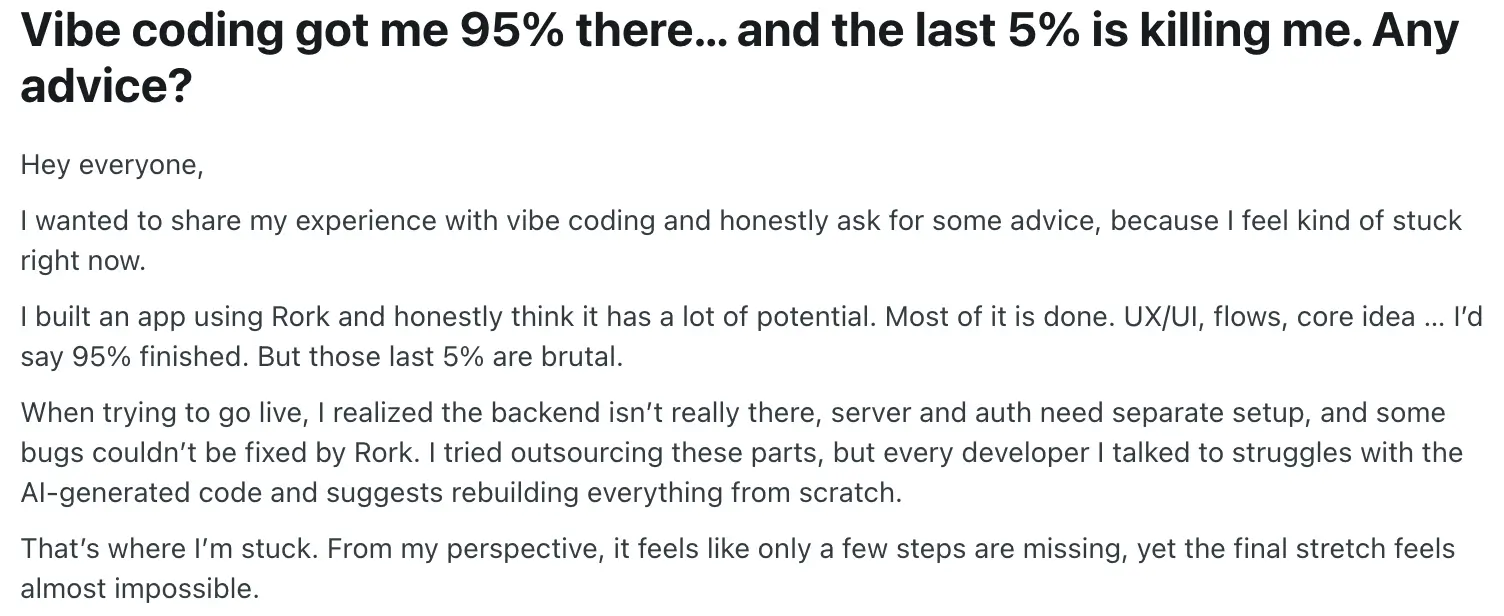
That’s the gap. You can generate the surface layer of the app, but the parts that actually make it work as a system still need to be designed, understood, and maintained.
And when you try to do that, things get complicated quickly.
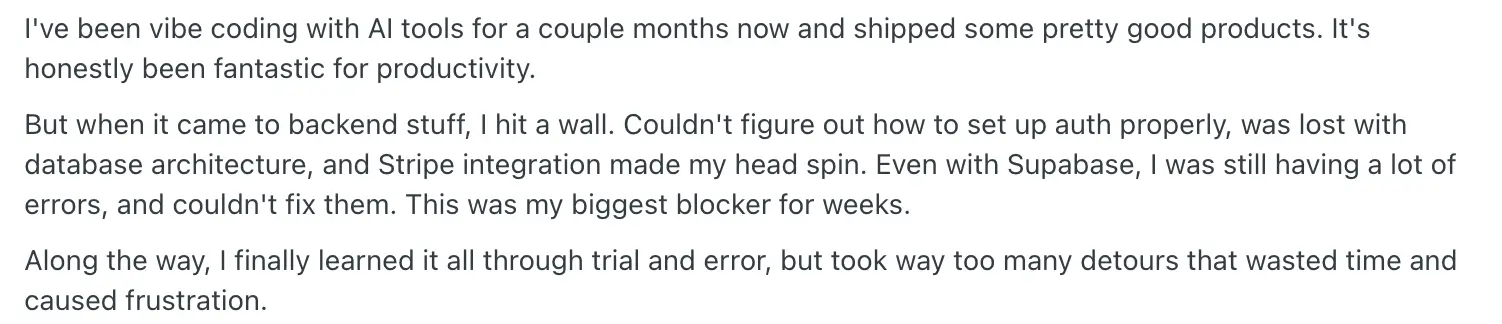
One builder described backend concerns — authentication, database structure, payments — becoming “the biggest blocker for weeks,” even after the app itself looked mostly done:
It also gets harder the moment your app needs to evolve beyond the happy path.
Adding new features, handling edge cases, or changing how something works often means going back into a system you didn’t design in the first place. And because changes aren’t scoped cleanly, re-prompting becomes frustrating fast: you’re not just adding a feature, you’re trying to reshape a system that keeps shifting underneath you.
What should be a small update turns into multiple attempts, workarounds, and side effects you didn’t expect.
That’s the hidden trade-off: You get speed upfront, but you inherit technical responsibility later, especially across:
- database structure
- backend logic
- authentication
- infrastructure and deployment
They’re just not exposed in a way that’s easy to understand or control, so you end up in an awkward position.
The app feels simple on the surface, but underneath it’s a full stack system with real complexity and you’re the one responsible for it. Unless you already know how those systems work, you’re left either guessing, debugging blindly, or bringing in someone technical to fix it anyway.
Problem 5: The hidden costs of vibe coding
One of the biggest misconceptions around vibe coding is that it’s cheap.
At first glance, it really does feel that way. You can spin up an app in a few hours, often on a low monthly plan, and it looks like you’ve avoided the cost of hiring developers entirely. But that perception breaks down fast once you move past the first version.
Most vibe coding tools don’t have simple pricing. They mix subscriptions with credits, usage, and increasingly, costs tied to how much work the AI actually does. The problem is that you don’t really see that complexity upfront—you feel it later, when your usage disappears faster than expected.
And that’s exactly what builders are running into in practice:
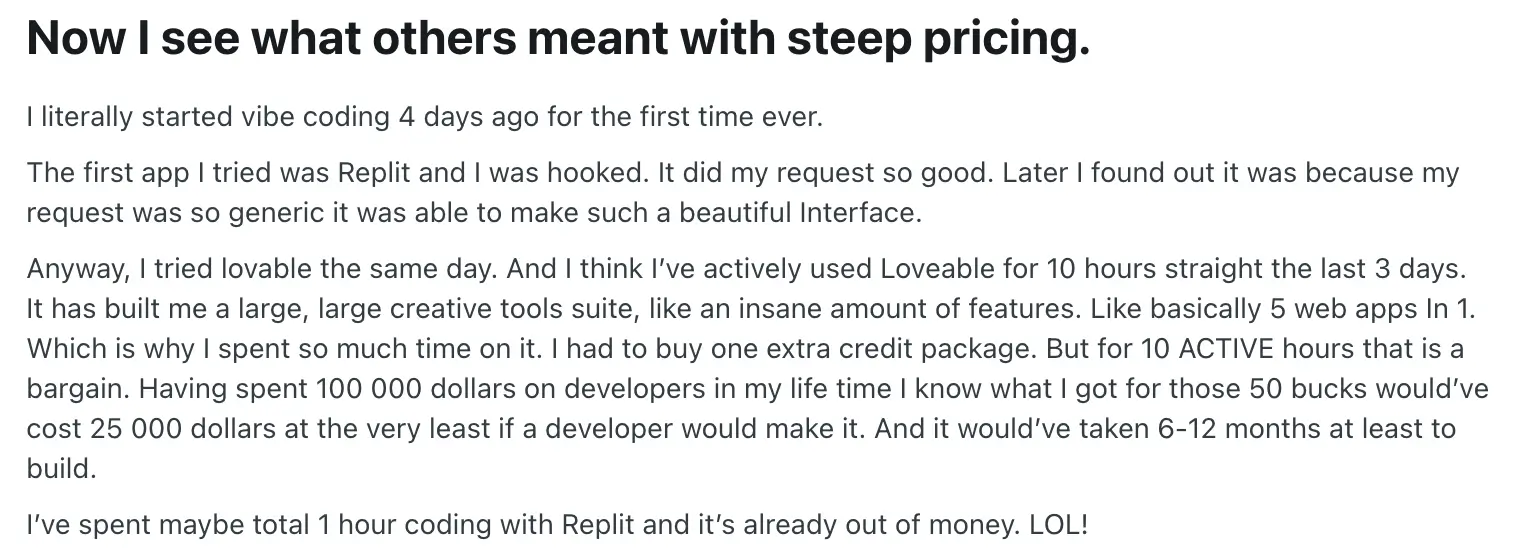
And it’s not just one platform. Builders using Lovable describe the same pattern: credits that sound reasonable upfront but disappear quickly once you start building real features. One user burned through €25 in credits just getting halfway through an MVP, noting that even simple fixes can cost multiple credits each time.
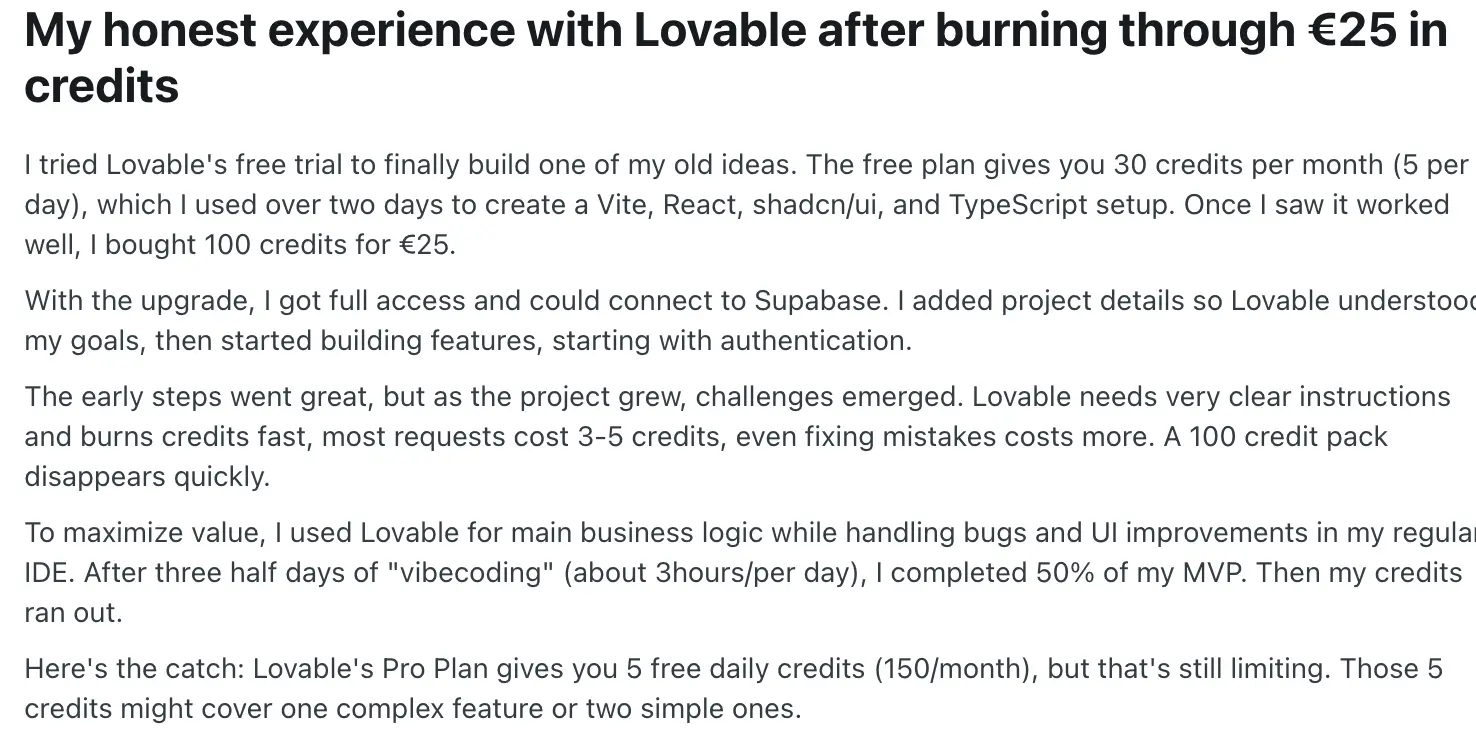
Another summed it up more bluntly:

And even if you get through that phase, you’re not done paying. You still need hosting, databases, and third-party services. And in many cases, teams end up bringing in developers to clean up or stabilize what was generated—adding another layer of cost that wasn’t part of the original promise.
So while vibe coding lowers the barrier to getting started, it introduces something else in return: cost uncertainty.
We’re already seeing the shift happen. Vibe coding proved that anyone can build starting software. Now the question is whether that software actually works in the real world.
That’s where the next generation of tools comes in.
Meet Softr: the first AI-native platform for building business software, without code
Up to this point, the pattern is clear. Vibe coding tools are incredibly good at getting you to something that looks like software. But the moment that software needs to handle real users, real data, and real workflows, the cracks start to show.
And that’s not because the idea is wrong. It’s because the approach is. You’re generating software without owning the system behind it. That’s when combining vibe coding with no-code to build real business apps starts to make a lot more sense.
Softr, the first AI-native platform for building business software, can change the rules. It combines the best of both worlds: the speed and personalization of AI with the guardrails and reliability of no-code.
Like vibe coding tools, you describe what you need, and Softr’s AI builder assembles your app. But unlike vibe coding tools, Softr builds your app as a complete system, with a database, application, and business logic already connected, secure, and ready for real users.
.webp)
- Secure and fully-functional from day one: Authentication, users, permissions, database, hosting, and security are all built in—so your app actually works for real users, not just in a demo.
- Database, app, and automation—connected in one place: You don’t get disconnected pieces. You get a complete system—data, interface, workflows, and permissions—all working together from the start.
- Easily maintain and evolve, without touching code: Make changes directly without re-prompting or breaking things—your app stays stable as it grows.
Key features
- AI app builder (Co-Builder): Describe what you need in plain language and get a fully working app—database, interface, and logic included. Switch to visual editing anytime to refine or expand.
- Ask AI (built-in data assistant): Query your app’s live data, generate reports, and get instant insights—without digging through tables or dashboards.
- Vibe coding block: Add custom functionality with AI—calculators, charts, trackers—then edit and control everything visually without breaking your app.
- Native relational database + integrations: Store and manage data directly in Softr, or connect tools like Airtable, HubSpot, Notion, and Supabase with real-time sync.
- Drag-and-drop interface builder: Build portals, dashboards, and tools using lists, tables, kanban boards, charts, forms, and more—no code required.
- Pre-built templates: Start fast with ready-made apps for CRMs, client portals, internal tools, and dashboards.
- Role-based permissions: Control access at every level—app, page, data, and actions—so teams, clients, and partners only see what they should.
- Workflow automation: Automate processes, triggers, and notifications to keep your app running without manual work.
- Forms with logic: Capture and update data in real time with conditional fields and workflows built directly into your forms.
From fast builds to real software
Ultimately, vibe coding isn’t the revolution it first appears to be—it’s a powerful starting point. It proves that building software is no longer reserved for engineers, and that speed and accessibility have fundamentally changed what’s possible. But it also exposes a hard truth: generating an app is easy; running one is not.
The gap between a working demo and a reliable product is where most projects fail. Not because the idea is flawed, but because the system behind it was never built to last. Security, scalability, maintenance, and control aren’t optional layers you add later—they’re the foundation. And when that foundation is missing or obscured, progress eventually stalls. That’s exactly where platforms like Softr come in—bridging the gap between fast creation and real-world reliability, so what you build doesn’t just work once, but keeps working as it grows.
Want to build the future of business software? Try Softr now.
Frequently asked questions
What is vibe coding?
Why isn’t vibe coding enough for production apps?
How does Softr improve on vibe coding?