.webp)


Many free AI app builders do a stellar job of building a sleek interface. Use prompts to tell them what you want, and a few minutes later, you’ve got a polished UI. But if you look behind the sleek interface, there’s nothing there: no working database, authentication, or way for users to log in. The app is a prototype unless you upgrade to a paid plan.
Not sure what an AI app builder includes in their free tier? This guide will give you an overview of all the most popular platforms and what they offer.
This guide is the result of a week of testing five free AI app builders that can actually produce working software, covering pros and cons, value, and core use cases.
Best free AI app builders in 2026 compared
| Tool | Best for | Key features | Pricing | Free plan includes |
|---|---|---|---|---|
| Softr | Free production-ready business apps without writing code | • AI app building from natural-language prompts • Built-in logic, authentication, and user permissions • Softr Databases and 21+ data sources, including Airtable and Google Sheets | Free plan available; paid plans from $19/month | • 5 app users • 5,000 records per app • Unlimited apps • 5 AI credits/month |
| Base44 | Free MVPs with a built-in backend | • Database, authentication, and user management built in • Integrated payment processing and email systems • Auto-generated API points | Free plan available; paid plans from $16/month | • 25 message credits/month • Up to 5 apps • Authentication and database |
| Bolt | Free vibe coding with full code ownership | • Built-in user management and authentication • Unlimited databases on Free plan • Website hosting with analytics | Free plan available; paid plans from $18/month | • 1M tokens/month (300K daily limit) • Bolt branding on sites |
| Lovable | Free prompt-to-prototype apps | • Private projects with unlimited collaborators • 5 lovable.app domains on Free plan • Cloud hosting included on Free plan | Free plan available; paid plans from $21/month | • 5 build credits/day (up to 30/month) • 4 AI credits/month |
| v0 | Free, design-first AI apps and UIs | • Design Mode for visual editing and custom design systems • GitHub sync on Free plan • One-click Vercel deployment | Free plan available; paid plans from $30/user/month | • $5 in credits/month • 7 messages/day |
1. Softr — best free AI app builder for building business apps without code
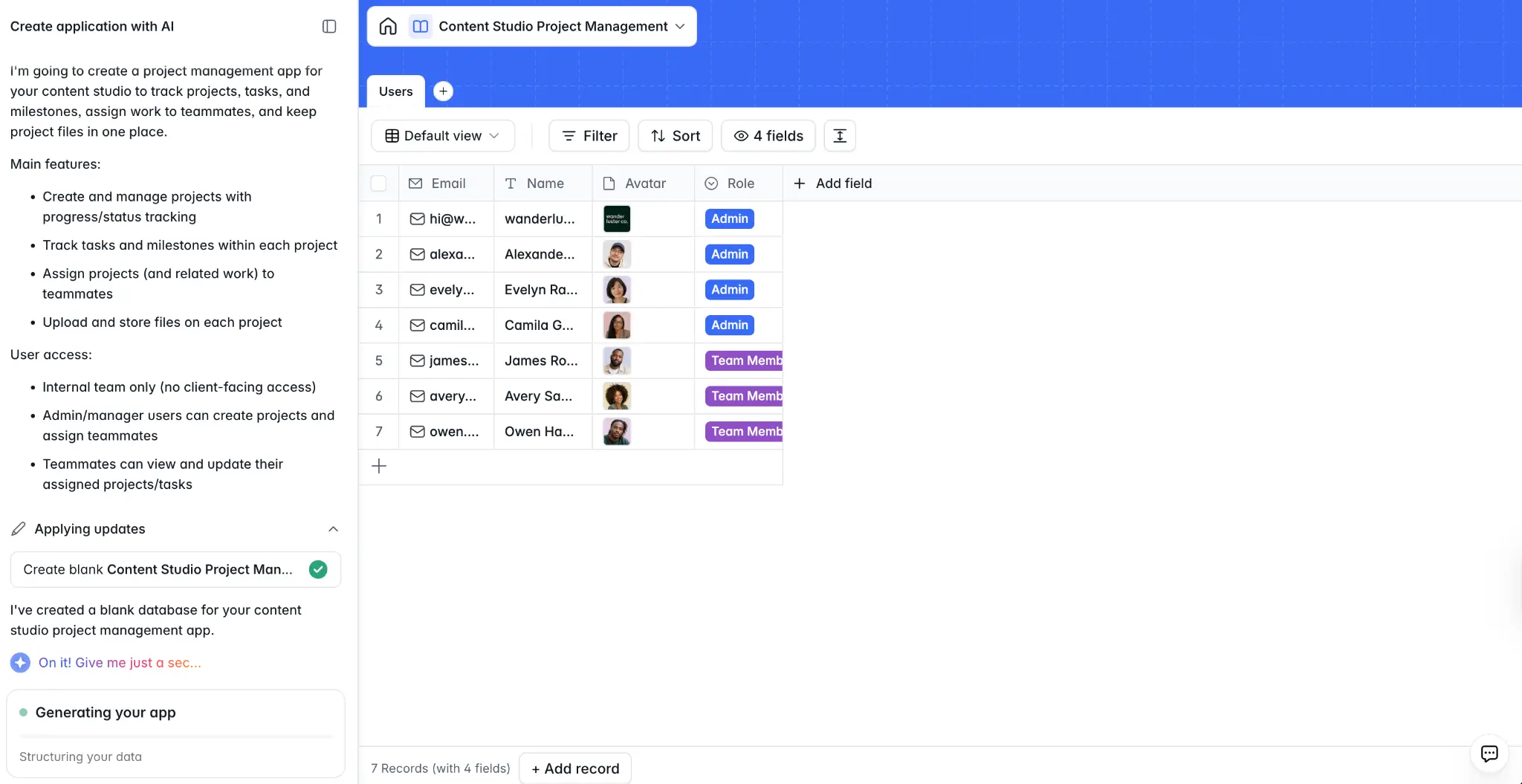
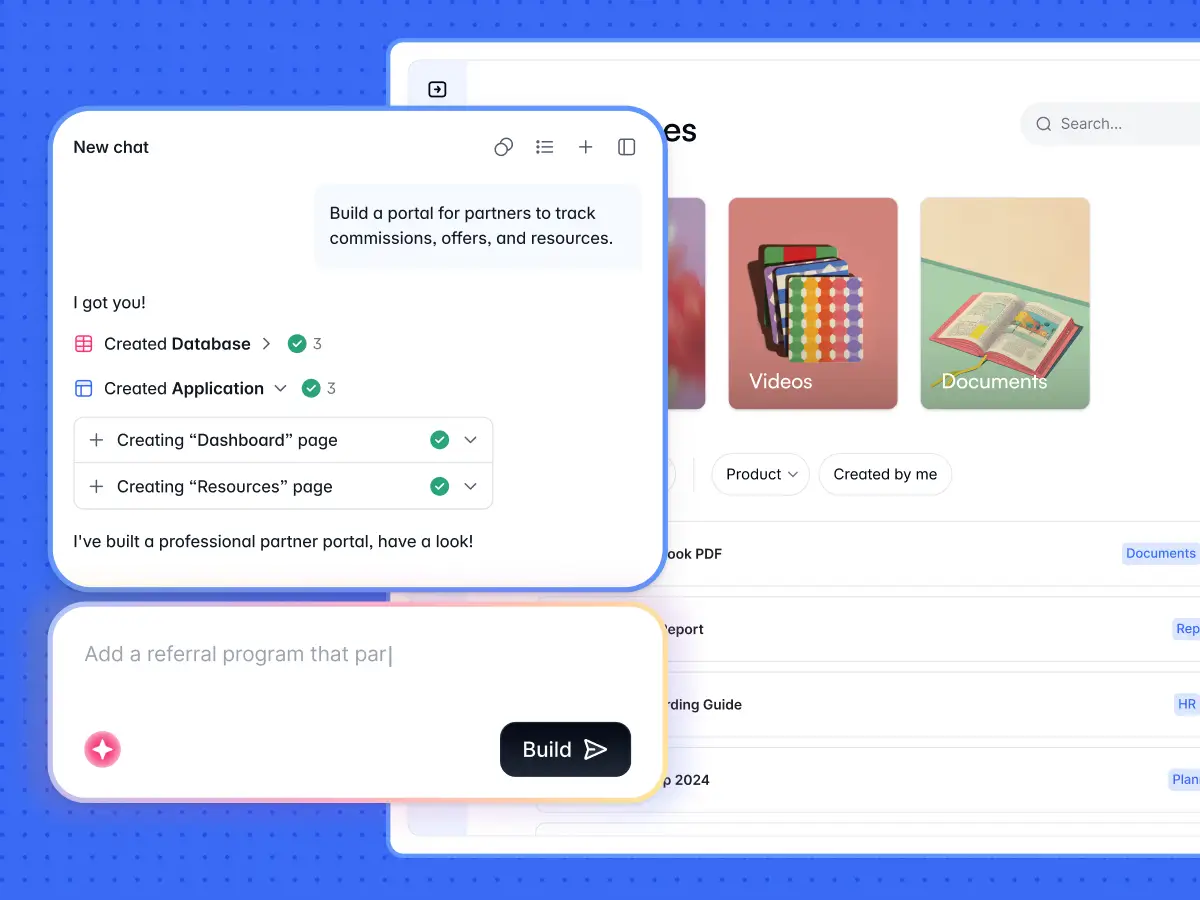
Softr is an AI platform non-technical teams use to build real business software without touching code. Describe the app you want to the AI Co-Builder, whether that’s a client portal, CRM, internal tool, onboarding platform, or project tracker.
The Co-Builder generates the database, app, and business logic in minutes. Every element comes connected, secure, and (most importantly) ready for production.
Softr gives you the speed of AI generation with the reliability of its proven no-code infrastructure. The stuff that matters—SSO, permissions, user management, security, and hosting—is built in, not bolted on or vibe coded after the fact.
But what sets Softr apart as the best free AI app builder is that its Free plan lets you access features often hidden behind paywalls, like permissions, unlimited apps, 5 app users, workflow actions, and access to AI features.
Softr pros and cons
Pros
- The Free plan delivers production-ready apps: Unlike most free AI app builders, Softr’s Free plan includes built-in authentication, user permissions, and unlimited apps. Launch real business software to real users without upgrading.
- A reliable infrastructure and the speed of AI: The AI Co-Builder generates the app, database, and business logic instantly, without coding. And with SOC 2 Type II and GDPR baked in, the app you build is secure by default.
- Switch between prompting and visual editing: Want to fine-tune? Prompt the Co-Builder or use the intuitive visual editor. Softr lets you switch between modes as often as you like.
- Three ways to build: Work visually in Softr Studio, prompt the AI Co-Builder, or build and manage your workspace directly from tools like Claude and ChatGPT using the Softr MCP.
- A single platform for apps, data, and workflows: Manage business data in a relational database, build customer portals or internal tools, and automate workflows across your stack in one platform. No more patchworking separate tools.
- 21+ data sources: Bring data from the tools you use most, like Airtable, Google Sheets, and monday.com. No need to start from a blank database.
Cons
- Free plan caps at 5 app users: Need more than 5 users logging in? You’ll need to upgrade to the paid Basic plan or higher.
- Free plan only includes 5 AI credits per month: While that’s enough to get your app off the ground, heavy AI users may burn through them quickly. Visual editing stays unlimited and free, however.
Softr best features
- AI Co-Builder: Tell the AI Co-Builder what kind of app you need, and it generates the UI, database, and business logic for you.
- Vibe Coding block: Generate custom UI elements and tools with vibe coding built directly into Softr. Anything you vibe code inherits your app’s permissions, data sources, and theme.
- Built-in authentication and user permissions: Every Softr app (even on the Free plan) comes with utility pages, user groups, and permissions. It supports email/password and magic link sign-ins, with Google sign-in on Pro and SSO on Enterprise.
- Custom domains from $19/month: Connect your own domain on the Basic plan, so your app looks like your business.
- Softr Databases: Manage business data in a visual database that powers your app, or connect existing data sources to maintain a single source of truth.
- Workflow automation: Move data between Softr and other tools, run scheduled tasks, or trigger actions when something happens in your app with built-in automations.
- Ask AI and Database AI Agents: Add AI directly into your app; Ask AI lets users ask questions with natural language, and Database AI Agents handle data tasks automatically in the background.
Softr pricing
Softr offers a generous free plan and four paid plans. Every plan comes with a monthly AI credit allowance you can use for AI features. All prices shown billed annually.
- Free: Unlimited apps, with access to Softr Workflows and Softr Databases, 5 app users, 5 AI credits, and 5,000 records per app
- Basic: $19/month. Unlimited apps with 42+ integrations, 10 AI credits with the option to purchase more, Team: 5 + Client: 5 app users, 50K records per app, and a custom domain
- Pro: $99/month. Unlimited apps with 45+ integrations and custom code, 50 AI credits, Team: 10 + Client: 50 app users (with the option to purchase more), 100K records per app, and calling external APIs
- Business: $329/month. Unlimited apps with 52+ integrations, 100 AI credits, Team: 30 + Client: 100 app users, 200K records per app, and two-factor authentication
- Enterprise: Custom pricing. Everything in Business, plus SSO, SOC 2 reporting, audit logging, custom usage limits, priority support, and advanced app security
👉 Want to build an AI-powered business app that works in production? Try Softr’s AI Co-Builder for free.
2. Base44 — best for free MVPs with a built-in backend
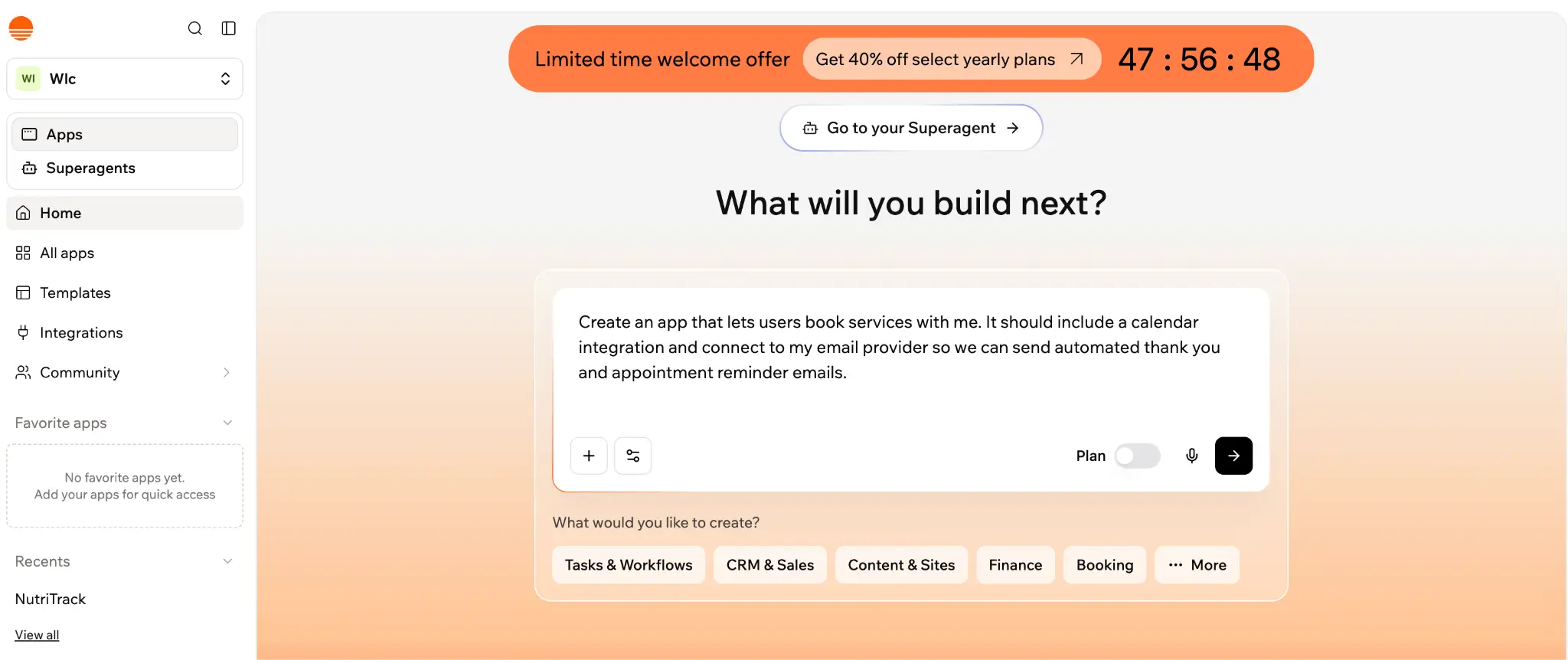
Base44 is an AI-powered platform that turns conversational prompts into fully functional apps or websites in minutes. Tell its AI assistant what you want—a productivity app or back-office tool—and Base44 generates the app with the backend already in place. You can then iterate by chatting with AI until you’re happy with it.
The Free plan gives you access to Base44's core capabilities, including AI app building, authentication, database functionality, and analytics. While a strong foundation for an MVP, this plan’s credits are seriously limiting, with a daily allowance of five messages (capped at 25/month) and 100 integration credits per month to power your app’s live actions.
Base44’s Free tier is best for evaluating the tool and shipping small MVPs. With custom domains, in-app code edits, and GitHub integration paywalled, anything you build on Free will live on a Base44 subdomain until you upgrade.
Base44 pros and cons
Pros
- Built-in backend on every plan, including Free: Authentication, database functionality, and analytics are part of every Base44 app. No need for multiple tools to get a working app off the ground.
- All-in-one integration stack: Base44 includes payment processing, email systems, and LLM integrations natively. Your app can accept payments, send emails, and call AI models without configuring third-party services.
- Generate apps from a single prompt: Tell the AI what you want, and it takes care of the code, design, and backend. Iterate by re-prompting the AI.
- Unlimited apps on the free plan: For those looking to test more than one app, Base44 is especially appealing. All of its plans offer unlimited apps.
Cons
- Free plan caps at 5 messages/day: With a daily and monthly credit cap (5 and 25, respectively), you'll burn through your free allowance quickly if you’re building something beyond a prototype.
- Custom domains are paywalled: Free and Starter plans don't include custom domain support, so your app is hosted on a Base44 subdomain unless you upgrade.
- No code editing on the Free plan: Want to fix a line of code? On the Free plan, you have to keep prompting until the AI gets it right. In-app code edits require a paid plan.
Base44 best features
- Auto-generated API points: Base44 automatically creates APIs for your app's data, so you can connect other tools and services to your app without manual setup.
- Built-in database functionality: Every Base44 app comes with database functionality built in, so you get a working backend from day one without much extra setup.
- Responsive visual editor: Prefer to edit without coding? Base44 lets you adjust design and layout visually, and you can preview changes as you make them.
- Multi-user editing and collaboration: Collaborate with your team simultaneously on the same app. Version control means every change is tracked, and you can restore previous versions as needed.
Base44 pricing
Base44 offers a free plan, four paid plans, and an enterprise option. Each paid plan increases your monthly message credits (for building) and integration credits (for your app's live actions).
All prices shown billed annually. When billed monthly, costs are up to 20% higher.
- Free: 25 message credits, 100 integration credits, and access to core features like authentication, database functionality, cloud storage, payment processing, and analytics
- Starter: $16/month. Same core features as Free, plus 100 message credits, 2,000 integration credits, unlimited apps, and in-app code edits
- Builder: $40/month. 250 message credits, 10K integration credits, plus backend functions, custom domains, GitHub integration, and a free domain for one year
- Pro: $80/month. Everything in Builder, plus 500 message credits, 20K integration credits, AI model select, and early access to beta features
- Elite: $160/month. 1,200 message credits, 50K integration credits, plus everything on Pro and premium support
- Enterprise: Custom pricing. Built for organizations needing dedicated account support and custom configurations
3. Bolt — best for free vibe coding with full code ownership
.webp)
Bolt is one of the top free AI app builders for vibe coding, helping you spin up websites, apps, and prototypes from natural-language prompts. It integrates frontier coding agents within a visual interface, so you can chat with AI and watch it build, refactor, and iterate without swapping tools.
Bolt's Free plan offers enough to generate a working app, with website hosting, unlimited databases, user authentication, and up to 333K web requests. You also get 1M tokens per month to build with (though they get exhausted much more quickly than this number suggests).
Unlike AI app builders that lock you into their platform, Bolt gives you full ownership of the code it generates. You can export it, sync it with GitHub, or deploy elsewhere if you outgrow Bolt's hosting.
The trade-off is that free tier apps display Bolt branding on your site; custom domain support is paywalled to Pro. If you want your app to live on “yourbrand.com” without Bolt's name attached, you'll need to upgrade.
Bolt pros and cons
Pros
- Built-in design system support: Keep your app or site on brand with Bolt’s pre-loaded design systems on any plan, or import your own design system on Team plans.
- Version history and rollback: Every change is tracked, so you can preview previous versions and restore any of them easily.
- Multiple ways to import your work in: Bring designs in from Figma or Google Stitch, import an existing GitHub repository, or migrate a Lovable project into Bolt with a guided flow.
- Project transfer and duplication: Move projects between your own workspaces, duplicate them as starting points, or transfer ownership entirely to another account.
Cons
- 300K daily token cap limits long sessions: The 1M monthly token allowance is relatively generous, but the daily cap can interrupt extended iteration sessions. Plus, daily tokens don't roll over from day to day.
- 10MB file upload cap on Free: The Free plan only allows for file uploads up to 10MB. If your app has to support larger files, you'll need the Pro plan or higher.
- Stuck with Bolt branding on Free: If you want a fully branded app or site, you’ll need to upgrade to the Pro plan or higher to remove Bolt branding.
Bolt best features
- Bolt Cloud: Bolt's hosted backend includes databases, user authentication, custom domains, hosting with analytics, and SEO optimization — all in one place.
- Real-time collaboration: Multiple people can prompt and edit the same project simultaneously. Bolt processes one prompt at a time to prevent conflicts, and each prompter uses their own token allowance.
- Auto-fix for errors: When Bolt encounters errors in its builds, it automatically fixes them, tracking each fix as a separate item in your chat history, so you can see what changed and why.
- Native integrations for Stripe and Supabase: Connect Stripe to accept payments or Supabase to power your database with first-party integration support within Bolt.
- Mobile app builds with Expo: Want to build a mobile app? Connect to Expo to build both iOS and Android apps from your Bolt project.
Bolt pricing
Bolt pricing includes a free plan, two paid plans, and an enterprise option. Each paid plan increases your monthly token allowance and unlocks features like custom domains and branding.
Prices shown reflect annual billing. When billed monthly, costs are up to 28% higher.
- Free: 1M tokens/month (300K daily cap), website hosting, unlimited databases, and user authentication
- Pro: $18/month. 10M tokens with no daily cap, custom domains, no Bolt branding, SEO optimization, AI image editing, and token rollover for one extra month
- Teams: $27/month per user. Everything in Pro, plus centralized billing, team-level access management, admin controls, and design system import
- Enterprise: Custom pricing. Built for organizations needing SSO, audit logs, compliance support, and dedicated account management
4. Lovable — best for free prompt-to-prototype apps
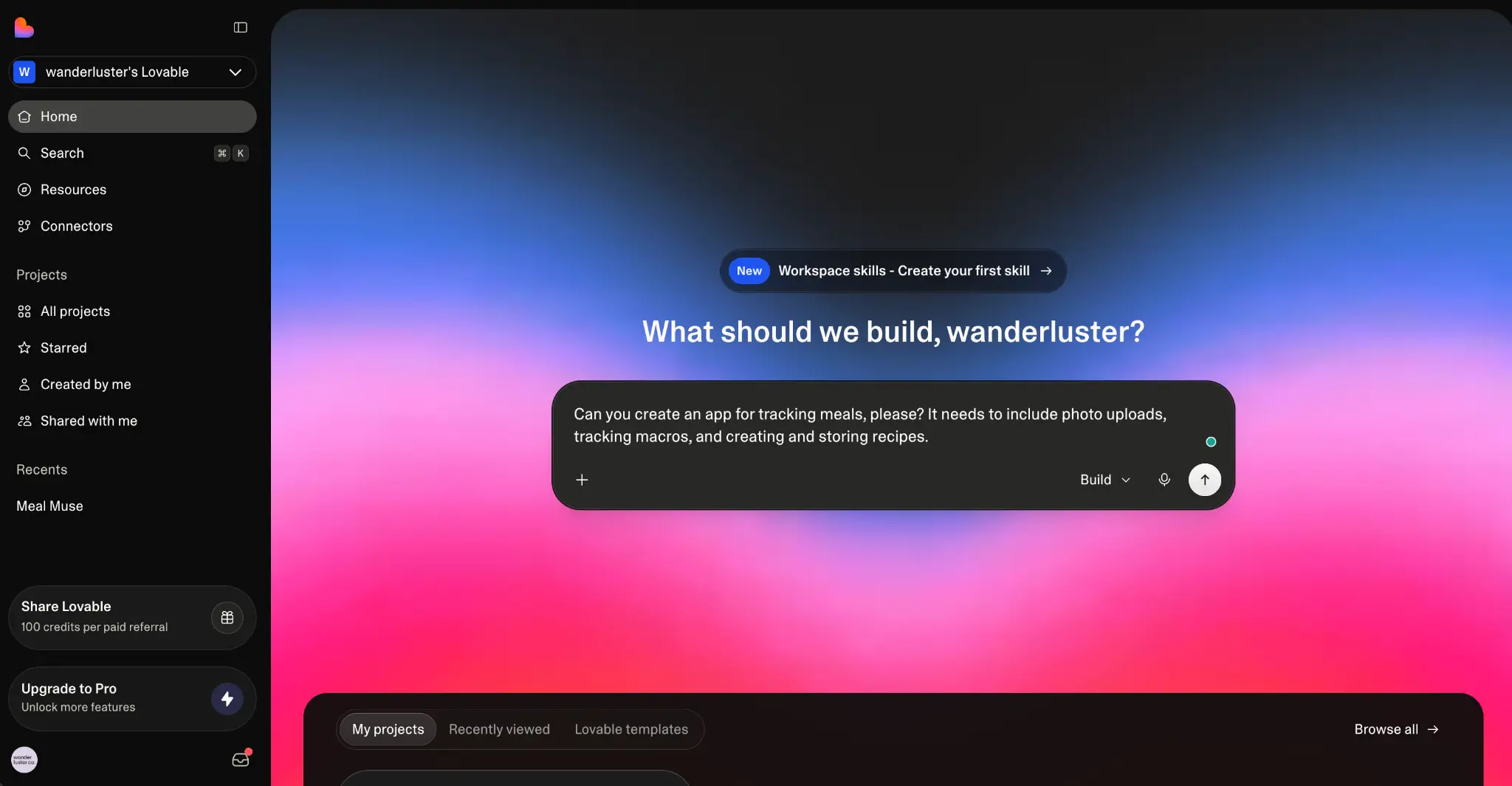
Lovable is a solid choice for founders or early-stage product teams wanting to build prototypes fast. It’s a vibe coding platform that turns your chat with AI into mini apps and landing pages quickly.
Tell its AI what you want, drop in a screenshot or design file, and Lovable generates a working prototype. You can refine it through conversation and deploy with one click.
Lovable’s Free plan lets you preview core capabilities, with five daily credits, cloud hosting, and up to five lovable.app domains. That said, any free tier projects are public and feature the Lovable badge on your app.
Lovable's tech stack runs on React, Supabase, and Tailwind CSS, and the code is yours from day one, meaning you can sync to GitHub and hand off to developers at any time. The Free plan is perfect for prototyping an idea, even if you'll need to upgrade to ship it with your own branding.
Lovable pros and cons
Pros
- Real production tech stack: Lovable builds apps on React, Supabase, and Tailwind CSS, so you get a modern, well-documented codebase that any developer can extend or maintain. No proprietary platform code.
- Dozens of native connectors: Connect Stripe for payments, Notion for docs, Shopify for ecommerce, Slack for notifications, and more. Lovable also supports custom APIs and MCP servers for extending beyond the defaults.
- Web and mobile in one platform: Build for both web and mobile from the same project. You can install a Lovable web app as a PWA without switching tools.
- SOC 2 Type II and ISO 27001 certified: Lovable meets enterprise-grade security and compliance standards, which is especially important if you're prototyping with sensitive data. (However, a recent security issue did expose project data for over a month.)
Cons
- Free plan caps at 5 daily credits: With a daily allowance of 5 credits (monthly cap of 30), you'll burn through the Free plan within a week of active building. Complex iterations cost more credits.
- Lovable Cloud and AI are metered separately on paid plans: Pro and Business plan subscriptions cover the platform, but add usage-based Cloud and AI charges. Your real monthly cost depends on how much your app actually runs.
- No custom domains on Free: Apps built on the Free plan live on lovable.app subdomains. To connect a custom domain, you need the Pro plan or higher.
Lovable best features
- Real-time prototype previews: See your prototype come together visually as you prompt the AI. Feedback loops are immediate.
- Drop in screenshots and design files: Have an idea of what you want your app to look like? Upload a screenshot, sketch, or Figma file, and Lovable turns those visual references into a working app.
- Templates marketplace: Lovable’s sizable pre-built template library includes portfolio, blog, ecommerce store, and SaaS app templates. Customize them further with prompts.
- Knowledge files for custom context: Upload reference documents AI can pull from when building. It keeps product specs, brand guidelines, and technical requirements consistent as you iterate.
- AI image generation: If you need placeholder images, hero graphics, or illustrations, Lovable lets you generate visuals with AI directly within your project.
Lovable pricing
Lovable offers a free plan, two paid plans, and an enterprise option. Students can also get up to 50% off Lovable Pro. All prices shown reflect annual billing.
- Free: 5 daily credits (up to 30/month), cloud hosting, public projects, unlimited collaborators, and 5 lovable.app domains
- Pro: $21/month, shared across unlimited users. 100 monthly credits, usage-based Cloud + AI, credit rollovers, custom domains, no Lovable badge, and user roles and permissions
- Business: $42/month, shared across unlimited users. Everything in Pro, plus internal publish, design templates, SSO, team workspace, role-based access, and advanced security controls
- Enterprise: Custom pricing (platform fee based on company size). Volume-based credit pricing, custom connectors, dedicated support, design systems, and audit logs
5. v0 — best for free, design-first AI apps and UIs
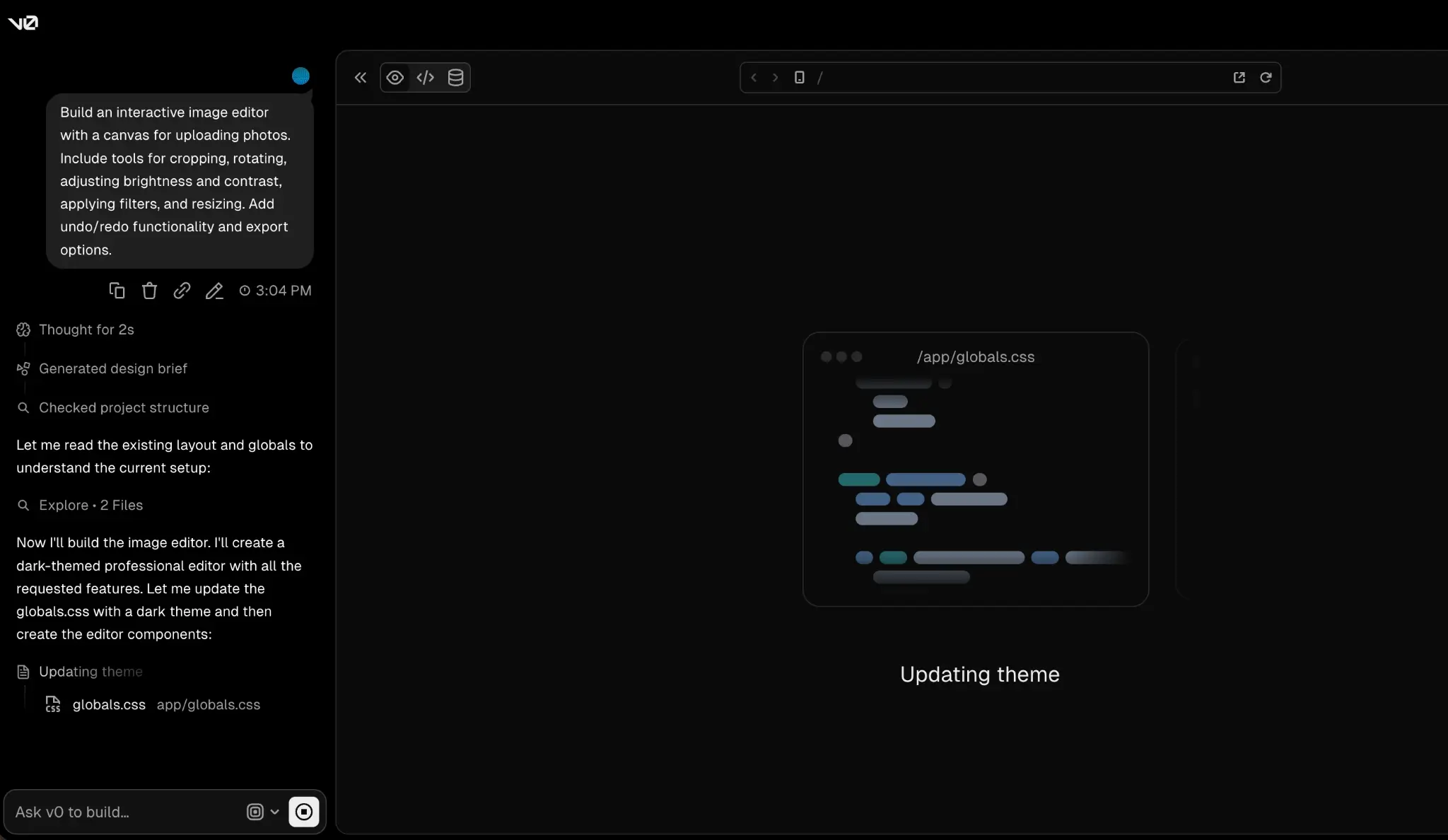
v0 is Vercel's AI assistant for designing, iterating on, and scaling apps and websites using natural-language prompts. You describe what you’re trying to build, and v0 creates a working app you can publish as a live site. But be aware that you’ll likely need coding experience to ship anything for real business use.
V0 lets you deploy directly to Vercel, sync with GitHub, edit visually with Design Mode, and create custom design systems to reuse across projects — all on the Free plan.
But with a $5 monthly credit and a 7-message-per-day cap, users burn through credits fast even with mildly complex prompts. v0’s most capable models also cost more per token. The Free plan is best for evaluating v0 or building one-off UI components, not running a long-term project.
v0 pros and cons
Pros
- Agentic AI handles planning and execution: v0 plans tasks, creates files, and connects to databases as it builds.
- Solid templates marketplace: Start from a library of community-built templates that cover dashboards, landing pages, eCommerce stores, and more. Many include working logic, not just the static UI.
- Multiple AI models to choose from: v0 has four model tiers (Mini, Pro, Max, and Max Fast). Match model speed and intelligence to the complexity of your project and how many credits you want to spend.
- Build from your phone: The v0 iOS app lets you generate and edit projects on the go — iterate on ideas without your laptop.
Cons
- No individual paid plan: v0's lowest paid tier is Plus at $30/month per user. If you’re a solo user upgrading from the Free plan, you’ll pay the same per-user rate as a team.
- Free credits go fast on complicated prompts: You can use up the $5 monthly credit budget in a single session if you use v0's higher-tier models, which charge significantly more per token than the Mini model.
- Training opt-out is paywalled to Business: Free and Team plan prompts may be used to train v0’s models. Only the Business plan includes training opt-out by default.
v0 best features
- Design Mode for visual editing: Fine-tune your app with visual controls and live preview. Adjust colors, typography, spacing, and layout without needing code.
- Automatic third-party integrations: Build with the APIs and tools you already use — no accounts required to connect them. v0 handles the integration setup as it builds.
- Reusable design systems: Define your colors, typography, and styles once, then apply them across every project to ensure brand consistency.
- One-click Vercel deployment: Publish your app to Vercel's production infrastructure in seconds with the deployment workflow built directly into v0.
v0 pricing
v0 has a free plan, two paid team plans, and an enterprise option. Monthly credits are spent against v0's AI models, each with its own per-token cost. You choose which model to use for each task. Prices below are billed monthly.
- Free: $5 in monthly credits with a daily message limit of 7. Deploy to Vercel, edit with Design Mode, and sync with GitHub
- Team: $30/month per user. Includes $30 in monthly credits per user and $2 in daily login credits per user, plus team chat collaboration and shared credit purchasing
- Business: $100/month per user. Everything in Team, plus training opt-out by default
- Enterprise: Custom pricing. Everything in Business, plus SAML SSO, role-based access control, priority access, guaranteed customer support SLAs, and your data’s never used to train v0’s models
What I look for in a free AI app builder
Some platforms offer limited capabilities on the free tier before forcing you into an upgrade. The best builders give you enough to ship something real. Here’s what I personally look for when evaluating a platform's free plan:
- What the free tier actually publishes: Some AI app builder free plans only let you preview your app in a sandbox or demo environment. Others publish a live app with the builder's branding on it, on their subdomain. Make sure you can actually publish your app and check whether it’ll look like it belongs to your business.
- Working database and authentication: Some free plans include a database and a secure way for users to log in. Others will generate the UI only, making you responsible for connecting and paying for the backend separately. If you don’t have a database and auth, you’ve got a demo, not an app.
- Iteration credits before paywalls: Is it actually a free AI app builder? Many meter their free tier with credits, messages, or tokens. A “free” plan with 5 credits a day burns out fast if every prompt costs one or more credits.
- Custom domain support: Check which plan lets you connect your own domain. Many free plans lock this behind a paid tier, so you’re stuck with the builder’s domain until you upgrade.
- Code ownership vs. platform apps: Some free options generate code you can export, edit, and host anywhere. Others build your app on their infrastructure, but don’t let you manage hosting, security, or maintenance.
- Production readiness: Will you need a developer to make the app usable, or can you launch it to real users today? The best free tiers let you generate viable apps with built-in authentication, permissions, and secure hosting.
Find the right free AI app builder for your team
"Free" doesn’t mean the same thing for every AI app builder. Some free plans are more like trials, capped at five daily messages or paywalled before you can publish a real app. Others let you ship just enough to launch a working app, but still stop at the prototype stage.
An AI app builder like Softr gives you what you actually need to ship an app—a database, authentication, and functionality for real users—without asking for a credit card first.
For non-technical teams that need their software to work from day one, Softr is your best bet. Its AI Co-Builder is the only free app builder that generates a production-ready business app from a single prompt.
Try Softr for free and build your own business app with AI in minutes, no coding required.
This article was originally published in May 2026. The latest update was in July 2026.
Frequently asked questions
What’s the difference between free AI app builders and free no-code platforms?
Can you actually build a business app for free in 2026?
Which AI app builder is best for non-technical users?
What's the difference between an AI app builder and an AI coding tool?
How secure are apps built with AI app builders?