The 6 best AI project management tools in 2026
.webp)

[.blog-callout]
✨TL;DR
- AI project management tools use AI to automate planning, coordination, reporting, and repetitive project work.
- Top options include Softr, ClickUp, Notion, Motion, Asana, and monday.com.
- Softr is the best choice for teams that want AI to build a custom project management system, not just manage tasks inside an existing one.
[.blog-callout]
Across industries, organizations, and functions, AI promises efficiency. For the most part, it’s delivered. So it’s not surprising that more and more tools are quickly becoming “AI-powered.”
But what does that actually mean for project management? Well, that depends. Some AI project management tools layer AI on top of traditional project boards, speeding up tedious coordination work like manual task creation.
Others are AI-native, orchestrating work end to end, from generating reports and routing tasks to building entire project systems.
The best AI project management tool for your team comes down to how your team actually works. How complex are your workflows? How often do you collaborate with external partners? Do you need AI to assist you or act for you?
We’ve rounded up the six best AI tools for project management, so you can pick the one that meets your needs based on how you operate.
Best AI project management tools at a glance
| Tool | Best for | Key features | Pricing |
|---|---|---|---|
| Softr | Building custom project management apps with AI | Full stack AI app builder with relational database, workflow automation, and business logic AI agents that run on autopilot and Ask AI to help project collaborators Granular permissions, user roles, and secure access Stakeholder-facing project views Features to manage task management, client approvals, communication, and documents | Free plan available; paid plans from $19/month |
| ClickUp | Managing the full project lifecycle in one AI-powered platform | ClickUp Brain — AI project manager 10+ project views in a single platform Autonomous AI agents for recurring tasks | Free plan available; paid plans from $7/user/month |
| Notion | Managing projects with AI agents that work across your tools | AI agents that work across tools and do the work for you Granular database permissions Search across connected apps in seconds | Free plan available; paid plans from $10/user/month |
| Motion | Teams that want AI to plan and schedule projects, automatically | AI creates tasks and projects, automatically Auto-scheduling and dynamic replanning AI search across docs, tasks, and projects Turns process docs into AI workflows | Limited free trial (no free plan); paid plans from $19/user/month (teams) and $29/month (individuals) |
| Asana | Teams that want AI working with them, not for them | 21+ pre-built AI teammates with a custom build option Build AI-powered workflows without code AI Connectors with ChatGPT, Slack, Gmail, and more | Free plan available; paid plans from $10.99/user/month |
| monday.com | Teams that want to scale project delivery with AI agents | 7+ pre-built AI agents for project delivery AI assistant built into the platform No-code AI agent builder | Free plan available; paid plans from $9/user/month (3 seat minimum) |
What is an AI project management tool?
An AI project management tool is software that uses artificial intelligence to plan, carry out, and manage projects. Project management AI tools automate routine coordination tasks, pull insights from project data, and help teams make faster, smarter decisions.
Most AI project management tools include a mix of capabilities, like:
- Smart automation: Assigning tasks, sending reminders, summarizing project threads, and updating statuses automatically.
- Predictive analytics: Using historical project data to predict delays or bottlenecks, flag risks, and spot resource allocation issues.
- Natural language queries: Getting instant answers to project questions, like the current status.
- Workflow optimization: Suggesting ways to improve processes by identifying repetitive tasks and inefficiencies in the project lifecycle.
AI for project management lives on a spectrum, spanning AI-assisted tools, AI-native (autonomous) platforms, and AI app builders that let teams create their own project management systems from scratch.
- AI-assisted tools layer AI within a traditional project management platform. While they help summarize, draft, and answer questions, a human still triggers the work and reviews the output.
- AI-native tools are built around AI agents that act independently. They run on schedules or triggers—drafting reports, routing tasks, and coordinating work without constant human input.
- AI app builders take a different approach altogether. Instead of adding AI to project management software, they let teams generate custom project management systems, complete with workflows, permissions, databases, automations, and AI assistants tailored to their own processes.
Modern project management software increasingly blends these categories, but understanding the differences can help you choose the right approach for your team.
What to look for in project management AI tools
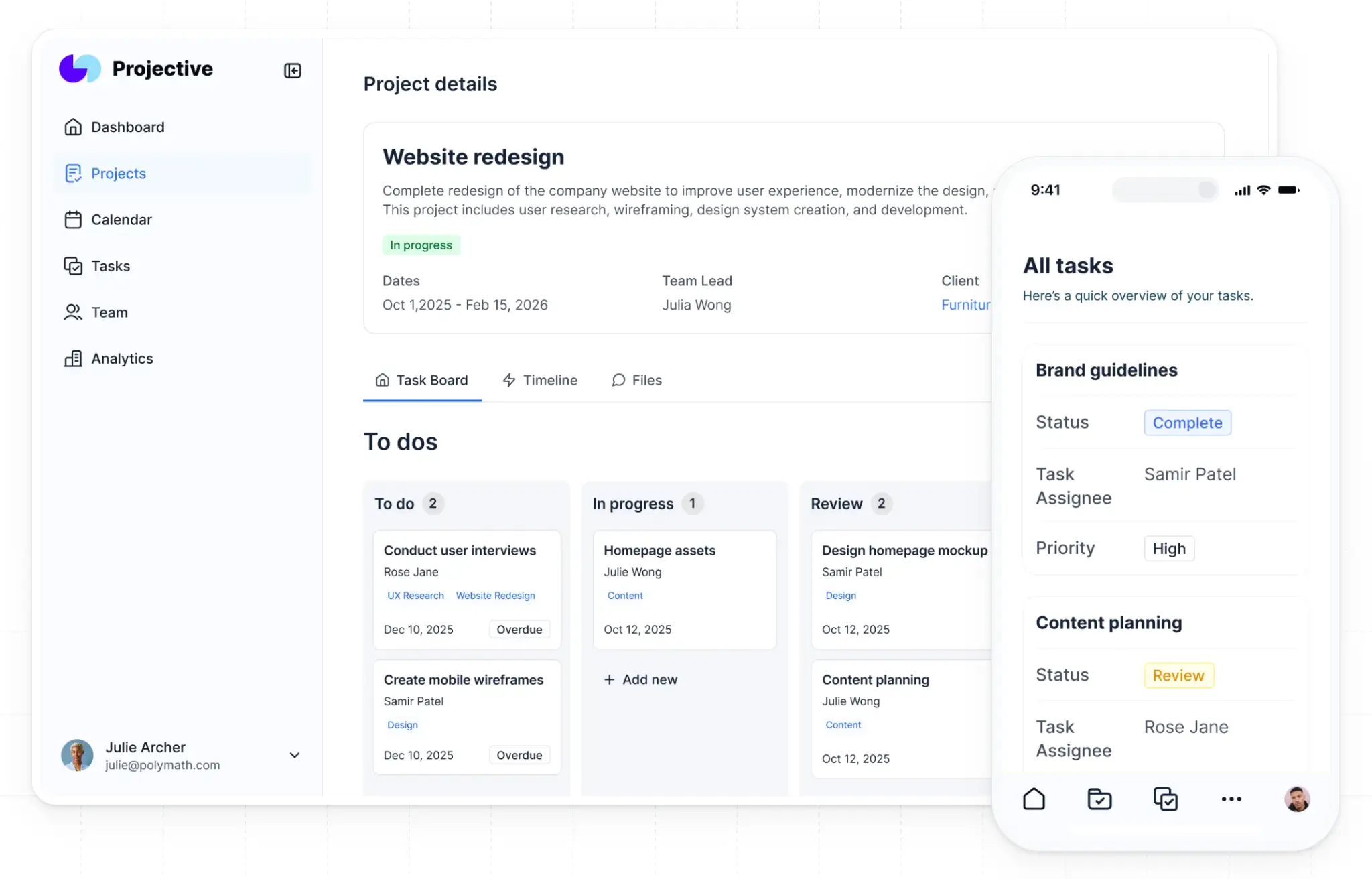
Want to use AI for project management? As you evaluate options, prioritize tools that offer:
- Autonomous AI that acts: Conversational AI (chat) can be helpful, but you’ll get more value from AI that acts on its own — drafting reports, routing tasks, updating records, and running workflows on schedules or triggers.
- Workspace context and natural language queries: Look for project management AI tools that let you ask about status, deadlines, and workloads, and get answers shaped by context pulled from live project data.
- Predictive insights and risk detection: The strongest AI tools use historical project data to forecast delays, flag at-risk timelines, and surface bottlenecks before they jeopardize delivery.
- Automated reporting and status updates: Ditch manual, routine tasks with AI project management tools that do it for you. This is by far the biggest time saver for project managers and team leads.
- Granular permissions and secure access: Your tool should let you set user and role permissions (internally and externally) to control who can or can’t view or edit projects.
- Integrations across your stack: AI is only as useful as the data it has access to. The best AI project management tools connect to your existing apps and databases. Instead of working in silos, AI can pull from real project data.
1. Softr — best for building custom project management apps with AI
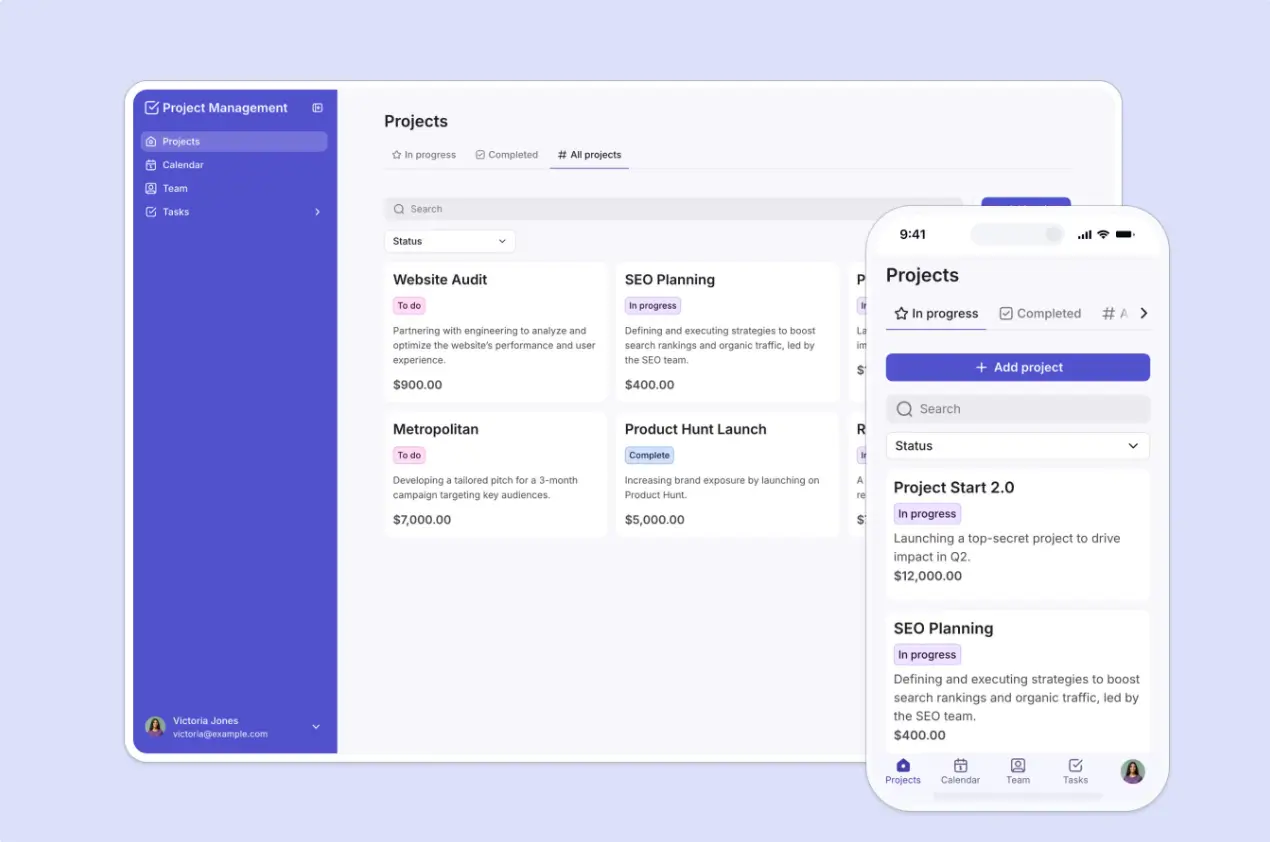
Softr falls into the AI app builder category. It's built for teams that want AI to create the foundation of a project management system rather than simply assist with existing tasks.
Its AI Co-Builder generates fully custom project management apps, client portals, dashboards, project trackers, internal operations tools, and more without a single line of code.
Just describe the kind of project tool you need in plain English, and Softr instantly creates the application, underlying database, and business logic together. Unlike many AI coding and vibe-coding tools that primarily produce prototypes, Softr creates a fully functional application with authentication, permissions, workflows, and a secure database already connected behind the scenes.
For project management specifically, you can build a complete project management hub tailored to their workflows. Track tasks, timelines, milestones, approvals, files, and project requests in one place, while giving employees and clients secure access through dedicated portals. Built-in messaging, comments, notifications, forms, dashboards, and reporting tools help keep projects moving without relying on endless email chains or scattered spreadsheets.
Then, once your app and database are set up, you can add AI agents that work inside your data layer to extract and enrich records, validate inputs, and handle operational tasks. You can also add Ask AI to your app so that teams and clients can pull answers from live project data instead of chasing down updates.
Softr is one of the best AI project management tools for teams that need custom workflows, portals, and operational systems tailored to the way they already work. It's particularly well suited to agencies, service businesses, and operations teams managing approvals, handoffs, client communication, and cross-functional processes.
Softr pros and cons
Pros
- Go beyond streamlining tasks: Softr’s AI Co-Builder actually builds the system, generating the database, app, and business logic from a single prompt. Rather than using AI inside a project management tool, you're using AI to build the project management tool itself.
- Built for real operational use cases: Teams can create tools for any kind of project management use case, including request tracking, approvals, onboarding, CRMs, inventory, task tracking, portals, and reporting without starting from scratch.
- Get AI agents that keep working post-launch: Database AI agents do everything from auto-generating content and filling in missing fields to cleaning messy records and extracting project data — no need to continuously re-prompt.
- Refine with AI or edit visually: The best AI project management tools let you iterate and customize how you want. With Softr dual-mode, you can switch between the AI Co-Builder and visual editing.
- Get project answers fast: Ask AI lives inside your apps, so you can ask about deadlines, progress, or files and get instant answers pulled from live data.
- Granular permissions for different user roles: Teams can control who sees which data and what actions each user can take, so you can confidently share internally or outside your organization.
- Get AI without separate add-on fees: Softr's AI features are included in paid plans, so you don't need to purchase a separate AI subscription to start building with AI.
Cons
- Softr’s AI Co-Builder isn't the right fit for teams that want code ownership, GitHub sync, or developer-level control over their application stack.
Softr best features
- Build with AI: Tell the AI Co-Builder what you need in plain English. Softr generates the database, app, and business logic all at once — no code or dev support required.
- Put AI agents to work: Database AI agents work within your project database to enrich records, pull data, run operations, and more. You can even choose which model (GPT, Gemini, Claude).
- Ask questions, get answers: Embed an AI assistant in your project management tool so colleagues and clients can ask about files, statuses, or deadlines and get answers based on real, live data.
- Set permissions: Control exactly who can view, edit, create, or delete with granular permissions. Softr’s also SOC 2 Type II and GDPR compliant.
- Connect your data with 21+ integrations: Store project data in Softr's native relational database, or connect to more than a dozen databases, like Airtable, HubSpot, Google Sheets, Supabase, and BigQuery.
- Automate workflows: Automate status updates, approvals, notifications, and multi-step processes between Softr and tools like Make, Zapier, or n8n.
Softr pricing
Softr's pricing is built for predictable scale. Get flat per-workspace plans, AI features included, and no surprise fees as your team or app users grow.
All prices mentioned are billed annually.
- Free: Unlimited apps and collaborators, with access to Softr Workflows and Softr Databases, 5 app users, 5 AI credits, 5,000 Softr Database records, and 500 Softr Workflow actions.
- Basic: $19/month for unlimited apps with 42+ integrations, Team: 5 + Client: 5 app users, 10 AI credits, 50K records, and 2,500 workflow actions.
- Pro: $99/month for unlimited apps with 45+ integrations and custom code, Team: 10 + Client: 50 app users, 50 AI credits, 500K records, 10K workflow actions, and 3 custom user groups.
- Business: $329/month for unlimited apps with 52+ integrations, Team: 30 + Client: 100 app users, 100 AI credits, 1M records, 25K workflow actions, and custom user groups (up to 10).
- Enterprise: Custom pricing. Includes all Business plan features, plus priority support, a dedicated success manager, and advanced security features.
💡 Want to build an AI project system that fits how your team actually works? Try Softr’s AI Co-Builder for free.
2. ClickUp — best for managing the full project lifecycle in one AI-powered platform
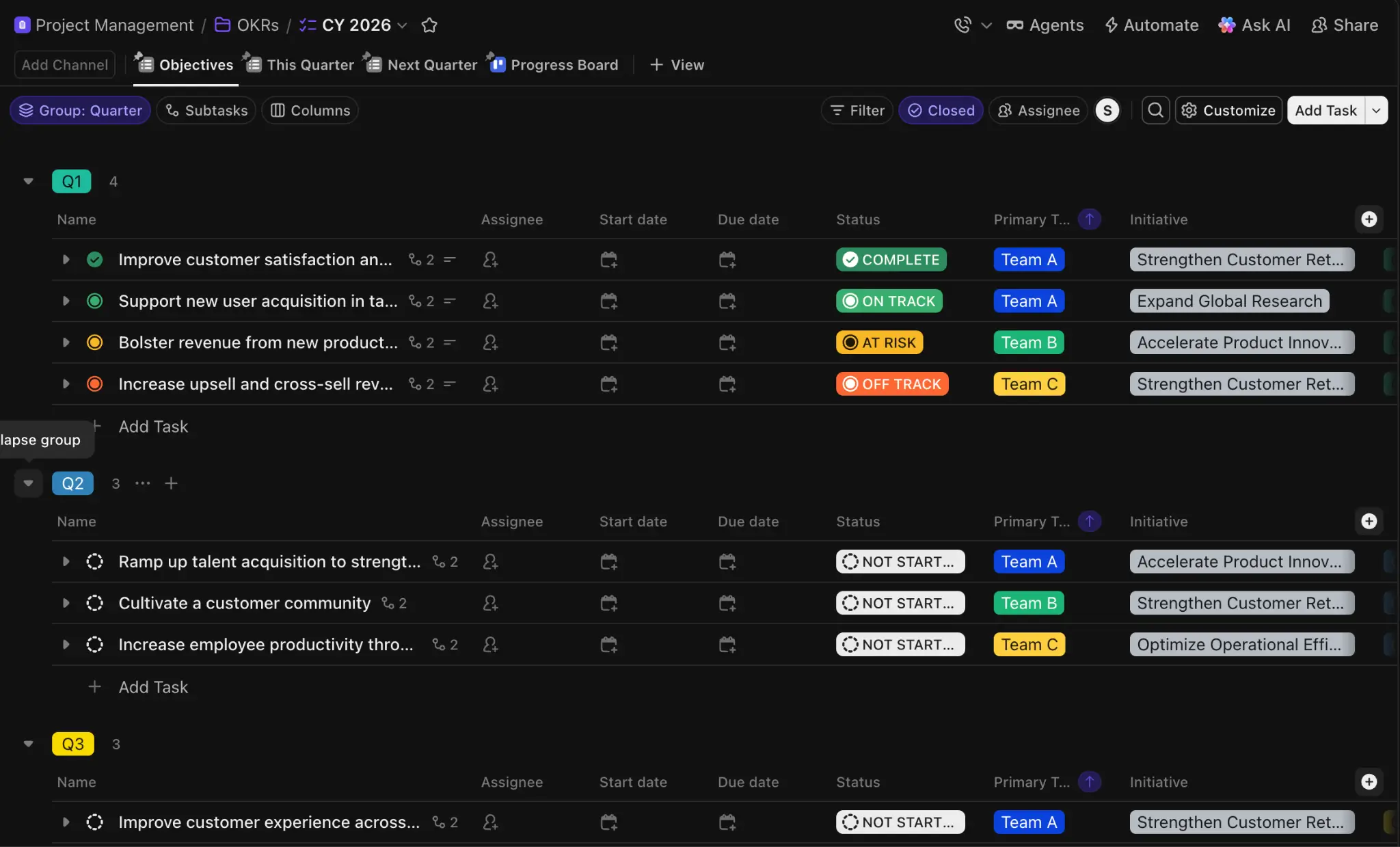
With comprehensive AI capabilities (for additional fees) and a single platform to manage everything, ClickUp consolidates the full project lifecycle. The tradeoff? More setup and configuration required.
Its AI is built around consolidation. Instead of bolting on a chatbot, ClickUp layers AI across the entire workspace so it can pull from all your data sources for context.
ClickUp Brain is both an AI assistant and an orchestrator that answers questions across connected apps, docs, chats, and tasks. It also automates manual tasks and connects to GPT, Gemini, and Claude models.
ClickUp’s Super Agents — AI coworkers embedded as assignable, mentionable workspace members — work autonomously to handle workflows, like triaging requests or identifying risks.
ClickUp pros and cons
Pros
- Consolidate the project lifecycle: Get rid of tech bloat and bring every element of your projects, from tasks and dashboards to time tracking, chat, and automations, into a single workspace.
- Get more context: ClickUp Brain works across your workspace, pulling context from tasks, docs, chats, and integrated apps to answer questions and act on data — no more silos.
- Work with AI agents: Super Agents work like colleagues. @mention them, assign tasks, and let them run multi-step workflows autonomously, freeing you for higher-stakes decision-making.
- Generous free plan: ClickUp's Free Forever plan includes unlimited tasks and members. While it doesn’t include ClickUp Brain, it’s a great option for small teams with limited use cases.
Cons
- AI features cost extra: ClickUp Brain is a paid add-on to any paid plan, and the full AI stack (Super Agents, Notetaker, AI Fields) requires the $28/month per user Everything AI plan. Fees can balloon quickly.
- Steep configuration curve: ClickUp's depth and customization capabilities are solid, but smaller teams often find the setup overwhelming.
ClickUp best features
- Get an AI assist: ClickUp Brain answers questions, drafts content, and runs actions using full workspace context.
- Build your AI team: Assign tasks or @mention autonomous Super Agents. They’re capable of executing workflows, like running standups or drafting reports.
- Trigger action: Autopilot Agents trigger bots that handle recurring tasks automatically, such as daily progress posts or weekly status summaries.
- Get 10+ project views: Switch between list, board, calendar, timeline, and other views to manage projects your way.
- Take notes automatically: AI Notetaker transcribes and summarizes meetings, pulling action items into tasks without manual entry.
ClickUp pricing
ClickUp pricing includes a free plan plus three paid tiers, but AI capabilities require a separate add-on. All prices are when billed annually. When billed monthly, costs are up to 30% higher.
- Free Forever: Unlimited users and tasks, multiple views, limited storage, and 24/7 support.
- Unlimited: $7/month per user. Includes guests with permissions controls, time tracking, and unlimited storage, custom fields, integrations, and spaces.
- Business: $12/month per user. Everything in Unlimited, plus enhanced security, 5,000 automations per month, and unlimited dashboards, activity views, and timeline views.
- Enterprise: Custom pricing. Unlimited custom roles, 250K automations, enterprise permissions, and a dedicated Customer Success Manager.
ClickUp Brain is an additional subscription cost:
- Free Forever: Includes trial only for all AI features.
- Brain AI: $9/month per user. Standard access to most AI features, including Brain Assistant and the Brain MAX desktop app.
- Everything AI: $28/month per user. Unlimited access to nearly all AI features.
3. Notion — best for managing projects with AI agents that work across tools
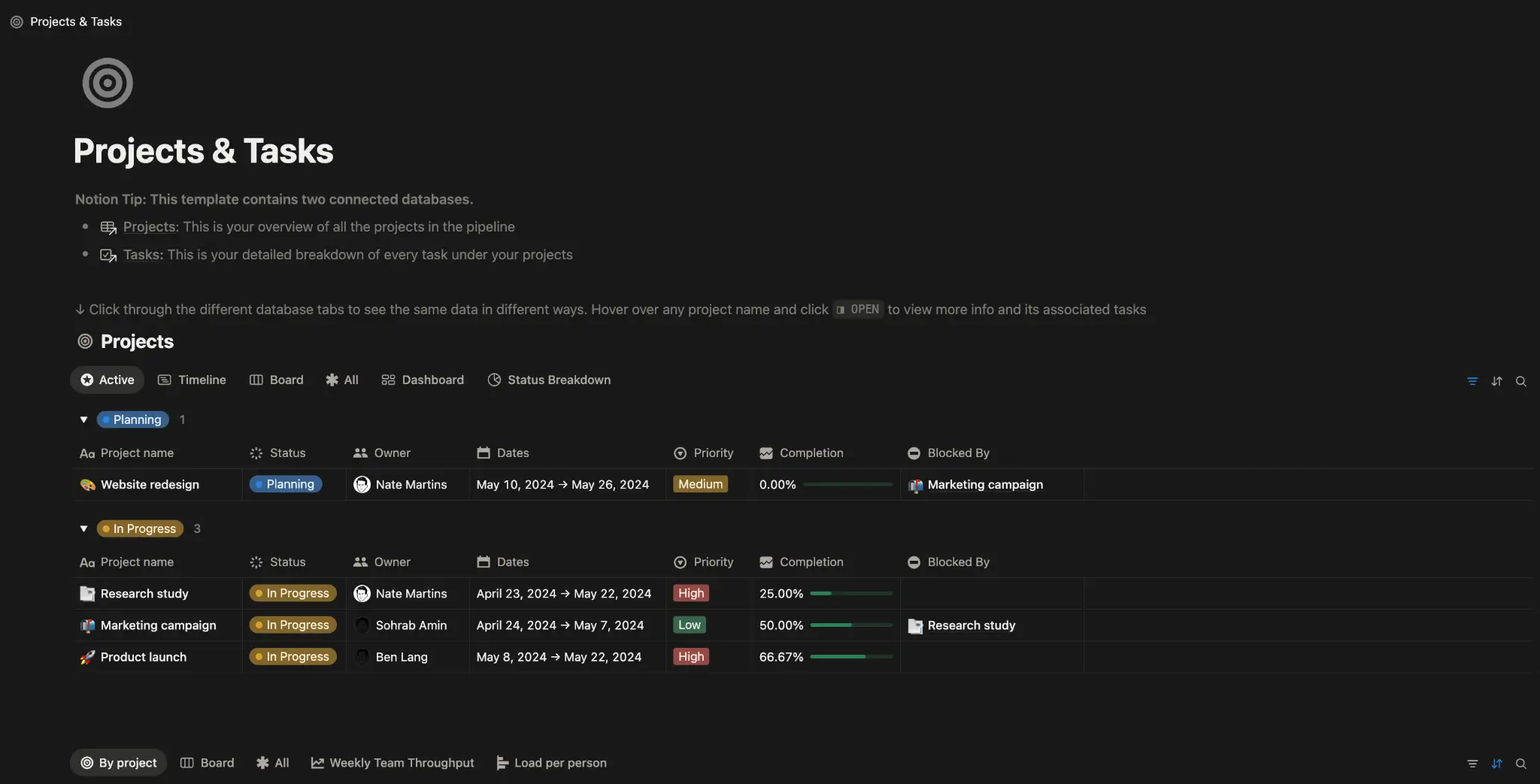
Notion has long been the all-in-one workspace for docs, wikis, and lightweight project tracking. But in 2026, it shifted toward an agent-first platform built around AI running repetitive work across the tools your team already uses.
Notion Agents are your personal AI assistants, completing tedious, multi-step tasks using context from your Notion workspace and connected tools. Ask it to build out project plans, generate a report, or summarize a retrospective.
Want an autonomous agent to handle workflows based on schedules or triggers? Custom Agents do so without prompting, working across Notion, Slack, Figma, HubSpot, and more. Once set up, they run 24/7.
Notion is great for teams with projects already living in Notion and connected to other tools.
Notion pros and cons
Pros
- Let AI run autonomously without prompting: Custom Agents run on schedules or triggers without manual intervention, so you can skip repetitive coordination work entirely. Agents handle the busywork while humans focus on judgment calls.
- Get AI that works across your stack: Notion Agents and Custom Agents connect to Slack, Linear, and other tools through integrations and MCP, so AI can act anywhere your team works.
- Choose your AI model: Switch between GPT-5.2, Claude Opus 4.5, Gemini 3, or let Auto pick the best model for each task.
- Set strong governance: Custom Agent runs are logged, reversible, and follow your permissions. Admins can monitor usage, set per-agent credit limits, and control who can build agents.
Cons
- AI is gated: Notion Agents, Custom Agents, AI Meeting Notes, and Enterprise Search require the Business plan at $20/month per user. The Plus plan only includes trial AI.
- Autonomous AI costs scale with usage: As of May 4, 2026, Custom Agents run on Notion credits ($10 per 1,000 credits) as a paid add-on to Business and Enterprise plans.
Notion best features
- Get a personal assistant: Notion Agents complete tasks using relevant context from your workspace and connected apps.
- Automate 24/7: Custom Agents run 24/7 on schedules or triggers, handling repeat work across Notion, Slack, Mail, Calendar, and more.
- Let AI take notes for you: AI Meeting Notes automatically transcribes and summarizes meetings — you can even customize for your preferred format.
- Autofill your database: AI Autofill continuously enriches, extracts, and categorizes information across database rows so your project data stays up to date without manual review.
Notion pricing
Notion offers a free plan with an AI trial, plus three paid tiers. All prices are when billed annually. When billed monthly, costs are up to 20% more. Premium AI features require a Business plan and above.
- Free: Includes a Notion AI trial, basic sites and forms, and databases — including subtasks, custom properties, and dependencies.
- Plus: $10/month per user. Notion AI trial, custom forms and sites, plus basic integrations and unlimited charts, file uploads, and collaborative blocks.
- Business: $20/month per user. Access to Notion Agents, Enterprise Search, and AI Meeting Notes. Includes premium integrations, private teamspaces, and granular permissions.
- Enterprise: Custom pricing. Everything in Business, plus user provisioning, advanced security and integrations, an audit log, and no data retention with LLM providers.
- AI add-ons for Business and Enterprise only: Need Notion credits ($10 per 1,000 credits) to run Custom Agents as of May 4, 2026. Credit usage varies by task complexity. Admins can set per-agent and workspace-level limits.
4. Motion — best for teams that want AI to plan and schedule projects, automatically
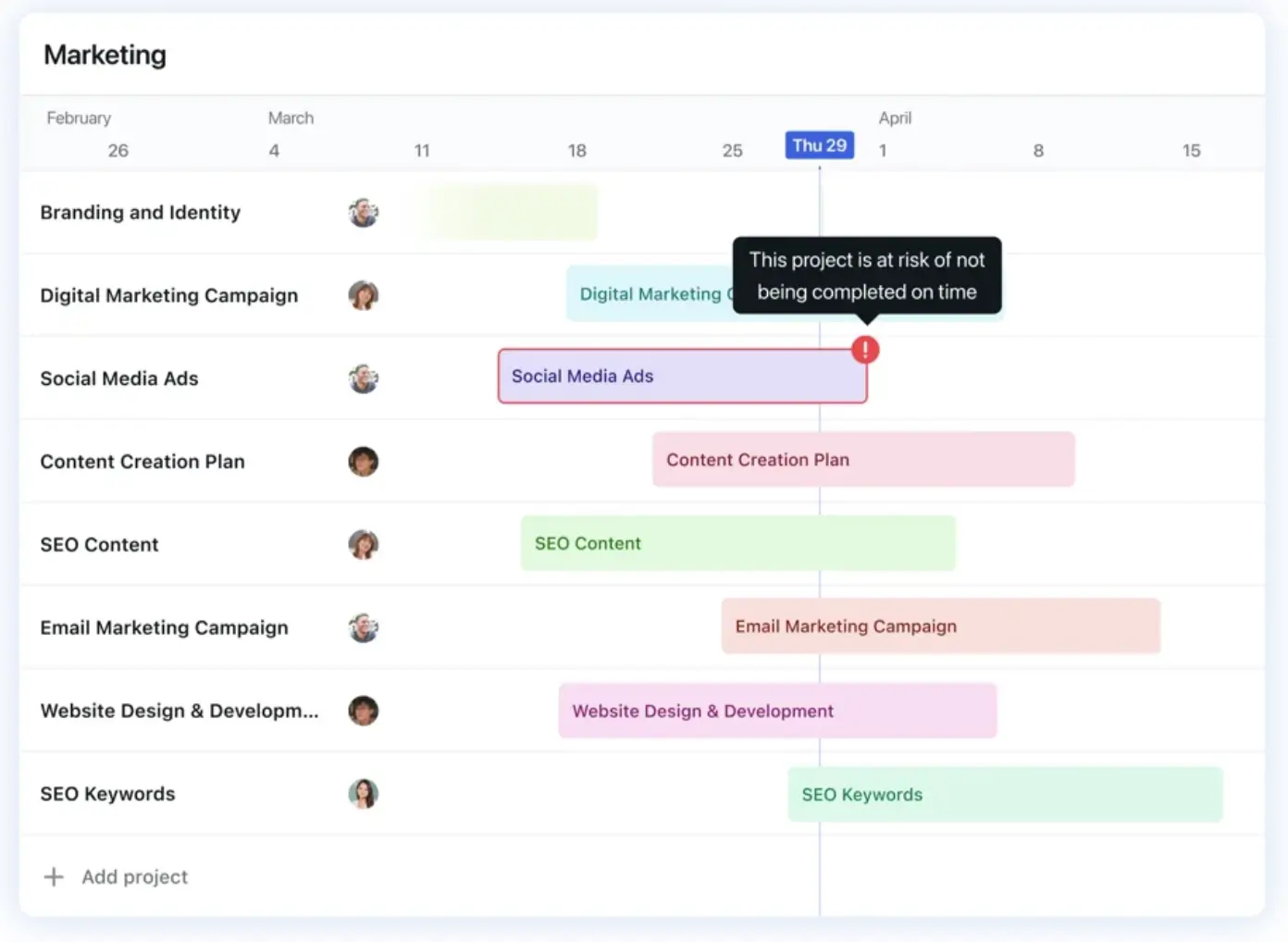
Motion isn’t built to simply assist with tasks. It gives real work to agents. Its pre-built agents (what they call AI employees) take project management, sales, support, marketing, and more off your plate. It does more than just summarize tasks or status updates.
Its AI Task Manager auto-schedules work based on hundreds of data points, like priorities, dependencies, and deadlines. If something changes, Motion dynamically adjusts, rescheduling tasks across the team in real time.
The AI Project Manager takes things a step further by updating timelines live based on actual capacity, flagging at-risk tasks early, and letting project managers plan up to six months ahead.
Motion is one of the best AI project management tools for teams wanting AI to drive the day-to-day.
Motion pros and cons
Pros
- Skip the planning sessions: Motion's AI auto-schedules tasks based on priorities, dependencies, and capacity, so you can skip the weekly schedule juggling and focus on keeping projects moving.
- Plan projects from scratch with AI: The AI Workflows Builder turns prompts, docs, or unstructured ideas into fully assigned and scheduled projects — no manual setup required.
- Stay ahead of delays: Motion flags at-risk tasks early, updating project timelines in real time based on actual capacity. Delays surface before they become missed deadlines.
- Work cross-functionally: Motion has pre-built AI agents for sales, support, marketing, HR, and research, so AI runs alongside project management across your whole org.
Cons
- No free plan: Motion only offers a 7-day free trial, so if you want a free option or try before you buy, this might not be the best fit.
- Higher per-user cost than most: Starting at $19/month per user for teams and $29/month for individuals, Motion is one of the more expensive AI project management tools.
Motion best features
- Auto-schedule with AI: Motion’s AI Task Manager automatically schedules and assigns tasks, taking in the full context — capacity, dependencies, and more.
- Manage projects automatically: AI Project Manager updates project timelines in real time based on actual capacity. It also raises at-risk tasks so you can adjust accordingly.
- Let AI do the note-taking: Transcribe meetings, capture action items, and draft follow-up emails automatically with AI Meeting Notetaker.
- Drop manual entry tasks: AI Docs Assistant organizes, drafts, and turns documents into tasks without manual intervention.
Motion pricing
Motion offers a 7-day free trial but no free plan, making it a less desirable option for solo operators or small teams. All prices are when billed annually. When billed monthly, costs are up to 33% more, and individual users pay more per seat.
- Pro AI (Individuals): $29/month. 7,500 AI credits, integrations, unlimited storage, AI capabilities, and desktop, iOS, and Android apps.
- Business AI (Individuals): $39/month. Everything in Pro AI, plus time tracking, priority support, 15K AI credits, and team capacity planning.
- Pro AI (Teams): $19/month per user. AI projects, tasks, and meetings, plus integrations, unlimited storage, and 7,500 AI credits.
- Business AI (Teams): $29/month per user. Everything in Pro AI, plus 15K AI credits, priority support, access control, and advanced reporting.
5. Asana — best for teams that want AI working with them, not for them
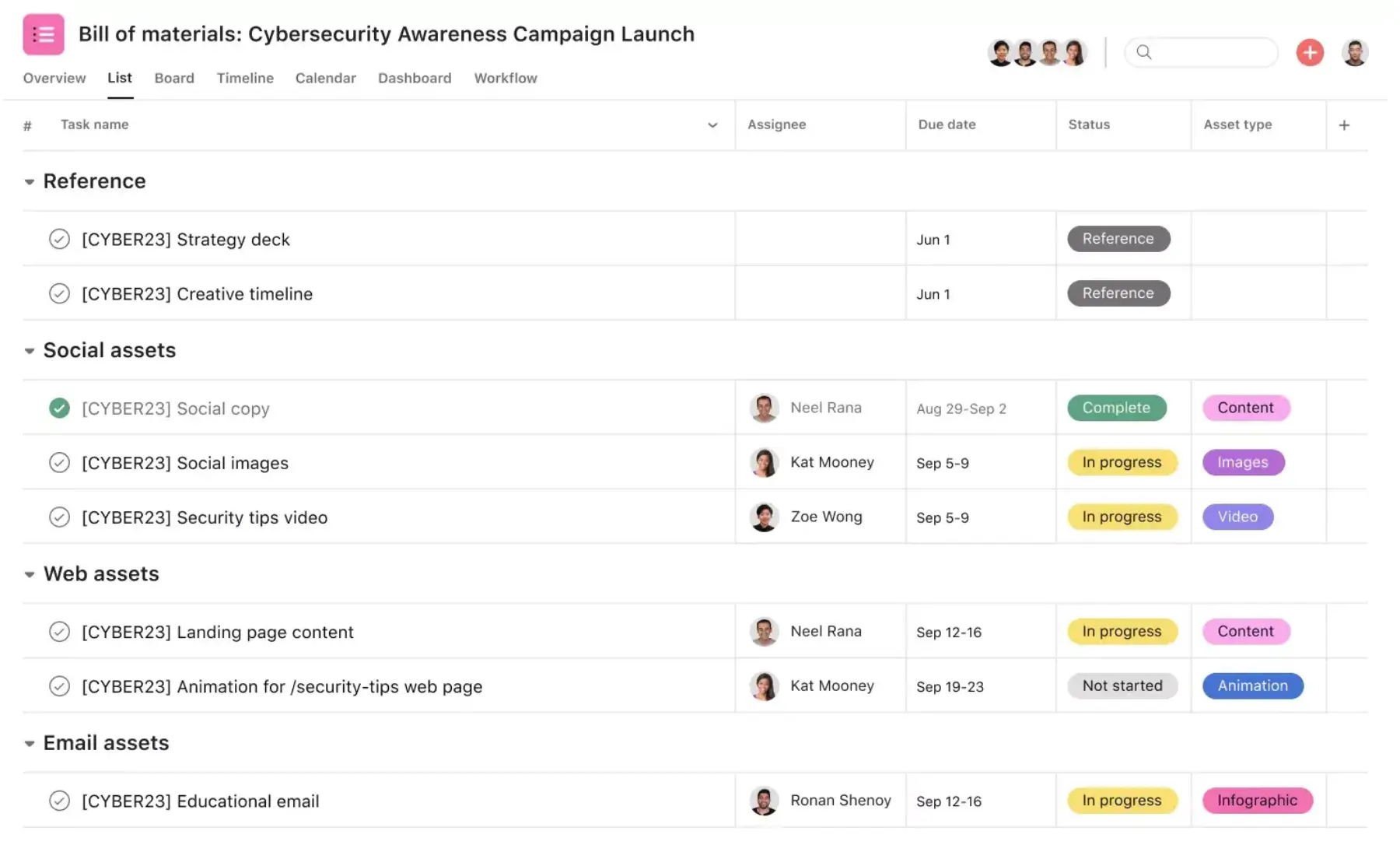
Many products think AI for project management means full AI autonomy. Asana approaches it by combining AI with human collaboration. Its AI was built to work alongside teams, not run independently in the background.
AI Teammates are assignable AI agents that live inside projects. There are 21+ pre-built AI Teammates, but you can also build custom ones without code. These agents have full context, keep humans in the loop, and work with the same permissions as human colleagues.
Asana’s AI Studio is a no-code builder for AI-powered workflows that automate repetitive tasks, virtually eliminating busywork. Asana has pre-built workflows, or you can build one on your own. If you want AI to work alongside you and automate busywork, Asana’s a solid option. But if you need AI that does the work for you, you might be better served by a more autonomous option.
Asana pros and cons
Pros
- Keep humans in the loop: Asana's "human + AI collaboration" approach means AI accelerates the work while teams stay accountable (instead of working around autonomous AI decisions).
- Get specialized AI without setup: 21+ pre-built AI Teammates handle role-specific work (marketing, IT, project management) right out of the box. No prompting or custom configuration — just plug-and-play AI for cross-functional work.
- Trust AI with sensitive work: AI Teammates inherit your existing access controls and log every action. Admins can monitor what AI’s doing across the org, which makes it easier to roll out to teams handling confidential or regulated work.
- Automate without engineering: AI Studio's no-code workflow builder lets teams automate repetitive work without engineering tickets or developer time.
Cons
- AI Teammates pricing isn't public: AI Teammates are an add-on to Starter plans and above, but Asana doesn't list per-seat pricing. You have to contact sales to get a quote.
- Less autonomous than competitors: Want AI to run projects independently in the background? Asana's collaborative approach might feel slower than tools like Motion or Notion's Custom Agents.
Asana best features
- Collaborate with AI Teammates: These AI agents work inside projects, collaborating with human colleagues across functions, like marketing, operations, and project management.
- Automate tasks: AI Studio’s no-code builder lets you use existing workflows or build your own to automate repetitive tasks across teams.
- Get a smart assist: Asana’s AI-powered smart assists surface project insights, help you set goals, and flag issues to keep work on track.
- Connect tools: Asana’s AI Connectors let you work across the platforms you use most. You can even start projects straight from ChatGPT, Slack, Gmail, or Claude.
Asana pricing
Asana offers a generous free plan, plus four paid tiers. All prices are when billed annually. When billed monthly, costs are up to 18% more. More advanced AI features require an additional subscription on top of paid plans.
- Personal: Free for 2 users, multiple views, 100+ free integrations, time tracking, and unlimited storage.
- Starter: $10.99/month per user. Unlimited users, 50K AI Studio Basic credits, custom templates, reporting dashboards, and unlimited automations.
- Advanced: $24.99/month per user. Everything in Starter, plus AI Studio Basic with 75K credits, Salesforce, Tableau, and Power BI support, and unlimited portfolios.
- Enterprise: Custom pricing. Includes all Advanced plan features, plus 200K AI Studio Basic credits, SAML authentication, admin controls and guest permissions, and capacity planning.
- Enterprise+: Custom pricing. Adds advanced compliance and security, data residency, and audit log API.
Starter and above AI add-ons:
- AI Studio Basic: Included on Starter and above, but with limited credits.
- AI Studio Plus: Contact sales for pricing.
- AI Studio Pro: Contact sales for pricing.
- AI Teammates: Contact sales for pricing.
6. monday.com — best for teams that want to scale project delivery with AI agents
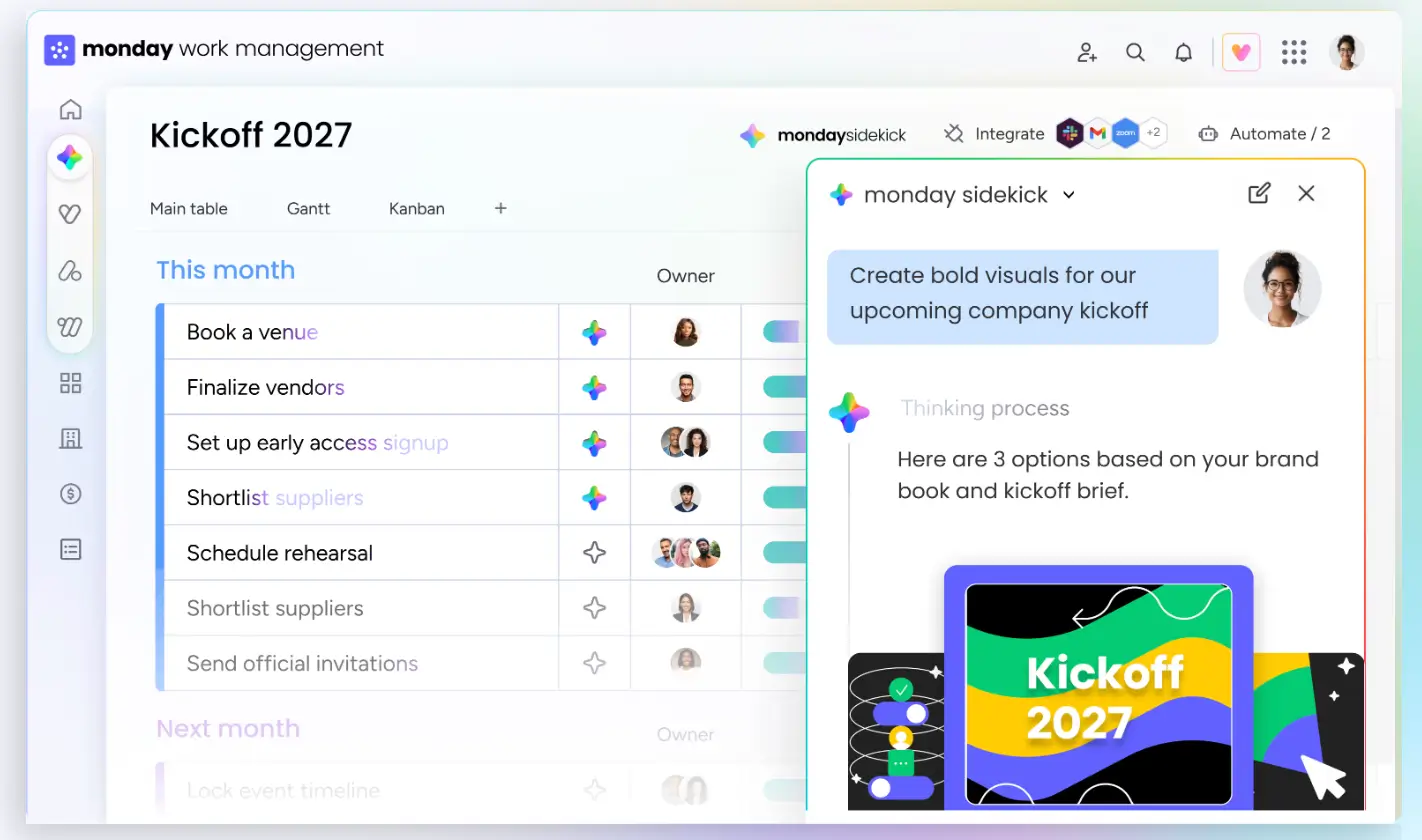
monday.com rebuilt itself in 2026 around native AI agents that autonomously execute work across boards, docs, and workflows. It’s built for teams handling cross-functional project work and scaling delivery across departments.
monday sidekick is your personal AI assistant, living in boards, docs, and conversations. This gives it the context needed to summarize projects, provide status updates, or pull insights from your portfolio.
For more autonomous work, monday agents run PMO coordination 24/7. There are 7+ pre-built agents for project management, including a Project Planner that builds project plans, a Workload Balancer that suggests reassignments, and a Risk Analyzer that surfaces risks proactively.
monday.com pros and cons
Pros
- Scale AI across departments: monday agents work across CRM, dev, IT, and PM, so one agent can pull data from multiple business areas at once. Most competitors silo AI inside a single domain — monday.com spans them all.
- Skip the setup curve: 7+ pre-built PMO agents handle specialized work right out of the box. No prompting, custom configuration, or build phase before you get value from the agents.
- Get a context-aware assistant: monday sidekick pulls from your boards, docs, and conversations to answer questions about projects, risks, or workloads. AI responses reflect actual project state, not generic suggestions.
- Use AI on every paid plan: monday sidekick is included on all paid tiers, with AI Blocks for automation built in.
Cons
- 3-seat minimum on paid plans: Even small teams or individual users pay for a minimum of three seats. Costs add up fast.
- Watch for AI credit limits: monday.com switched to a credit-based AI pricing system in 2026, so heavy AI usage can scale costs beyond your base subscription.
monday.com best features
- Use monday sidekick across your workspace: Ask it to summarize projects, create boards, draft updates, or surface insights using full context from your workspace.
- Deploy AI agents for project delivery: 7+ pre-built PMO agents handle planning, workload balancing, milestone tracking, risk analysis, and more automatically.
- Generate apps with monday vibe: Turn natural language prompts into custom views, dashboards, and mini-apps directly in the platform — no code needed.
- Connect external AI with monday MCP: Plug external AI tools into monday.com workflows using the Model Context Protocol, so AI can run across platforms.
monday.com pricing
monday.com has a limited free plan and plenty of paid plan options. All prices are when billed annually. When billed monthly, costs are up to 18% more. All paid plans require a minimum of three seats.
AI features are included across paid plans, with credit-based usage for heavier AI workloads.
- Free: Up to 2 users. Includes 200+ templates, iOS and Android apps, and up to 3 boards.
- Basic: $9/month per user. AI credits and unlimited free viewers, prioritized customer support, and limited file storage.
- Standard: $12/month per user. Includes AI credits and access to the AI assistant, plus multiple views, and 250 automations and integration actions.
- Pro: $19/month per user. AI credits, access to the AI assistant, plus private boards, time tracking, and 25K automations and integration actions.
- Enterprise: Custom pricing. AI credits and the AI assistant, advanced reporting, enterprise support, resource management, and enterprise-grade integrations and automations.
Find the right AI project management tools for your team
The best AI project management tools are the ones that work how your team does. If your projects fit neatly into a standard project board, AI-assisted tools that layer AI onto existing workflows are a great option.
But if your team needs project management to run on autopilot, with predictable, repeatable processes, autonomous AI agents are the way to go. For more complex projects, you might need to build the system yourself.
Softr is your best bet if you need fully customized project workflows with databases, automations, permissions, and operational logic already built in. Instead of layering AI on top of rigid project boards, Softr lets you create connected systems around the work itself.
Try Softr for free and build your own project management tool with AI in minutes — no coding required.
Frequently asked questions
What’s the difference between AI project management tools and traditional project management tools with AI features?
Can AI actually run a project autonomously?
What’s the best AI project management tool for small teams or freelancers?