The best Quickbase alternatives for enterprise teams

Quickbase has helped thousands of teams move work out of spreadsheets for more than 20 years. It's fast to build on, IT can govern it, and it handles regulated work. For many IT teams, the question of alternatives comes up when it’s time to renew their contract. More departments request seats, every user has to sit on the same plan, and the per-user bill keeps climbing.
If you run IT at a mid-size or enterprise company, you're probably not asking which tool has the nicest drag-and-drop editor. You're asking which platform passes your security review and what the bottom-line cost is for your headcount.
This guide compares eight Quickbase alternatives on the things enterprise IT cares about: single sign-on (SSO), user provisioning, permissions, audit logs, data location, external users, and monthly costs at 50 and 500 users. We also explain when it’s probably a better idea to stay put.
The short answer
The best Quickbase alternative depends on your unique needs and why you want to leave. If cost at scale is the problem, look at tools that don't charge per user (like Caspio or Knack) or that include a block of users in the plan price (Softr). If your company runs on Microsoft, Power Apps is a natural fit. For spreadsheet-style project tracking, look at Smartsheet or Airtable. And if you rely on Quickbase HIPAA-PAA or FDA-regulated apps, staying may be the safest choice.
Why teams look for Quickbase alternatives
Quickbase does plenty of things well, so most teams that leave aren't unhappy with the product itself. They're often unhappy with how the bill seems to compound. Here are the reasons that come up most often:
- Per-user pricing plus a platform minimum. Quickbase charges per user and adds a platform minimum fee, so you pay a base amount even if fewer people use it. Third-party guides such as The Digital Project Manager's Quickbase pricing breakdown call out user minimums of 20 on the Team plan and 40 on the Business plan.
- Everyone must be on the same plan. The Quickbase pricing FAQ is clear on this point, saying: "All users must be on the same plan." For example, if one department needs SSO or HIPAA support, every user has to move to the Business plan, including people who only open a report once a week.
- Costs grow quickly as more departments join. A Quickbase app that starts in operations often spreads to finance, field teams, and vendors. Each new user adds a full license at your plan's rate.
- A learning curve for complex builds. Quickbase calls itself a no-code platform that also supports low-code development. Simple apps are quick, but complex ones take training, and Quickbase sells build-for-you services, training, and certifications to help teams get there.
The platform minimum fee hits small teams the hardest. In one Reddit thread from 2018, a small business owner said they ended their Quickbase demo when they learned they had to buy 20 licenses but only needed 5, and other users pointed them to Zoho Creator as a cheaper equivalent. The thread is old, so treat it as an example, not current pricing.
It's also worth noting that Quickbase is still evolving. In April 2026, it launched Pave, an AI app builder that turns plain-language descriptions into apps on Quickbase's platform. The new feature includes SSO, permissions, and audit trails built-in. If you want to build using AI, add Pave to your evaluation.
What Quickbase costs today
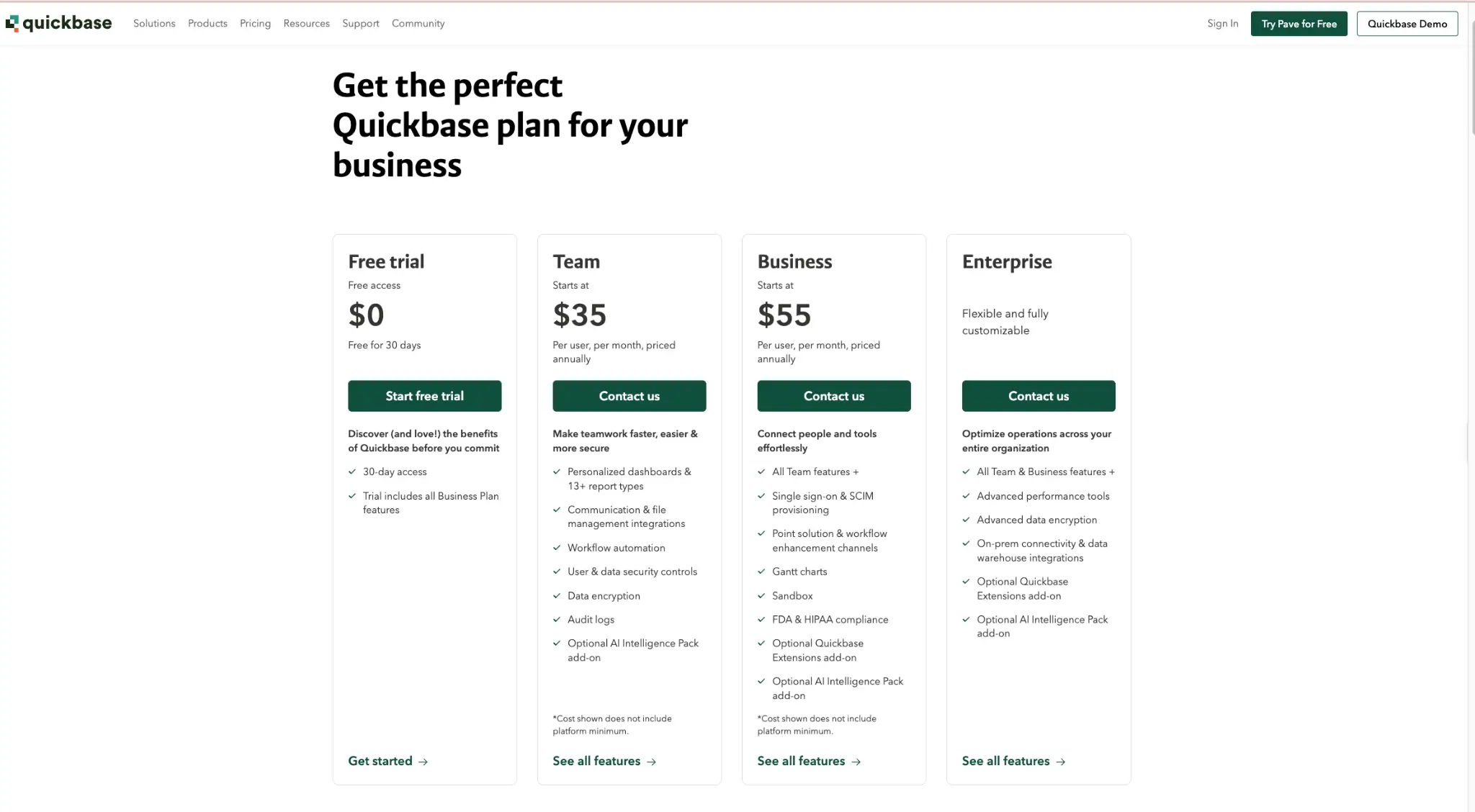
Quickbase offers three paid plans and a 30-day free trial. According to the Quickbase plans and pricing page checked Oct. 23, 2026), prices are per user per month, billed yearly, and don't include the platform minimum fee:
- Team: from $35 per user/month. Dashboards, workflow automation, user and data security controls, data encryption, and audit logs kept for six months.
- Business: from $55 per user/month. Everything in Team, plus SSO and SCIM provisioning, a sandbox, Gantt charts, audit logs kept for 1 year, plus FDA and HIPAA support. Quickbase signs a business associate agreement (BAA) with customers on qualified plans.
- Enterprise: custom pricing. Everything in Business, plus advanced data encryption with your own key, on-premises connectivity, data warehouse integrations, and audit logs kept for three years.
The platform minimum means there's a floor on what you pay, no matter how many people log in. Quickbase also offers a usage-based option under each plan, which is priced based on how much your users use the platform instead of how many there are. Ask your account rep about it if your user count is high but usage is light.
What enterprise IT should check in any alternative
Most comparison lists score tools on templates and ease of use. Although those matter, they won't get a tool past your security review. Instead, use this checklist to evaluate the tools on your shortlist:
- Single sign-on (SSO). Staff log in with their company account (Okta, Microsoft Entra ID, Google Workspace) instead of a separate password. Check which plan includes it, since it's often only included in enterprise-level packages.
- SCIM provisioning. Look for a tool that automatically creates and removes user accounts from your company directory. When someone leaves, their access goes with them.
- Record-level permissions. You can control who sees which rows, not just which apps or tables. A sales rep sees their own accounts, and a vendor sees only their own orders.
- Audit logs. A record of who did what and when. Check how long logs are kept and whether you can export them to your security tools.
- Data residency. Where your data is stored. This matters for GDPR and for customers with contracts that require data to stay in a specific region.
- External users. Determine whether clients, vendors, or partners can log in, and how they're priced. Some tools charge them like employees, some include them, and some sell them as an add-on.
- Compliance. If you handle health data, you need HIPAA support and a signed BAA. Also check for a SOC 2 Type II report and compliance.
- Price at your real headcount. Calculate the monthly cost on the plan that includes SSO at your actual user count, not the starting price for a small team.
The 8 best Quickbase alternatives
For each tool below, we’ve broken down follows the same format: what it is, who it's best for, how it charges, which enterprise controls it has and on which plan, and where it falls short compared with Quickbase.
1. Softr
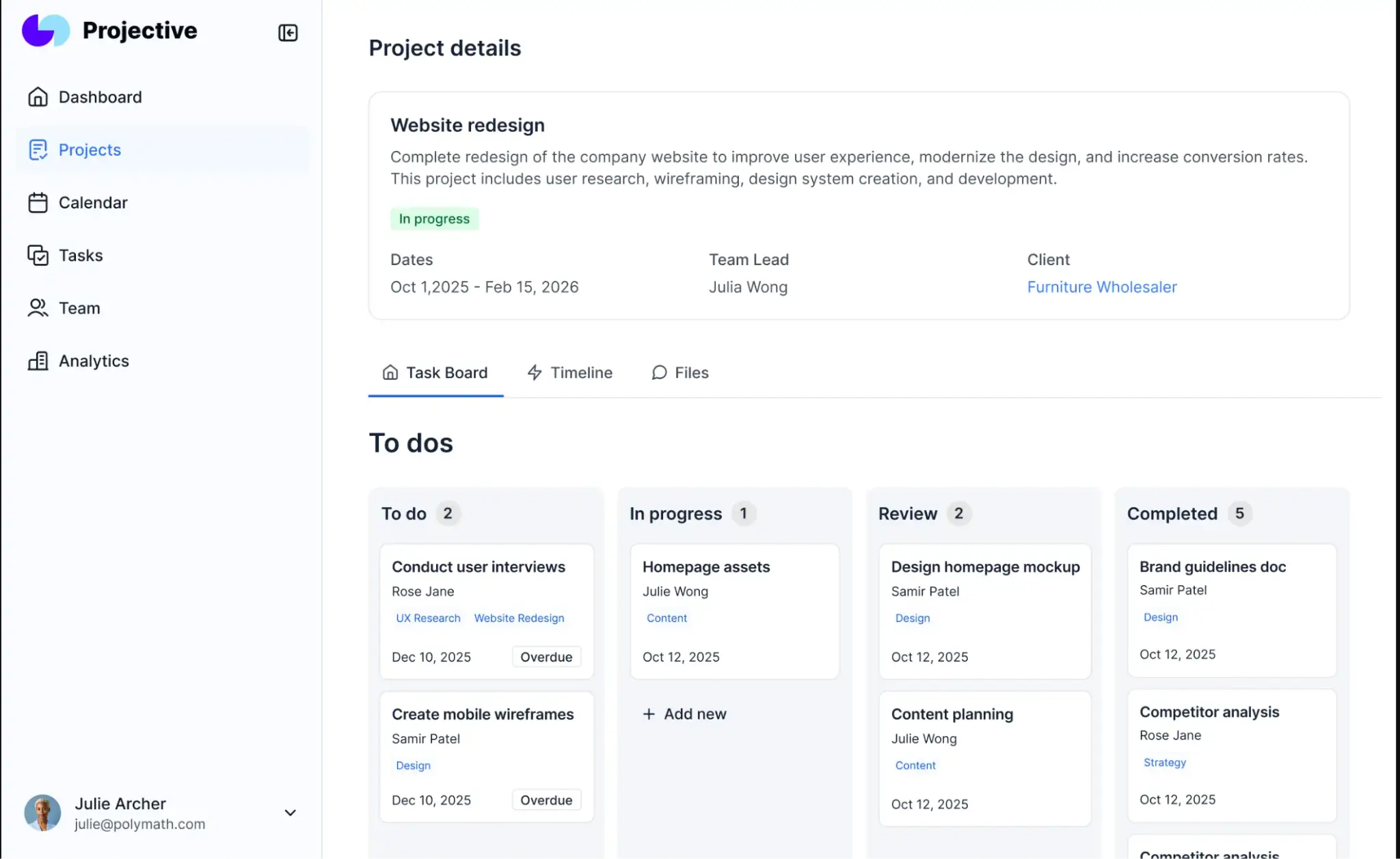
Softr is an AI app builder for business operations. Teams use it to build internal tools, client portals, and partner portals on top of their own data, without the need for a dev team.
Best for: Business and enterprise teams that need internal tools and external portals in one platform, with a block of users included in the plan price.
How it charges: Plan price with builders and app users included. On Softr pricing, Business is $329 USD per month, billed yearly, and includes three builders, 30 team users, and 100 client users. Extra team users are $5 SUD per month each and extra client users are $2 USD per month each, up to a limit of 100 team users on Business. Enterprise is custom.
Enterprise controls: (plan details from Softr's security page)
- Granular permissions by user group: Pro and up
- Two-factor authentication, domain-restricted signup, and record-level global data restrictions: Business
- SSO (SAML, OpenID) and SCIM: Enterprise
- Audit logs and SOC 2 Type II report access: Enterprise
- Not HIPAA compliant
Every Softr app ships with login, user management, permissions, and hosting, so IT doesn't have to bolt those on later. The same app can serve internal teams and external clients, with each group seeing only its own data. That's useful when a Quickbase app has spread from an internal team to vendors or customers, since extra client users cost less than team users.
For example, Celonis built a knowledge base on Softr that more than 1,500 members of its go-to-market team use, and Urban's Landscaping Group brought more than seven tools into one custom ERP-style system.
Best features:
- Built-in user management. Logins, user groups, and permissions come with every app. Global data restrictions on Business control which records each group can load.
- Internal and external users in one app. Build a client portal and an internal tool on the same data, with separate views for each.
- Flexible data sources. Store data in Softr Databases or connect Airtable, Google Sheets, HubSpot, SQL databases, or other integrations. BigQuery (read-only) and Salesforce are available on Business and Enterprise. Softr also connects to Snowflake.
- Workflows and AI agents on every plan. Automate approvals, notifications, and data updates, and connect your apps to the rest of your stack.
- Enterprise governance. SSO, SCIM, audit logs, custom agreements and SLAs, and a customer success manager on Softr Enterprise.
- Fast building without code. Build with AI or a visual editor, then refine pages, permissions, and logic yourself.
Pros:
- A block of team and client users included in the plan price, with low per-user rates after that
- Internal and external users in the same app, without separate licensing tools
- Business teams can build on their own, which frees IT to focus on governance
- Connects to the data you already have instead of forcing a full migration
- Workflows and AI agents included on every plan
- Free plan to test before you buy
Where it falls short compared with Quickbase:
- Softr isn't HIPAA-compliant and doesn't sign BAAs, so it isn't the right fit for health data or FDA-regulated apps. Quickbase is the better choice there.
Pricing: Softr has a free plan with unlimited apps, databases, workflows, agents, and forms, plus templates to start from. Paid plans start at $19 USD per month, and Business is $329 USD per month, billed yearly. Enterprise pricing is custom. See full details on Softr pricing.
Try Softr for free or talk to our team about an Enterprise plan.
2. Smartsheet
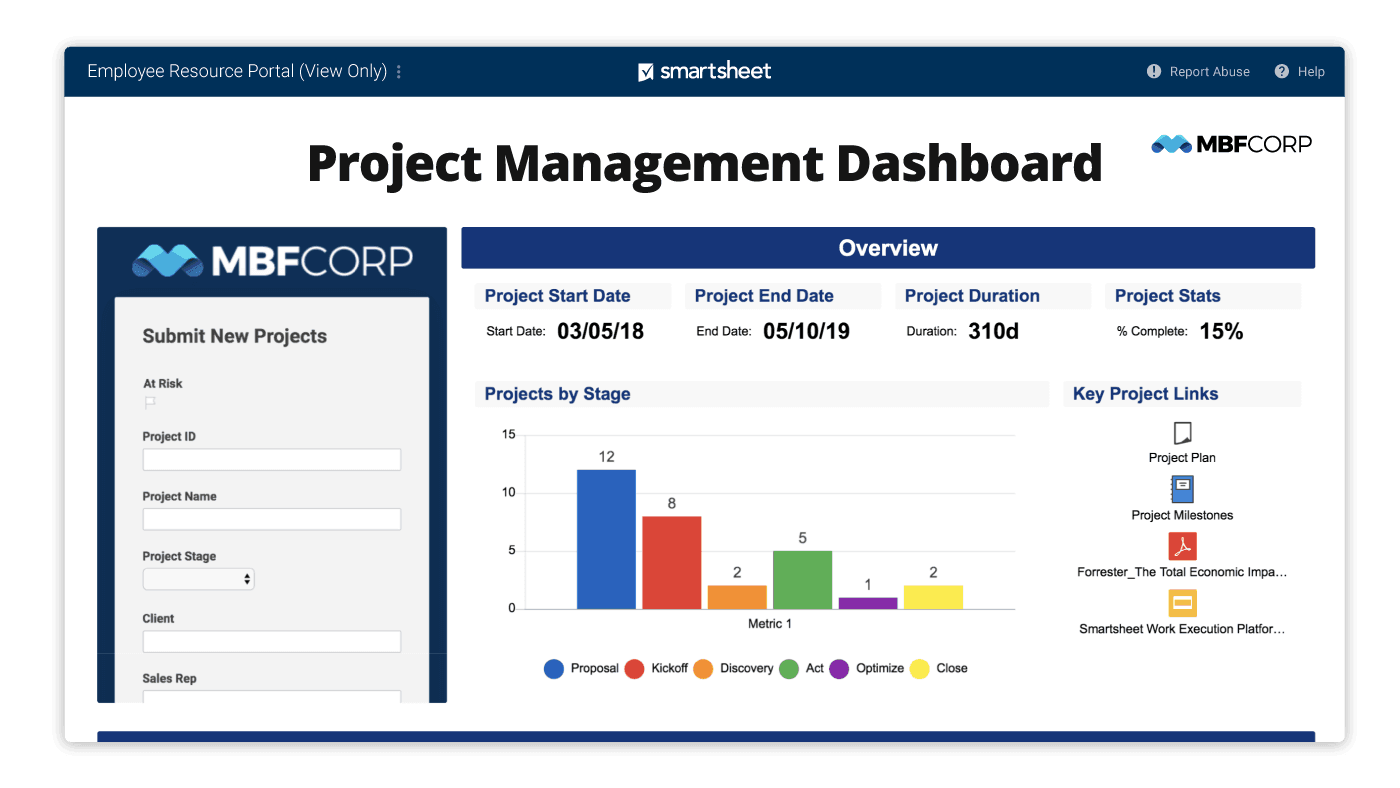
Smartsheet is a work management platform built around a spreadsheet-style grid, with Gantt, board, and calendar views layered on top.
Best for: PMOs and operations teams that track projects and portfolios and want a familiar spreadsheet layout.
How it charges: Per member. According to the Smartsheet pricing page, Pro is $9 USD, and Business is $19 USD per member/month, billed yearly. Enterprise and Advanced Work Management are custom. Business includes unlimited free guests from outside your company, who can edit and comment.
Enterprise controls and their plan tier:
- SAML SSO and directory integrations (automatic user provisioning): Enterprise
- Activity log: Business and up
- Event reporting (admin audit logs, 6 months): add-on for Enterprise and Advanced Work Management
- Data regions: Smartsheet offers Smartsheet Regions; check with the vendor for available locations
Where it falls short compared with Quickbase: Smartsheet is great at tracking work, but it isn't built as a relational app platform with custom business logic the way Quickbase is. Some data features cost extra, too. Data Shuttle, which imports and syncs data from other systems, is a paid premium offering outside Advanced Work Management. Users are split on it. In a Smartsheet comparison thread on Reddit, some long-time users said they love it, one firm of about 200 staff reported more failures than successes, and another was leaving over Data Shuttle pricing. If Smartsheet is on your list, our guide to Smartsheet alternatives covers its trade-offs in more depth.
3. Airtable
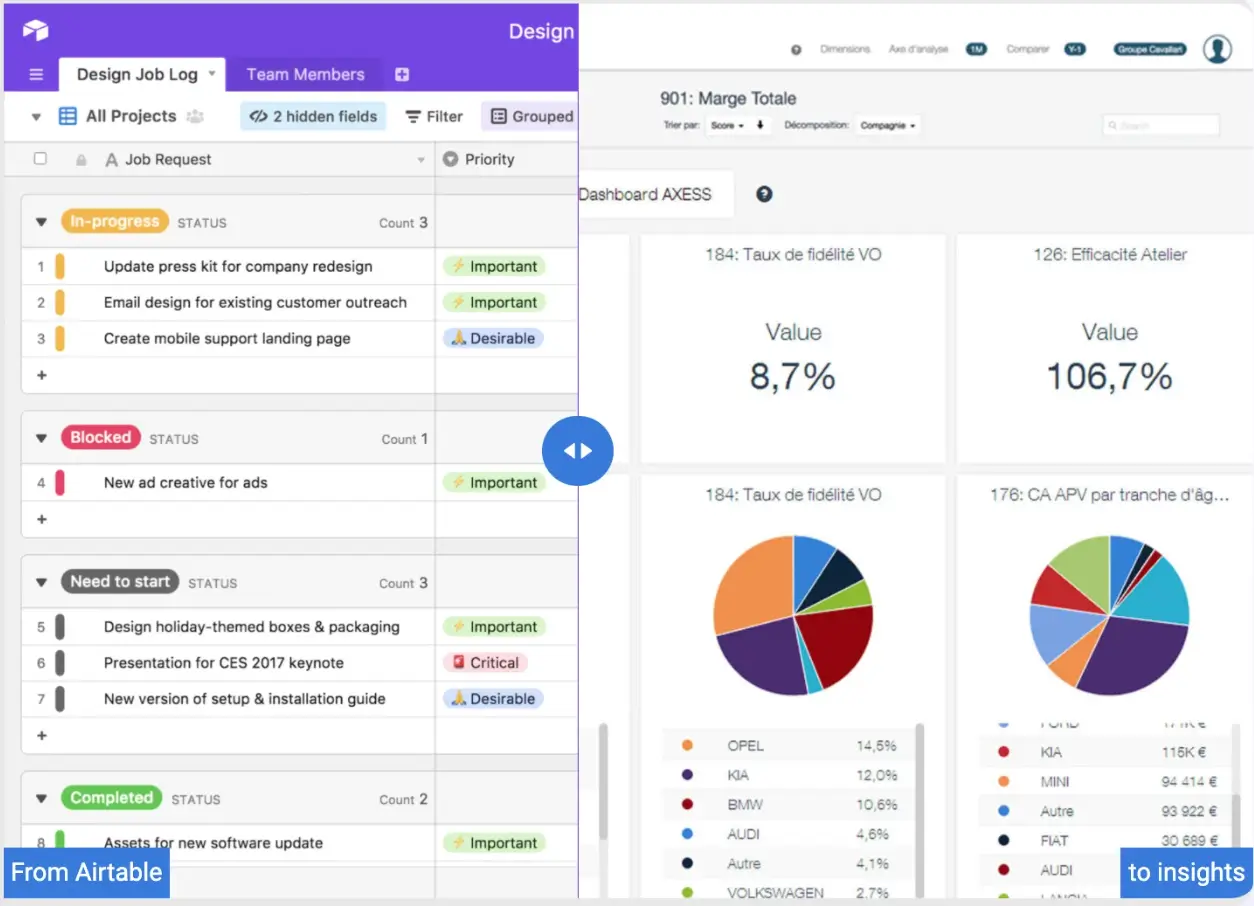
Airtable is a cloud database with a spreadsheet-like interface, plus interfaces, automations, and AI features.
Best for: Teams that want a flexible relational database and have many people who only need to view data.
How it charges: Per editor. On the Airtable pricing page, Team is $20 USD, and Business is $45 USD per seat/month, billed yearly. Enterprise Scale is custom. On Team and Business, read-only collaborators are free, so you only pay for people who edit.
Enterprise controls: (from the plan comparison on the Airtable pricing page)
- SAML SSO and SCIM user provisioning: Business and Enterprise Scale
- SCIM-synced user groups: Enterprise Scale
- Field, table, and interface permissions: Team and up
- Admin panel: Business; Enterprise Hub for central admin: Enterprise Scale
- Audit logs, data loss prevention, HIPAA compliance, and European data residency: Enterprise Scale
- External users: Portals add-on, starting at $120 a month for 15 guests on Team and $150 on Business; Enterprise Scale is quote-based
Where it falls short compared with Quickbase: Airtable is easier to start with, but it has hard limits on records per base: 50,000 on Team, 125,000 on Business, and 500,000 on Enterprise Scale. That can quickly become a constraint for large, process-heavy apps. Audit logs and HIPAA support also require Enterprise Scale, while Quickbase includes audit logs on every paid plan and HIPAA on Business. For a deeper look at Airtable's plans, see our Airtable pricing guide.
Already using Airtable? You don't have to choose between it and an app builder. Softr can build secure apps on top of Airtable with two-way sync, so teams keep their data in Airtable and give users a branded portal with their own logins. Our Airtable alternatives guide covers more options.
4. Zoho Creator
Zoho Creator is a low-code platform for building custom business apps, with deep ties to the rest of the Zoho suite.
Best for: Companies already using Zoho CRM, Zoho Books, or other Zoho apps that want custom apps in the same ecosystem.
How it charges: Per user, with portal users (customers, vendors) sold as an add-on. U.S. list prices are about $8 (Standard), $20 (Professional), and $25 (Enterprise) per user/month, billed yearly, according to CostBench's Zoho Creator pricing summary. The Zoho Creator pricing comparison shows that each paid plan includes three free portal users, with larger portal-user packs sold as add-ons.
Enterprise controls:
- SAML SSO: included on Enterprise; paid add-on on Standard and Professional
- Audit trail: all paid plans
- Data encryption, including for personal and health data fields: all paid plans
- Portal permission sets: 10, 50, or 250 per app, depending on plan
Where it falls short compared with Quickbase: Anything beyond basic logic in Zoho Creator uses Deluge, Zoho's own scripting language, so complex apps need someone who knows it. Portal users add a separate line item that can compound quickly if you serve many external users. See our Zoho Creator alternatives guide for more context.
5. Caspio
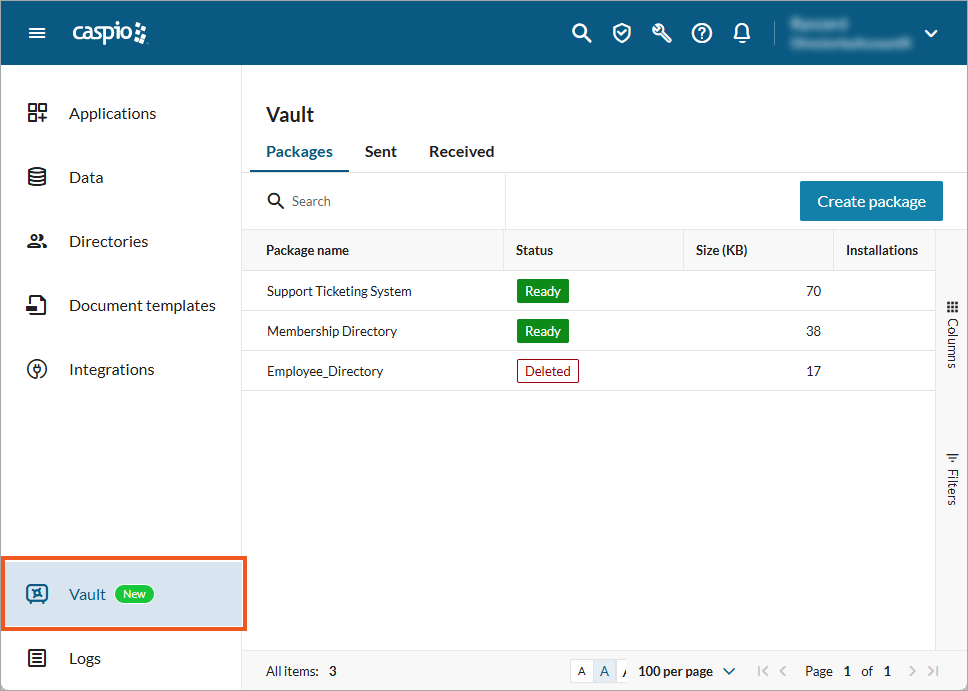
Caspio is a low-code platform for building database apps, with a strong focus on compliance.
Best for: Organizations with large internal or external user counts, including teams that need HIPAA support at a published price.
How it charges: Flat monthly fee with unlimited app users. On the Caspio pricing page, the Team plan is $270 USD per month, and Business is $540 USD when billed annually ($300 and $600 when billed monthly). Enterprise is custom. The HIPAA/Compliance edition is listed at $500 per month on a one-year term. Plans are limited by records, storage, and features, not people.
Enterprise controls:
- Enterprise SSO (SAML) for app users: check with the vendor for which tier includes it
- Log retention: 1 year (Team), 2 years (Business), 5 years (Enterprise)
- HIPAA with a signed BAA: HIPAA/Compliance edition, with an audit trail that tracks all data access
- SOC 2 Type II: Caspio publishes a SOC 2 compliance page; check with the vendor for coverage by plan
Where it falls short compared with Quickbase: Team caps app authors at five, so larger builder teams need Business or above. Unlimited users is a real cost advantage, but record limits rise with each tier (250,000 records on Team, 1 million on Business), so you'll pay more as your data grows. Our Caspio alternatives guide compares more options.
6. Knack
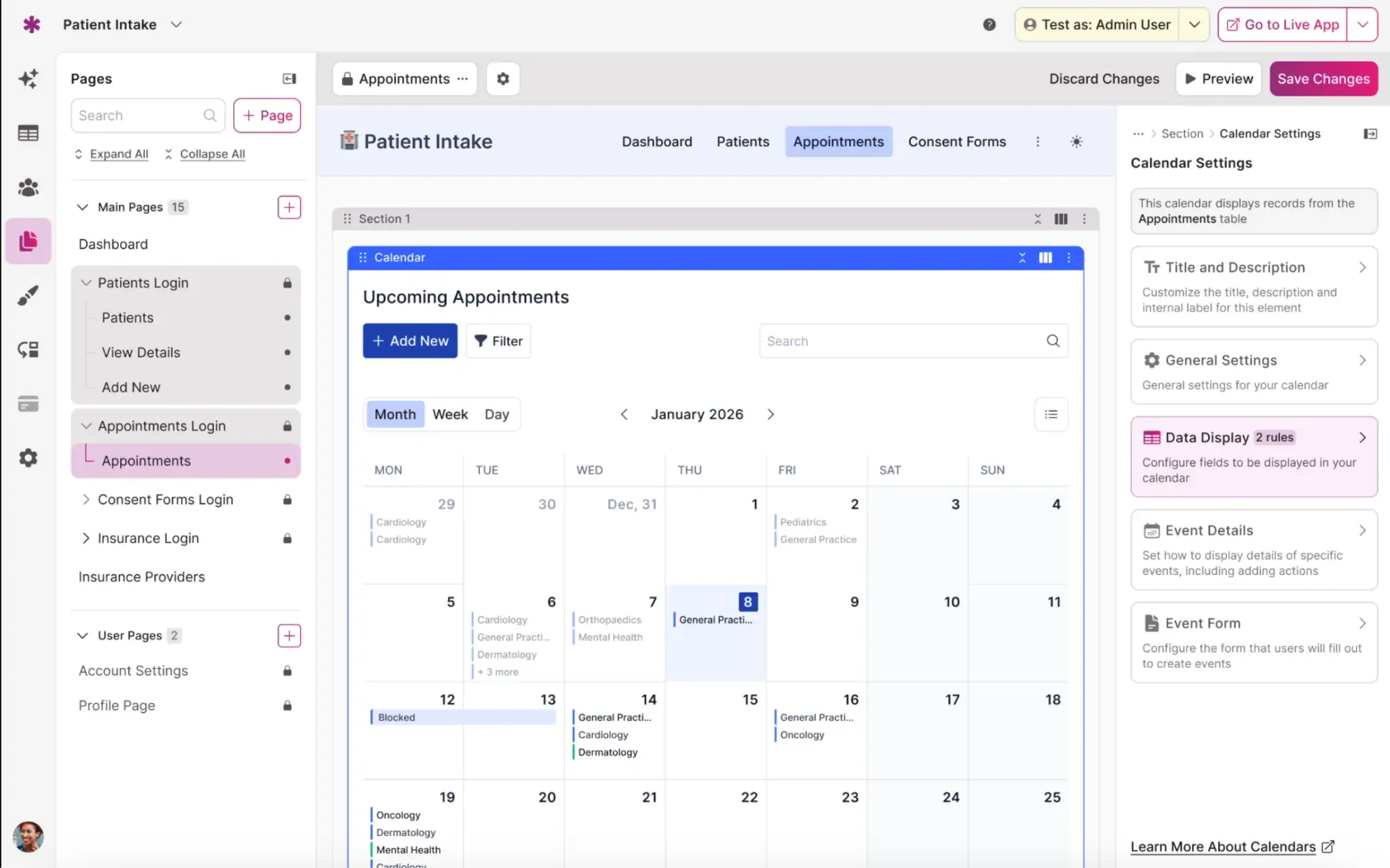
Knack is a no-code database and app builder that charges by the number of records, not users.
Best for: Teams that need a simple database app for many users on a tight budget.
How it charges: Flat monthly fee based on records, with unlimited app users. On the Knack pricing page, Starter is $49 USD, Pro is $110 USD, and Corporate starts at $300 USD per month, billed yearly. Enterprise is custom.
Enterprise controls:
- Advanced SAML SSO: included on Corporate; paid add-on on Pro
- Record audit logs: 1 month (Pro), 2 months (Corporate), 3 months (Enterprise)
- HIPAA and GovCloud options: Enterprise
- SOC 2 report access and private server options: Enterprise
Where it falls short compared with Quickbase: Short audit log retention is the biggest gap for enterprise IT buyers. Quickbase keeps logs for six months to three years, while Knack tops out at three months. Corporate pricing also rises with your record count, from 125,000 up to 2.5 million records.
7. Retool
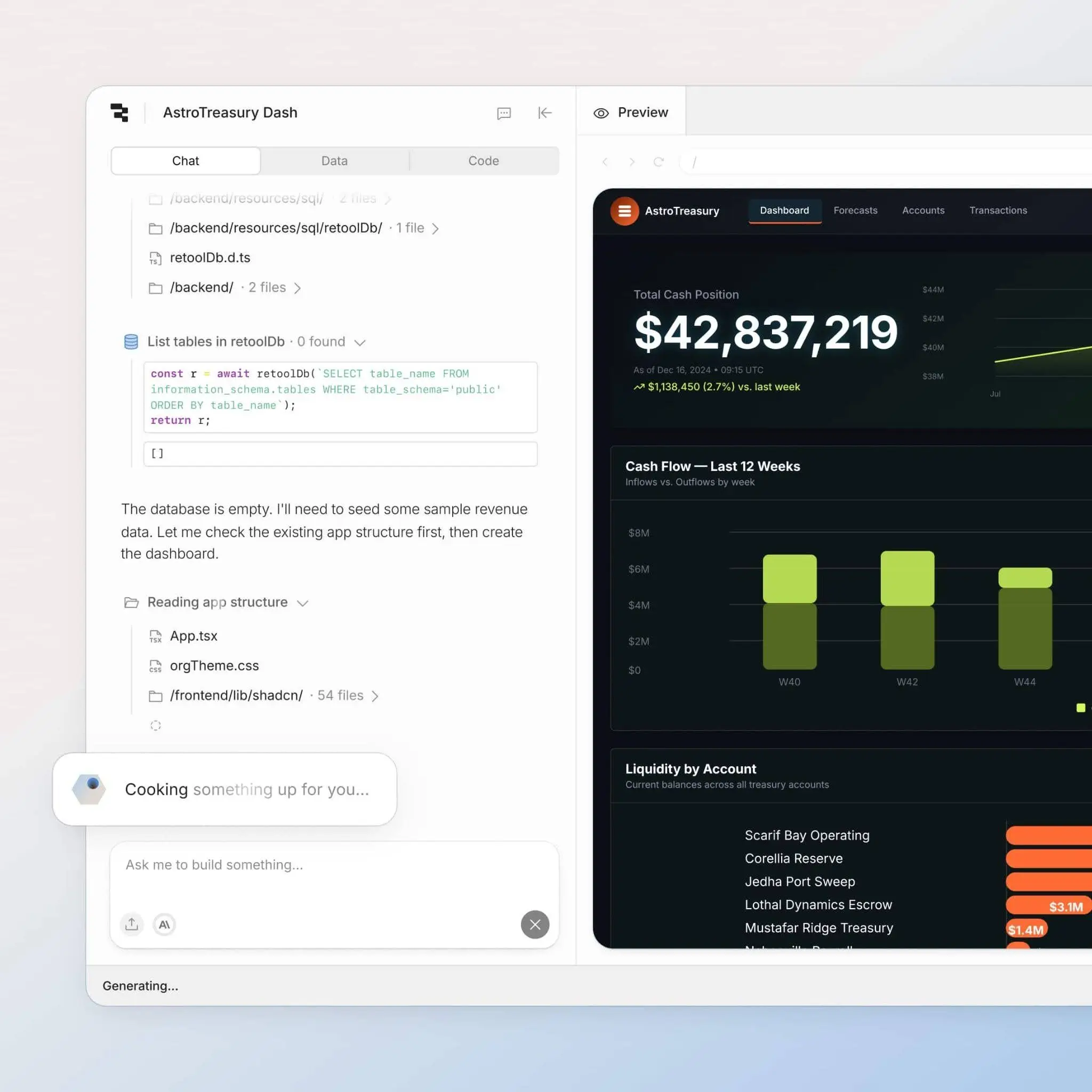
Retool is a developer-focused platform for building internal tools on top of your existing databases and APIs.
Best for: Engineering-led teams that want to build internal tools fast on top of their own SQL databases and APIs.
How it charges: Per builder plus per internal user. On the Retool pricing page, Business is $50 per builder and $15 per internal user per month, billed yearly. External users are metered on Business, and Enterprise is custom.
Enterprise controls:
- SSO (SAML, OpenID) and SCIM: Enterprise only
- Audit logs: Business (Enterprise adds log streaming)
- Granular roles and Git-based source control: Enterprise
- Self-hosting, including air-gapped deployments: Enterprise
Where it falls short compared with Quickbase: Retool is built for developers, and most apps rely on SQL queries and JavaScript, so business teams usually can't build on their own. It does offer a hosted Postgres database, but most teams connect their own data sources and manage them separately. If you're weighing a developer tool against a no-code one, see Softr vs Retool.
8. Microsoft Power Apps
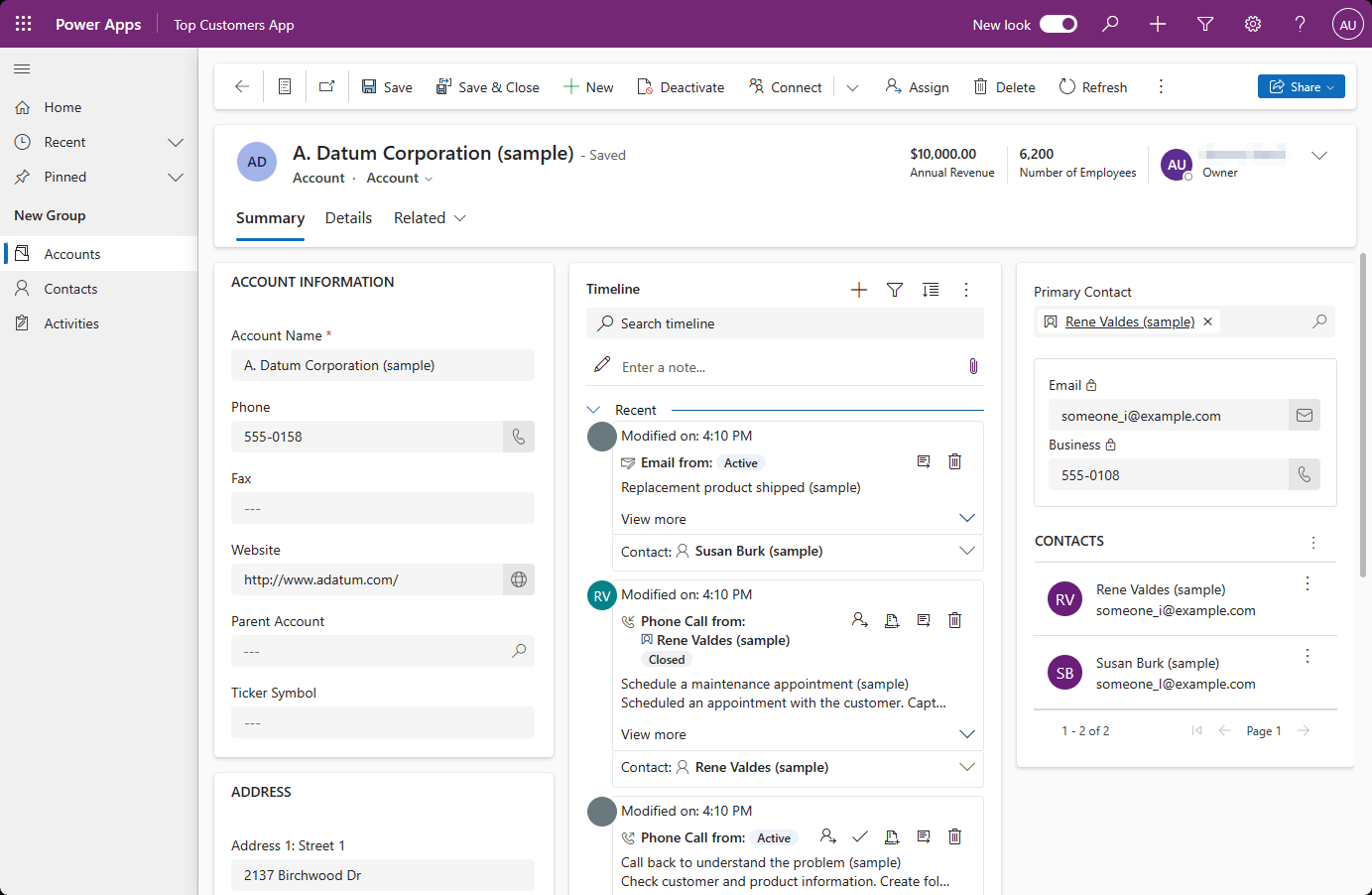
Power Apps is Microsoft's low-code app platform, built on Dataverse and connected to Microsoft 365, Teams, and Azure.
Best for: Companies standardized on Microsoft 365 and Microsoft Entra ID that want apps inside the tools staff already use.
How it charges: Per user or pay-as-you-go. On the Power Apps pricing page, Premium is $20 USD per user/month, billed yearly. A $12 USD rate is available only with a minimum of 2,000 licenses. Extra Dataverse database capacity is $40 USD per GB/month.
Enterprise controls:
- Sign in with Microsoft Entra ID work or school accounts, so access follows your existing directory
- Record-level access through Dataverse security roles and business units
- Dataverse auditing with Microsoft Purview for longer retention
- External users through Power Pages, which is licensed separately
Where it falls short compared with Quickbase: Power Apps works well inside the Microsoft ecosystem, but licensing has many parts. Dataverse capacity beyond what's included and external users both are added costs. Power Pages charges per site, about $200 per 100 authenticated users per site per month, billed yearly. In a Reddit thread about whether Quickbase can replace Power BI, analysts said Quickbase dashboards are quick but limited, and that many teams feed Quickbase data into Power BI for deeper reporting. If you're already in that setup, Microsoft's stack can feel like a natural next step.
Quickbase alternatives compared side by side
This table shows which plan includes each control, not just whether the tool has it. "Check with vendor" means the company doesn’t publish the price on their site.
Plans and features checked on each vendor's site on Oct. 23, 2026.
What each option costs at 50 and 500 users
Starting prices for small teams don't tell you much at enterprise scale. This table shows the monthly list price for 50 and 500 internal users on the plan that includes SSO. Where SSO is only on a custom Enterprise plan, we show the closest published plan for reference.
How we calculated this: All figures use list prices billed yearly, before taxes or discounts.
- Quickbase: 50 × $55 = $2,750 and 500 × $55 = $27,500, before the platform minimum fee.
- Smartsheet: 50 × $19 = $950 and 500 × $19 = $9,500.
- Airtable: 50 × $45 = $2,250 and 500 × $45 = $22,500. Read-only users are free, so your real cost depends on how many people edit.
- Zoho Creator: 50 × $25 = $1,250 and 500 × $25 = $12,500, before any portal-user add-ons.
- Caspio and Knack: Flat prices with unlimited users. Your cost depends on records, storage, and features, not headcount.
- Retool: Assumes 5 builders. (5 × $50) + (45 × $15) = $925, and (5 × $50) + (495 × $15) = $7,675.
- Power Apps: 50 × $20 = $1,000 and 500 × $20 = $10,000. The $12 rate only applies at 2,000 licenses or more.
- Softr: Business includes 30 team users, and extra team users are $5 each. 50 users = $329 + (20 × $5) = $429, which matches Softr's app user calculator. Business allows up to 100 team users, so 500 internal users need Enterprise. Builders don't count toward app users.
Keep in mind that the cheapest option might now cost you the least in the long run. Migration time, training, and the controls you'd give up all belong in the math.
When to stay on Quickbase
For some teams and certain scenarios, sticking with Quickbase is the right call. It has a reputation for speed. In a Reddit thread on Quickbase and Power BI, one commenter said their team’s management cared about quick solutions, and Quickbase delivered them. Another user who came from SharePoint said Quickbase covered gaps in their company's tech stack.
Stay on Quickbase if:
- You have HIPAA- or FDA-regulated apps. Quickbase signs a BAA on qualified plans and supports FDA 21 CFR Part 11 requirements. Of the tools in this guide, only Caspio (HIPAA edition) and Knack (Enterprise) publish HIPAA options.
- You have many complex apps with years of logic built in. Rebuilding dozens of interconnected apps is a major undertaking, and business rules often live in places no one has documented.
- You need on-premises connections. Quickbase Enterprise connects to on-premises systems and data warehouses. Power Apps can do this through Microsoft's on-premises data gateway, and Retool Enterprise can be self-hosted, but most of the other tools here are cloud-only.
- Your team is trained and the cost works. If your builders are productive and the renewal fits your budget, the switching cost may outweigh the savings.
Moving is a project. Migration time, retraining time, and using two systems simultaneously during the transition can eat away at the benefits of a cheaper license. If cost is your main issue, ask Quickbase about its usage-based pricing option before you decide on another tool.
How to move off Quickbase
If you've decided to switch, a careful migration saves time and protects your users’ trust. Here's a five-step plan:
- List your apps and who uses them. Note each app's owner, its users (internal and external), the integrations it relies on, and how critical it is. Some apps may be ready to retire instead of rebuild.
- Export your data. Quickbase lets you export data from tables as CSV, TSV, or XML files. File attachments aren't included in table exports, so plan to move them separately. Keep a record of each table's key fields and relationships so you can recreate them.
- Rebuild the data model in the new tool. Recreate your tables, field types, and links between tables before you build any screens. Test it with a sample of real data.
- Recreate user roles and permissions before inviting anyone. Map each Quickbase role to a group in the new tool and set what each group can see and edit. In Softr, you can do this with user groups and permissions.
- Pilot one app with real users. Pick one app that matters but isn't your most complex one. Run it with real users for a few weeks, fix what comes up, then move the rest.
Choose the right Quickbase alternative for your team
Start with the reason you're leaving, then shortlist two or three tools that solve it. Run each through the IT checklist above and price them at your real headcount on the plan that includes SSO. If you need internal tools and client portals in one place, try Softr for free or explore Softr for Enterprise.
Frequently asked questions
What is the best alternative to Quickbase?
Is there a cheaper alternative to Quickbase?
How much does Quickbase cost per month?
Does Quickbase have a minimum number of users?
Is Quickbase a low-code platform?
Is Quickbase similar to Salesforce, or is it a CRM?