


[.blog-callout]
✨TL;DR:
- Airtable and Smartsheet are both no-code spreadsheet-database tools, but they serve different needs: Airtable is the more flexible database hybrid, Smartsheet specializes in structured project management.
- Airtable wins on flexibility, field types, free plan, and ecosystem. Smartsheet wins on Gantt charts, portfolio management, and phone support.
- For most small to mid-sized teams, Airtable has the edge thanks to its wider range of use cases and integrations.
- Whichever you choose, you can turn your data into a real business app (a client portal, project tracker, or internal tool) with Softr.
[.blog-callout]
If you're on the hunt for a database tool, Airtable and Smartsheet are probably two names that pop up a lot. Trying them both out for yourself is the best way to figure out which platform would better suit your needs, but your busy schedule might not allow for that.
That's why we've done the groundwork for you and put together this guide on Airtable vs. Smartsheet. Check out both their pros, cons, pricing, and top use cases below before making your final decision.
Airtable vs. Smartsheet at a glance
Before we dig into the details, here's how the two platforms compare side by side.
| Airtable | Smartsheet | |
|---|---|---|
| Best for | Flexible relational data across a wide range of use cases | Structured project and portfolio management |
| Type | Spreadsheet-database hybrid | Spreadsheet-style work management |
| Free plan | Yes, 5 editors and 1,000 records per base | No, 30-day trial only |
| Paid plans start at | $20 per seat per month (Team, billed annually) | $9 per member per month (Pro, billed annually) |
| Strengths | Field types, multiple views, free plan, integrations and ecosystem | Gantt charts, portfolio management, reporting |
| Support | Self-serve guides, webinars, and email | Phone support included |
| Learning curve | Steeper at first | Gentler, familiar to Excel users |
{{cta-1}}
Airtable vs. Smartsheet
At their core, Airtable and Smartsheet are very similar. They're both modern, no-code spreadsheet-database tools that operate on web-based platforms. They also lend themselves to a wide variety of use cases including project management, content planning, human resources management, and general data storage.
However, the two platforms aren't exactly the same. It's important to consider both Airtable and Smartsheet's advantages and disadvantages to determine which is the best collaboration tool for you. So, let's begin.
Airtable: Pros and cons
Founded in 2012, Airtable is considered a spreadsheet-database hybrid. The platform goes well beyond what a traditional spreadsheet can do.
By empowering users to store and organize data any way they please, Airtable saves them time, streamlines their workflows, and creates customized solutions for their needs. Once you've got Airtable right, it'll change the way you do business for the better.

Pros
- Dynamic, visually engaging design
- Lots of different ways to view your data including grids, calendars, and Kanban boards
- A wide variety of complex fields like file attachments, buttons, formulas, rankings, and linked records
- Automation features that free up hours of your time
- Platform flexibility lends itself to a wider range of use cases than competitors
- Ready-to-use templates that are perfect for those just starting out
- Free plan and relatively affordable paid plans
- A huge ecosystem of Airtable integrations and complementary tools thanks to its API
- Collaboration features like mentions, collaborator fields, and personal views make it great for remote teams
- Lots of great educational resources like guides and webinars
Cons
- The learning curve is steep when you're getting started
- Limited and clunky functionality on mobile devices
- Pricing plans can get expensive if you want advanced features for multiple workspaces
- Free plan has pretty limited features
- Some API shortcomings that need to be fixed
Pricing
Airtable has a free plan that's perfect for individual entrepreneurs and small teams to get started with. It includes unlimited bases and up to five editors.
Once you're ready to upgrade, you've got three paid plans to choose from:
- Team plan: $20 per seat per month
- Business plan: $45 per seat per month
- Enterprise Scale plan: By request
Once you're using Airtable as your collaboration tool, you can supercharge it by connecting Softr for free. You'll be able to build business apps, portals, and internal tools on top of your data, with no coding required.
Best for
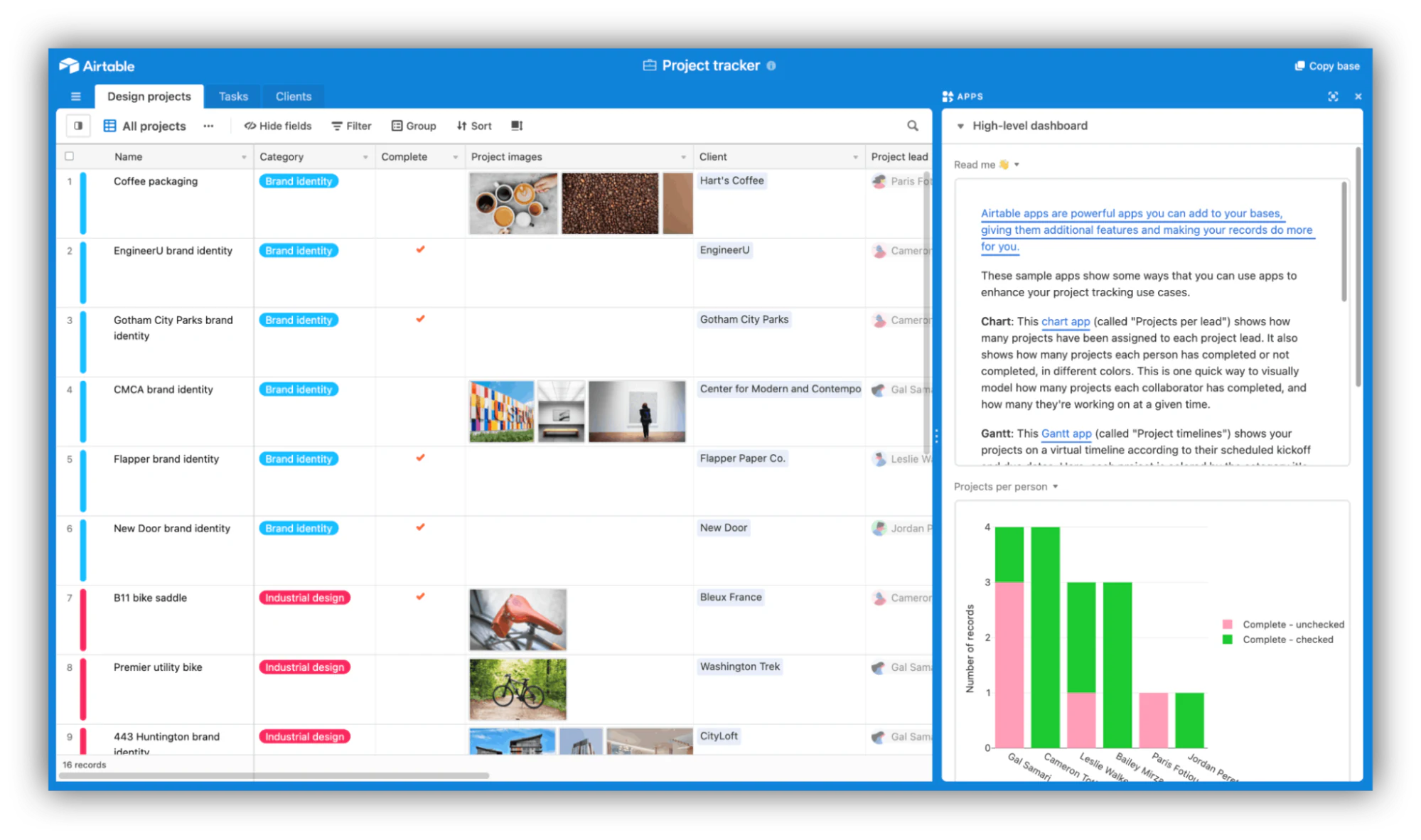
One of Airtable's biggest selling points is how flexible it is. The platform has tons of different use cases, and here are some of the most notable:
- Project management: Projects involve lots of moving parts, and Airtable helps users keep track of them all with due dates, high-priority flags, production timelines, and task owners. Keep all your information in one place where it can be easily referred to and understood at a glance. For a deeper dive, see our guide on Airtable project management.
- Customer relationship management: As businesses grow in scale, it gets harder to organize your growing client list, their information, and everything you need to do to keep them happy. Airtable can do it all, whether you're a freelancer or a large organization. Take things a step further with Softr and build a front-end client portal out of your data in a matter of minutes.
- Event planning: Whether you're organizing a wedding, a conference, or a workshop, events are all about collaborating with lots of different people and getting things done. Airtable can help you stay on top of every detail throughout all the stages of your event planning process.
- Inventory management: If you have an e-commerce or brick-and-mortar shop, you need an accurate record of your current inventory at all times or your bottom line will suffer. Airtable goes a step further than traditional spreadsheets and can streamline your whole inventory tracking process. Combining Airtable with Softr, you'll be able to come up with a custom inventory management solution for your business.
Smartsheet: Pros and cons
Smartsheet has been around since 2005. Its modern spreadsheets are popular because of their simplicity and how easy it is for international teams to work together.
Using Smartsheet is a lot like using Excel or Google Sheets, but taken up a notch. The platform is well-loved by project managers and technical industries like IT, finance, and healthcare.
Pros
- Clean, simple interface that's pretty easy for beginners to navigate
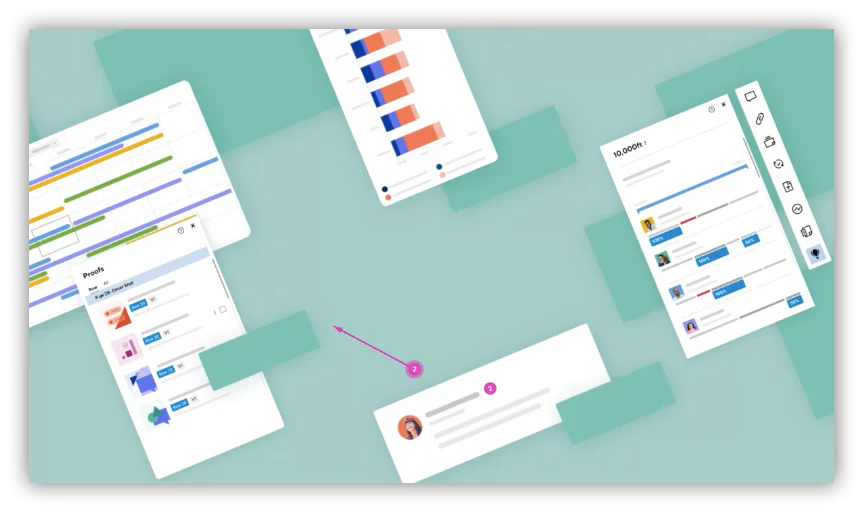
- Designed to help teams work better together with features like Gantt charts, real-time metrics, and dynamic portfolio management
- Easy to automate repetitive tasks and processes
- Reasonably priced
- Lots of ready-made templates to choose from
- Offers assistance in a wide range of languages like Dutch, Polish, Swedish, and Turkish
- Reliable customer care with phone support
Cons
- No free plan
- Less flexible platform when compared with its competitors, but compensates with a specialization in project management
- The design of their interface is fairly traditional and could be made more dynamic
- Mobile app has limited functionality
- Fewer in-house instructions, tutorials, and educational resources for those getting started
Pricing
Smartsheet doesn't have a free plan, but there is a 30-day trial you can use to get acquainted with the platform.
Once you're ready to upgrade to a paid plan, you have three options:
- Pro plan: $9 per member per month
- Business plan: $19 per member per month
- Enterprise plan: By request
Smartsheet's plans vary slightly in price depending on how many users you want to have access to your account.
Best for
- Project management: Smartsheet really excels in the project management space and competes with other big names like Trello and Asana. The platform is simple enough for the whole team to use, but has sufficiently advanced features to tackle everything from project schedules to resource management to budget tracking.
- Financial services: The finance industry is renowned for loving Excel, so it only makes sense that they'd be big fans of Smartsheet as well. Finance teams use Smartsheet for advanced processes like automating compliance and audit processes and tracking strategic initiatives.
- IT & operations: Tech teams enjoy using Smartsheet because it saves them time, is compatible with tons of integrations they already use, works with their existing workflows, and ultimately lets them act quicker and achieve more. If we're talking specifics, IT and ops use Smartsheet for hardware and infrastructure project management, software development, cross-organization portfolio updates, and in-depth reporting.
Should you choose Airtable or Smartsheet?
Overall, Airtable and Smartsheet are pretty neck-and-neck spreadsheet-database tools, and only you can determine which one aligns with your workflows better. But in our experience, Airtable has a slight edge over Smartsheet for three key reasons.
1. Airtable has more features and integrations
Airtable is the newer platform, and it keeps growing in popularity, so new features, integrations, and complementary tools are constantly popping up. There's a whole range of related no-code tools like Softr, Make (formerly Integromat), and MiniExtensions that make Airtable even more powerful.
You don't even need any tech know-how to get started, because Softr's interface builder helps you build a professional front-end for Airtable without any coding experience. Describe what you need and the AI Co-Builder generates a complete app for you, or start from a template or blank canvas if you prefer.
2. Once you get the hang of Airtable, you can do more with it
Even though Airtable can be hard for people to get their heads around at first, it offers far more potential use cases than the competition because the platform was designed to be a database-spreadsheet hybrid. That means it works for more than just data storage, task organization, and team collaboration.
With Airtable, you can transform your data into whatever you want, be it a content calendar, business roadmap, CRM, OKR tracker, product catalog, or accounting tool. And once you connect Airtable to Softr, your use case horizons expand even further: Designity, a creative services company, built three interconnected project management portals on Softr and Airtable that now serve 500+ creatives and clients.
3. Airtable is better suited to businesses of all shapes and sizes
While Smartsheet's platform is more geared towards mid-sized businesses, large organizations, and more technical industries, Airtable is designed with just about everyone in mind. Whether you're a freelancer, a small team, or a massive company, you can personalize Airtable to suit your needs and then some.
Choose the best collaboration tool for your business
All in all, both Airtable and Smartsheet are fantastic spreadsheet-database tools. They're both great platforms for storing and organizing information, helping teams collaborate more effectively, streamlining workflows and internal processes, and saving lots of time, energy, and manual work along the way. If neither feels quite right, our roundup of spreadsheet-style databases covers more options.
Generally speaking, we think Airtable has a slight edge over Smartsheet. It offers a wider range of potential use cases, is well-suited to all kinds of businesses, and has a significant network of integrations and complementary tools that add even more functionality.
Whichever direction you go, the data layer is only half the story. When you're ready to turn that data into a real business app, a client portal, a project tracker, or an internal tool, that's where we come in. With Softr, you can build on Softr Databases natively, or connect Airtable and 20+ other data sources, including a REST API connector that can reach tools like Smartsheet. Native Softr Workflows handle the automation layer, triggered directly by buttons and actions inside your app.
Try Softr free to get started.
Frequently asked questions
Is Airtable better than Smartsheet?
What is the difference between Airtable and Smartsheet?
What are the benefits of using Airtable over Smartsheet?
Does Airtable integrate with Smartsheet?
Can I build a business app on top of Airtable or Smartsheet?


