


Airtable project management: Guide, examples, and alternatives


[.blog-callout]
✨TL;DR
- Learn how to use Airtable's relational structure and views (Kanban, Gantt, Calendar) to track project progress.
- Address native tool limitations like basic permissions and lack of custom dashboards or in-app chat.
- Discover how to turn your project data into a secure portal with roles, workflows, and dashboards using Softr.
[.blog-callout]
Whether you're on a small in-person team or an international remote one, a good project management tool is the best way to track your team's work and streamline how it gets done.But too often, the task of onboarding a new app, training your team, and transferring project data keeps teams from taking the plunge.
That's why it helps to find project management software with a user-friendly interface, a fast ramp-up time, and the option to connect the tools you already use.
Airtable is a flexible, cloud-based platform that helps your team manage projects and tasks without the usual complexity. In this article, we'll walk through how Airtable handles project management, and how a tool like Softr turns your Airtable data into a secure, full-stack project tracker your whole team can actually use.
Examples of Airtable's project management features
Airtable allows you to create and share relational databases to organize and manage projects in various views including Calendar, Gantt, and Kanban. But that's only the beginning of how you can use it to track task progress.
Here are the most popular ways that small and remote teams are using Airtable as a project management solution.
- Centralizing data
- Customizing project views
- Automating recurring tasks
- Using the API and extensions to allow for numerous integrations
Let’s take a deeper look into how these key features support Airtable's project management utility.
1. Centralize your data
Airtable automates relationships between tables so that you have a central hub for all your information. Easily create custom views to gain valuable insights across different project management tasks.
Because of the tool’s relational nature, you can easily link different tables together, and any changes made to either dataset will automatically update in all the right places.
💡 For example: Let’s say you’ve divided your data into projects, and their related tasks. Imagine you have a "Social Media Marketing" project with a task called "Sharing Brand Identity."
If you change the status for that task from “in progress” to “Behind,” you’ll immediately see that change reflected in the overall project.

Airtable can store between 2GB to 1,000GB of data per base or project, depending on your plan, including
- Photos and videos
- PDF files
- Microsoft Excel and Google Sheets files
2. Customize and create different views
Airtable offers custom view options for your team to view information in whatever format suits them best. This gives team members further visibility so that you can streamline workflows and easily track progress.
Common Airtable views include:
- Grid view is the default view in Airtable. It looks just like a classic Google Sheets or Microsoft Excel spreadsheet.
- Calendar view displays records on the calendar to help the team meet due dates consistently.
- Gallery view highlights visual attachments, showing your data as a large card.
- Kanban board is a popular dashboard view style used by Trello and ClickUp. It's ideal for a project team that tracks project status step by step. In Kanban, tasks are shown as stacked cards.
- Gantt Chart view is perfect for complex, multi-step initiatives. Here, tasks are shown across the x-axis, and a timeline showing tasks' duration to completion is displayed along the y-axis.
A Kanban board is often the most intuitive of these for day-to-day work. Dragging a task between status columns is far easier for most team members than reading and editing a status cell in a grid.
3. Automate recurring tasks
Airtable saves you further time and decreases the risk of manual errors by allowing you to automate recurring project management tasks. This key feature lets us create custom workflows and templatize our projects and tasks.
💡 For example: Let's say you need to manually create a new record for your team’s recurring weekly sprints. You can easily set up Airtable to automatically create triggers and actions for you.
All you need to do is set a "Condition" and "Trigger." You might set a "Condition" for when someone marks the sprint project status as "Complete," and a "Trigger" for Airtable to create a new record for you.
4. Do more with a robust API and extensions
Airtable’s robust API allows you to integrate with over 1,000 websites and apps.
There are several ways to take advantage of these integrations, like building an Airtable front-end to share different views with various stakeholders, or connecting to your own product data.
💡 For example: You can integrate your project data with Github, so your team members can access Airtable data directly from Github and vice versa.
This allows for a seamless data flow system between tools and database solutions.
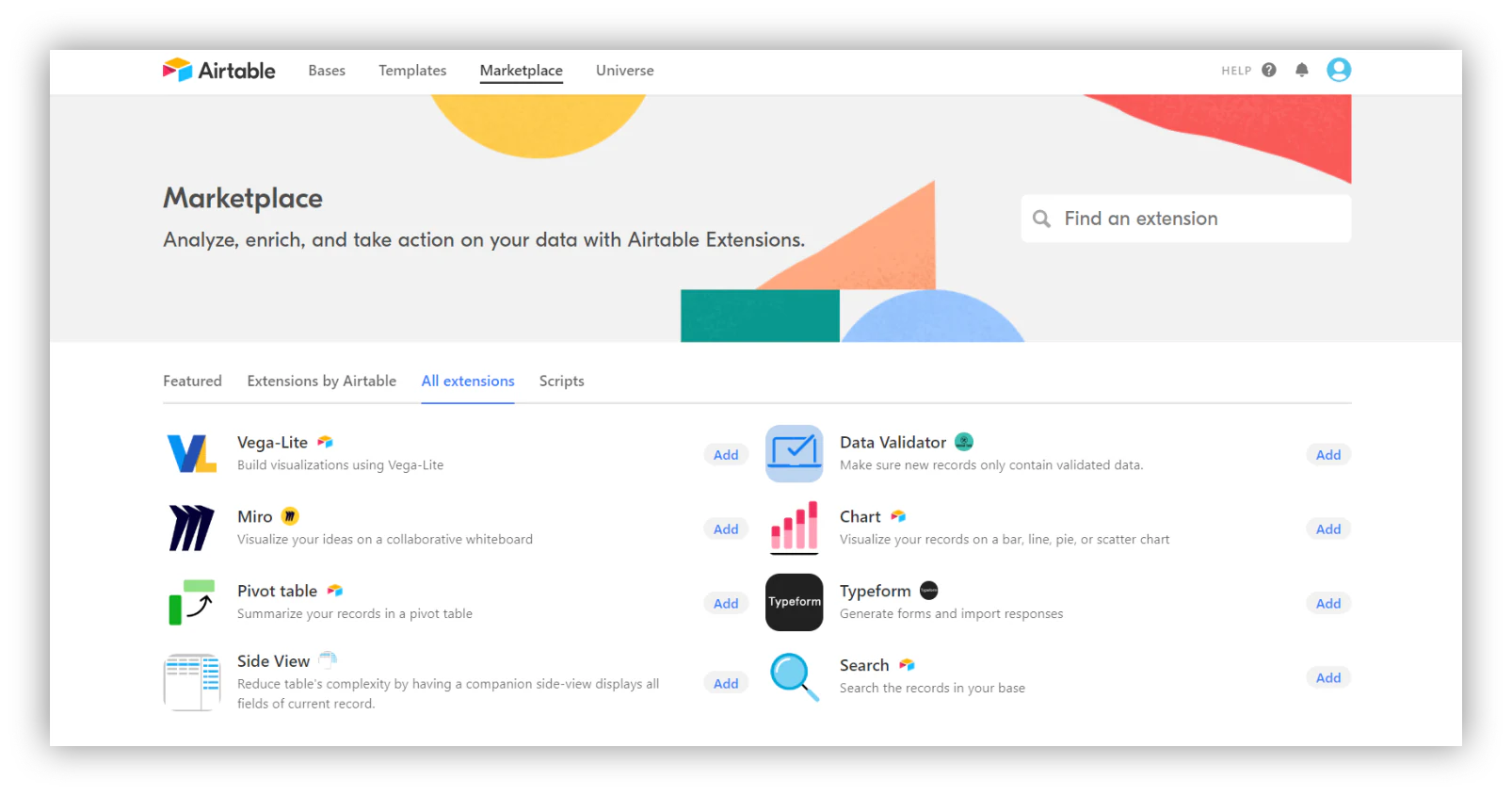
You can also integrate blocks (mini-apps) and extensions (previously called apps.) So, you could add a time-tracking block to boost your productivity, or integrate Loom to help you better communicate asynchronously with your team members and stakeholders.
How to use Airtable for project management
Airtable’s familiar spreadsheet-like interface, paired with powerful database capabilities and a strong API, makes it the perfect solution for basic project management.
Let’s go over some of the basic steps of how to use Airtable as a project management tool.
- Narrow down your specific needs and expectations
- Create your collaborative workspace
- Create a base from scratch or choose a template
- Populate your template or your base with data
- Add your team
Step 1: Narrow down your specific needs
Be clear about your goals and expectations before you get started. This will ensure you take advantage of the variety of templates and collaboration features. It will also give you the chance to check out which integrations can help boost your workflow.
Ask yourself, are you looking to:
- Manage your team's performance?
- Track progress against milestones?
- Reduce errors in standardized workflows?
- Share valuable insights on project success with stakeholders or clients?
💡 For example: If you’re a social media manager, you could need Airtable to help you:
- Create brand hashtags;
- Interview industry experts;
- Create Instagram posts;
- Write Tweets;
- Meet with the marketing team.
All of these different needs can become tasks, subtasks, or full-on projects in later steps.
Step 2: Create your collaborative workspace
When you first log in to your Airtable homepage, you’ll see all the workspaces you’re part of.
Chances are that if you’re a new user, you’ll see “My First Workspace” already created for you.
Workspaces house your bases so you’re more organized.
To create another workspace, just go to Workspaces on the lower left-hand corner of the screen, click on Add a workspace, and give it a name. Now you can go ahead and create a base.

Step 3: Create a base from scratch or choose a template
If you're new to Airtable, we recommend you start by looking at the variety of templates available for free. Airtable offers various templates for project management, so you don’t have to start from scratch. But if you’re an Airtable wiz, or up for a challenge, you can start from zero.
To create a base, head over to your Homepage>Add a base. Here, you can choose to either import your previous data, check out some templates, or start from scratch.
Step 4: Populate your template or base with your data
After finalizing your template, start populating it with your own data. To import data from a CSV file or another spreadsheet, open your base, and click on Import data on the top left-hand corner of your screen.
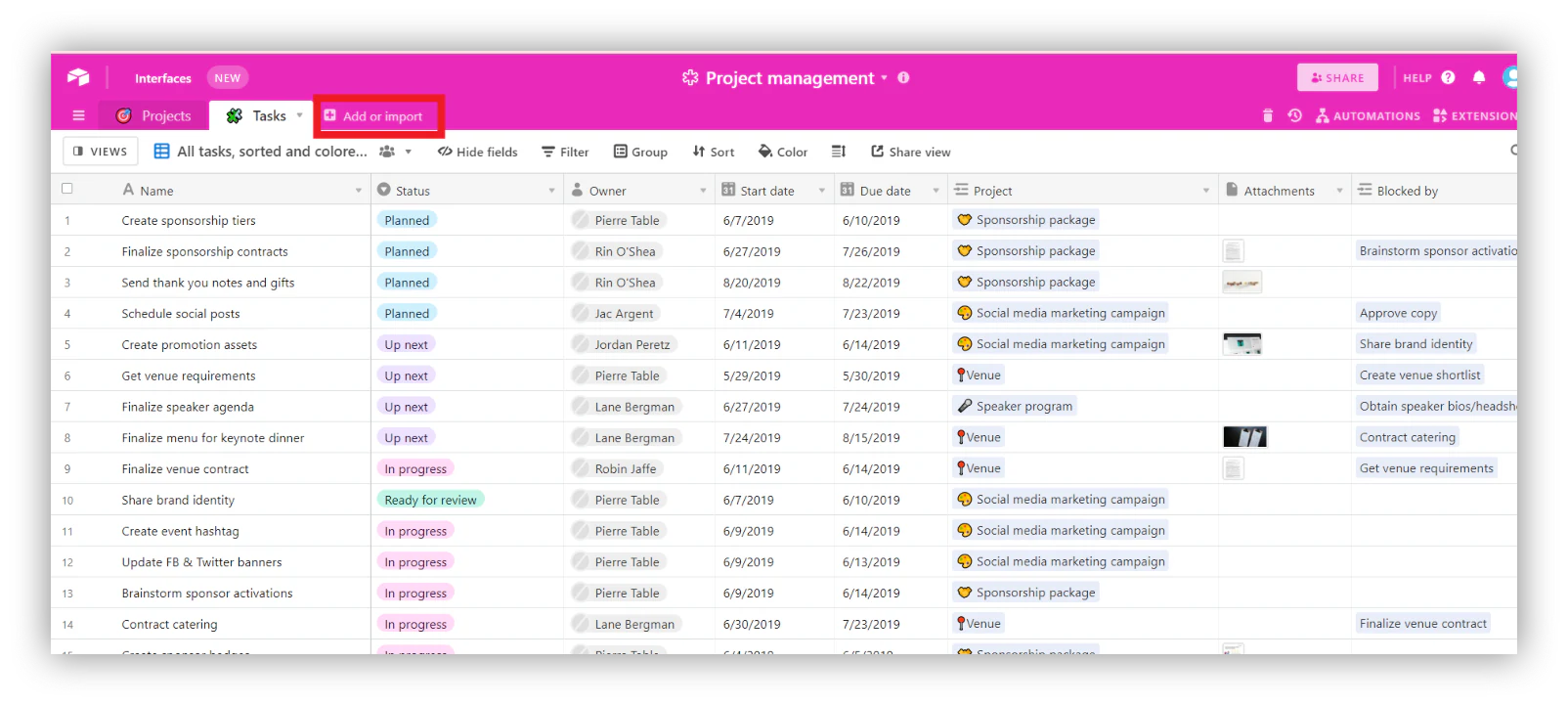
To import your data, open your base, then click Import data.
Step 5: Add your team
Lastly, invite your other team members to begin collaborating on your new project.
On the top right corner of your screen, click share. From here, you can either invite your team members through an email invite or create and share a link to the base.

When you're ready to invite your team members, click Share in the top-right corner of your screen.
Turn your project data into a real project tracker app with Softr
Airtable is a great place to structure project data, but a base on its own isn't a project management app. Your team still has to learn the Airtable grid, everyone tends to see everything, and there's no polished interface for clients or stakeholders.
These are problems Softr can solve. It's a full-stack platform for building business apps without code, so you can put a secure, branded project tracker on top of your data. You can build on Softr Databases for native speed and higher limits, or connect your existing Airtable base along with 21+ other data sources. On top of that data, you get a visual interface builder, granular users and permissions, native Softr Workflows, and AI built into every layer.
The fastest way to build: AI Co-Builder
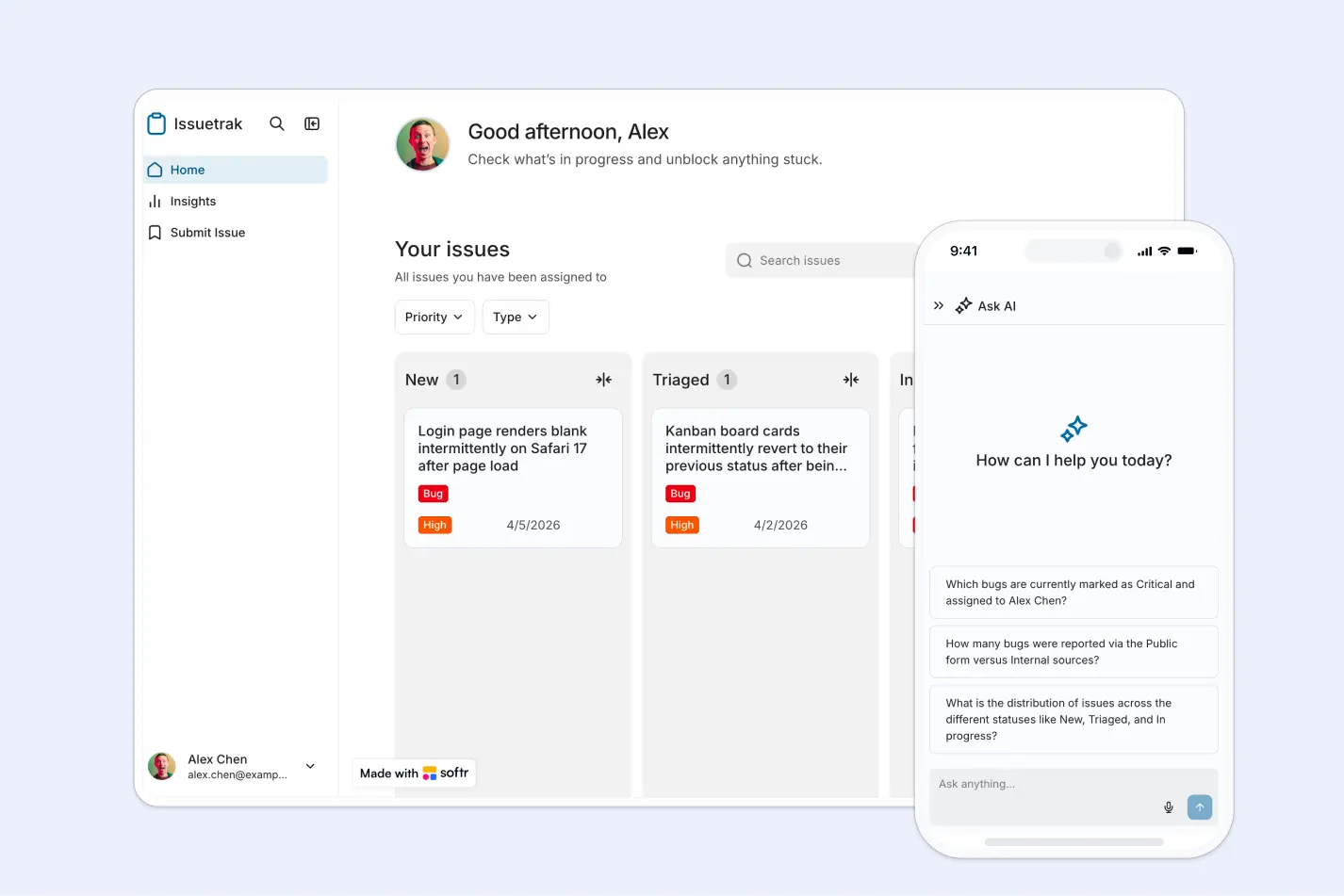
The quickest path is to describe what you need and let Softr's AI Co-Builder build it for you. Tell it something like "a project tracker where managers see all projects and team members only see tasks assigned to them," answer a couple of clarifying questions, and the AI generates a complete app: database tables with relationships, pages, Kanban boards and dashboards, and user groups with the right permissions.
Prefer a head start with a proven structure? You can also begin from our free project management template, or build from scratch with full visual control. Whichever path you pick, everything the AI creates stays fully editable, so you're never locked into prompting.
Start with the right data structure
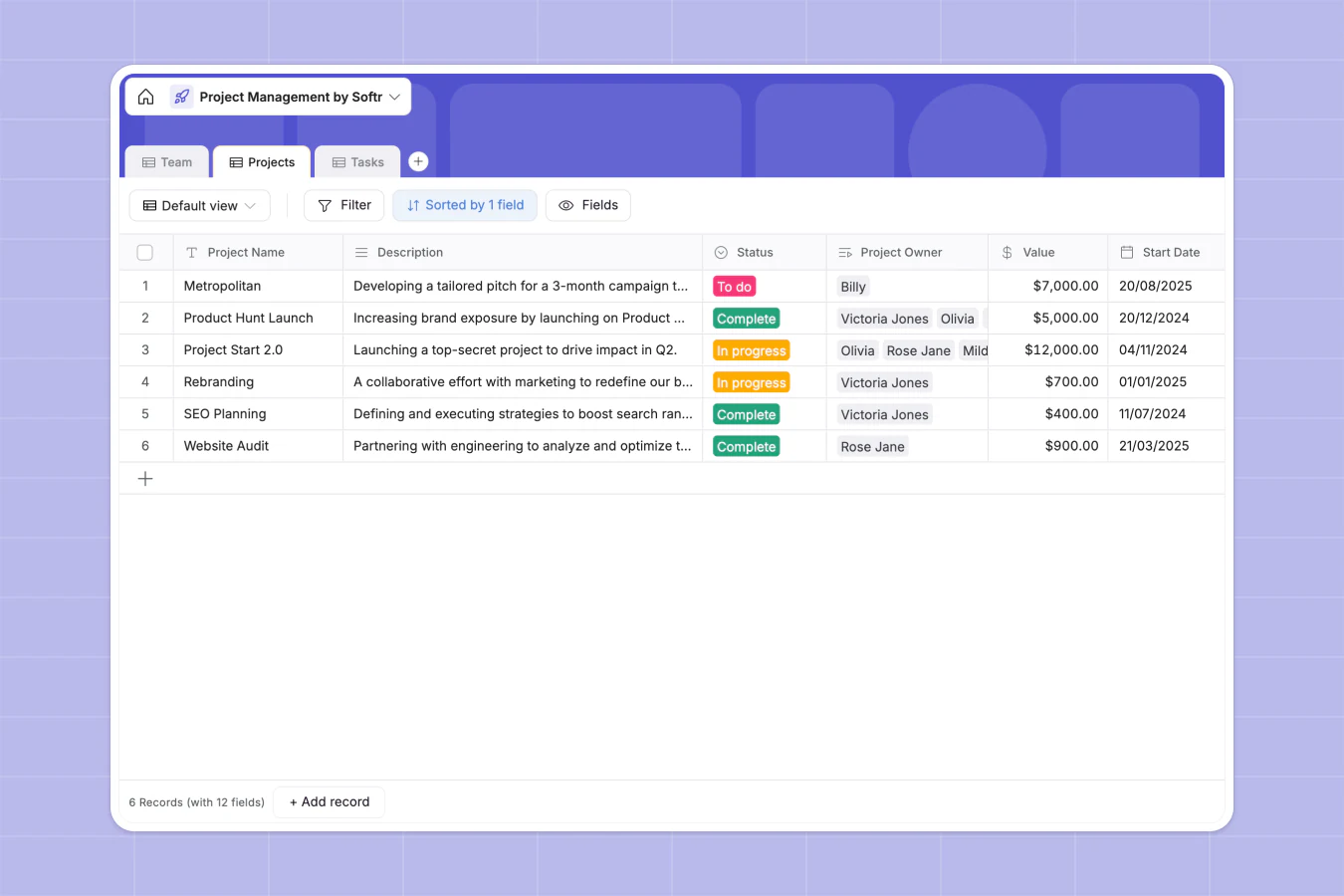
Success in Softr is 80% data structure, so start with your tables before building any pages. A simple project tracker usually needs a Projects table, a Tasks table linked to it, and a Users table for your team. You can build this schema visually in the database editor, or describe your data structure to the Database AI Co-Builder and it generates the tables, fields, and relationships for you.
If your project data already lives in Airtable, you can import the whole base into Softr Databases for faster performance, or keep it in Airtable and build the interface on top.
Give every role its own secure view
Airtable's permissions are basic, but Softr lets you decide exactly who sees what. Using user groups and global data restrictions, a manager can see every project while a team member only sees their own tasks and a client only sees their own deliverables. These rules act as a global firewall, so data stays isolated even if you forget a filter on a single block.
Add dashboards, automations, and AI
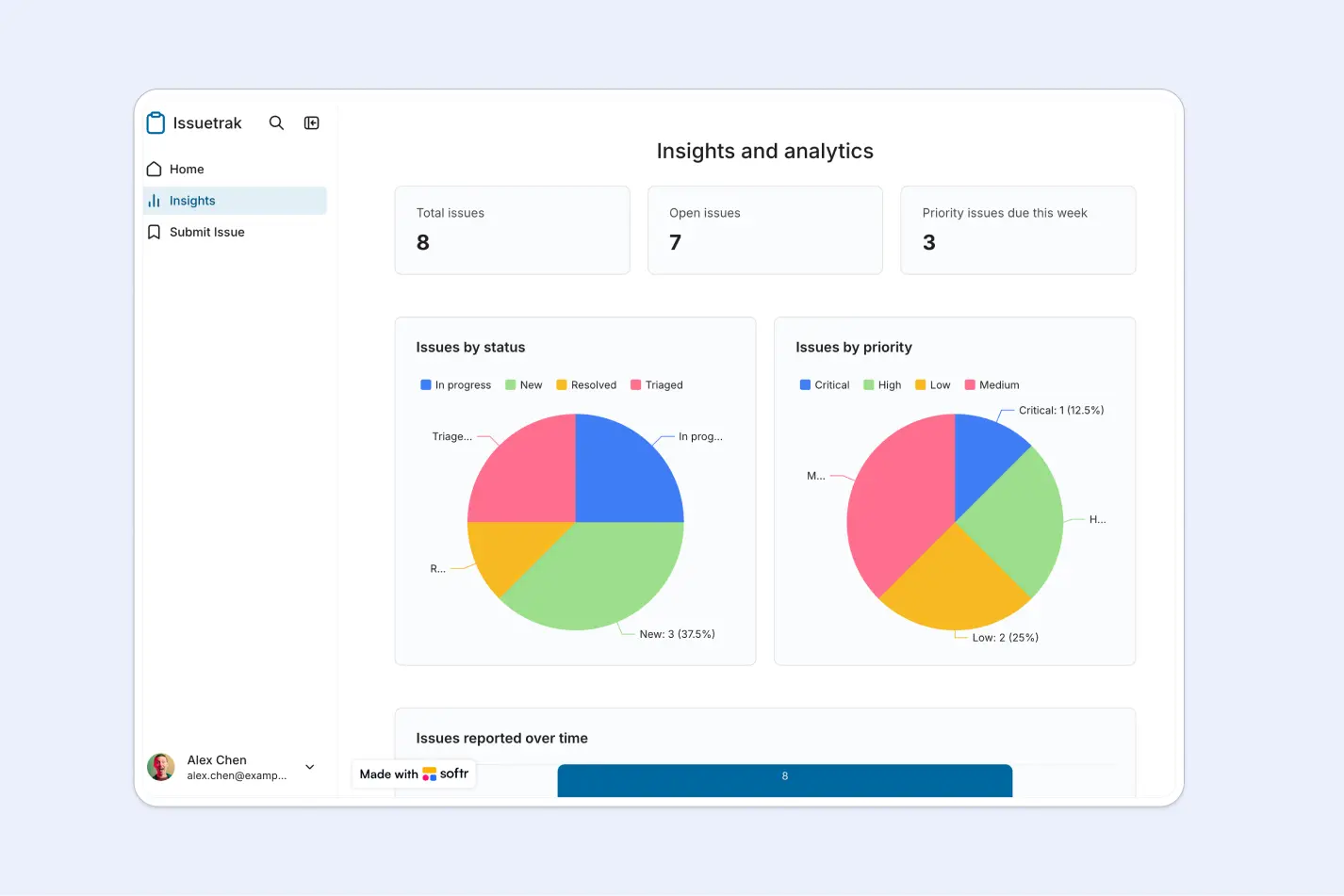
Once your pages are in place, add a dashboard with KPI cards and charts so managers can see open tasks, overdue work, and progress at a glance. You can build these blocks manually or ask the AI Co-Builder to add them for you.
For automation, Softr Workflows is the native engine. Because workflows are triggered directly by UI actions and database changes, you can do things like notify a team member in Slack the moment a task is assigned, or run an AI step to summarize a project's activity. You configure these visually, or describe the automation to the Workflow AI Co-Builder and it builds the logic for you.
For anything that doesn't exist as a standard block, like a custom timeline or a specialized calculator, the Vibe Coding block generates a custom component from a plain-language prompt. It inherits your app's theme, connects securely to your data, and respects your permissions, so you get custom UI without the risk of breaking the rest of your app.
Take project management to the next level
Airtable is a great place to structure project data, but on its own it stays a base, not the secure, easy-to-use app your team and clients deserve.
The fastest way to close that gap is to describe your project tracker to Softr's AI Co-Builder and let it build the pages, Kanban boards, dashboards, and permissions for you. If you'd rather start from a proven structure, grab our free project management template and make it your own.
Frequently asked questions
Is Airtable good for project management?
How do I turn Airtable into a project management app?
Can I control who sees which projects and tasks?
What is the difference between Airtable and Asana for project management?
Do I need to code to build a project tracker on Airtable and Softr?


