The 6 best MCP-enabled app builders (tested)


Lately, every other app I open greets me with a pop-up asking if I want to connect it to ChatGPT or Claude. Have you been getting that nudge too?
The technology behind that connection is called the Model Context Protocol, or MCP. And a growing number of app builders now support it.
Below I’ll explain the basics of MCP, in case you’re new to the concept. Then I’ll share six of the best app builders I’ve tried that come with strong MCP capabilities. By the end, you’ll be poised to pick an MCP-enabled app builder that’s just right for you and your team.
The 6 best MCP-enabled app builders at a glance
Note: The prices in this article reflect yearly billing. For monthly rates, visit each app builder’s pricing page.
What is Model Context Protocol (MCP)?
The Model Context Protocol is a standard, a set of rules for developers to use. Anthropic released it to the public in 2024, so developers could build what are called “MCP servers” for apps. Connected to an AI assistant like ChatGPT or Claude, an MCP server lets you act inside your other apps right from an AI conversation.
Let’s say I connect the Softr MCP server to ChatGPT. I can start a new conversation in ChatGPT and submit a prompt like Create a new app in my workspace. ChatGPT will read my request, search for the corresponding “tool,” and if it exists, it’ll create an app in Softr—without me having to navigate away from ChatGPT to Softr.
Term check: In this article, I refer to “tools” and “tool calls.” A tool is a specific action an MCP server lets your AI perform, like creating an app. A tool call is the request the AI model sends to the app builder. It’s the instruction to execute that tool.
If you want to learn more about why MCP is so useful, Miguel breaks it all down in his guide to MCP.
How I evaluated these MCP-enabled app builders
Just because an app builder has an MCP server doesn’t mean your AI assistant can do anything you please in that app. The developers behind each server decide which tools to “expose,” or make available to your AI. If there’s no tool for an action, your AI can’t carry it out.
I kept that in mind as I put this list together, and I looked at:
- How many tools each MCP server offers
- What each tool can actually do (a higher tool count doesn’t always mean a more powerful server)
- Which types of teams benefit most from the tools on offer
- Whether MCP access comes with every plan
- How tool calls are billed
I also evaluated the app builders themselves. The six I picked represent a mix of trusted options, from no-code platforms to builders that call for more technical know-how.
Note: Most “pros” in this article describe something you can do through that builder’s MCP server, unless it’s labeled Platform feature. In that case, I’m highlighting a standout capability of the builder itself.
Softr — Best for building apps with built-in workflows, data, and user permissions
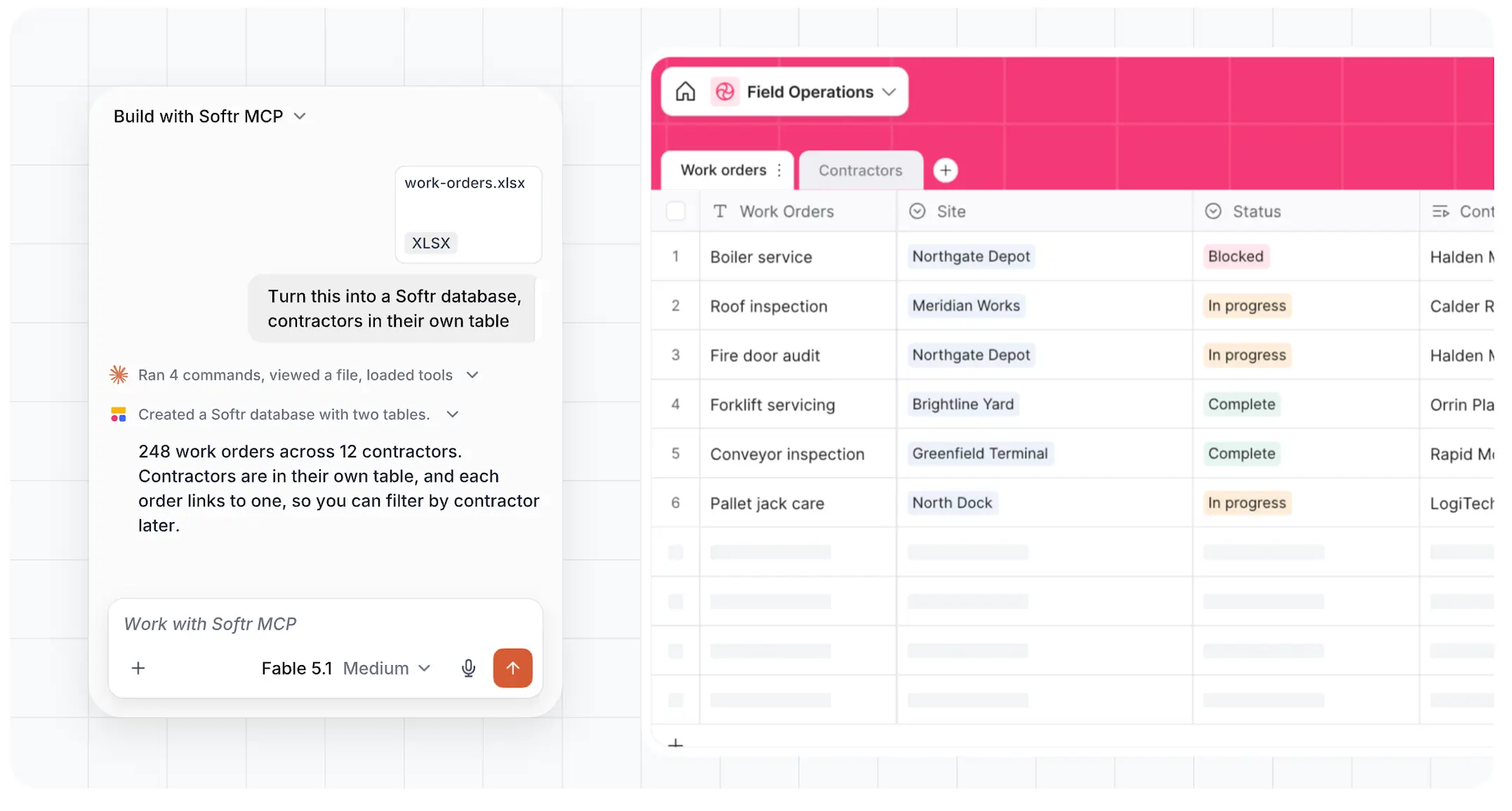
Softr makes it easy to create real business software. Even if you’re non-technical, you can build an app and share it with your team or clients the same day. You describe what you need to the AI App Builder, and it creates the database, interface, and business logic together. You can adjust details in a visual builder without disrupting whatever’s working in your app. And if you’re rethinking your data layer after the Airtable acquisition, Softr also comes with Softr Databases, a fully relational database priced for growing teams.
The Softr MCP server’s capabilities rule. It exposes over 100 tools, the second most on this list. Yes, you’re reading the Softr blog, so of course it made the cut. But what I appreciate most about Softr MCP is how much of the operational layer around an app it lets you build through AI. You can set up an app and decide who can log in, structure the database, vibe code custom components, and automate workflows, all from your AI chat window.
Once your app is live, your users can interact with it too, from their own AI assistant, using Softr’s App MCP. Every permission you set up will carry over automatically.
Softr MCP pros and cons
Pros:
- Create and set up apps. Build apps in your favorite AI client. (That includes Claude, ChatGPT, Cursor, or any of the hundreds that support MCP servers.) Then add pages to your app, review what’s on each page, and manage who can log in with simple requests. Explore all 28 app-building tools.
- Create databases, then work with records, tables, and fields. A full-stack app needs well-structured data behind it, and you can connect Softr Databases natively to your apps. In legal ops? Ask AI to create a database with tables for matters, deadlines, and assigned staff, then add fields for status, matter type, due date, and notes. In recruiting? Have it update your candidate records as people move through interview stages. Explore all 25 database tools.
- Vibe code custom UI blocks. If your app needs something Softr doesn’t offer out of the box, the Vibe Coding block lets you create a component from a prompt without affecting the parts of your app you like. Through MCP, your AI can generate these blocks, connect them to your data sources, limit who sees them by user group, and roll back to earlier versions. Explore all 17 vibe coding tools.
- Set up workflows. Softr apps come with built-in workflows, and you can create and publish them from your AI. You can even test the steps by running sample outputs. Explore all 27 workflow tools.
- Let users access your app in their favorite AI client. Everything I described above is for builders. Once your app is published, the people who use it can connect to it through the App MCP Server and check tasks, update statuses, or add records from their AI. And they can only see and change what their permissions allow them to.
- Switch to building in Softr anytime. Platform feature. You can work in AI, but you’re never stuck there. Everything your AI builds lands in Softr’s platform — Softr Studio — where you or a teammate can refine your data, permissions, and workflows in-app.
- Build in AI without paying twice. The Softr MCP server is available on every plan including Free, and tool calls don’t use Softr AI credits.
Cons:
- Your development control is limited. Softr is a managed platform. That means you can’t access or export your app’s underlying code. That’s a relief if you’re non-technical, but less ideal if you’re a developer who wants to edit files directly.
Softr pricing
On the Basic, Pro, and Business plans, you can buy additional AI credits at higher monthly rates.
- Free: Build unlimited apps, databases, workflows, agents, and forms. Comes with Softr MCP and the App MCP Server.
- Basic: $19/month. Increases database records to 50K and workflow actions to 2.5K/month.
- Pro: $99/month. Adds granular permissions and visibility controls. Increases database records to 500K and workflow actions to 10K/month.
- Business: $329/month. Adds two-factor authentication. Increases database records to 1M and workflow actions to 25K/month.
- Enterprise: Custom pricing. Includes advanced security and dedicated support.
Want to compare Softr against other app builders on more than just MCP-related features? Read Ryan’s comparison post, featuring 10 apps he personally tested.
Lovable — Best for building multiple apps that share AI instructions and design systems
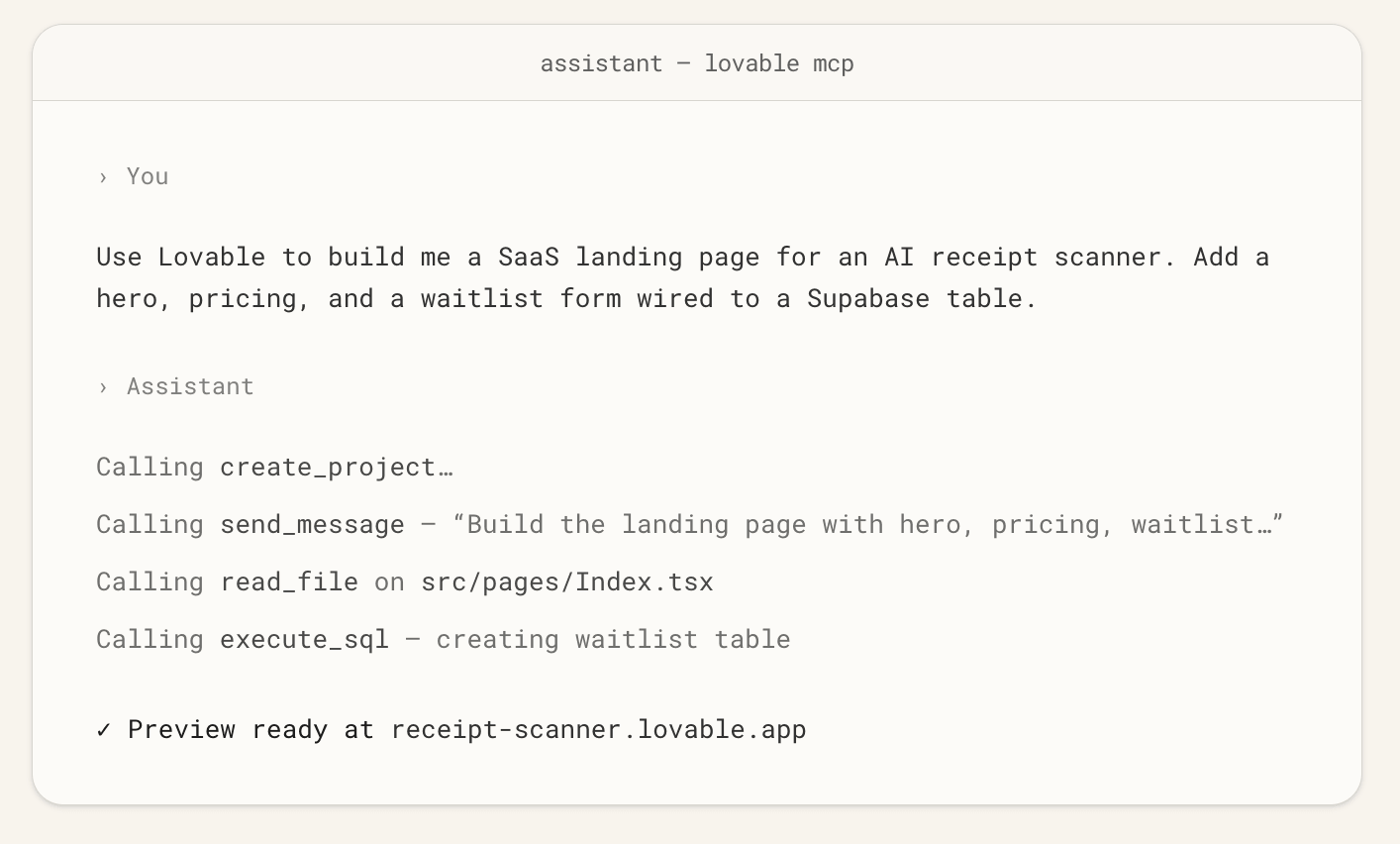
Lovable is good at turning an idea into a polished prototype quickly. It generates a full codebase that you own, and it designs screens from scratch, so your apps don’t look like they came from a template. That makes it a strong fit for startup founders and product teams who want to put a pretty first version in front of their users, then hand the code to devs for further development.
Lovable’s MCP server comes in handy when you’re working on multiple projects at a time. Lovable can store instructions that apply to one project or an entire workspace, create reusable AI skills, discover shared design systems, show exactly what changed between edits, and sort projects into folders. So if you’re repeatedly building apps that follow the same brand guidelines, coding conventions, or internal processes, you won’t need to explain those rules to your AI every time you start working.
Lovable MCP pros and cons
Pros:
- Start, copy, and publish projects. Ask AI to start a new project from a prompt, a template, or a design system (the shared visual language behind your products, like typography, colors, and components). It can also copy an existing project as a starting point, and publish it to a live URL.
- Reuse AI instructions and skills. Save workspace and project knowledge for Lovable to keep in mind every time it builds. Workspace admins can also create skills, which are repeatable processes your AI follows the same way across every project.
- Discover design systems. The Lovable MCP can list all the systems in your workspace, so your AI builds with an established system instead of drifting in style with each iteration.
- Inspect code changes. Your AI can read project files, review an edit history, and show a before-and-after view of exactly what changed, helpful when you want to check on an AI edit before building on it.
- Organize projects. Move projects into folders and set each folder to personal or workspace visibility. That keeps things tidy when your team is testing several product ideas at once.
- Turn a published app into an MCP server. Users can also interact with your app from their AI assistants.
Cons:
- Complex apps still get technical. Even though AI makes it easier to build the first version of your app, creating production-ready logins, permissions, and security usually requires a developer’s help.
- Building through MCP uses Lovable credits. If you iterate heavily in your AI tool, keep an eye on your credit balance.
Lovable pricing
On the Pro and Business plans, you can buy additional credits at higher monthly rates.
- Free: 5 daily credits (up to 30/month). Unlimited collaborators. Workspace-private projects.
- Pro: $21/month. Adds 100 monthly credits that roll over, custom domains, and user roles and permissions.
- Business: $42/month. Adds role-based access, SSO, and a team workspace.
- Enterprise: Custom pricing.
Replit — Best for building apps you want to create and publish quickly
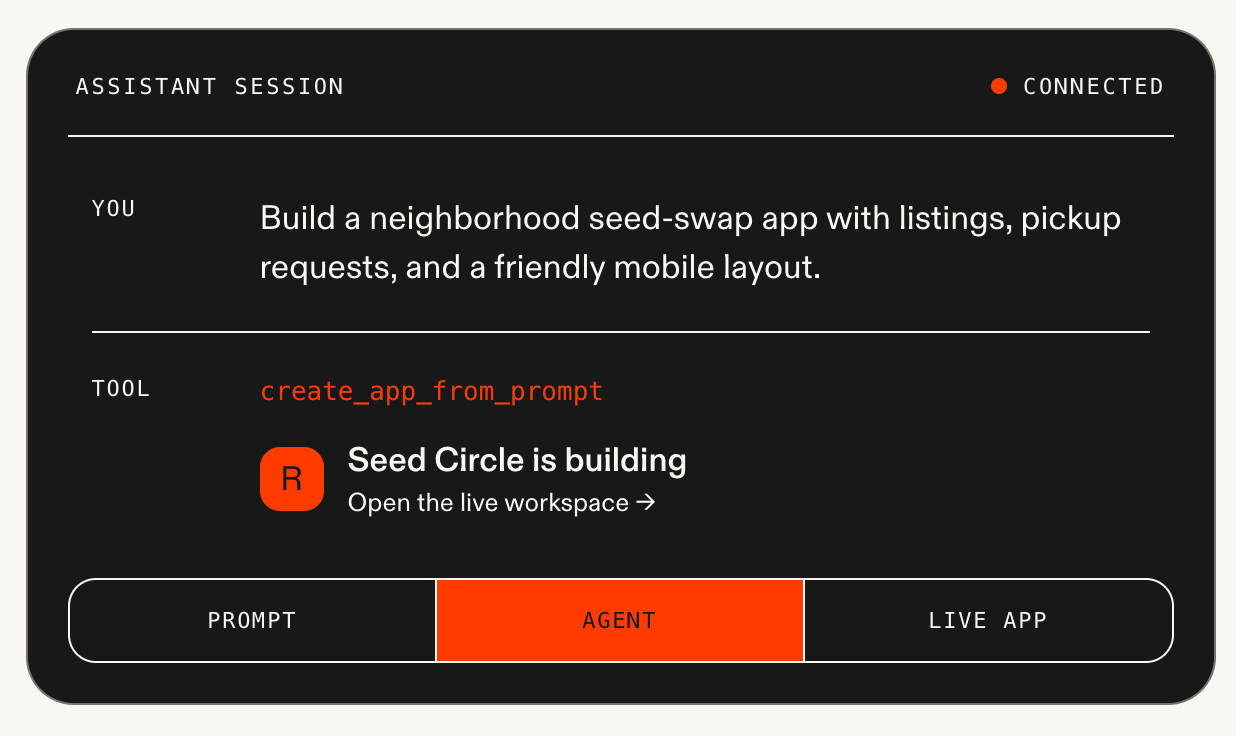
Replit’s MCP server is built for speed. With just eight tools — the smallest number on this list — your AI can start an app, find existing ones, ask Replit Agent questions, request changes, and publish. That makes it easy to go from an idea to an initial live app without leaving your AI assistant or having to read up on MCP capabilities.
Once your first version is built, you can open it in Replit and keep going by hand. Every app comes with a full workspace of code files, and you can even run several agents on the same project at once. That makes it a great fit for SaaS products, marketplaces, and other projects a developer will eventually customize.
Replit MCP pros and cons
Pros:
- The MCP server is simple. With only eight tools, there’s very little to configure or permission. Instead of learning which tool does what, you can just start describing what you want and let Replit Agent work out the details.
- Find the right app quickly. Your AI can search your apps by title, URL, or the date you last worked on them, or look up one by its exact name, great for developers juggling several side projects.
- Ask questions without changing anything. Your AI can ask Replit Agent how an app works before requesting edits. It’s a low-risk way to get your bearings in a project you haven’t touched in a while.
- Publish and track it from your AI tool. Ask your AI to publish an app, then check its status and get the public URL without ever opening Replit.
Cons:
- The MCP server gives you less granular control. There are no direct tool calls for adjusting individual database fields, permissions, workflow steps, design tokens, or deployment settings. Replit Agent can make many of those changes when you request them, but you’re relying on it to interpret your request accurately.
- Building through MCP still uses Replit credits. When your AI requests a change, Replit Agent does the work and bills your Replit account on top of the AI subscription you already pay for. And if an agent loops through MCP requests — this can happen if your AI goes back and forth with Replit Agent on a tricky fix — it can burn through your credits much faster than you’d planned.
- MCP access requires a paid plan. You’ll need at least the Core plan to connect Replit to AI.
Replit pricing
On the Pro plan, you can buy additional credits at higher monthly rates.
- Starter: Free. Limited daily Agent access and public apps. Doesn’t include Replit MCP.
- Core: $18/month. Adds monthly usage credits, private apps, and access to Replit MCP.
- Pro: $90/month. Adds more usage credits, collaboration features, and priority support.
- Enterprise: Custom pricing.
Base44 — Best for building apps where you want AI to work directly with the code
Base44 is another strong option for generating first drafts of apps fast. It was also the first app builder to release its own AI model, Base 1, which was trained on real users’ building sessions. That continuous feedback loop helps it get better at building the kinds of apps people actually need.
The Base44 MCP stands out because it lets your AI work directly with your app’s code in a sandbox, the isolated workspace where those files live. Your AI can find and open the right file, change it, run a command in the dev environment, and save a checkpoint before attempting a risky edit.
Base44 MCP pros and cons
Pros:
- Base 1 keeps builds fast and affordable. Platform feature. Because Base 1 has learned from millions of real building sessions, it generates quickly and uses fewer credits than a general-purpose model.
- Directly edit app files. Lovable’s MCP lets your AI read project files, and Replit’s MCP lets it ask Replit Agent about an app. But in both cases, code changes go through the platform’s own agent. With Base44, your AI makes precise edits itself, so a small fix doesn’t turn into a full rebuild.
- Save restore-point checkpoints. Before a risky change, your AI saves a snapshot of your app’s current state, so you have a save point to return to if you’re not happy with your changes.
- Turn your app into its own MCP server. Users of your Base44 app can connect their AI assistant to it through MCP and interact with it.
Cons:
- Base44 MCP is only available on higher tiers. You need a Builder plan at minimum, which starts at $40/month.
- Each connection is tied to one workspace. Every action your AI takes runs in the workspace you selected when you connected. To work in a different workspace, you’ll need to disconnect and connect again.
Base44 pricing
- Free: 25 message credits and 100 integration credits per month. Database and authentication included. Doesn’t include Base44 MCP.
- Starter: $16/month. Build unlimited apps. Increases credits to 100 message credits and 2K integration credits. Doesn’t include Base44 MCP.
- Builder: $40/month. Unlocks Base44 MCP. Increases credits to 250 message credits and 10K integration credits. Adds custom domains and GitHub export.
- Pro: $80/month. Doubles the Builder plan’s credits.
- Elite: $160/month. Increases credits to 1,200 message credits and 50K integration credits. Adds premium support.
- Enterprise: Custom pricing.
ToolJet — Best for building database-heavy apps that need extra validation
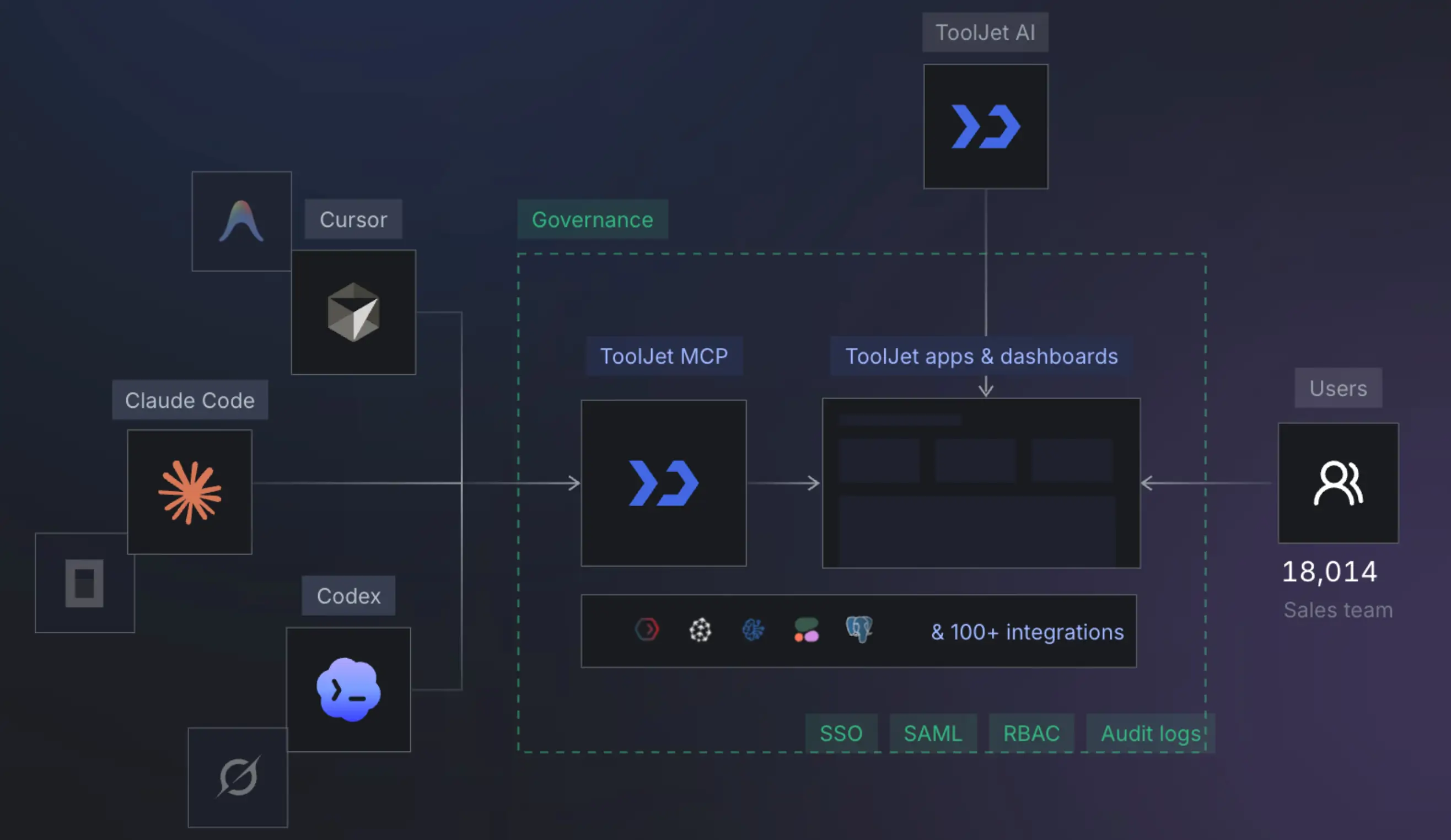
ToolJet is a low-code platform that engineering and IT teams use to create internal tools. Many companies run ToolJet on their own servers, and it can even run in air-gapped environments with no internet connection. That makes it popular in highly regulated industries, where security teams need full control over their infrastructure.
Its built-in ToolJet Database runs on PostgreSQL, a widely used database for handling large amounts of structured data. And that data-heavy focus carries straight into ToolJet MCP. When an app runs on so much data, a single bad change can cause major problems. That’s why many of its 50 tools help your AI double-check its work, like, say, testing database connections or doing a practice run of changes before they go live.
ToolJet MCP pros and cons
Pros:
- Inspect your data before building around it. Your AI reviews a data source’s schemas and tables first, so the app it creates matches how your data is actually set up.
- Test data connections. Confirm that a database or API connection works before you build anything that depends on it. That saves you from debugging a broken app later.
- Draft safe queries for exploring a SQL database. Your AI can write read-only SQL, the language used to ask a database for information, without creating or running the queries. That way, you can review each query before anything touches your live records.
- Turn a database table into a form. Point your AI at a ToolJet Database table, and it can create a ready-to-place form with the right fields already mapped.
- Validate changes before and after applying them. Your AI can dry-run a planned set of changes to catch problems, then check the saved app afterward for an extra layer of review.
Cons:
- It’s specialized for internal, data-driven apps. If you need something like a branded, client-facing portal, ToolJet isn’t built with that experience in mind.
- You may need to learn database terminology. This MCP server surfaces concepts like data sources, queries, schemas, and SQL more directly than business app–oriented tools do.
ToolJet pricing
- Free: A limited number of apps and users. ToolJet Database. Core integrations.
- Basic: $23/month per builder. Adds more apps and users, plus custom branding.
- Pro: $79/month per builder. Adds more builders, granular permissions, and multiple environments for testing.
- Team: $199/month per builder. Adds higher user limits, audit logs, and priority support.
- Enterprise: Custom pricing.
Webflow — Best for building complex web apps with advanced content and site management
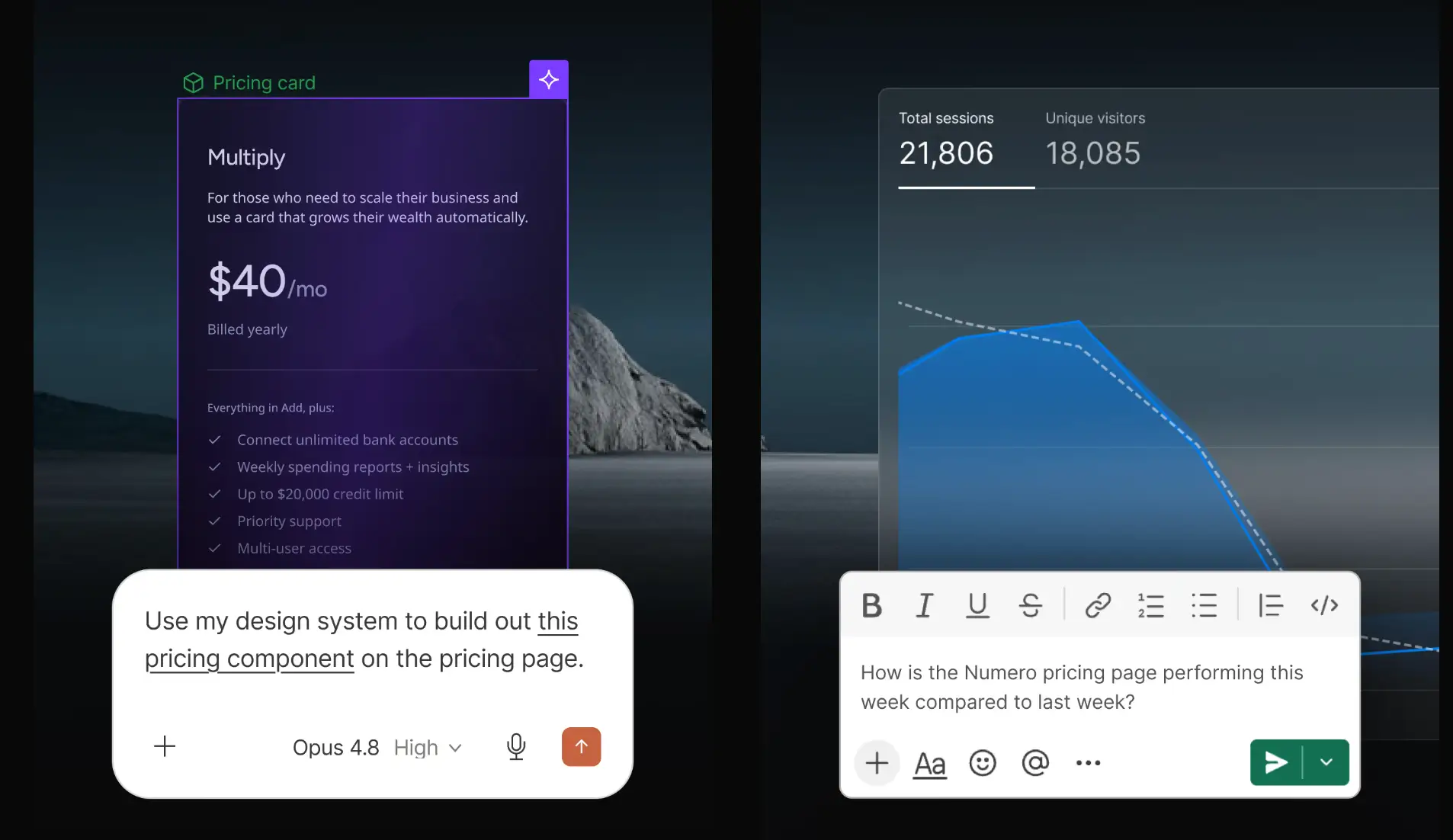
Webflow MCP has the most tools on this list, a whopping 247. The count is so high because it breaks site management into granular actions across the CMS and assets, plus areas like SEO, localization, styles, and design variables.
That depth is the reason you might want to choose it. Webflow is a favorite of marketing teams, designers, and agencies that manage sophisticated public websites. With Webflow MCP, you can keep improving your site through AI long after it launches, by taking actions like optimizing images or updating technical SEO.
Webflow MCP pros and cons
Pros:
- Design systems and reusable components. Your AI can create and update your site’s variables, styles, and components, so new pages match your brand.
- Manage content and localization. Create, update, and publish CMS items, then update existing localized content for different regions.
- Manage technical SEO and site settings. Update meta titles, Open Graph details, schema markup, and sitemap settings for up to 100 pages at once. It’s a quick way to clean up SEO across a big site.
- Apply custom code and integrations. Add scripts to a site or individual pages, and create webhooks that notify your other tools when something changes.
Cons:
- The sheer number of tools adds complexity. With so many options, expect some trial and error to learn which requests work best.
- Some tools only work under certain conditions. For some design tasks, you need Webflow’s editor open in your browser with a small companion app running. Traffic reports require Webflow’s paid analytics add-on. And several others only work on an Enterprise plan.
- It’s built for websites first. Webflow Cloud does host custom apps, but those come from code in a GitHub repository. If you need logins, user permissions, and workflows for clients or teammates, a developer will have to build them.
Webflow pricing
- Starter: Free. Build on a webflow.io domain with limited pages and CMS items.
- Basic: $15/month. Adds a custom domain.
- Premium: $25/month. Adds CMS capabilities for blogs and content-driven sites.
- Team: $2,500/month. Built for larger teams collaborating across multiple sites.
- Enterprise: Custom pricing.
Act in Softr through your favorite AI assistant
Connecting Softr to your AI takes just a couple of minutes, whether you’re building an app or using it. These step-by-step docs walk you through the whole process. If you’re using Claude or ChatGPT, you can even skip the setup and add Softr straight from their connector directories.
Security is built in, with OAuth or personal access tokens, too. And once your app is live, each user who connects only sees what their permissions allow.
Ready to expand what you can do through AI? Try Softr for free and connect it to your AI of choice today.
Frequently asked questions
What is Model Context Protocol (MCP)?
What are the best MCP-enabled app builders?
Do I need technical skills to use an MCP server?