


How to build a customized Airtable front-end [+ examples]


[.blog-callout]
TL;DR
- Why build a frontend? Airtable is an exceptional database, but its native interface options lack custom branding, granular permissions, and cost-effective pricing for scaling to external clients.
- The solution: Connect Airtable to Softr to build secure, branded portals and internal tools without writing code, or describe your app to the AI Co-Builder and it assembles the whole thing for you.
- Key benefits: Granular user permissions enforced on the backend, fully customizable layouts, and the ability to scale to hundreds of users without paying for extra Airtable collaborator seats. [.blog-callout]
An Airtable database can be an incredibly useful tool for operators, project managers, and client management teams. Rather than relying on messy spreadsheet data, the cloud-based relational database makes it easier than ever to pull data and manage projects reliably from every device.
As functional as it is, most users agree that Airtable's native interface options fall short once you need to hand that data to clients, partners, or a large internal team. The most reliable way to build a custom frontend that pairs your Airtable base with a real user interface, granular permissions, and an admin panel is to connect it to Softr.
Describe the app you need and Softr's AI Co-Builder can assemble the database structure, pages, and user groups for you, or start from a template and customize it with pre-built components and frontend tools. Either way, you get a secure, managed user experience in minutes, not months.
"I love how seamlessly Softr connects with Airtable, as we are heavily reliant on it. It works perfectly, like magic. The personalization options are fantastic. When there is something I need, I can usually accomplish it, and if not, I can easily add a bit of code. Softr centralizes client communication, eliminating back and forth through multiple tools. It provides clients with a branded, personal space." - Mohamed B., Director of Operations
What is Softr?
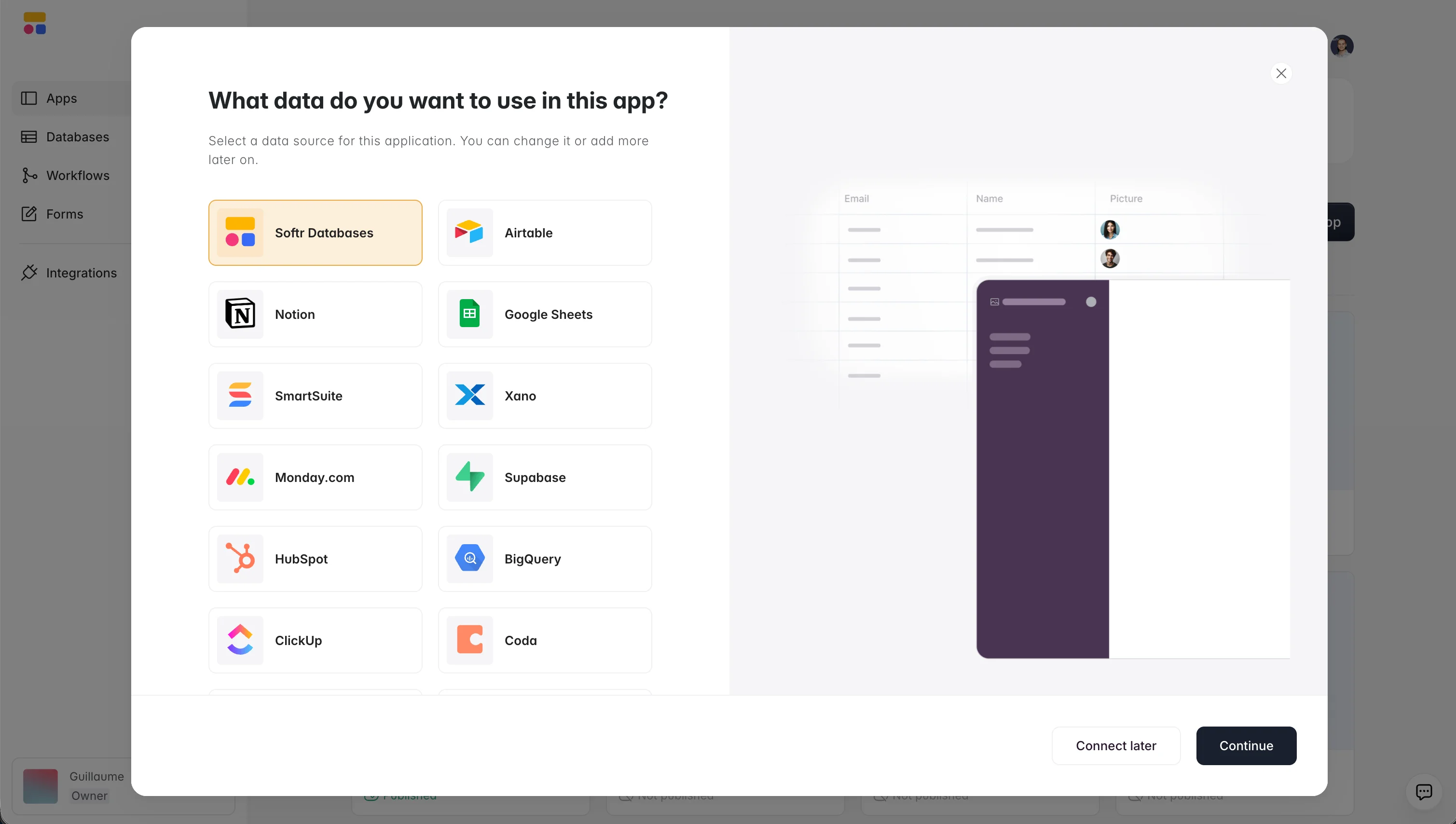
Softr is an AI app builder for creating real business software without code. Describe what you need, and the AI Co-Builder instantly creates the database, app, and business logic already connected and ready for real users. It combines three things in one platform: a native Softr Databases engine, an interface builder, and Softr Workflows for automation. You can build on Softr's own database, or connect data sources like Airtable, Google Sheets, and 17+ others, then instantly assemble client portals, internal tools, and dashboards on top.
{{cta-1}}
What you'll learn
In this guide, we will cover the core steps of building a frontend for Airtable, including:
- Setting up your database tables and fields.
- Configuring granular user permissions and visibility settings.
- Adding pre-built frontend blocks (tables, calendars, and details pages).
- Sharing the final app with clients or team members securely.
Who is this app for?
Building an Airtable frontend is ideal for:
- Operations Managers who want to coordinate workflows without exposing raw database tables.
- Sales and Client-Facing Teams who need to share data, files, and project updates with clients via a professional, branded interface.
- Department Heads who want to eliminate the seat-based pricing costs of adding hundreds of users directly to Airtable.
Why building an Airtable front end is important
The first, obvious reason why anyone would look at implementing an Airtable UI (custom front-end) is simple: the limitations of Airtable as a platform.
While you can do a lot within an Airtable base, some things are inherently limited and call for a front-end solution to be added.
Some of these limitations include:
1. Visualization
As a spreadsheet-database hybrid, Airtable's native views are inherently limited in how much you can customize the look and feel of a form or record view.
Spreadsheets are great for managing data, but they make a poor substitute for a customer portal or any end-user facing hub. Many teams already use Airtable as the database behind a website or app. Pairing it with a dedicated frontend is what makes that data usable by people outside the base.
2. Security
Keeping all your backend or sensitive business data in one place is useful, but you need a reliable admin panel to control what collaborators can see or edit.
This matters even more once you share external access. A gated frontend, where permissions are enforced on the backend and not just hidden in the UI, is the safest way to control who can reach what.
3. Permission-based access
Following on from security, you'll often want to show certain views to certain users and limit access based on different Airtable permissions. Building that kind of granular, role-based access directly in Airtable takes a lot of manual workspace duplication and upkeep.
4. Simplify complicated workflows
Airtable's native setup requires you to manually create filtered views, duplicating tables or workspaces to cater to specific user needs. This adds to your workload and can lead to an overly complicated view that's time-consuming to update every time you add a user.
With Softr, you embed filtered views so customers and stakeholders only ever see what's relevant to them when they query the data.
5. Focus and compartmentalization
Airtable base structures often hold a lot of project detail that isn't meant for every audience. A frontend lets you keep the full backend context available to your team while showing clients or partners only a curated, simplified slice of it.
6. Airtable UI potential
The other reason to build a front-end for your database is to tap into Airtable's full potential.
- Flexible data model: Airtable can easily serve as the backend for entire projects across mobile or web devices, handling relational data far better than a flat spreadsheet.
- No-code/Low-code: Airtable is a low-code platform suited for application development. It has a large set of no-code features that let users without a technical background build applications and set up automations. It also gives more advanced users the possibility to apply their technical skills to produce custom solutions.
- Teamwork: Airtable lets you easily store and share spreadsheet data with internal and external stakeholders in a few simple steps.
- Integrations: From Google Workspace to Slack, Airtable benefits from a rich ecosystem that integrates with a lot of other apps.
- Automation: The ability to set up triggers to build multi-sequence workflows or receive automated responses can turn any project into a well-oiled machine.
How to build a front end for Airtable
Softr is one of the fastest ways to build a business app without code on top of Airtable. You can describe your app to the AI Co-Builder and let it generate the database mapping, pages, and user groups for you, start from one of 100+ pre-built templates, or build from scratch using pre-built blocks to organize and customize every element. All three paths give you access to out-of-the-box memberships, payments, and business logic to build actual, full-fledged professional apps.
For Airtable users looking for an easy-to-use, turnkey solution to create a frontend for their data, here's how to get started with Softr:
- Sign up and log in to Softr
- Describe your app to the AI Co-Builder and let it generate a starting point, or choose a template that's close to your use case.
- If you started from a template, click "Use Template."
- Select your data source (your Airtable base). Click "Continue."
- Select "Copy base to your Airtable account." Select "Add base" when Airtable opens.
- Re-open Softr in the previous tab. Select "Go to application."
- Start customizing your application, either by editing blocks manually or asking the AI Co-Builder to add pages, blocks, or permissions for you.
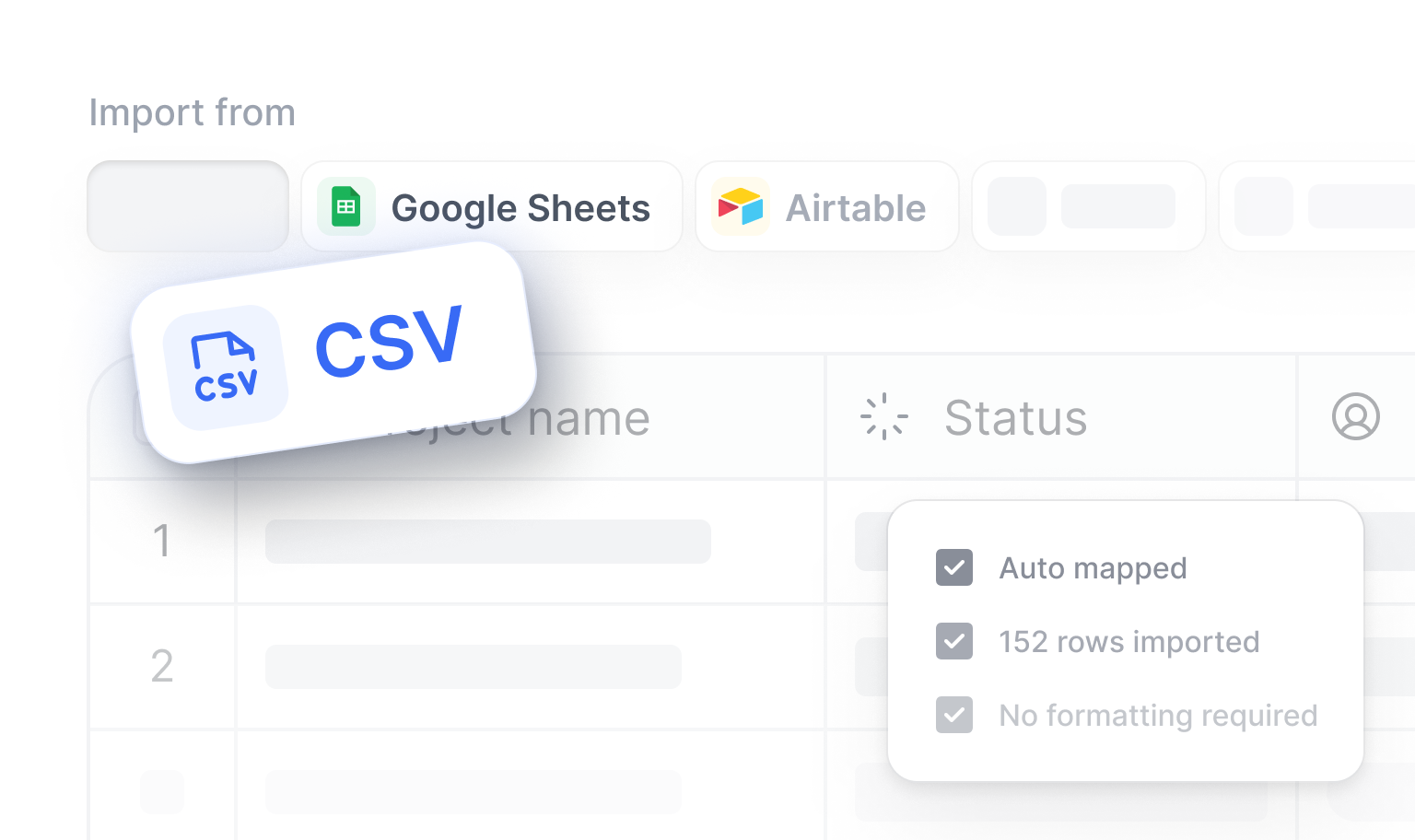
Once your data source is connected, spend time setting up users and permissions before you build out pages. Getting this right early means every block, filter, and action button you add afterward automatically respects who should see what.
Examples of front-end applications that can be built with Airtable
Check out these examples of front-end applications you could build with Softr, using Airtable as a backend infrastructure.
They are all available within Softr as templates and can serve as a good base for your own project.
Client portals
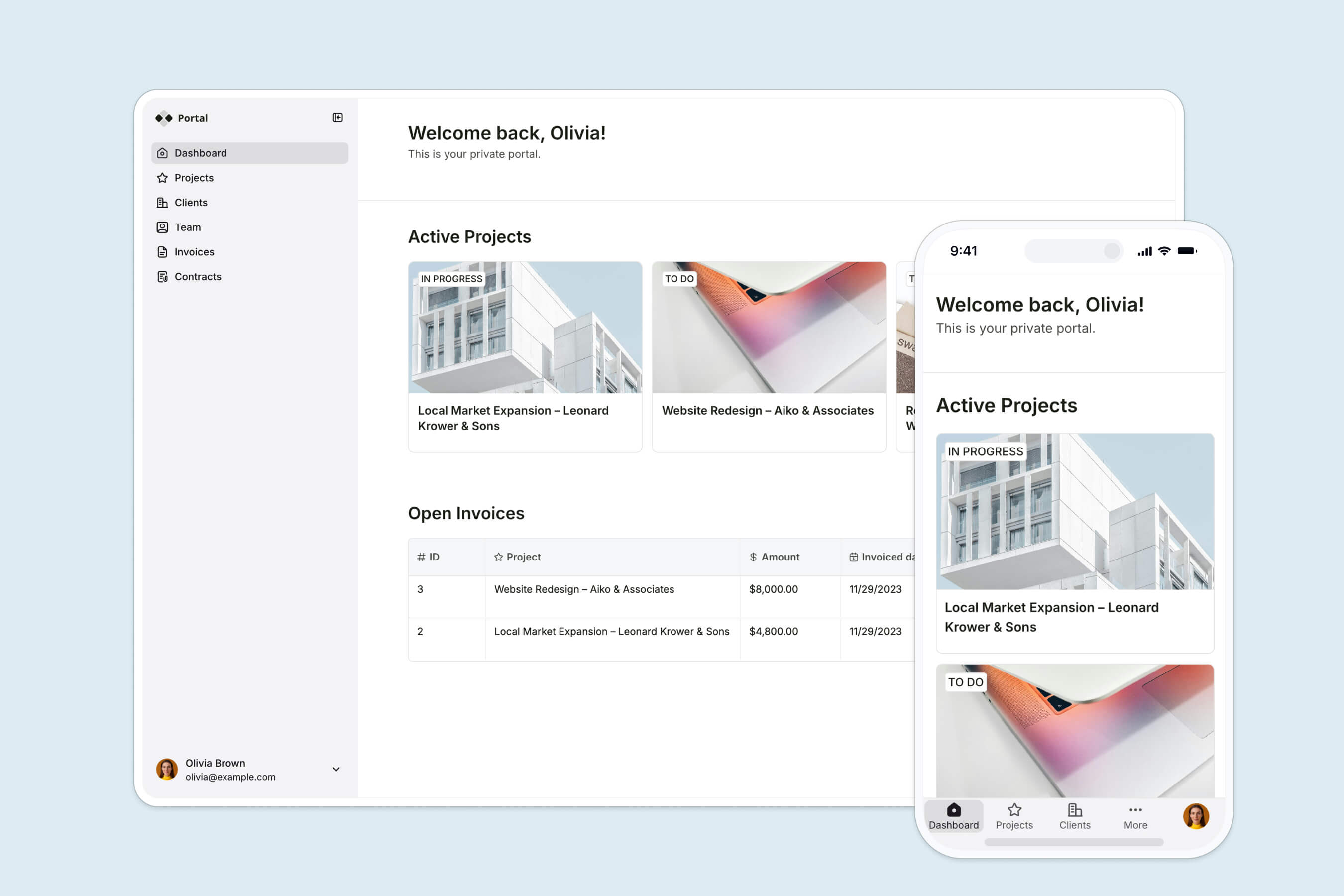
Client portals are specific web applications where information is stored for a specific set of users. Client portals are used by organizations to provide a professional service, communicate securely, and collaborate with customers, teams, or community members.
Check out our blog to learn how to create your own client portal. Or, if you prefer video content, take a look at the detailed tutorial on creating a client portal below.
Custom CRMs
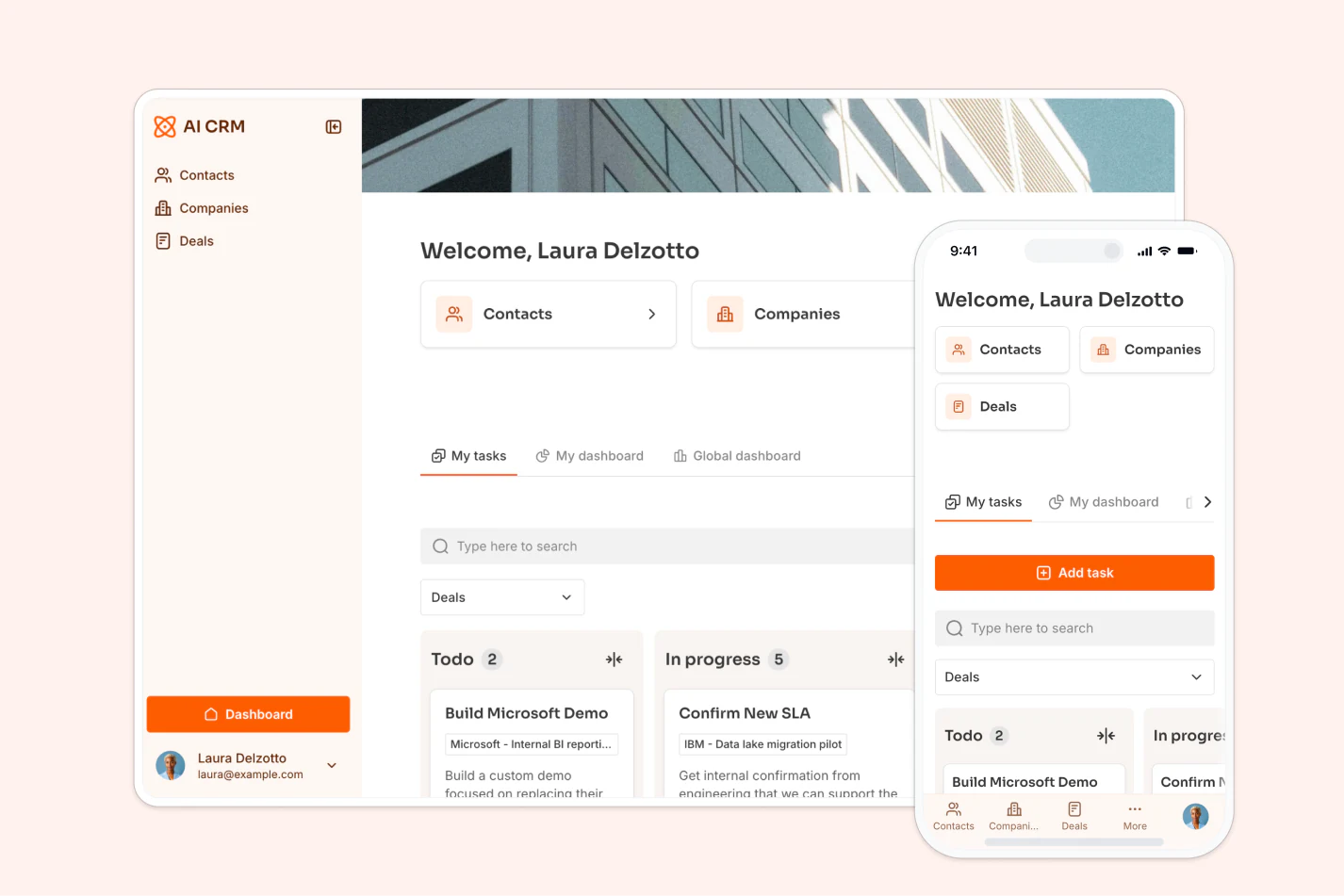
A CRM is a technology-driven solution that helps businesses organize, automate, and streamline their customer-related processes.
With a custom CRM built on your Airtable data, you can track leads, opportunities, and sales pipelines in a Kanban view, moving deals from one stage to the next with a drag and drop. This transparency helps your sales team focus on high-potential leads and close deals more efficiently, without ever opening the underlying base.
Dashboards and reporting

Dashboards are visual management tools used to display data from your data sources. They provide real-time insights, fostering transparency, customization, and efficiency in client communication.
By offering data-driven decision-making, a competitive edge, scalability, and a professional image, dashboards enhance client satisfaction, making them a necessity for success in today's fast-paced business world.
To learn more, check out our article on client dashboards.
Internal tools
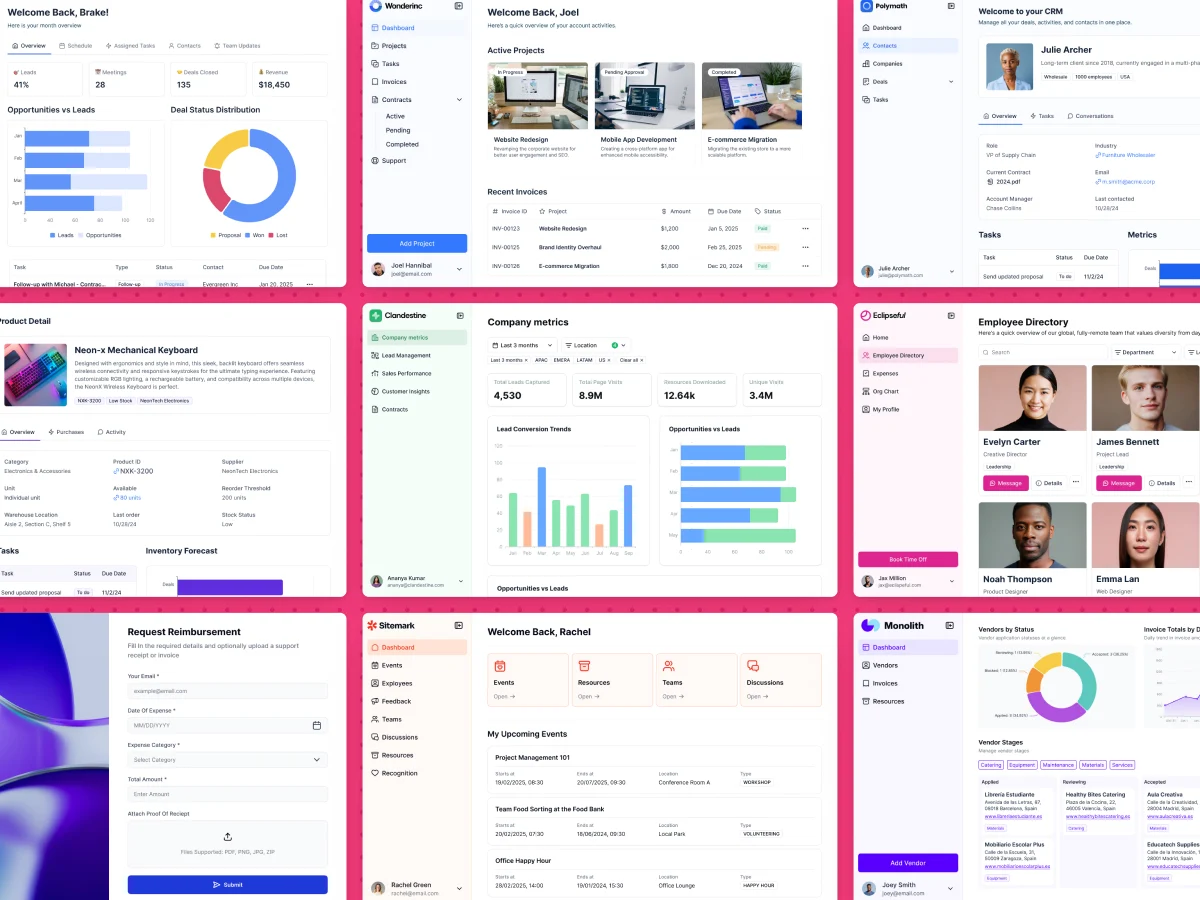
A frontend doesn't have to be customer-facing. Companies need a solid set of internal tools to run efficient processes, and Airtable-backed internal tools (from CRMs to directories and wikis) come in all shapes and forms. With Softr, you can create custom internal tools at a fraction of the cost and time it would take to build them with developers, and sync your team as app users with condition-based groups (for example, splitting admins from regular employees) so each person only sees what's relevant to their role.
Community hubs
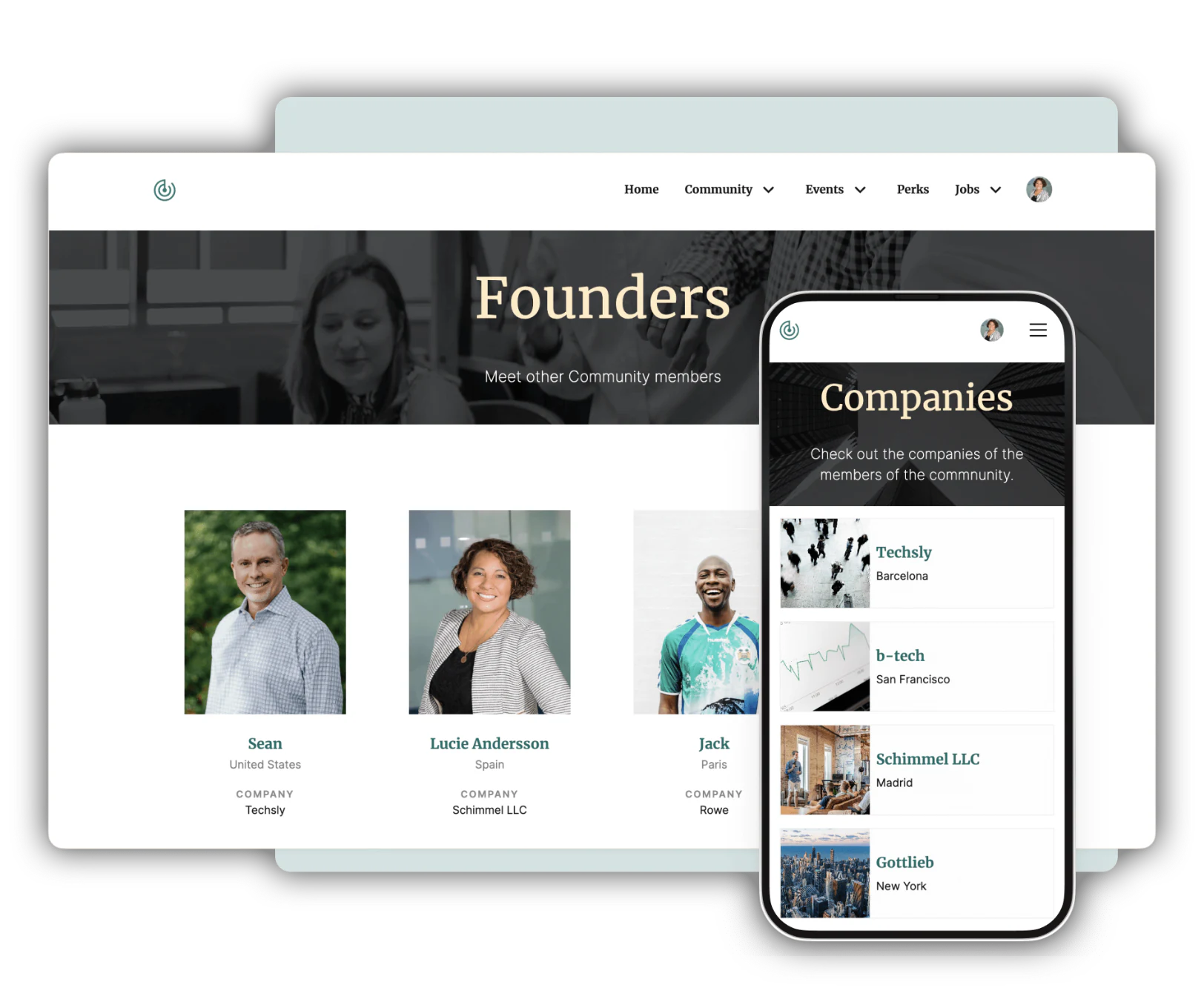
At Softr, we've relied on an engaged online community as a growth channel, including reaching the top spot on Product Hunt twice thanks to our user base.
Bringing users together on one member-only website with memberships and premium content is a great way to share resources and nurture relationships with your audience, all backed by the same Airtable data you already manage.
Turn your Airtable base into a real business app
If your team has outgrown a shared Airtable base and needs proper permissions, authentication, and a branded interface, or you're tired of waiting on developers to ship a simple internal tool, a dedicated frontend solves both problems at once.
Yohei Nakajima, General Partner at Untapped Capital, ran into this exact wall: his fund's CRM lived in Airtable, but LPs needed a way to track their portfolios without touching the base directly. After testing other no-code tools, he built an investor portal with Softr instead.
"Technology is core to our fund, and Softr will play a key role in the near future as we differentiate ourselves with a custom CRM that allows us to operate extremely efficiently. I had already tried other no-code tools, so when I started using Softr, it was immediately clear that the capabilities were beyond what I found elsewhere." - Yohei Nakajima, General Partner at Untapped Capital
Softr lets anyone on your team build a functional, branded interface on top of Airtable, Softr's own native database, or other data sources, in minutes rather than months. Whether you're a small team streamlining operations or a larger organization empowering non-technical staff to build internal and external tools without pulling in engineering, you can start for free and see your first app live today.
Frequently asked questions
What is an Airtable front-end?
Are custom front-ends for Airtable secure?
Can I connect multiple Airtable bases to a single frontend?
Do my frontend users need Airtable accounts?
How does data sync between Airtable and the frontend?


