What is partner relationship management? Guide + examples

.jpg)
Most teams don’t set out to build a partner management system. It happens over time.
A few partners turn into dozens. Deals are shared over email, tracked in spreadsheets, and updated in Slack. It works, but only up until a point. As things grow, it becomes harder to keep track of who owns what, where deals stand, and which partners are actually driving results.
That’s the gap that partner relationship management is meant to fill. It helps you bring structure to how you work with partners without adding unnecessary complexity.
In this guide, we’ll break down what PRM really means, how it works in practice, what features to look for in a PRM tool, and how to set it up in a way that fits your existing workflows.
What is partner relationship management (PRM)?
Partner relationship management is how you organize, track, and scale the way your business works with external partners.
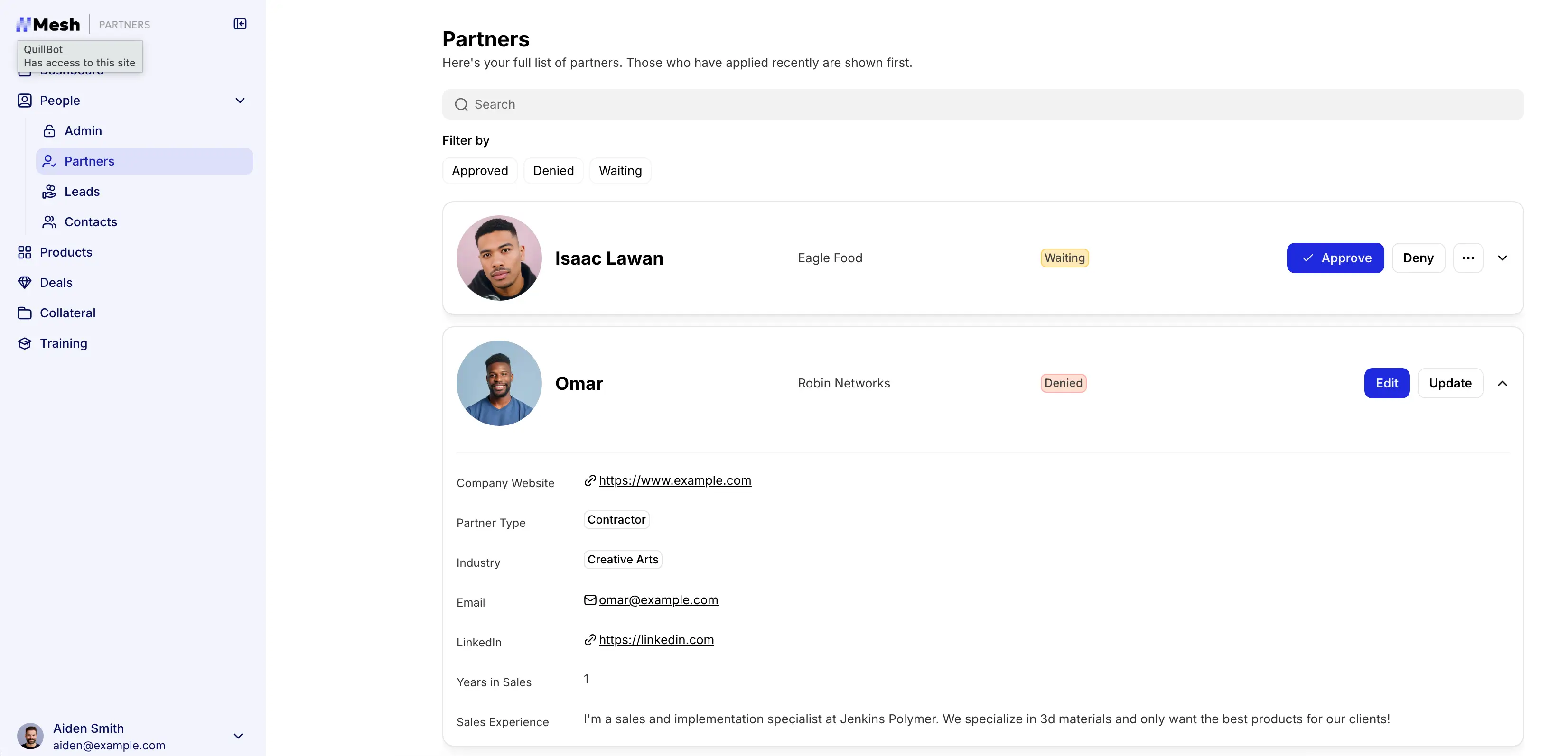
These partners might be resellers, agencies, distributors, or service providers—anyone helping you sell, deliver, or support your product.
For most teams, PRM is a combination of:
- Processes (how you onboard and manage partners)
- Systems (where data, deals, and resources live)
- Workflows (how work actually gets done)
A proper setup brings all of that into one place. It gives you a shared system where:
- Partners can access what they need
- Deals are tracked and assigned clearly
- Communication and updates don’t get lost
- Performance is visible without manual reporting
PRM vs CRM: what’s the difference?
At a high level, the difference is simple:
- CRM → manages customers
- PRM → manages partners who bring in customers to your product/services
Both systems aim to improve revenue and relationships, but they operate in different parts of your business.
How they work together
Most growing businesses use both:
- CRM manages your direct pipeline and customer relationships
- PRM manages the partners who bring in that pipeline
They’re not replacements for each other—they’re complementary systems that support different parts of how your business grows.
How partner relationship management works
At a practical level, PRM is about creating a system where both your team and your partners can operate without constant back-and-forth.
Here’s what that looks like in real scenarios:
- A real estate company works with external brokers: brokers have access to properties and register deals in a shared system.
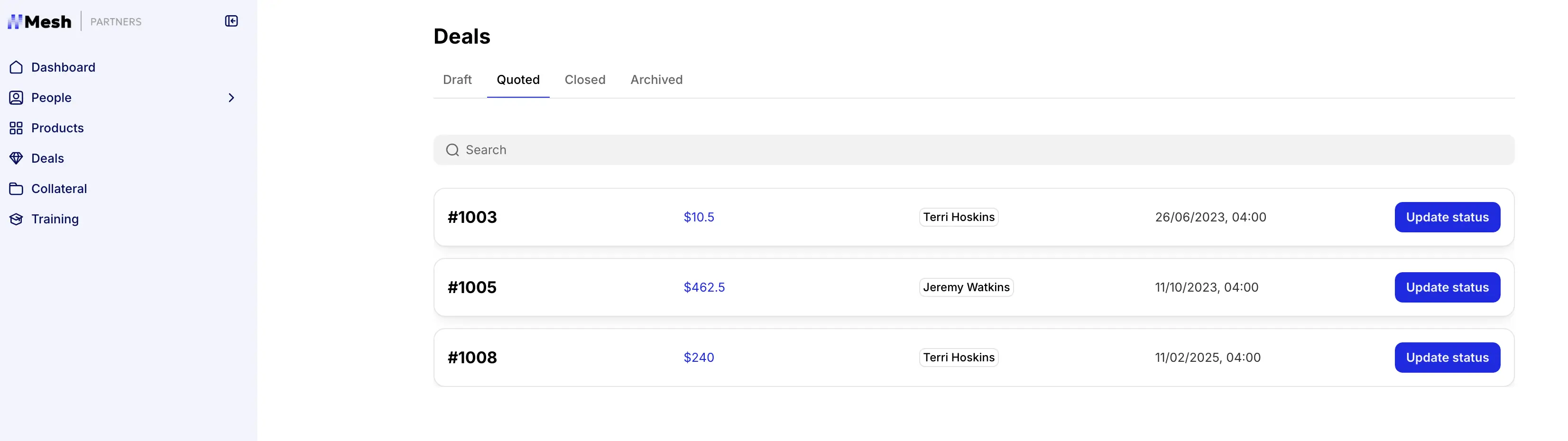
- A SaaS company collaborates with implementation partners: partners onboard clients, track project progress, and access documentation in one shared workspace.
- A service business manages referrals through partners: each partner submits leads, tracks status, and sees their commissions without asking for updates.
Across these use cases, the goal is the same: reduce manual coordination and give everyone a clear, shared system.
How to get started with partner relationship management
- Map where partner data lives today: Spreadsheets, CRM, docs, inboxes—identify what’s being used and where gaps exist.
- Define your core workflows: How partners onboard, submit deals, access resources, and get updates.
- Bring data into one system: Centralize partners, deals, and documents so everything connects.
- Create a partner-facing layer: Give partners a place to log in, access what they need, and take action.
- Add automation and permissions: Set up approvals, notifications, and role-based access to reduce manual work.
Partner relationship management examples
At some point, the problem becomes less about what PRM is and how it works, and more about how to actually set it up. This is where most teams get stuck. They know what PRM is—but turning messy tools into a working system is the hard part.
They already have the pieces: spreadsheets, shared docs, a CRM, maybe a few workflows. But they’re not connected in a way that partners can actually use.
That’s the point where teams should start using partner portal software that can make real collaboration happen.
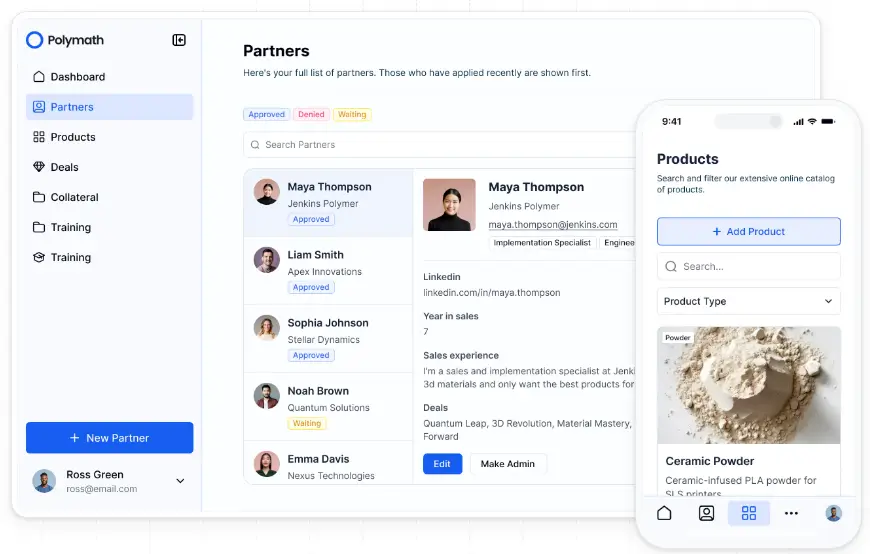
Softr’s custom, branded partner portal software sits on top of your data and makes partner relationship management seamless from day one.
Once set up, your partners can:
- Go through the onboarding flow you created for them
- Submit and track deals or referrals in one place
- Access documents, pricing, and updates in one place
- Control partner access based on user roles or partner types
- Approve and notify partners automatically whenever data changes
- Access reporting when needed
You don’t just add another tool for your team. You turn the systems you already use into something partners can interact with directly.
Benefits of partner relationship management with Softr
When your PRM software is set up right, the impact is immediate:
- Fewer conflicts and miscommunication: Clear ownership, structured deal tracking, and shared visibility reduce overlap and eliminate “who owns this?” moments.
- Faster partner onboarding: Give partners immediate access to the right data, resources, and workflows without back-and-forth or constant handholding.
- Centralized partner operations: Bring partner data, deals, documents, and communication into one system instead of managing everything across spreadsheets, email, and disconnected tools.
- Fully connected data, apps, and workflows: Manage partners, deals, referrals, and resources in a relational database that powers your portal and automations—so updates flow across your entire system without manual syncing.
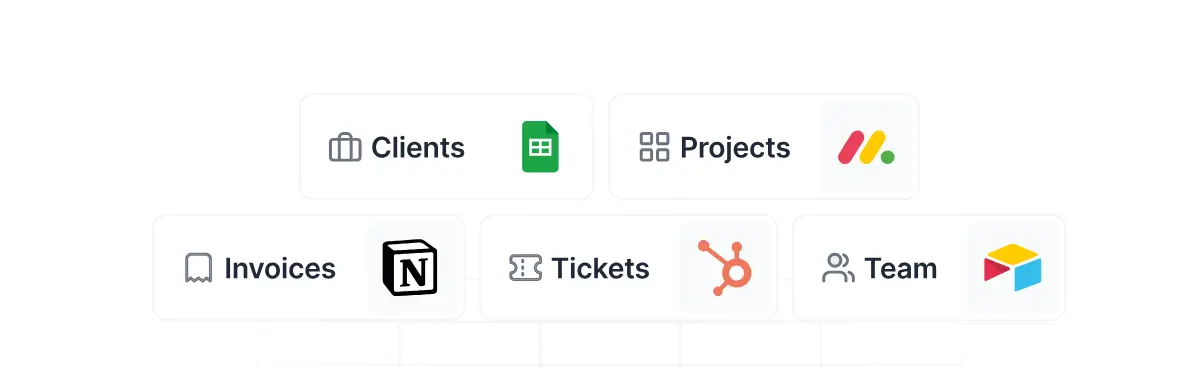
- Strong integrations across your existing stack: Connect to tools like Airtable, Google Sheets, HubSpot, SQL databases, and more, or use REST APIs to bring in data from almost any system. This way, your partner portal stays in sync with the tools you already use.
- Custom native workflows without developers: Set up onboarding, approvals, notifications, and multi-step processes that run automatically—without writing code or relying on engineering.
- Role-based access and secure collaboration: Control exactly what each partner can see or edit using user groups and permissions, so everyone gets a tailored view without extra coordination.
- One portal for all partners: Build once and personalize the experience for different partner types, instead of managing separate systems or duplicating work.
- Interactive partner experience: Go beyond static dashboards—partners can submit forms, update records, upload files, and interact with live data directly inside the portal.
- AI-powered setup and iteration: Describe what you need and generate a working partner portal with Softr’s AI builder, then refine it visually with drag-and-drop blocks as your workflows evolve.
- Branded, client-ready experience: Customize layouts, navigation, and styling so your partner portal matches your brand and feels like a natural extension of your business.
- Scale with your operations: Start with a partner portal and expand into internal tools, CRMs, dashboards, or operational systems—all powered by the same data. No data or API limits.
- Predictable pricing that scales with your usage: Clear tiers based on users, records, and workflows make it easier to plan costs as your partner network grows—without unexpected overages or complex seat-based models.
Real-world scenario: Virtuous
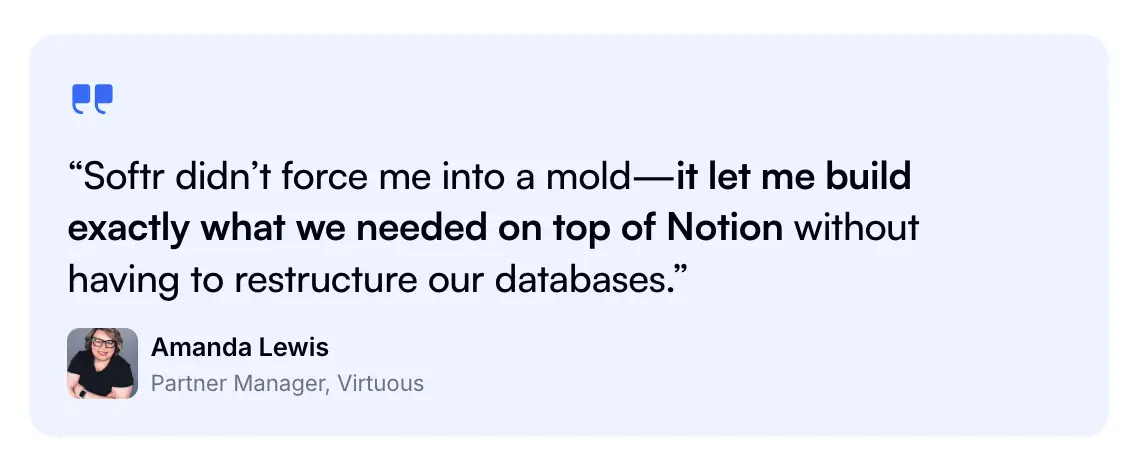
A useful example of PRM in practice comes from how the team behind Virtuous approached managing relationships and collaboration across external stakeholders.
They built a shared system on top of their Notion data with Softr where everyone could work from the same source of truth.
Before that shift, information was spread across tools. Updates required checking with different people, and coordination slowed things down.
By moving to a more centralized setup, they created a workspace where:
- Partners and internal teams could access the same up-to-date information
- Workflows didn’t depend on manual follow-ups
- Communication was tied directly to the work being done
Now, partners didn’t have to ask for updates or search for the latest materials. They could log in, see what mattered to them, and take action.
→ You can explore the detailed story about how Virtuous did it here.
How teams use partner relationship management in practice
Partner relationship management isn’t limited to one type of business. It shows up anywhere teams rely on external partners to sell, deliver, or support their services.
Here are a few common ways teams use PRM day to day:
- Insurance and financial services: Work with brokers and insurance agents through a shared system where they can access pricing, submit leads, and stay updated without back-and-forth emails.
- SaaS and technology companies: Manage partner ecosystems by sharing product updates, sales materials, and deal workflows in one place while keeping visibility into pipeline and performance.
- Manufacturing businesses and equipment suppliers: Support distributors with up-to-date catalogs, quoting resources, and operational updates, so they can sell and fulfill orders more efficiently.
- Clean energy and solar providers: Coordinate with installers and sales partners across regions, track incoming leads, and manage documentation tied to each project.
- Agencies and referral-based businesses: Give partners a clear way to submit referrals, track deal progress, and understand payouts without relying on manual updates.
- Professional services firms (legal, real estate, consulting): Share client-related information securely with external collaborators while maintaining control over what each partner can access.
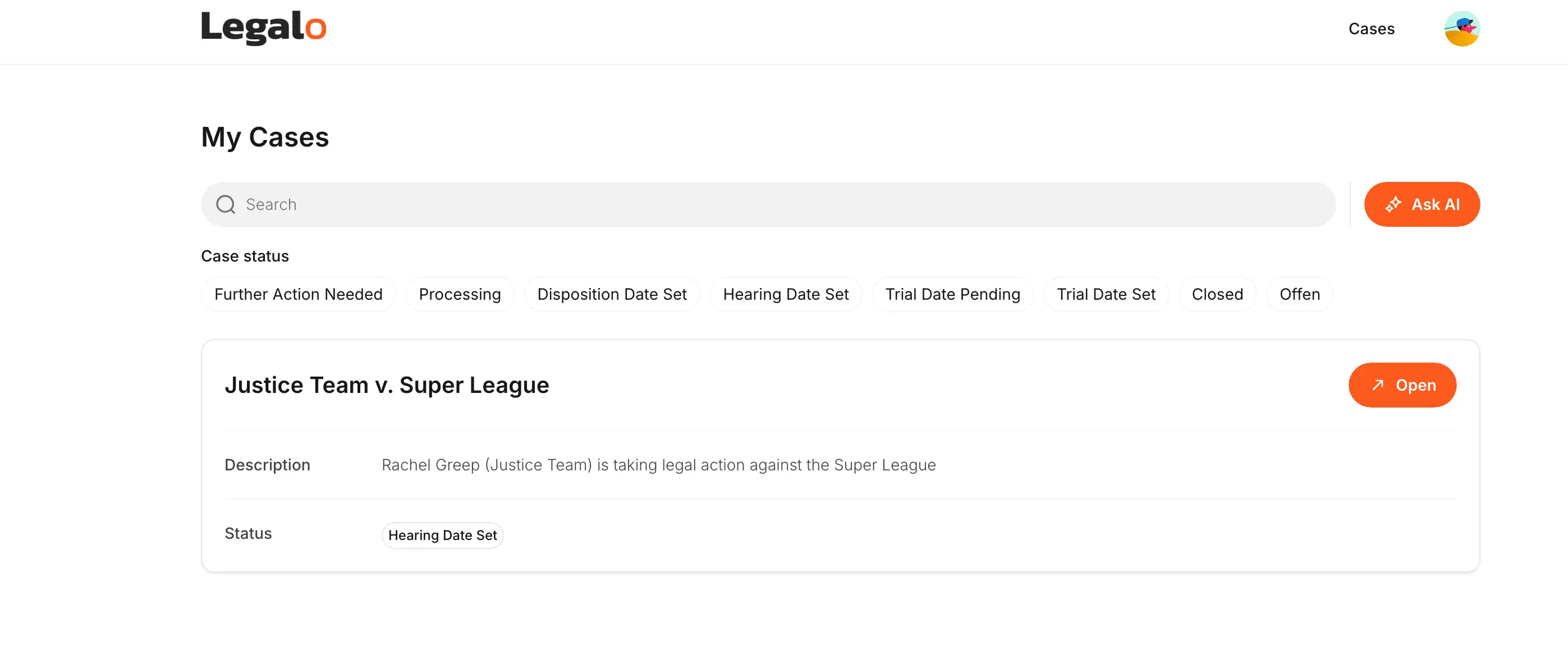
Build a powerful partner relationship management software with Softr
Partner relationship management isn’t something most teams plan for. It’s something they grow into.
What starts as a few partnerships eventually turns into a set of processes, tools, and workflows that need to be coordinated. Without structure, that work becomes harder to manage over time.
A PRM software gives you a way to bring that work into one system—so partners, data, and workflows stay connected as things scale.
If you’re already working with partners, you don’t need to rethink your entire process. You just need a system that supports it.
Try Softr’s free partner portal template to turn your existing data, workflows, automations, and disconnected tools into a central system that partners can actually use and scale.