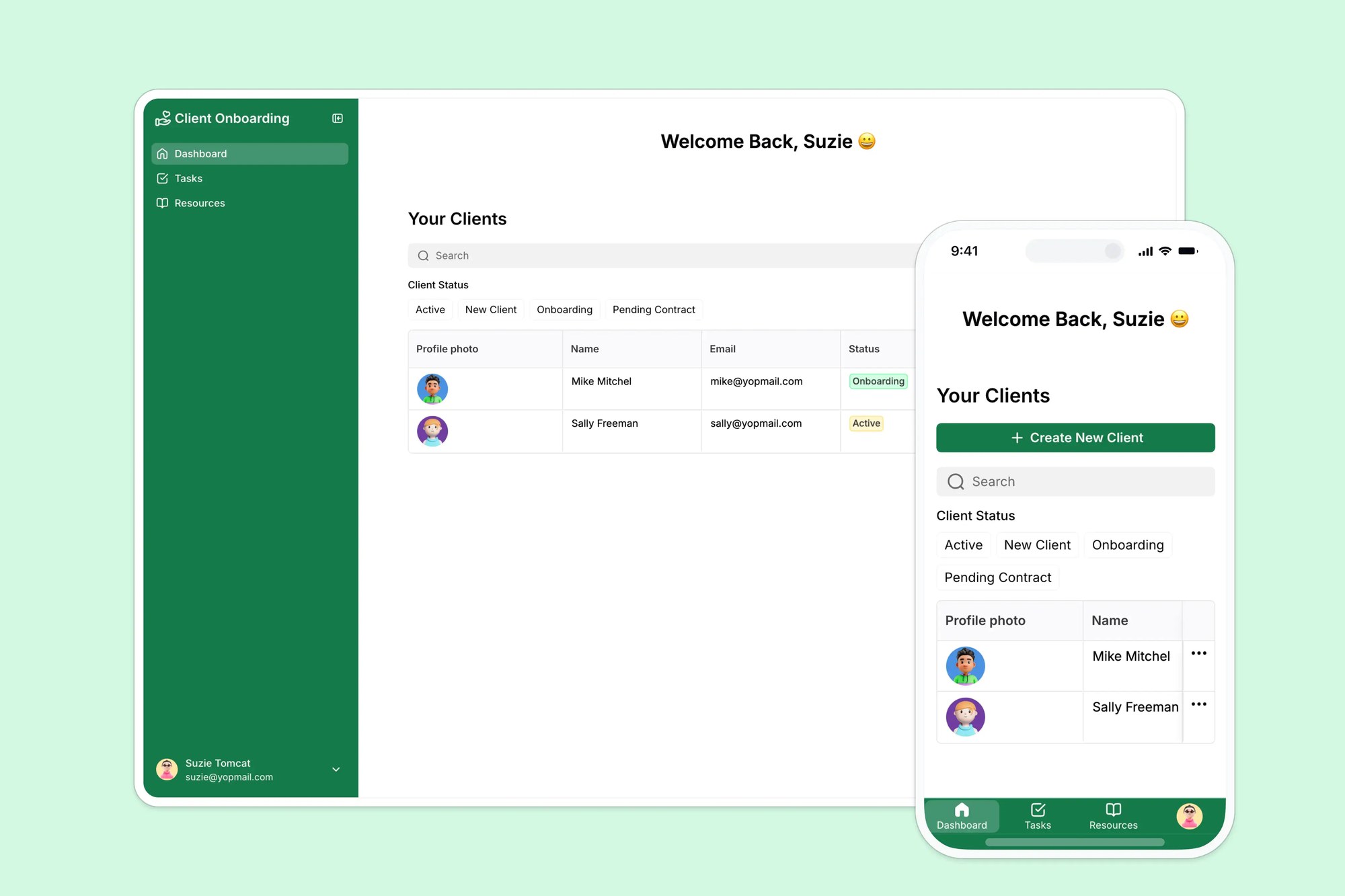
A self-serve portal where clients can access required tasks and resources to complete the onboarding process.
Data sources supported





.svg)


Resources




Overview
This free template helps you build a custom onboarding portal on top of your existing data, so you can ditch scattered spreadsheets, emails, and forms.
It comes with a built-in Softr Database showing how to structure onboarding tasks, documents, and client dashboards, and connects natively to any Softr-supported data source if you prefer, including Airtable, Google Sheets, Notion, monday.com, HubSpot, and more.
Why use this client onboarding template
- Streamline onboarding from day one: Give clients a single place to view next steps, submit documents, and stay informed.
- Personalize each onboarding journey: Use user groups and conditional visibility to tailor dashboards by client, role, or project.
- Save your team time: Replace email chains and follow-ups with real-time status updates and task tracking.
Template features:
- Personalized dashboards
- Task tracking
- Resource library
- Feedback collection
- Admin dashboard
- Works on any device
Who is this client onboarding portal for?
This template is ideal for any business that needs to guide clients or customers through a structured onboarding process. Whether you're onboarding a new customer, partner, or member, this portal can be customized to fit your workflow.
- Agencies & freelancers: Deliver a seamless client kickoff process with clear next steps and document uploads.
- Consultants & service providers: Provide structured onboarding for new clients with easy access to deliverables and FAQs.
- SaaS & tech companies: Collect customer info post-sale, share product training, and ensure smooth handoffs between teams.
- Property managers & real estate firms: Use the portal to share lease documents, schedule inspections, and answer new tenant questions.
- Nonprofits & member organizations: Onboard new members with welcome packets, event calendars, and resource hubs.

“What we love most about Softr is the instantaneous, customizable power a no-code platform allows.”

- 1
- 2
- 3
- 4
Frequently asked questions
Do I need technical skills to set this up?
Is this template free to use?
Can I use this template with Google Sheets or Notion?
Can I add file upload or request forms?
Can I brand the portal as my own?
Can I automate onboarding tasks and reminders?