What is no-code AI? Complete guide + examples


"No-code AI” is a relatively new term but one that is changing how teams build software. It can help solve the issues teams and builders typically experience with AI coding, low-code, or no-code platforms: blank-canvas setup, weak data structure, no backend support, unclear permissions, limited integrations, and AI-generated apps that look useful at first but are hard to manage later.
In this guide, we’ll break down what no-code AI actually means, how it compares to other software approaches, and where it works best in real business apps and workflows.
What is no-code?
No-code is a way to build software with visual tools instead of traditional programming. Users can create apps, websites, portals, workflows, databases, dashboards, and internal tools using pre-built blocks, forms, tables, permissions, automations, and integrations.
The limitation is that many traditional no-code tools still require a lot of manual setup. You need to design the data model, configure pages, define user roles, build workflows, and connect everything yourself. AI can be used to fill in these gaps.
These Reddit posts show how no-code is evolving:

What is no-code AI?
No-code AI lets teams build AI-powered apps, workflows, agents, and internal tools without writing code. It pairs prompts with visual editing, allowing non-technical users to set up databases, integrations, AI actions, and business software without relying on developers.
No-code AI vs low-code vs AI coding tools
No-code AI, low-code, and AI coding tools serve different users and different roles.
| Category | Who it’s for | How it works | Best for |
|---|---|---|---|
| No-code AI | Business users, operators, and non-technical teams. | Uses prompts, visual builders, templates, connected data, and AI-assisted setup | Business apps, portals, workflows, dashboards, agents, and internal tools. |
| Low-code | Technical teams, IT teams, operations engineers, and advanced builders | Combines visual building with custom code, APIs, scripts, and more technical controls | Complex workflows, enterprise systems, custom logic, and IT-led app development |
| AI coding tools | Developers and technical builders | Uses AI to write, edit, debug, test, refactor, document, or explain code | Custom software, production codebases, web apps, backend logic, and developer workflows |
With AI coding tools, you get solid prototypes. But those prototypes still require code maintenance and revisions to make the app work for real users. They also need infrastructure, security, permissions, and other features that require technical expertise (or burning tons of credits).
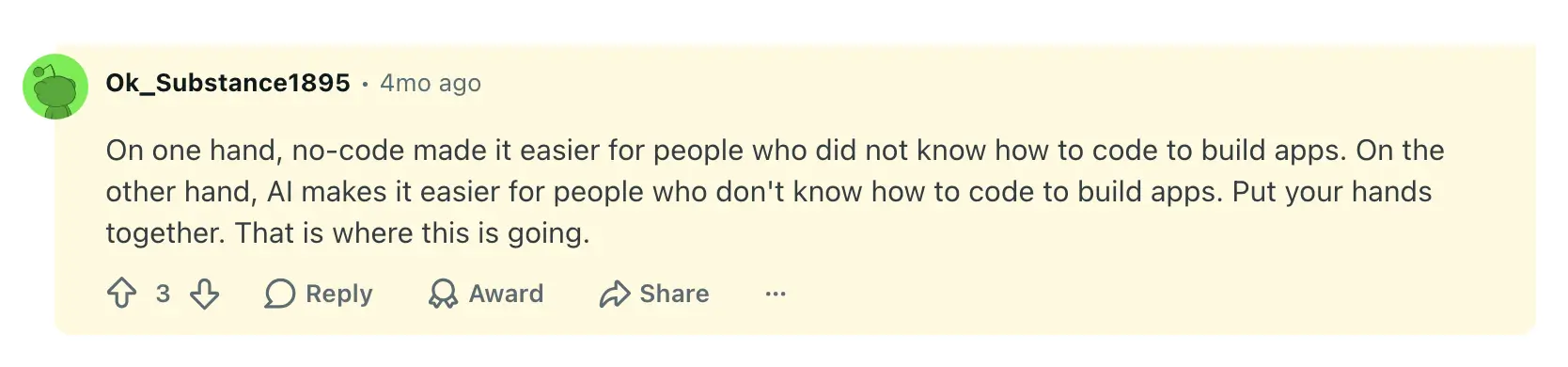
So, you need a no-code AI platform that enables your team to build the tools they can use in their daily workflows without hiring devs. Here’s how one Reddit user describes the blending of no-code with AI:

When to use no-code AI (with examples)
No-code AI is useful when your team knows exactly what needs to be built but lacks the time, budget, or technical support to develop it from scratch. It helps turn everyday business processes into working apps and workflows fast, without forcing teams to rely on expensive off-the-shelf tools or fully custom development.
The biggest value shows up in work that depends on structured data, repeatable steps, different user roles, and regular updates. For example, teams can use no-code AI to build:
- Client portals: Give clients one place to submit requests, upload files, track project updates, and view only the information meant for them.
- Internal tools: Create task trackers, approval systems, employee directories, equipment request forms, or team dashboards without waiting on engineering.
- CRMs: Manage leads, accounts, follow-ups, customer notes, and pipeline updates in a system shaped around your actual sales process.
- Vendor and partner portals: Let external users submit documents, update records, check statuses, and communicate with your team through a controlled interface.
- Inventory and work order systems: Track items, requests, assignments, status changes, and field updates across teams or locations.
- AI-assisted workflows: Summarize submissions, classify requests, enrich records, draft responses, route tasks, or flag missing information before a human reviews it.
What to consider when choosing a no-code AI builder
Not every no-code AI builder is meant for the same kind of work. Before choosing a platform, you’ll need to consider more than just how quickly it can generate a prototype. The real question is whether your team can ship, maintain, and improve the app after the first version.
Here’s what I recommend checking for as you compare builders:
- Data structure: Can the platform create and manage a real database with records, relationships, statuses, files, and user-submitted updates? A nice interface won’t help much if the data behind it is messy or hard to maintain.
- User permissions: Can you control what each person sees and edits? This matters for client portals, vendor portals, internal tools, partner apps, and any workflow where different users need different levels of access.
- Workflow logic: Can the app support approvals, notifications, assignments, status changes, follow-ups, and task routing? No-code AI is more useful when it can turn a process into a working system, not just generate an interface.
- Integrations: Can it connect to the tools your team already uses, like spreadsheets, CRMs, project management tools, databases, or APIs? If not, you’ll end up with another disconnected app to manage.
- Editing after AI generation: Can non-technical users change fields, pages, permissions, workflows, and layouts after the app is created? This is where many AI-generated apps fail: they look useful at first, but small changes still require code manipulation and technical help.
- Security and governance: Can your team manage access, authentication, data visibility, and compliance from the platform itself? This is especially important as more business users build apps without IT involvement. Weak defaults or unclear visibility settings can expose sensitive business and customer data.
Below, I’ll show how exactly you can build secure, fully functional business software with Softr, and why it fits perfectly in the no-code AI category.
Build real business software with AI, no code required
No-code AI helps businesses move from an idea to software they can actually use. Softr is built for that kind of work, letting you create the systems your team uses every day: client portals, approval workflows, inventory trackers, project dashboards, internal CRMs, and operations hubs.
Softr apps start with the features that make software usable in practice, not just as a prototype: database, permissions, logic, SSO, and user access. You decide who can see and do what while Softr handles authentication and security guardrails behind the scenes.
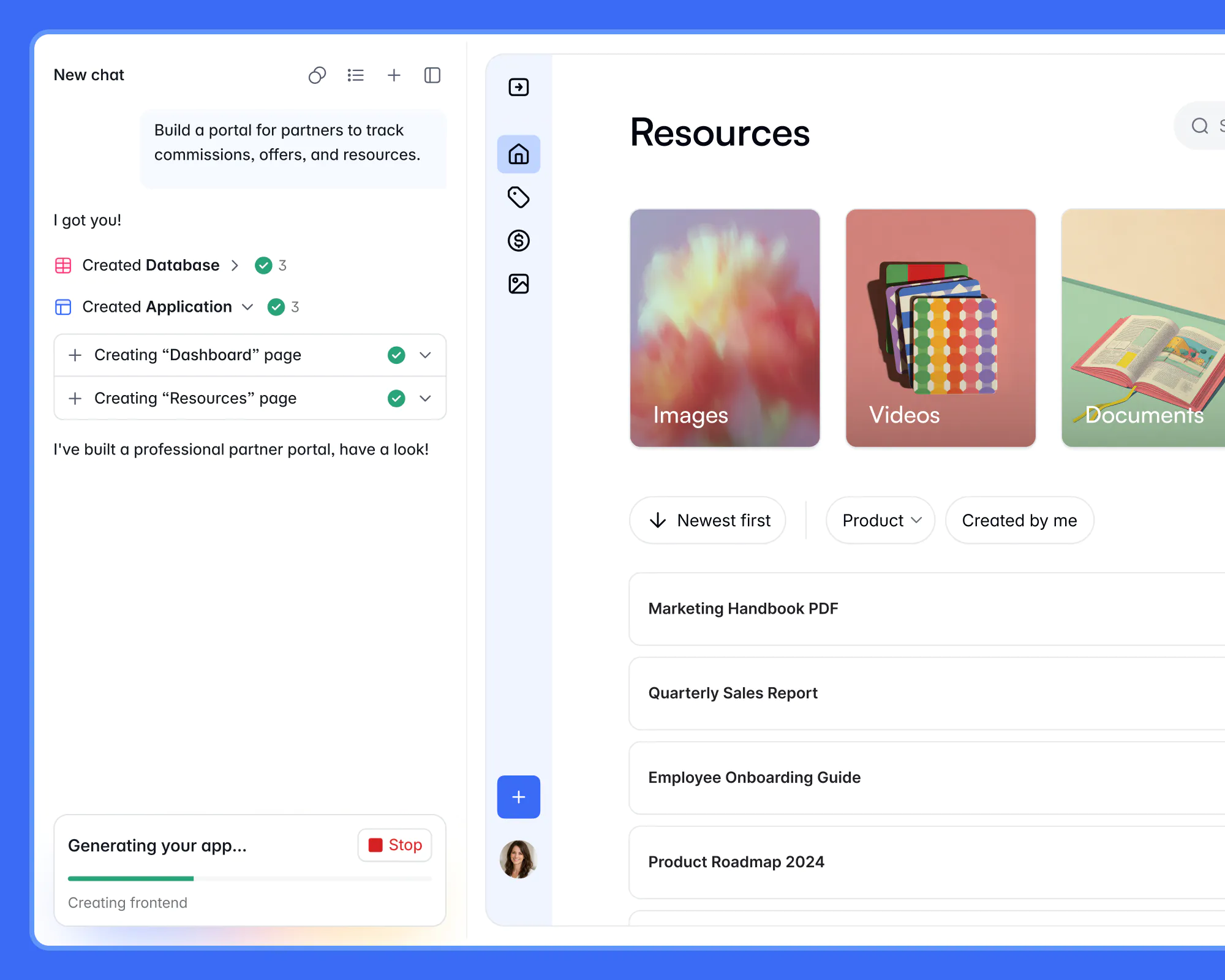
With Softr’s AI Co-Builder, start with a prompt like “build a client portal for project updates and approvals” or “create an inventory tracker with low-stock alerts.” The AI creates a working app with the database, pages, permissions, and logic connected. Then, you can prompt the AI to refine your app or switch to editing it visually. You can also prompt those changes from your own AI assistant through the Softr MCP. Add fields, create unique UI elements with the Vibe Coding block, configure workflows, set permissions, connect tools, and expand the app as your process evolves.
One of Softr’s biggest strengths is ownership. You’re not left with generated code that has to be turned over to a developer. You get a real tool you can launch, manage, and improve yourself.
Softr’s no-code AI features
- Built for non-technical teams: Operators can describe what they need, then edit layouts, data, permissions, and workflows visually with building blocks (which means no wasting AI credits or waiting on developers).
- Business-ready and full-stack from the start: Softr builds apps with the relational database, user logic, and core structure (including utility pages like login, sign-up, password reset) already connected, so teams can move to production rapidly.
- Predictable pricing model: Softr’s flat plans include user, database, workflow, and AI allowances, making it easier to plan costs than tools that rely on open-ended usage or token-based pricing.
- Built-in relational database: Use Softr Databases as your backend, or connect to external data sources like Airtable, Google Sheets, Notion, HubSpot, monday.com, ClickUp, SQL databases, Coda, and more (with real-time, two-way sync).
- Role-based permissions: Custom user groups and granular access controls help teams share apps with clients, vendors, partners, or employees while keeping sensitive data protected.
- Native workflow automation: Softr Workflows lets teams automate steps like approvals, notifications, assignments, updates, and follow-ups directly inside the platform.
- Enterprise-grade security: Keep your app's data protected with secure authentication, server-side permissions, and full SOC 2 and GDPR compliance.
- Extensive no-code template library: Choose from 100+ ready-to-use app templates with sample databases (CRMs, recruitment portals, project trackers, and more).
- API & Webhook connectors: Connect your apps to any external data source or financial, marketing, or sales tool via REST API, and use Webhooks to trigger additional actions or receive events in real time.
- Ask AI: Users can query live app data in plain English, with answers controlled by the permissions already set in the app.
- Conditional forms: Collect client requests, vendor updates, approvals, work orders, or internal task submissions through forms that feed directly into your app’s database and workflows.
Build the software your business runs on with no-code AI
No-code AI matters most when the workflow is already clear, but the software is missing. Your team knows how requests should move, who needs access, what should be approved, and where updates should show up. The hard part is turning that process into a reliable app for both internal and external users.
With Softr, you can leverage AI to create that app in minutes, then keep shaping the database, pages, permissions, workflows, and integrations with no-code edits. Instead of stopping at a prototype or waiting on developers for every tweak, you can simply build the client portal, tracker, CRM, dashboard, or approval system your team needs.
Try Softr’s AI Co-Builder for free and see how quickly you can turn a workflow into an app your team can use, manage, and scale without code.
Frequently asked questions
Is no-code AI production-ready?
Can no-code AI build real apps?
Is no-code AI only for non-technical users?
What are the risks of no-code AI?
How much does no-code AI cost?